 Featured article

Courses#
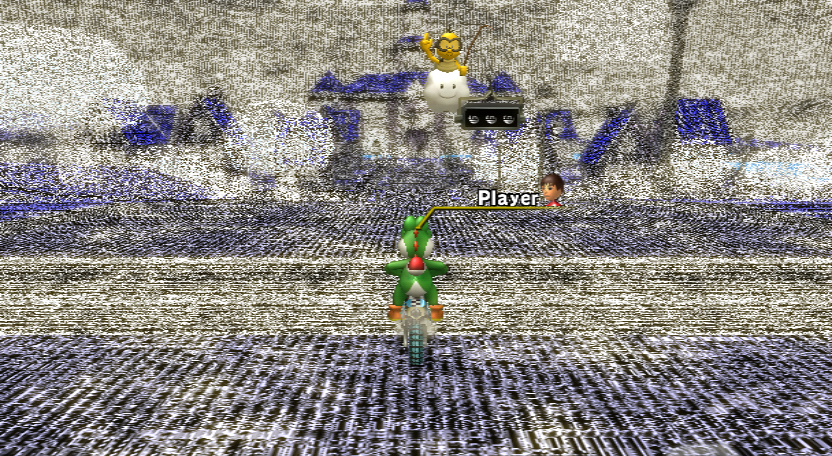 Unused CoursesEarlier versions of a few courses.
 Unused Course ElementsUnused stuff found in the final version of the courses.
 Unused Course ObjectsA lot of things to speculate upon.
Characters and Vehicles#
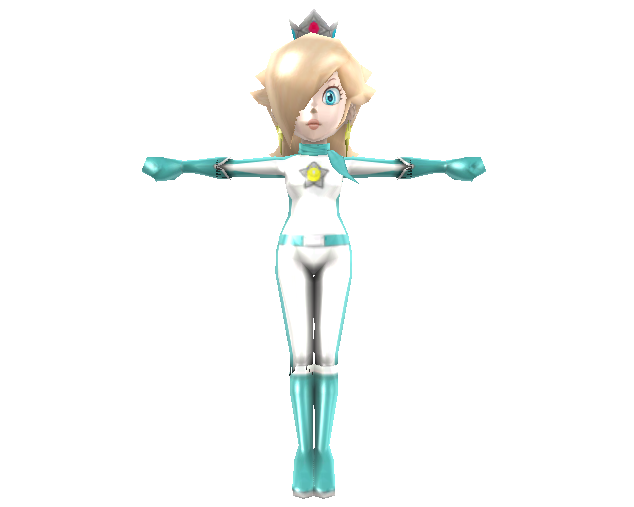 Early Character ModelsEarly models, with some of them being in the final game.
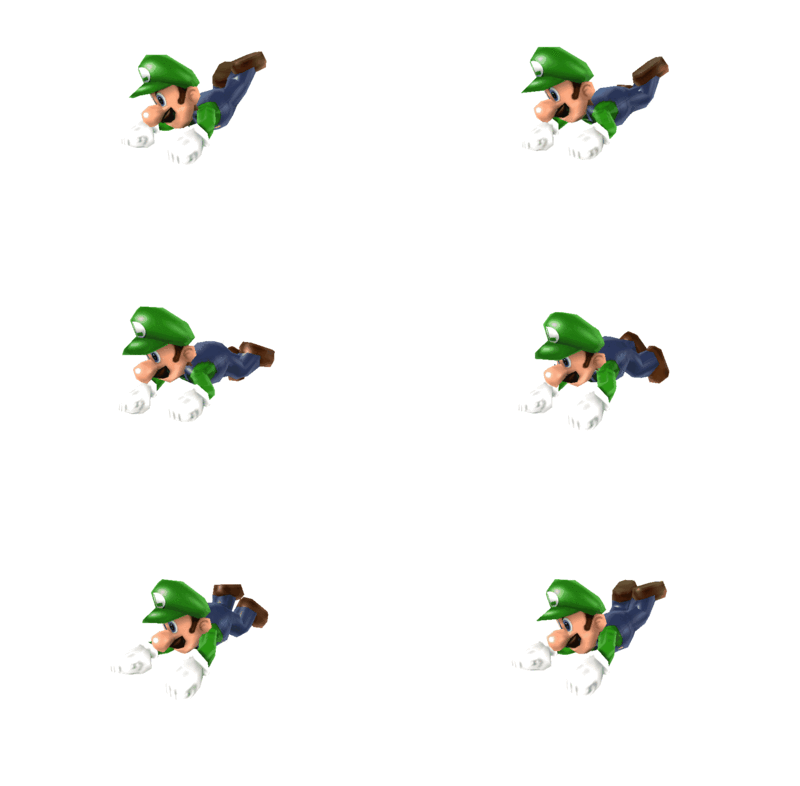 Unused Bones & AnimationsDoes Luigi's kart even need to drive automatically?
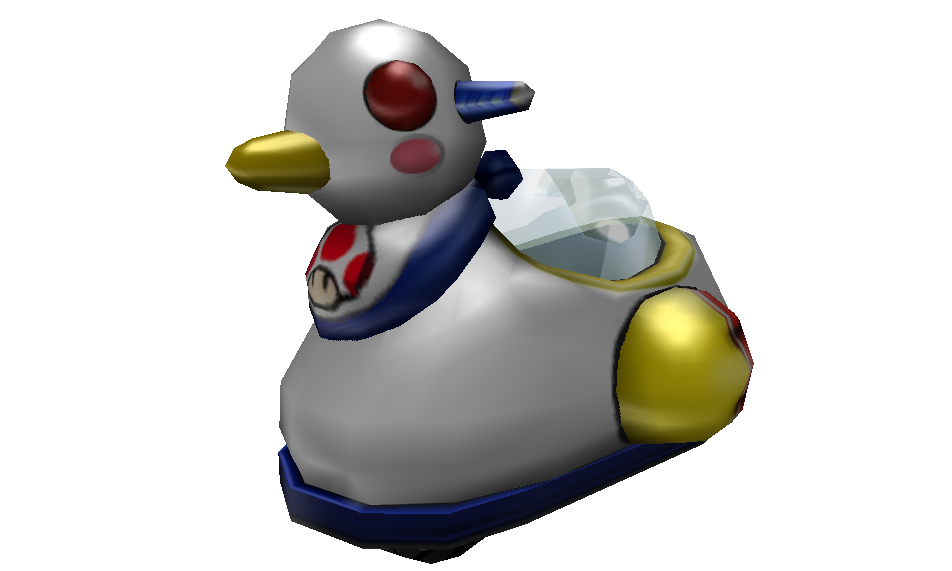 Early VehiclesLots of early vehicles from E3 demos or trailers.
Code and Parameters#
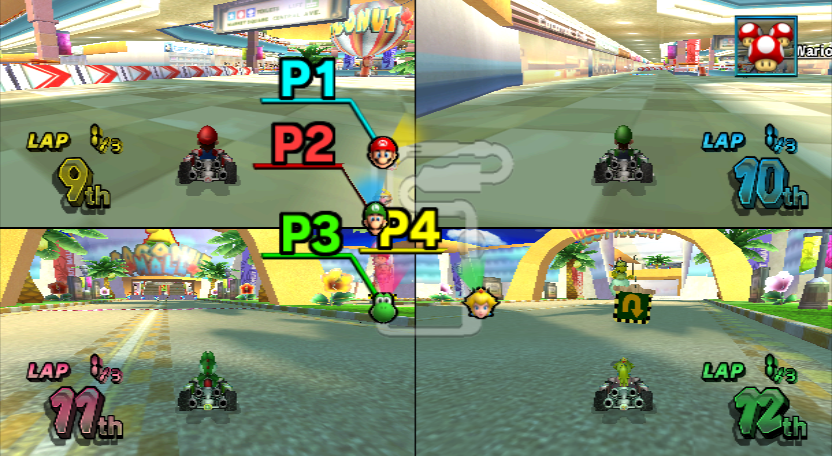 Unused Code & ParametersDebugging content, unused features and early parameters.
Graphics#
 Unused GraphicsUnused icons and textures.
Menus and Text#
 Unused Menu ContentUnused buttons, layout designs, and more.
 BRLYT TextUnused text left across many layout files.
Miscellaneous#
 OdditiesIt's no Space Oddity, but these are pretty odd nonetheless.
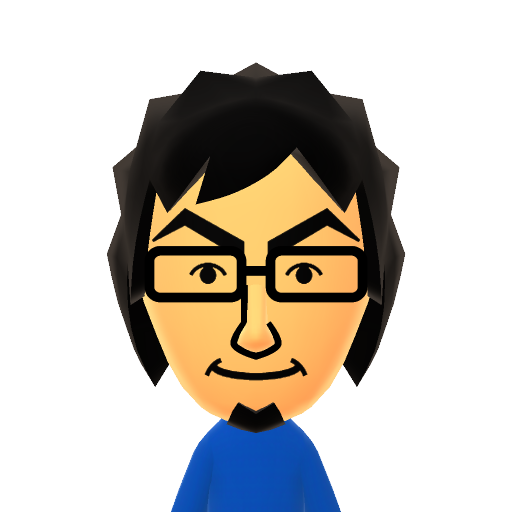 Staff Ghost Mii DataExtra Mii data hidden within the staff ghosts.
 Inaccessible ContentAll the content that died along with Nintendo WFC. Rest in peace.
Version Differences#
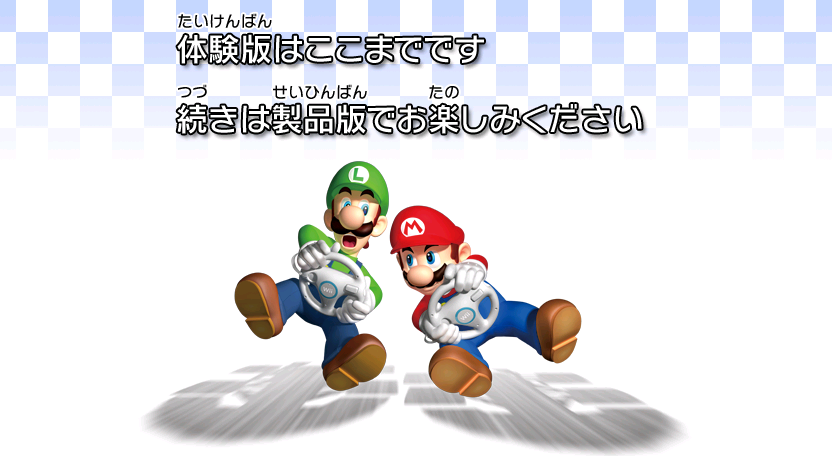 Taikenban DemoA post-release Japan-exclusive demo version of the game.
 Regional DifferencesDifferences across the four retail versions of the game.
Unused Characters#
Petey Piranha#

Petey Piranha's icon appears in the game files. He was a playable character in Mario Kart: Double Dash!!, but was scrapped here and would later return in Mario Kart Tour. This icon appears in many archives, alongside the rest of the character icons. For example, it appears in /Scene/UI/MenuSingle.szs/./button/timg, and is named tt_boss_packun_64x64.tpl. This icon is referenced in the layouts that utilize the character portraits.
Curiously, this early icon was reused from an early build of Mario Superstar Baseball, as seen in a screenshot left in the latter game’s files.
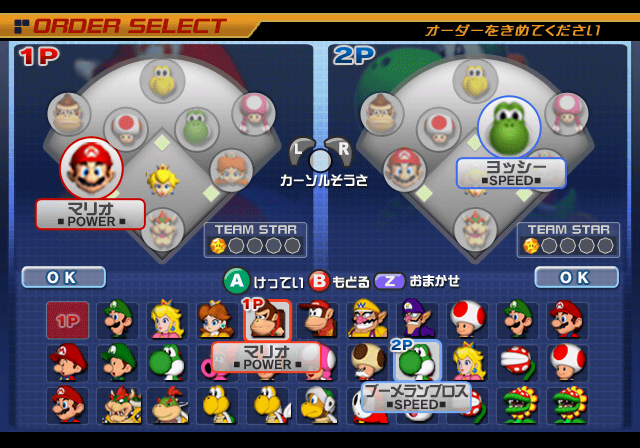
Koopa Paratroopa#

Paratroopa was also a playable character in Double Dash!!. Interestingly, he uses a different pose here than in the final Double Dash!! icon.
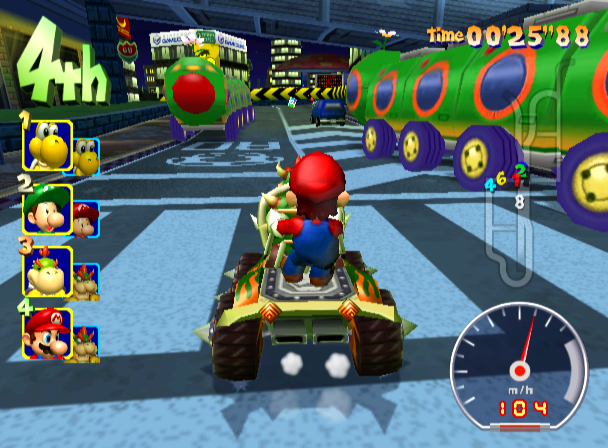
This same icon can be seen in early screenshots of Double Dash!!.
This was probably the one to be cut earliest in development, as Petey and the Hammer Bro are facing left and fit along with the final character icons, whereas this one stands out like a sore thumb.
This icon appears in many archives, alongside the rest of the character icons. For example, it appears in /Scene/UI/MenuSingle.szs/./button/timg, and is named tt_pata_64x64.tpl. This icon is referenced in the layouts that utilize the character portraits.
Hammer Bro#

An icon of a Hammer Bro exists in the game files. This would have been Hammer Bro's debut in the Mario Kart series, before their eventual inclusion in Mario Kart Tour. This icon appears in many archives, alongside the rest of the character icons. For example, it appears in /Scene/UI/MenuSingle.szs/./button/timg, and is named tt_hammer_64x64.tpl. This icon is referenced in the layouts that utilize the character portraits.
As with Petey Piranha’s icon, this icon was reused from an early build of Mario Superstar Baseball, as shown in a screenshot left in the latter game’s files.
Mii Outfit C#

|
To do: |
Watch on YouTube Apparently, there was going to be a Mii Outfit C. The icon for it is stored aloneside the other character icons, in Scene\UI\MenuSingle.szs under the filename tt_mii_suit_c_64x64.tpl. Oddly, though, it has a different icon compared to Outfits A and B. While Outfits A and B are circles with "Mii" on them, C appears to be a grey jacket with the letter "C" on it, suggesting it didn't get much further than testing. Leftover parameter data for Mii Outfit C still exists in the game, like character identifiers, parameters for the size of the Mii's head, etc.
Mii Outfit C uses the driver IDs 0x1C (Small Male), 0x1D (Small Female), 0x22 (Medium Male), 0x23 (Medium Female), 0x28 (Large Male), and 0x29 (Large Female).
A button also exists for Mii Outfit C, and is located right below the Mii Outfit B Button (modified to be next to Mii Outfit B's button in the video). Due to the way it's coded, the character ID is immediately replaced with Mii Outfit A when selected. Fixing this "bug" reveals that Mii Outfit C fails to load because all of its files have been removed from the disc. If these files are replaced, Mii Outfit C will work as intended, making it the only unused, functional character in the game. By default, Mii Outfit C shares Mii Outfit A's character selection screen model.
In order for it to be functional, Mii Outfit C has to have its own files for each vehicle. For example, it looks for the filename "sdf_kart-mc_mii_m" for a standard kart S medium sized male Mii.
By default, the vehicle selection stats for Mii Outfit C are all messed up (but not in gameplay), as its reading garbage data. As a result, small male mii outfit c crashes the game when trying to load the vehicle selection menu.
The following Gecko code will make the Mii Outfit C button appear in the character selection screen (and fix its stats).
PAL |
NTSC-U |
NTSC-J |
NTSC-K |
|
|---|---|---|---|---|
Gecko Code |
|
|
|
|
(Source: MarioKartWii.com)
Unused Music#
These can be found in /sound/strm.
o_FanfareMIWinBoss_32.brstm#
This song would have played whenever you win a boss at certain tournaments that had them. However, in the final game, winning a boss plays the same song as for winning in battles. Judging by the filename, it's possible that this theme was intended for use when beating bosses in the early Mission Mode as well. Its song ID is 0x6F.
There is code to load this song starting at RAM address 0x80712408 (PAL): There's a class that controls the background music, and when it plays the opening camera pan music for Competitions/Tournaments, it copies the byte at 0x34 in the RKCO (the intro mode setting inside the Competition/Tournament file) to field 0x74 in itself.
When it gets the results music ID to play, if field 0x74 is set to 3 (intro with Boss music) and it is Competition/Tournament mode (does not include Mission Mode, apparently), the Boss music is enabled. However, it only sets field 0x74 on before the opening pan. When the scene switches from the intro to the actual gameplay scene, the class is reconstructed, causing the field to default back to 1 (intro with Battle music), which results in the Battle winning song being played instead.
Its name inside sound/revo_kart.brsar is STRM_O_E_GOAL1_FAN_B, where 'E' likely stands for 'Event' (the internal name for tournaments).
(Bug Discovery and Explanation: TheTrueScruffy)
STRM_N_TRUCK_N.brstm#
The second part of Wario's Gold Mine (inside the mine) has an opening to its track. While technically not unused, this opening is never heard, since the race always starts outside. In addition, no online tournaments taking place in this level start inside.
Unused Sound Effects#
Early Trick Sound#
|
Early |
Final |
|---|---|
An early trick sound effect can still be found in /sound/revo_kart.brsar (index 644). It is the fourth sound located inside GRP/GP/N/RAINBOW.brbnk (the sound files for Rainbow Road). Compared to the final version, it has a higher pitch and it is also slightly longer. A similar sound (if not the same) can be heard in a prerelease trailer.
Curiously, a variant of this sound was used in a few competitions/tournaments, more specifically the ones that had the player race a Wiggler, when said character does a trick (named SE_CC_HANACHAN_JUMP_ACTION). However, besides sounding slightly different than the one documented above, it is also sequenced, while both the early and the final trick sounds are streamed.
This sound is actually used in the sequel, Mario Kart 7, when the player does a trick in Rainbow Road and SNES Rainbow Road.
Unused Items#
Chain Chomp#

While Chain Chomps do appear in Mario Kart Wii as obstacles (in courses such as Mario Circuit or Chain Chomp Wheel/Roulette), there is an icon for the Chain Chomp item as seen in Mario Kart: Double Dash!!. Next to the mouth is the kanji for "temporary" (仮). Interestingly, this Chain Chomp icon can be seen in an early Mario Kart DS prototype without the 仮, but it was replaced by the Bullet Bill in the final, though the Chain Chomp would return as a item in Mario Kart Live: Home Circuit.
Boo#
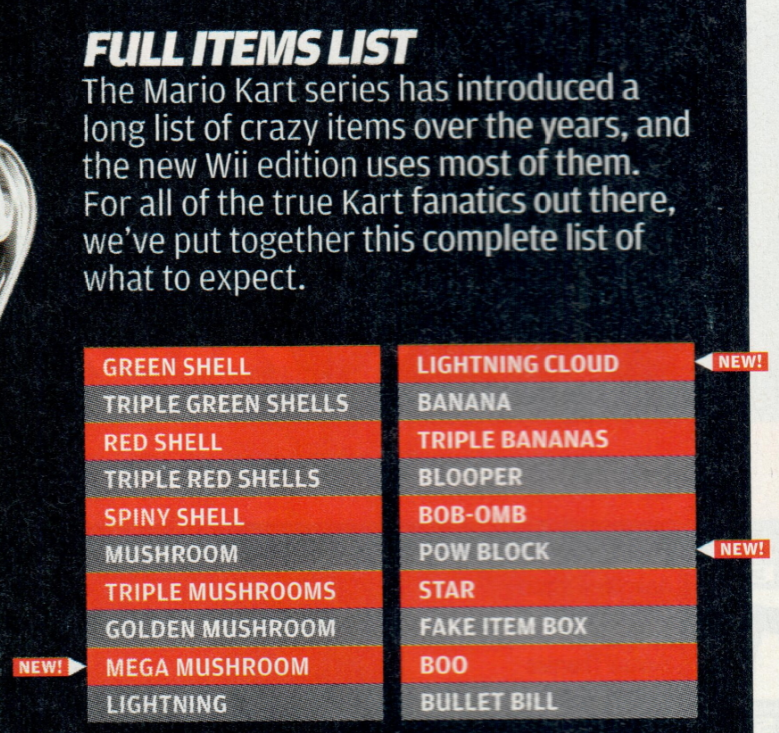
Page 42 of Nintendo Power Volume 227 mentions that a Boo item was among the items to be included in the game. The only trace of anything resembling it in the game files is the lack of any behavior for item 0x13. (Normally, if the game tries to execute behavior of an item that doesn't exist, it just gives a mushroom, but the fact that it does nothing implies that an item was present at slot 0x13 at some point and then subsequently stripped from the game). The Boo item would later return in Mario Kart 8 Deluxe.
Placeholder Items#

Three placeholder item icons labeled "NEW1", "NEW2" and "NEW3" are stored in /Scene/UI/Race.szs inside /./game_image/timg, named from left to right tt_item_new1.tpl, tt_item_new2.tpl, and tt_item_new3.tpl. They are obviously unused.
Oddly, the labels are written with the font FOT-NewRodin that would never appear normally until Mario Kart 8.
Unused Modes#
Mission Mode#
|
|
To do:
|
Watch on YouTubeThere was originally a Mission Mode planned for Mario Kart Wii. All of the missions that were originally created for the mode have been wiped from the game disc, and thus have been lost. It is very similar to tournament mode on WiiConnect24. You can even port tournaments to Mission Mode and it will work almost exactly the same, which means that it is possible that missions originally created for Mission Mode were ported over to be tournaments.
The menus for Mission Mode have no available text, but the game is trying to load them; they've simply been erased. The only surviving piece of text is "Choose a Mission" after finishing a mission. Similarly, a massive file that would've contained mission parameters is not present, and without it, the mode can't start - unless you simulate its existence. The sub-routine still exists, though. It attempts to load files out of the /Race/MissionRun folder on the disc, but that folder is empty. The files would have contained things like where to place objects, the objective, the score required, the time limit, the engine class, which character and kart you were restricted to, etc. Because this content is missing, it is impossible to know what the original missions were.
Some of the surviving content is drift restrictions on some levels, and/or a video (but since the videos are missing, the game just displays a still image of the last loaded video). The last level with a video is 2-4, and that's most likely where they decided that they weren't going through with it. The game doesn't even attempt to load any mission that is 3-4 or later. Interestingly, the code for trying to load the videos still has the original video names.
Here is a list:
Filename |
Estimation of Contents |
|---|---|
00_curve.thp |
Steering without drifting (?) |
01_drift.thp |
Manual Drifting |
02_miniturbo.thp |
Obtaining miniturbos from Manual Drift |
03_autodrift.thp |
Automatic Drifting |
04_jumpaction.thp |
Performing tricks on ramps |
05_halfpipejump.thp |
Performing tricks on halfpipe ramps |
06_wheelie.thp |
Performing wheelies |
07_spinturn.thp |
Turning on the spot (using A+B) |
08_back.thp |
Reversing (?) |
09_startdush.thp |
Getting a boost start in the countdown |
10_jugemdush.thp |
Getting a boost start after respawning |
11_slipstream.thp |
Getting a slipstream from another racer |
12_itemthrow.thp |
Throwing/using items |
13_itemequip.thp |
Dragging items behind you |
There is no penalty for losing, as the win music plays, and the results screen is bugged. Watch on YouTube
Game Modes#
There seems to be 14 valid game modes.
ID |
Code Name |
Objective |
|---|---|---|
0x00 |
MiniTurbo |
Release miniturbos to score points. |
0x01 |
LapRun01 |
VS Mode. Complete 3 laps before time runs out. |
0x02 |
LapRun02 |
VS Mode. Complete 3 laps before time runs out. (Seems identical to mode 0x01). |
0x03 |
Drift |
Perform any drift to score. (Faulty, increments score too quickly, Manual only) |
0x04 |
ItemBox |
Break item boxes to score points. |
0x05 |
EnemyDown01 |
Hit enemies with items to score points. |
0x06 |
EnemyDown02 |
Attack a boss to score points. (E.g. Spiky Topmen, Big Pokey, etc) |
0x07 |
EnemyDown03 |
Unknown. (Most likely unused or deleted. A piece of text in StaticR.rel, "EnemyDown03" may indicate it used to be related to modes 0x05 and 0x06, attacking something). |
0x08 |
CoinGet01 |
Gather coins to score points. |
0x09 |
ToGate01 |
Drive through gates to score points. |
0x0A |
RocketStart |
Perform any level of boost start to immediately win the mission. If you miss the boost start, you can no longer win, at all. This mode would later appear as a bonus challenge in Mario Kart Tour. |
0x0B |
ItemHit |
Hit CPU opponents with certain items to score points. (All projectiles. Stars, Mushrooms, Mega Mushrooms and Bullet Bills do not score). |
0x0C |
Wheelie |
Perform wheelies to score. (Faulty, increments score too quickly, increments for wheelies on the spot). |
0x0D |
Slipstream |
Get slipstreams from CPU opponents to score points. (However, the score also increases if they slipstream someone, too). |
There are code names for each of these modes which include an extra 12 of them. The names of them suggest that more were planned but weren't coded.
The names for the extra 12 are: BalloonBattle, CoinBattle, Jump+Halfpipe01, Jump+Halfpipe02, Star3, Star2, Star1, A, B, C, D, E.
Though it is unknown, Star3, Star2, Star1, A, B, C, D, and E seem to represent ranking in order from best to worst from the GP ranking design. It is unknown why these are listed as game modes.
Unused / Disabled Menu Content#
A piece of text found in the layout files, ジャンプアクション, translates directly to Jump action. This text is in common_w088_mission_movie, which is the file responsible for the layout of the mission select (or sub-level) button. jump_action is the code name for half-pipe tricks; along with the two referenced code names and the tutorial THP file, this suggests there was going to be a game mode, or maybe two, with an objective of tricking.
There is also supposed to be a level number on the left side of the mission select buttons (buttons on the right). This text is taken straight from the layout file, which only has one text entry, "1-1", but because of font limitations, the text would appear as "1?1" in game. The reason why this doesn't appear is because it's applied to the button but then immediately overwritten by the text appearing in the center of the button, the mission name. The text normally supplied is loaded as the text in the center and as the level number.
A star is intended to appear on the right side of the level select buttons. It does actually appear, but is behind the button, making it impossible to see.
A button exists for Mission Mode on the Single Player Menu, and oddly enough on the Multiplayer Menu as well. Both of the buttons crash the game when selected because they link to the Mission Mode screens, which aren't loaded in that context. Loading the Mission Mode screens on the Single Player Menu causes the button to work, but loading them on the Multiplayer Menu crashes because it lacks the necessary files for the screens, like layouts, textures, etc.
Accessing Mission Mode#
A code to access Mission Mode and more information is available at the Custom Mario Kart Wiiki.
(Source: MrBean35000vr Video 1)
(Source: MrBean35000vr Video 2)
(Source: Custom Mario Kart Wiiki)
Empty or Deleted Folders & Files#
These are files and/or directories that are referenced in the code (but can't be found in the game's filesystem) or content that is in the filesystem, but is empty.
Debug Folder#
|
|
To do: |
An empty folder named debug can be found in the game's file system. Its exact purpose is unknown, though it was likely intended for debugging purposes. File paths in the executable referring to this folder also contain names of letter texture files (the envelope and content of letters) being posted to the Wii Message Board and the ones being received when a tournament starts. Maybe Nintendo used this to more easily test new variants of the letter?
A list of files that once resided here are located at RAM address 0x8089A788 (PAL):
- thumb_jp_d.bin
- letter_jp_d.bin
- thumb_jp_v.bin
- letter_jp_v.bin
- thumb_jp_c.bin
- letter_jp_c.bin
- thumb_nj_d.bin
- letter_nj_d.bin
- thumb_nj_v.bin
- letter_nj_v.bin
- thumb_nj_c.bin
- letter_nj_c.bin
MissionRun Folder#
Another empty folder, called "/Race/MissionRun" (the Japanese and Korean name for Mission Mode), can be found in the game's files. It has been discovered that file resources for Mission Mode, such as mission_single.kmt and mrXX.szs, would have been found here.
.svn Folders#
All of the game directories (except for /debug and /Race/MissionRun) contain an empty folder named .svn. This is a leftover from Apache Subversion, a version control system.
All of these folders were removed in the Korean version of the game... with one exception.
Korean SVN Leftovers#
On the third partition of a Mario Kart Wii disc, there is a .wad file (the Wii's channel file format) of the Mario Kart Channel alongside its installer.
On the Korean version, the .svn folders of the /installer/, /installer/CHN and /installer/KOR directories were left intact with its full contents. With this, a whole load of information can be retrieved.
All of these are for the WiiBitmapFonts.arc file (which is an archive font files used in the screen where the channel is installed) and its respective folders. Since the version control expects you to be connected to a Nintendo internal server, you cannot access the revision history of the repository. The repository URLs point to internal Nintendo servers, and as a result, they cannot be accessed by someone outside of the company.
The entries file in /installer/.svn is shown below:
8


dir
25892
http://metis/svnprojects/revokart/branches/ChinaKorea/RevoKart/lib/RVL_SDK/dvddata/installer
http://metis/svnprojects/revokart


2008-06-19T02:43:23.185561Z
25769
shiraiwa_yusuke


svn:special svn:externals svn:needs-lock


7fdc3869-ac1f-0410-91b3-fa73b20fd412
�
WiiBitmapFonts.arc
file


2007-12-21T04:04:34.346411Z
865782cd7da42261d0a2bfa75925e651
2007-10-29T09:05:16.133340Z
11283
shiraiwa_yusuke
has-props
�
CHN
dir
�
KOR
dir
�
We can get a glimpse of the properties of these files/directories by running a Subversion command such as svn info -R --include-externals in the /install directory. NOTE: Since these files are in an older version of the format (format 8), the command svn upgrade has to be executed before the one above if using newer versions of Subversion.
/installer
Path: .
URL: http://metis/svnprojects/revokart/branches/ChinaKorea/RevoKart/lib/RVL_SDK/dvddata/installer
Relative URL: ^/branches/ChinaKorea/RevoKart/lib/RVL_SDK/dvddata/installer
Repository Root: http://metis/svnprojects/revokart
Repository UUID: 7fdc3869-ac1f-0410-91b3-fa73b20fd412
Revision: 25892
Node Kind: directory
Schedule: normal
Last Changed Author: shiraiwa_yusuke
Last Changed Rev: 25769
Last Changed Date: 2008-06-19 03:43:23 +0100 (Thu, 19 Jun 2008)
/installer/WiiBitmapFonts.arc
Path: WiiBitmapFonts.arc
Name: WiiBitmapFonts.arc
URL: http://metis/svnprojects/revokart/branches/ChinaKorea/RevoKart/lib/RVL_SDK/dvddata/installer/WiiBitmapFonts.arc
Relative URL: ^/branches/ChinaKorea/RevoKart/lib/RVL_SDK/dvddata/installer/WiiBitmapFonts.arc
Repository Root: http://metis/svnprojects/revokart
Repository UUID: 7fdc3869-ac1f-0410-91b3-fa73b20fd412
Revision: 25892
Node Kind: file
Schedule: normal
Last Changed Author: shiraiwa_yusuke
Last Changed Rev: 11283
Last Changed Date: 2007-10-29 09:05:16 +0000 (Mon, 29 Oct 2007)
Text Last Updated: 2007-12-21 04:04:34 +0000 (Fri, 21 Dec 2007)
Checksum: 4fad97fd4a288c47e0587f3bbd292379f8709eb9
/installer/CHN
Path: CHN
URL: http://metis/svnprojects/revokart/branches/ChinaKorea/RevoKart/lib/RVL_SDK/dvddata/installer/CHN
Relative URL: ^/branches/ChinaKorea/RevoKart/lib/RVL_SDK/dvddata/installer/CHN
Repository Root: http://metis/svnprojects/revokart
Repository UUID: 7fdc3869-ac1f-0410-91b3-fa73b20fd412
Revision: 25892
Node Kind: directory
Schedule: normal
Last Changed Author: shiraiwa_yusuke
Last Changed Rev: 25769
Last Changed Date: 2008-06-19 03:43:23 +0100 (Thu, 19 Jun 2008)
/installer/CHN/WiiBitmapFonts.arc
Path: CHN/WiiBitmapFonts.arc
Name: WiiBitmapFonts.arc
URL: http://metis/svnprojects/revokart/branches/ChinaKorea/RevoKart/lib/RVL_SDK/dvddata/installer/CHN/WiiBitmapFonts.arc
Relative URL: ^/branches/ChinaKorea/RevoKart/lib/RVL_SDK/dvddata/installer/CHN/WiiBitmapFonts.arc
Repository Root: http://metis/svnprojects/revokart
Repository UUID: 7fdc3869-ac1f-0410-91b3-fa73b20fd412
Revision: 25892
Node Kind: file
Schedule: normal
Last Changed Author: shiraiwa_yusuke
Last Changed Rev: 25769
Last Changed Date: 2008-06-19 03:43:23 +0100 (Thu, 19 Jun 2008)
Text Last Updated: 2008-06-19 03:46:40 +0100 (Thu, 19 Jun 2008)
Checksum: 2e75fb56bcc508fef83687693e4dcc1f182a0908
/installer/KOR
Path: KOR
URL: http://metis/svnprojects/revokart/branches/ChinaKorea/RevoKart/lib/RVL_SDK/dvddata/installer/KOR
Relative URL: ^/branches/ChinaKorea/RevoKart/lib/RVL_SDK/dvddata/installer/KOR
Repository Root: http://metis/svnprojects/revokart
Repository UUID: 7fdc3869-ac1f-0410-91b3-fa73b20fd412
Revision: 25892
Node Kind: directory
Schedule: normal
Last Changed Author: shiraiwa_yusuke
Last Changed Rev: 25769
Last Changed Date: 2008-06-19 03:43:23 +0100 (Thu, 19 Jun 2008)
/installer/KOR/WiiBitmapFonts.arc
Path: KOR/WiiBitmapFonts.arc
Name: WiiBitmapFonts.arc
URL: http://metis/svnprojects/revokart/branches/ChinaKorea/RevoKart/lib/RVL_SDK/dvddata/installer/KOR/WiiBitmapFonts.arc
Relative URL: ^/branches/ChinaKorea/RevoKart/lib/RVL_SDK/dvddata/installer/KOR/WiiBitmapFonts.arc
Repository Root: http://metis/svnprojects/revokart
Repository UUID: 7fdc3869-ac1f-0410-91b3-fa73b20fd412
Revision: 25892
Node Kind: file
Schedule: normal
Last Changed Author: shiraiwa_yusuke
Last Changed Rev: 25769
Last Changed Date: 2008-06-19 03:43:23 +0100 (Thu, 19 Jun 2008)
Text Last Updated: 2008-06-19 03:46:41 +0100 (Thu, 19 Jun 2008)
Checksum: 01488ecc904200005d01352fa279b2f79e7c45c8
Notably, the name of the branch, ChinaKorea, implies that both the Korean and the (unreleased) Chinese versions were being developed under the same branch, which explains why there are Chinese leftovers in the Korean version.
All of these files and directories were last changed by Yusuke Shiraiwa, credited under the "Programming" team. The revision number for most of these leftovers are 25769, and their last commit was on June 19, 2008 at 2:43:23 UTC. The only exception to this is the /installer directory, whose revision number is 11283, with its last commit dating 2007-10-29 09:05:16 UTC.
In each .svn folder, there is a subdirectory named text_base, which contains one file (named WiiBitmapFonts.arc.svn-base), which is byte-to-byte identical to the used version.
Scrapped Wiimote BRRES file#
A string exists at RAM address 0x808A52A4 (PAL) for a file called wii_controller.brres which would reside within /Race/Common.szs. BRRES files are visual graphical files, but a file of this name/description exists nowhere on the disc.
This file was meant to be used as a default model resource for items that didn't specify a specific resource to load their assets from. It's referenced by function 0x8079d804 (PAL), a default function for loading an item's model resource. It goes unused because all items already have a specific function for loading their assets, so none of the item code will call function 0x8079d804 at any point.
Unused Dutch Language#
Oddly, Dutch is the only selectable language in the Wii Menu that is not available as a language option for Mario Kart Wii; though if your Wii is set to Dutch, the Home Button menu and Wii Remote safety screens will be in Dutch and the rest of the game will be in English. This seems to not have always been the case, however, as the code that detects which language is set in the Wii menu and adjust the game accordingly has an unused pointer to a set of files that end with "_N.szs" (N standing for Netherlands).
No files can be found in the game that have "_N.szs" in their filename. Even if files ending with "_N.szs" are manually added to the filesystem, they won't be loaded in practice, likely because the game loads the English language as a fallback language.
BMS Files#
Strings in the game's memory refer to .bms files, but these files exist nowhere on the disc. They were probably similar to BMM Files, which control the Mii head's material for the Mii statues found in some courses.
Removed Symbol Maps#
At offsets 0x241B2C and 0x241F28 respectively (PAL) of the main.dol executable resides leftover strings for two missing symbol maps: StaticR.SMAP (for StaticR.rel) and RevoKartR.SMAP. The Home Menu version of the Mario Kart Channel also mentions another removed symbol map for it at offset 0x313EC8 (PAL) of its main.dol executable variant, named RevoKartNR.SMAP. All of these files would have resided in the /rel directory.
Interestingly, there is leftover code to load the RevoKartR.SMAP file, as shown in the following decompiled code:
if (MAIN_SMAP != nullptr) // "/rel/RevoKartR.SMAP"
{
    u32 map_size;
    mpMap = SystemManager::sInstance->ripFromDisc(MAIN_SMAP, pModuleInfo, 0, &map_size, 0);
    if (mpMap != nullptr) {
        EGG::Exception::setMapFile(mpMap, map_size, pModuleInfo);
        OSReport("[SYS] Load MapFile \"%s\" success.\n", MAIN_SMAP);
    }
    else {
        OSReport("[SYS] Load MapFile \"%s\" fail.\n", MAIN_SMAP);
    }
}
(Decompiled code: riidefi)
Alternative Mario Kart Channel version#
At offset 0x37F4A4 (PAL) of StaticR.rel, there's a string referring to an unknown version of the Home Menu version of the Mario Kart Channel, named RevoKartTR.wad (for reference, the final version is named RevoKartNR.wad). Interestingly, its in-game name (located at offset 0x37F4B4 (PAL) of StaticR.rel) would have been マリオカートWii体験版, which translates to "Mario Kart Wii Trial Version". Perhaps the "T" from RevoKartTR.wad may come from "Trial".
While this exact WAD file hasn't been found, a japan-exclusive trial version of the game has been discovered.
RKChRes.arc#
At offset 0x241173 (PAL) of the main.dol executable there is a string that mentions a removed file, named RKChRes.arc, that would have resided in the root of the game's filesystem. While it is unclear what this file would have been for, it is listed alongside the files from the /contents directory inside an array in the game's code, which also reveals that it has an ID assigned to it (8).
Interestingly, the IDs assigned to the files from the /content directory in said array match the numbering of the equivalent files from the extracted Mario Kart Channel, plus 00000008.app contains most directories and files found in the main game's filesystem root, which matches how RKChRes.arc would have resided in the root. Sadly, said file is not found in that .app container either.
Empty BRSAR group#
The file sound/revo_kart.brsar has an unused, empty sound group, under "GRP/DBG/MENU", presumably intended for using on debug menus.
Unreleased Chinese Version#
|
|
To do: |
Exclusively on the Korean disc, there are files that seem to suggest that a Chinese version of Mario Kart Wii was in development for the Wii. A Chinese version of the game was announced for the NVIDIA Shield TV almost a decade after the original's release.
Home Menu Banner Name#
The name displayed when highlighting the game in the Home Menu when the console's language is set to Simplified Chinese is 马力欧卡丁车Wii.
In addition, the "Channel" string seen when previewing the Mario Kart Channel's Home Menu banner is 频道.
Simplified Chinese Logo#
Found in the banner data of the game (see below), in /opening.bnr. Interestingly, the blue circle lacks a shadow drop, much like the Korean version of the banner's logo.

(Source: [UNOFFICIAL Chinese Nintendo Twitter])
Simplified Chinese Wii Menu Banner#
|
Main Game |
Mario Kart Channel (0:23) |
|---|---|
(Source: Twitter)
Chinese Safety Screen#
Found in Boot\Strap\ch\Chinese.szs are the two Wii Remote safety screen pages in Simplified Chinese.

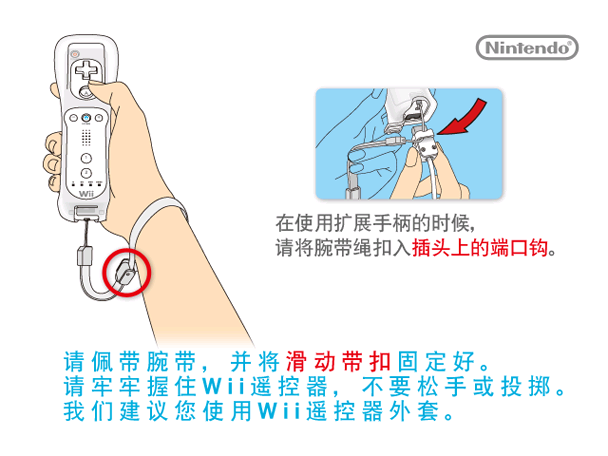
isbn_608x456#
Found in Boot\Strap\ch\isbn_608x456.szs is a boot splash screen in Chinese. The upper, larger text is the "Healthy gaming advice", a 48-character health & safety advice that is required to be displayed upon a game's startup by Chinese law. The lower half consists of the publishing house information and a placeholder ISBN with all zeroes (the ISBN would be replaced by the actual one given by the government upon approval). The publisher is the exact same one used by all games published by iQue.

The upper text roughly translates to
"Healthy Gaming Advice
Resist unhealthy games, reject pirated games
Be aware of self-protection, avoid being deceived
Moderate gaming is good for the brain, addiction to games hurts your body
Manage time appropriately, enjoy a healthy life"
(Source: UNOFFICIAL Chinese Nintendo Twitter)
(Translation: akfamilyhomeak Twitter)
Chinese Home Button Menu#
Found in the /hbm folder is homeBtn_CHN.szs
Interestingly, when the console's language is set to Simplified Chinese, the game will display the Chinese Home Menu:


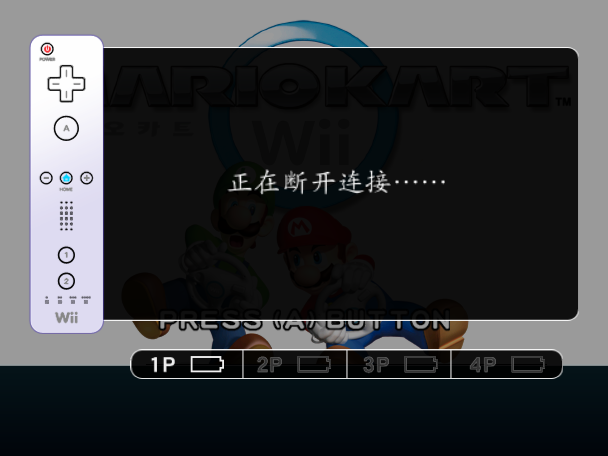
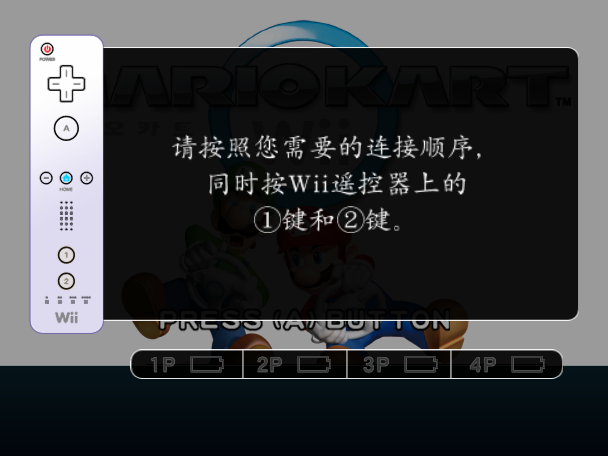
Chinese Font Filename#
The file /Scene/UI/Race_K.szs/result/blyt/common_w051_team_blue_red_chara_point.brlyt (which contains the layout used for the blue VS red team score that appears after finishing team matches) references the filename for a missing font that would have contained the characters used in the Chinese version, at offset 0xA8 within said file: kart_font_china.brfnt. For reference, the main font file used for the Korean language is named kart_font_korea.brfnt
Miscellaneous#
Exception Handler#
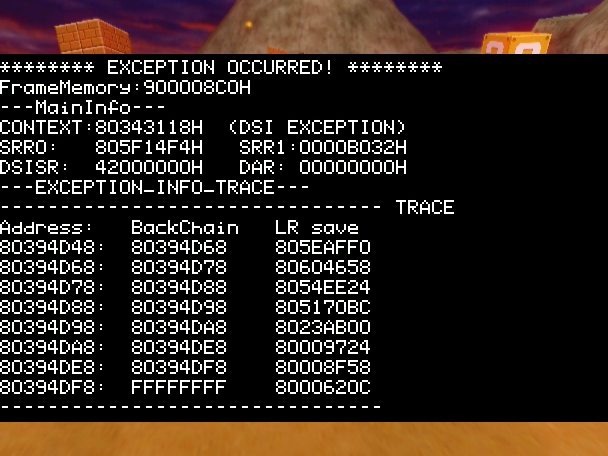
The NintendoWare exception handler is present in retail builds of Mario Kart Wii. When the game crashes, press the following buttons (in order, from left to right) on the 1st Wii Remote (Vertical) to bring up an exception handler:
Up, 1, Down, 2, Right, -, Left, +, B, A
Use the D-Pad to scroll. After a while, the handler will try to emit the Wii's RAM as sound, which will result in some very grating noises.
(Source: Skawo, Supper Mario Broth)
Uncompiled Camera Animation#
Present in Demo/Ending.szs/Camera is just an uncompiled camera animation file titled dummy.rsca, created on 2007-11-05 16:10:33 by Eriko Kimura, from the Demo Movie team. A binary format of said file doesn't exist in the archive, so this most likely went unused. The Model folder inside it is empty.
<?xml version="1.0" encoding="utf-8"?>
<nw4r_3dif version="1.3.0"
    xmlns="http://www.nintendo.co.jp/NW4R/3DIntermediateFileFormat"
    xmlns:xsi="http://www.w3.org/2001/XMLSchema-instance"
    xsi:schemaLocation="http://www.nintendo.co.jp/NW4R/3DIntermediateFileFormat ver_1_3_0/rsca.xsd"
>
<head>
    <create user="kimura_eriko" host="KIMURAE-GRP" date="2007-11-05T16:10:33" source="los_cam.ma"/>
    <title>Scene Animation Data</title>
    <generator name="NW4R_Export for Maya 8.5 Service Pack 1" version="1.3.1"/>
</head>
<body>
<rsca>
<scene_anim_info frame_size="2" tool_start_frame="1" tool_end_frame="2"
    magnify="10.000000"
    bake_animation="on" frame_precision="1_1" loop="off"
    tolerance_rotate="0.100000"
    tolerance_translate="0.010000"
    tolerance_color="1.000000"
/>
<camera_anim_array size="1">
    <camera_anim index="0" name="los_camera" camera_type="rotate" projection_type="perspective"
        ref_number="0"
    >
        <camera_anim_target target="pos_x">
            <anim_constant value="-12676.701172"/>
        </camera_anim_target>
        <camera_anim_target target="pos_y">
            <anim_constant value="6468.499023"/>
        </camera_anim_target>
        <camera_anim_target target="pos_z">
            <anim_constant value="53316.898438"/>
        </camera_anim_target>
        <camera_anim_target target="aim_x">
            <anim_constant value="0.000000"/>
        </camera_anim_target>
        <camera_anim_target target="aim_y">
            <anim_constant value="0.000000"/>
        </camera_anim_target>
        <camera_anim_target target="aim_z">
            <anim_constant value="0.000000"/>
        </camera_anim_target>
        <camera_anim_target target="rot_x">
            <anim_constant value="-5.138353"/>
        </camera_anim_target>
        <camera_anim_target target="rot_y">
            <anim_constant value="-37.400002"/>
        </camera_anim_target>
        <camera_anim_target target="rot_z">
            <anim_constant value="0.000000"/>
        </camera_anim_target>
        <camera_anim_target target="twist">
            <anim_constant value="0.000000"/>
        </camera_anim_target>
        <camera_anim_target target="aspect">
            <anim_constant value="1.500000"/>
        </camera_anim_target>
        <camera_anim_target target="near">
            <anim_constant value="1.000000"/>
        </camera_anim_target>
        <camera_anim_target target="far">
            <anim_constant value="1000000.000000"/>
        </camera_anim_target>
        <camera_anim_target target="persp_fovy">
            <anim_constant value="58.445305"/>
        </camera_anim_target>
        <camera_anim_target target="ortho_height">
            <anim_constant value="100.000000"/>
        </camera_anim_target>
    </camera_anim>
</camera_anim_array>
</rsca>
</body>
</nw4r_3dif>|
Early |
Final |
|---|---|
|
|
 |
Download Compiled dummy.rsca file File: MKWii_compiled_dummy_rsca.zip (0,6 KB) (info) |
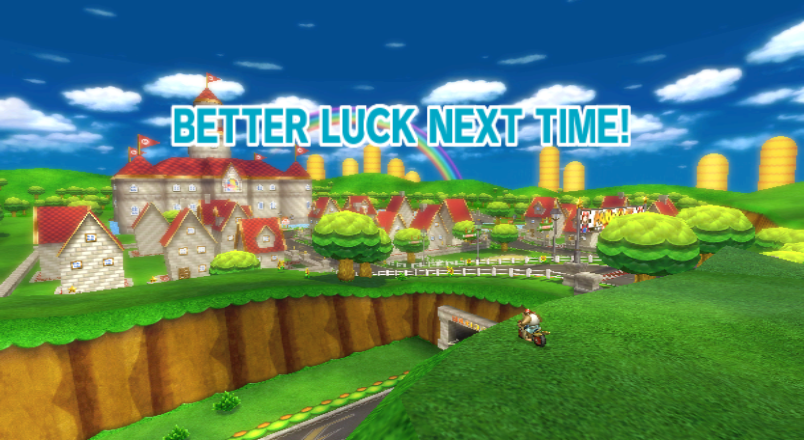
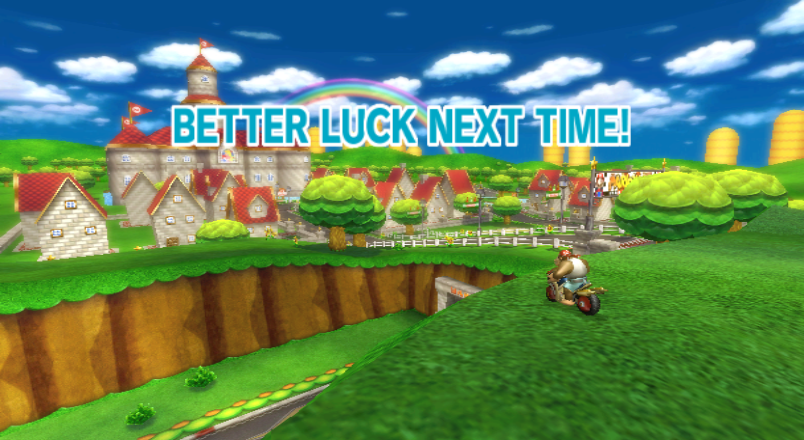
It is actually possible to compile this code back to a binary file, which reveals an earlier camera angle used for the total results screen that can be seen when the player loses a Grand Prix / VS Race / Battle.
Unused Balloon Backmodel Animation#
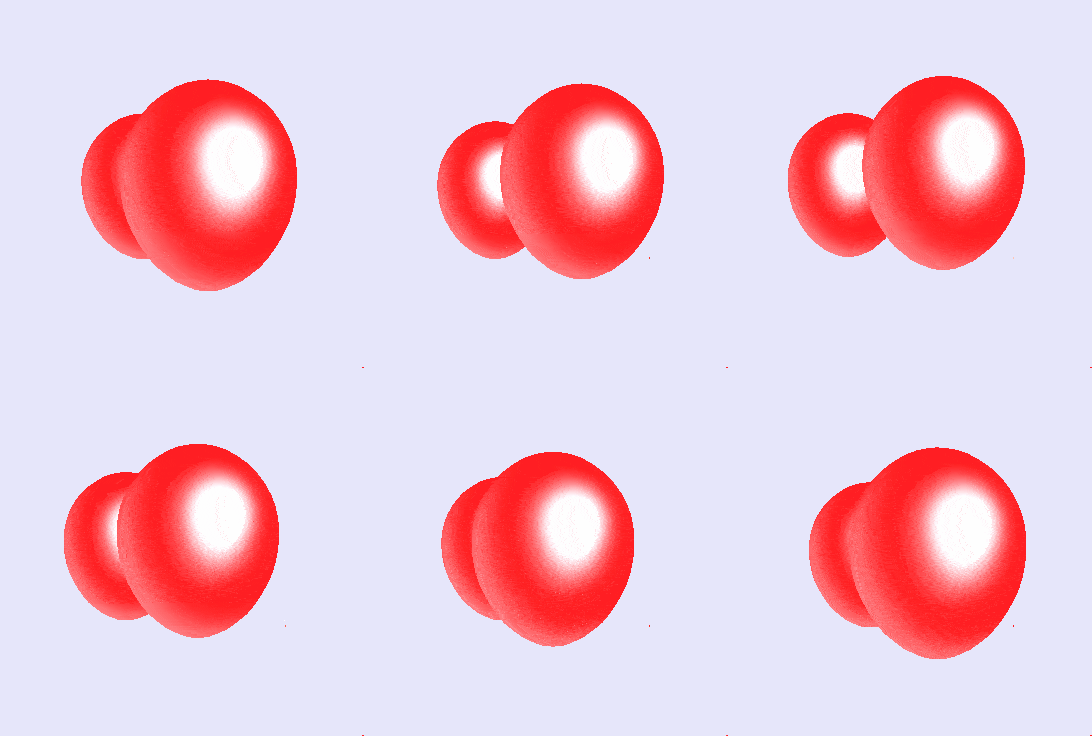
The 3D models for the balloons and the coin (both stored as the same model) seen in the background when selecting the Battle option in the main menu have an unused animation. The animation, which is stored in /Scene/Model/BackModel.szs/./baloon.brres/balloon.chr0, is the exact same as the used one ("loop.chr0", found in the same directory as the unused animation) , albeit without the coin (which was technically shrinked down to 1/100th of its size, much like with the 3rd balloon).
Although this is just speculation, perhaps it was meant to appear when the player selected the "Balloon Battle" option in the main menu.
Unused Earth Model Duplicate#
The textures to used for the Earth model, seen in the background in the Wi-Fi and Mario Kart Channel menus, are stored in /contents/globe.arc/./earth.brres.LZ.brres, while the actual 3D model is stored in /Scene/Model/Earth.szs/./earth_with_dummy_tex.brres.
However, earth.brres.LZ.brres contains a 3D model of the Earth, which looks identical to the one that is used, with the only difference being that its stored in the format MDL0 v8 (which is unsupported by the final game), instead of MDL0 v11. The reason for this is because the "globe.arc" archive was taken from prior Wii applications that used this earth model, such as the Forecast Channel.
Special Ghosts#
|
|
To do: |
Nintendo had once delivered "special ghosts" to Wiis via WiiConnect24 (much like competitions/tournaments), albeit exclusively to Japan and Korea.
If a special ghost was available, you would find it in the Time Trial rankings for its course. A notification would appear in the main menu of the Mario Kart Channel, and selecting it would take you directly to the ghost in the rankings menu. Once highlighting the ghost, the bottom right text would simply say "Battle [name]." and would prompt you to connect to Nintendo WFC once you select it.
Special ghosts are mentioned several times in the game's text:
Text ID |
Text |
|---|---|
0x1C85 |
Join the message service to have the latest |
0x1901 |
Special ghost data now available! |
0x17AF |
Special Ghost Data |
These pieces of text were translated to all languages.
The game's manual also makes mention of special ghosts, showing a unique icon that isn't used anywhere else in the game, although it's present within the Mario Kart Channel's banner files, named tk_iconGhost_00.


(Source: Mario Kart Wii Manual)
Internal Project Name#
The game is referred to internally as RevoKart. Revo is short for "Revolution", the Wii's internal project name. course.0 also indicates the project name as RVL-MarioKart.
(Source: Original TCRF research)