 This article has a talk page!
Unused Graphics#
board_us.bin#


There are several map graphics that seem to be leftover from Mario Party 6's Clockwork Castle board, including pipes, a Ztar as well as map icons for Bowser and DK as there they would roam around the board.
bbattle.bin#


Unused icons of the Red, Blue and Green Koopa Kids. Seemingly a leftover from previous installments.
mdsel7.bin#


The bulletin board on the main menu has six low resolution icons with Mario's face.
sample.bin#

A crudely drawn graphic that reads "Test Board" with a large nosed figure in the bottom corner. It is also found in Mario Party 5 and 6.
w05.bin#

This texture is used when the current windmill owner in Windmillville is invalid and a windmill front is displayed like when viewing it in a model viewer. It says "Dummy 1".

There is also a very similar second texture of this nature that appears on the reverse side of the same windmill arches. This time, unsurprisingly, it reads "Dummy 2".
Unused Models#
w03.bin#

A flat-colored Monty Mole model leftover from the previous installments, before getting redesigned.
capsulechar3.bin#
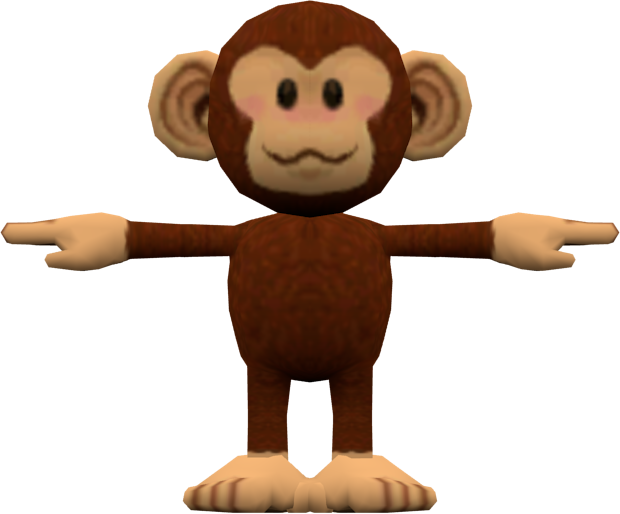
A Ukiki leftover from the previous Mario Party games. In Mario Party 7 and going forward, the Ukiki would sport its design first seen in Super Mario 64 DS.
bbattle.bin#
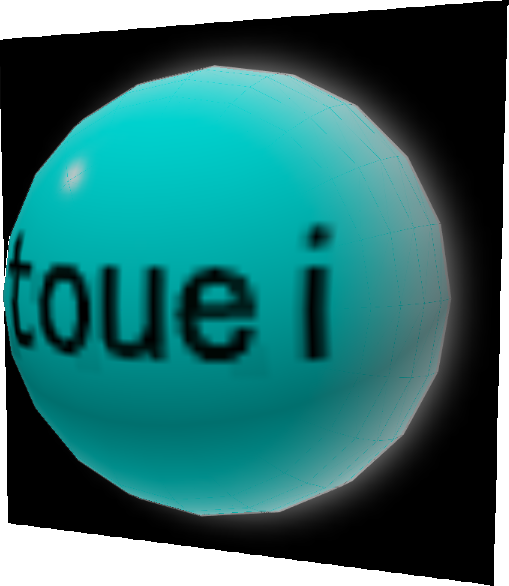
An unused dummy model that was also seen out of bounds in the minigame explanation screens in Mario Party 5.
m787.bin#
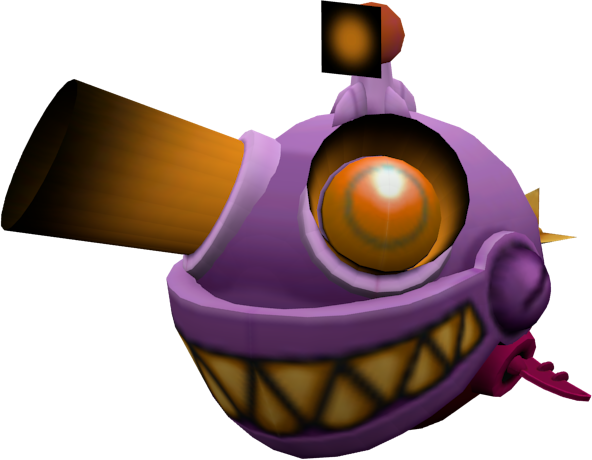
A robotic fish found in the unused microphone minigame mentioned below, but isn't seen.
Unused Mini-Games#
Sequencedll#
Sequencedll.rel exists once again in the dll folder as an unused minigame. It acts pretty much the same as it did in the previous two games, however, the audio is played in a 3D environment, causing it to be echo-y. The minigame victory music is also bugged once again, this time starting over once, one second in.
Unnamed Mic Minigame (m787)#
A rather unique Solo Mic Minigame, where the aim is to guide a mechanical Cheep Cheep into diving as deeply as possible down an undersea trench in 60 seconds, while avoiding spiked mines and the horizontal walls. Pressing the R button reveals a seemingly blank list, which in reality actually features 4 options which correspond to moving upwards, downwards, left or right in that order, all of which function as they should if selected. The mini-game ends if the Cheep Cheep collides with a wall or mine.
There are also additional 2, 3, and 4-player variants of this minigame, depending on the number of human players present. Regardless of how far players score, Player 1 will always win.
This minigame can be accessed by replacing any minigame, such as Bowser's Lovely Lift (m786dll.rel) with m787dll.rel inside the dll folder, or using one of the below Gecko codes and selecting Bowser's Lovely Lift:
Version |
Gecko code |
|---|---|
USA |
0425753C 80256FDE |
Japan |
0425826C 80257D0E |
Europe |
0425C984 8025C426 |
999 Stars Message#
Normally, it's impossible to obtain 999 Stars in one game. If cheats are used to set your Star count to that amount, you'll get a normally unused message telling you that you can't have any more Stars.
E3 Leftovers#
E3 Menu#
Replace w01.bin (data Folder) and w01Dll.rel (dll folder) with selmenu.bin and selmenuDll.rel, or use one of the below Gecko codes. Start a new Party Mode game and select Grand Canal as the board. Once the game starts, you should boot into a debug menu!
Version |
Gecko code |
|---|---|
USA |
04257634 802571B0 |
Japan |
04258364 80257EE0 |
Europe |
0425CA7C 8025C5F8 |

Same setup and font as Mario Party 4... which was just an update of the menu used in Mario Party 1-3.
It's been around for a while. Seriously.
Press Up/Down to select a mini-game, and Left/Right to switch between pages.
The A / Start Button chooses a mini-game, and the B Button goes to the previous menu.
Unlike the previous three games, there is no character select screen before the mini-game starts.
The last page of this menu has four special options:
- ACTMAN CHECK (Action debug / Test map)
- MESSAGE CHECK (Message debug)
- MOTION CHECK2 (Animation debug)
- E3 SELECT (E3 Menu)
(Source: Ralf (GC-Forever) (Debug Menu Gecko Code EU))
(Source: Ralf (GC-Forever) (Debug Menu Gecko Code NA))
Action Debug + Test Map#
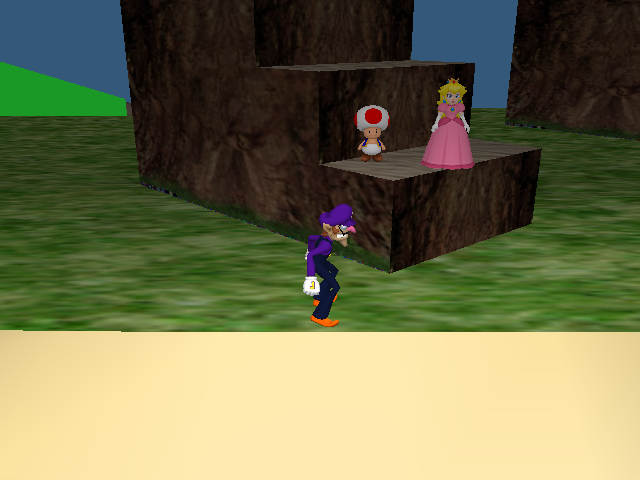

A test of character physics and the player's interactions with different floor types and other player characters.
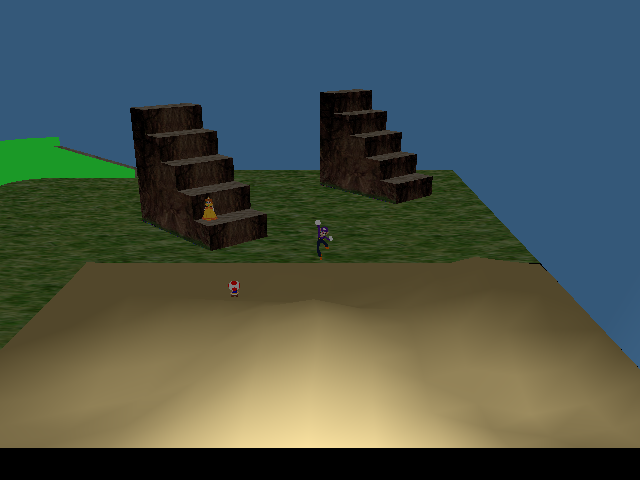
The stuff in the lower-right corner is sand. Characters will slowly drift towards the center of each pit.
- A Button: Jump.
- B Button: Punch.
- X Button: Exit map.
- L Button: Zoom camera out.
- R Button: Zoom camera in.
Animation Debug#

A test of all of the player characters' animations. The controls at the top of the cube are actually incorrect.
- Analog Stick: Rotate camera.
- C-Stick: Move camera.
- A Button: Restart animation.
- X Button: Load next character.
- Y Button: Load previous character.
- Z Button: Load next animation.
- L Button: Zoom camera out.
- R Button: Zoom camera in.
- Start Button: Exit menu.
Message Test#

This is a test of every message in the game.
- A Button: Next message.
- B Button: Previous message.
- L Button: Previous message bank.
- R Button: Next message bank.
- X Button: Next Language (European Only)
- Y Button: Previous Language (European Only)
- Start Button: Exit menu.
(Source: Original TCRF research)
Unused Areas#
Test Map#

|
To do: |
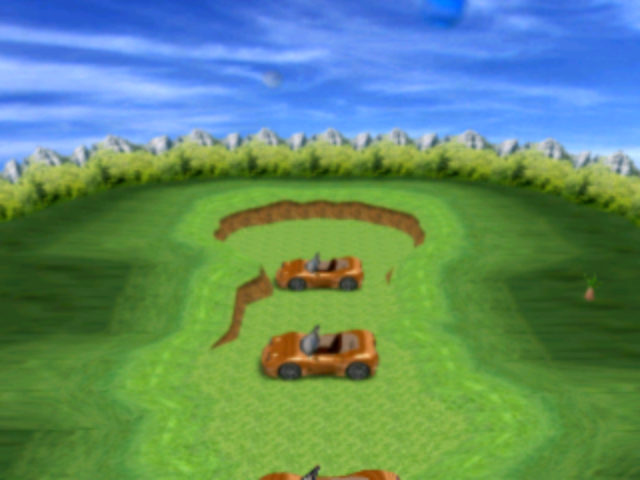
A second test map can be accessed by entering one of the below Gecko codes, depending on region, then selecting Pagoda Peak in Party Mode:
Region |
Gecko code |
|---|---|
US |
0425763C 802571A1 |
Japan |
0425836C 80257ED1 |
Europe |
0425CA84 8025C5E9 |
Unused Characters#
Koopa Kids#
|
|
To do: |
Using Gecko codes, it is possible to play as the Red and Green Koopa Kids. Use one of the below Gecko codes to replace the upper-left character with either the Red or Green Koopa Kid. The character slot that should be Blue Koopa Kid causes the game to crash.
Red Koopa Kid
Version |
Gecko code |
|---|---|
USA |
02290C48 0000000C |
Japan |
022919E8 0000000C |
Europe |
022B3748 0000000C |
Green Koopa Kid
Version |
Gecko code |
|---|---|
USA |
02290C48 0000000D |
Japan |
022919E8 0000000D |
Europe |
022B3748 0000000D |
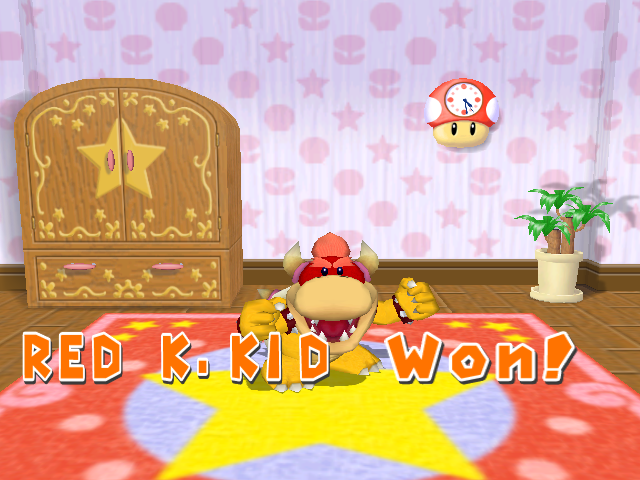
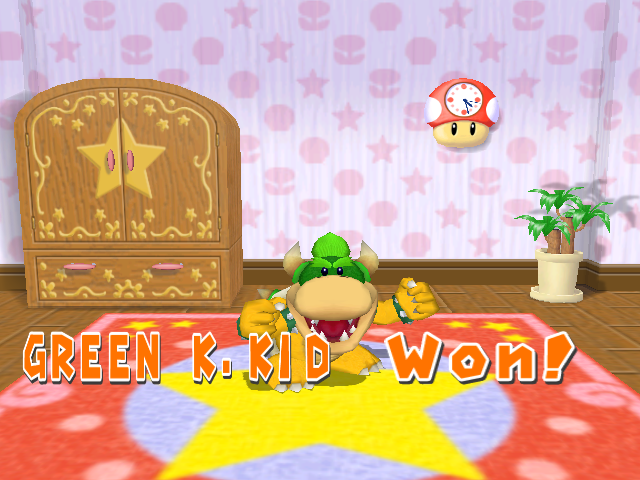
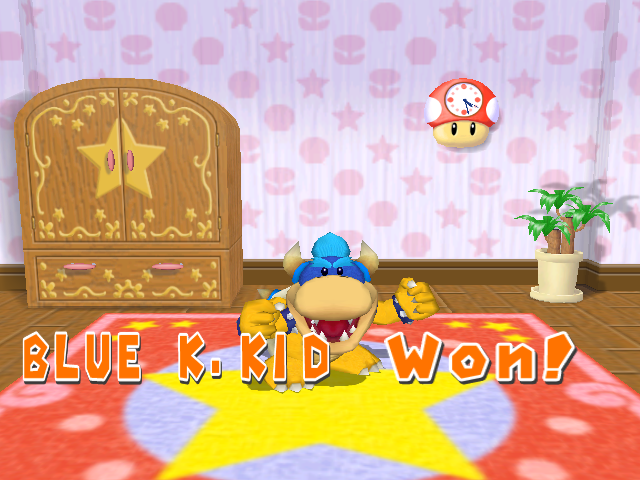
They are missing several animations, have no voice clips, and their sound effects are replaced with Mario and Luigi's voice clips. Additionally they seem to be suffering an identity crisis: while the result text in minigames correctly identifies them, they have a Coin or Bob-omb icon in minigames, appear as Mario in the Free Play Sub, a copy of the player across from them in the minigame rules screen, Dry Bones on boards in icon and text, and an empty string or icon in various other places.
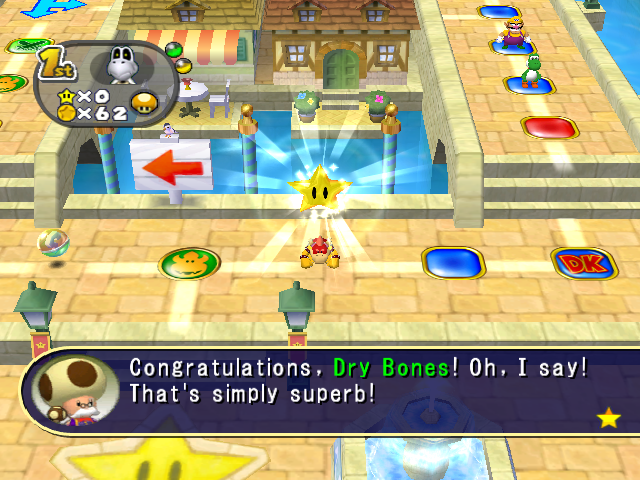
- An incomplete list of things that cause the game to crash:
- Minigame rules screen.
- Getting an orb in Party Cruise.
- Big Dripper
- Pogo-a-Go-Go
- Tunnel of Lava!
- King of the River
- Dart Attack
- Coin-op Bop
(Source: Original TCRF research)
Debugging Features#
Debug Orbs#
All codes are activated by using a mushroom in the North American version only.
Character Space Debugger#
The Gecko code 042F0EE8 801FBED8 will activate a character space debugger allowing you to place any trap from any player on all blue or red spaces on the board simultaneously. This has no drop shadows or boxes at the moment.
Special Orb Debugger#
The below Gecko code allows you to change a variety of variables about the special orbs with pressing L+R simultaneously getting you back to the game. This has minor text overflow issues.
042F0EE8 801E9A84
041EA280 4BE24465
Camera Debug Orb#
The Camera Debug Orb leftover from Mario Party 5 and Mario Party 6 is back working the same here. This can be activated with Gecko code 042F0EE8 801FA64C.
Warp Debug Orb#
The Warp Debug Orb leftover from Mario Party 5 and Mario Party 6 is back working the same here. This can be activated with Gecko code 042F0EE8 801FB114.
Memory Usage Meter#
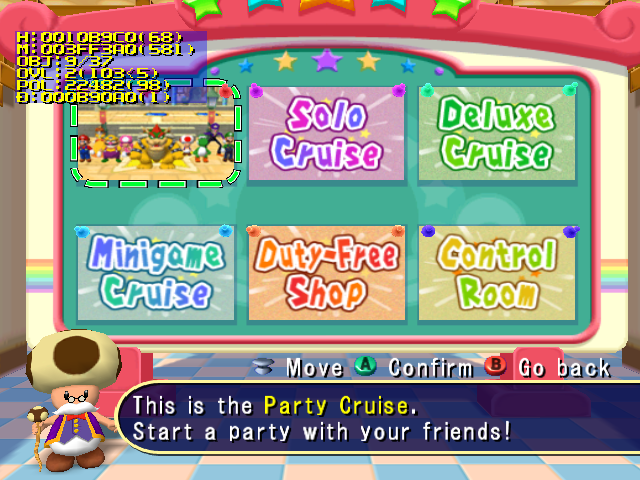
The memory usage meters returns unchanged from Mario Party 5 and Mario Party 6. This can be activated with one of the below Gecko codes. It's to remain unchanged in Mario Party 8.
Version |
Gecko code |
|---|---|
USA |
0403D284 60000000 |
Japan |
|
Europe |
0403D258 60000000 |
Overscan Border Display#
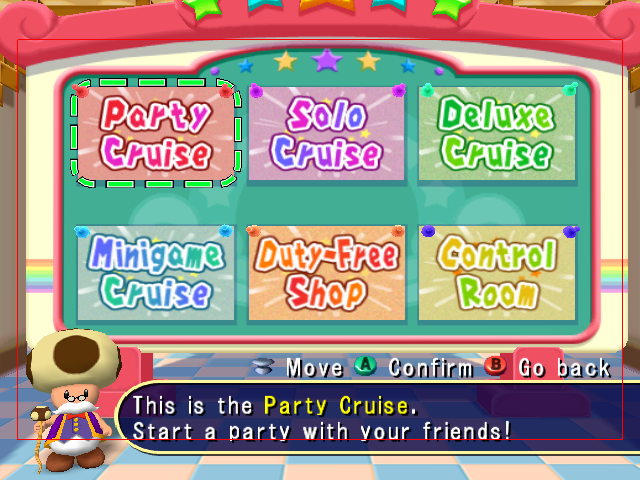
Enter one of the below Gecko codes and you will see the screen surrounded by red borders which specify the region of the screen that is safe for UI elements to use. The borders specify that within 16 pixels from the horizontal edges and within 40 pixels of the vertical edges are not safe to use.
Version |
Gecko code |
|---|---|
USA |
0400CB30 60000000 |
Japan |
|
Europe |
0400CB04 60000000 |
Build Dates#
A build date can be found in the game's executable.
Version |
Hex Address |
Build Date |
|---|---|---|
USA |
0x241AFD |
Sep 20 2005 |
USA Demo |
0x2421DD |
Sep 22 2005 |
Europe |
0x246D00 |
Nov 24 2005 |
Japan |
0x24267F |
Sep 26 2005 |
(Source: Ferrox)
Regional Differences#
Title Screen#
|
Japan |
International |
|---|---|
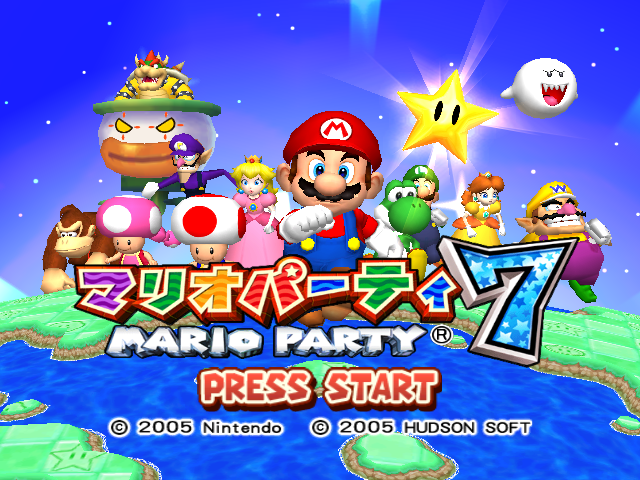
|
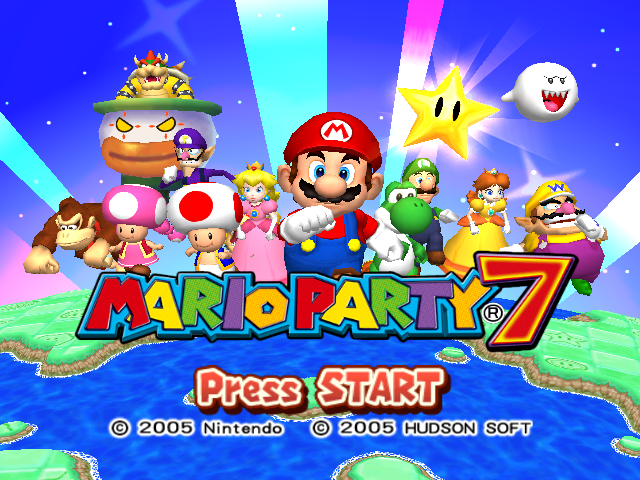
|
Banner#
|
Japan |
International |
|---|---|

|

|
Winning Screen#
|
International |
European/Australian |
|---|---|
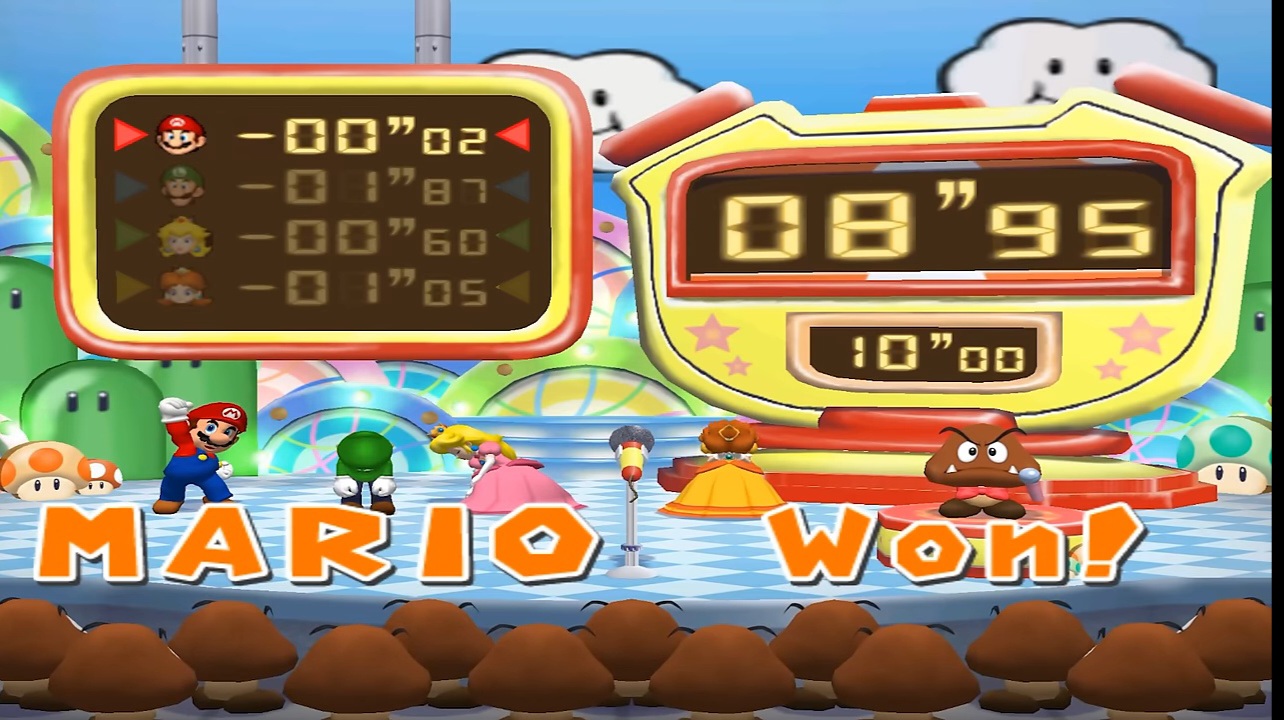
|
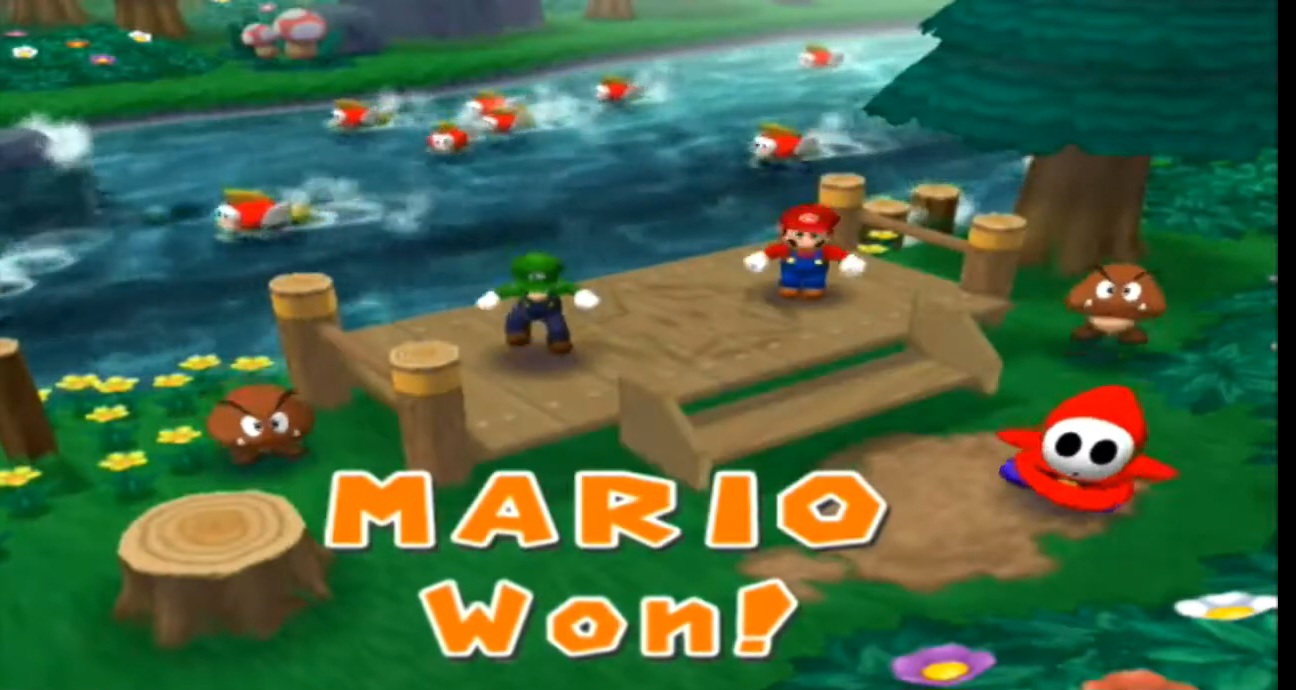
|
The character's name is placed above "won!" when one player wins a minigame in the European/Australian versions instead of next to each other in the International version. This difference would also exist in Mario Party 5 and Mario Party 6.