 This article has a talk page!
This page details one or more prototype versions of Mario Kart 7.

On October 25, 2025, the E3 2010 demo of Mario Kart 7, known as Mario Kart Preview, was released. This build is a non-playable in-engine autodemo featuring Mario and Luigi racing around on Mario Circuit, Rock Rock Mountain, and Wuhu Loop.
It has a build date of June 3, 2010, which would be a year and a half before the final version was even released in Japan. Although the demo is not playable by default, patching the build gives access to a debug menu, allowing the game to be played.
Plus, there's quite a bit of interesting unused content found beneath the demo-ridden surface.
Sub-Pages#
Early Resources#
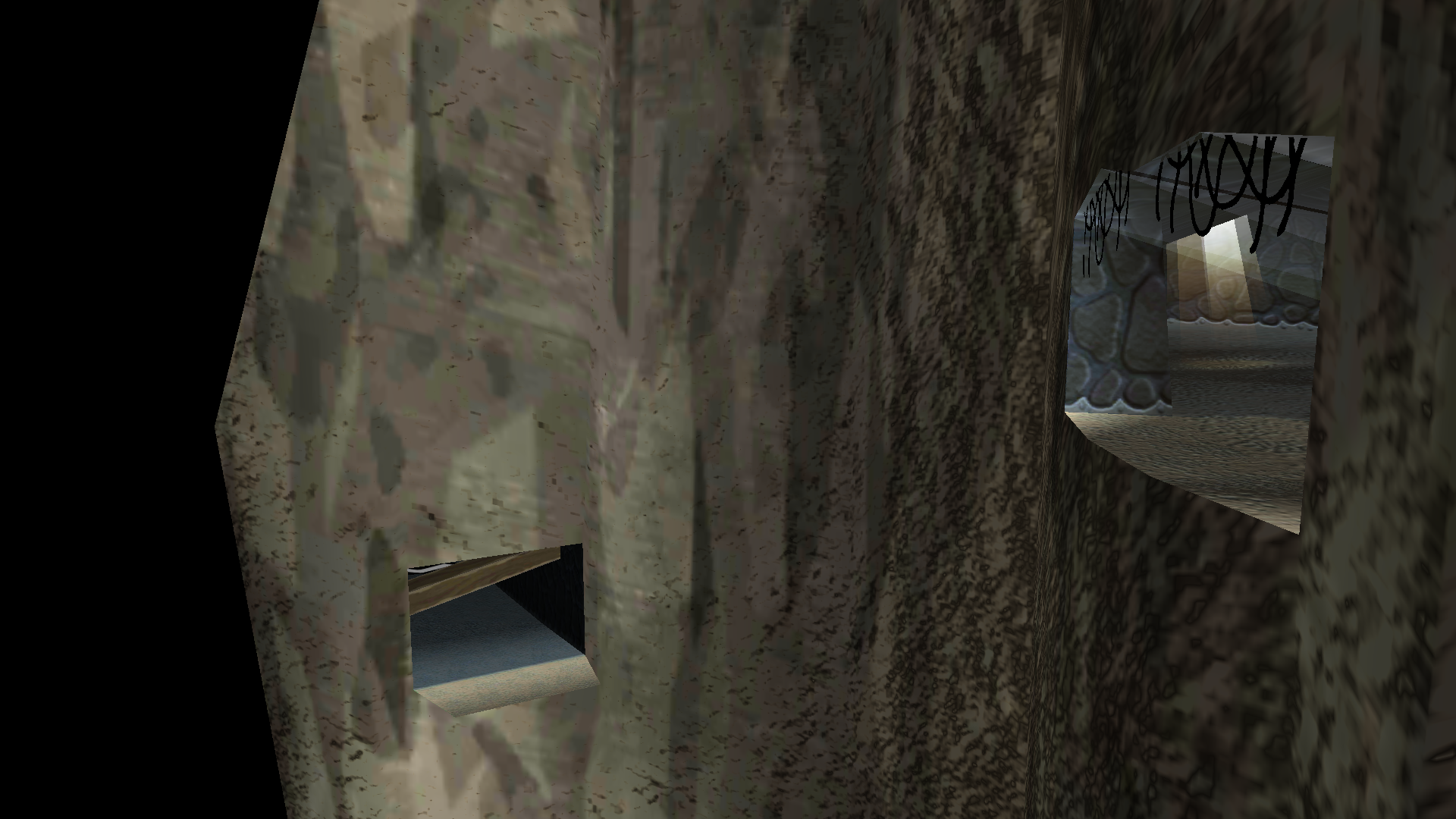 Course DifferencesRock Rock Mountain had an alternate path?!
Unused Content#
 Unused ModelsWell, there are some things here that make you think, why would there be a sofa in Mario Kart 7???
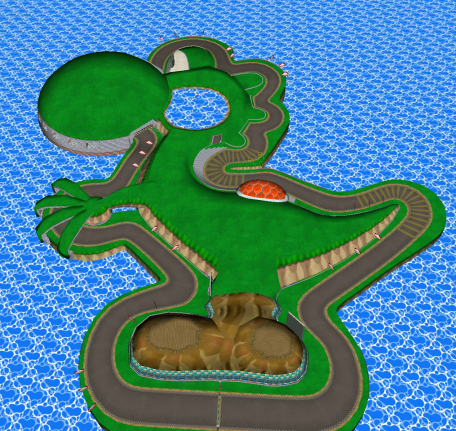 Unused CoursesSome really interesting things here, from scrapped tracks to test tracks!
 Unused AudioNumerous leftover sounds from Mario Kart Wii are present here!
Build Date#
Jun 03 2010 19:24:42This is the build date for this prototype. It can be viewed in the debug menu, but it can also be seen by Holding R + L + Start on the title screen.
Demo Sequence#
On the bottom screen, it has some information about the game, with the touch screen stating that it is a non-interactive, although views can be adjusted by using the Slide Pad.
General Differences#
- There are no glider ramps, no coins, no item boxes, no hud, and different shading.
- In this version, sound effects are disabled because they are incorporated into both audio tracks played in the demo preview.
Menu Differences#

|
To do:
|
Title Screen#
|
E3 2010 |
Final |
|---|---|
|
|
|
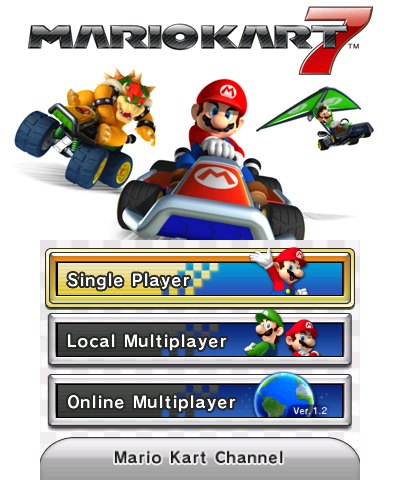
- The logo is still a placeholder from Mario Kart Wii, and has a "Preview" text below to indicate that this is indeed a preview build.
Thanks Screen#
|
E3 2010 |
Demo Kiosk |
|---|---|

|

|
- The screen displays "Thank You!" instead of "THANKS FOR PLAYING!" because we are not normally able to play.
- The copyright is dated "2010" instead of "2011" for obvious reasons.
Graphical Differences#
Boost Panels#
- The boost panels look similar to how they are in Mario Kart Wii.
Emblem#
E3 2010 |
Final |
|---|---|

|

|

|

|
- It does not have the gray ring that surrounds the emblems.
- The M or L in the emblem are slightly larger.
Audio Differences#
|
|
To do:
|
Sounds#
Thanks Screen#
E3 2010 |
Demo Kiosk |
Final |
|---|---|---|
|
VO_MR_GOL_GOD.bcwsd |
SE_THANK_YOU_A.bcseq |
SE_THANK_YOU_A.bcseq |
- The Thanks Screen uses audio of Mario saying "Oh yeah! Next time!" taken directly from Mario Kart Wii when Mario wins first place.
Music#
Demo Preview (Main Theme)#
|
E3 2010 |
Final |
|---|---|
|
W_BGM_E3_A.bcwsd |
STRM_WATCH_RACE.bcstm |
- The audio file is a bit larger, which results in the music taking longer to finish compared to the final version.
Wuhu Loop/Maka Wuhu#
|
E3 2010 |
Final |
|---|---|
|
STRM_DEMO_2010E3_B_ISLAND.bcstm |
STRM_CN_WUFU_ISLAND1_N.bcstm |
- The sample rate in this build is 32000 Hz, but was upgraded to 32728 in the final. This wasn't completely changed, though.
- The first half has sound effects that were, again, baked into the file itself.
- The second half can never normally be heard, since the demo ends as soon as Mario shouts.
- The guitar is slightly louder.
(Source: Stewie1.0)
Disabled Sounds#
Interestingly, the prototype has sound effects, and they can be seen in the folder called "GRP_SE_2010E3". However, by default, the sound effects are disabled because they are played within the music seen in the demo preview, but they can be reactivated by modifying the following hexadecimal codes in the ROM:
- Place $0010A0E3 in the 0x810AC.
- Place $0010A0E3 in the 0x82210.
- Place $00 in the 0x1AEEFA.
If you want to mute the background music so that the sounds can be heard better, change this in the ROM:
- Place $02 in the 0x8113C.
- Place $02 in the 0x82270.
It's also worth noting that all the sounds presented here, such as the sounds of items, the kart accelerating, etc., are taken directly from Mario Kart Wii, possibly as a placeholder until the new sounds were added.
(Source: Marioiscool246)
Mario Voice Clips#
Although the sounds are used in the demo preview, they are embedded into the stream - "W_BGM_E3_A.bcwsd" or "STRM_DEMO_2010E3_B_ISLAND.bcstm" - their original files are never used.
|
E3 2010 |
Final |
|---|---|
|
VO_MR_ITM_TRW |
GRP_VO_MR_PC_00000000 |
|
E3 2010 |
Final |
|---|---|
|
VO_MR_ITM_TRW2 |
GRP_VO_MR_PC_00000001 |
- The sounds of Mario throwing items are taken directly from Mario Kart Wii.
Luigi Voice Clips#
Although Luigi doesn't speak at any point in the demo preview, some of his audio is present!
|
E3 2010 |
Final |
|---|---|
|
VO_LG_ITM_TRW |
GRP_LG_MR_PC_00000000 |
|
E3 2010 |
Final |
|---|---|
|
VO_LG_ITM_TRW2 |
GRP_VO_LG_PC_00000001 |
- The sounds of Luigi throwing items are taken directly from Mario Kart Wii.
Debugging Content#
Debug Menu#

|
This page or section needs more images. |
A debug menu can be accessed by setting 0xf3e0c to 01. It can be accessed anywhere by pressing either Start or Select.
Option |
Information |
|---|---|
TITLE |
Empty menu. |
RACE |
Allows the player to race on any track. In this mode, both Mario and Luigi appear and are controlled by the player simultaneously. |
E3 |
Starts the demo sequence. |
Demo |
Gives control to the player similar to RACE, but presumably for the purpose of creating replays for the autodemo. On most tracks, the camera is fixed to one angle the entire time and does not move to account for the player's change in position. The exception to this is test_SfcCourse_lightON, in which the camera follows the player around the entire track |
UiTest |
Loads a very early menu. |
Sound |
Empty menu. Presumably a sound test. |
@SRIW |
Empty menu. |
@SZKI |
Empty menu. |
@KNSI |
Empty menu. |
@OBYS |
Empty menu. Presumably a model viewer. |
@Kart |
Empty menu. Presumably the kart selection menu. |
@Field |
Empty menu. |
Debug Features#
Among the gameplay controls in RACE mode are some debugging controls.
Moon Jump#
Holding L and pushing Circle Pad up makes the kart perform a "Moon Jump" - it jumps similarly to a Mushroom Bounce.
Item Cycler#
You always have infinite items. Pressing X cycles to the next item in this order:
- 1. Banana peel
- 2. Green shell
- 3. Blooper
- 4. Mushroom
Unused Graphics#
Early Title#

An unused temporary logo for the game, possibly intended for a preliminary title screen (besides the preview title screen).
Early Cup Icons#

The cup icons from Mario Kart Wii. Most notably is the icon for the Leaf Cup, which would later be updated to reflect its appearance in Super Mario 3D Land.
Movie Bar#

This would be used as the top and bottom bars displayed in the pre-cup preview videos.
Movie Placeholder#

This texture appears to have been used as a placeholder for the pre-cup preview videos shown before selecting a cup. The image itself depicts Luigi Circuit, directly taken from Mario Kart Wii.
Numbers#


The unused number font is very similar to the one used for the timer in the Mario Kart Wii HUD.
Tab Menu#

A tab that would likely be used in some menu.