 This article has a talk page!
Unused Graphics#
title.bin#

An unused localized logo for the game exists in this .bin file. It's very similar to the Mario Party 5 logo, but with a few key differences.
- The border around the text is cyan instead of yellow, and also now has a black border around it.
- The colors inside the letters are much more vibrant.
- Some of the letters' colors have been swapped with each other.
- The 6 shares the same style as the 5 in Mario Party 5's Japanese logo, albeit with a rose color instead of a neon pink one.
filesel.bin#
The file select menu has a few unused graphics.


mgmfree.bin#


The Minigame Tour bus has many unused textures, with primitive models of the characters.
sample.bin#

A crudely drawn graphic that reads "Test Board" with a large-nosed figure in the bottom corner. The previous game also has that same graphic.
Debug Menu#
Replace w01.bin (data Folder) and w01Dll.rel(dll folder) with selmenu.bin and selmenuDll.rel, or use one of the below Gecko codes. Start a new Party Mode game and select Towering Treetop as the board. Once the game starts, you should boot into a debug menu!
Version |
Gecko code |
|---|---|
American |
0422D9D4 8022D522 |
Japanese |
0422E104 8022DC52 |
European |
0422D7DC 8022D32A |

This unused font has been used for the debug menus since Mario Party 4, and was to be used for all future Hudson Soft games with debug menus on the GameCube and Wii.

This is the same debug menu from Mario Party 4. The mini-game titles have been changed again.
Press Up/Down to select a mini-game, and Left/Right to switch between pages.
The A / Start Button chooses a mini-game, and the B Button goes to the previous menu.

Before a mini-game is played, the same rudimentary character select screen from Mario Party 4 appears.
Selecting "MESS CHECK" will bring up a message test menu.
Message Test#

This is a test of every message in the game.
- A Button: Next message.
- B Button: Previous message.
- L Button: Previous message bank.
- R Button: Next message bank.
- X Button: Next Language (European Only)
- Y Button: Previous Language (European Only)
- Start Button: Exit menu.
(Source: Original TCRF research)
999 Stars Message#
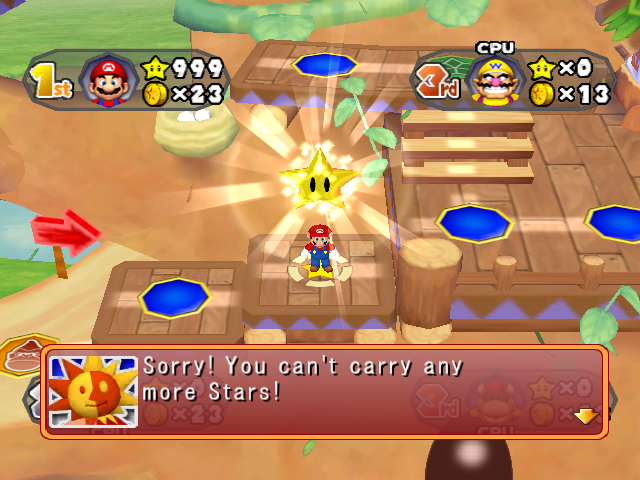
Normally, it's impossible to obtain 999 Stars in one game. If cheats are used to set your Star count to that amount, you'll get a normally unused message telling you that you can't have any more Stars.
Test Map#
Replace w02.bin (data Folder) and w02Dll.rel(dll folder) with saf.bin and safdll.rel, or use one of the below Gecko codes. Start a new Party Mode game and select E. Gadd's Garage as the board. Once the game starts, a test map should appear.
Version |
Gecko code |
|---|---|
American |
0422D9DC 8022D513 |
Japanese |
0422E10C 8022DC43 |
European |
0422D7E4 8022D31B |
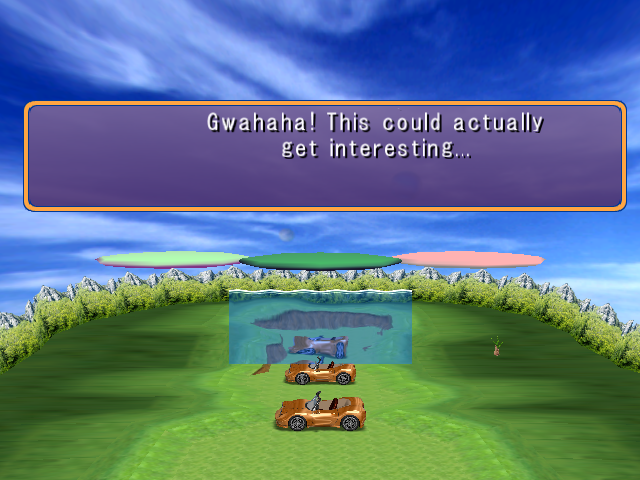
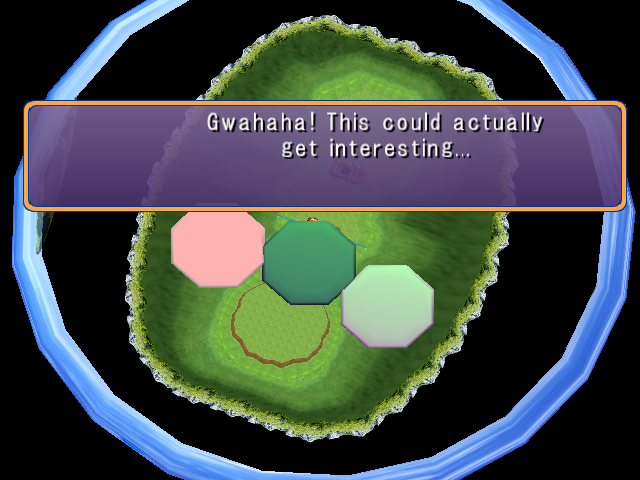
An odd assortment of objects are included in this test map: three brown cars, a wall of water, some kind of plant, and three floating platforms.
The terrain is mostly flat with a single hole and hill at the poles.
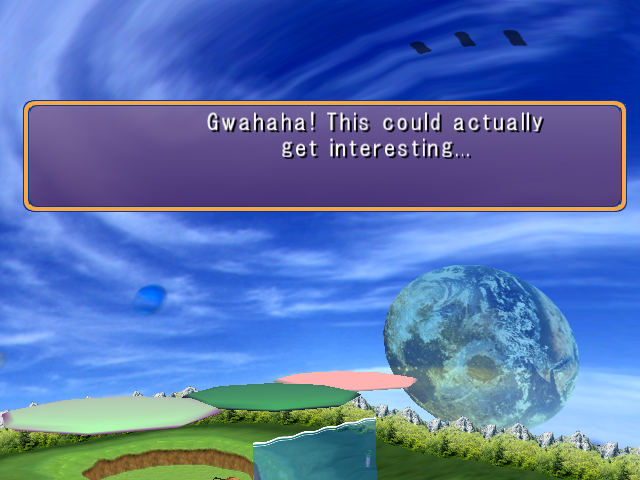
Some Story Mode dialogue pops up at the beginning. It doesn't disappear.
Since there's no player character here, interaction with this map is limited.
- L Button: Zoom camera out.
- R Button: Zoom camera in.
- Start Button: Exit map.
(Source: Original TCRF research)
Debug Orbs#
Use the following Gecko code to place an item into the first slot of Player 1's orbs. XX is the Orb ID.
F6000002 80008180
83E1000C 38210010
4E800020 1CA30108
D2000018 00000003
3DC0817F 7C802A14
88640004 1C630004
7C8E192E 00000000
E0000000 80008000
48000000 817F0000
DE000000 80008180
10000005 000000XX
E0000000 80008000
F6000001 80008180
48004C05 7C7D1B78
D2000004 00000003
2C03FFFE 40820008
3860FFFD 7C7D1B78
60000000 00000000
E0000000 80008000
D Camera#
Orb ID: 32
Description |
|
Using this will activate a camera debug function.
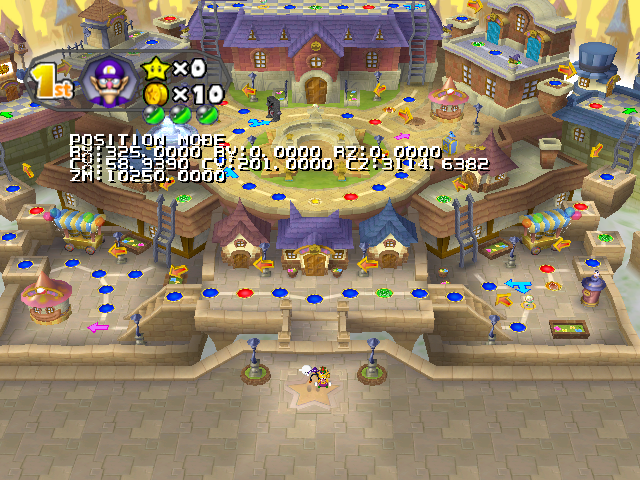
- Analog Stick / C-Stick: Move camera (Position mode) / Rotate camera (Rotate mode) / Move text (Disp mode).
- A Button: Zoom camera out.
- B Button: Zoom camera in.
- X Button: Switch between Position, Rotate, and Disp mode.
- Y Button: Toggles a Mushroom graphic at the center of the screen.
- L Button + Analog / C-Stick: Moves camera faster.
- R Button + Analog / C-Stick: Moves camera slower.
- L Button + R Button: Exit Camera Debug.
D Warp#
Orb ID: 33
Description |
|
Using this will activate a warp debug function.
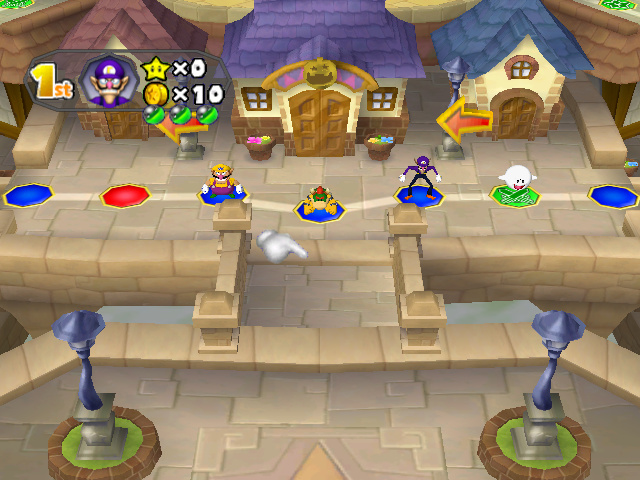
- Analog Stick / C-Stick: Move to a space.
- A Button: Set first player's position.
- B Button: Set second player's position.
- X Button: Set third player's position.
- Y Button: Set fourth player's position.
- L Button + R Button: Exit Warp Debug.
D Decision#
Orb ID: 34
Description |
|
While this can be used, it doesn't appear to do anything.
Event Orbs#
Despite what their descriptions say, these orbs actually can be used.
Orb ID: 28 |
Orb ID: 29 |
Orb ID: 2A |
Description |
Description |
Description |
|
|
|
Orb ID: 2B |
Orb ID: 2C |
Orb ID: 2E |
Description |
Description |
Description |
|
|
|
Unused Orb#
Orb ID: 20 |
Description |
|
This would be a counterpart to the Boo-Away and Snack Orbs. For whatever reason, it's not used. There are no unique orb graphics for it and there doesn't seem to be any surviving activation text.
Player Animation Debug#
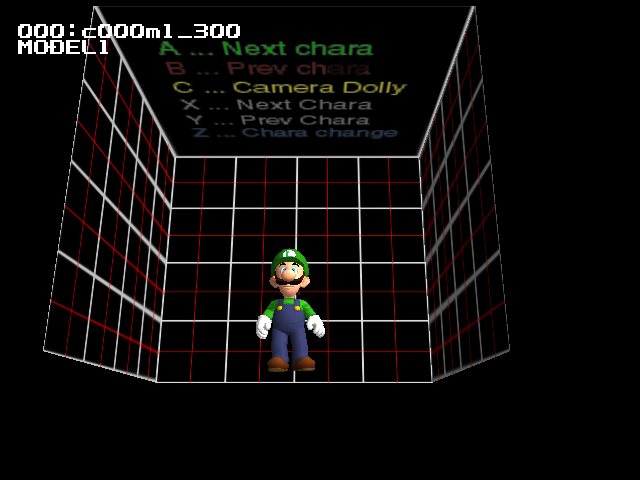
Enter one of the below Gecko codes, then choose Faire Square as the board. The controls at the top of the cube are actually incorrect.
Version |
Gecko code |
|---|---|
American |
0422D9E4 8022D486 |
Japanese |
0422E114 8022DBB6 |
European |
0422D7EC 8022D28E |
- Analog Stick: Rotate camera.
- C-Stick: Move camera.
- A Button: Load next animation.
- B Button: Load previous animation.
- X Button: Load next character.
- Y Button: Load previous character.
- Z Button: Load next Level of detail.
- L Button: Zoom camera out.
- R Button: Zoom camera in.
- Start Button: Exit menu.
Unused Minigames#
TTWars#


Enter one of the below Gecko codes, then choose Snowflake Lake as the board. You'll be taken to a very unfinished minigame where you place a red ball at the top of the playing field and move the platforms below to get it to the bottom. Parameters for the playing field can be chosen when the game starts up. The only way to exit the minigame is to reset the console.
Version |
Gecko code |
|---|---|
American |
0422D9EC 8022D571 |
Japanese |
0422E11C 8022DCA1 |
European |
0422D7F4 8022D379 |
Sequencedll#
Sequencedll, an unused debug minigame from Mario Party 5, returns pretty much just the same as it was in the predecessor. The audio glitch from Mario Party 5's Sequencedll minigame seems to have been fixed, as the victory and losing audio play properly now. Watch on YouTube
(Source: Kraken)
Early English Translation#
Found in messdata_eng.bin in the Japanese version of the game is an early version of the English translation, with slightly different word choices than the final and some grammar errors. A download is included because the file is unused but included in the rare Japanese version.
 |
Download Early English Message File File: messdata6_eng.bin (182 KB) (info) |
Overscan Border Display#
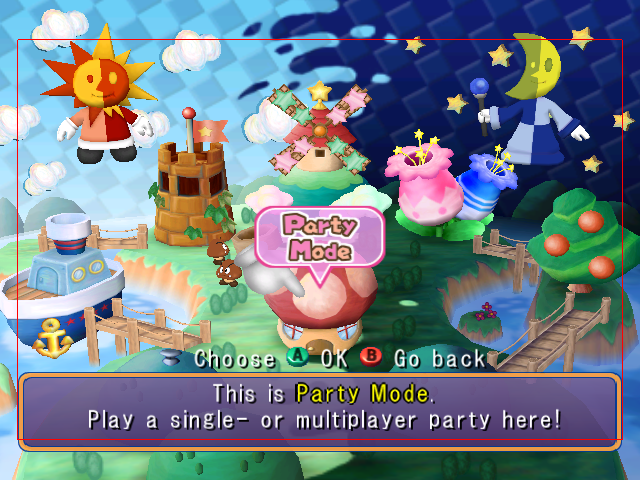
Enter one of the below Gecko codes and you will see the screen surrounded by red borders which specify the region of the screen that is safe for UI elements to use. The borders specify that anywhere within 16 pixels from the horizontal edges or within 40 pixels of the vertical edges is not safe to use.
Version |
Gecko code |
|---|---|
American |
0400C5B8 60000000 |
Japanese |
|
European |
0400C590 60000000 |
Memory Usage Meter#
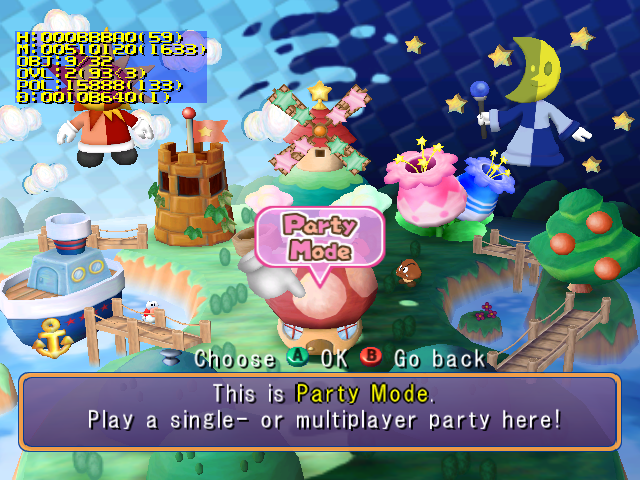
The memory usage meter returns once again, unchanged from Mario Party 5. Use one of the below Gecko codes to enable the memory usage meter.
Version |
Gecko code |
|---|---|
American |
0403B274 60000000 |
Japanese |
|
European |
0403B278 60000000 |
Build Dates#
A build date can be found in the game's executable.
Version |
Hex Address |
Build Date |
|---|---|---|
American |
0x21805D |
Sep 25 2004 |
American Demo |
0x20D51D |
Sep 24 2004 |
European |
0x217C20 |
Dec 16 2004 |
Japanese |
0x2185DF |
Sep 24 2004 |
(Source: Ferrox)
Offscreen Details#
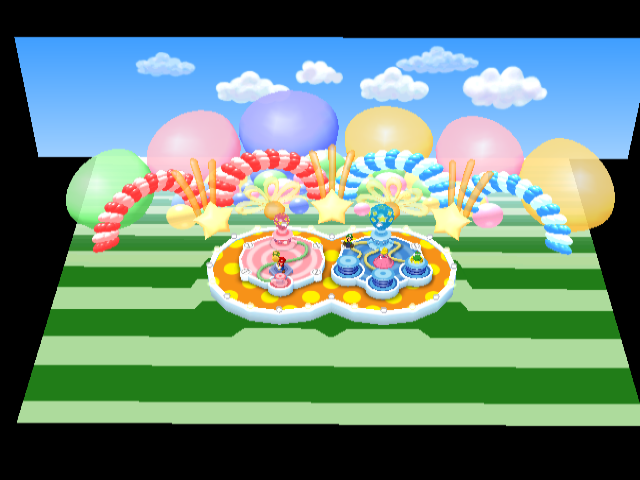
Pop Star has a green-and-white-striped floor surrounding the main platform which is mostly obscured in-game. Only a small section of green is visible at the bottom of the screen.
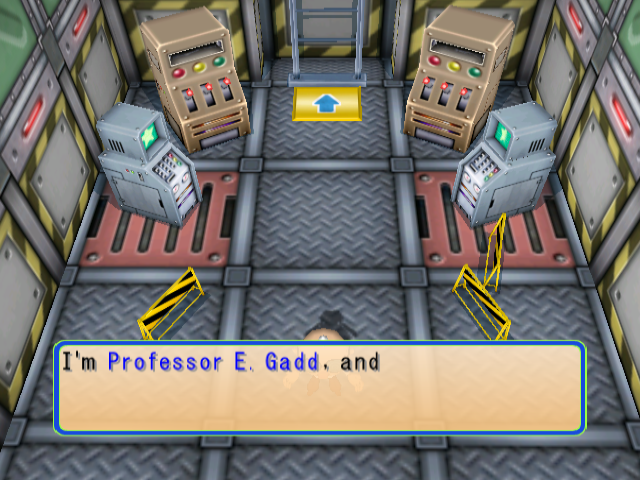

Lab Brats has an arrow texture in the small room where E. Gadd talks to you that can't be seen in-game, as it's completely obscured by E. Gadd's head.
(Source: Original TCRF research)
Regional Differences#

|
To do: |
Health & Safety#
|
American |
European/Australian |
|---|---|

|

|
The text is slightly different between versions, and the European/Australian versions add color to the warning symbol and site link. Meanwhile, the Japanese version doesn't have this screen at all.
Title Screen#
American |
European/Australian |
Japanese |
|---|---|---|
 |
 |
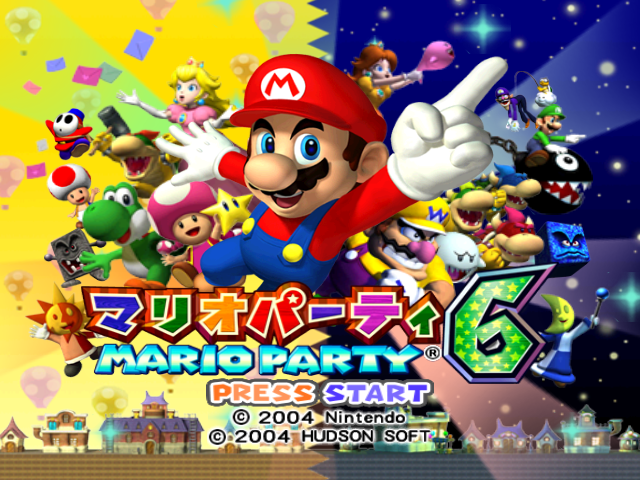 |
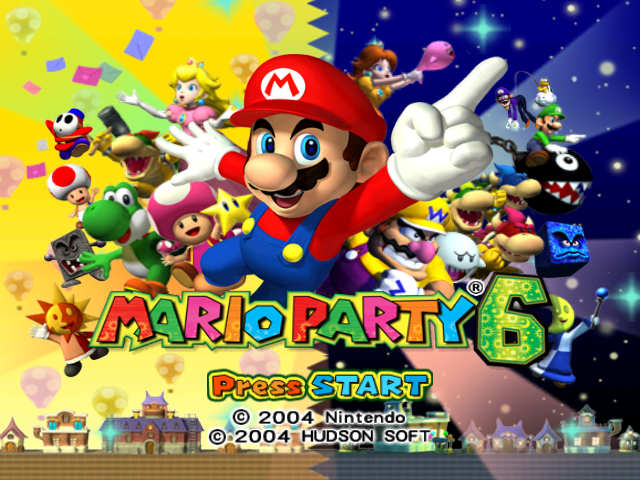
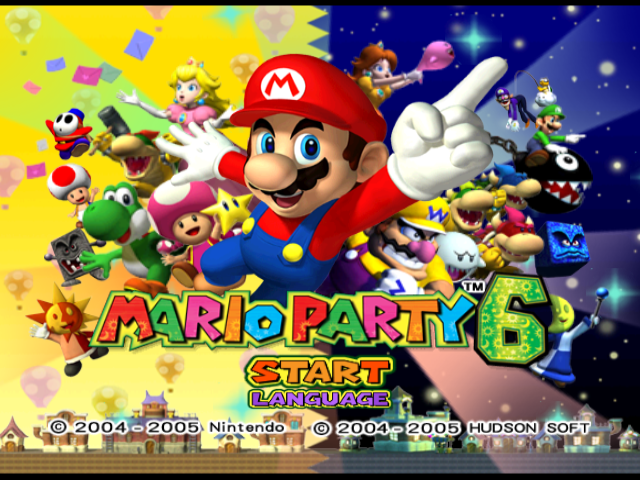
The American and Japanese versions are identical except for the logo and "Press START" text. The European/Australian versions replace the latter with a choice between starting the game or accessing the language menu, only found on these versions of the game as is typical for console games of the time. They also reformat the copyright text to fit on one line instead of two, as well as updating it to reflect these versions having been released in 2005.
Banner#
|
Japan |
International |
|---|---|

|

|
Endurance Alley#
The four luck-based minigames (Same Is Lame, Trap Ease Artist, Pitifall, and Trick or Tree) are not played in Endurance Alley in the European and Australian versions, due to...well, the inevitable possibility of the player getting unlucky and being forced to break their streak.
Fruit Talktail#
|
International |
European/Australian |
|---|---|
|
|
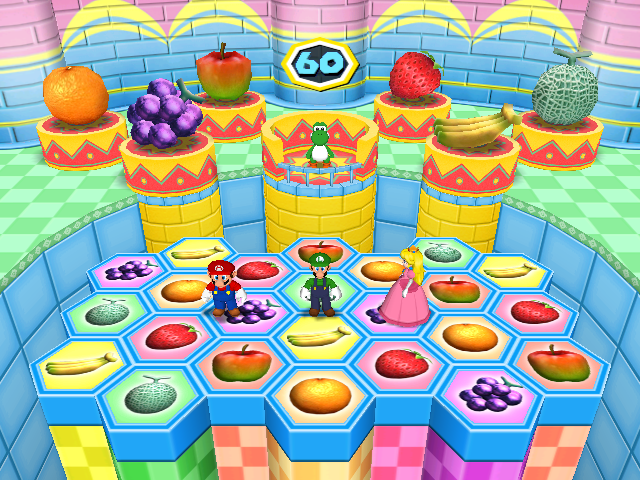
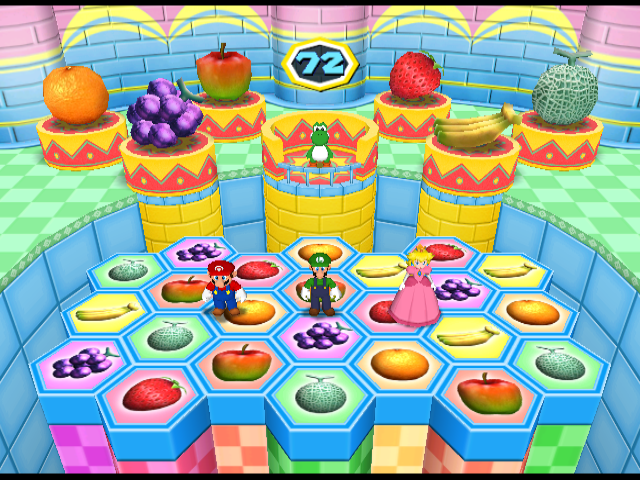
In the European/Australian versions, the time limit for Fruit Talktail is 72 seconds instead of 60. This was likely done because the minigame would have likely been too short with all gameplay in the PAL version being unoptimized for the slower speed, except for the timer.
Garden Grab#
|
International |
Japanese |
|---|---|
|
|
|
International |
Japanese |
|---|---|
|
|
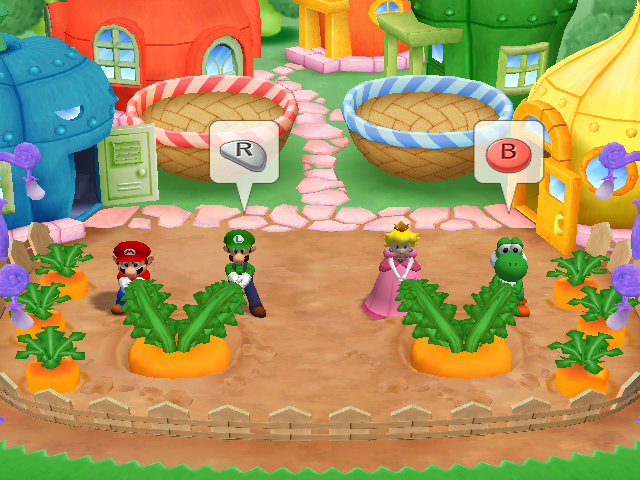
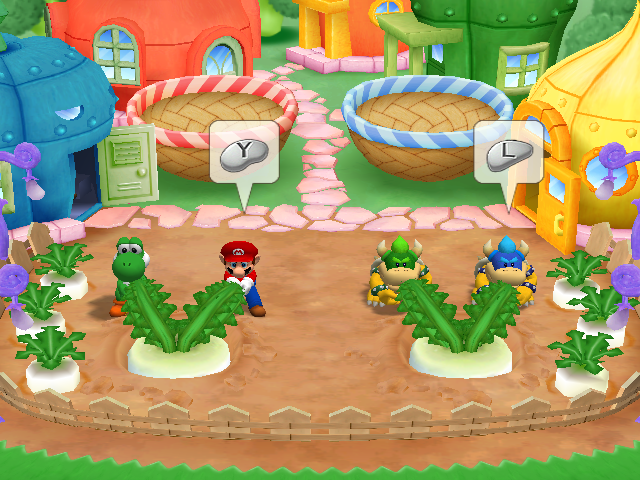
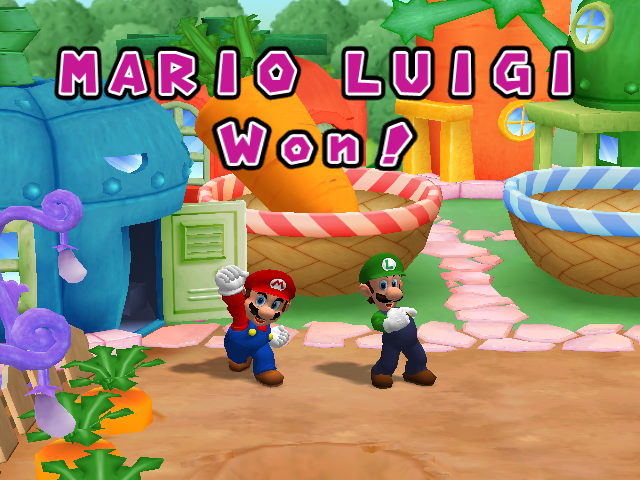
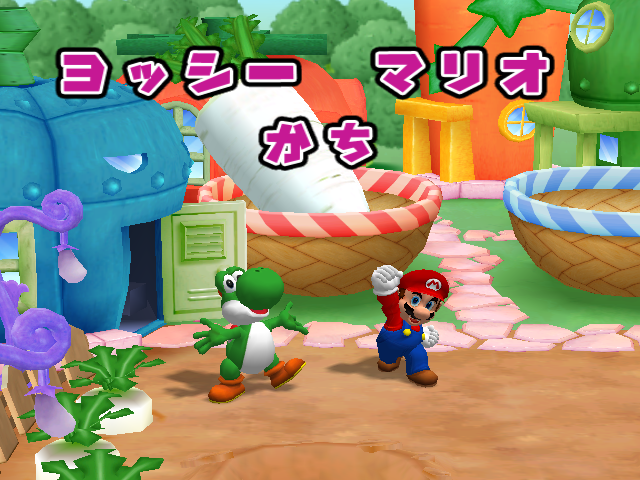
In the Japanese version, the mini-game Garden Grab uses daikon radishes instead of carrots.
Battle Space#
|
International |
European/Australian |
|---|---|
|
|
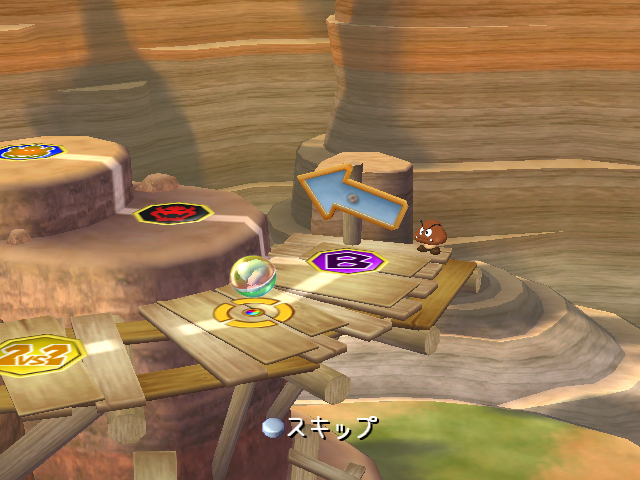
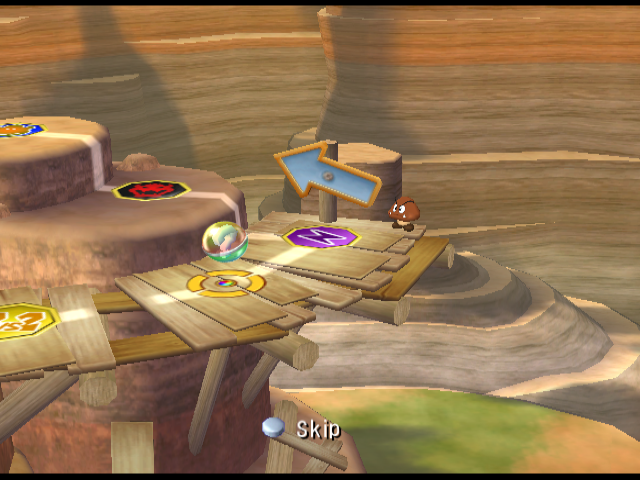
In the European/Australian version, Battle spaces have a lightning bolt on them as opposed to an uppercase "B", making them somewhat resemble their Mario Party 2 counterpart.
Winning Screen#
|
International |
European/Australian |
|---|---|
|
|
|
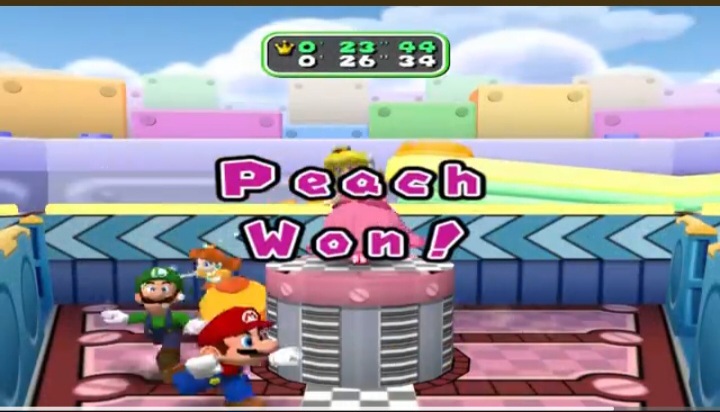
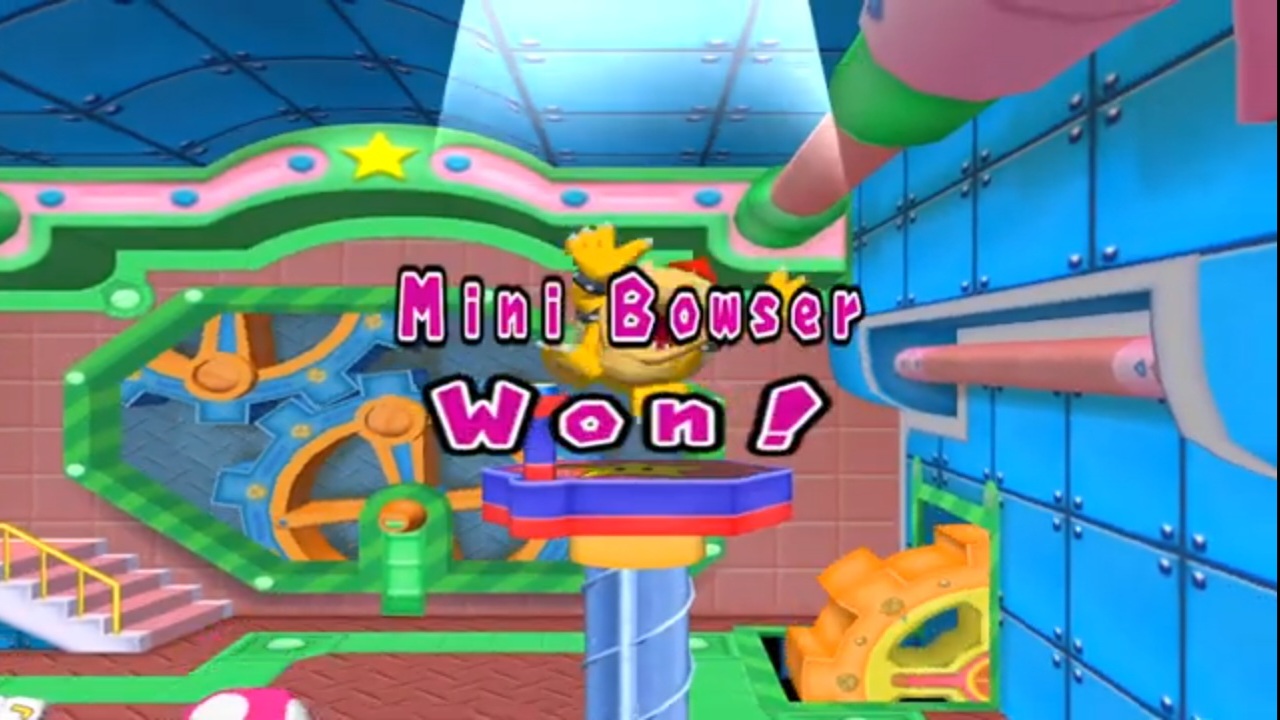
In the European/Australian version, the characters' name when winning a name is lowercase and always placed in the middle. The character's name is placed above "won!" when one player wins a minigame instead of next to each other in the International version. (The same would occur in Mario Party 5 and 7.)
Character differences#
|
International |
European/Australian |
|---|---|
|
|
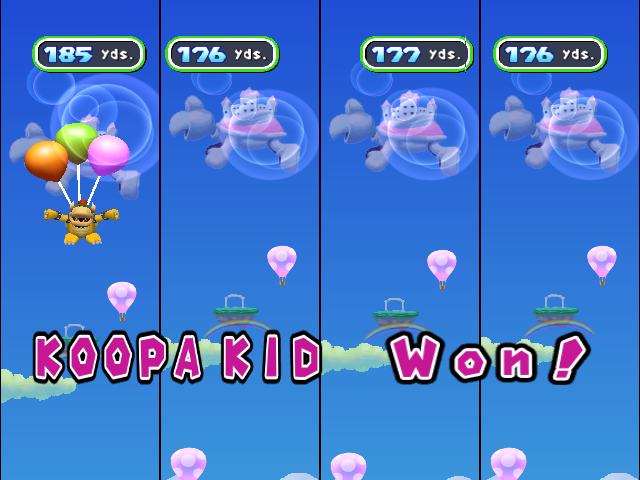
Another thing carried from Mario Party 5 is the different name given to Mini Bowser outside of Europe and Australia. In those regions, he is called Koopa Kid.
Voices#
In the Japanese version, Brighton and Twila have voices, and the mini-game announcer is the female one from the previous two Mario Party games.
(Source: Original TCRF research)