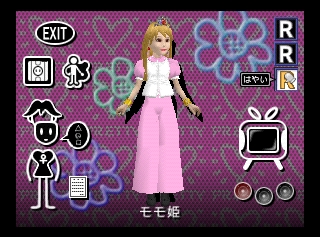
Show Time Edit is a hidden icon between the microphone and Show Time.
You need the following GameShark codes to access it: D130E5AA 0008 8130E5AA FFFF
This mode allows you to edit the background, camera, lighting and graffiti (not working) of animations from Show Time. These are saved into the root directory of the save area.
You can set and delete points for each and will automatically manage linear transitions between each set points.
Show Time Edit Hidden IconMotion SelectionLight SetupCamera SetupGraffiti Setup
Choose a Pose seems to be an unfinished mode where you can select a pose.
You need the following GameShark codes to access it: D130E5B2 0009 8130E5B2 FFFF
You can select between Basic Pose, Edit 1, Edit 2, Edit 3 and Edit 4, and move the camera around. That's about it.
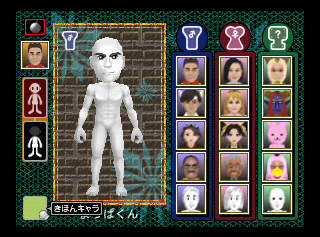
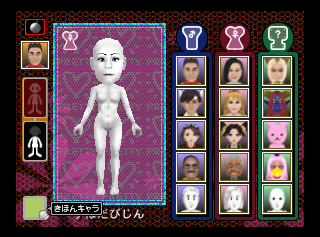
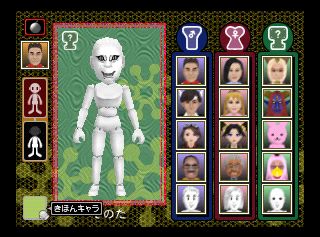
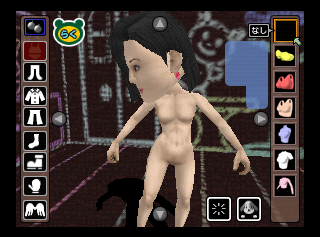
In the select talent type menu, there's a hidden icon where you can select basic naked talents by clicking several times.
You need the following GameShark codes to access it: D130E5BA 0079 8130E5BA FFFF D132E576 0079 8132E576 FFFF D132E8F6 0079 8132E8F6 FFFF
The following content is and has been hidden by default. Click to reveal content: ;
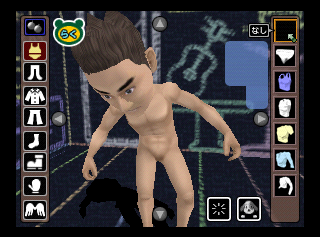
Nintendo has left the option to render talents completely naked.
You need the following GameShark codes to access it: D130E6BE 00D0 8130E6BE FFFF D1320502 0001 81320502 FFFF
The following content is and has been hidden by default. Click to reveal content: ;
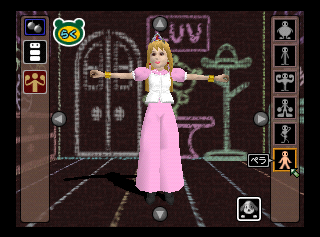
There's a sixth option for the body shape option called ペラ (Pera). It doesn't function as intended, instead doing the function of the first option.
The following GameShark codes will replace the Reset option to access it: D13BE06E E030 813BE06E E008
There's an option to set the Mouse Speed, but it crashes the game on any attempt to save the selected option.
The following GameShark codes will replace the Microphone option to access it: D13BB83E AEFC 813BB83E AF74
In dumps from previously sealed and unused disks of the game, the RAM area (Save area) contains a generic file system designed by Nintendo called MFS (MultiFileSystem). You can dedicate parts of the RAM area to be ignored by MFS, which is called "Auto-Save Area" in Mario Artist titles; it is used for content like Albums, Studio defaults, and more. When uninitialized, it contains around six RAM dumps, involving a disk writing tool specifically made by the developers.
This graphic is found at 0x19A1838, 0x19F52F8, 0x1AC85B8. mwrite is the Disk ID definition file. Seems to be a screenshot log of a tool, that lists System Area and User Area.
To do:
This translation seems pretty rough, can someone who is fluent improve it?
There is a hidden easter egg movie, starring the late Hiroshi Yamauchi (then-president of Nintendo Co., Ltd.), speaking about the game and the 64DD peripheral, in Japanese. The movie file is hidden under the user directory, in the bottom-most selectable slot and can be loaded and viewed in the Movie Creation tool.
The English translation of the dialogue is as follows:
Nintendo Head Office (Kyoto)
Director: "It is going on the air."
(take1)
President: "Eh, this time, for buying Nintendo 64 DD software, Talent Studio, thank you very..."
Woman: "President, it is not for sale, and it is delivered to all members."
President: "Eh? Is it like that...all right, I got it."
(take2)
President: "Eh, we deliver Talent Studio to everyone here, and this software is Nintendo's confident work you can experience quite new play that is not in existing software. Please play with family and friends together and enjoy noisily by making unique talents, thank you very much."
Director: "Yes, OK."
President: "Is it OK?"
Director: "Yes, thank you very much."
President: "What kind of software is this? What kind of software?"
 This article has a talk page!