 This article has a talk page!
Unused Graphics#
Test#

This graphic is loaded when starting the Card Party found in Bonus Mode.
Menu Options#


Various unused menu option graphics, some left untranslated.
Early Logo#

In instpic.bin is an early version of the game's logo. This is used in the E3 demo, but without the blur effect seen here.
Placeholder Bubble#
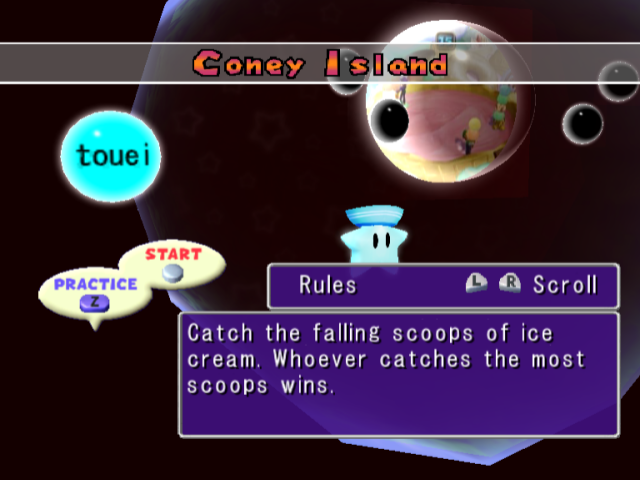

Just off to the lefthand side of the Mini-Game explanation screen, there is a bubble featuring the word 倒影 (translating to "reflection") floating outside the sky dome.
(Source: Original TCRF research)
m353.bin#


Two textures that translate to front and back.
sample.bin#

A crudely drawn graphic that reads "Test Board" with a large-nosed figure in the bottom corner.
sdd1.bin#

A dummy texture.
Unused Models#
sample.bin#
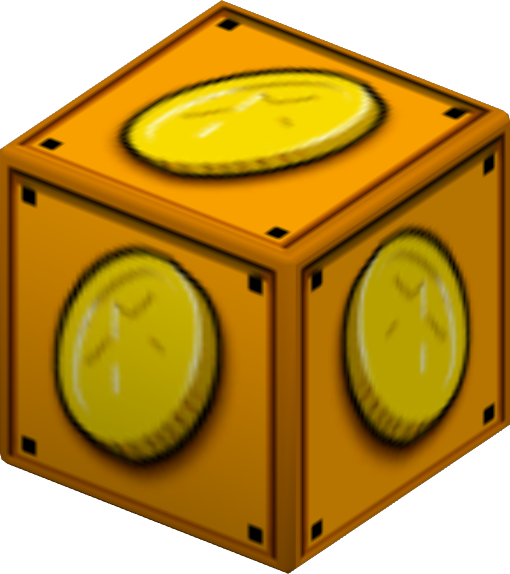


sample.bin has two early capsule models of a coin block and Boo, and the Toad host leftover from Mario Party 4.
Unused Board (sample.bin)#
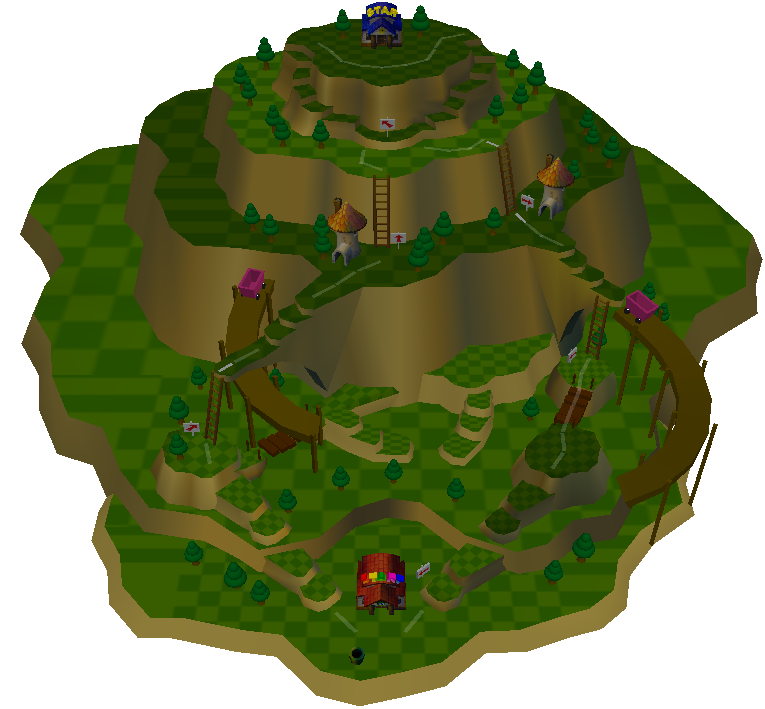
Also within sample.bin is an entire unused board, complete with space data. This board can be loaded in-game by replacing the space data and model of an existing board with the space data and model of sample.bin.
The board itself appears to be a test board for fully-3D boards. It's completely linear. There are several missing and/or plain textures. The board takes place on a mountain. A building with red roofing and the word "START" is positioned at the base, and a building with blue roofing and the word "STAR" is positioned at the top. Despite this, the star still appears randomly throughout the board. Instead, a Donkey Kong space is positioned by the blue-roofed building. The mountain also had several buildings, arrow signs, mine carts, ladders, and trees.
Unused Minigames#
Replace w01.bin (data Folder) and w01Dll.rel(dll folder) with selmenu.bin and selmenuDll.rel, or use one of the below Action Replay codes. Start a new Party Mode game and select Toy Dream as the board. Once the game starts, you should boot into a debug menu!
Version |
Action Replay code |
|---|---|
USA |
041BDB78 801BD658 |
Japan |
041BD8A8 801BD388 |
Europe |
041BF160 801BEC40 |

This is the same debug menu from Mario Party 4. The mini-game titles are changed.
Press Up/Down to select a mini-game, and Left/Right to switch between pages.
The A / Start Button chooses a mini-game, and the B Button goes to the previous menu.

Before a mini-game is played, the same rudimentary character select screen from Mario Party 4 appears.
There are two special options in this menu: "START" and "MESS CHECK".
"START" will take the player back to the File Selection screen.
"MESS CHECK" leads to a message test.
Message Test#

This is a test of every message in the game.
- A Button: Next message.
- B Button: Previous message.
- L Button: Previous message bank.
- R Button: Next message bank.
- X Button: Next Language (European Only)
- Y Button: Previous Language (European Only)
- Start Button: Exit menu.
(Source: Original TCRF research)
(Source: Ralf (GC-Forever) (EU code))
(Source: gamemasterpic (NA code))
Debug Capsules#
Use the Action Replay code 0022A075 000000XX to place these items in the upper-left player's 1st slot. XX is the capsule ID.
All of these capsules are named "Error", have no use description, and use the Miracle Capsule model.
Capsule 1 (Camera Debug)#
Capsule ID: 28
Using this capsule will activate a camera debug function.
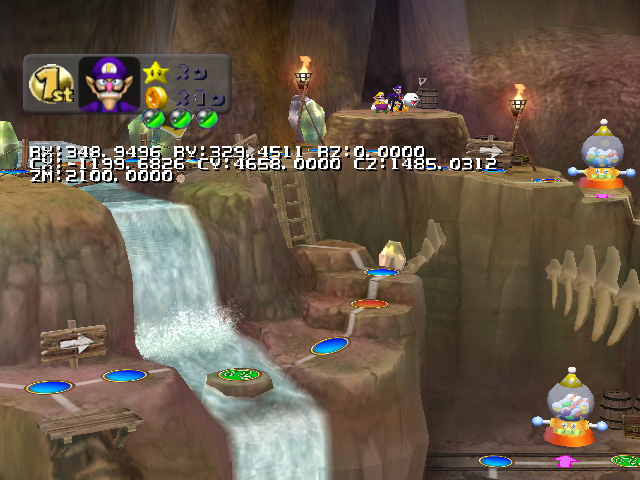
Analog Stick: Rotate camera / Move text.
C-Stick: Move + rotate camera / Move text.
A Button: Zoom camera out.
B Button: Zoom camera in.
X Button: Switch between camera and text movement.
Y Button: Toggles a Mushroom graphic at the center of the screen.
L Button + Analog / C-Stick: Move faster.
R Button + Analog / C-Stick: Move slower.
L Button + R Button: Exit Camera Debug.
Capsule 2 (Movement Debug)#
Capsule ID: 29
Using this capsule will activate a warp debug function.
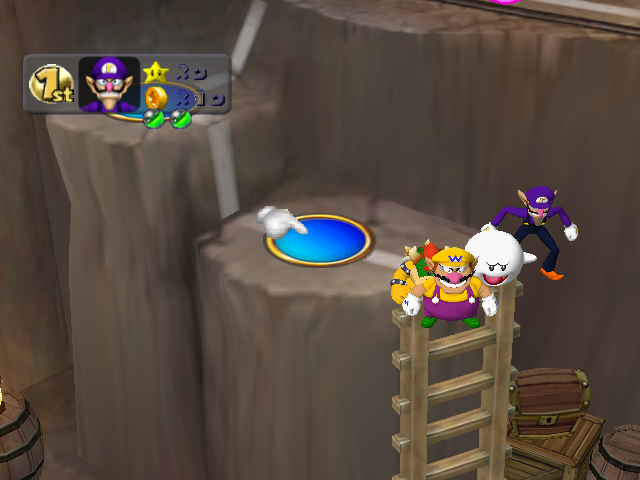
Analog Stick / C-Stick: Move to a space.
A Button: Set first player's position.
B Button: Set second player's position.
X Button: Set third player's position.
Y Button: Set fourth player's position.
L Button + R Button: Exit Warp Debug.
Capsule 3#
Capsule ID: 2A
While this can be used and fits with the rest of the debug capsules, it doesn't appear to do anything.
(Action Replay code: Codejunkies)
Player Animation Debug#

Enter one of the below Action Replay codes, then choose Pirate Dream as the board. The controls at the top of the cube are actually incorrect.
Version |
Action Replay code |
|---|---|
USA |
041BDB98 801BD5C7 |
Japan |
041BD8C8 801BD2F7 |
Europe |
041BF180 801BEBAF |
- Analog Stick: Rotate camera.
- C-Stick: Move camera.
- A Button: Load next animation.
- B Button: Load previous animation.
- X Button: Load next character.
- Y Button: Load previous character.
- Z Button: Load next frame.
- L Button: Zoom camera out.
- R Button: Zoom camera in.
- Start Button: Exit menu.
(Source: Ralf@gc-forever (EU code))
Other Unused Capsules#
These capsules cannot be used by the player—their intended use is for the game to manipulate the board's spaces.
Orb ID: 25 |
Orb ID: 26 |
Description |
Description |
|
|
(Source: Original TCRF research)
Unused Bowser Capsule Text#
Since the Bowser Capsule is automatically used when obtained, this description is never seen.
Orb ID: 22 |
Description |
|
(Source: Original TCRF research)
Build Dates#
A build date can be found in the game's executable.
Version |
Hex Address |
Build Date |
|---|---|---|
USA |
0x1A85BD |
Sep 25 2003 |
USA Demo |
0x1A5C8D |
Sep 12 2003 |
Europe |
0x1A9540 |
Oct 21 2003 |
Japan |
0x1A813F |
Sep 24 2004 |
(Source: Ferrox)
Story Mode Intro Test#

There is unused code in the game that allows you to select which story mode intro scene you want to view. Pressing A starts the board. D-Pad Left and Right move the scene no. selection left and right respectively. To access it, use one of the below Gecko codes and select Story Mode.
Version |
Gecko code |
|---|---|
USA |
0022AA2D 000000FF |
Japan |
|
Europe |
0024976D 000000FF |
Memory Usage Meter#
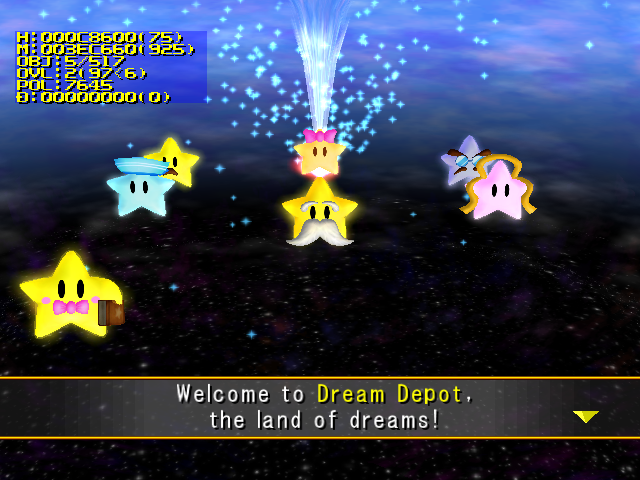
This memory usage meter returns unchanged from Mario Party 4. It displays in the upper-left. Use one of the below Gecko codes to enable the memory usage meter. There is a D value that actually changes now.
Version |
Gecko code |
|---|---|
USA |
040368D0 60000000 |
Japan |
|
Europe |
040368B0 60000000 |
Overscan Border Display#
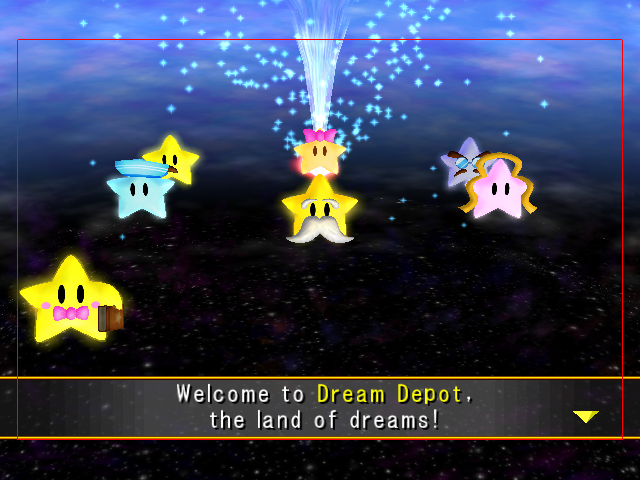
Enter one of the below Gecko codes and you will see the screen surrounded by red borders which specify the region of the screen that is safe for UI elements to use. The borders specify that within 16 pixels from the horizontal edges and within 40 pixels of the vertical edges are not safe to use.
Version |
Gecko code |
|---|---|
USA |
0400B6CC 60000000 |
Japan |
|
Europe |
0400B6AC 60000000 |
Error Tune#
This sound sample fills all unused music slots. It is a unique behaviour compared to playing an out of bounds sound which is absolutely nothing.
999 Stars Message#
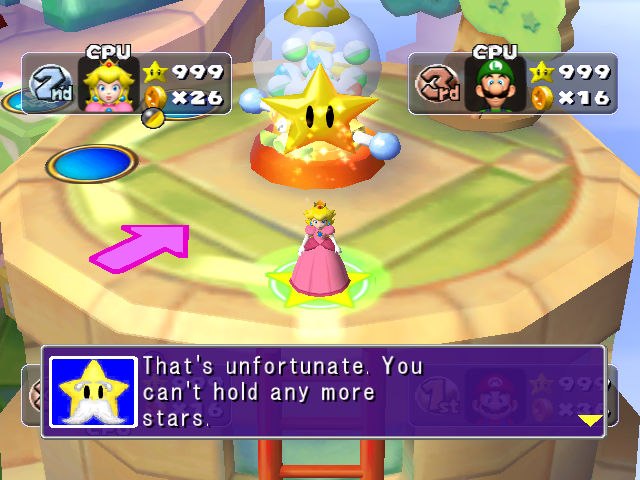
Normally, it's impossible to obtain 999 Stars in one game. If cheats are used to set your Star count to that amount, you'll get a normally unused message telling you that you can't have any more Stars.
Bus Buffer Reflection#
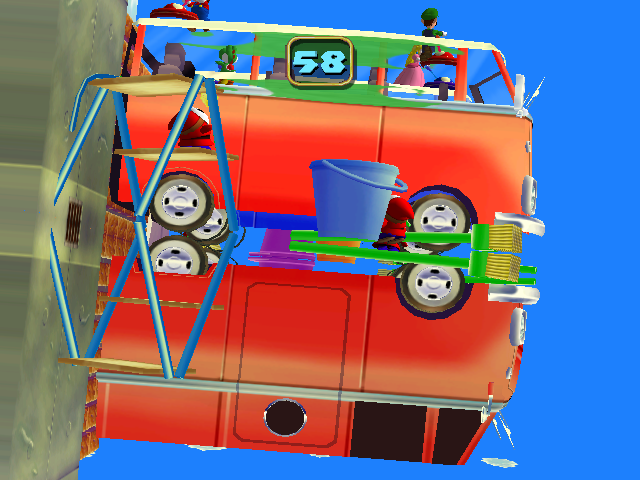
In the Bus Buffer minigame, the reflection models for the buses are slightly different from the main model. It's likely that the reflection model is based on an earlier design.
(Source: Supper Mario Broth)
Regional Differences#
Title Screen#
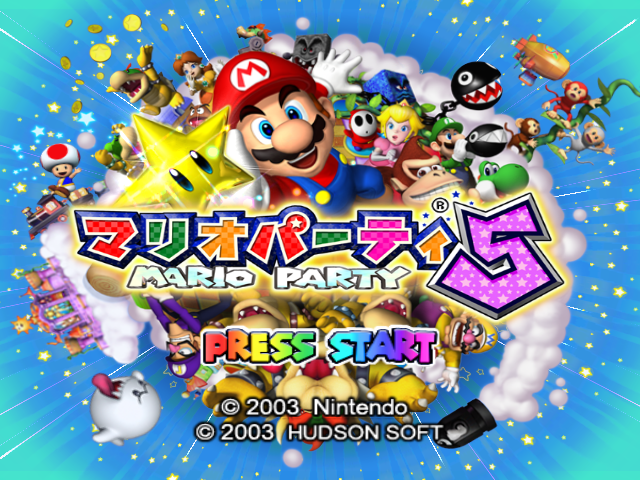
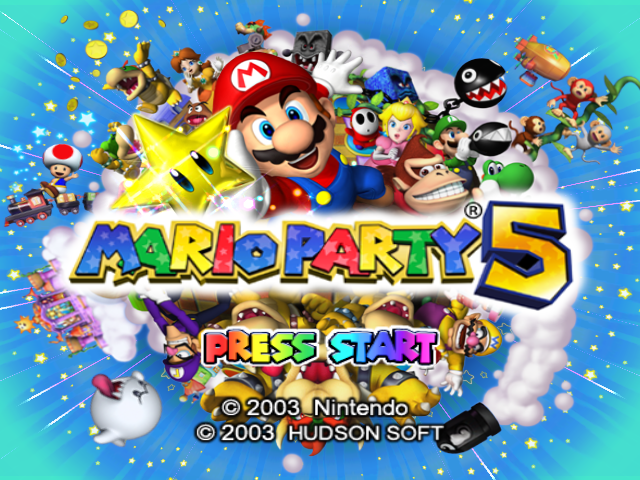
The 5 is a bit pointier and pink compared to the gold 5.
|
Japanese |
US/PAL |
|---|---|
|
|
Banner#
|
Japan |
International |
|---|---|

|

|
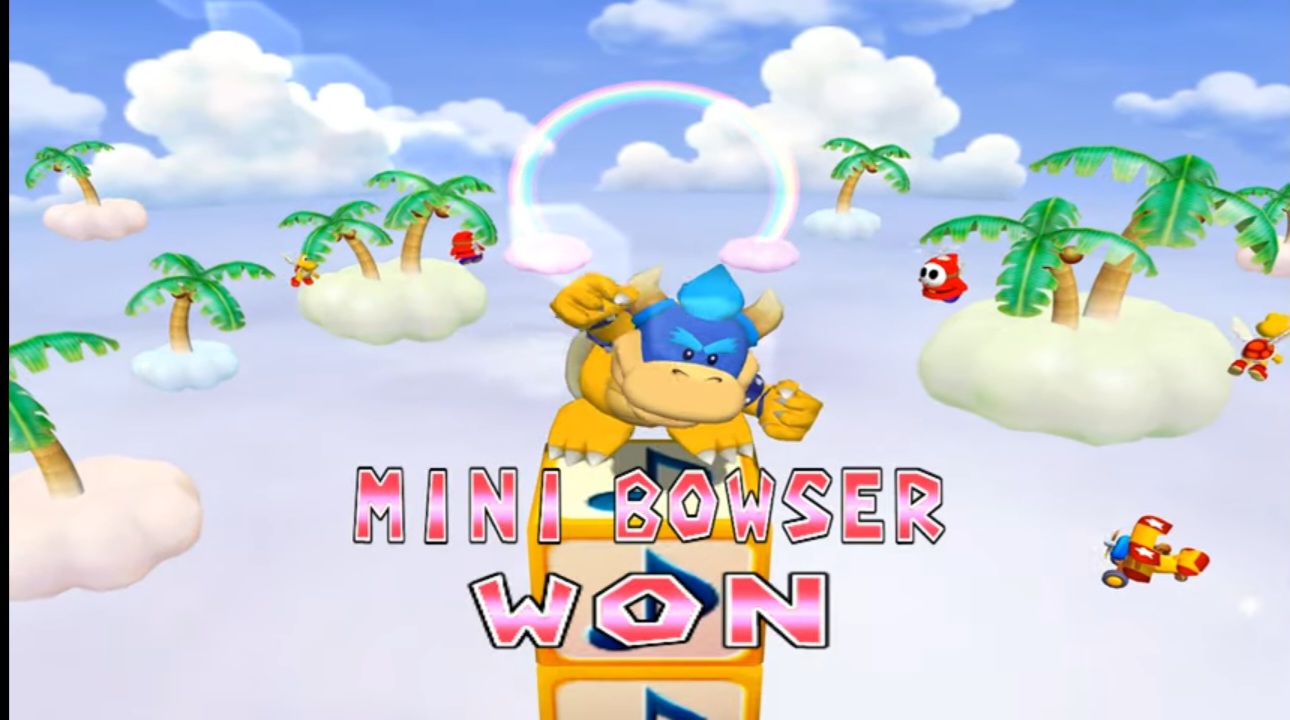
Character differences#
|
International |
European/Australian |
|---|---|
|
|
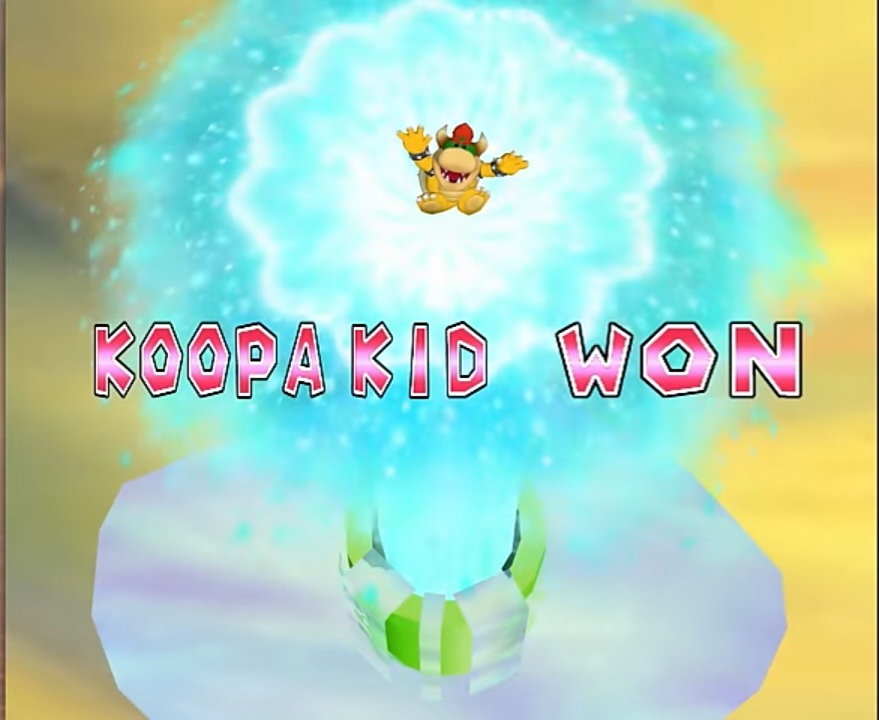
The difference is that Mini Bowser is a Europe/Australia exclusive name. Outside of those regions, he is called Koopa Kid. This difference would also exist in Mario Party 6.
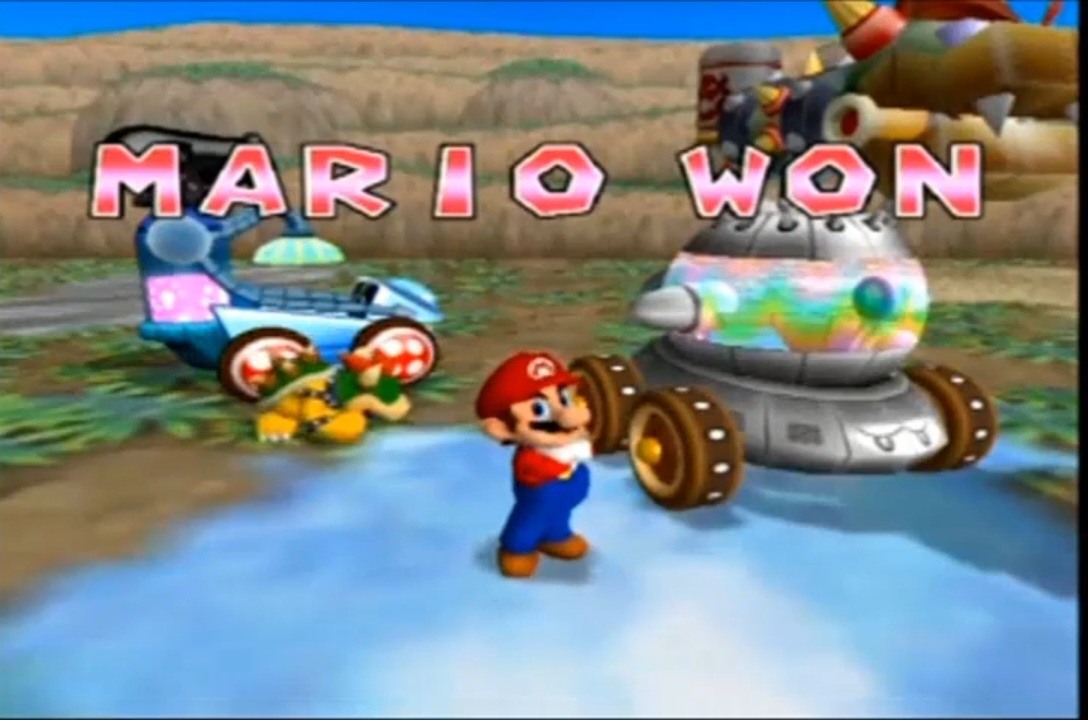
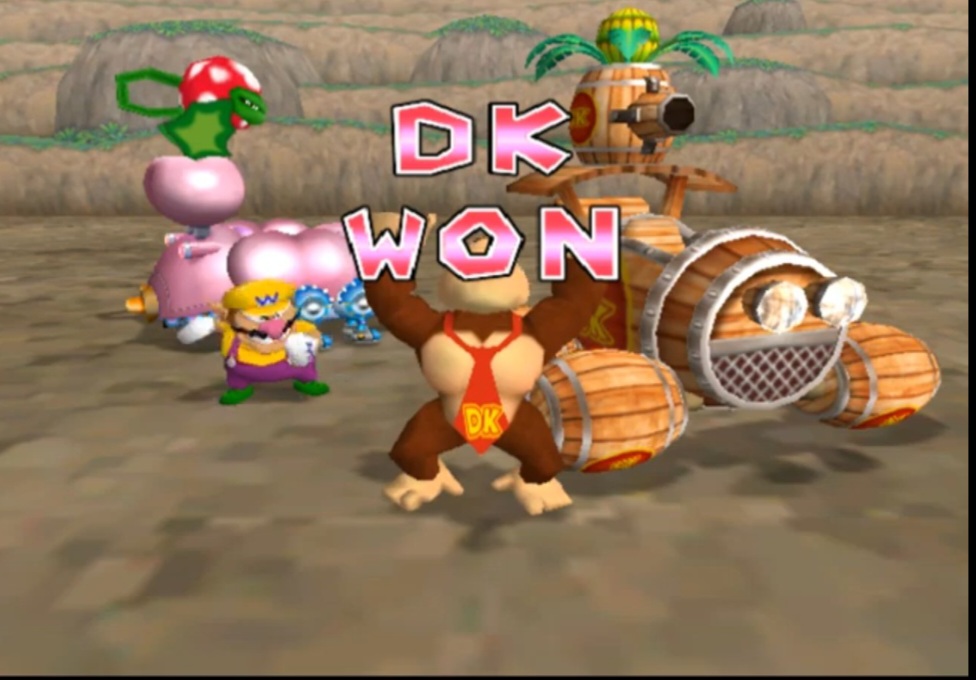
Winning Screen#
|
International |
European/Australian |
|---|---|
|
|
The character's name is placed above "won!" when one player wins a minigame in Europe/Australia instead of next to each other in the International version. This difference would also exist in Mario Party 6 and Mario Party 7.