 This article has a talk page!
Mario Party 4 is the first GameCube Mario Party game. The first of four.
Other than getting a big graphical upgrade (and introducing many of the standard character and enemy designs we still see in Mario games to this day), it's pretty much the same game as the first three.


Unused Graphics#
m401.bin#
|
Early |
Final |
|---|---|

|

|
An early, brighter version of Mario's icon. It can also be found in m410.bin and m430.bin.
instpic.bin#

A placeholder message reading "NOW PRINTING". Similar graphics can be found in the previous Mario Party installments.
mpex.bin#

Ztar was originally supposed to have his own board in the Extras Room, which roughly translates to Ztar's Shredded Party. In the final game, he only hosts Beach Volley Folley.
saf.bin#





saf.bin has many strange textures, sprites and images hidden inside.
result.sat#

A white screen with red text that translates to "It was a result."
Unused Models#
ment.bin#
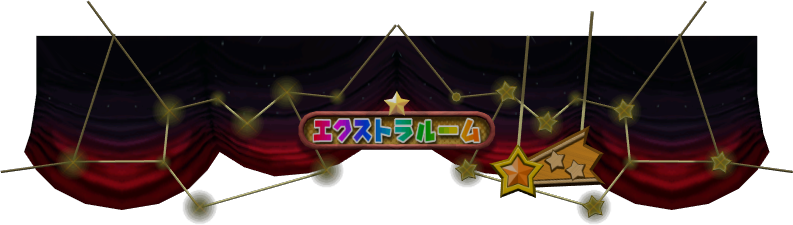
An early, untranslated banner for the Extras Room.
byokodori.bin#
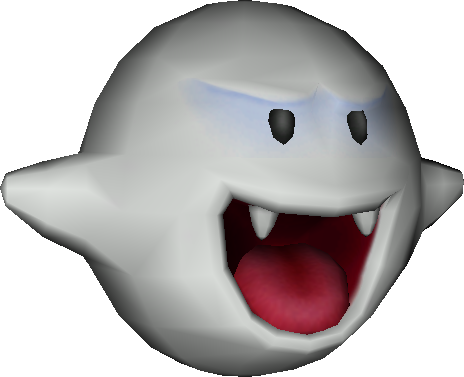
An off-model Boo.
saf.bin#

An earlier version of the coin.

An earlier version of the Goomba model, closely resembling the Nintendo 64 era design.
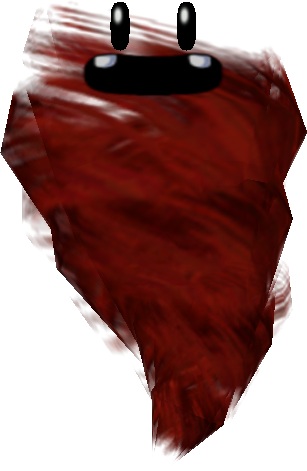
A red Tweester. This character would later appear in Mario Party 5, albeit not red.

An early version of the net in Butterfly Blitz.
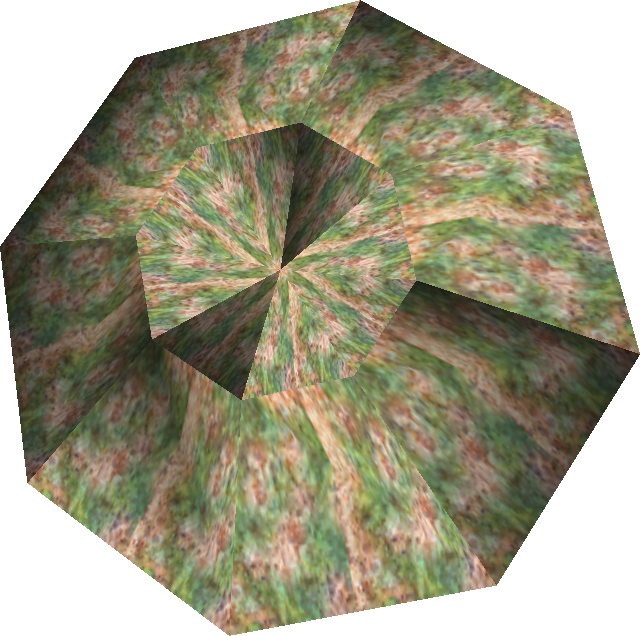
A strange, poorly textured crater.

A panel with arrows.
Unused Mini-Games#
Replace w01.bin (data folder) and w01Dll.rel (dll folder) with selmenu.bin and selmenuDll.rel or use one of the below Gecko codes. Start a new Party Mode game and select Toad's Midway Madness as the board. Once the game starts, you should boot into a debug menu!
Version |
Gecko code |
|---|---|
USA |
041300A8 8012FD0E |
Japan |
0412FC90 8012F8F7 |
Europe |
0412FEC8 8012FB2E |
(Source: Original TCRF research)
(PAL Gecko code: [Ralf])

This setup is very similar to the Nintendo 64 Mario Party games, but this one doesn't have a cool background.
Press Up/Down to select a mini-game, and Left/Right to switch between pages.
The A / Start buttons chooses a mini-game, and the B button goes to the previous menu.

Before a mini-game is played, this rudimentary character select screen appears.
There are two special options in this menu: "MESS CHECK" and "STORY TEST"
Message Test#

This is a test of every message in the game.
- A Button: Next message.
- B Button: Previous message.
- L Button: Previous message bank.
- R Button: Next message bank.
- X Button: Next Language (European Only)
- Start Button: Exit menu.
Story Test#

A test of the cutscenes on each board.
- Up/Down: Change selection.
- Left/Right: Change clear flags.
- A Button: Choose selected option.
- B Button: Go to previous set of choices.
Press the A button on the clear flags menu to play the scene.
Additional Debugging Material#
Miscellaneous debug materials not accessible through the debug menu, but instead have to be accessed through hacking devices to see.
(Source: Original TCRF research)
Movie Test#
Found only in the Japanese release of the game are files ModelDll.rel and ModelDll.str. Replacing corresponding files of a minigame loads up a movie tester.
- C Stick: Move window
- L and R Buttons: Resize window.
- A Button: Next movie
- B Button: Restart movie
- Start Button: Exit
Model Test#
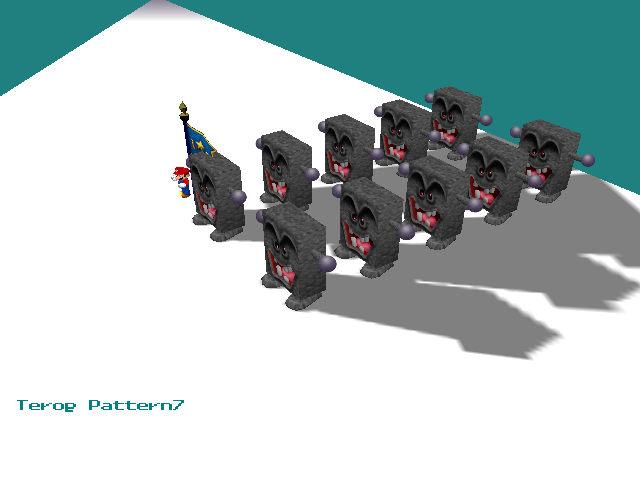
Use one of the below Gecko codes and start Shy Guy's Jungle Jam to be sent into this screen. This screen tests minigame start and end animations.
Version |
Gecko code |
|---|---|
USA |
041300B8 8012FC2A |
Japan |
0412FCA0 8012F802 |
Europe |
0412FE50 8012FA4A |
The area contains Mario looking around, a constantly moving flag with a ring of flames underneath the ground surrounding it, and 10 Whomps.
The A button does the "Draw!" animation, the B button does the "Start!" animation, the X button changes which "Start!" animation plays with 7 animations total, the Y button does the "New Record!" animation with a time of 0'00"98, Start stops all animation and any input besides itself; The L & R buttons zoom in and zoom out respectively, the Analog stick rotates the camera, the C-Stick moves the camera, and the rest of the buttons don't do anything.
Memory Usage Meter#
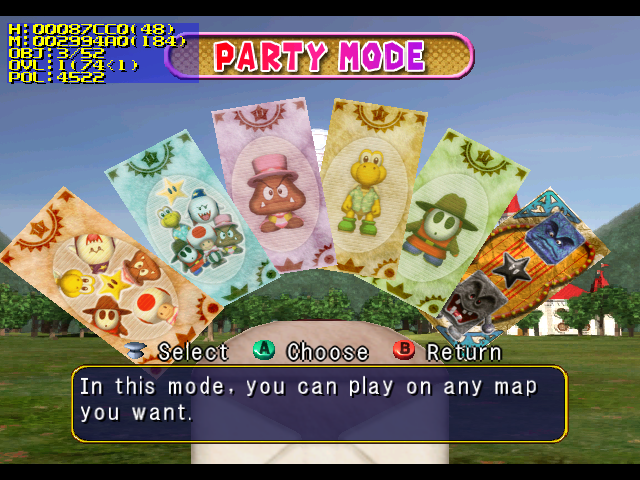
The memory usage meter from the N64 games is back with minor changes. Use one of the below Gecko codes to activate it. The box is now quite a bit smaller.
Version |
Gecko code |
|---|---|
USA |
0402FB80 60000000 |
Japan |
|
Europe |
0402FB88 60000000 |
Overscan Border Display#
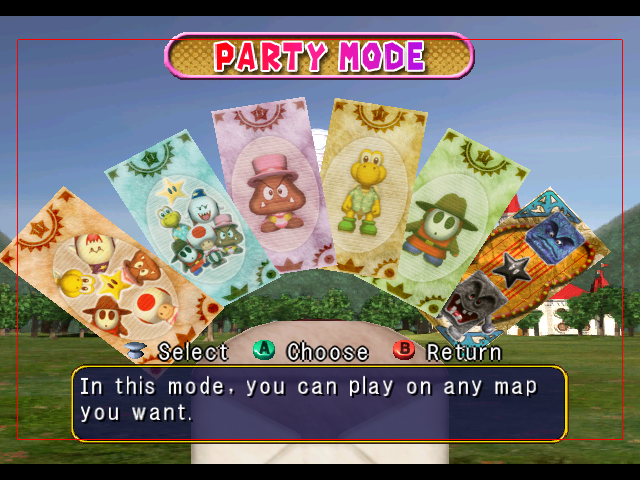
Enter one of the below Gecko codes and you will see the screen surrounded by red borders which specify the region of the screen that is safe for UI elements to use. The borders specify that within 16 pixels from the horizontal edges and within 40 pixels of the vertical edges are not safe to use.
Version |
Gecko code |
|---|---|
USA |
0400B258 60000000 |
Japan |
|
Europe |
0400B260 60000000 |
Reversal of Fortune Explanation#
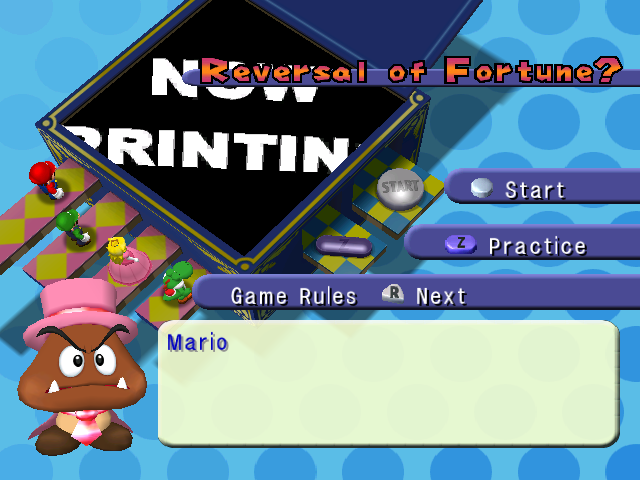
The Reversal of Fortune has an explanation screen that is never seen due to being directly loaded while in a board. Use one of the below Gecko codes to add the minigame to the 4-player minigames list. Both Controls Explanation 2 and Game Rules show "Mario". The image to the right shows the "Now Printing" texture in use.
Version |
Gecko code |
|---|---|
USA |
00131CBA 00000000 |
Japan |
0013189A 00000000 |
Europe |
00131B82 00000000 |
Oddities#

In the Order Up mini-game, in all versions of the game, there is a poster with the caption 'Kinopio Burger'. As Kinopio is Toad's Japanese name (and Kinopio Burger is the mini-game's Japanese name), this is a detail that was overlooked during localization.
Offscreen Details#
Some details which are technically used, but never visible to the player.
Hidden Note#
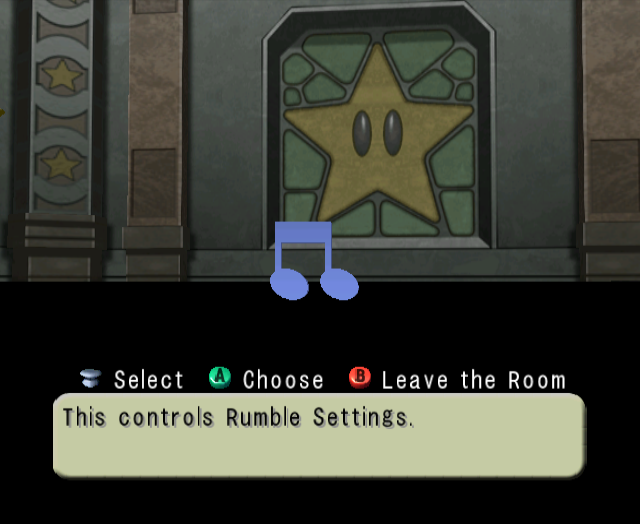
In the center of the Options Room is a note which flashes multiple colors.
Starry Ceiling#
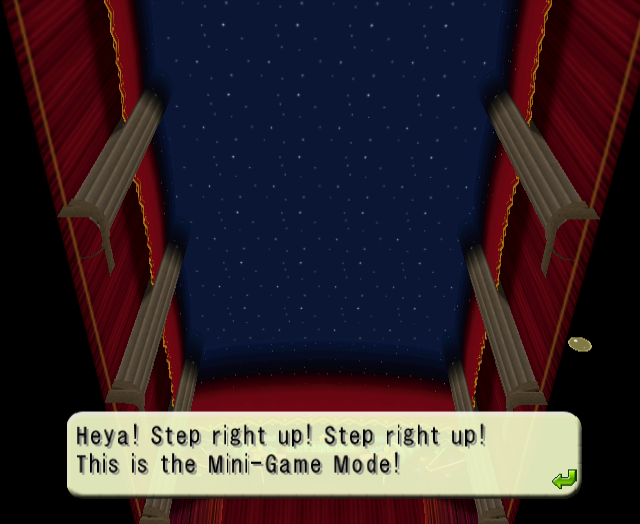
The small room that you appear in after selecting a mode has a starry ceiling.
Hidden Order Up Poster#
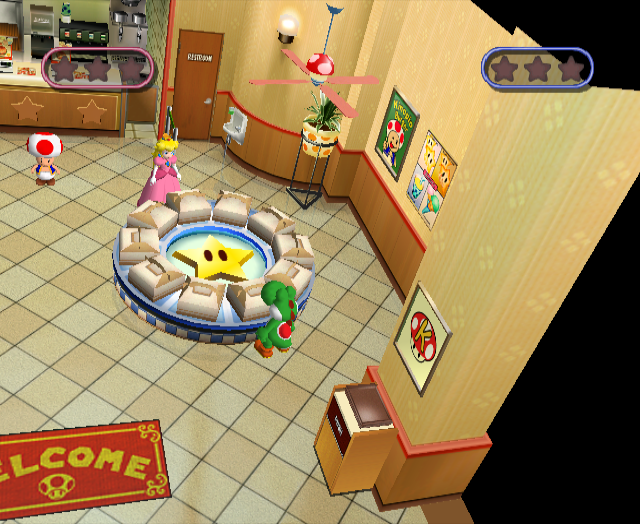

In the Order Up mini-game, there's a poster hidden off to the right which is a mushroom with "K" on it.
Extras Room Sign#

The Extras Room sign has an unseen, untranslated backside.
(Source: Ferrox)
Unseen Texture Details#
While these textures are used, they have details that aren't normally seen.

The signs in Paths of Peril have text that says "GURUGURU DANGAR". This text is impossible to read in-game due to the fixed camera angle.

The sky in Right Oar Left's ending has trees that are hidden behind the rocks.
999 Stars Messages#
Normally, it is impossible to obtain 999 Stars in one game. If cheats are used to set your Star count to 999, it's possible to see some unused messages when you reach the Star space. Each board host has their own unique dialogue for when this happens.
Board |
Message |
|---|---|
Toad's Midway Madness |
I'm so sorry, but you already |
Koopa's Seaside Soiree |
I hate to say this, but you |
Goomba's Greedy Gala |
OH! That's too bad, kid. You |
Boo's Haunted Bash |
...Ee hee hee hee. You can't |
Shy Guy's Jungle Jam |
I'm so sorry, but you |
Bowser's Gnarly Party |
Ah ha ha ha! You can't |
Regional Differences#
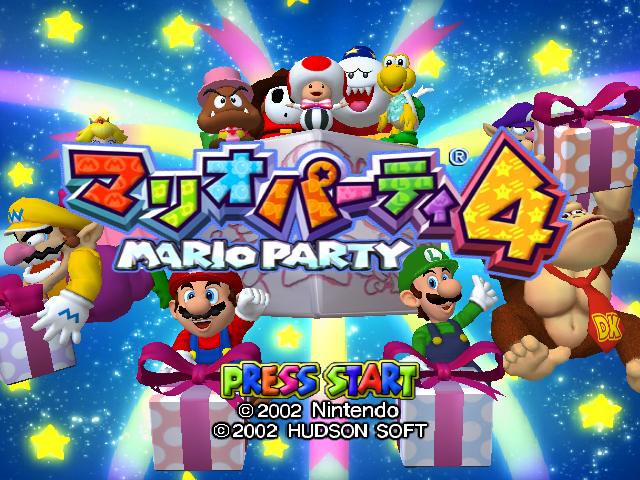
Title Screen#
|
Japan |
International |
|---|---|
|
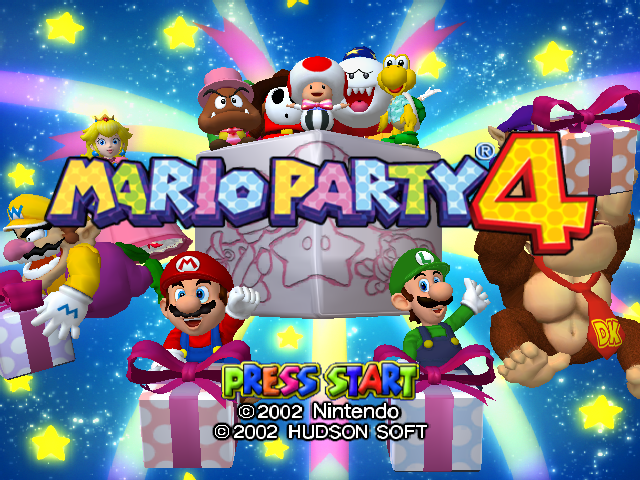
|
Banner#
|
Japan |
International |
|---|---|

|

|
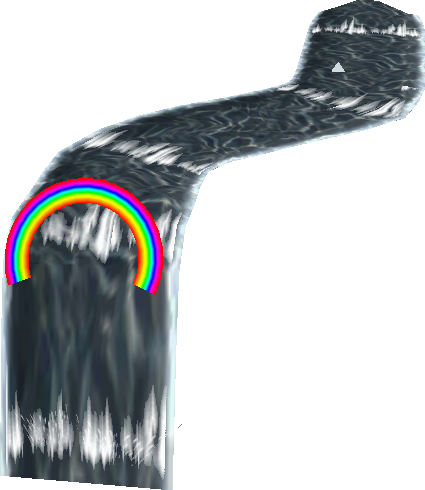
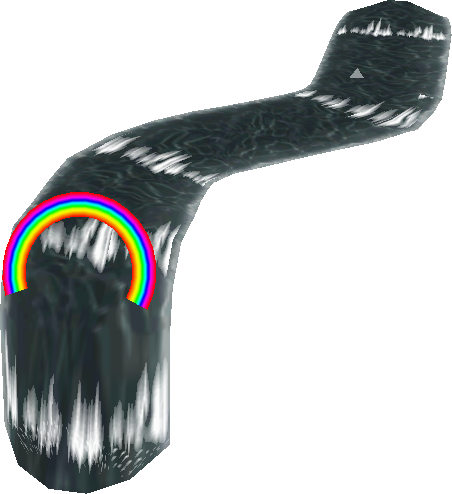
Shy Guy's Jungle Jam#
|
Japan |
International |
|---|---|
|
|
The waterfall was remodeled for some reason in the international releases.
PAL Framerate#
In the US and Japanese versions the game runs at 60 FPS while the PAL version runs at 50 FPS meaning the gameplay is slower on PAL. This creates a problem however. The timer that is used in minigames isn't based off the FPS which means the timer counts up or down at the same speed in all versions. So in the PAL version some minigames are shorter and setting new records for minigames is much more difficult.