 This article has a talk page!
Mario Party 3 is the last Mario Party game released on the Nintendo 64. If you've played the previous two, you should know what to expect, though having a high M.P.I.Q. is recommended.
Sub-Pages#

Debugging Features#
Debug Menu#

Version |
GameShark code |
|---|---|
Japan |
D10C1B3C 0020 |
USA |
D10CC3F4 0020 |
Europe |
D10CD8FC 0020 |
The game has two separate debug menus, both with different entries. Use the appropriate code for your region and either hold L for the first menu, or R for the second. Functionally, they are largely the same as the debug menus in the first two Mario Party games. Since the menu so closely resembles the one used in Mario Party, including the background with the "missing" Donkey Kong render, it is likely that they either re-used the debug routines, or simply used the same engine for the first three Mario Party games.
This large list contains all of the game's Mini-Games, and then some. Selecting a Mini-Game with A goes to the character select screen. Press Left/Right to choose your character, A to confirm your character, and Start to start the Mini-Game. Pressing the R button changes the game mode between GAME, BOARD, and DUEL. Some entries will only work with certain game modes.
Pressing Z opens an options menu, where you can set the following player options:

- PAD#: Toggle between a human or computer-controlled player.
- GRP : Change the teams to be used in 2-vs-2 or 1-vs-3 Mini-Games.
- DIF : Change CPU difficulty for the player.
- COIN: Change the current number of Coins the player has, up to 999.
- PADN: Pad number; choose the controller port the player is controlled with (starting with 0).
Though MAP is also an option, it does not seem to change.
From this menu, the following debugging tools can be accessed.
Character Animation Test#

Version |
GameShark code |
|---|---|
Japan |
810C39A2 0056 |
USA |
810CE202 0056 |
Europe |
810CE082 0056 |
Selecting 300*MCHAR on the first debug menu sends the player to an animation test menu for each of the playable characters. To exit this screen, hold the L and R buttons.
The controls in this menu are:
- Direction Pad - Moves the model around the screen.
- Analog Stick - Rotates the model.
- L and R triggers - Shrinks and enlarges the model.
- B and A - Decreases and increases the motion no., changing the animation.
- C-Up - Switch between the high-poly and low-poly versions of any character model.
- C-Left and C-Right - Switch between the various characters.
- Start - Reset the model position and toggle the debugging text on and off.
Message Check#
|
Japan |
International |
|---|---|
|

|
Version |
GameShark code |
|---|---|
Japan |
810C39A2 0076 |
USA prototype |
810D1052 0076 |
USA |
810CE202 0076 |
Europe |
810CE082 0076 |
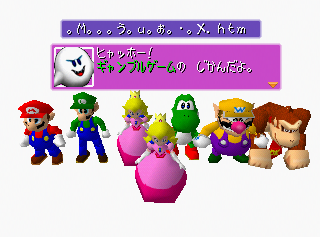
A screen that can display all the text in the game is selectable from the second menu in the American and European versions, labeled ***:MESS. In the Japanese version, this menu will first display all of the screen transition animations and also features all six of the playable characters minus Daisy and Waluigi.
A, B, L, and R all cycle through the text. C-Up and C-Down change what event's text is shown.
(Source: fkualol (YouTube))
Save Data Debug#

Version |
GameShark code |
|---|---|
Japan |
D10C1B3C 2000 |
USA |
D10CC3F4 2000 |
Europe |
D10CD8FC 2000 |
This menu doesn't appear in either debug menu and must be loaded directly. Use the above scene modifier for your region and hold Z during a transition to arrive on this screen. This allows the player to alter the game's save data.
Here, the player has the following options:
- ALL MINIGAME ENABLE - Selecting this unlocks all Mini-Games in the Mini-Game Room.
- WLUIGI & DAISY ENABLE - Selecting this unlocks Waluigi and Daisy if they are not already (see below).
- STORY NO. - Changes how much of Story Mode the player has completed.
- STORY HERO - Changes the character the player is using in Story Mode; Daisy and Waluigi aren't available.
- STORY DIFF - Changes the Story Mode difficulty.
- WLUIGILAND & REVKUNMAP ENABLE - Selecting this unlocks the hidden boards Waluigi's Island and Backtrack.
Press A to confirm the changes. The player can also press the R trigger to show position information similar to that of the model viewer, though as no models appear on-screen here, changing the position with the controller does nothing.
Memory Usage Infobox#
Version |
GameShark code |
|---|---|
Japan |
81048430 2400 |
USA Prototype |
81049000 2400 |
USA |
81048540 2400 |
Europe |
81048580 2400 |
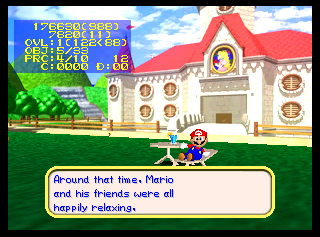
This box appears yet again, unchanged from the second game.
TV Safe Zone Frame#
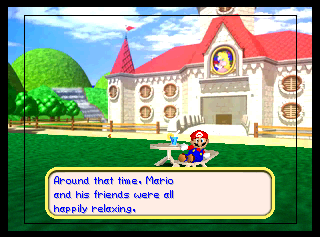
The GameShark code below will draw a frame around the screen specifying the portion of the screen safe to use for UI elements. The frame starts 24 pixels from the left side and 16 pixels from the top side of the screen. The frame is 272 pixels wide and 208 pixels tall.
Version |
GameShark code |
|---|---|
Japan |
8104E1B0 3000 |
USA Prototype |
8104EDE0 3000 |
USA |
8104E310 3000 |
Europe |
8104E350 3000 |
Debug Pause Menu#
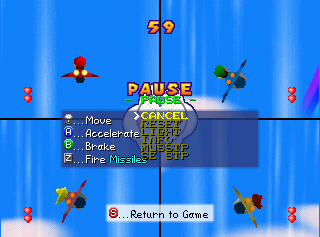
An earlier version of the Mini-Game pause menu exists hidden in the code but never called. Using this GameShark code with the US version will replace the actual Mini-Game pause menu with the earlier debug pause menu. It however may not work on some emulators. This menu also exists in Mario Party 1 and 2.
CANCEL unpauses the game. RESET ends the Mini-Game in a draw. LIGHT allows you to edit the lighting and fog using the C Buttons. INFO toggles the memory usage infobox (see above). MUSSTP stops all music. SE STP stops all sound effects.
Version |
GameShark code |
|---|---|
USA Prototype |
8104A4CC 0C01 |
USA |
810499FC 0C01 |
Europe |
81049A3C 0C01 |
Unused Graphics#
Story Mode Ratings#


Icons meant to represent scores for games in Story Mode. In the final game, the lowest rating the player can receive is C.
Early Waluigi and Daisy Icons#


These two icons can be found near the used ones. They don't quite match the art style of the others.
Hidden Character Icon#

The icon used for unlockable characters, of which there normally are none.
Now Printing#
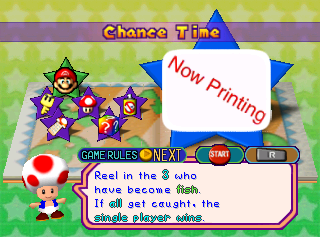

A placeholder Mini-Game icon similar to the one in Mario Party. This can be seen by forcing the game to load Chance Time as a regular Mini-Game by using the following GameShark code.
Version |
GameShark code |
|---|---|
USA |
800CD068 0041 |
Stacked Deck#
|
Early |
Final |
|---|---|

|

|
The Stacked Deck mini-game contains an earlier version of the Toad card which uses a different art style.
Storm Chasers#
|
Early |
Final |
|---|---|

|

|
An earlier, simpler version of the Monty Mole can be found among the graphics for Storm Chasers.
Picking Panic#

This graphic is used for the flower stems in Picking Panic but is never visible on-screen.
Star Lift#

This odd graphic can be found among the graphics for the Star Lift.
Koopa Transition Screen#

Along with the other character images used for transitions is this picture of a Koopa. Since Koopa doesn't host any Mini-Games in this title, it goes unused, besides being in the Japanese message check. It matches the image of a Koopa used in the backdrop of duel maps.
Super Mario 64 Snifit#

A map icon for a Snifit in its Super Mario 64 design. This was likely an early design for the Snifit partner in Duel Mode.
Peach Leftovers#
A set of Peach's faces from Mario Party 2's Mini-Game Look Away exist in the graphics bank used for Daisy's textures as a result of most of her data being copied from Mario Party 2's Peach.
Picker Item#

An updated graphic for the unused Picker item from Mario Party 2.
Skeleton Key#
|
Early |
Final |
|---|---|

|

|
An earlier version of the Skeleton Key graphic which is based on the Mario Party 2 design.
Mario Party Leftovers#

The position graphics.


The Bowser/Star Block from Bowser's Magma Mountain.

One of the early Star Block graphics for Bowser's Magma Mountain.

The Mushroom/Poison Mushroom Block.

A small icon of Mario.
Mario Party 2 Leftovers#


The Bullet Bill and VS graphics that appeared before the Mini-Game roulette.


These graphics are unused in all versions and were used in Mario Party 2. Only graphics remain of this screen.
Unused Models#
Early Waluigi#

An early version of Waluigi's model, with different proportions and a lighter texture.
Super Mario 64 Snifit#

A model exists for a Snifit in its Super Mario 64 design, previously seen in Mario Party 2 as part of the Snifit Patrol. This was likely an early model for the Duel Mode partner Snifit before it was replaced with its model from the main series.
Test Map#
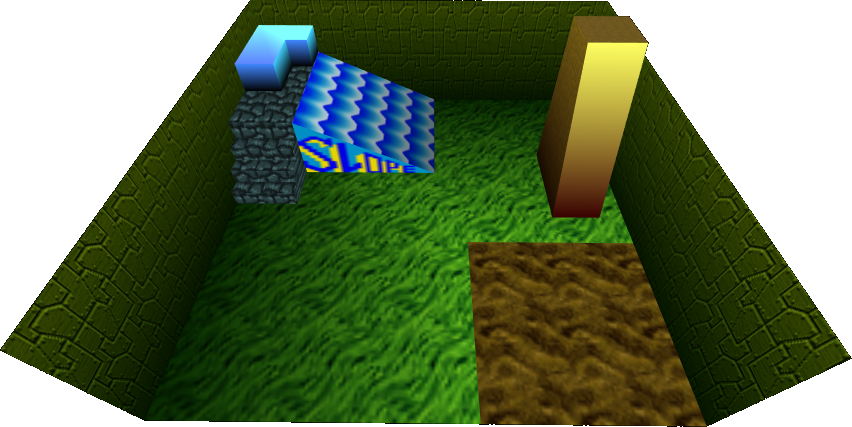
The model for the test map from the first Mario Party. It's unknown if it can still be accessed in-game in Mario Party 3.
Slide#

An unused slide present in the same directory as the test map.
Test Blocks#
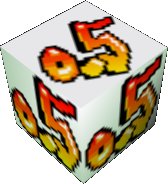
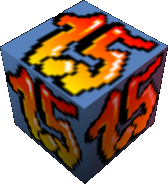

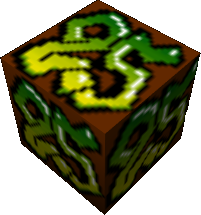
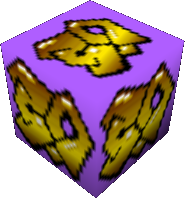
The numbered blocks left over from the first Mario Party.
Test Objects#


Unused objects left over from the first Mario Party.
(Source: Ferrox)
Early Character Select#
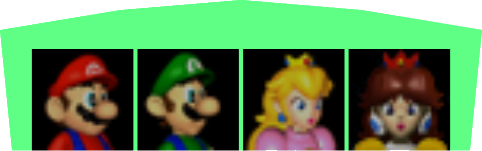
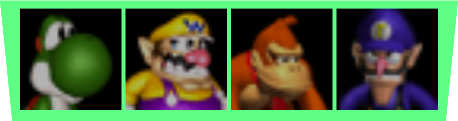
An earlier version of the character selection which features Daisy and Waluigi's early icons.
Boulder Ball#
|
Early |
Final |
|---|---|

|
|
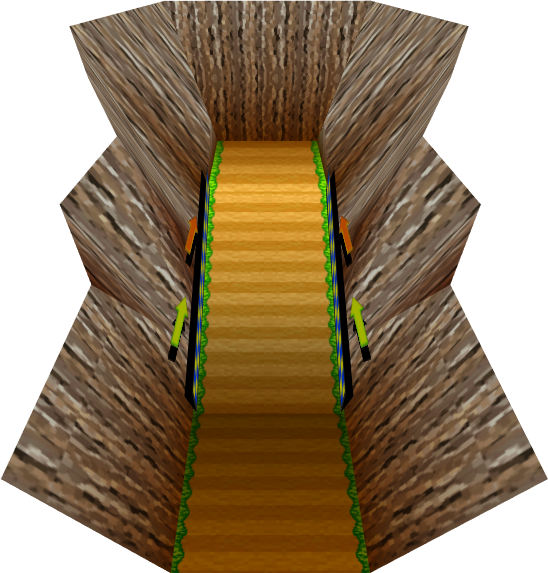
A very early version of the Boulder Ball map.
Pipe Cleaners#
|
Unused |
Used |
|---|---|
|

|
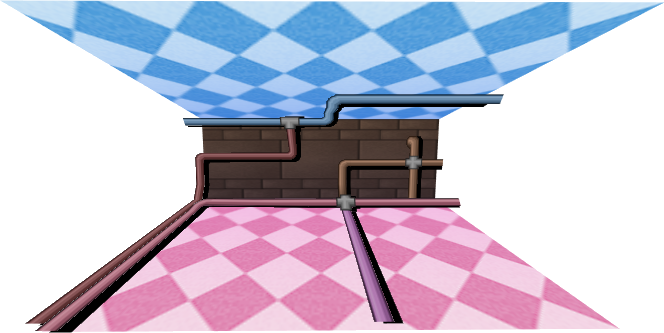
A 3D version of the background in Pipe Cleaners exists but only the 2D version is ever used.
Unused Code#
Locked Waluigi and Daisy#
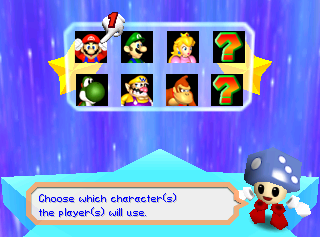
Normally, Waluigi and Daisy are available as playable characters at the start. However, if the game is forced into the menu with an uninitialized save, Waluigi and Daisy will be unselectable during game setup, being represented by an otherwise unused question mark texture. Activating the following GameShark code before the game is started will force the player to the setup screen, bypassing file selection. From this state, entering the Debug Settings Menu and enabling the characters will make them appear normally.
Version |
GameShark code |
|---|---|
Japan |
800C39A3 0078 |
USA |
800CE203 0078 |
Europe |
800CE083 0079 |
Interestingly, the back of the box alludes to this, reading "You can even unlock new characters in the one-player challenge."
Leftover Devkit Checking Code#

|
This needs some investigation. |
English Mario Party 3 versions still check for devkits at startup. It first checks for KMC at 0xBFF00000 twice which is used in Partner N64 devkits. After that, it checks for the IS64 string if it fails which is the Intelligent Systems Viewer 64 devkit. It's unknown whether the game actually prints anything to the IS Viewer or the Partner N64 Devkits. Nemu64 will complain about reading from these areas and crashes the game soon after boot when checking for the IS64 devkit. If the second check for KMC passes, the game crashes due to a jump to an invalid address.
(Source: PartyPlanner64 (MP3 Debuggers))
No Game#
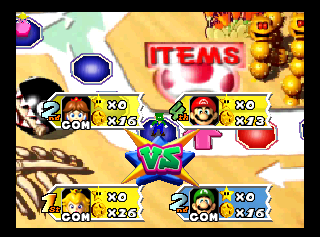
Yellow Player Panels can be found as a still-unused holdover from the first two games. They function like they did in Mario Party 2, ending the turn with no Mini-Game, but continuing the game past its normal length on the last turn.
The following GameShark code can be used to force each player to this state:
Version |
GameShark code |
|---|---|
Japan |
800C68C4 0003 |
USA |
800D1124 0003 |
Europe |
800D0FA4 0003 |
99 Stars Message#
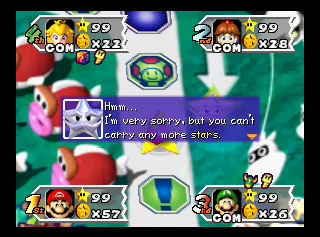
If you somehow manage to get 99 Stars in one game, when you meet the Millennium Star, he'll tell you that you can not have any more Stars. Although the message isn't unused, it's very unlikely that anyone has ever seen it without cheats.
If you pass Boo with 99 Stars, the option to steal a Star will always be greyed out. Unlike the first two Mario Party titles, the AI will not attempt to select it, so no softlock will happen.
Unused Sounds#
Test Tone#
This test tune is once again the first song in the ROM, though it sounds slightly different compared to the first two games.
Unused Superstar Voice Clips#
These lines are what Daisy and Waluigi would've said when completing story mode, but the player can't play as them in the story mode, so they go unused.
Regional Differences#
Title Screen#
|
Japan |
International |
|---|---|
|
|
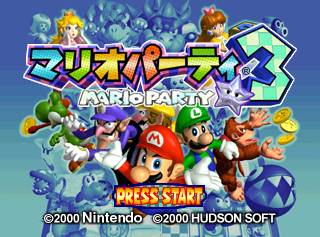
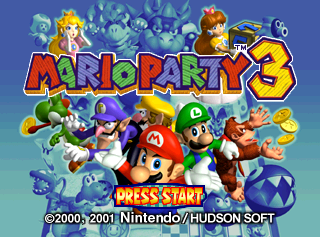
- The game's logo was redesigned in the international versions and both copyrights were merged together.
Mini-Game Header#
|
Japan |
International |
|---|---|
|
|
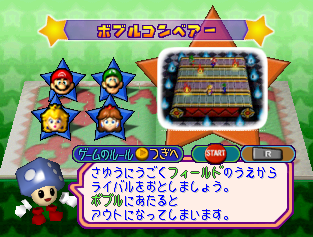
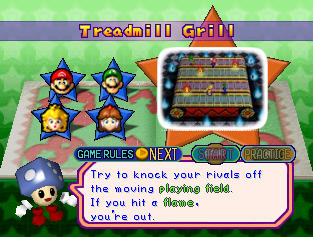
- The game's Mini-Game header was changed in the international releases of the game, by removing the stars on the sides and stretching it to fit the screen. This was probably done to fit the Mini-Game names in other languages.
Other#
- In the European/Australian version, the time limit for the Mini-Games Baby Bowser Broadside and Puddle Paddle is 20 seconds, as opposed to the 30 seconds of the Japanese and US versions; the time limit for Motor Rooter is 38 seconds instead of 60; and the time limit for Eye Sore is 50 seconds instead of 60. However, the former three have roughly the same real-time length.
|
Japan |
International |
|---|---|

|

|
- In the international versions, Donkey Kong's start plate is "DK START". In the Japanese version, it is "DONKEY START" instead.
|
Japan |
International |
|---|---|
|
|
|
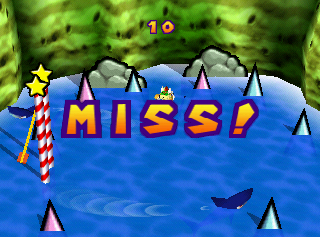 "MISS!"
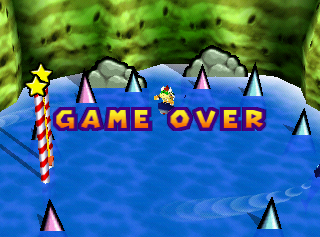 "GAME OVER!"
- After failing an item Mini-Game, the announcer says "Miss!'" in the Japanese version and "Game over!" in international versions, with the graphics altered accordingly. However, the clip itself is still in the game and can be heard via the voice test option in the Sound Room.