This is a sub-page of Mario Kart Wii.
Player Number on the Minimap#
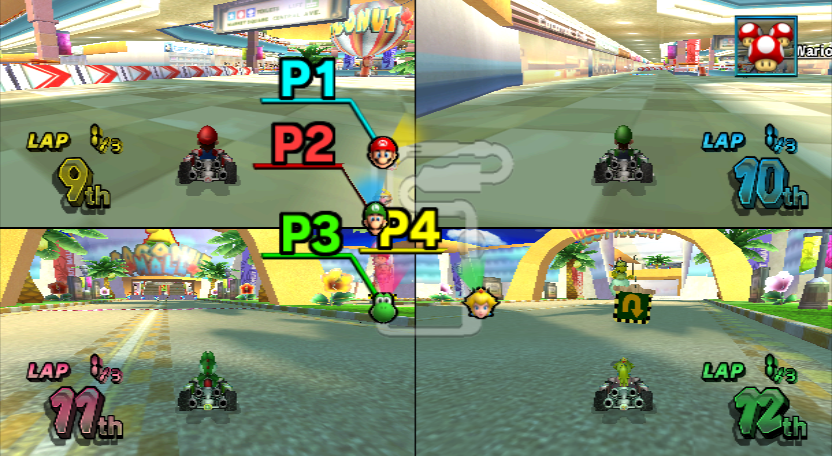
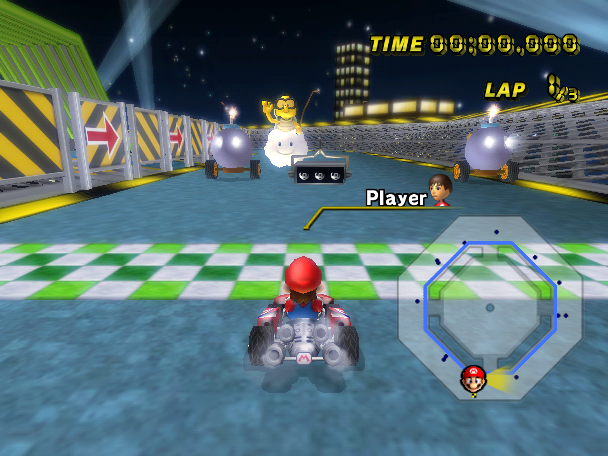
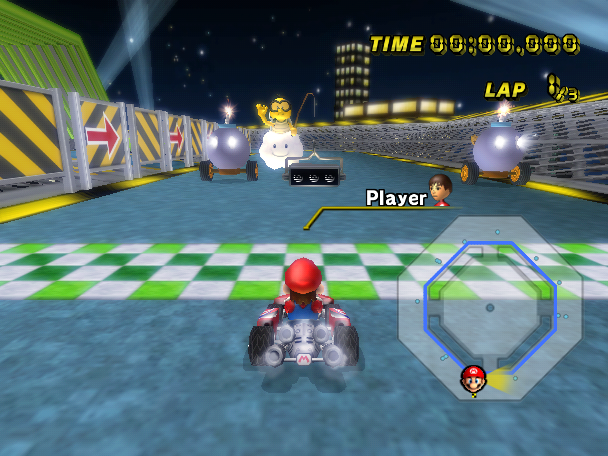
There's a disabled feature in the minimap icons to display a line with the player number on it, similar to Double Dash!!. It is very big, and player icon headlights are rendered on top of it, making it invisible when they overlap. The colors for each player also seem to be in line with the Wii's default, rather than the different format the game uses.
The following Gecko code will enable this feature:
EU |
NA |
JP |
KR |
|
|---|---|---|---|---|
Gecko Code |
|
|
|
|
(Source: MarioKartWii.com)
Alternative Main Loop with Performance Monitor#
Mario Kart Wii has two main game loops. The used one is game-specific, but there is an extra unused loop included in the EGG library, shared across multiple games (EGG::ConfigurationData::run(void), which starts at RAM address 0x8024269c in the European version). The following differences are known:
- There's an instance of EGG's ProcessMeter, with three bars on the bottom of the screen. The green one measures the CPU sending commands to the GPU, the blue one shows the GPU rendering from said commands, and the red one displays the total frame time. It is disabled by default. The code below enables it.
- The title screen lacks gameplay demos or the opening movie, but the music still fades out expecting the scene to switch.
- Some sound effects don't play properly, including: selecting the final OK button to start the race, the item siren, the item roulette, etc.
- Races are missing several sound effects like wheelies, shells, Lakitu's sounds, etc.
- A lot of sounds don't have a delay, which makes a lot of them play quicker than usual. For example, characters will immediately play their "recover" sound upon being respawned by Lakitu (instead of waiting a little bit). Other sound play faster as well, such as the "driving above wood" sound effect.
- If playing on 3/4 player multiplayer, the game will noticeably slow down, and the players won't be able to see anything, aside of some graphical effects and the HUD.
The following Gecko code allows you to play on this unused game loop and enables the performance monitor:
EU |
NA |
JP |
KR |
|
|---|---|---|---|---|
Gecko Code |
|
|
|
|
(Source: MarioKartWii.com)
This Gecko code displays the performance monitor without having to access the unused game loop:
EU |
NA |
JP |
KR |
|
|---|---|---|---|---|
Gecko Code |
|
|
|
|
(Source: MarioKartWii.com)
Network Debug Messages - DWC_Printf#

|
To do: |

DWC_Printf is a method providing logging functionality to the DWC library, which is the library used for online mode (Nintendo WFC). When online, the game outputs messages like "I am New Server!!" to the non-existent console. The developers of the game would have had a cable connected to the console allowing them to view the log on development software. The game also contains debugging messages using the OSReport method, which are also sent to the non-existent console.
By default, the game sets the "log level" to 0, so no DWC logs will be printed. The following Gecko code can be used to enable this feature back by setting the "log level" to "all logs":
EU |
NA |
JP |
KR |
|
|---|---|---|---|---|
Gecko Code |
|
|
|
|
(Source: MarioKartWii.com)
(Source: Custom Mario Kart Wiiki "DWC_Printf")
(Source: Custom Mario Kart Wiiki "OSReport")
Draggable Blue Shells#
Watch on YouTubeBlue Shells seemed to have been once intended to be held behind the player before they use it. The game contains a list of values for each item that define what the item does when the player uses it; for example, Red Shell uses 0x01, which means that the item is held behind the player and fires when they let go of it. An item like Star would be 0x00, for the game to immediately use the item as the button is pressed. For some odd reason, Blue Shell is listed as 0x01, which means the item should be held behind the player like a red shell, though the game has code to prevent this and instead have the player immediately fire it. Disabling this code reveals that the Blue Shell has an unused animation for being held. There's also an unused action for when a player hits it, which works even if the game is modified so that the blue shell lands on the ground if someone loses it. Here is an AR/Gecko code to enable it:
EU |
NA |
JP |
KR |
|
|---|---|---|---|---|
Gecko Code |
|
|
|
|
Double-Sized Green Shells#
In one of the routines that sets up items, there is code that scales up the green shells (including their hitbox) to double their size when fired (and also when they're stationary in the ground), but only if the course has defined the Big Pokey object (with ID 0x1AB). This version of the enemy was only used in one competition/tournament, and even then, the only items present there were Bob-Ombs, leaving this functionality unused.
The code that performs these changes starts at 0x80790d1c in RAM (EU). You can use the following Gecko code to enable this functionality outside of this competition/tournament:
EU |
NA |
JP |
KR |
|
|---|---|---|---|---|
Gecko Code |
|
|
|
|
(Source: MrBean35000vr)
Unused Competition/Tournament Game Mode#
The competition/tournament file format (RKC) supports an additional game mode that was never present in any competition/tournament released by Nintendo: hit CPUs with items to increase the score (ID 0x07). The items needed for the score to increase are projectiles (shells, etc.). Stars, Mushrooms, Mega Mushrooms and Bullet Bills do not score.
This mode is also present in the unused Mission Mode.
(Source: Custom Mario Kart Wiiki)
Online Squish Command#
|
|
To do: |
Watch on YouTubeIn online matches, players can only get squished if they are hit on their point of view. This also explains why sometimes, if you're on a Mega Mushroom and hit somebody, they will continue as normal even if in your screen it looks like they've been stomped (because on the other player's screen, they haven't actually been hit).
However, the online protocol has an unused bit that can make players squished on command. So, for example, if you have a Mega Mushroom and you manage to hit somebody, the player that has been attacked will get squished on their screen, even if on their screen they haven't been hit by the Mega Mushroom player.
In the video on the right, a cheat code was used by the opponent to force flipping this unused bit towards the victim. The game then sees this bit as 'Victim has been hit by a Mega Mushroom', and so all of the sudden they get squished.
Unused Competition / Tournament Minimap Icon Colors#
Blue (2) |
Black (4) |
Gray (5) |
|---|---|---|
 |
 |
 |
Dark Blue (6) |
Cyan (7) |
|---|---|
 |
 |
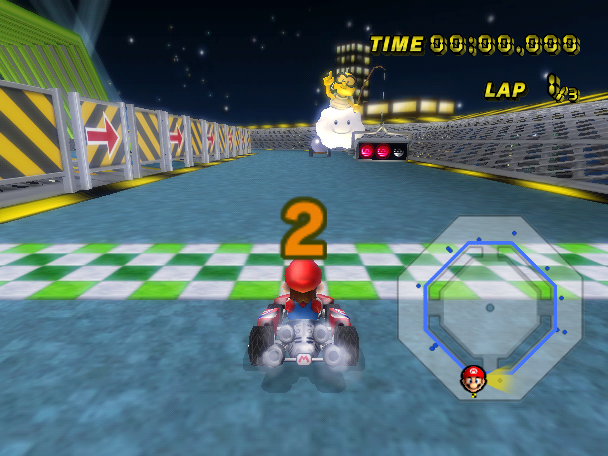
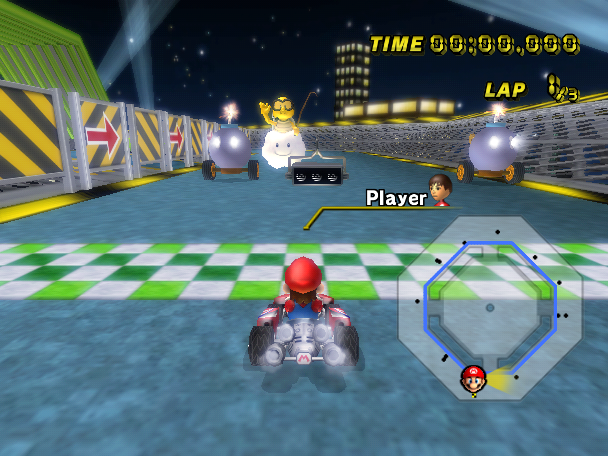
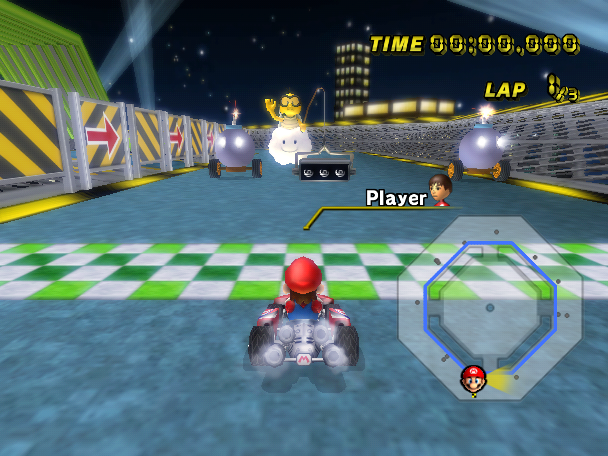
In some competitions / tournaments, some objects are shown in the minimap as a dot. The only colors that were used were yellow (coins), pink (star gates) and red (enemies, targets, etc). However, the game actually supports four more color variants that became unused in the final game: Blue (2), Black (4), Gray (5), Dark Blue (6) and Cyan (7).
Use the following code to represent item boxes in the minimap as dots. The X value is the color ID number:
EU |
NA |
JP |
KR |
|
|---|---|---|---|---|
Gecko Code |
|
|
|
|
(Source: MarioKartWii.com)

NOTE: The yellow / black fence objects are represented with blue dots in the minimap. However, these are technically different dots than the blue ones shown above.
Scrapped Character Sound Method#
|
|
To do: |
In the game's code, there is a definition of a BRASD folder inside of the character archive files.
Unused _Dif Files#
The game supports loading variants of the existing course files ending with "_Dif.szs". These files were meant to be used to replace / load additional course information into the original course file without modifying it. The way these files have to be named is by taking the original course filename and adding "_Dif" on it, then placing said file in /Race/Course. For example, for Luigi Circuit (stored in /Race/Course/beginner_course.szs), its "_Dif" file would need to be stored in /Race/Course/beginner_course_Dif.szs
When a "_Dif.szs" file is found, the game loads the original course file as a base, and then it will load the contents of the "_Dif" file, which will either replace the subfiles from the original course archive (if a subfile is found in the "_Dif" archive that matches the name of another subfile in the original course) and/or will load additional subfiles into it.
While a similar approach was used for competitions/tournaments, as well as in the unused Mission mode, it uses a different set of files there, none of which have "_Dif" in their filenames. In addition, in multiplayer modes, only the course files ending with "_d.szs" are loaded (the game never loads the original course file nor any "_Dif" files there).
BDOF File Extra Functions#
BDOF (Binary Depth Of Field) is a post-effect file that controls effects like focus, sharpness, and blur in tracks.
There is unused code that allows the usage of a secondary BDOF file, named posteffect.bdof_demo. This one has the same format as a normal BDOF file, and it seems to be used only in the course introduction if present.
(Source: Custom Track Wiiki)
BFOG and BFOBJ Files#
BFOG and BFOBJ Files (which are meant to control the fog in the courses) are defined in the code, but the game only uses BFG Files instead, probably because they have a simpler format. This may be a remnant fromNew Super Mario Bros. Wii, as both games share the same EGG library.
Multiplayer-exclusive Skybox Models#
The game supports loading files named vrcorn_d_model.brres, which would have been low-poly versions of the skybox models intended for the multiplayer version of the courses (for reference, the low-poly multiplayer versions of the course models are named "course_d_model.brres"). In the final game, there're no files named "vrcorn_d_model.brres", only "vrcorn_model.brres" (the regular skybox model), which are found in both the single and multiplayer versions of the courses.
Hidden Ghost Info#
When players create a Time Trial ghost, the year, month and day it was created is saved in the file (coming from the Wii's settings), as well as the region and sub-region. The date and subregion never seen in-game, however.
(Source: Custom Mario Kart Wiiki)
Unused Speed Increase Behaviour#
When using a Star or a Mega Mushroom / Thundercloud, your vehicle's base speed will be set to 105 and 95 respectively, ignoring the original speed. However, unused data suggests that the speed increase was not a fixed value originally, but +25% your base speed.
If this was used, the faster vehicles could have surpassed the 105 / 95 limit without the need of mushrooms / boost panels / slipstreams (which also use multipliers). In the example above, the base speed changes to 84.54 (Spear / Torpedo base speed) + 25% = 105.68, and 118.36 while doing a wheelie. In the regular game, in both cases, the speed is fixed at 105.
The unused multiplier value for the Star can be found at 0x808b5c64, while the one for Mega Mushroom / Thundercloud is at 0x808b5c74 (EU). The code that uses these values starts at 0x80588e24 (EU).
(Source: stebler)
Unused Parameters#
Early Leftovers#
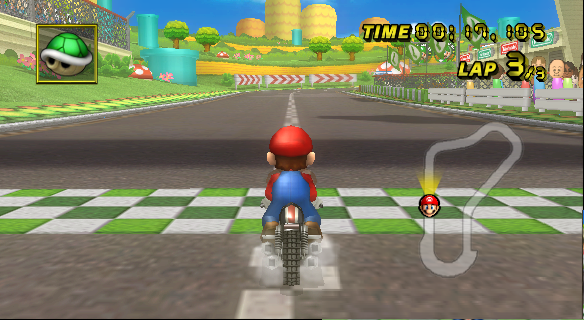
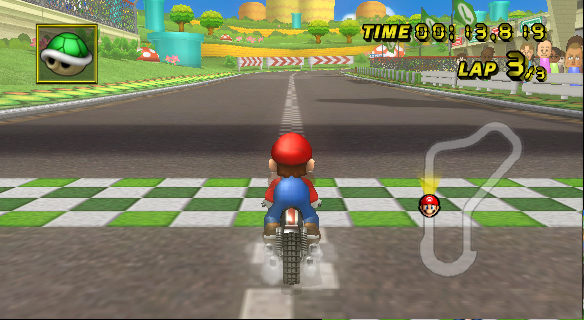
In /Scene/UI/ are a bunch of unused .bin files that seem to be very slightly early versions of the used .bin files (located in /Race/Common.szs), which control several parameters in the game.
kartParam.bin#
This file controls the statistics of the vehicles.
Three "Tilt Strength" values for certain karts have been lowered in the final game.
Kart |
Early Value |
Final Value |
|---|---|---|
Standard Kart L |
0.02 |
0.015 |
Tiny Titan |
0.03 |
0.02 |
Sprinter |
0.02 |
0.015 |
driverParam.bin#
This file controls the statistics of the characters.
Several "Slippery Road Type 2" speed values were changed as well.
Character |
Early Value |
Final Value |
|---|---|---|
Toadette |
0.01368 |
0.01283 |
Yoshi |
0.01368 |
0.01283 |
Birdo |
0.00684 |
0.00641 |
Bowser Jr. |
0.00684 |
0.00641 |
Medium Mii |
0.00684 |
0.00641 |
Wario |
0.00684 |
0.00641 |
Waluigi |
0.00684 |
0.00641 |
King Boo |
0.00684 |
0.00641 |
Funky Kong |
0.00684 |
0.00641 |
Dry Bowser |
0.01368 |
0.01283 |
kartCameraParam.bin#
This file controls the position of the camera for the vehicles.
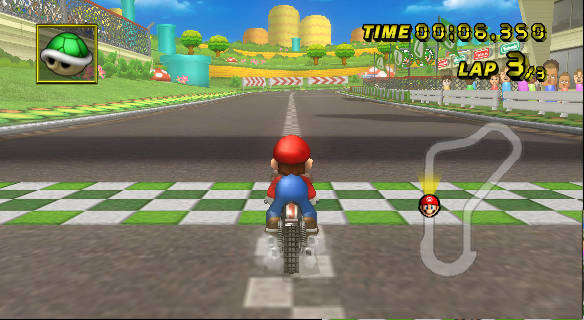
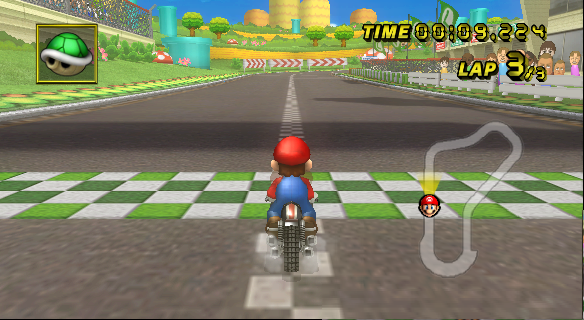
Two camera parameters have been ever-so-slightly changed.
|
Early Near Camera 1 |
Final Near Camera 1 |
|---|---|
|
|
|
Early Near Camera 2 |
Final Near Camera 2 |
|---|---|
|
|
Unused Mini Beast exhaust pipes#
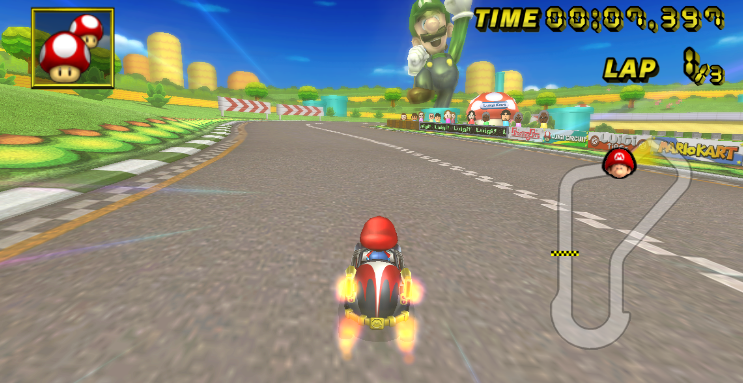
The Mini Beast has unused position data for an extra set of exhaust pipes, placed below the first set, defined in Race/Common.szs/kartPartsDispParam.bin This goes unused because the parameter that tells what type of exhaust pipes should be displayed (for the extra pipes) is -1, meaning "don't display".
X |
Y |
Z |
|
|---|---|---|---|
Exhaust set 2 XYZ position |
|
|
|
(Source: AtlasOmegaAlpha)
Unused ItemSlot.bin entries#
ItemSlot.bin contains a set of tables that control the item roulette probabilities. One table that it contains is the "special" table, which has item probabilities used in some specific scenarios (for example, one entry in this table is used in the item boxes in the center of Chain Chomp Wheel, so that the player can always get a Star).
The last four entries of this table are empty and unused.
(Source: Custom Mario Kart Wiiki)