 Featured article
Mario, celebre per sfidare la forza di gravità con le sue incredibili gesta, ci riesce di nuovo; soltanto che stavolta fa direttamente a pezzi tutte le leggi della fisica.
Una versione leggermente aggiornata di questo gioco è stata pubblicata su Nintendo Switch come parte di Super Mario 3D All-Stars il 18 settembre 2020. Per inaugurare i festeggiamenti per il quarantesimo anniversario di Super Mario Bros. un porting migliorato è uscito per la stessa console il 2 ottobre 2025 con l'aggiunta di una nuova modalità assistita, del supporto per gli amiibo, dell'intera colonna sonora, di nuove pagine del libro illustrato e, su Nintendo Switch 2, del supporto al 4K.
 Animazioni inutilizzateMario Tennis Galaxy?
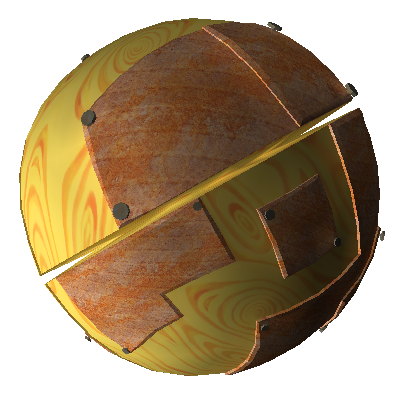 Oggetti inutilizzatiÈ stato avvistato un UFO!
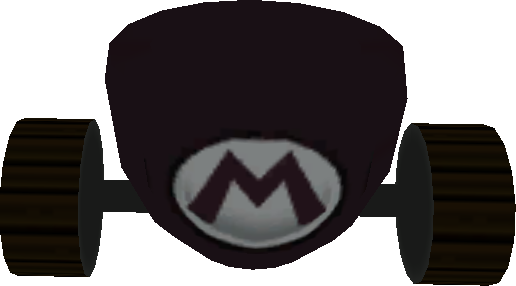 Modelli inutilizzatiQuesto gioco ne ha un sacco.
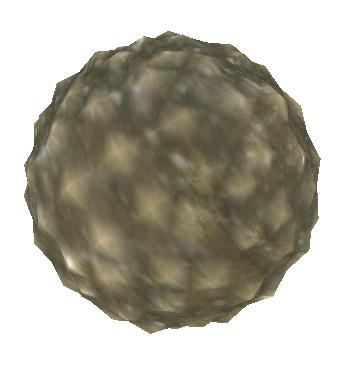 Zone inutilizzateI lost levels.
 Modalità a tempo rimossaS'ha da girare veloce.
Dati delle particelle inutilizzatiMinuscole particelle di dati inutilizzati
Dati sulle luci inutilizzatiFacciamo un po' di luce sui dati sulle luci.
Cambiamenti al design dei livelliMa il nuovo design dei livelli non è identico al precedente...
Modalità a tempo rimossaS'ha da girare veloce.
Dati delle particelle inutilizzatiMinuscole particelle di dati inutilizzati
Dati sulle luci inutilizzatiFacciamo un po' di luce sui dati sulle luci.
Cambiamenti al design dei livelliMa il nuovo design dei livelli non è identico al precedente...Differenze fra versioni#
 Porting in cinese sull'NVIDIA ShieldLa versione uscita per NVIDIA Shield nel 2018.
 Porting di Super Mario 3D All-StarsLa versione di Super Mario 3D All-Stars uscita per Switch nel 2020.
Porting su Nintendo SwitchLa versione standalone uscita su Nintendo Switch nel 2025.
Porting di Super Mario 3D All-StarsLa versione di Super Mario 3D All-Stars uscita per Switch nel 2020.
Porting su Nintendo SwitchLa versione standalone uscita su Nintendo Switch nel 2025.Cambiamenti nel design dei personaggi#
Roboboss e le texture delle Robopunte#
Essendo uno dei primi boss ideati per il gioco non sorprende che il Roboboss abbia subito vari cambiamenti. Le sue texture e il suo modello ne sono la dimostrazione: nei primi filmati del gioco Roboboss era una Robopunta viola la cui testa spuntava sopra un'asta metallica. Il suo corpo originale è ancora nei file del gioco col nome TogeBegoman.
È interessante notare che alcune parti del modello finale indicano che il boss ha avuto un ulteriore design prima di quello attuale. La texture usata per la trottola appuntita è quella di una Robopunta viola con la stessa disposizione della texture delle altre Robopunte; inoltre quattro aste come quelle delle Robopunte si trovano all'interno del modello del corpo in vari livelli di minutezza.
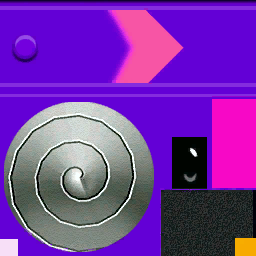
Un'altra texture interessante è usata per la piccola fascia metallica che circonda il punto debole del Roboboss, di cui soltanto la parte grigia è mappata sul modello: la grande area rossa che presenta il simbolo dello schianto a terra è inutilizzata. Se la texture viene applicata al punto debole al posto della texture normale i dati della mappatura UV allineano il simbolo perfettamente; analogamente, la texture principale del corpo presenta una piccola versione rossa del simbolo che non viene usata da nessuna parte e che non funziona nemmeno se applicata in parti diverse del modello.
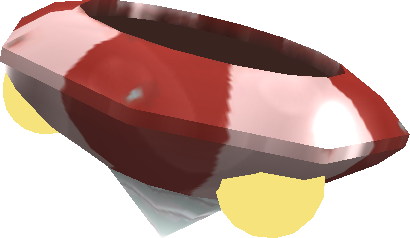

Pezzi di ricambio di Tripodobot#
Tripodobot, essendo il più grande e forse il più vecchio boss nel gioco, ha diverse parti inutilizzate ad esso associate. Uno dei modelli ad esso collegati, per esempio, è TripodBossSwitch: il suo modello BossCrab e il suo design originali hanno anch'essi un interruttore, quindi è probabile che quest'ultimo fosse rimasto nella sua rappresentazione successiva ma poi scartato prima d'essere rivelato nella demo dell'E3.
La maggior parte delle altre parti sono rimasugli di un design precedente a quello finale: TripodBossLight è una versione a tre raggi della luce che rotea attorno al nucleo di Tripodobot, TripodBossLeg3D è praticamente identica a TripodBossFootBottom eTripodBossLeg3B e TripodBossLeg3C sono modelli senza texture che sono poi stati combinati in TripodBossFoot.




Costumi di DemoMario#
DemoMario ha un numero di poligoni più alto, una disposizione delle texture leggermente diversa e una salopette più chiara rispetto a quella finale. Ma ha comunque solo due animazioni... La parte più interessante di questo modello sono tuttavia i suoi completi alternativi: uno sembra un design precedente di Mario ghiaccio mentre l'altro non assomiglia a nessuno dei potenziamenti nel gioco. Quest'ultimo potrebbe trattarsi semplicemente di un altro design scartato del suddetto potenziamento, ma potrebbe anche essere un costume destinato a un altro potenziamento. I guanti di questo modello, inoltre, sono simili a quelli usati nelle scene prerenderizzate.
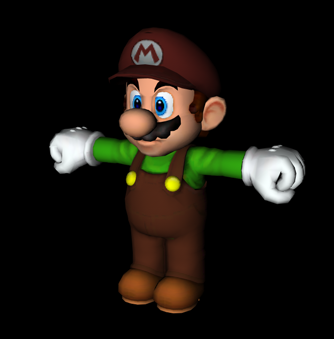


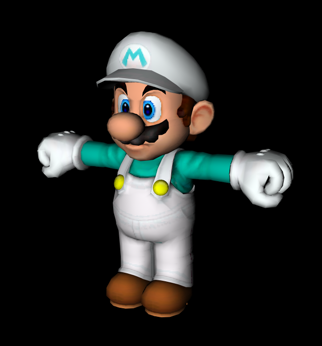


(CometMedal: osservazione sui guanti)
Materiali precedenti di Mario ghiaccio#
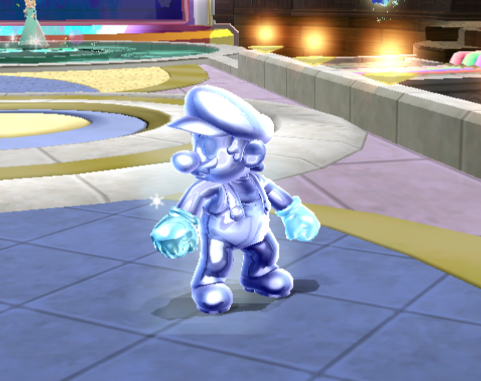
C'è un archivio chiamato IceMarioMat privo di modelli veri e propri al cui interno sono stati trovati animazioni, vecchie texture e vecchi materiali destinati al modello di Mario ghiaccio. Quando i materiali e le texture vengono applicati al suddetto modello Mario ghiaccio assume un aspetto più appariscente e argentato.
(Fonte: CometMedal)
Materiali precedenti di Mario Arcobaleno#
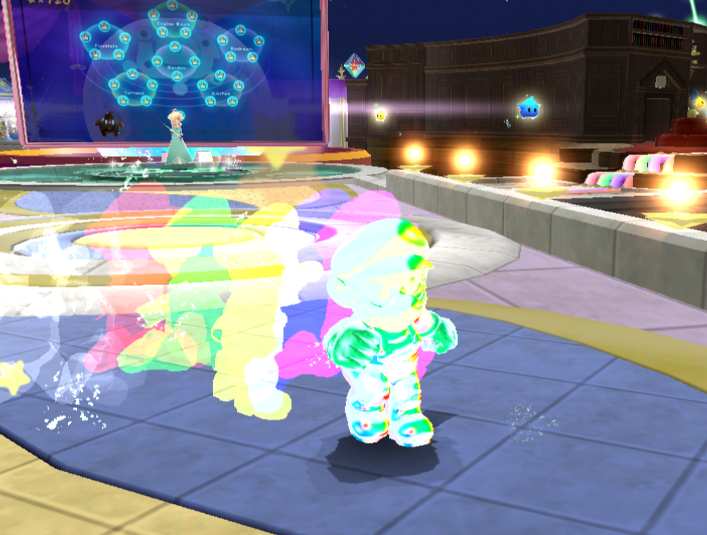
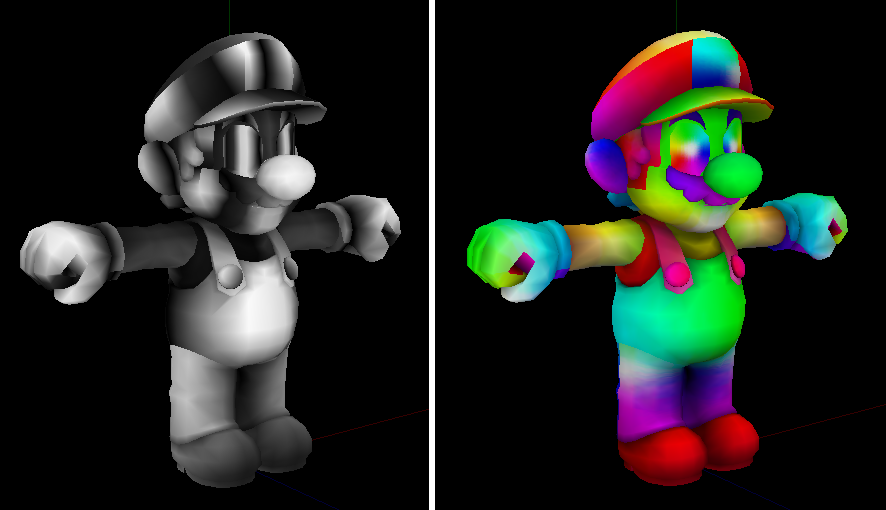
Similmente a IceMarioMat, quest'archivio di nome InvincibleMarioMat è privo di un modello e contiene texture e materiali scartati di Mario Arcobaleno. Sono quasi tutti identici a quelli finali eccetto per una texture di nome Muteki che sostituisce la texture IndDummy predefinita sul modello di Mario Arcobaleno. Questa texture presenta una sfumatura arcobaleno che tuttavia è difficile da notare quando usata per via delle altre animazioni e degli altri effetti.
(Fonte: CometMedal)
Bocca del Categnaccio#
Diversamente dai giochi precedenti, in Super Mario Galaxy i Categnacci possono solo rotolare su percorsi predefiniti e abbaiare quando il giocatore vi si avvicina, ma senza aprire la loro bocca. Guardando attentamente i diversi modelli dei Categnacci, tuttavia, si può notare che ogni Categnaccio ha l'interno della bocca e il retro dei denti completamente modellati. Siccome un modello diverso è usato per l'animazione di rottura, questa parte del modello non si può vedere nel gioco.
La chiave inglese di pietra di Monty#
Il modello della chiave inglese lanciata dai Monty si chiama MoguStone, a indicare che originariamente dovevano scagliare delle rocce come le Tantatalpe in Super Mario 64.
La roccia del Polipotto#
Il modello della roccia sputata dai Polipotti si chiama TakoHeiInk, a indicare che forse originariamente fosse una bolla d'inchiostro invece che una pietra. Ancor più interessante è il fatto che la texture rocciosa inclusa nel modello si chiami MoguStone, collegandola evidentemente alla stranezza del modello della chiave inglese dei Monty sopraccitata.
Cambiamenti nell'aspetto degli oggetti informatici#
Pianta Punching Ball#
Sebbene la pianta Punching Ball non assomigli a un fungo, il suo nome interno è PunchingKinoko; questo nome potrebbe anche far riferimento a un attacco coi pugni non incluso nel gioco finale.
(Fonte: ricerca propria di un utente di TCRF)
Generatore di bolle#
|
Texture |
Modello |
|---|---|

|
|
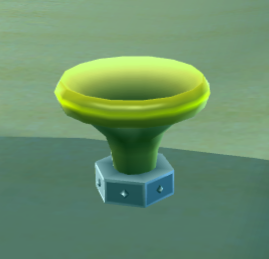
La texture del piccolo generatore di bolle giallo che si può trovare in tante galassie ha una metà completamente inutilizzata contenente un grande blocco arancione e l'icona di una bolla. Questa porzione della texture non è usata da nessuna parte sul modello e non ha alcun utilizzo nel gioco, quindi non si è a conoscienza di quale sarebbe stato il suo ruolo.
(Fonte: CometMedal)
I veri colori del Fiore Rampicante#
|
Il Fiore Rampicante con gli shader |
Il Fiore Rampicante senza gli shader |
|---|---|

|

|
I Fiori Rampicanti, noti come «creeper» nei file del gioco, sono enormi fiori rosa dai lunghi steli... ma in realtà sembrano rosa solo grazie a degli shader speciali: la corolla vera e propria di un Fiore Rampicante è arancione, proprio come la loro controparte di Donkey Kong Jungle Beat.
(Fonte: CometMedal)
Texture inutilizzata della Superstella#
|
In-game |
Texture |
|---|---|
|

|
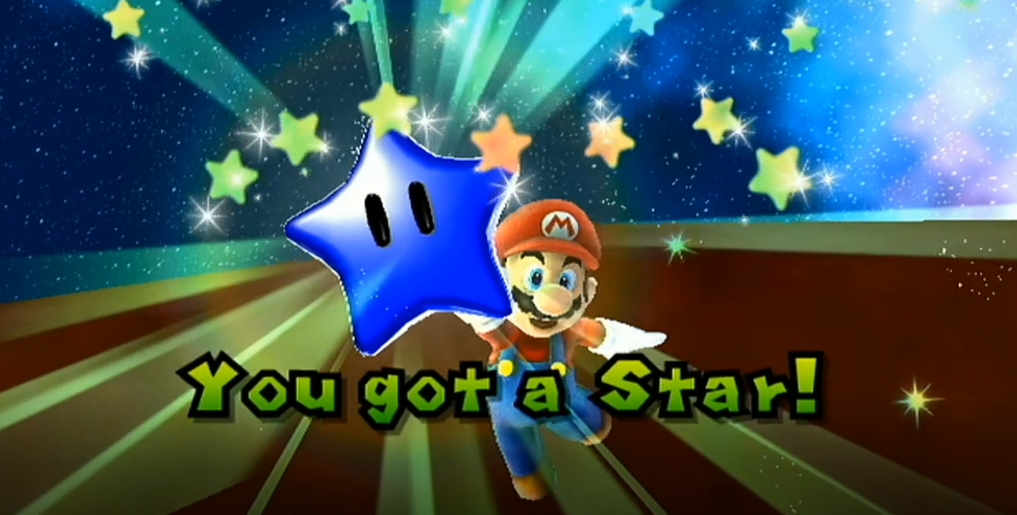
Le Superstelle hanno una texture inutilizzata per colorare il loro modello di blu, di cui non è utilizzata. Le Superstelle blu potevano essere associate ai Luma blu, simile a come i Luma Rossi sono associati con le Superstelle rosse e i Luma verdi con le Superstelle verdi.
(Source: SPG64)
Unused Timed Ground Pound Switch Textures#
|
Model |
Textures |
|---|---|

|

|
The Timed Ground Pound Switch has largely unused texture sections. When activated, the base of the switch turns from yellow to red by using a strip of red from the normal Ground Pound Switch texture, which also features a starburst symbol that is not used on the model. The ! symbol on the switch also has a red background that goes unused on the switch itself.
(Source: CometMedal)
UV Wrap Grid in Octoomba Texture#

The texture for the Octoomba features a unique oddity not seen in textures for other models: a leftover UV wrap grid in the empty spaces. It is mirrored along the Y axis, suggesting only one side of the texture was drawn up, and then mirrored to evenly wrap around the model.
(Source: CometMedal)
Unused Painting Textures in Ghostly Galaxy#
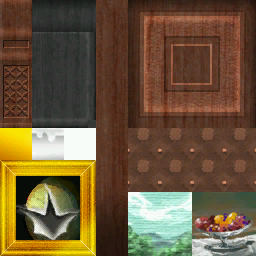
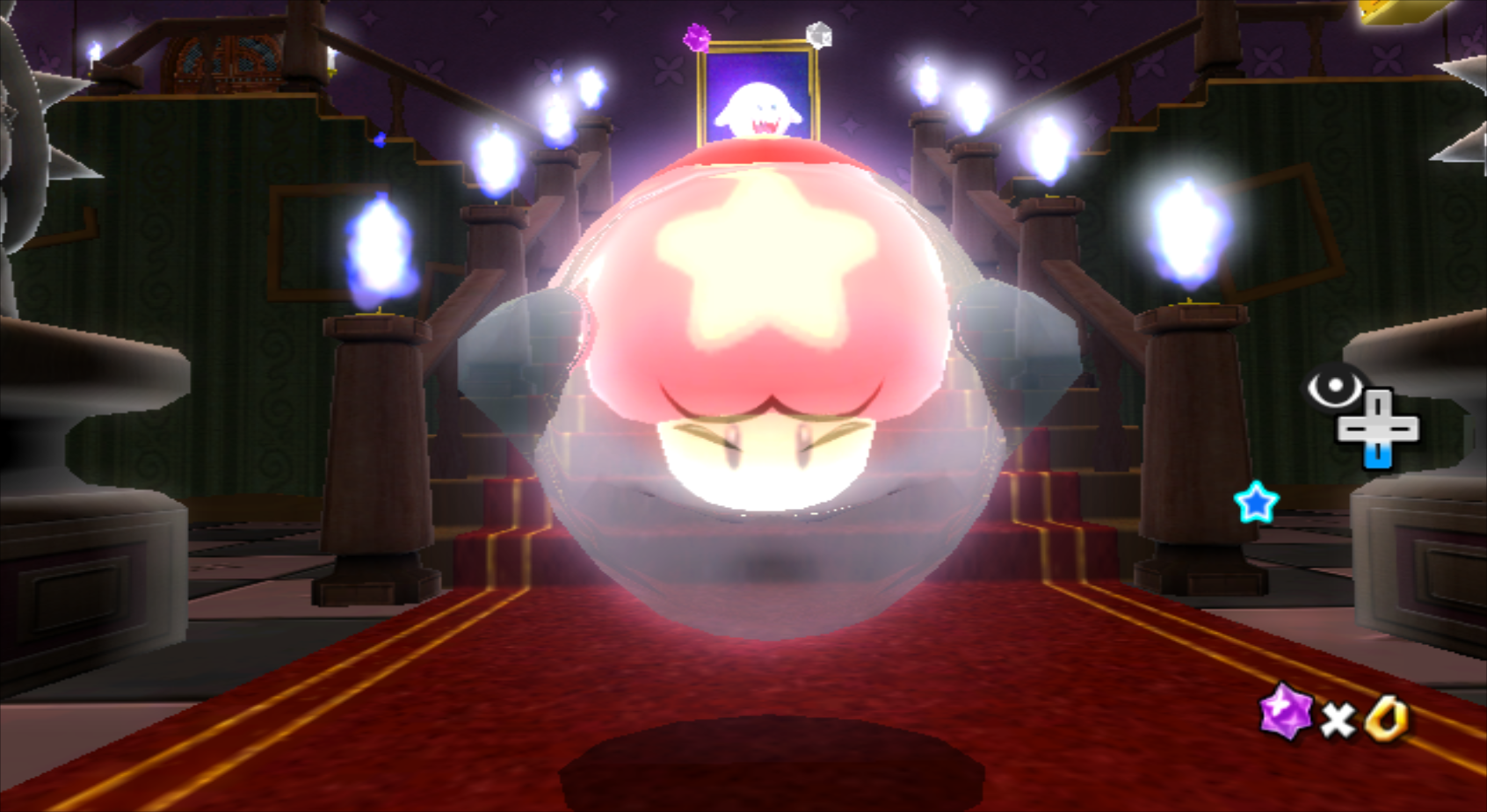
This texture is bundled with multiple planets in Ghostly Galaxy. Much of it is used throughout most missions for stair balustrades and decorative candleabras, and in the secret mission, it is applied to the piano, stool, and closet at the end of the planet. Interestingly, however, it contains three unused painting textures; one depicting a glass bowl filled with fruit, one depicting a blue sky over a green landscape, and another with a large rip in it that appears to depict a generic planetoid. The latter also features a golden portrait frame baked into the texture, something that is not present within the other two paintings.
(Source: CometMedal)
Rainbow Mario/Luigi#
The Rainbow Mario/Luigi state is referred to as "Metal" in the marioconst.h and luigiconst.h files from the Super Mario 3D All-Stars port:
// @start "ラッシュ"
        u16 mRacketHoldTime;                   // @ 1,20000,"ラケット有効フレーム",1200
        u16 mTornadoHoldTime;                  // @ 1,20000,"トルネード有効フレーム",1200
        u16 mMetalHoldTime;                    // @ 1,20000,"メタル(無敵)有効フレーム",1200
        u16 mFireModeTime;                     // @ 1,20000,"ファイア有効フレーム",1200
        u16 mIceModeTime;                      // @ 1,20000,"アイス有効フレーム",1200
// @end
This is also seen in a list of player states in Super Mario Galaxy 2's DOL.
(Source: Aurum)
(Source: Galaxy Master)
Placeholder GameCube Texture#

An image of the GameCube logo is used as a placeholder texture for several models, such as the distortion on Kamella's wand and the black areas in the Engine Room Dome.
Unused Particles#
UFO Reflection#
|
|
To do: |


Two images of a UFO can be found in Super Mario Galaxy's particles.jpc file. They are technically seen in-game during the first prologue cutscene, but considering said cutscene is a pre-rendered movie file, that leaves these images as leftovers from the cutscene creation and rendering process.
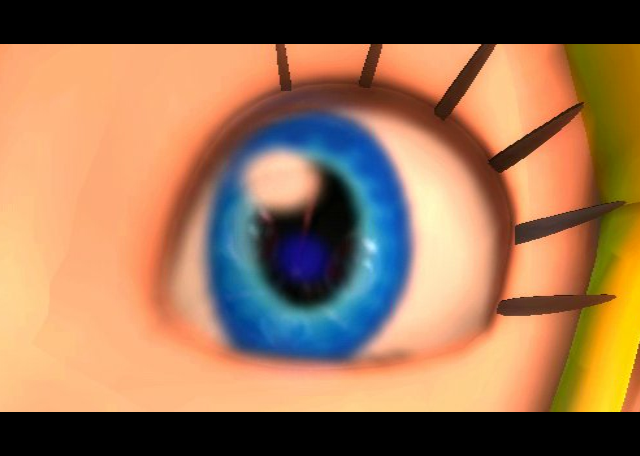
(Source: CometMedal)
Title Logo Sparkle#

An unused sparkle particle can be found in particles.jpc, meant to be used on the game's title screen. According to the file's name, it was used in said screen for the E3 demo, only to be removed and replaced with imkira.tpl from LayoutData\Icon.arc in the final release. This particle can still be seen in early footage of the game.
(Source: CometMedal)
Audio inutilizzato#
Musica inutilizzata#
|
|
To do: |
BGM_IN_BUBBLE
A soothing sequenced track, apparently meant to be used when inside a bubble. While unused here, it was used in the E3 2006 Demo.
(Source: crediar)
Early/Unused |
Final/Used |
|---|---|
SMG_ev_prolo03_strm.ast
A synthesized version of the airship theme can be found alongside the used prologue music. It has a brass-heavy fanfare intro. A very similar rendition appears in Super Mario 3D Land, possibly built off this one.
The airship theme, while orchestrated, does appear in the prologue, but it's a different file found with the cutscenes of the prologue (PrologueA.thp), and another file exists which is also used in stages in the playable parts of the prologue (SMG_ev_prolo05_strm.ast).
SMG_ev_prolo04_strm.ast
A synthesized version of the "Catastrophe" flourish, can also be found alongside the prologue music. The final version is used in the prologue and ending, and there are differences between this and the final version.
Suoni inutilizzati#
E3 2006/GDC 2007 |
Versione finale |
|---|---|
Il suono che si sente quando un'Astroscheggia viene collezionato, visto nella demo E3 2006 e nel trailer GDC 2007, esiste come SE_SY_CS_STAR_PIECE_GET, che può essere trovato nel bank dei effetti sonori B64kawa_0.aw, come suono 0x2E.
Amongst its Wii remote sound files, a sound of a tennis ball being hit by a tennis racket, CS_TENNIS, can be found.
This likely ties into the the unused tennis animations; however, it also might have been used at one point for the Deep Dark Galaxy's "Bubble Blastoff" mission, where the player needs to ground pound tennis balls into a watermelon at the end of the level to make it grow (which doesn't make too much sense, but hey, it's Mario Galaxy!)
SE_SY_NINTENDO_LOGO, trovato in B65kawa_0.aw, il bank contenente gli effetti sonori, è una clip vocale inutilizzata di Mario urlando "Nintendo". Il gioco presumabilmente mostrava il logo Nintendo all'avvio del gioco a qualche punto durante il sviluppo, dove questo effetto sonoro sarebbe messo in play. In aggiunta, molti giochi GameCube fanno la stessa cosa, e la scena dove la schermata d'avvertenza riguardando ad allacciare il Wii Remote viene mostrato si chiama internalmente LogoScene.
|
|
To do: |
A voice clip of Cosmic Mario screaming is kept in the data of Super Mario Galaxy but is not used in-game. However, it is used in the sequel, when the Cosmic Clones get destroyed by reaching certain conditions to complete the level.
There are three sound effects related to red coins (which don't appear in the final game): SE_SY_RED_COIN, SE_SY_RED_COIN_APPEAR, and SE_SY_RED_COIN_COMPLETE. SE_SY_RED_COIN_APPEAR likely played when the red coins appeared, SE_SY_RED_COIN likely played upon collecting a red coin, and SE_SY_RED_COIN_COMPLETE likely played upon collecting every red coin.
SE_SY_RED_COIN is based on the red coin collection sound used in Super Mario Sunshine. A shorter version of it later became the Comet Medal sound effect in Super Mario Galaxy 2.
Unused Race#
Cosmic Mario race data for the Space Junk Galaxy exists under the name GhostDataStarDustGalaxy, but a Cosmic Comet never orbits that galaxy. The cutscene before the race remains unfinished, and what's more is that there's no version for Luigi present (unlike the implemented races' data), suggesting that this mission was cut before Luigi's races were created.
Missioni inutilizzati#
Galassia Castello di Peach#
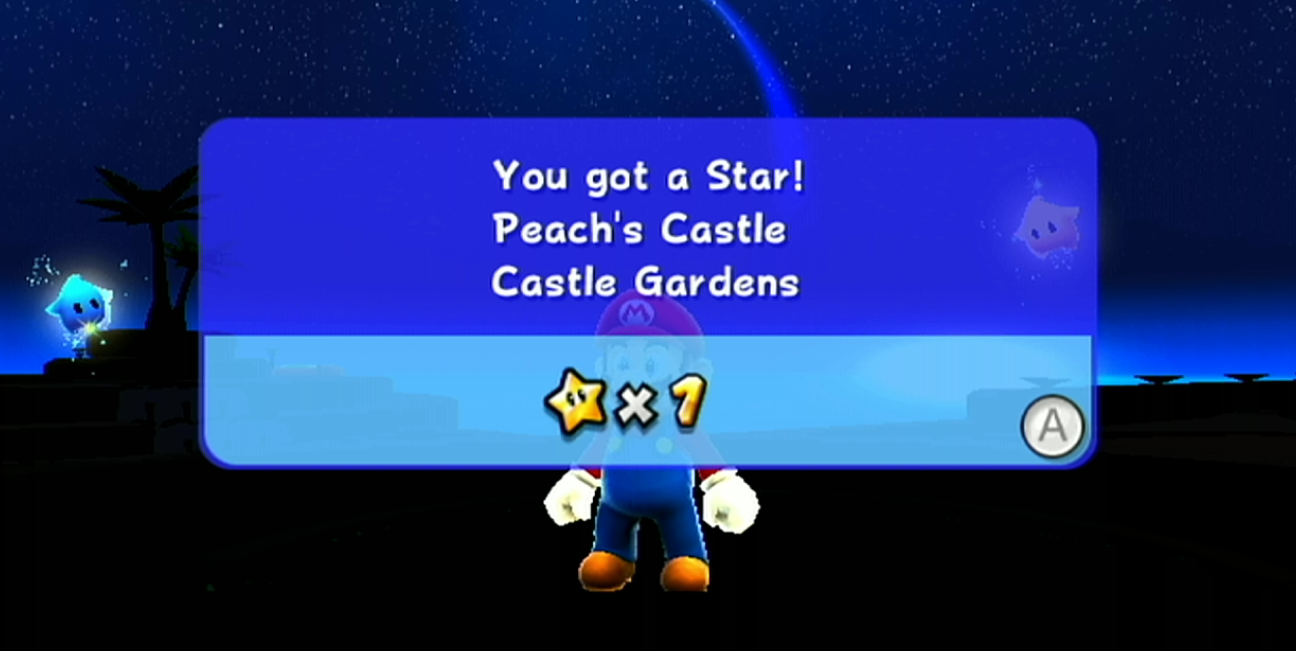
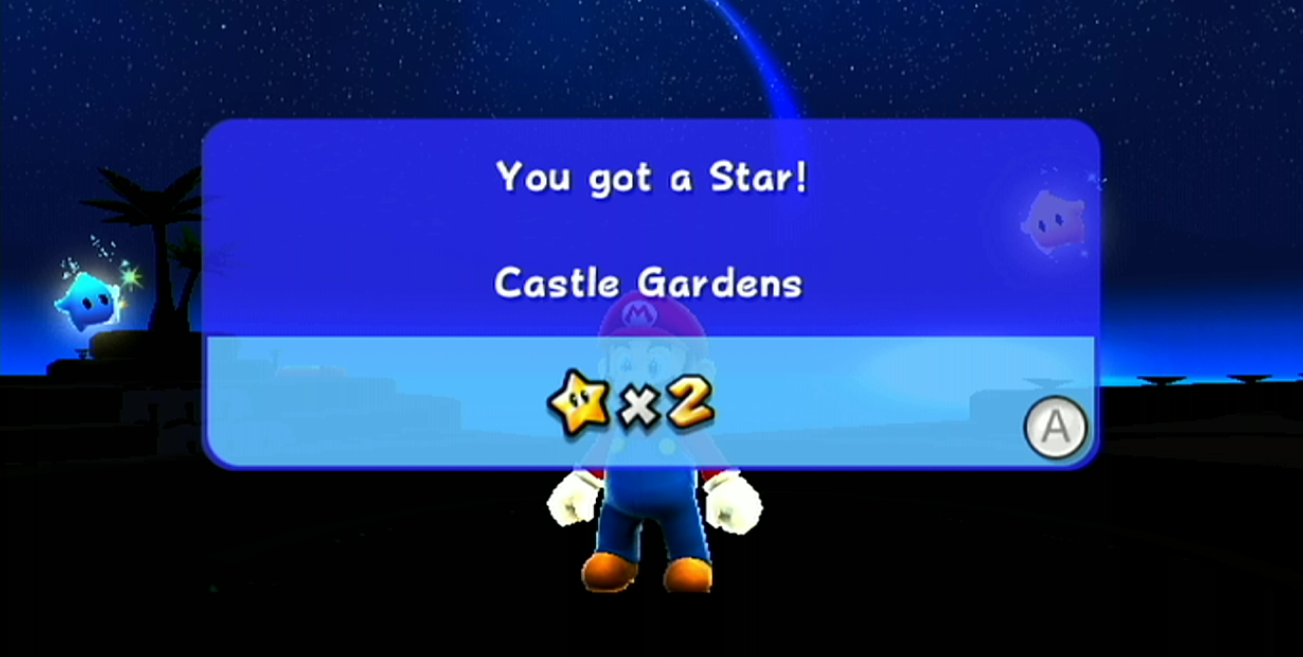
Il primo livello dove il giocatore inizia, PeachCastleGardenGalaxy, ha due missioni inutilizzate. Il primo manca il nome, e l'altro si chiama semplicemente "Peach's Castle" (Castello di Peach). L'esistenza di queste missioni implica che il livello poteva essere rivisitabile ad un punto, ma fu stato scartato per Galassia Gran Finale (PeachCastleFinalGalaxy). Anche se queste missioni esistono internalmente nel gioco, i scenario per suddette missioni no, quindi che il gioco andrà in crash se si accede in esse. Per fare accesso a queste missioni, uno scenario custom ed una stella devono essere aggiunti al livello.
(Source: CometMedal, photos by SPG64)
Sistema Stellare di Bowser#
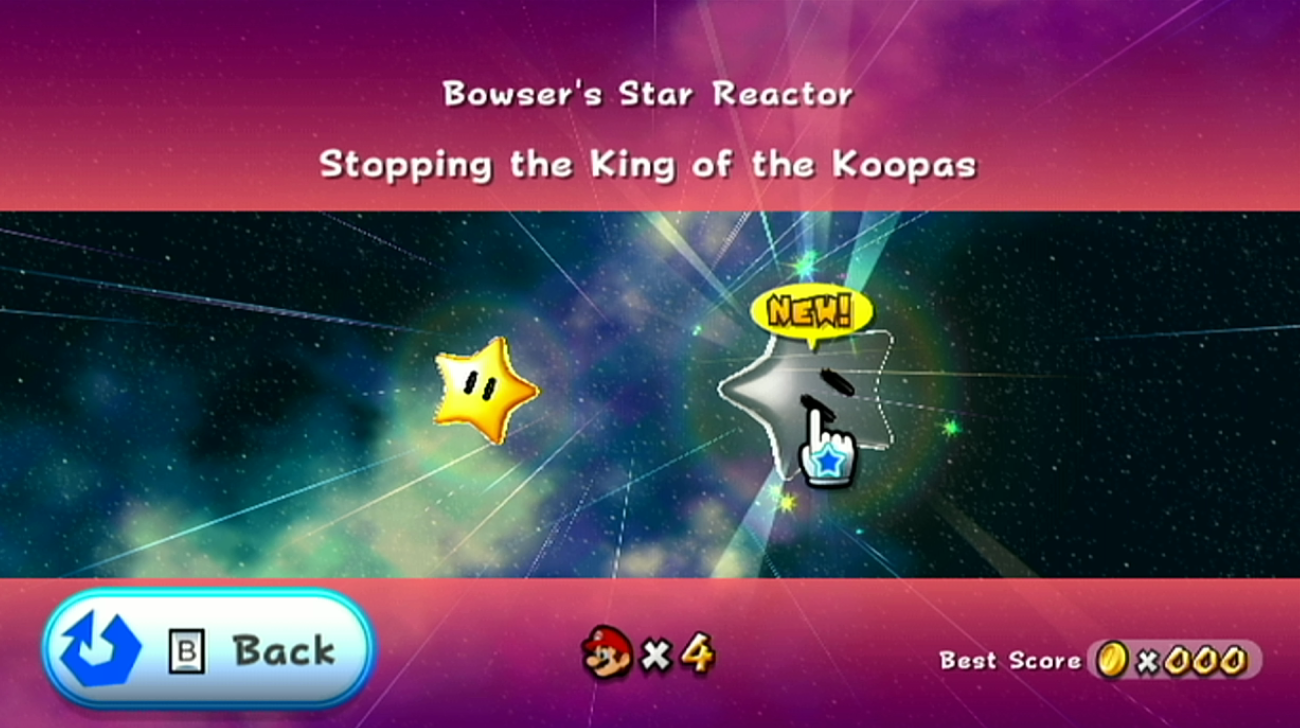
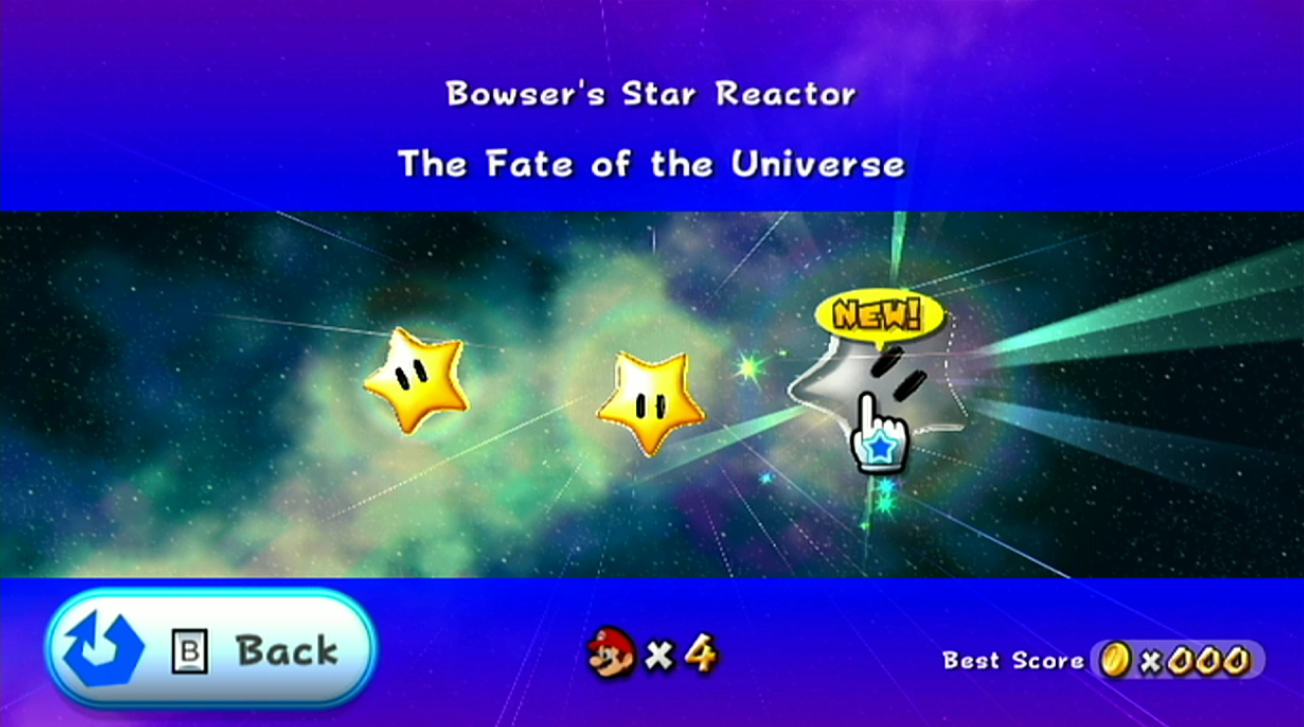
La galassia Sistema Stellare di Bowser ha anch'esso due missioni inutilizzate, riferite internalmente come una seconda e terza missione rispettivamente, di cui non sono accessibili normalmente. Come Galassia Castello di Peach, le missioni internalmente esistono ma i scenario per esse no, quindi come le altre due missioni inutilizzate, uno scenario custom deve essere creato per il livello o il gioco andrà in crash. La seconda missione, Stopping the King of the Koopas (Fermando il Re dei Koopa quando è tradotto in Italiano), è un nome unico per una missione che non appare da nessun'altra parte, ma la terza missione, The Fate of the Universe (Di cui si chiama ufficialmente in Italiano Chi Decide il Destino dell'Universo?), è un nome che fu stato eventualmente riutilizzato per Regno Galattico di Bowser. Questo può suggerire che, ad un punto, ogni missione di Bowser avrebbe avuto posto nella stessa galassia con ognuna di esse venendo sbloccate con il proseguimento del gioco.
(Source: CometMedal (3rd Mission), SPG64 (2nd Mission, photos))
Unused Cameras#
ReverseForestHomeZone#
ReverseForestHomeZone has a camera created for Queen Bee in the Gold Leaf Galaxy, even though she never appears there.
Below on the left, you can see what the camera looks like when loaded by the game via hacking. It's sadly not very interesting. The location where the camera is placed is displayed in the right image (the coin represents the camera position and was added via level editing).
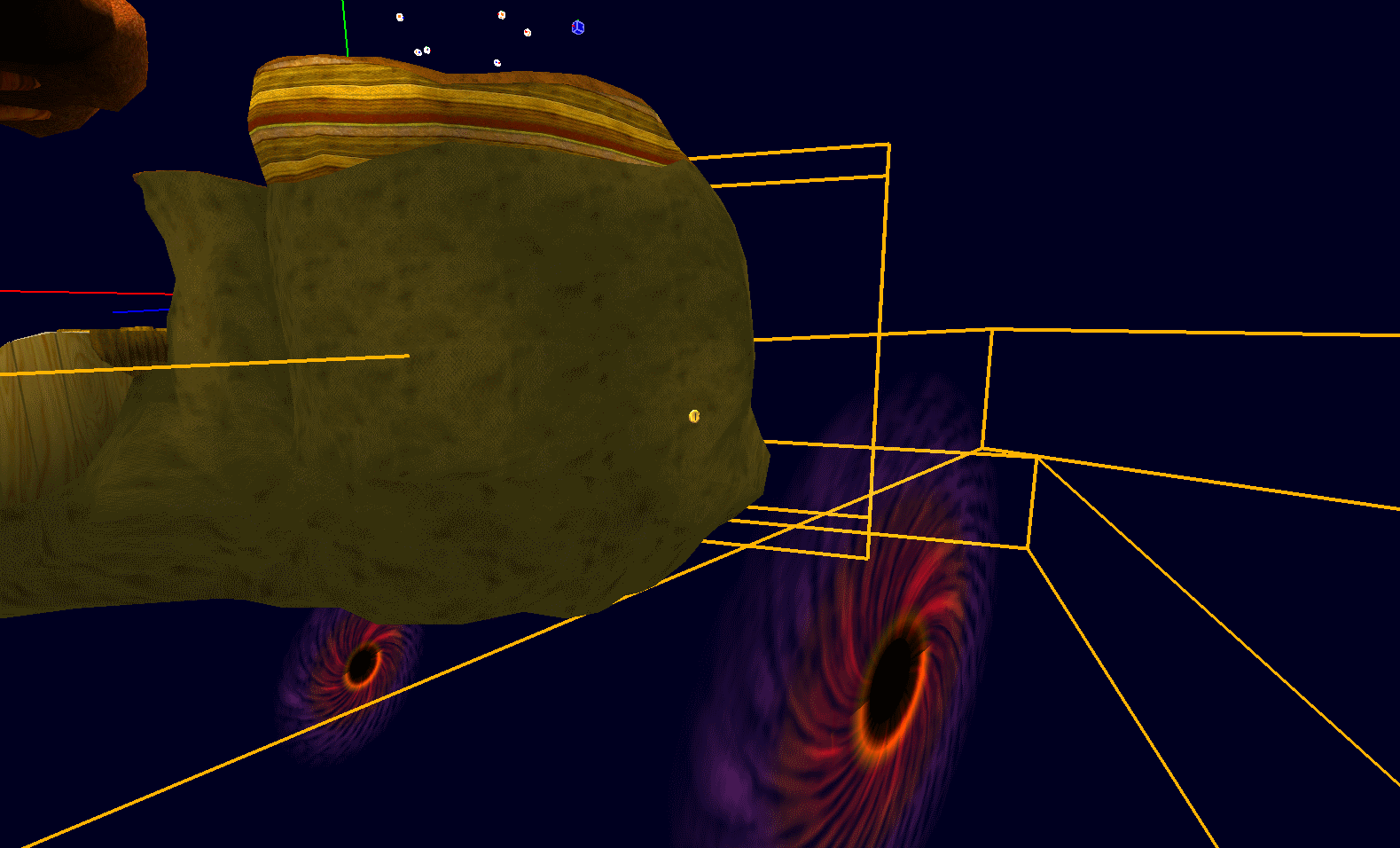
ReverseForestHomeZone also has a camera created for a Toad, even though not a single Toad appears in Gold Leaf Galaxy. The camera is relative, meaning that it follows the player's position. Below is what the camera looks like when loaded by the game via hacking; it shows Mario standing at the start of Gold Leaf Galaxy with the camera activated. It's not that bad when used at this area of the level.
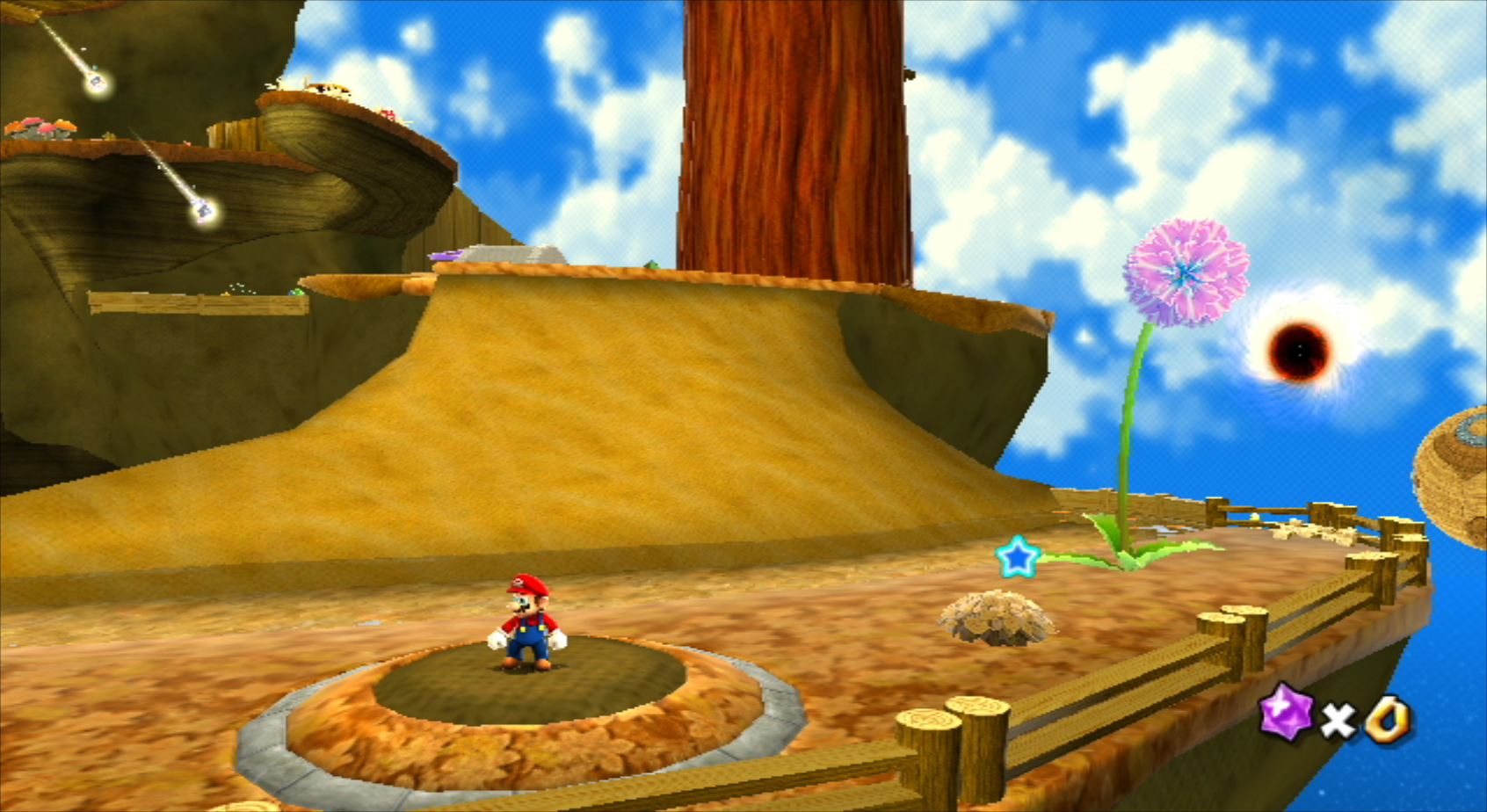
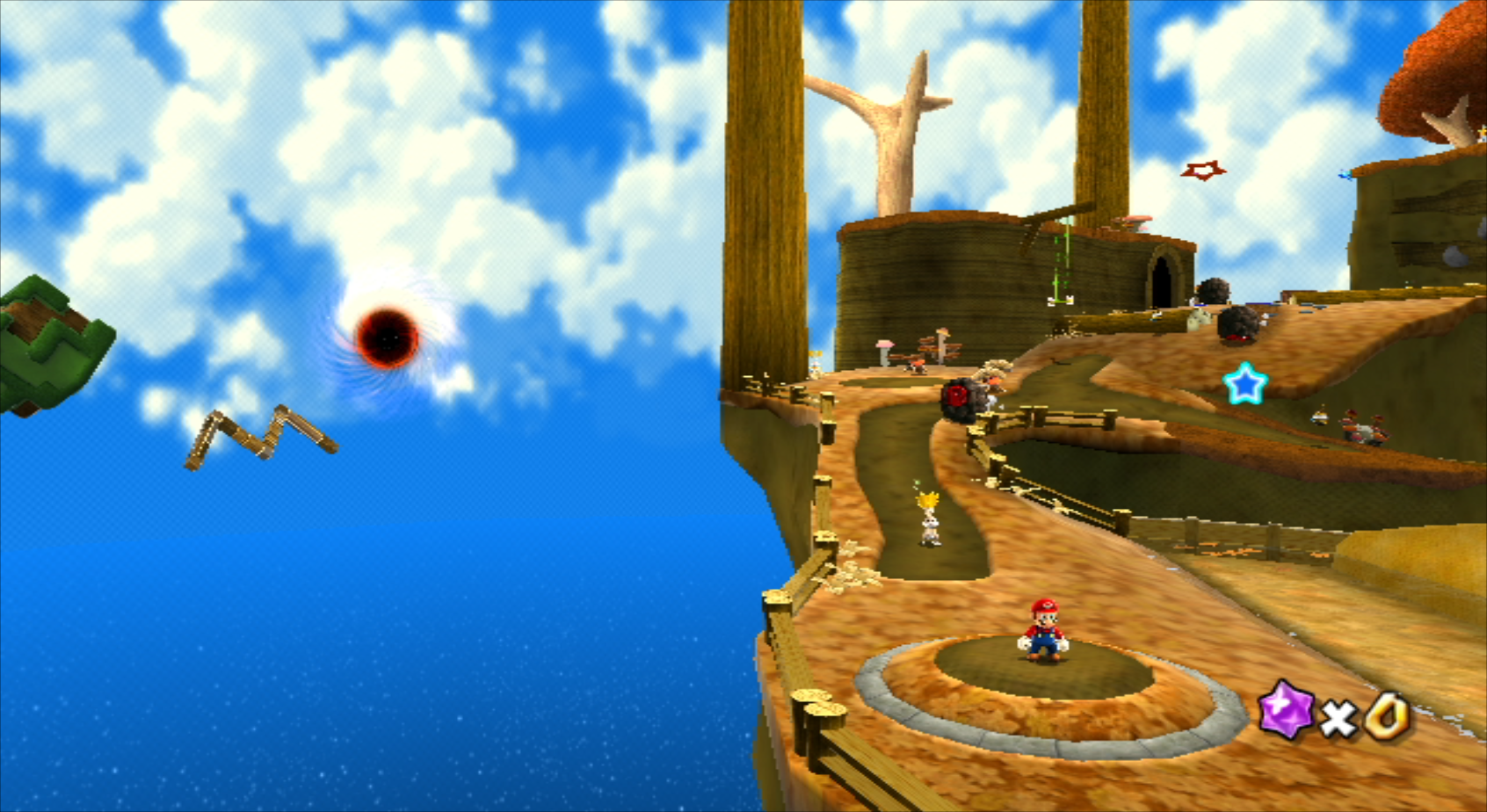
There is an unused camera for a Star Bunny as well. They only appear in the first star of Gold Leaf, and none of them reference this camera. Similarly to the above Toad camera, this Star Bunny camera follows the player's position. Below is what the camera looks like when loaded by the game via hacking; it shows Mario standing at the start of Gold Leaf Galaxy with the camera activated. Apparently, the Star Bunnies would've had something to show us that would be to the left side of the stage.
HellProminenceGalaxy#
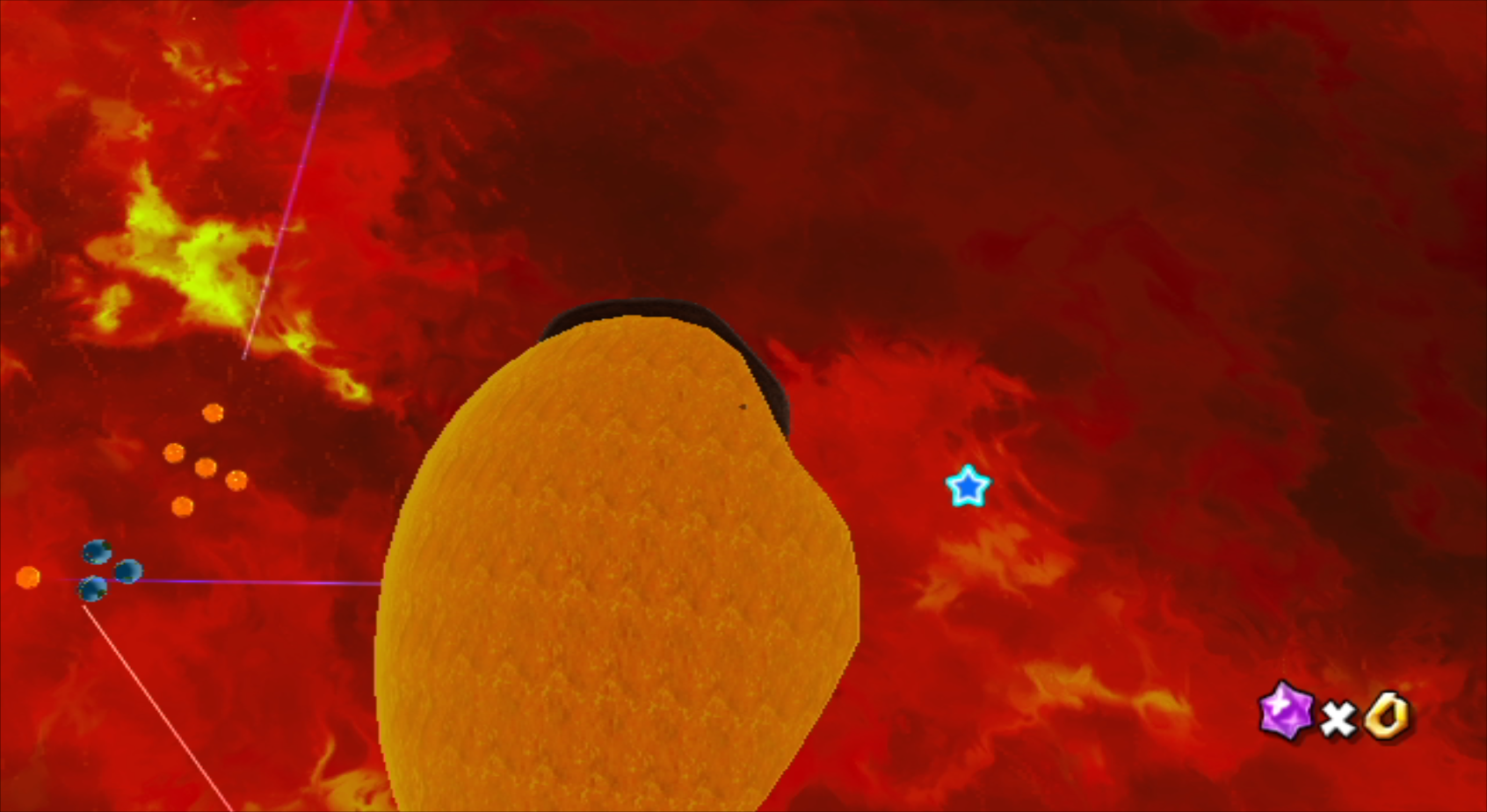
This zone has some camera data that makes no sense as to why it's here. 6 cameras exist for a "Mischievous Rabbit", yet Melty Molten Galaxy does not have any rabbits at all. Camera #1 instantly takes the view into the middle-ish region of the giant lava ball seen in the level, but since you're viewing the lava ball from the inside, it will not appear due to Backface Culling.
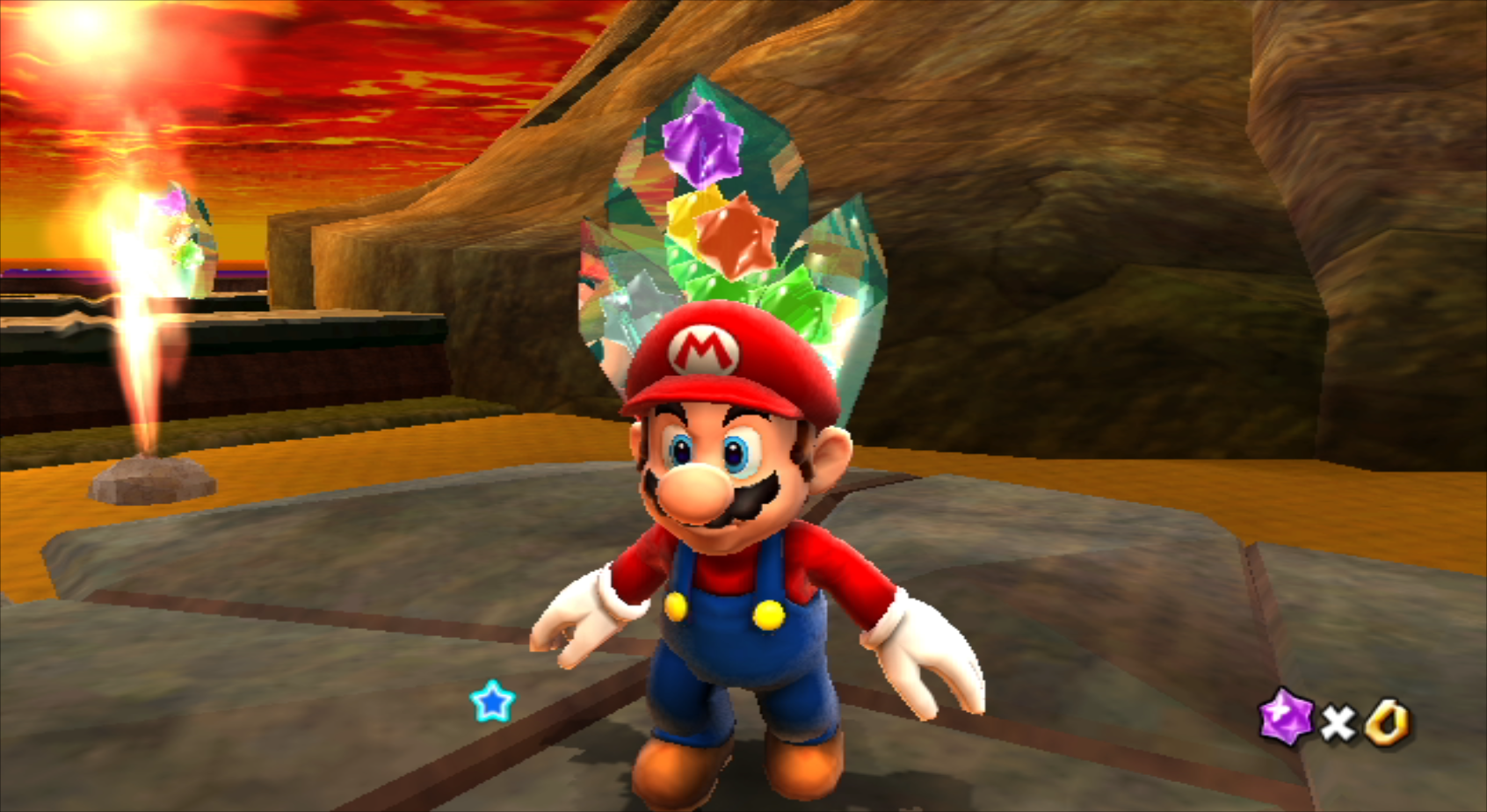
Cameras #2, #3, & #4 are the exact same with the only difference being the number part of their ID. The camera type they use is programmed to follow an object, but since the target object isn't in the level anymore (which were probably the rabbits), the cameras decide to follow Mario instead. The behavior of these cameras is odd, as they're always rotated toward Mario's face...and they're very, very close...
Cameras #5 & #6 are also identical. These are normal cameras, but due to the nature of the level layouts, their view doesn't make much sense.
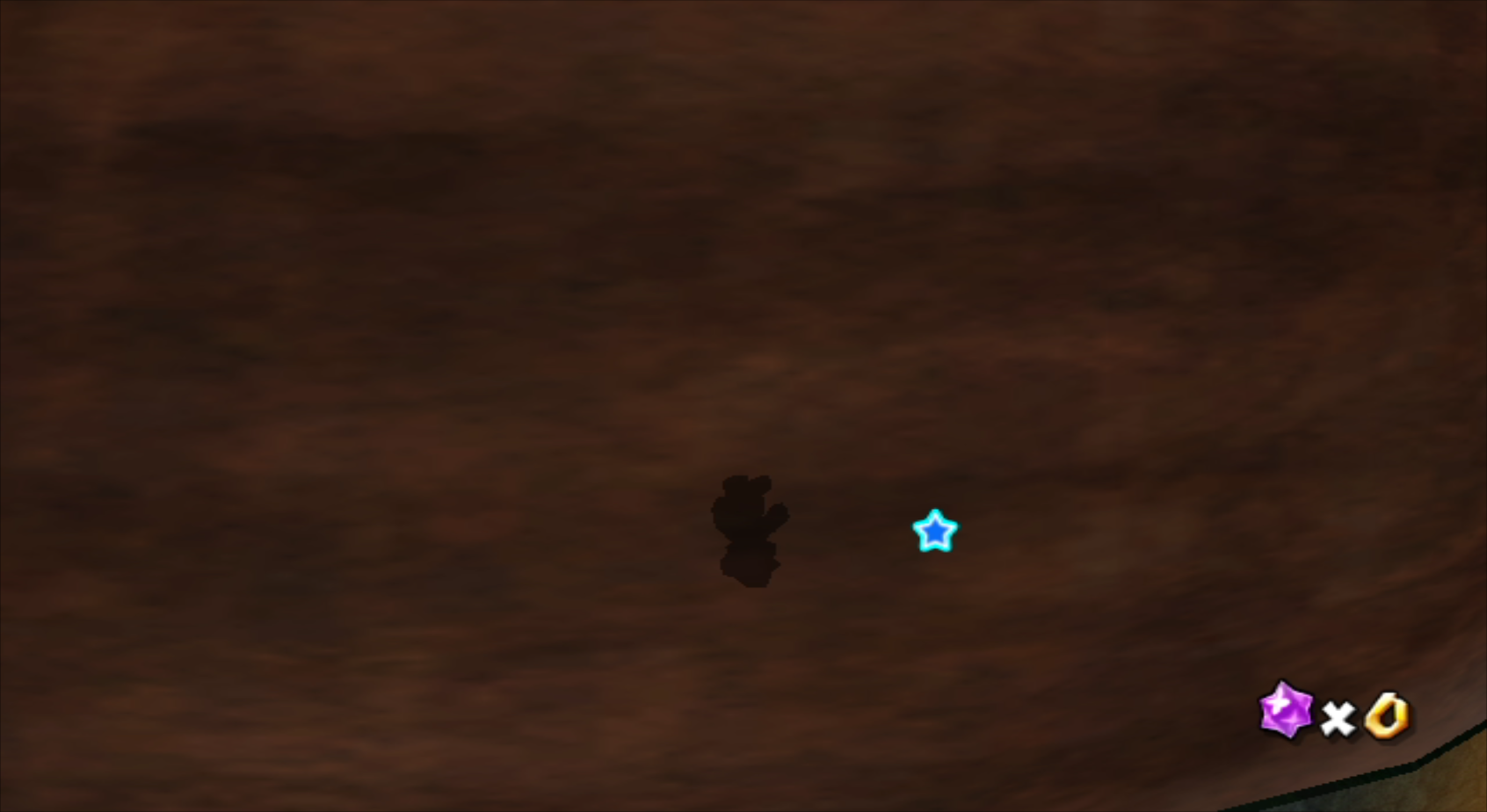
Besides the Rabbit cameras, there are other cameras that are leftovers from when the Topman tribe was located in Melty Molten Galaxy (before being moved to Dreadnaught as mentioned earlier on this page). The original Topmaniac (as shown in pre-release footage of Demo 2) had a spring on its head, so it's possible that these cameras were meant for Topmaniac instead of a normal Spring Topman. Via hacking, we can place a Spring Topman and give it the unused camera. As seen in the gif below, it functions correctly!

(You may need to click the image to see the gif play)
There are also 6 more cameras that are targeted towards a "Begoman", but "Begoman" is not an object. "BegomanSpike", "BegomanSpring", "BegomanSpringHide", "BegomanBaby", and "BossBegoman" are all the Topman objects (excluding the internal base class that they all inherit from). 4 of the 6 Topman cameras are set up in a way that makes them usable by a Spring Topman, so we can see what they look like when used by a Spring Topman. For Cameras #1 & #2, the only difference from the previously mentioned Spring Topman cameras is that the amount of time the cameras are active for is set to 0 instead of 1200. It's a slight difference, but certainly noticeable when comparing the two. Cameras #3 & #4 are identical to the previously mentioned Spring Topman cameras.
 (For an easier time comparing, the two cameras have been placed side by side. Left is the previously mentioned Spring Begoman Camera and right is Cameras #1 & #2. You may need to click on the images to see them play).
Camera #5 is the least interesting, as all it does is freeze the camera in the last position it was in before it activated (it will rotate around to follow the player, but it will not move its position). But Camera #6 is where it's AT! It's a planet camera, so depending on where the player is standing, the camera will try to have the center of the planet on-screen as well. The center of the planet is defined as 0,0,0 (x,y,z) which is in the middle-ish of the giant lava ball. (It's worth noting that these coordinates are the same for Camera #2 and Camera #4.) You can see an example of Camera #6 below.
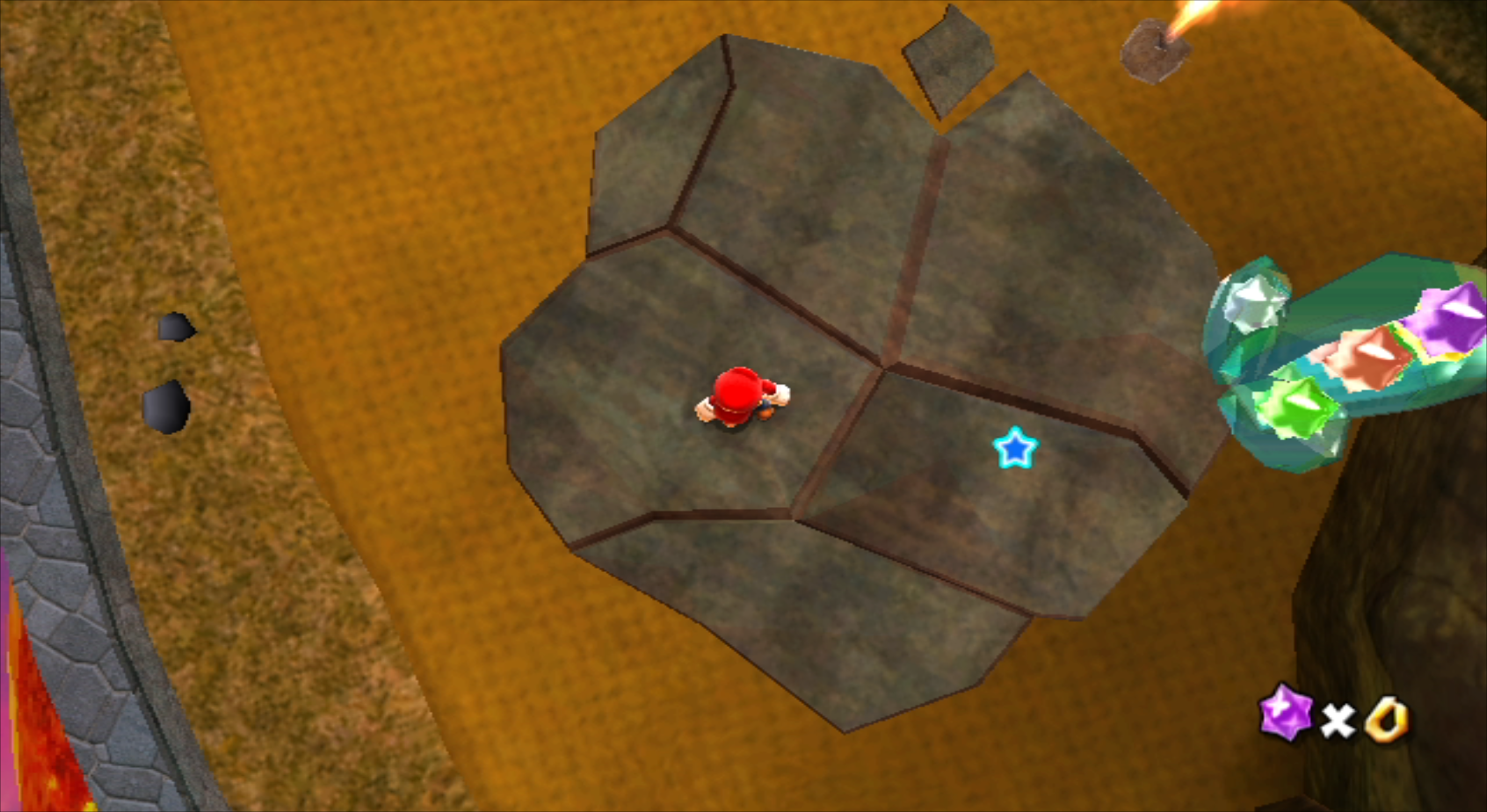
(Source: Super Hackio)
Unused Object Parameters#
|
|
To do:
|
Bubble Shape#
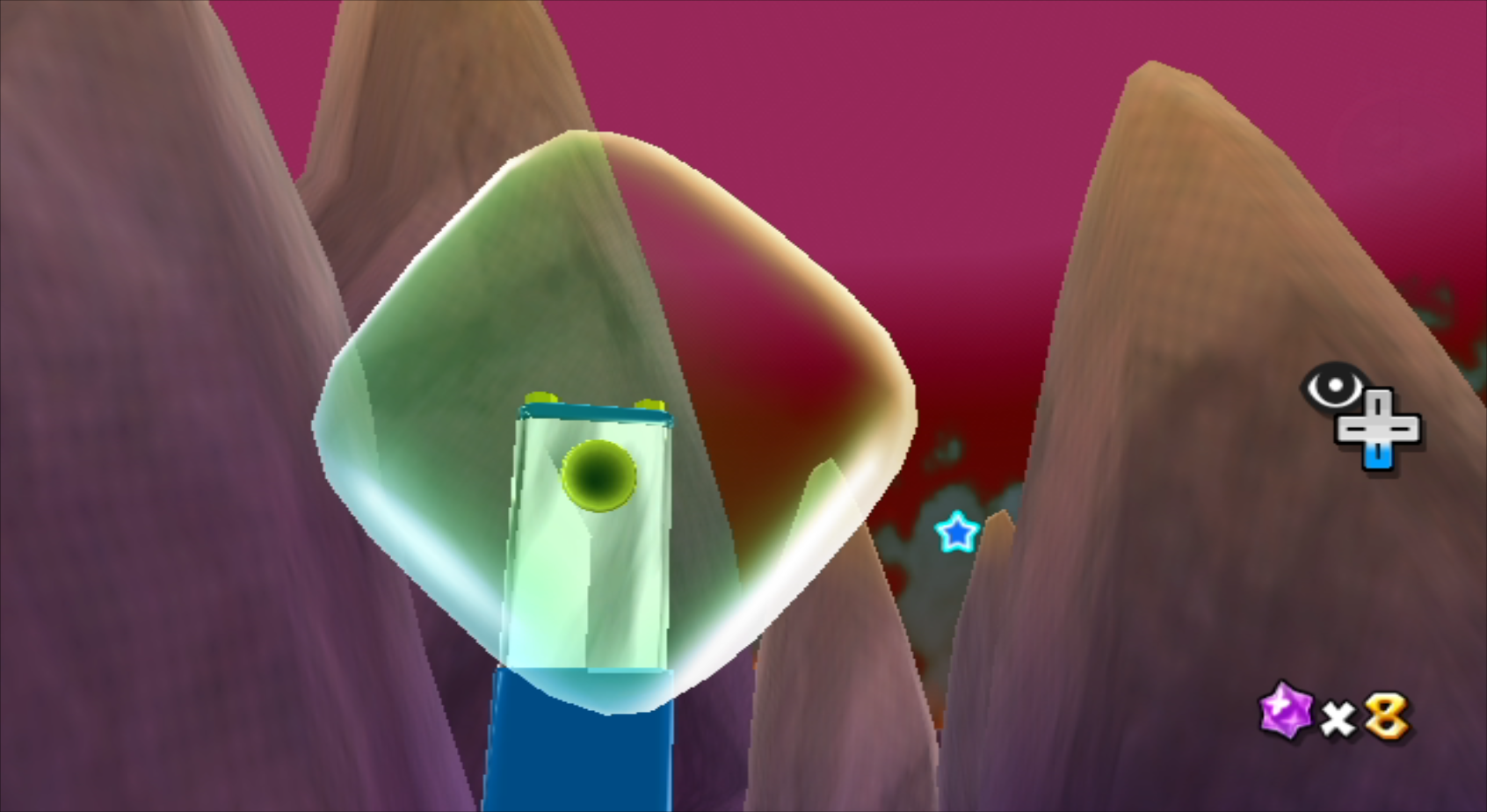
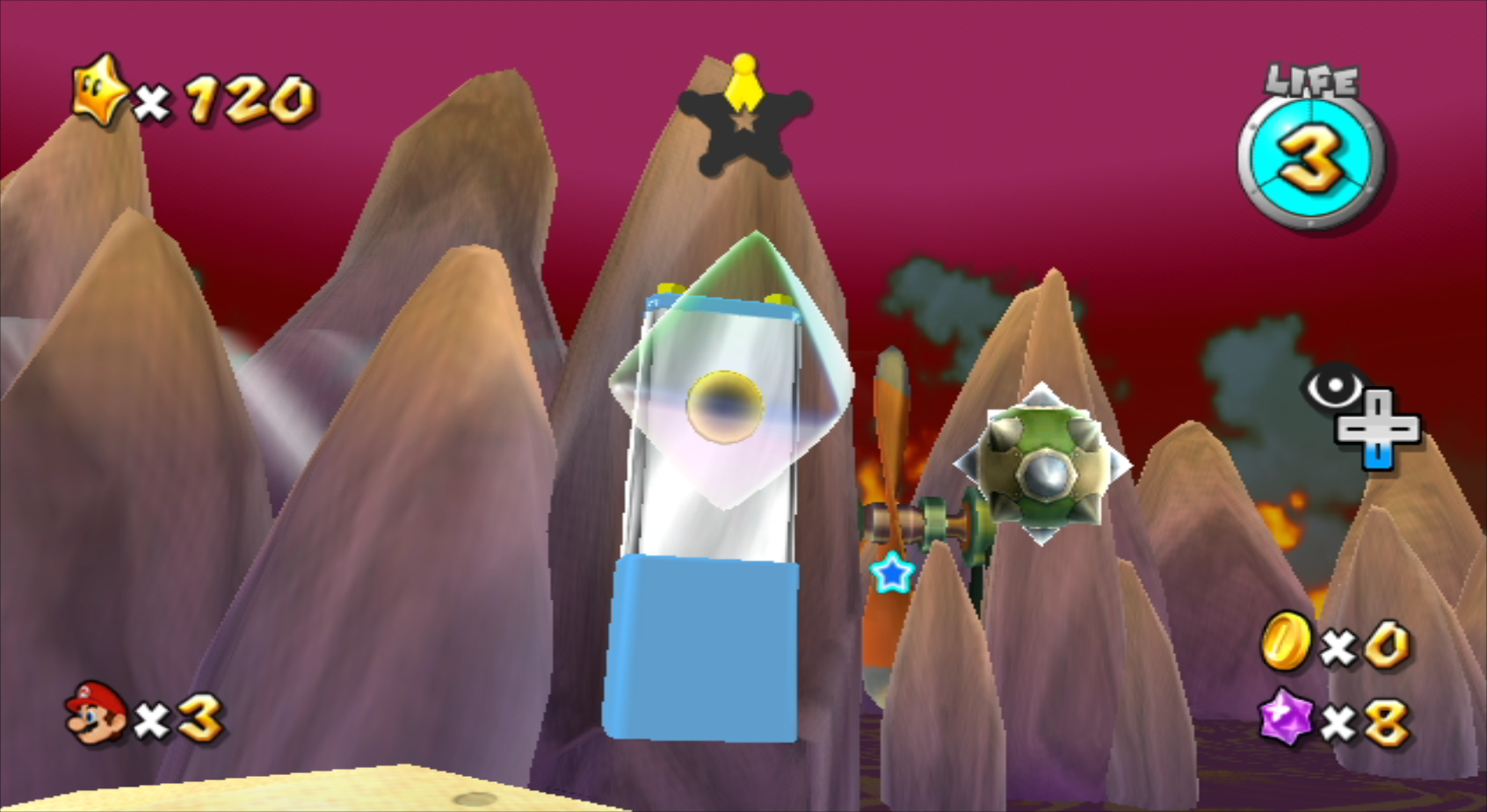
The bubble generators in places like Bubble Breeze Galaxy create nice round bubbles. However, with the right parameters, the bubbles spawned can be other shapes, such as cubes. Considering the internal names for Bubble Breeze Galaxy and Bubble Blast Galaxy use "cubebubble" in the name, it is likely that cubes were the original shape. With a different set of parameters, octahedral bubbles can be spawned.
Magikoopa Fireball Split#
There's an unused setting for Magikoopas that causes their fire spells to act like Kamella's, splitting into multiple fireballs instead of just one. It can create two or three, depending on the parameter given. This setting was even retained in Super Mario Galaxy 2 as well, suggesting their data was simply ported over.
Boo Items#
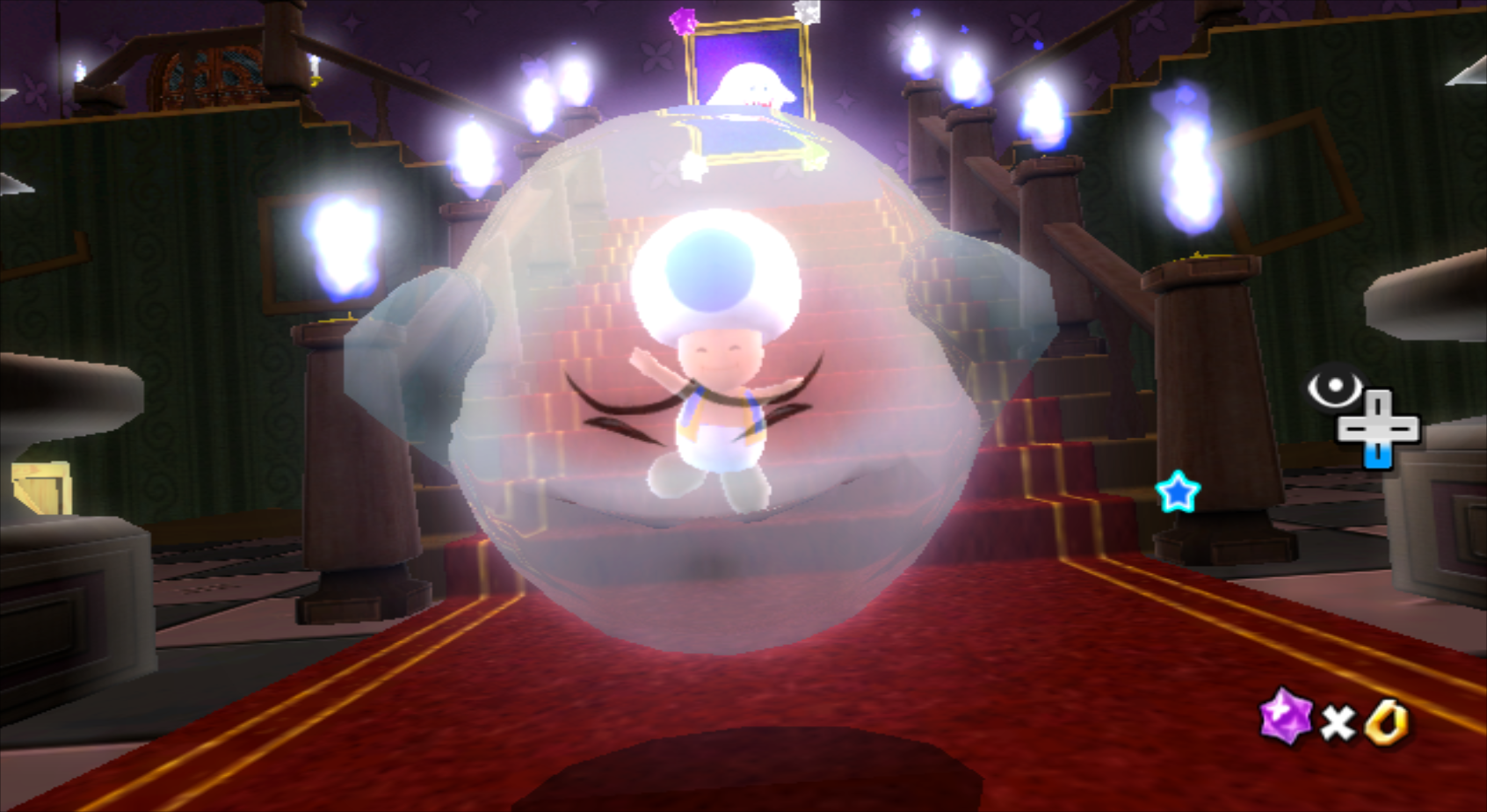
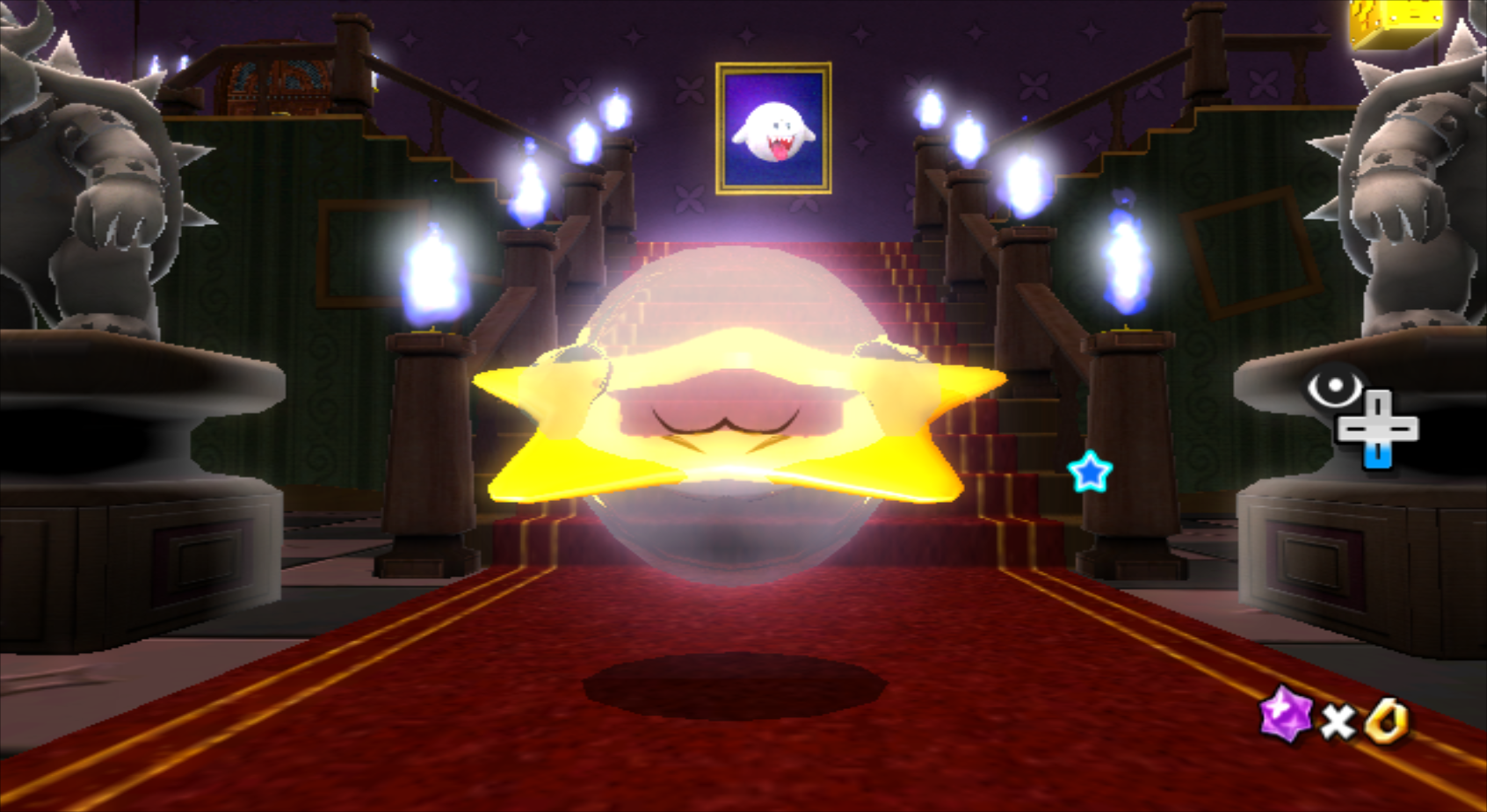
Obj_arg0 determines which item is housed in a Boo. Many different items can be put inside a Boo, but coins (ID 0), keys (ID 6), and Power Stars (ID 7) are the only ones used in the game.
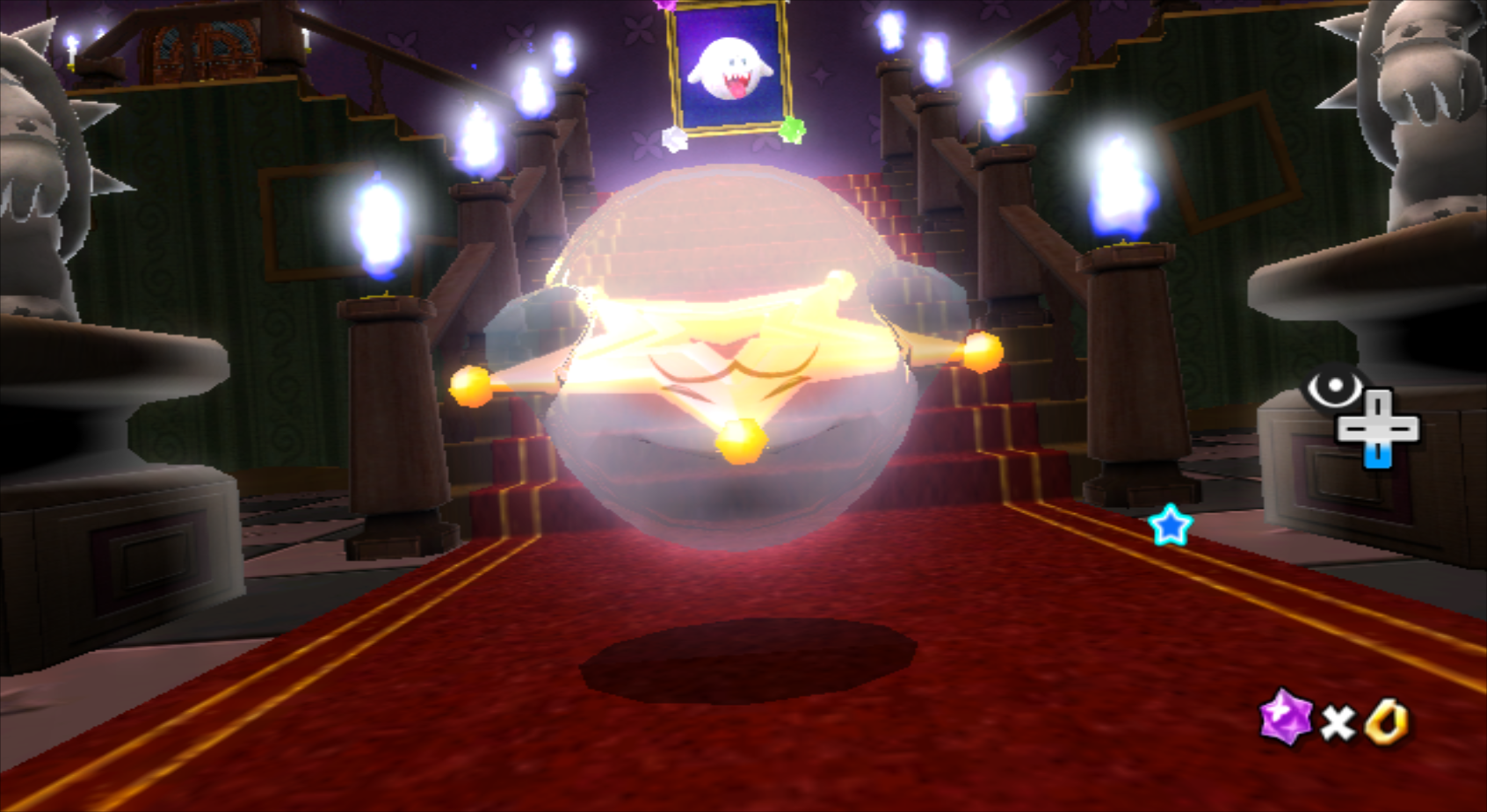
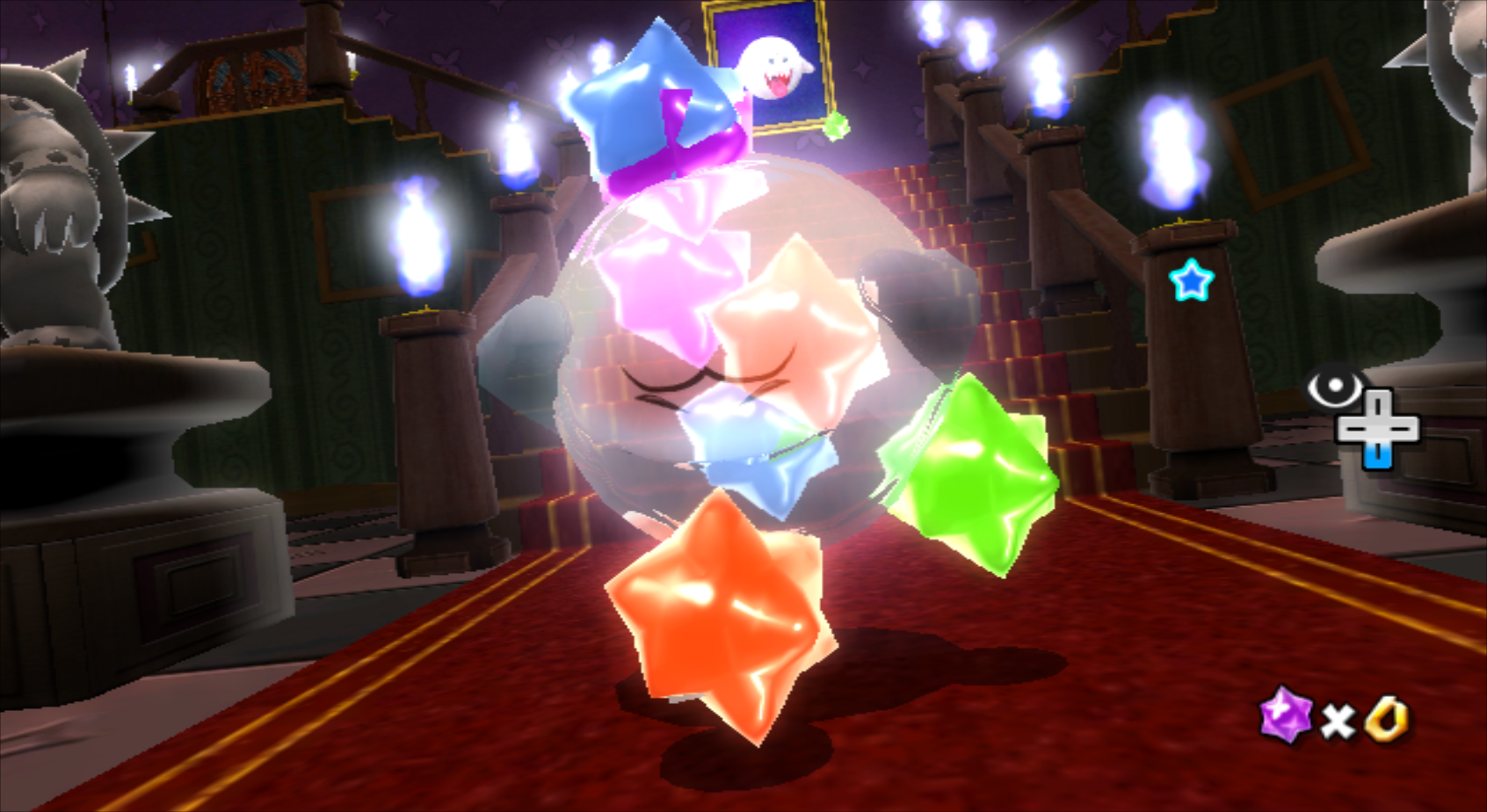
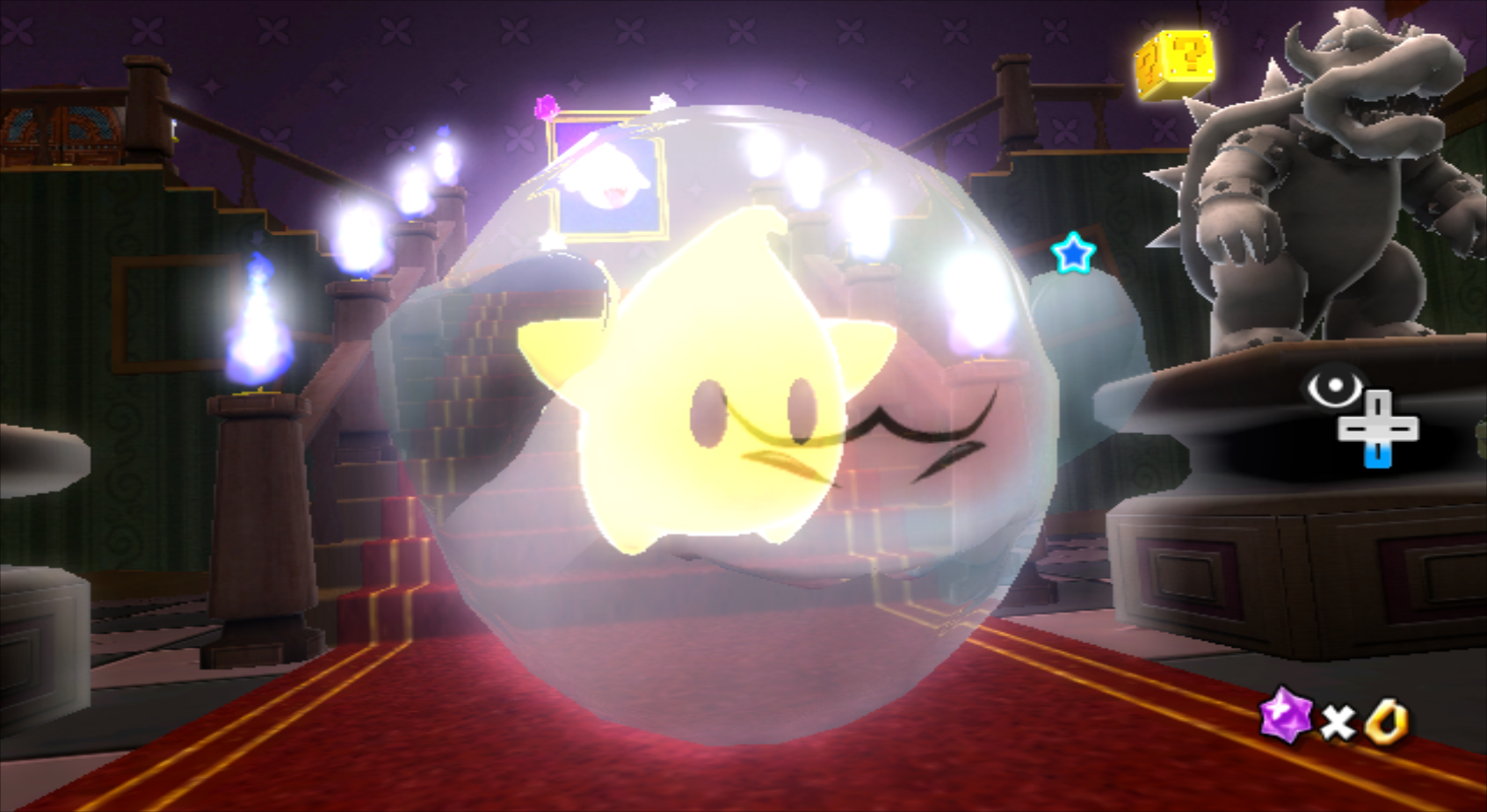
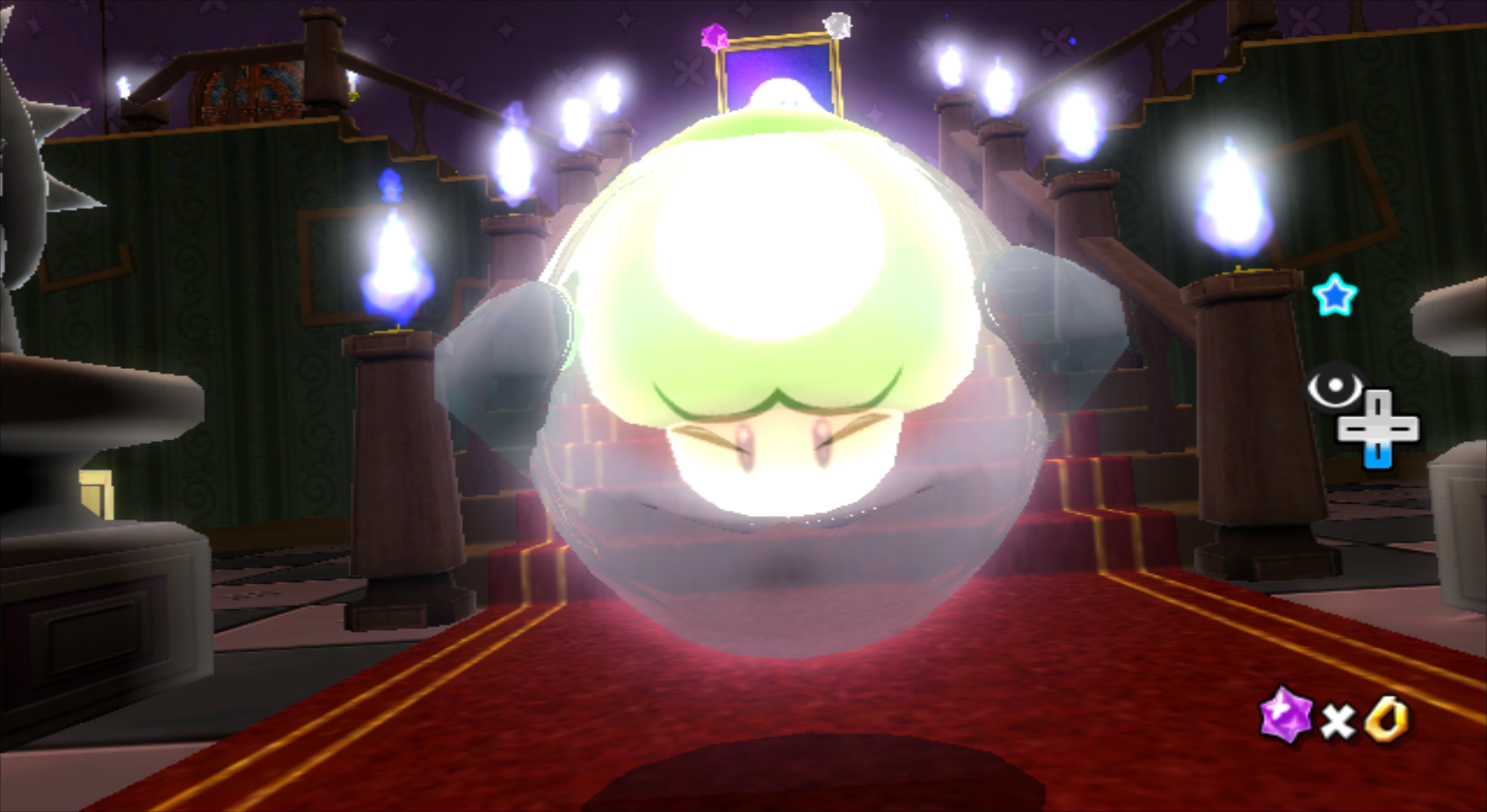
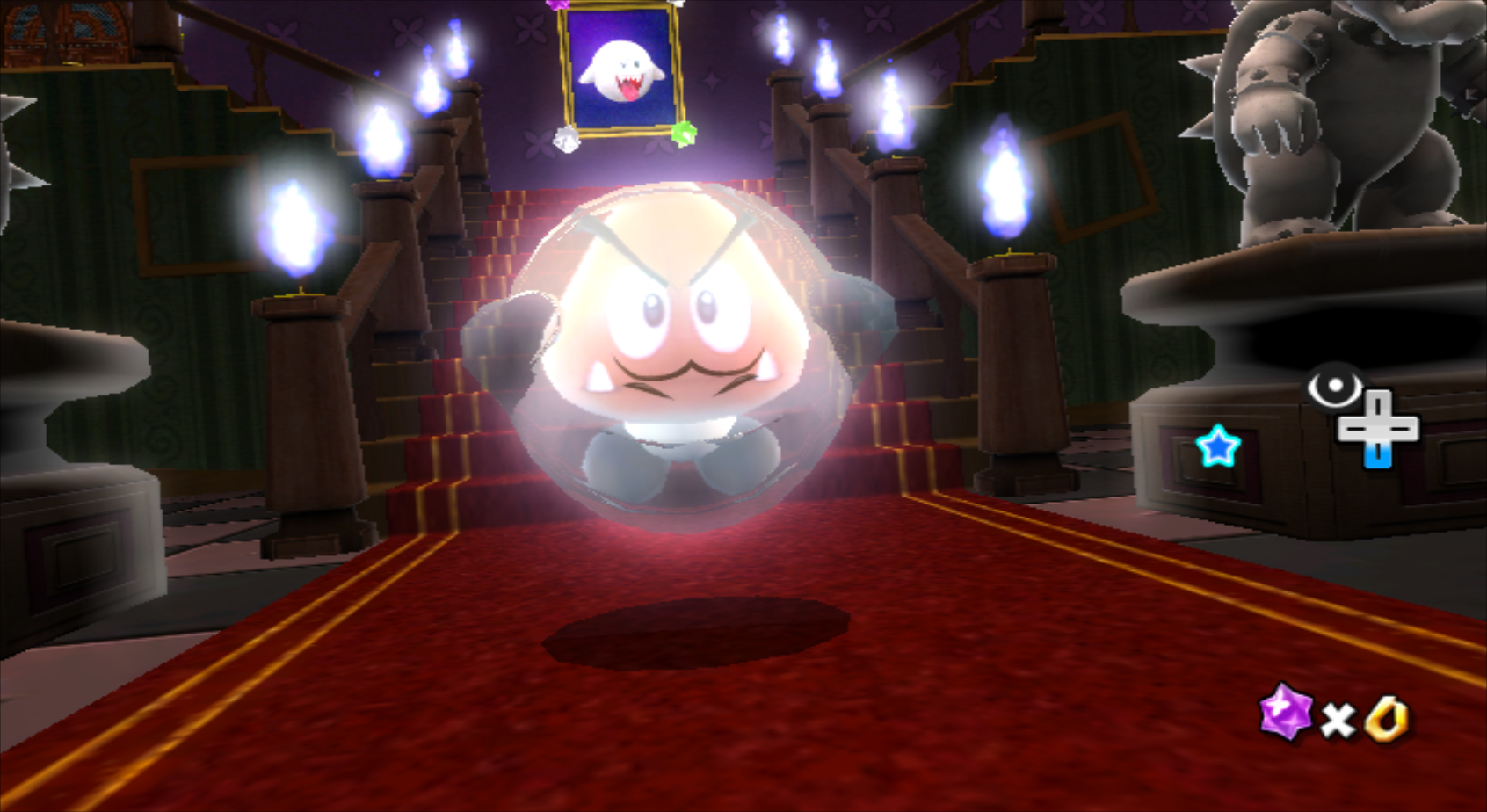
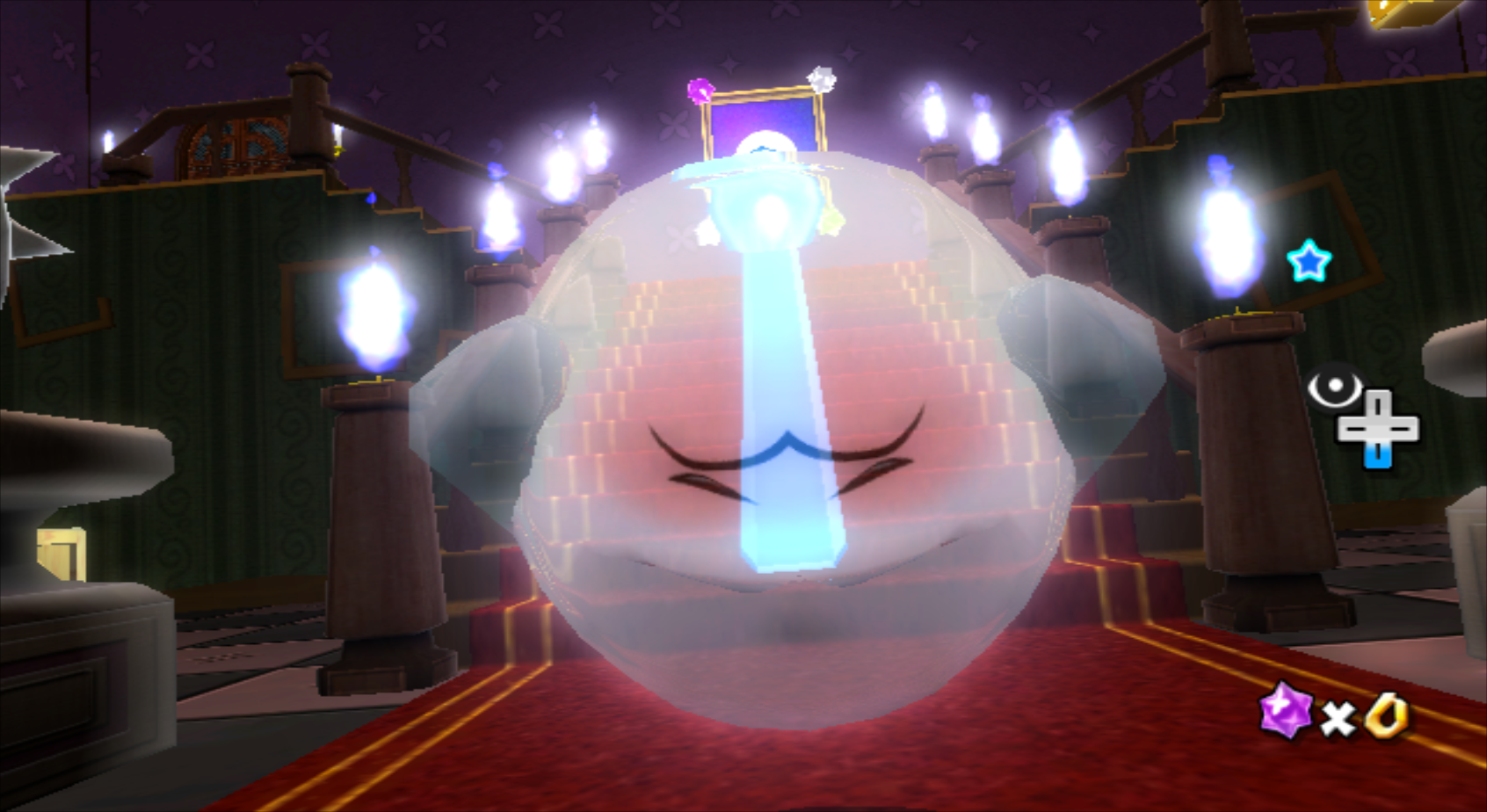
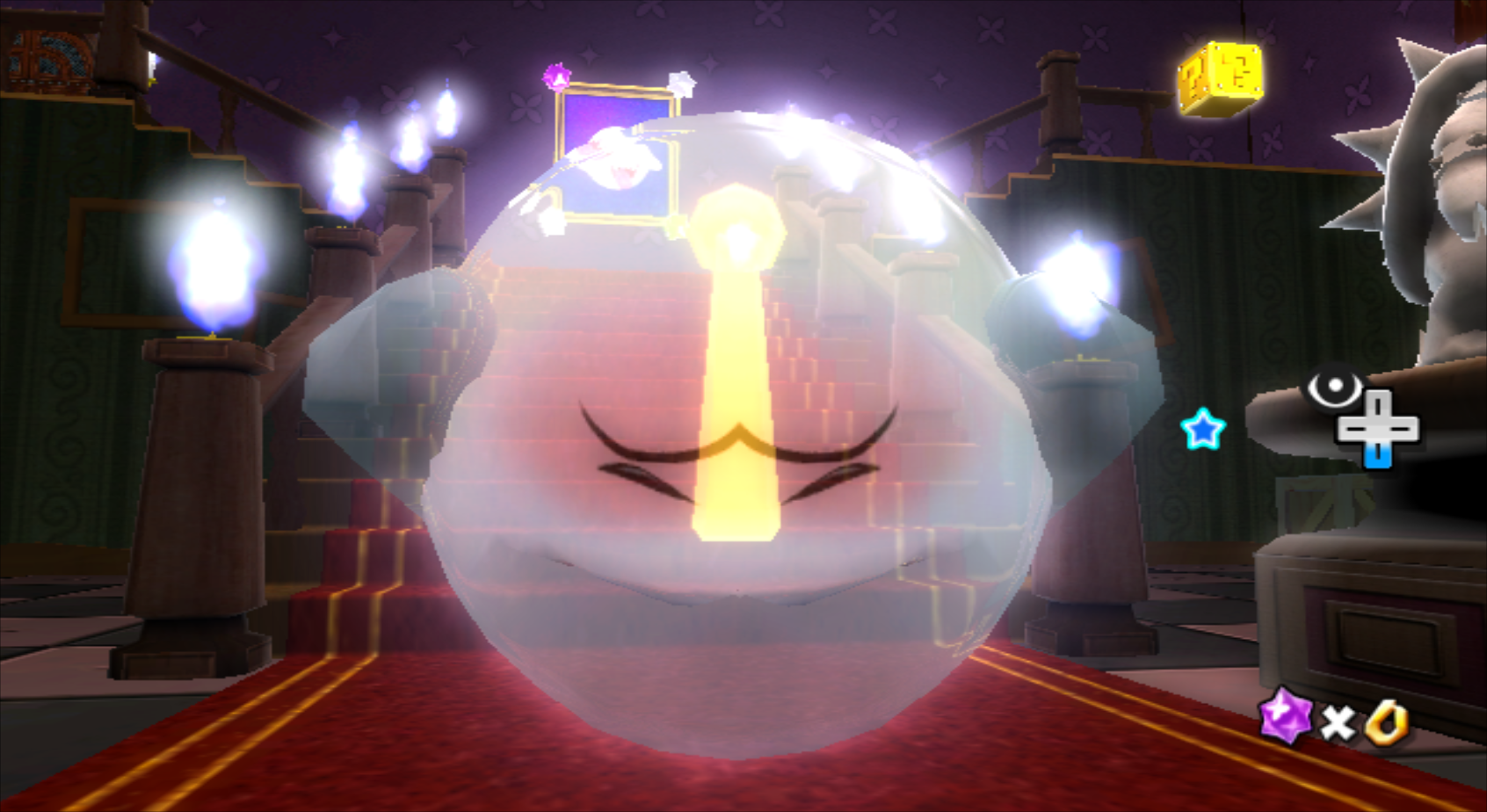
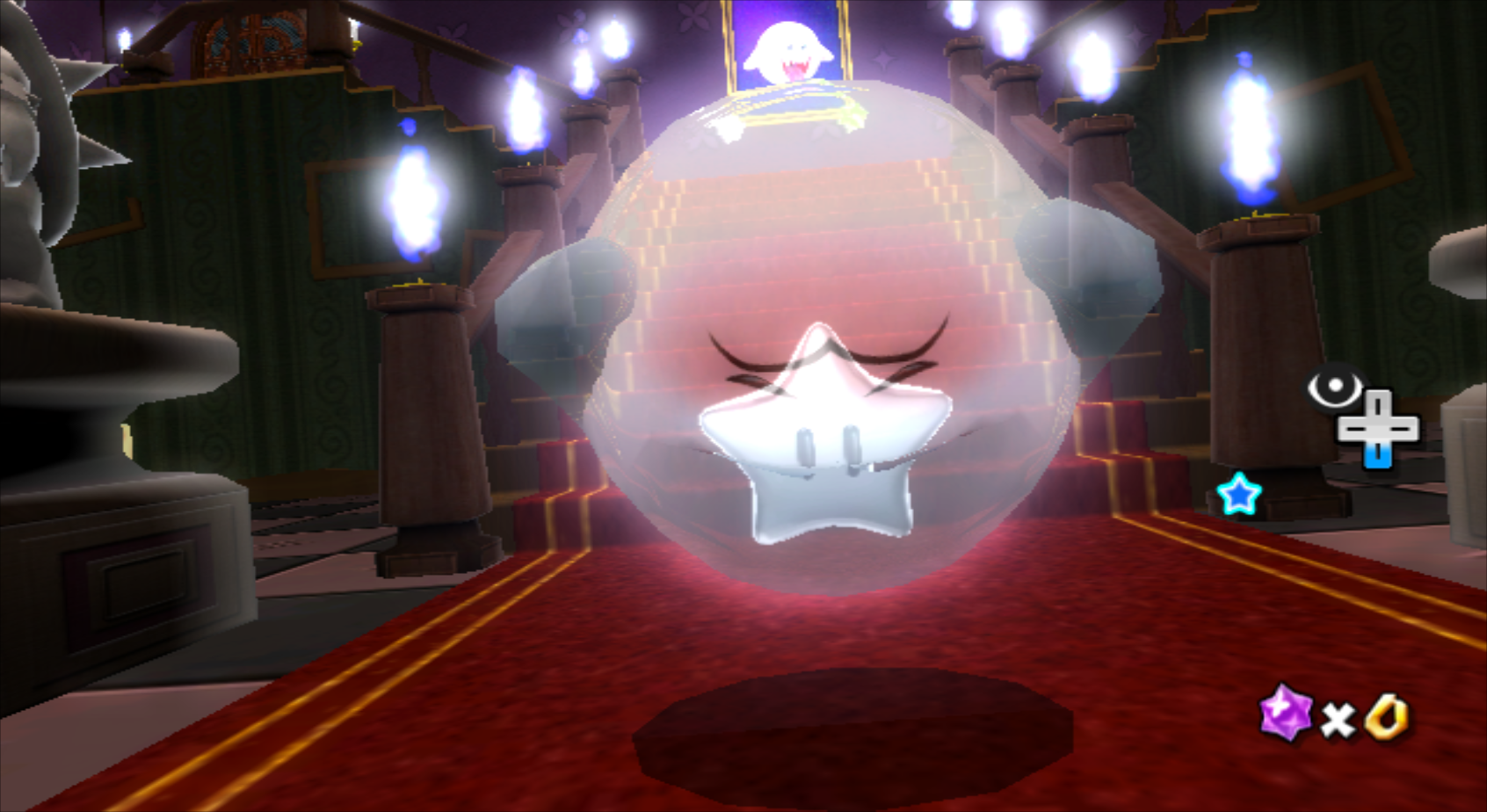
Value |
Object |
|---|---|
-1 |
Nothing |
0 |
Coin (used) |
1 |
Blue Toad |
2 |
Sling Star |
3 |
Launch Star |
4 |
Star Bits |
5 |
Luma |
6 |
Key (used) |
7 |
Power Star (used) |
8 |
1-Up Mushroom |
9 |
Goomba |
10 |
Blue Star Chip |
11 |
Star Chip |
12 |
Silver Star |
13 |
Grand Star (crashes) |
14 |
Life Mushroom |
(Source: Super Hackio (Images))
Blue Koopa#
|
|
To do: |
Obj_arg0 determines how a Koopa is colored. ID 3 changes it to blue, which isn't normally used in the final game. Cosmic Mario uses a Blue Koopa Shell in the Sea Slide Galaxy Race, but we never see it walking around.
Empty Red Launch Star#
|
In-game |
Texture |
|---|---|
|

|
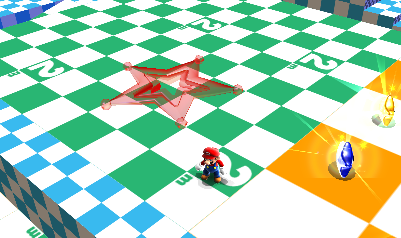
Inside the SuperSpinDriverEmpty model, which is the transparent model for the Green Launch Star before you get the 3 Green Stars, there's an unseen texture for a red variant. This suggests that red launch stars were planned for this game.
(Source: Evanbowl)
Purple Luma#
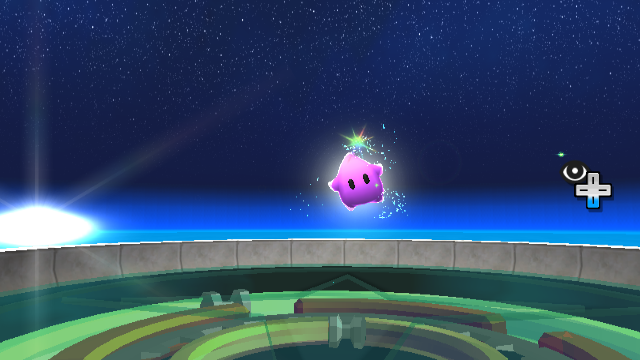
Some code exists in the files to have a lavender-colored Luma. The Luma will be lavender if Obj_arg0 is set to 4.
Lil' Brrr and Lil' Cinder Behavior#
Both enemies have two unused settings: they'll jump if Obj_arg0 is set to 1 or simply appear from the ground if it's set to 2.
Marble Planet's Marbles#
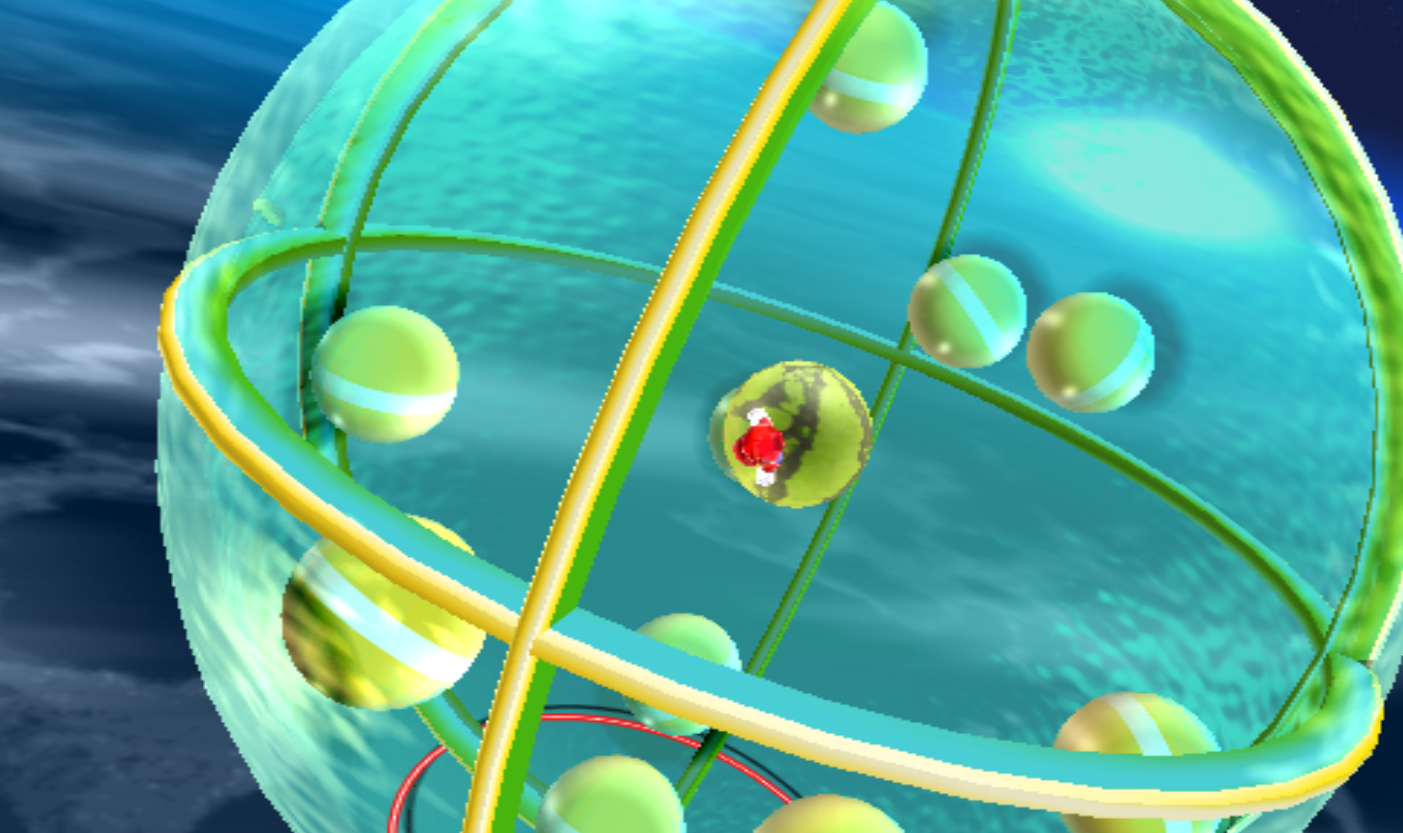
There is an unused setting for the Marble Planet from Deep Dark Galaxy that allows you to change the number of marbles inside the planet. The number is defined by Obj_arg0.
(Source: Xandog)
Unused Object Behaviors#
Topman/Spring Topman#
|
|
To do: |
- If it falls into the lava, it creates a splash effect and plays the "Topman short-circuiting" sound.
- If it gets submerged in water, it disappears in a puff of smoke and plays a unique sound effect, SE_EM_BEGOMAN_DEAD_IN_WATER.
- Some enemies (e.g. Goombas) can be defeated if a Topman runs into them.
(Source: MeTheMarioMan (Topman defeating enemies))
(others: Original TCRF research)
Ice Mario's Unused Attack#
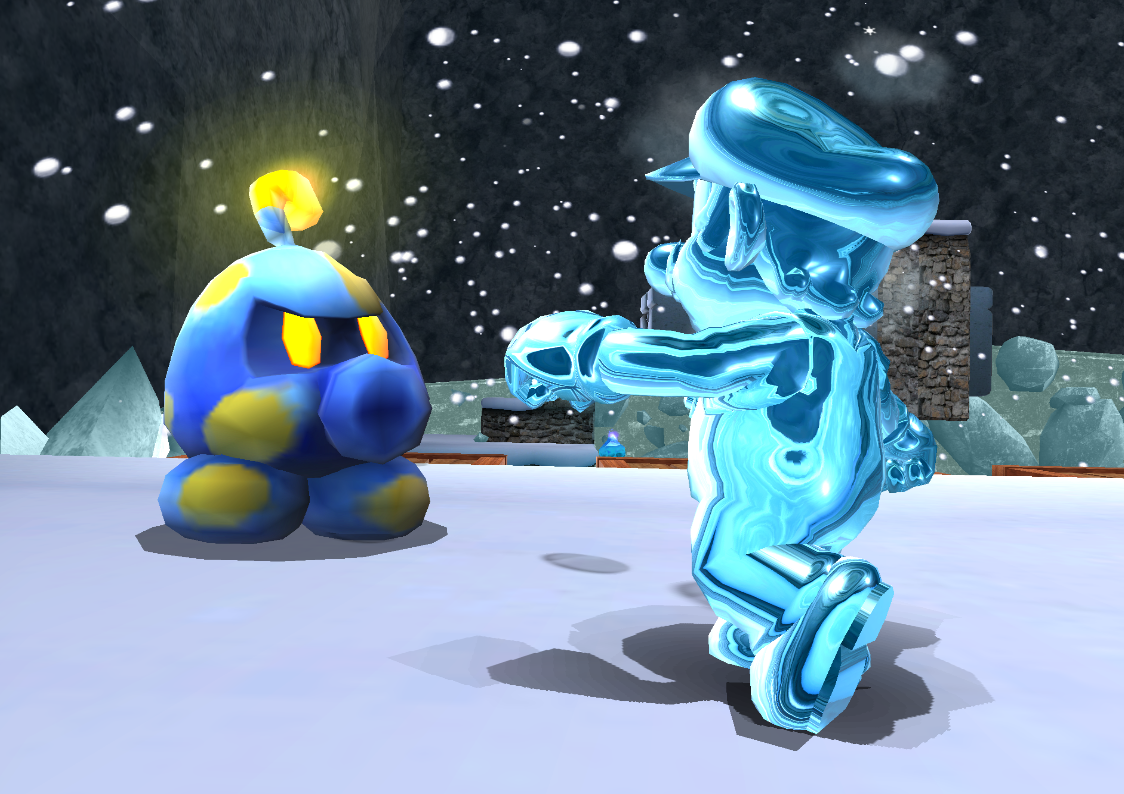
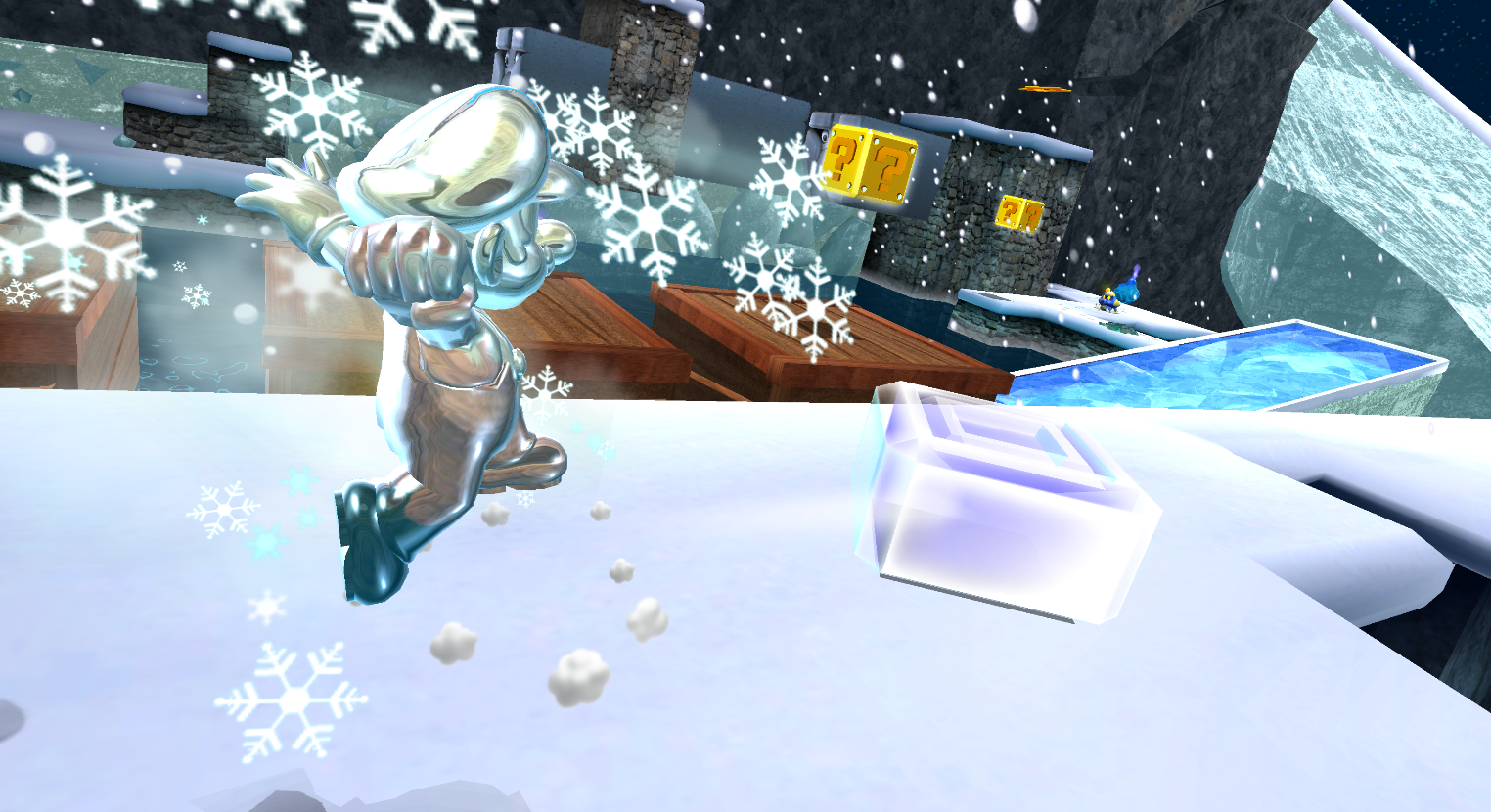
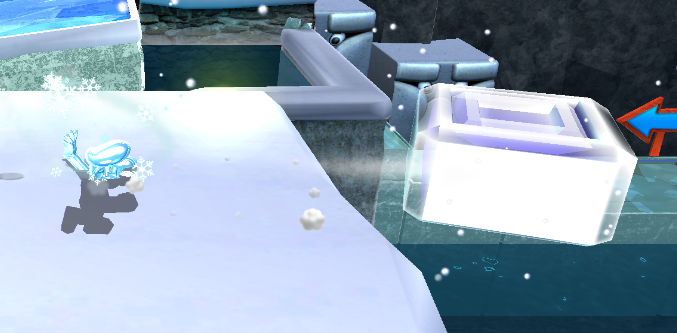
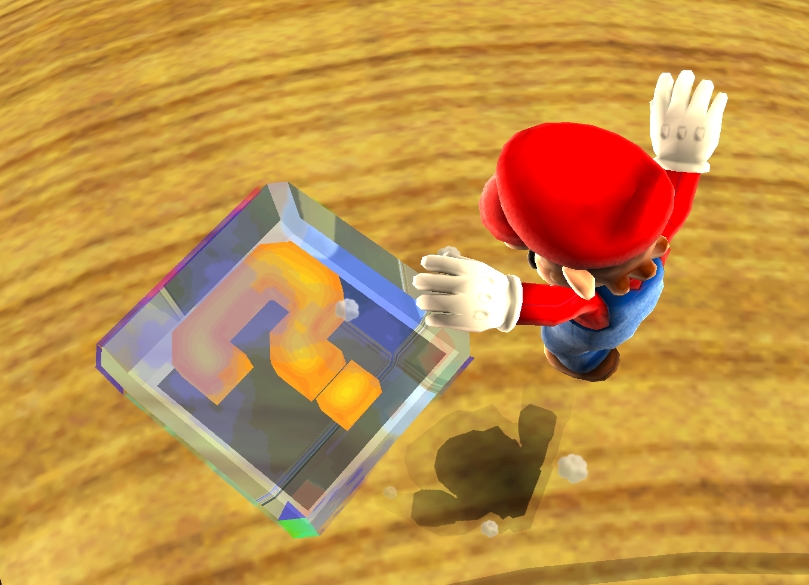
Ice Mario has an attack that freezes Octoombas, which goes unused as Ice Flowers never appear in a range of Octoombas. Upon spin attacking an Octoomba as Ice Mario, the Octoomba turns into the otherwise unused IceBox object. This object behaves identically to the SpinningBox object that appears in Gold Leaf Galaxy's first mission. Sometimes, the attack causes Mario to clip through the ground. This attack was removed from Super Mario Galaxy 2.
This may be a remnant of Ice Mario initially being able to freeze enemies, similar to how he attacks them as Fire Mario. New Super Mario Bros. Wii's version of Ice Mario can utilize this concept by throwing ice balls at enemies.
(Source: SPG64)
Removed Objects#
|
|
To do: |
Several objects were removed either partially or entirely but still have entries in various object lists.
Removed Galaxy Select Models#
There are six entries for removed Galaxy selection models (all of which lack the corresponding model files). Four of them are small galaxies accessed by Launch Stars in the Comet Observatory: Sweet Sweet Galaxy (MiniBeltConveyorExGalaxy), Bubble Blast Galaxy (MiniCubeBubbleExLv2Galaxy), Rolling Gizmo Galaxy (MiniTamakoroExLv2Galaxy), and Drip Drop Galaxy (MiniTearDropGalaxy). The remaining two are for unknown galaxies: MiniKoopaJrDriverGalaxy (implied to be a galaxy where Bowser Jr. is encountered) and MiniTriLegLv2Galaxy.
Removed Planets#
There are two cut planets for Rolling Gizmo Galaxy named TmakoroPlanetA and TmakoroPlanetB; all that remains of these objects are entries in the Object Name Table.
Megaleg 2#
As seen in the Galaxy selection model section above, several object names hint at what would have been a second fight with Megaleg. One model (Tripod2Boss) still exists, but it is an exact copy of the normal Megaleg model.
Unknown#
All that remains of these objects are entries in the Object Name Table; their exact purpose is unknown.
Internal Name |
Translation |
|---|---|
BossKameckPattarn |
Kamella - Pattern |
BossKameck2Pattarn |
Kamella 2 - Pattern |
BaoBaboo |
? |
BindEndCube |
? |
CoinBlue |
Coin - Blue |
FruitBallDPD |
Fruit Ball - Wii Remote |
GravityDust |
Gravity Dust |
MakerSpinDriver |
Marker/Maker(?) - Sling Star |
MarkerSuperSpinDriver |
Marker/Maker(?) - Launch Star |
StarDustBridgeA |
Space Junk Galaxy - Bridge A |
TripodBossRailMoveParts |
Megaleg - Rail-controlled Object |
Sign Behind the Door#

|
This page or section needs more images. |
In Good Egg Galaxy, you can "read" the door on the house of the first planet. This was accomplished by hiding a sign behind it, which can be seen by fiddling with the camera.
(Source: Crashdance22 and SSL)
Captain Toad oddity in Sweet Sweet#
|
|
This page or section needs more images. |
In Sweet Sweet Galaxy, Captain Toad says "Hey! We're going back!". However, he is not in his Toad Brigade Uniform, which does not happen anywhere else in the game.
(Source: SPG64 and Xandog)
Super Mario Sunshine Leftovers#
It seems reasonable that a few models from the previous 3D Mario game would be left in.
SunshineMario#
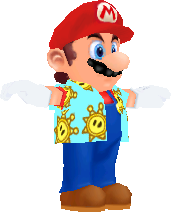 Mario from Super Mario Sunshine, along with four animations: jump, run, swim, and wait.
FruitsBoatB#
|
Super Mario Galaxy textures |
Super Mario Sunshine textures |
|---|---|

|
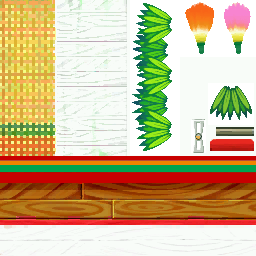
|
Interestingly, the texture sheet was scaled to 50%, the steering wheel was touched up, and the space between textures was greatly reduced. Additionally, the textures render slightly better on the Super Mario Galaxy boat model due to the texture filters being removed from Galaxy's boat model.
PeachHandL & PeachHandR#


Peach's open hands from her Super Mario Sunshine model. The textures are slightly broken.
(Source: CometMedal)
PeachHair#
 Princess Peach's hair in a ponytail, referred to as "peach_hair_ponytail" in Super Mario Sunshine.
Jungle Beat Leftovers#
Many models from Donkey Kong Jungle Beat can be found with their associated animations and files in the game's model folder. Both Jungle Beat and Galaxy were developed by the same branch of Nintendo EAD, and some of the models had their file names changed, indicating that the developers possibly intended to use them in some way as they did with the springy Creeper flowers.
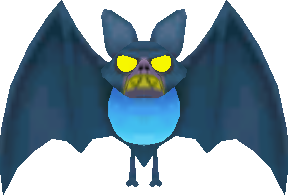
- Bakky - The normal bat enemy.
- BeatRibbon - An effect tied to the Combo Counter.

(Source: CometMedal)
- Bee - The weird bee enemy. It is similar in design to Choppah, the flying green enemy added in Super Mario Galaxy 2.

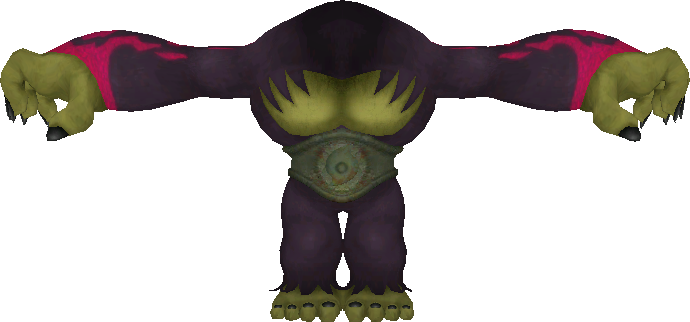
- BlackMistCreature - The body of Cactus King/Ghastly King, the final boss. The model's original name is FinalKong, so the developers had something planned for this model. Only has the animations from his action directory.
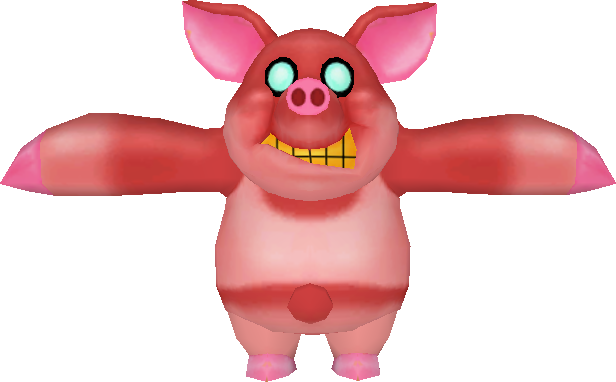
- CocoPig - The pig enemy that throws coconuts.
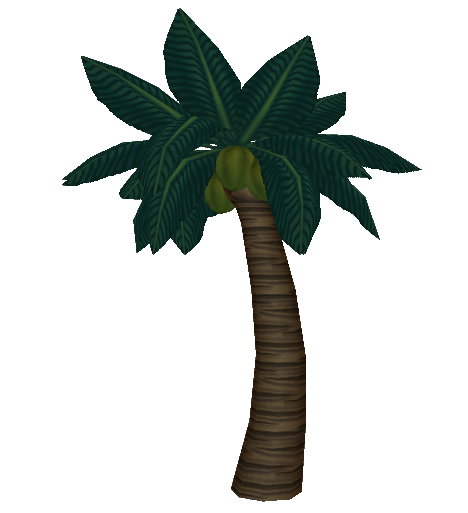
- CocoTree - The coconut tree used by CocoPig.
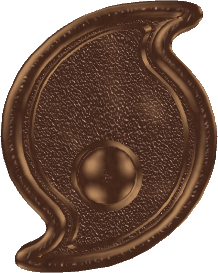
- CrestModel - The crests collected at the end of every kingdom.
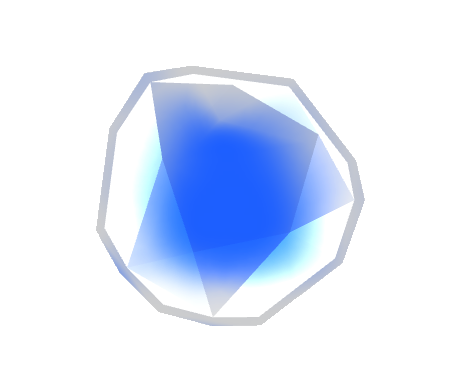
- IceBall - The ice ball projectiles thrown by CocoPig.
- KarikariIce - The ice that encases Donkey Kong when hit by an ice enemy. The model's original name is IceDamageIce, and is mostly the same, besides a very slight change to the material's texture scale setting. The new name connects it to the unused KariKariFreeze model, suggesting an intent to repurpose it somehow.
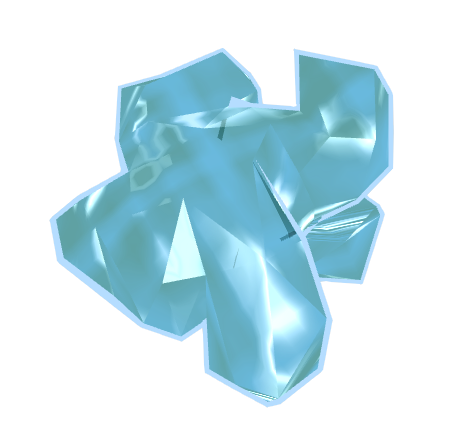
(Source: CometMedal)
- NeckDragon - The dragon-shaped transport tubes seen in some stages. The model's original name is OnlyHead. The model archive here is smaller than the original by 5 KB due to the removal of some extra textures.
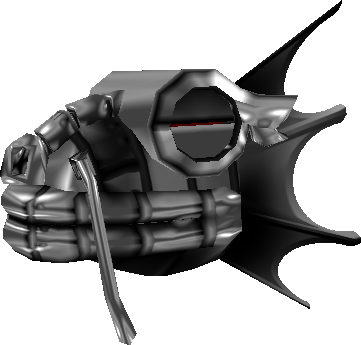
- NoteFairy - The little fairies that float around DK while he has a combo going. The model's original name is Fairy. This object is used in Galaxy to control the appearance of the colored music notes, but the ObjectData file itself does not seem to be used.
- OpeningCeremonySky - The background for the game's intro level.

(Source: CometMedal)
- PigPoppo - One of the many Hawg enemies in the game. The archive here is smaller by 20 KB due to all but the running animations being removed.
- RushAirFish - The puffer fish enemy seen in stages with water. The model's original name is NeedlePoppo. The archive here is smaller by 22 KB due to all but the idle and puffing animations being removed.
- SlidingRope - The texture for sliding vines, but specifically the Banshee Swamp version.

- SpringFlower - A flower that launches DK through the air.
- ThrowKikki - The helper monkeys that hang from tiny trees and throw DK around.

- WindMouth - The mouth-shaped plants that blow air to push DK around while parachuting.
Internal Project Name#
The game's internal project name is "SMR", according to the filename of the main AudioRes szs file and a removed AudioRes file mentioned in the dol. It is probably short for "Super Mario Revolution", as "Revolution" is the Wii's internal project name.
(Source: Original TCRF research)
Leftover Source Files#
Two C++ header files (.h) can also be found, in the Super Mario 3D All-Stars Port.
ObjectData/DemoMario.arc/demomario.xnim#
The DemoMario archive contains the file demomario.xnim, an XML file from development, created on January 11, 2006, at 6:52 PM by Takeshi Hayakawa (hayakat), the game's lead programmer, and generated by Resarc version 1.5.3, most likely Nintendo's tool for creating RARC archives. The Japanese comment translates to "Correspondence information with index and resource file's path name".
<?xml version="1.0" encoding="Shift_JIS" ?>
<nim>
    <head>
        <create user="hayakat" host="" date="2006-01-11T18:52:56" source="Resource\dvdroot\ObjectData\DemoMario.arc" />
        <title>DemoMario.xnim</title>
        <comment>インデックスとリソースファイルのパス名との対応情報</comment>
        <generator name="Resarc" version="1.5.3" />
    </head>
    <body>
        <group name="demomario">
            <name id="0">demomario/demomario.bmd</name>
            <name id="1">demomario/wait.bck</name>
            <name id="2">demomario/walk.bck</name>
        </group>
    </body>
</nim>
Interestingly, the file references the BMD model format, the first revision of the J3D engine's model format. Galaxy does not use this format for its models, instead using the BDL format first introduced in The Legend of Zelda: The Wind Waker. This suggests that, at the time of this file's creation, the game was still using the BMD format used by its predecessor.
(translation: CometMedal)
ObjectData/BathtubPlanet.arc/jmap.ini#
/ObjectData/BathtubPlanet.arc contains the file jmap.ini:
[WINDOW0]
LEFT=129
TOP=0
WIDTH=508
HEIGHT=589
NWIDTH=0
NHEIGHT=0
STATUS=NRM
[WINDOW1]
LEFT=691
TOP=96
WIDTH=546
HEIGHT=763
NWIDTH=0
NHEIGHT=0
STATUS=NRM
[WINDOW2]
LEFT=128
TOP=589
WIDTH=565
HEIGHT=269
NWIDTH=0
NHEIGHT=0
STATUS=NRM
[WINDOW3]
LEFT=637
TOP=-1
WIDTH=600
HEIGHT=590
NWIDTH=0
NHEIGHT=0
STATUS=NRM
[WINDOW4]
LEFT=0
TOP=0
WIDTH=128
HEIGHT=456
NWIDTH=0
NHEIGHT=0
STATUS=NRM
[WINDOW5]
LEFT=0
TOP=457
WIDTH=128
HEIGHT=197
NWIDTH=0
NHEIGHT=0
STATUS=NRM
[WINDOW6]
LEFT=1
TOP=655
WIDTH=128
HEIGHT=168
NWIDTH=0
NHEIGHT=0
STATUS=NRM
[WINDOW]
LEFT=33
TOP=42
WIDTH=1248
HEIGHT=952
NWIDTH=0
NHEIGHT=0
STATUS=NRM
[WINDOW8]
LEFT=2
TOP=88
WIDTH=134
HEIGHT=103
NWIDTH=0
NHEIGHT=0
STATUS=NRM
[WINDOW9]
LEFT=2
TOP=200
WIDTH=134
HEIGHT=142
NWIDTH=0
NHEIGHT=0
STATUS=NRM
[WINDOWA]
LEFT=2
TOP=88
WIDTH=111
HEIGHT=67
NWIDTH=0
NHEIGHT=0
STATUS=NRM
[WINDOWB]
LEFT=584
TOP=448
WIDTH=-1056
HEIGHT=-739
NWIDTH=0
NHEIGHT=0
STATUS=NRM
[LIST_Multi]
LEFT=0
TOP=0
WIDTH=512
HEIGHT=384
SORTITEM=0
SORTFLAG=0
LAYERLIST=0
[LIST_Link]
LEFT=0
TOP=0
WIDTH=512
HEIGHT=384
SORTITEM=0
SORTFLAG=0
LAYERLIST=0
[LIST_Layer]
LEFT=0
TOP=0
WIDTH=512
HEIGHT=384
SORTITEM=0
SORTFLAG=0
LAYERLIST=0
[LIST_Stage]
LEFT=0
TOP=0
WIDTH=512
HEIGHT=384
SORTITEM=0
SORTFLAG=0
LAYERLIST=0
[LIST_Group]
LEFT=268
TOP=232
WIDTH=512
HEIGHT=384
SORTITEM=0
SORTFLAG=0
LAYERLIST=0
[LIST_Polygon]
LEFT=1468
TOP=520
WIDTH=512
HEIGHT=384
SORTITEM=15
SORTFLAG=1
LAYERLIST=0
[LIST_CommonPath]
LEFT=1940
TOP=585
WIDTH=512
HEIGHT=384
SORTITEM=0
SORTFLAG=1
LAYERLIST=1
[LIST_CommonPathPoint]
LEFT=1916
TOP=173
WIDTH=512
HEIGHT=384
SORTITEM=0
SORTFLAG=0
LAYERLIST=1
[LIST_GroupObj]
LEFT=1949
TOP=585
WIDTH=512
HEIGHT=384
SORTITEM=0
SORTFLAG=0
LAYERLIST=1
[LIST_Tag]
LEFT=0
TOP=0
WIDTH=512
HEIGHT=384
SORTITEM=0
SORTFLAG=0
LAYERLIST=0
[LIST_Start]
LEFT=1538
TOP=274
WIDTH=512
HEIGHT=384
SORTITEM=0
SORTFLAG=0
LAYERLIST=1
[LIST_Obj]
LEFT=1365
TOP=33
WIDTH=1184
HEIGHT=547
SORTITEM=2
SORTFLAG=0
LAYERLIST=1
[LIST_AreaObj]
LEFT=1396
TOP=586
WIDTH=512
HEIGHT=384
SORTITEM=0
SORTFLAG=0
LAYERLIST=1
[LIST_MapParts]
LEFT=1346
TOP=558
WIDTH=792
HEIGHT=457
SORTITEM=0
SORTFLAG=1
LAYERLIST=1
[LIST_PlanetObj]
LEFT=1475
TOP=351
WIDTH=991
HEIGHT=379
SORTITEM=0
SORTFLAG=0
LAYERLIST=1
[LIST_CameraCube]
LEFT=1467
TOP=242
WIDTH=512
HEIGHT=384
SORTITEM=0
SORTFLAG=0
LAYERLIST=1
[LIST_Sound]
LEFT=0
TOP=0
WIDTH=512
HEIGHT=384
SORTITEM=0
SORTFLAG=0
LAYERLIST=0
[LIST_Light]
LEFT=1414
TOP=466
WIDTH=512
HEIGHT=384
SORTITEM=0
SORTFLAG=0
LAYERLIST=1
[CDIR]
CDIR=D:\data
CSVPATH=@
BATPATH=
[BATCH]
PATH00=
PATH01=
PATH02=
PATH03=
PATH04=
PATH05=
PATH06=
PATH07=
PATH08=
PATH09=
PATH10=
PATH11=
PATH12=
PATH13=
PATH14=
PATH15=
PATH16=
PATH17=
PATH18=
PATH19=
PATH20=
PATH21=
PATH22=
PATH23=
PATH24=
PATH25=
PATH26=
PATH27=
PATH28=
PATH29=
PATH30=
PATH31=
PATH32=
PATH33=
PATH34=
PATH35=
PATH36=
PATH37=
PATH38=
PATH39=
PATH40=
PATH41=
PATH42=
PATH43=
PATH44=
PATH45=
PATH46=
PATH47=
PATH48=
PATH49=
PATH50=
PATH51=
PATH52=
PATH53=
PATH54=
PATH55=
PATH56=
PATH57=
PATH58=
PATH59=
PATH60=
PATH61=
PATH62=
PATH63=
PATH64=
PATH65=
PATH66=
PATH67=
PATH68=
PATH69=
PATH70=
PATH71=
PATH72=
PATH73=
PATH74=
PATH75=
PATH76=
PATH77=
PATH78=
PATH79=
PATH80=
PATH81=
PATH82=
PATH83=
PATH84=
PATH85=
PATH86=
PATH87=
PATH88=
PATH89=
PATH90=
PATH91=
PATH92=
PATH93=
PATH94=
PATH95=
PATH96=
PATH97=
PATH98=
PATH99=
PATHA0=
PATHA1=
PATHA2=
PATHA3=
PATHA4=
PATHA5=
PATHA6=
PATHA7=
PATHA8=
PATHA9=
PATHB0=
PATHB1=
PATHB2=
PATHB3=
PATHB4=
PATHB5=
PATHB6=
PATHB7=
PATHB8=
PATHB9=
PATHC0=
PATHC1=
PATHC2=
PATHC3=
PATHC4=
PATHC5=
PATHC6=
PATHC7=
PATHC8=
PATHC9=
PATHD0=
PATHD1=
PATHD2=
PATHD3=
PATHD4=
PATHD5=
PATHD6=
PATHD7=
PATHD8=
PATHD9=
PATHE0=
PATHE1=
PATHE2=
PATHE3=
PATHE4=
PATHE5=
PATHE6=
PATHE7=
PATHE8=
PATHE9=
PATHF0=
PATHF1=
PATHF2=
PATHF3=
PATHF4=
PATHF5=
PATHF6=
PATHF7=
PATHF8=
PATHF9=
PATH0_=0
PATH1_=0
PATH2_=0
PATH3_=0
PATH4_=0
PATH5_=0
PATH6_=0
PATH7_=0
PATH8_=0
PATH9_=0
PATHA_=0
PATHB_=0
PATHC_=0
PATHD_=0
PATHE_=0
PATHF_=0
[OPTION]
RAISE=0
FACCESS=0
BACKFILE=0
METER=0
DISP=-534818685
DISP2=17301509
KEYCONFIG=50
CRFLT=0
CRCHK=0
CRLOG=0
CAMERA=1
WHEELSPEED=100
CAMLOCX=-90.000000
CAMLOCY=2.000000
CAMLOCZ=0.000000
CAMDIST=1400.000000
CAMINSX=0.000000
CAMINSY=0.000000
CAMINSZ=0.000000
CAMTRSX=0.000000
CAMTRSY=0.000000
CAMTRSZ=0.000000
CAMTHTX=0
CAMTHTY=0
PLCOLORS=0
BRUSHNUMBER=0
OBJROTPOLY=0
RAILMAGNIFY=100
LAYEROPTION=0
LAYERCOPYOPT=0
EDGESELECT=129
AXIS3EDIT=1
AXISMODE=1
AXISLOCAL=1
AXISAMAG=1.000000
AXISLMAG=32.000000
LINEWIDTH=1.000000
POLYWIDTH=1.000000
BMDMAGOBJ=1.000000
BMDMAGPOL=1.000000
BMDTEXOPT=0
BMDPRIO=10
[GRID]
DX=100.000000
DY=100.000000
DZ=100.000000
OX=0.000000
OY=0.000000
OZ=0.000000
AXIS=7
EX=1000.000000
EY=1000.000000
EZ=1000.000000
PX=0.000000
PY=0.000000
PZ=0.000000
[PLACED]
LEFT=1552
TOP=495
WIDTH=501
HEIGHT=355
[POLYINFO]
LEFT=-999
TOP=-999
WIDTH=-999
HEIGHT=-999
[BMPOUTINFO]
MAPSIZEX=0.000000
MAPSIZEZ=0.000000
MAPOUTX=16
MAPOUTZ=16
[CUSTOMCOLOR]
C00=16746751
C01=16777096
C02=8978431
C03=16777215
C04=16742144
C05=65280
C06=16711680
C07=60928
C08=255
C09=8947848
C10=16764023
C11=4473924
C12=14522777
C13=4495752
[SHORTCUTMENU]
OPENFLAG=AAAAAAAA
[LAYER]
ACTIVE=0
COPYX=0.000000
COPYY=0.000000
COPYZ=0.000000
[RAIL]
ACTIVE=CommonPath
[FHISTORY]
0=\\jcsnas2\gcdonkey$\MarioRV\MapTool\StageData\TrialProduct01\R00_tool.jmp
1=\\jcsnas2\gcdonkey$\MarioRV\MapTool\StageData\TrialProduct00\R00_tool.jmp
2=\\jcsnas2\gcdonkey$\MarioRV\MapTool\StageData\TestSpiralMap\R00_tool.jmp
3=\\jcsnas2\gcdonkey$\MarioRV\MapTool\StageData\SnowAndPeachSlider\R00_tool.jmp
This is the only occurrence of such a file in either game. The [FHISTORY] section is of interest. It appears to list paths to map files within the game's development repository, likely each map BathtubPlanet was used in. One of the directories listed in these paths appears to indicate the name of Nintendo's level editor, MapTool. Amusingly, gcdonkey also appears, as Super Mario Galaxy was built directly off EAD Tokyo's previous title, Donkey Kong Jungle Beat.
(Source: Master Luma)
Unused Cutscene Data#
Various in-game cutscenes use timeline-like tables, all of which are included at once in the DemoSheet.arc archive. Some unused cutscenes from testing or scrapped zones can be found here:
Cutscene Name |
Notes |
|---|---|
demotest0 |
Shows Mario doing the following 3 animations at an interval of about 2 seconds: |
demotest1 |
Empty |
moviedemotest |
Shows Mario doing a kick animation. 2 seconds later a Toad activates a switch while in his sleep animation. |
demodemo |
Many duplicates of a scene showing a Capsule Cage disappearing. |
demdemo2 |
|
undefined |
|
takeuchitest |
Unused Pointer Blur Colors#
In the game's code are two unused values for coloring the star pointer blur (seen when moving the pointer) as green and orange, presumably for a third and fourth player.
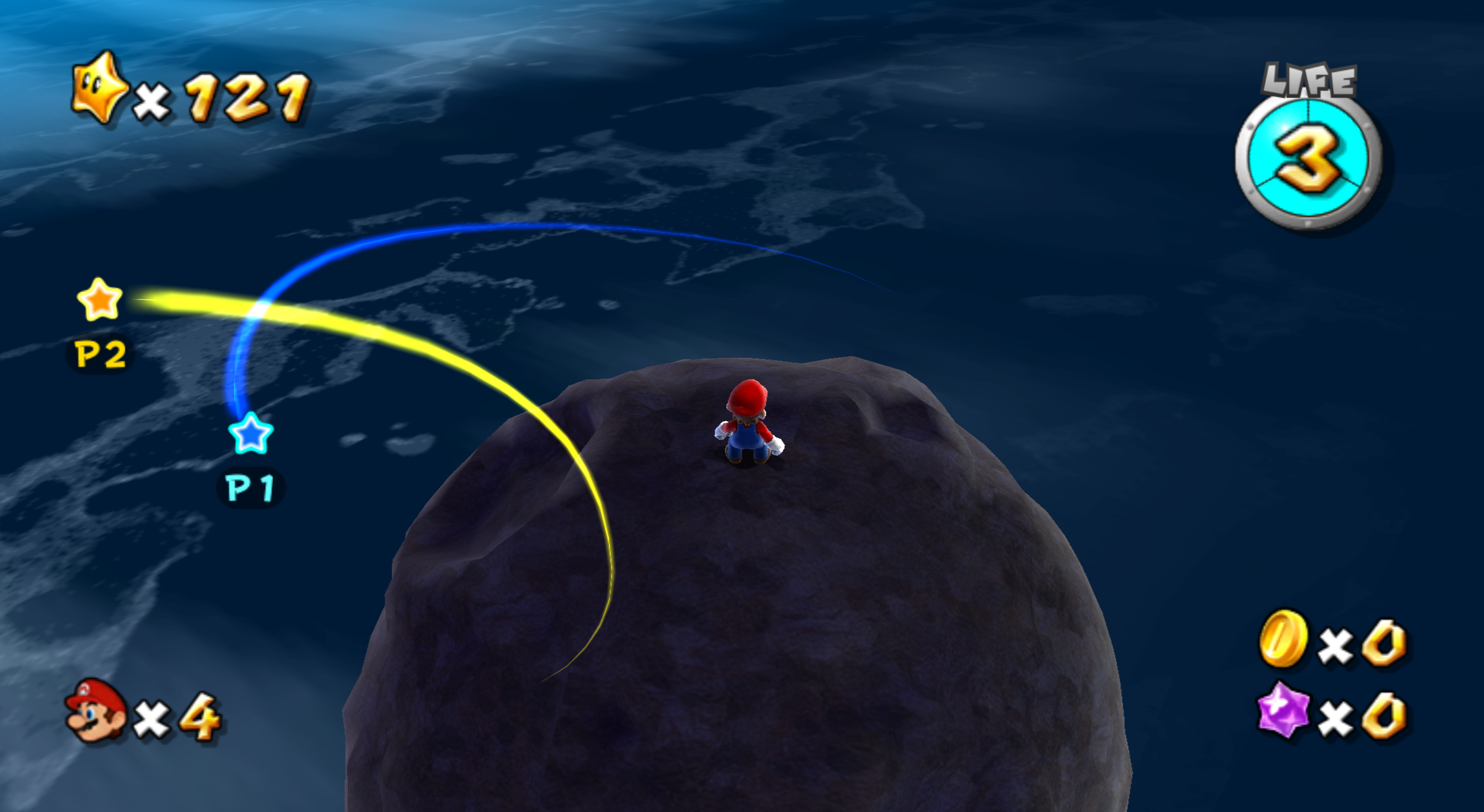
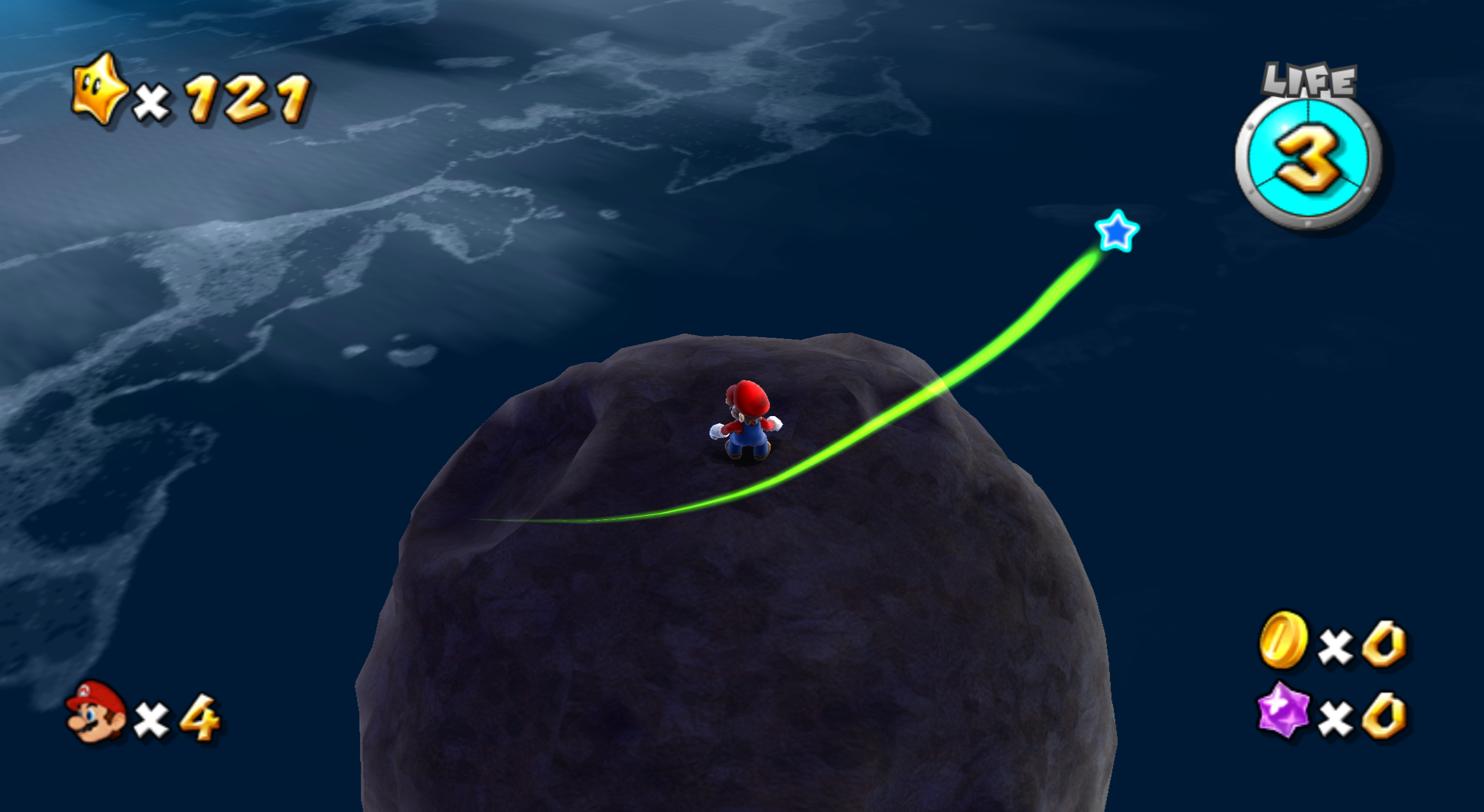
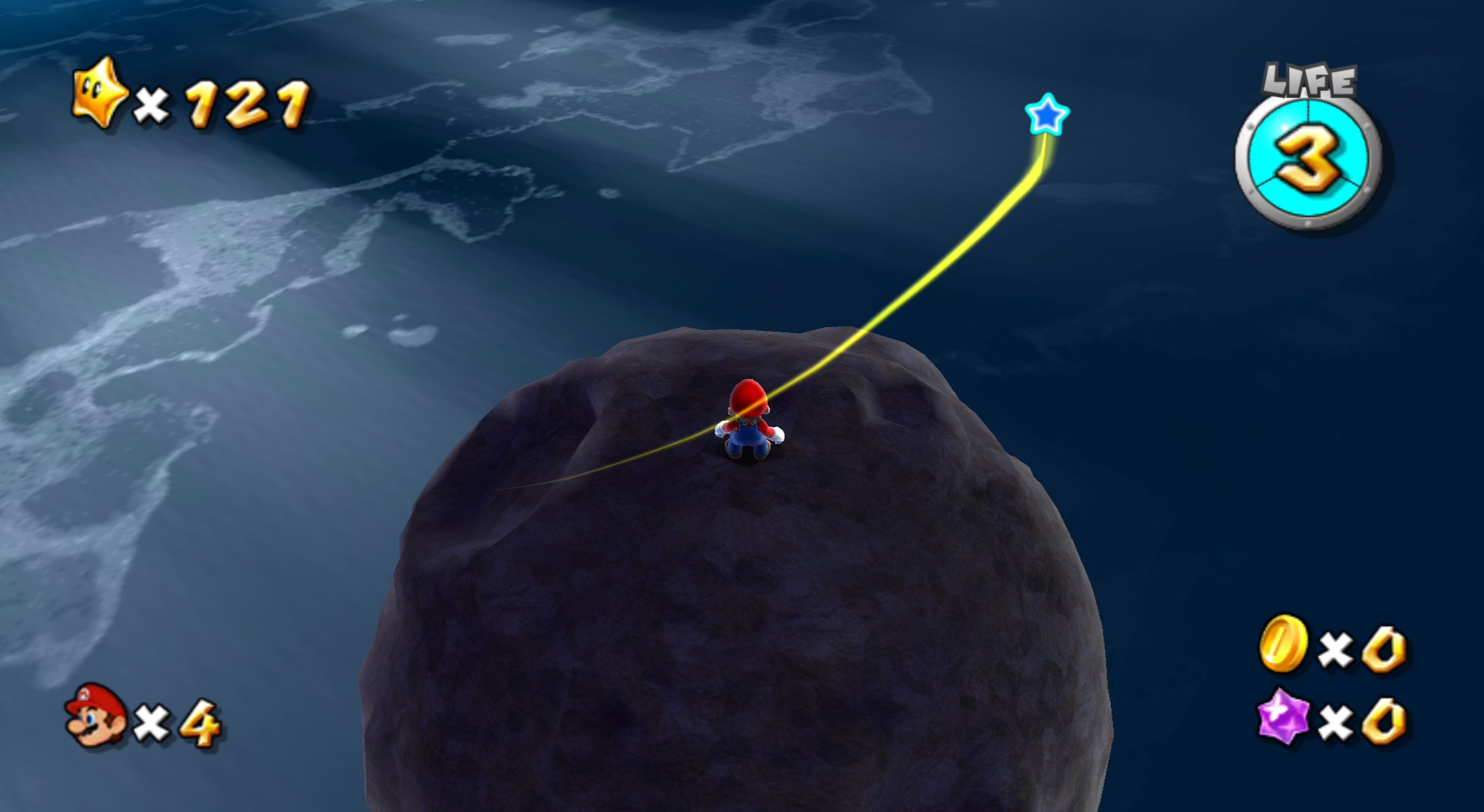
(Source: Zyphro)
Empty Directories#
The root of the game's filesystem contains some unused, empty directories:
- AllTargetAddressMap - At one point contained symbols. In the Chinese NVIDIA Shield port, the symbols for the Wii versions in every region are present.
- AllTargetModuleData - Contained symbols for modules. These are present in the Chinese NVIDIA Shield Port.
- Debug - Contains build information and a debug font in Photos with Mario. The Super Mario 3D All-Stars port contains two identical archives /StationedData/DEBUG.arc and /StationedData/DEBUG.zst; the contents of these archives are possibly what this directory originally contained.
- MapPartsData - May have contained files related to MapPart objects. There is (effectively unused) code that checks for an object's data in here if it can't find it in the (used) ObjectData folder. This folder is referred to in Super Mario 3D Land and Captain Toad: Treasure Tracker.
- SystemData - In later games using the engine, this contains object tables, shaders, region information, and game config files.
(MapPartsData-checking code: Aurum)
Crash Debugger#
You can enable a debugger screen to appear when the game crashes by using one of the following codes:
Riivolution patch
<memory offset="0x8039AA2C" value="60000000" original="98040068" target="E"/>
<memory offset="0x8039AAF0" value="60000000" original="4082FFB8" target="E"/>
<memory offset="0x804A432C" value="60000000" original="48000160" target="E"/>

<memory offset="0x8039AA48" value="60000000" original="98040068" target="P"/>
<memory offset="0x8039AB0C" value="60000000" original="4082FFB8" target="P"/>
<memory offset="0x804A432C" value="60000000" original="48000160" target="P"/>

<memory offset="0x8039AA2C" value="60000000" original="98040068" target="J"/>
<memory offset="0x8039AAF0" value="60000000" original="4082FFB8" target="J"/>
<memory offset="0x804A430C" value="60000000" original="48000160" target="J"/>

<memory offset="0x8039BF80" value="60000000" original="98040068" target="K"/>
<memory offset="0x8039C044" value="60000000" original="4082FFB8" target="K"/>
<memory offset="0x804A656C" value="60000000" original="48000160" target="K"/>
Note: The "original" attributes don't need to be watched to create a functioning code - this is just to avoid conflict between the different game regions when all four regional codes are used in riivolution at the same time. The "target" attributes are for the riivo2dolphin tool to specify the game region.
(making original USA and Korean codes: shibboleet)
(porting codes to Japan and Europe: Zyphro)
Regional Differences#
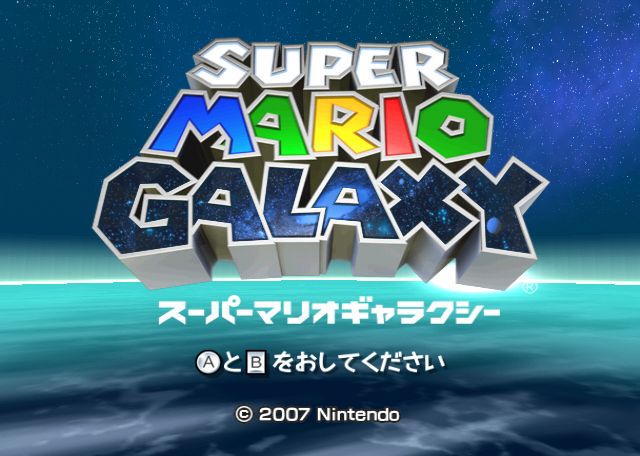
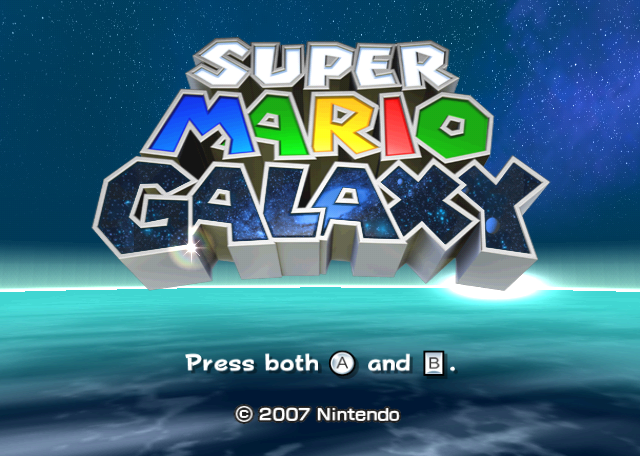
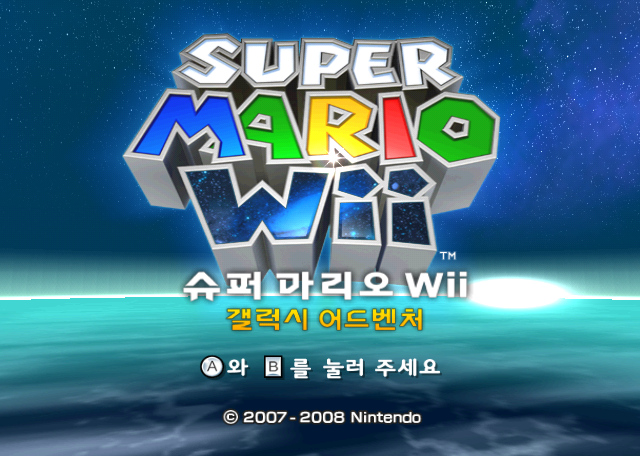
Title Screen#
Japanese |
American/European |
Korean |
Chinese |
|---|---|---|---|
 |
 |
 |
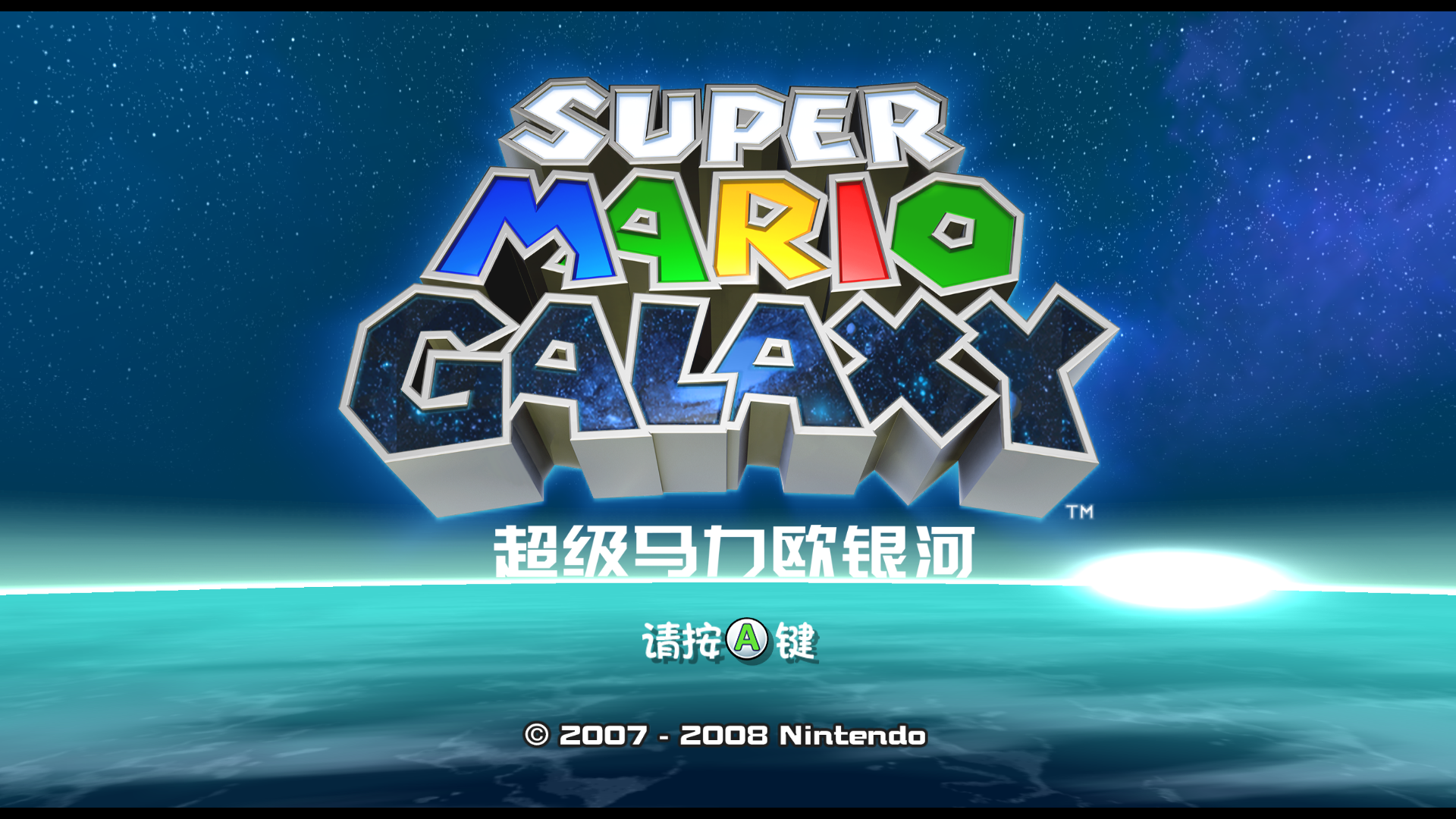 |
The Japanese version's title screen has the game's title in Japanese under the logo itself. The Korean logo was changed completely to accommodate the game's different title, and the copyright information was updated as well. The Chinese version uses the same information but changes the font from New Rodin to the Chinese font Zong Yi for some reason. It also only requires the player to press A rather than both A and B, using a different icon, as a result of being released on the NVIDIA Shield TV rather than the Wii (which was not released in China).
Save Banner#
|
International |
Korean |
|---|---|

|

|
The Korean version also has a different save banner.
Wii Channel Audio#
As a result of the Korean release's title changing into Super Mario Wii, the audio for when you select the game on the Wii Menu was edited; the original audio was (poorly) spliced with a piece of one of Mario's long jump voice clips (the one where Mario says "whee!").
|
International |
Korean |
|---|---|
|
|
"Super LUIGI Galaxy!"#
Like the Wii Menu audio, the sound clip that plays when Luigi is unlocked was altered to reflect the game's Korean title. The original line - "Super LUIGI Galaxy!" - was changed to "Super LUIGI Wii!" in the Korean version. Another sloppy edit; this one even clips enough to distort the audio!
|
International |
Korean |
|---|---|
|
|
Subtitle Font#
In the Korean version, the subtitle text (cinemafont26.brfnt) was thickened and some characters were shifted a few pixels, in addition to the removal of unneeded characters.
Star Get!#
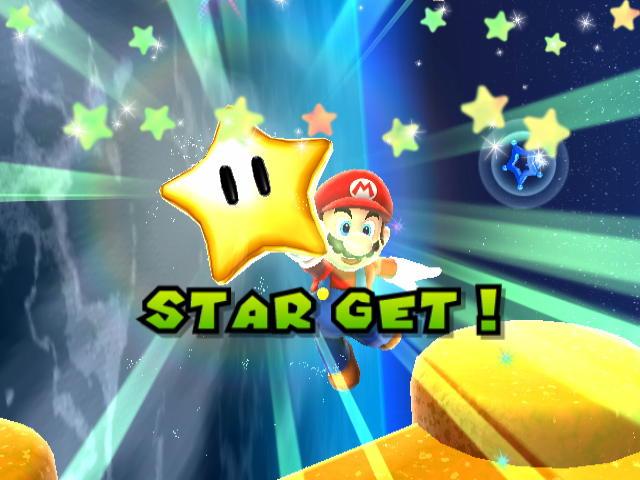
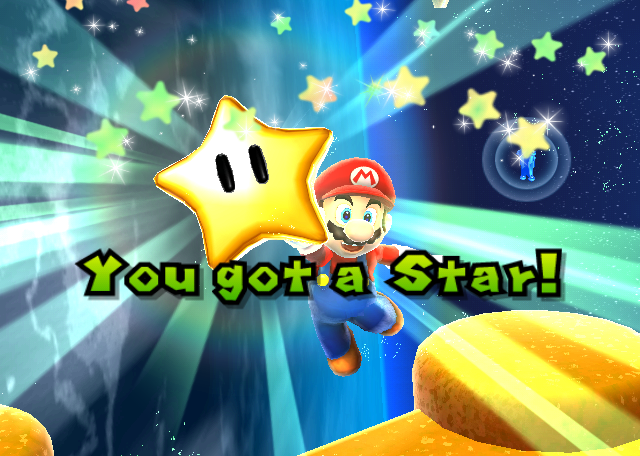
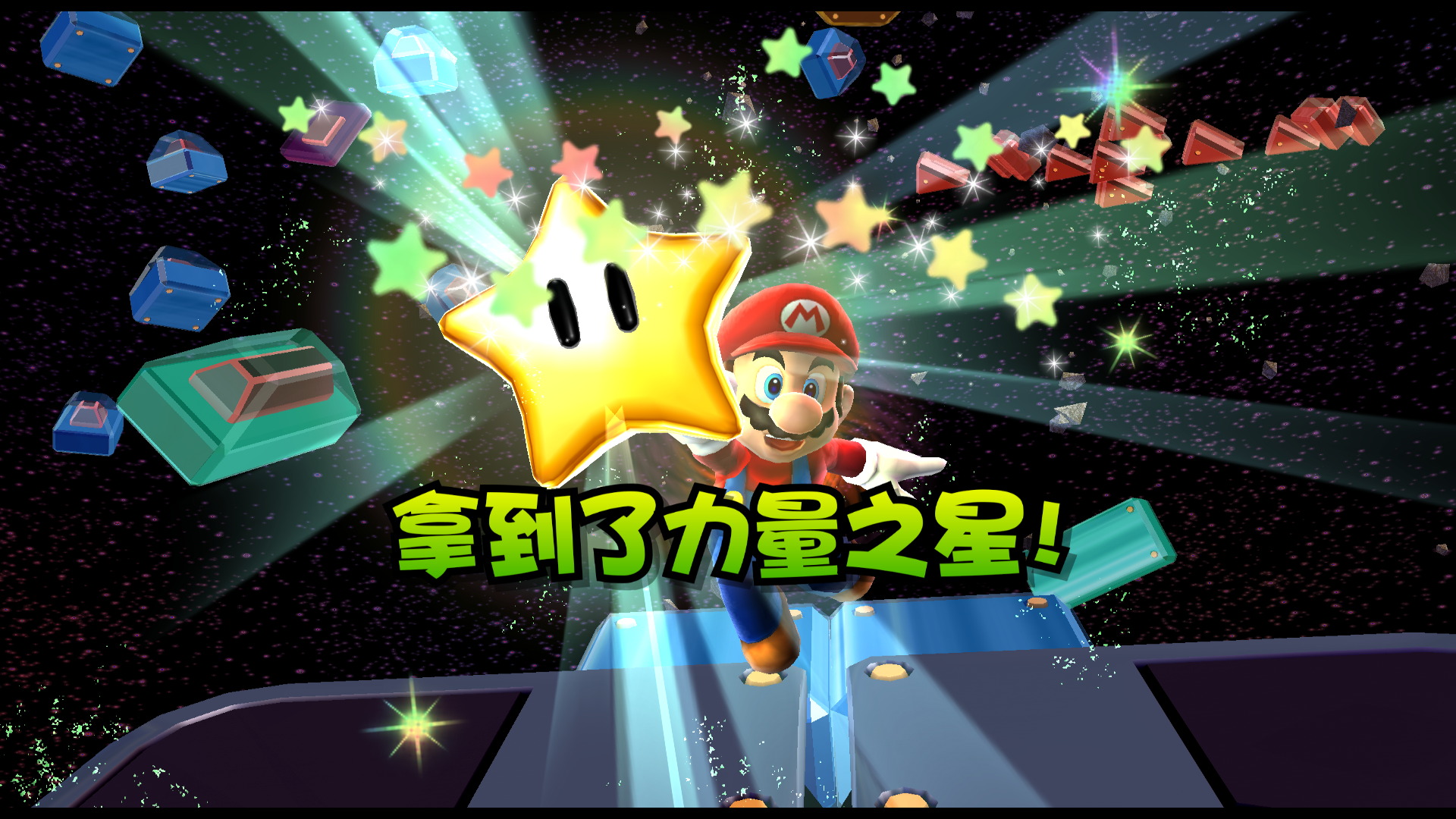
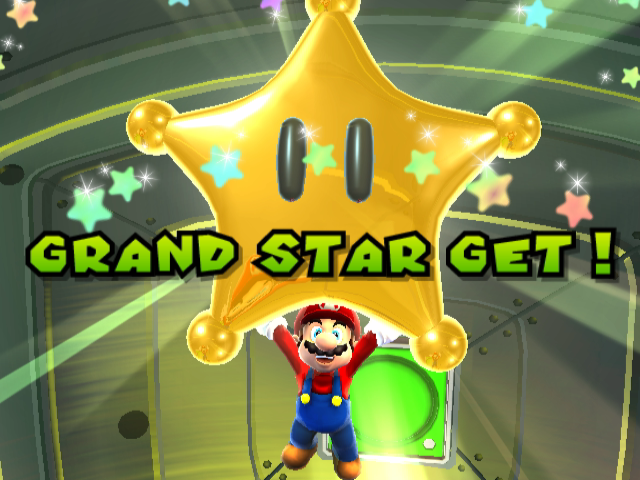
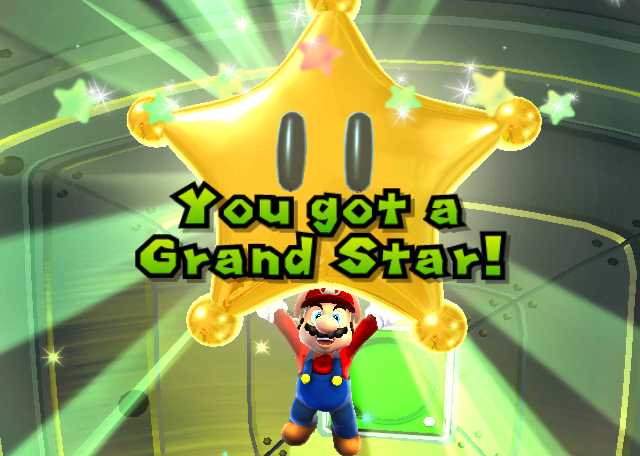
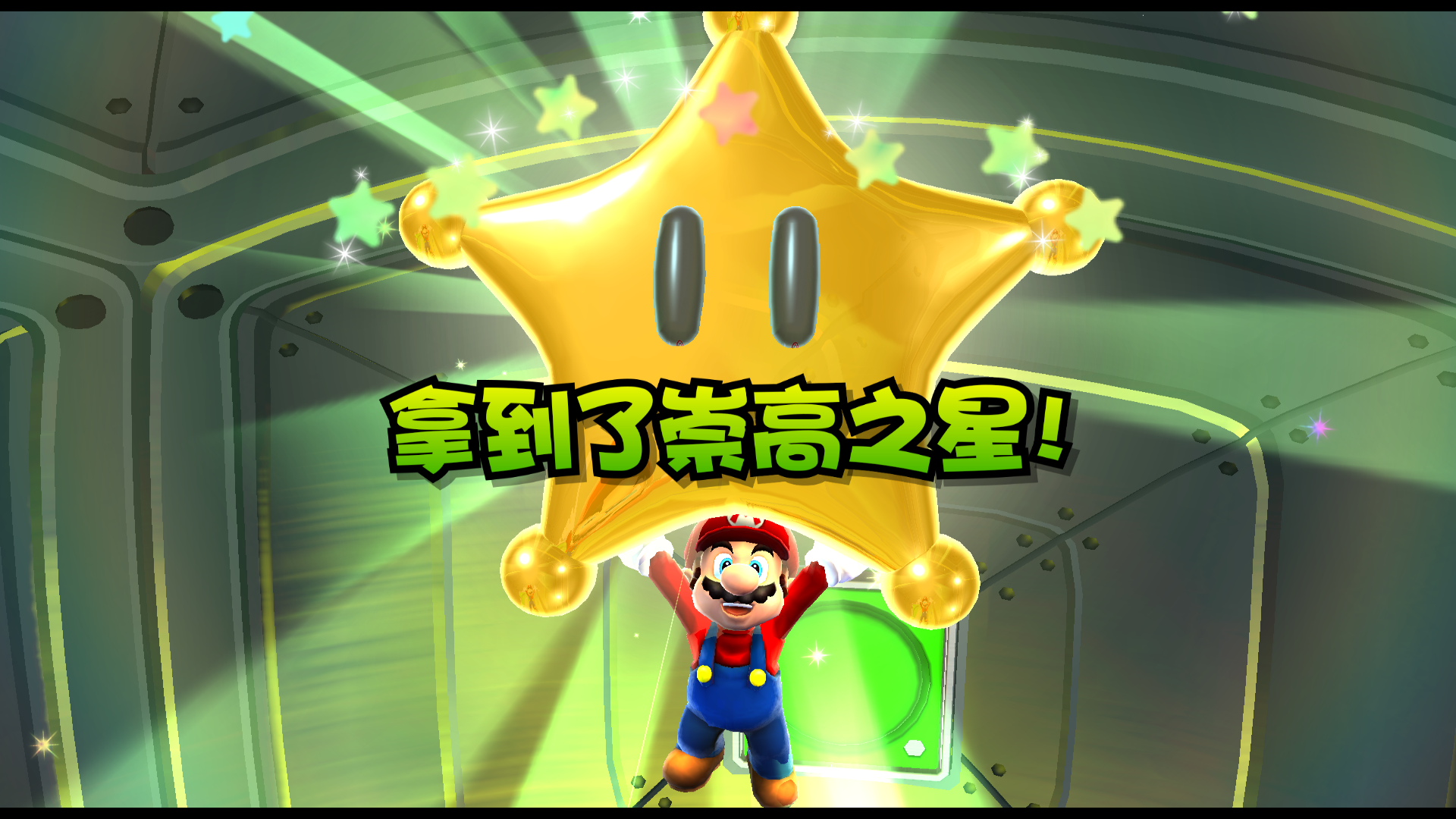
The Japanese version of the game announces "STAR GET !" or "GRAND STAR GET !" (with a space between the word "GET" and the exclamation point) when a Star or Grand Star is collected, respectively. In the English version, the grammar and capitalization were cleaned up to read "You got a Star!" and "You got a Grand Star!". However, this change was reverted for the Korean version. A similar change occurred in Super Mario Sunshine, where "SHINE GET!" was changed to "SHINE!" for the non-Japanese versions. The Chinese version changed the text from English to Chinese. It didn't do anything else.
Japanese/Korean |
English |
Chinese |
|---|---|---|
 |
 |
 |
 |
 |
 |
(Source: Themushroomkingdom.net)
Miss!#
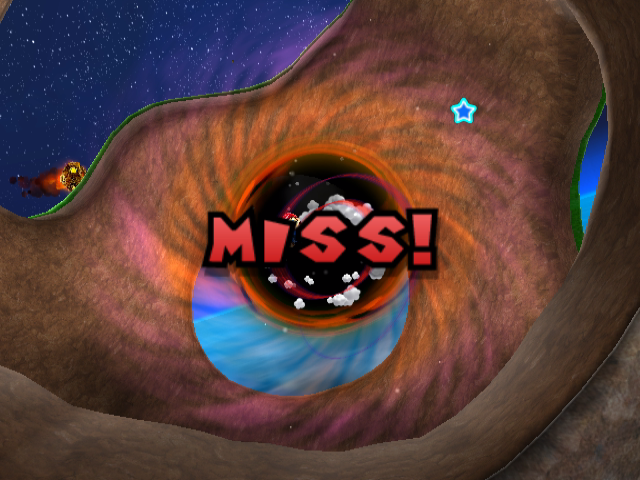
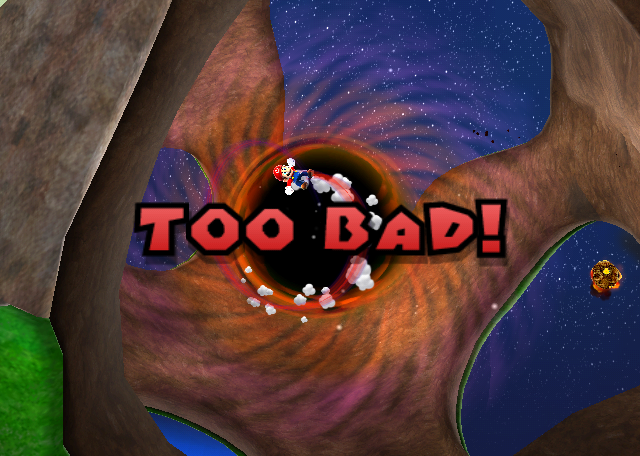
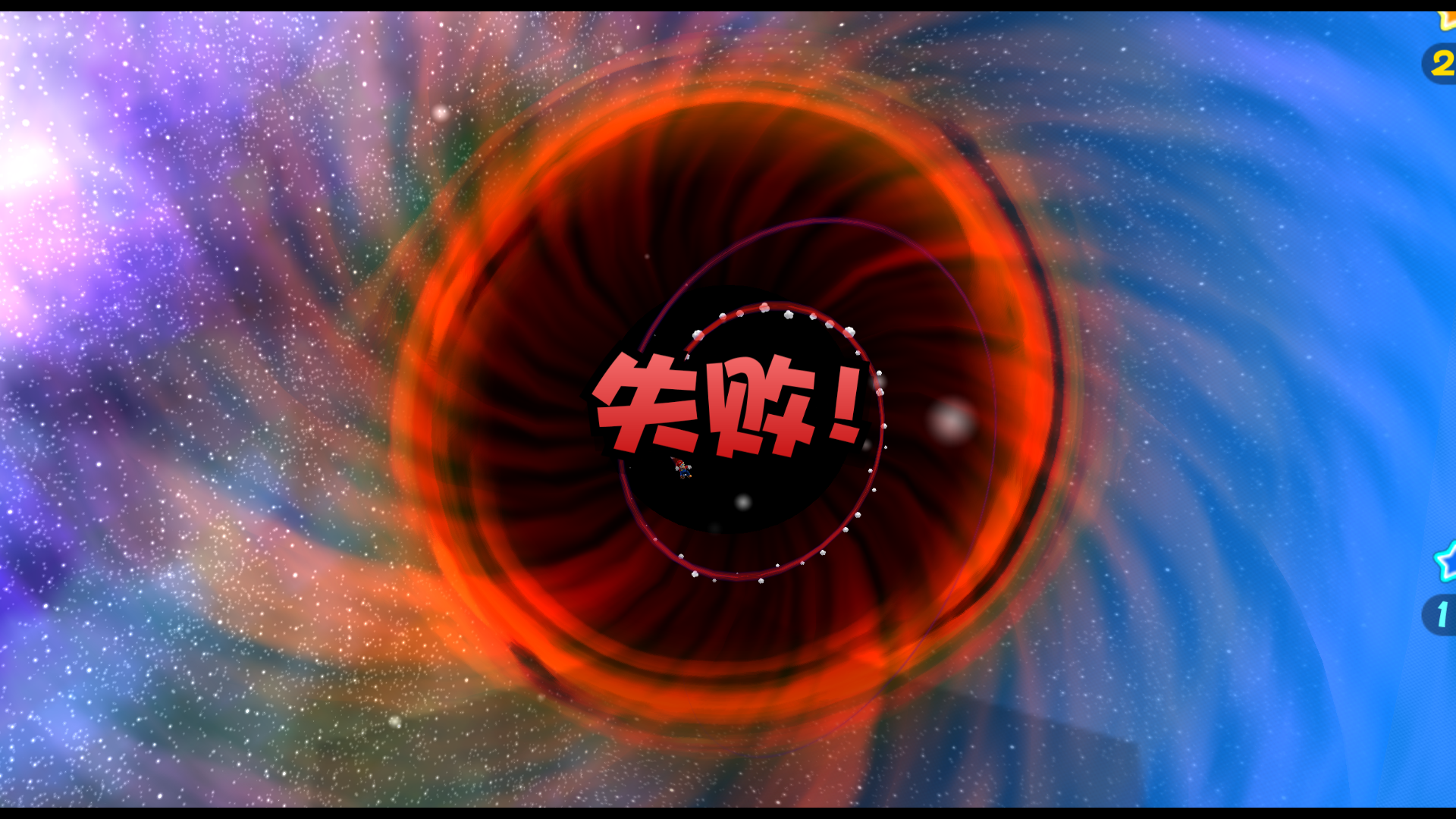
Just like the star messages, the original Japanese version has the word "MISS!" appear when a life is lost. The English version changes it to "TOO BAD!". Like the previously mentioned star messages, this change was reverted for the Korean version. This same change occurred in Super Mario Sunshine, where "MISS!" was changed to "TOO BAD!" for the English version.
Japanese/Korean |
English |
Chinese |
|---|---|---|
 |
 |
 |
Finishing a Mission#
|
|
To do: |
|
|
This page or section needs more images. |
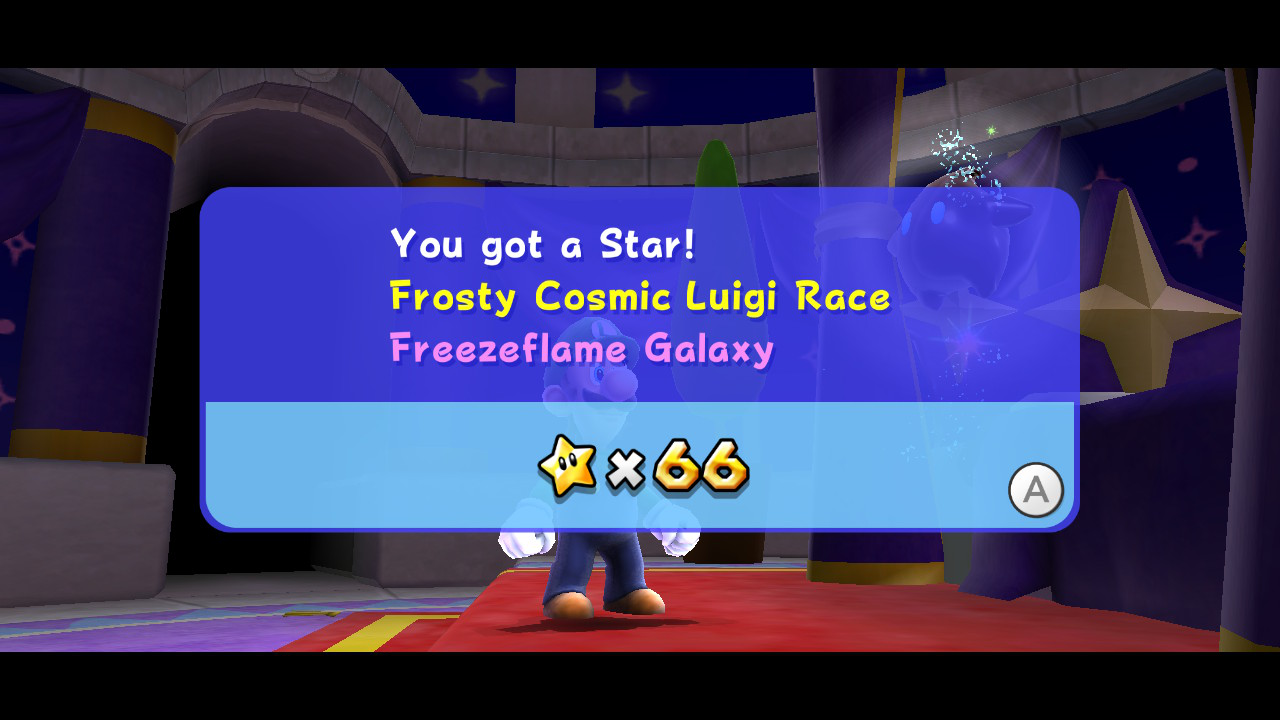
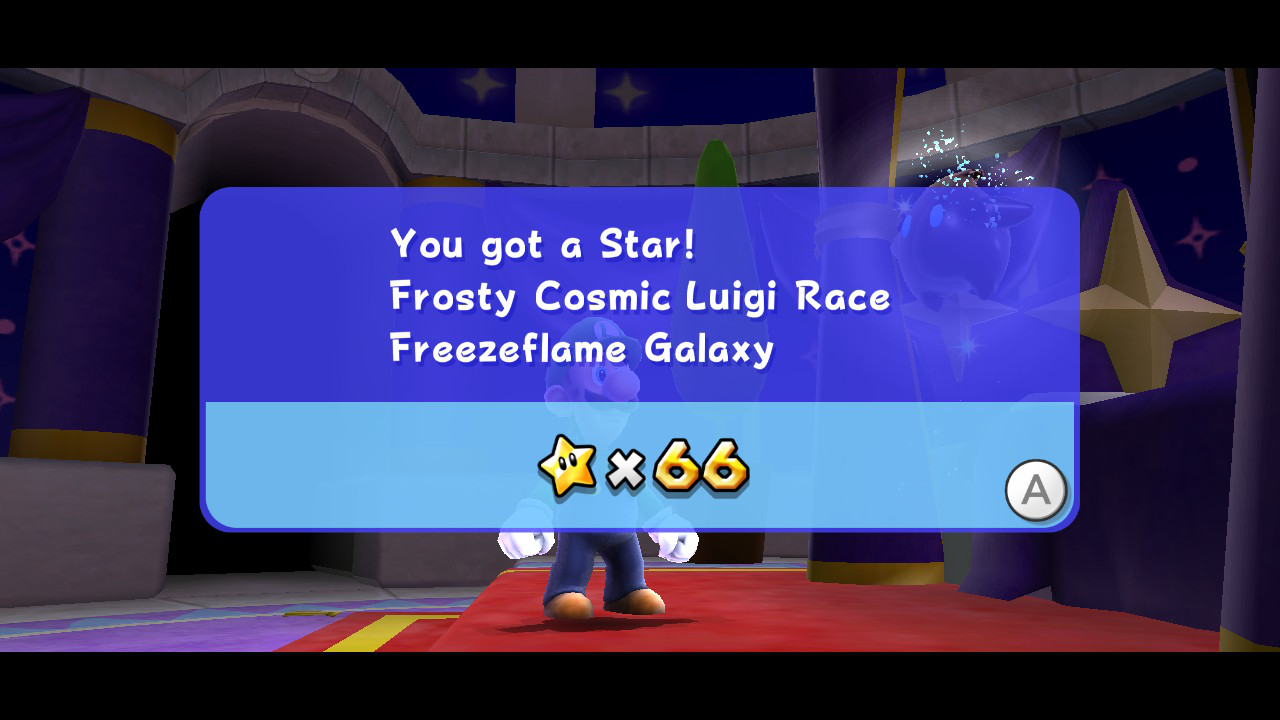
The summary text displayed after finishing a mission differs between the American and European versions. In American language versions, the "You Got a Star!" text is white, the mission name is yellow and the galaxy name is pink. In European language versions, all of the colors are white.
|
American |
European |
|---|---|
|
|
Stranezze di traduzione#
Il padre di Rosalinda#
Nel capitolo finale del libro di Rosalinda, ci sono qualche cambiamento di parola dalla versione giapponese, menzionando il padre di Rosalinda.
Questo era stato tolto dalle localizzazioni inglesi ma era stato mantenuto nella versione francese, spagnola, italiana e coreana.
Japanese |
Translation |
English |
|---|---|---|
<pre lang=jp style="font-family:"MS Gothic",monospace;">女の子は、目を閉じて、やわらかい光に包まれたあの青い星を思いました。 「でも、百年に一度くらいは、あの青い星に帰ってパパの、自慢のおヒゲにさわりながら温かいひざの上で、うとうとお昼寝したいわ。」 |
|
<pre lang=fr style="font-family:"MS Gothic",monospace;">That night, when the girl lay down to sleep, a soft light enveloped her and reminded her of the blue planet she once called home. "But it would be nice to return home once every hundred years to nap in my favorite sleeping nook." |
Other languages for comparison:
French |
Translation |
|---|---|
<pre lang=fr style="font-family:"MS Gothic",monospace;">Fermant les yeux, la fillette se remémora sa petite planète enveloppée d'une douce lumière. "Mais j'aimerais bien, une fois tous les cent ans, retourner sur ma planète bleue, et m'assoupir sur les genoux de mon papa en caressant cette moustache qui fait sa fierté." |
|
European Spanish |
Translation |
|---|---|
<pre lang=es style="font-family:"MS Gothic",monospace;">La chica cerró los ojos y pensó con fuerza en aquella estrella azul rodeada de brillo intenso. ―Al menos, me gustaría volver allí cada cierto tiempo para tocarle la barba a mi padre y dormir sin nada que temer. |
|
Korean |
Translation |
|---|---|
<pre lang=ko style="font-family:"MS Gothic",monospace;">여자 아이는 눈을 감고 포근한 빛으로 쌓였을 파란 별을 생각했습니다. 「하지만 백 년에 한 번 은 파란 별로 돌아가서 아빠의 수염을 만지면서 따뜻한 무릎 위에서 꾸벅꾸벅 낮잠 자고 싶어.」 |
|
Italian |
Translation |
|---|---|
<pre lang=it style="font-family:"MS Gothic",monospace;"> La ragazza chiuse gli occhi e pensò al suo pianeta azzurro, avvolto da una tenue luce... "Mi piacerebbe tornare almeno una volta ogni cent'anni sul mio pianeta azzurro per riposarmi sulle ginocchia di papà e accarezzargli la barba..." |
|