 This article has a talk page!
Dr. Robotnik's Mean Bean Machine is a Westernized Puyo Puyo based on the syndicated cartoon Adventures of Sonic the Hedgehog, with most of the characters being taken from the first-produced episode, Super Special Sonic Search and Smash Squad.


Unused Graphics#
There are two types of compressions that are used by this game:
- Compile's own Custom Compression
- Nemesis Compression
All of the graphics that are leftover from Puyo Puyo are compressed with Compile's compression, while all the new graphics for Mean Bean Machine are compressed with Nemesis. The code is written so the original Puyo Puyo graphics are usually loaded first, then the new Mean Bean Machine graphics are loaded over the Puyo Puyo graphics. This results in a large amount of leftovers from Puyo Puyo that aren't used in the game, or are overwritten with other graphics.
Gameplay#

The game still contains unused assets from the arcade Puyo Puyo. The code that checks if a coin has been inserted has been removed, so this graphic is never used in the game.

8x16 text is used rather than a unique graphic for the PAUSE text.

Graphics used in Puyo Puyo to denote the 1P VS 2P difficulty modes.

While the game only uses numbers from 1 to 5 to mark the difficulty levels, other numbers do exist.
Lesson Mode#

The Options Menu for the background plane is the same as the one used for the Endless/Lesson Mode from Puyo Puyo. For this reason, the foreground plane tiles for the Endless/Lesson Mode have to be loaded as well.

This shadow block was part of the background in the Endless Mode from Puyo Puyo. While a similar set of tiles is still used as the background for various screens, this one is not.

The flashing square is only used in the LESSON 1 stage to indicate which beans can be cleared with your current piece. Since the lesson stages don't appear in Mean Bean Machine, this graphic is not used.
Use the following cheat codes to make the flashing square appear on all stages:
Game Version |
Game Genie Code |
Hex Code |
Description |
|---|---|---|---|
Dr. Robotnik's |
REST-C6ZY |
011FB4:4E71 |
Skip the check to see if you are on LESSON 1. |

This is the tutorial text shown in the first lesson Stage in Puyo Puyo. This is part of the tile set for the Endless/Lesson Mode, so it does get loaded in the Options Menu.
Cutscene Sprites#

Graphics of Arle! They are always loaded initially during cut-scenes since it contains the dialog box tiles.

Sprites of Harpy exist, too. In Puyo Puyo, there was 2 copies of Harpy's sprite data, with one copy left unused. Interestingly enough, the one left in Mean Bean Machine is actually the copy used in-game in Puyo Puyo, while the copy that was unused got cut. The used copy was lumped in with unrelated graphics data, while the unused copy was actually placed with the other character cutscene graphics data. It can be assumed that the localization team didn't notice this, thus accidentally leaving this in.
Next Opponent#

Instead of using the 8x16 green font set from Puyo Puyo, a new white font was created with the following letters:
- 0123456789
- FINAL
- STAGE
In Puyo Puyo, the text FINAL STAGE would appear above Satan's portrait. In Mean Bean Machine, the text STAGE 13 would appear above Dr. Robotnik's portrait. So the FINAL letters do not get used.
|
Puyo Puyo |
Dr. Robotnik's Mean Bean Machine |
|---|---|

|

|
Game Over#

Leftovers from the Game Over screen of Puyo Puyo. The game never loads these into memory and instead just loads the new Mean Bean Machine graphics. Most likely the developers forgot to remove these graphics.

More leftovers from Game Over screens, this time from the 1P VS 2P Mode. These are loaded since it contains the TRY AGAIN! tiles which Mean Bean Machine uses.
High Score#

The graphics from the High Score screen that were used in Puyo Puyo. These are loaded since it contains the 16x16 font set which Mean Bean Machine uses.

The High Score screen only uses letters.

This was used to mark the different game modes. The 16x16 A-Z letters are used instead.
Miscellaneous Fonts#

Another leftover from Puyo Puyo. This font set is loaded first because it also contains the tiles for the Joystick and buttons during the How To Play screen.
Unused Palettes#
The palettes for the Puyo Puyo boards exist in the game.
002996 = Cabin Board (VS)
002A76 = Block Board (Lesson / Exercise)*
002CB6 = Stone Board (Stage 9 - 12)
002CD6 = Stone Board (Stage 13)
* Technically not unused as the Options Menu uses it.
This one palette set is used for all the Puyo Puyo character sprites during the Intro and Battle. Mean Bean Machine actually loads this in the Sound Test where Arle and Satan would appear, but since they have been removed in Mean Bean Machine, no graphics use this palette. It is also loaded before the start of a match, but is instantly replaced with the opponent's palette.
002856 = Puyo Characters
These were used for the background palettes in Puyo Puyo when the characters talk before a match. Mean Bean Machine does not use these.
002876 = Sky Background (Lesson 1-3 & Stage 1-8)
002896 = Scenery Background (Lesson 1-3 & Stage 1-8)
0028B6 = Scenery Background (Stage 9-12)
0028D6 = Sky Background (Stage 9-12)
0028F6 = Scenery Background (Stage 13)
Unused Stages#
The Lesson Stages of Puyo Puyo are still present, and can be accessed via patch code 00BEFE:00?? (where "??" is 00, 01, or 02), although they're a bit glitchy: the tutorial text is scrambled, no music plays, Coconuts stands at odd positions in the stage intros, and Scratch takes the place of Skeleton-T as the challenger. The flashing squares showing which beans can be cleared with the current piece still remain, though. Beating the third Lesson Stage advances the player to the ending scene.


Sound Test#

In the Mega Drive Puyo Puyo, the game was programmed to check if the RAM at 00FFFC02 was set to 0000. If this was the case, the Sound Test would not display in the Options. If you beat the Scenario Mode once or use a code at the Title Screen, it would send FFFF to the RAM at 00FFFC02. This would then display the Sound Test in the Options.
The code to check the RAM at 00FFFC02 is still used in Mean Bean Machine.
Code to display the text "SOUND TEST" in "OPTIONS" (USA Version):
  0233F8  4A 79  TST.W   ($00FFFC02)              ; Checks to see if the word 0000 is in FFFC02.
  0233FE  67 14  BEQ     #$14 [023414]            ; If word is 0000, then jump to 23414.
  023402  10 3C  MOVE.B  #$07,D0                  ; Copy byte 07 to D0 (option that is selected).
  023406  3A 3C  MOVE.W  #$0B9E,D5                ; Copy byte 0B9E to D5 (text position).
  02340A  43 F9  LEA     ($00023416),A1           ; Load 023416 into A1.
  023410  61 00  BSR     #$FB16 [022F28]          ; Jump to 23F28.
  023414  4E 75  RTS                              ; Return to start.

Code for number of options to select in "OPTIONS" (USA Version):
  023088  14 3C  MOVE.B  #$06,D2                  ; Copy byte 06 to D2 (Sound Test can't be selected).
  02308C  4A 79  TST.W   ($00FFFC02)              ; Checks to see if the word 0000 is in FFFC02.
  023092  67 06  BEQ     #$06 [02309A]            ; If word is 0000, then jump to 2309A.
  023096  14 3C  MOVE.B  #$07,D2                  ; Copy byte 07 to D2 (Sound Test can be selected).
USA / Europe Versions#
Unlike Mega Drive Puyo Puyo, the code has been removed so you can't unlock the Sound Test if you beat Scenario Mode, or enter a code at the Title Screen. The programmers however have added some code that loads before the Title Screen, where FFFF is moved to the RAM at 00FFFC02 (so the Sound Test will display). It then checks the Hardware Version of the Mega Drive. If the Mega Drive is not Japanese, then it reverses the bytes so 0000 is now in the RAM at 00FFFC02 (so the Sound Test will not display).
Code is activated before the Title Screen (USA Version):
  00E102  33 FC  MOVE.W  #$FFFF,($00FFFC02)       ; Move FFFF to FFFC02.
  00E10A  61 00  BSR     #$0BAE [00ECBA]          ; Jump to 00ECBA.

  00ECBA  10 39  MOVE.B  ($00A10001),D0           ; Copy Hardware Version byte (A10001) to D0.
  00ECC0  02 00  ANDI.B  #$C0,D0                  ; Perform a logical AND on C0 and byte in D0 (basically
                                                    bits 5 to 0 will always become 0, while bit 7 [Region]
                                                    and bit 6 [Display] are kept the same).
  00ECC4  67 14  BEQ     #$14 [00ECDA]            ; If bits 7 & 6 equal 00, then jump to ECDA.
  00ECC6  30 39  MOVE.W  ($00FFFC02),D0           ; Move word from FFFC02 to D0.
  00ECCC  46 40  NOT.W   D0                       ; Reverse the bits in D0.
  00ECCE  33 C0  MOVE.W  D0,($00FFFC02)           ; Move word from D0 to FFFC02.
  00ECD4  4E F9  JMP     ($00023536)              ; Jump to 23536.
Korean Version#
In the Korean version (where the region is internally set to Japanese), the above code has been modified. So 0000 is moved to the RAM at 00FFFC02, which means the Sound Test won't display.
Code is activated before the Title Screen (Korean Version):
  00E0F6  33 FC  MOVE.W  #$0000,($00FFFC02)       ; Move 0000 to FFFC02.
  00E0FE  61 00  BSR     #$0BAE [00ECAE]          ; Jump to 00ECAE.

  00ECAE  4E F9  JMP     ($00023568)              ; Jump to 23568.
Sonic Classic Version#
In the Sonic Classics version, the code to prevent the Sound Test from being displayed has been modified. The code to check the Hardware Version is still there, but the rest of the instructions have been set to no operation (with two instructions not doing anything useful). Then 0000 is moved to the RAM at 00FFFC02 (so the Sound Test will not display).
Code is activated before the SEGA Logo (Sonic Classic - USA/Europe V1.1):
  1224F6  10 39  MOVE.B  ($00A10001),D0           ; Copy Hardware Version Byte (A10001) to D0.
  1224FC  02 00  ANDI.B  #$C0,D0                  ; Perform a logical AND on C0 and byte in D0 (basically
                                                    bits 5 to 0 will always become 0, while bit 7 [Region]
                                                    and bit 6 [Display] are kept the same).
  122500  04 00  SUBI.B  #$00,D0                  ; Subtract 0 from D0.
  122504  4E 71  NOP                              ; No operation.
  122506  4E 71  NOP                              ; No operation.
  122508  4E 71  NOP                              ; No operation.
  12250A  4E 71  NOP                              ; No operation.
  12250C  13 FC  MOVE.B  #$00,($00FF0A3A)         ; Move 00 to FF0A3A.
  122514  4E 75  RTS                              ; Return to start.

Code is activated before the Title Screen (Sonic Classic - USA/Europe V1.1):
  10E10C  33 FC  MOVE.W  #$0000,($00FFFC02)       ; Move 0000 to FFFC02.
  10E114  61 00  BSR     #$0BAE [10ECC4]          ; Jump to 0BAE.
Unused Music#
The game has 26 tracks (this includes the "No Music" track)", but the game only allows 19 of them to be selected in the Sound Test. The programmers have added some code that checks the Hardware Version of the Mega Drive. If the Mega Drive is Japanese, then it increases the value so all 26 tracks can be selected instead of 19.
Code to unlock extra sounds if the Hardware Version is Japan (USA Version):
  0227FC  1E 39  MOVE.B  ($00A10001),D7           ; Copy Hardware Version byte (A10001) to D7.
  022802  02 07  ANDI.B  #$C0,D7                  ; Check bits 7 & 6 from D7 (Region & Display).
  022806  66 04  BNE     #$04 [02280C]            ; If bits 7 & 6 are not 00, then jump to 2280C.
  022808  14 3C  MOVE.B  #$1A,D2                  ; Copy byte 1A to D2 (26 tracks can be selected).
If you go to the following ROM location, you can change the hex byte from 13 to 1A. This will allow you to select all the tracks on any Hardware Version of the Mega Drive.
Number of tracks to select (USA Version):
022839 = Number of "Music Tracks" that can be selected in the Sound Test.
Present in the Sound Test are 6 unused tracks, plus one track that has a section of music that is not heard in normal gameplay. These are mostly leftover tracks from the Mega Drive Puyo Puyo. Some are based from Mega Drive Puyo Puyo, but have been updated to use different instruments and actual drum samples, rather than the noise-based percussion instruments that were used in the original game.
Song |
ID |
Description |
|---|---|---|
01 |
A rendition of Kraftwerk's "Home Computer", removed for licensing reasons. In an earlier build of the game, this was the title screen music. A similar-sounding song was used for stages 9-12 in the final version. |
|
0C |
The Stage Clear original track from the Mega Drive Puyo Puyo. |
|
0F |
The Brave of Puyopuyo original track from the Mega Drive Puyo Puyo. A remixed version of this track is used before you play against Dr. Robotnik. |
|
10 |
The Theme of Puyopuyo original track from the Mega Drive Puyo Puyo. A remixed version of this track is used for the Cast Roll. |
|
14 |
A faster and slightly altered version of the Stage 13 Battle Theme. |
|
15 |
A very weird sound of a machine powering down. Presumably was to be used in the ending cutscene when the Mean Bean-Steaming Machine explodes. |
|
17 |
The track used for the intros to stages 1-4 has a section of higher-pitched notes for the end of its second loop, but this is never heard in-game, as the furthest the track gets before cutting off is midway into the second loop. |
To hear the tracks during the VS. Mode or Exercise Mode, change the hex byte to the required Track ID from the table above.
Tracks to play (USA Version):
00239F = Track to play during VS. Mode.
00246F = Track to play during Exercise Mode.
(ID $01 Source: David Javelosa)
Cheat Codes to Unlock Sound Test#
Use the following cheat codes to unlock the Sound Test and listen to all the tracks:
Game Version |
Game Genie Code |
Hex Code |
Description |
|---|---|---|---|
Dr. Robotnik's |
F2WA-EA8J |
0224C8:602E |
Skip the Region Check. |
Dr. Robotnik's |
F2WA-EA8N |
0224CC:602E |
Skip the Region Check. |
Sonic Classics |
CTDW-TA3C |
280722:6014 |
Skip the Checksum. |
Sonic Compilation |
MJAW-TRCR |
28014E:075A |
Skip the Region Check. |
Checksum Error#

The checksum error screen from the Mega Drive Puyo Puyo still exists in this game, and is still triggered in the same way, which is of course the ROM checksum failing.
Unused Tilemaps#
The game contains tilemaps from the 1P VS 2P and Endless Mode used in Puyo Puyo.

|
To do: |
Note that while the tileset for Endless Mode still exists, the 1P VS 2P one doesn't.
Unused Text#
There is text that doesn't get used in Mean Bean Machine or Puyo Puyo.
Note: The text is not stored in ASCII. The text below has been converted to ASCII to make it easier to read.
PRESS 1P START BUTTON

PRESS 2P START BUTTON

INSERT COINS

START
CONTINUE

CONTINUE?

SELECT MODE
VS COMPUTER
1P VS 2P
1P
MISSION
SOUND TRACK
The most interesting part is that the MISSION text indicates that MISSION MODE from Puyo Puyo (NES/MSX) might have been planned to be included in the Mega Drive version of Puyo Puyo.
Unused Code#
Leftover code from Puyo Puyo to load the LESSON # | STAGE ## | FINAL STAGE is still in the rom.
0096C4 = Next Opponent - Text (leftover fromPuyo Puyo)
00D6A8 = Next Opponent - Text
Sixth Bean Clan#

Color ID: 02
Like in Puyo Puyo, code for the sixth colored bean still exists here and its palette is used properly. As the graphics were overwritten, in the fixed screenshot tiles from the violet beans are used.
|
Normal |
Fixed |
|---|---|

|

|
Lockout Screen#
North America |
Europe |
South Korea |
|---|---|---|

|

|

|
The Korean version uses a different error screen, as it changed the lockout error message to capital letters, corrected the odd "onry" typo to "only" and pluralised 'systems'.
Bypass#
There is a code that can bypass the lockout error message by entering the following inputs on controller 2:
A A ↑ → ↓ ← B B → ↓ ← ↑ C C ↓ ← ↑ → S S
Note: This can only be attempted once. If you mess up, then you will need to reset your console to try again.
Code to detect if the correct inputs on controller 2 have been pressed:

ROM:0002253E @@ChkCode:                              ; CODE XREF: ObjLockoutBypass+2Cj
ROM:0002253E                 lea     (r_P2_Data).l,a1
ROM:00022544                 lea     (LockoutBypassCode).l,a2
ROM:0002254A                 move.w  $26(a0),d0
ROM:0002254E                 move.b  (a2,d0.w),d0
ROM:00022552                 cmpi.b  #$FF,d0
ROM:00022556                 beq.s   @@BypassLockout
ROM:00022558                 move.b  1(a1),d1
ROM:0002255C                 beq.s   @@NoButton
ROM:0002255E                 cmp.b   d0,d1
ROM:00022560                 bne.s   @@NoMatch
ROM:00022562                 addq.w  #1,$26(a0)
ROM:00022566
ROM:00022566 @@NoButton:                             ; CODE XREF: ObjLockoutBypass+52j
ROM:00022566                 rts
ROM:00022568 ; ---------------------------------------------------------------------------
ROM:00022568
ROM:00022568 @@BypassLockout:                        ; CODE XREF: ObjLockoutBypass+4Cj
ROM:00022568                 move.b  #0,(r_BC_Stop).l
ROM:00022570                 rts
ROM:00022572 ; ---------------------------------------------------------------------------
ROM:00022572
ROM:00022572 @@NoMatch:                              ; CODE XREF: ObjLockoutBypass+1Aj
ROM:00022572                                         ; ObjLockoutBypass+26j ...
ROM:00022572                 jsr     (ObjDelay).l
ROM:00022578                 nop
ROM:0002257A                 rts

            ...

ROM:00023520 LockoutBypassCode:dc.b $40              ; DATA XREF: ObjLockoutBypass+3Ao
ROM:00023521                 dc.b $40
ROM:00023522                 dc.b 1
ROM:00023523                 dc.b 8
ROM:00023524                 dc.b 2
ROM:00023525                 dc.b 4
ROM:00023526                 dc.b $10
ROM:00023527                 dc.b $10
ROM:00023528                 dc.b 8
ROM:00023529                 dc.b 2
ROM:0002352A                 dc.b 4
ROM:0002352B                 dc.b 1
ROM:0002352C                 dc.b $20
ROM:0002352D                 dc.b $20
ROM:0002352E                 dc.b 2
ROM:0002352F                 dc.b 4
ROM:00023530                 dc.b 1
ROM:00023531                 dc.b 8
ROM:00023532                 dc.b $80
ROM:00023533                 dc.b $80
ROM:00023534                 dc.b $FF
ROM:00023535                 dc.b 0
(Source: Devon)
Other Puyo Puyo Leftovers#
Debug Flags#
While the addresses have been shifted from the ones in Puyo Puyo, the following debug flags still exist in the game:
00FF1958: If set to zero, a CPU takes over the player.
00FF1959: If set to a nonzero value, beans only drop if you press C.
00FF195A: Does nothing here, but in Puyo Puyo, it was used to skip stages in Scenario Mode.
00FF195B: Does nothing in both here and Puyo Puyo, but is initialized alongside the other flags.
Satan's Cloud Swirling Effects#
Watch on YouTubeThe code that handles the cloud swirling effects in Satan's stage introduction cutscene from Puyo Puyo is still in the game, starting at 0000151C in the ROM.
Bugs#
The two bugs from Puyo Puyo (Arcade - Rev. A) still occur in Dr. Robotnik's Mean Bean Machine.
Use the following cheat codes to fix the two bugs:
Game Version |
Game Genie Code |
Hex Code |
Description |
|---|---|---|---|
Dr. Robotnik's |
F2WA-EA8J |
0224C8:602E |
Skip the Region Check. |
References#
- Genesis PreView: Dr. Robotnik's Mean Bean Machine - GamePro, Volume 5, Number 12, December 1993↩︎
- Linha Sega também tem novidades "Sega line also brings features" - O Estado de S. Paulo, April 4, 1994↩︎
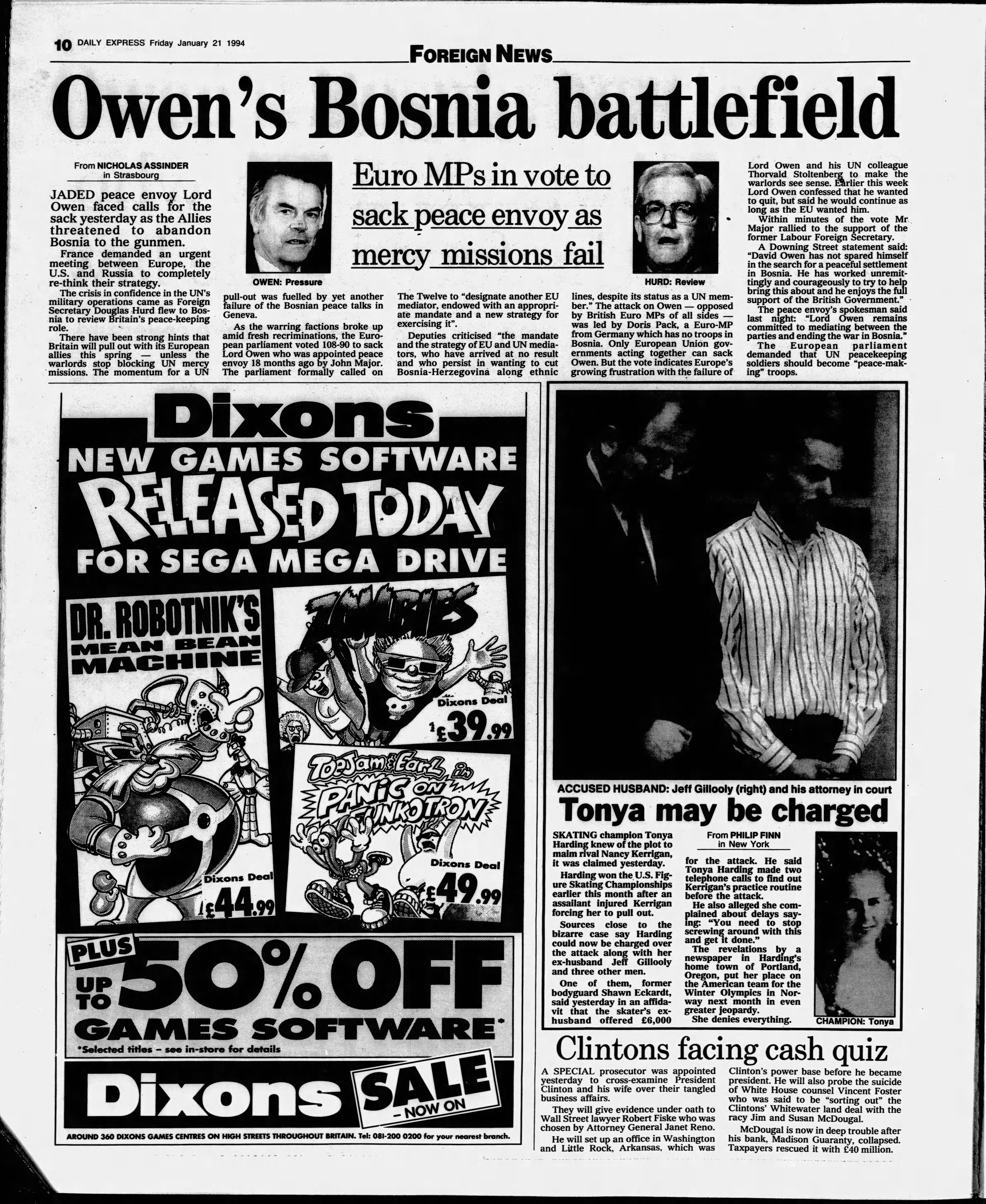
- Dixons ad - Daily Express, January 21, 1994↩︎
|
The Puyo Puyo series | |
|---|---|
|
Famicom Disk System, NES |
|
|
MSX2 |
|
|
Arcade |
Puyo Puyo • Puyo Puyo Tsuu • Puyo Pop Fever (Prototype) |
|
Genesis |
|
|
Game Gear |
|
|
FM Towns |
|
|
TurboGrafx-CD |
|
|
SNES |
Super Puyo Puyo • Super Puyo Puyo Tsuu (Remix) |
|
Sega Saturn |
Puyo Puyo Tsuu • Puyo Puyo Sun • Waku Waku Puyo Puyo Dungeon |
|
Nintendo 64 |
|
|
Game Boy (Color) |
Puyo Puyo • Pocket Puyo Puyo Tsuu • Pocket Puyo Puyo Sun • Pocket Puyo Puyo~n |
|
WonderSwan |
|
|
Neo Geo Pocket Color |
|
|
Dreamcast |
|
|
Game Boy Advance |
|
|
PlayStation 2 |
Puyo Pop Fever • Puyo Puyo Fever 2 • Sega Ages 2500 Series Vol. 12: Puyo Puyo Tsuu Perfect Set |
|
GameCube |
|
|
Nintendo DS |
|
|
Windows |
|
|
Mac OS X |
|
|
PlayStation Portable |
|
|
Nintendo 3DS |
|
|
PlayStation Vita |
|
|
PlayStation 4, PlayStation 5, Xbox One, Xbox Series X, Nintendo Switch, Nintendo Switch 2 |
|
|
Localizations | |
|
Genesis |
|
|
Game Gear, Sega Master System |
|
|
SNES |
|
|
Windows |
|
|
See Also | |