 This article has a talk page!
Unused Graphics#
Graphics related to demos of Sonic Adventure DX can be found in the game's files. While the PC version did have demo versions released in both English and Japanese, they use different graphics from the ones shown below, leaving these graphics unused.


The logo for the demo version of the game can be found in both AVA_GTITLE0_SHOW_E.PVM and AVA_GTITLE0_SHOW.PVM respectively. The Japanese text is equivalent to the English, except for "Director's Cut" which in the Japanese version is デラックス, meaning Deluxe.
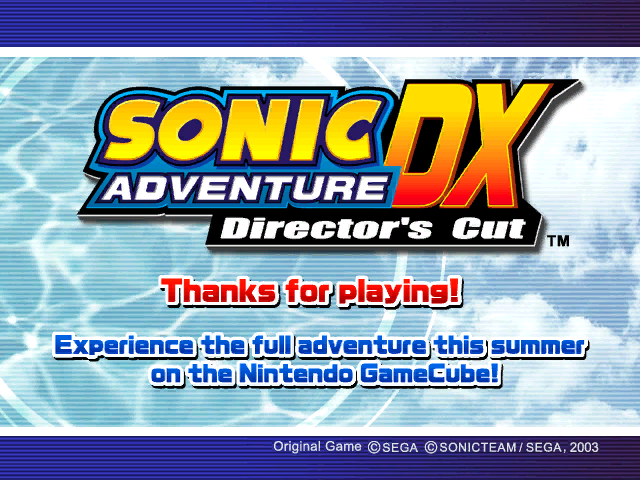
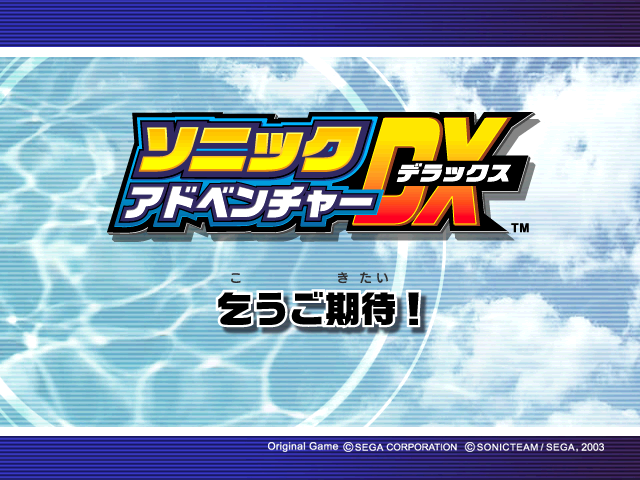
The demo's "Thanks for playing!" screen can be found in both TITLE_END_SHOW_E.PVM and TITLE_END_SHOW.PVM respectively. The Japanese text beneath the logo, 乞うご期待!, means "Stay tuned!"
Leftovers#
 |
Download Sonic Adventure DX: Director's Cut PC Leftovers File: SADXPC Leftovers.rar (280 KB) (info) |
d:\SADXPC\sonic\Release\sonic.pdbAt 0x48FE1C in sonic.exe (US version) is a file path for the main PDB file, which would've stored debugging information for the game.
PSOV2At 0x34A5D40 is the initials for Phantasy Star Online Ver. 2, whose Korean PC port was released a year prior.
Debugging Features#
Debug Movement#
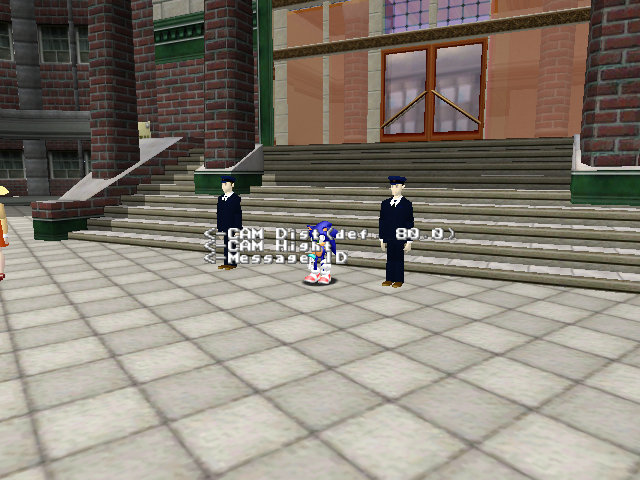
Setting 0x3B29D08 to 1 in Cheat Engine will enable a Debug Movement display showing all invisible walls and inactive objects on the map. This also enables Free Movement mode for every character, except Tails, moving around for a bit will also activate a display.
Debug Collision#
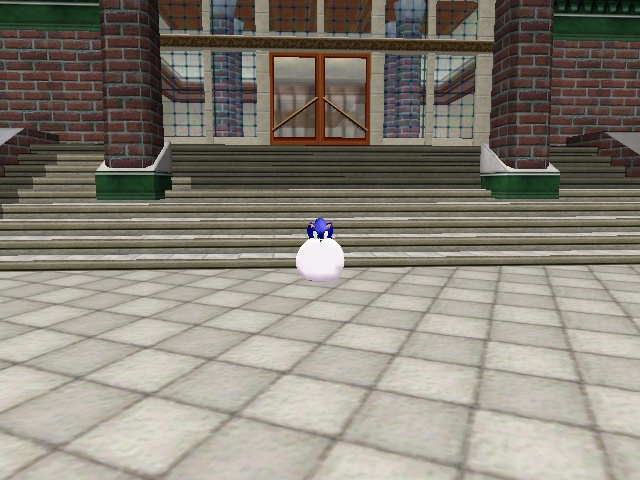
The Collision Debugger from the Dreamcast version is also present, but it has been almost completely removed.
Tokyo Game Show Menus#
Watch on YouTubeThe TGS menus from the Dreamcast version are still present, to access it, replace the seven bytes at C53A in sonic.exe with seven 90 bytes, or install the "TGS Menus" mod from this page.
The menus haven't been updated for 60FPS, Tikal's theme starts playing after a sixth of a second, the title screen lasts 2.5 seconds and the character select lasts 10 seconds, the fading is also broken.
In the Dreamcast version, pressing the X and Y buttons together would bring you to a Level Select, but in the PC version, the game just exits.
In the same section of code is a Level Select, though there's no known way of accessing these normally. The code to display the text was removed, though it still functions. The game mistakenly loads the player in "Adventure" mode in the Action Stages without setting an Adventure Field to return to, so selecting the "Quit" option from the pause menu simply puts you in Hedgehog Hammer (level 0).
SPR Task#
DRAW:
EXEC:
NUM:
MAX:
SPR TASK
Earlier versions of Sonic Adventure included a SPR Debugging feature displaying various functions. It's unknown if it can still be accessed, but some of the text still exists.
Japanese Level List#
There is a Japanese level list in the main executable (pointer table at 50A250 in US PC sonic.exe), which is not referenced by any code.
 プラクティス         (Practice)
 エメラルドコースト          (Emerald Coast)
 ウィンディバレー       (Windy Valley)
 トゥインクルパーク      (Twinkle Park)
 スピードハイウェイ      (Speed Highway)
 レッドマウンテン       (Red Mountain)
 スカイデッキ             (Sky Deck)
 ロストワールド            (Lost World)
 アイスキャップ        (Icecap)
 カジノ            (Casino)
 ファイナルエッグ       (Final Egg)
 きのこ                  (Mushroom)
 ホットシェルター       (Hot Shelter)
 ジャングル          (Jungle)
 砂漠         (Desert)
 カオス0           (Chaos 0)
 カオス2           (Chaos 2)
 カオス4           (Chaos 4)
 カオス6           (Chaos 6)
 カオスFINAL               (Chaos FINAL)
 エッグモービル1       (Egg Mobile 1)
 エッグモービル2       (Egg Mobile 2)
 エッグモービル3       (Egg Mobile 3)
 ZERO           (ZERO)
 E-101          (E-101)
 E-101改             (E-101 Mk.II)
 シューティング1       (Shooting 1)
 シューティング2       (Shooting 2)
 砂ボード           (Sandboard)
Notable items include:
- Hedgehog Hammer listed as プラクティス (Practice).
- Three empty level slots listed as きのこ (Mushroom), ジャングル (Jungle), and 砂漠 (Desert).
- Adventure Fields and Twinkle Circuit listed as empty strings.
Free Movement Mode#
There is a Free Movement mode that can be used to fly around, this is also in the Dreamcast version. It can be found by changing the Action ID to 87 for Sonic, 57 for Knuckles and 53 for Amy.
The controls are as follows:
Analog Stick = Move
Analog Stick + X = Move Up/Down
A = Exit Free Movement mode.
B = Go to the current character's start position.
Free Movement mode seems to be partially removed from the game. Big's Free Movement can be seen by setting his action to 59, but the only remaining feature of it being the way his arms move when pressing the buttons to move up or down. Tails and Gamma don't have free movement mode at all.
Leaving Free Movement mode puts the character in an action natural for the current stage. For example, in Icecap and Sand Hill the player will regain their board upon leaving free movement mode. This is the same for stages such as Perfect Chaos, which drops the player as Super Sonic.
Differences from Prior Versions#
Sound#
The Dreamcast and GameCube versions store music in .ADX files and sounds in .MLT archives. The PC version stores music in .WMA files and sounds in .DAT archives. This means music tracks no longer loop and every sound is in lower quality. The voice clip's format also causes stutter, and some sound effects are too quiet.
Dreamcast/GameCube |
PC |
|---|---|
The PC version also supports up to 7.1 surround sound, however it is rather poorly implemented with subpar sound effect panning.
Graphics#
|
GameCube |
PC |
|---|---|
|
|
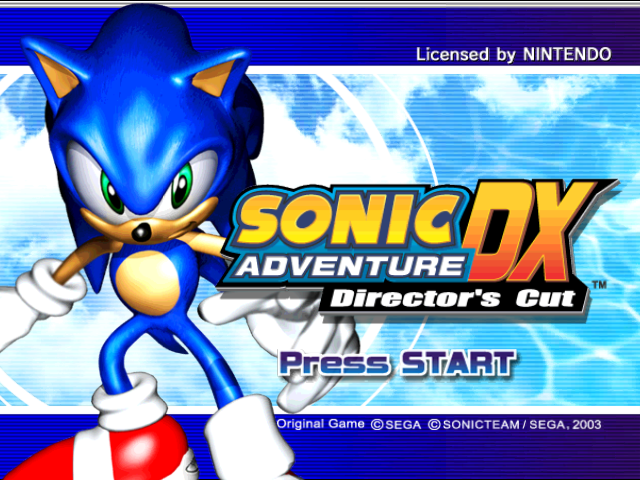
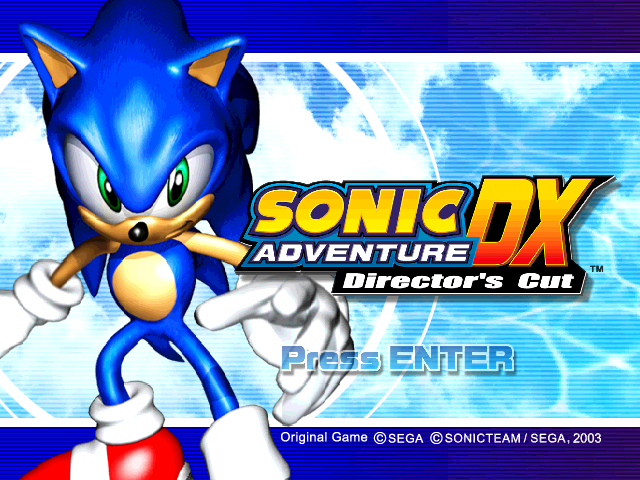
- The GameCube version's title screen has the obvious "Licensed by NINTENDO" text on the top right, which was removed in the PC version.
- "Press START" was changed to "Press ENTER", and the color was changed from dark blue to a light blue.
Lighting#
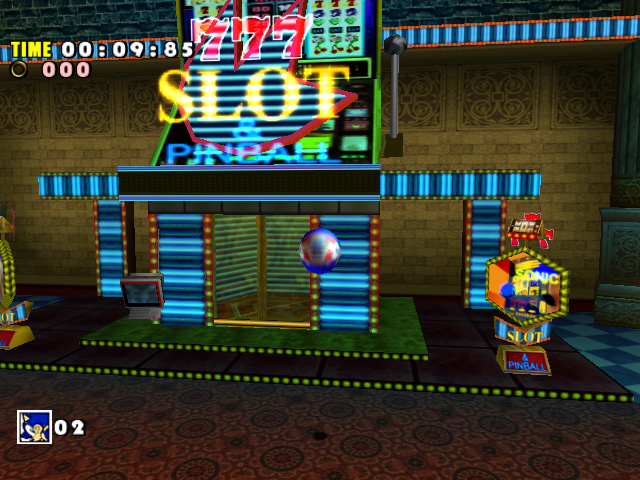
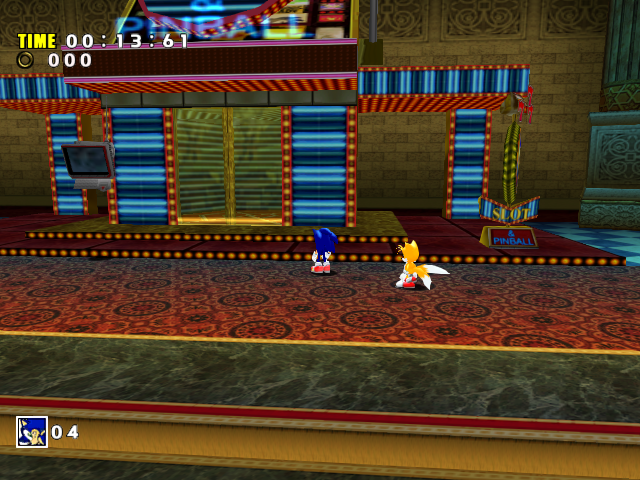
- The Windows version uses a severely more limited lighting engine compared to the (already simplified) GameCube version:
- The GameCube version used a custom formula for level lighting that applies Diffuse lighting last, while character lighting was still palette based (and, unlike the Dreamcast LANTERN engine, was per-pixel rather than per-vertex) with five possible values and independent light direction.
- The Windows version uses the Direct3D 8 lighting system, which applies Diffuse first; it also only uses two of the five character light values, which are then converted to create Direct3D 8 lights, as well as light direction now being dependent on the camera and now being per-vertex again; combined with values often being inflated to absurd extremes, it results in the characters looking even more plasticy than on GameCube.
|
GameCube |
PC |
|---|---|
|
|
The Windows version also ignores vertex lighting not build directly into the level model (i.e. objects).
Textures#
- The Windows port goes back to using PVM files for its textures. Interestingly, while some textures were seemingly reimported from the Dreamcast version (mainly related to menu textures), most were left unaltered, resulting in the textures being even worse quality than on GameCube.
|
Dreamcast |
PC |
|---|---|

|

|
- Knuckles' Shovel Claw has lost its environment mapping.
- Knuckles’ Maximum Heat attack aura is more broken.
- The GameCube version had a water distortion effect possible using the GameCube's TEV system. The PC version removes this.
- The PC version alters the way some textures are mirrored. Instead of a flag being set in part of a level model to flip the texture, the textures themselves are flipped. While this doesn't sound bad on paper, most flipped textures are squeezed into the resolution of the unflipped texture, resulting in massive quality loss.
- Cream the Rabbit, who was given a very small cameo in the GameCube version, now has corrupted textures for seemingly unknown reasons.
Other#
- The Dreamcast and GameCube versions includes a check to ignore a model's material colours. For some reason, this check was removed in the PC version. This means many objects in the PC version has different coloring, like platforms in Hot Shelter being orange instead of gray.
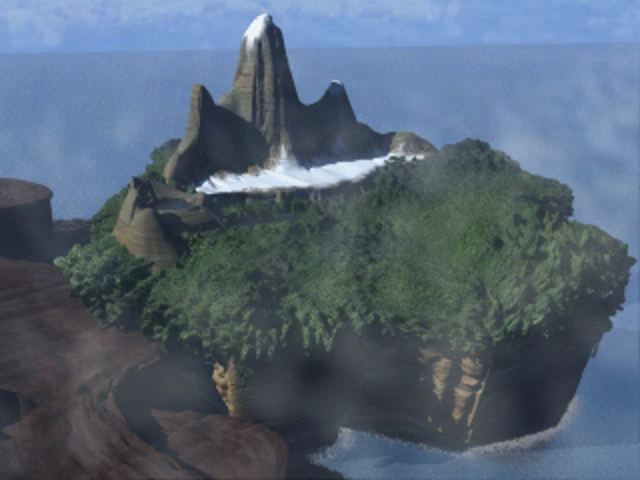
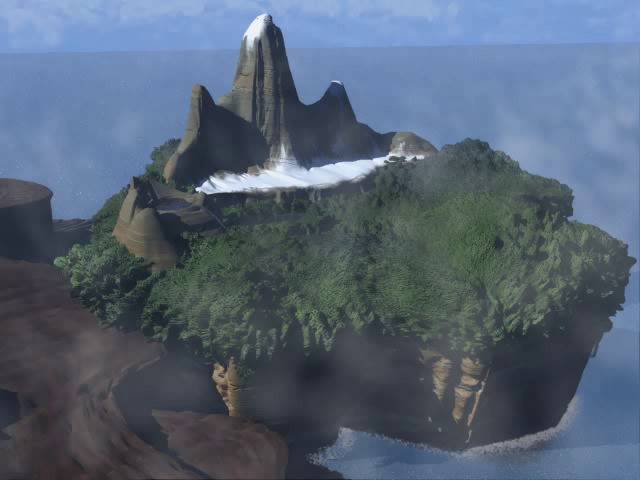
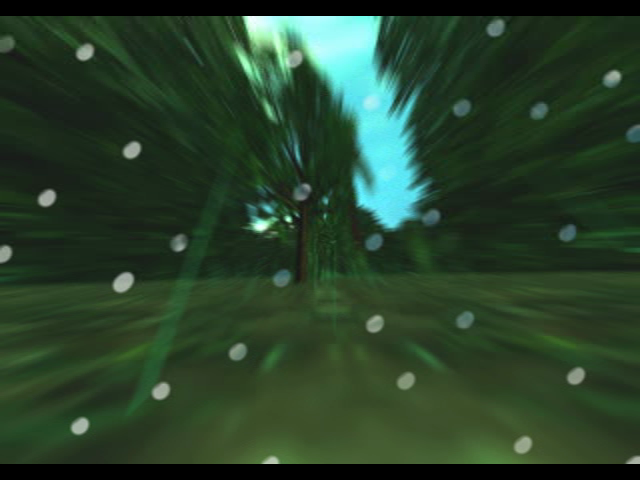
- The FMVs are stored at a considerably higher resolution than all other releases, being 640×480 rather than 320×256, although the intro suffers from rather sloppy compression. For unknown reasons, the HD console and Steam versions go back to using the lower quality Dreamcast/GameCube cutscenes.
- The gameplay demos that would play after seeing a cutscene demo on the Dreamcast and GameCube versions were disabled in the PC version.
|
Dreamcast/GameCube/PS3/Xbox 360/Steam |
PC |
|---|---|
|
|
|
Dreamcast |
PC |
|---|---|
|

|
Stage Differences#
Emerald Coast#
- For whatever reason, the PC version of the game reuses the deep blue sea texture from the GameCube's Preview prototype, instead of the greenish texture used in the final GameCube release; this may have been to improve the graphical fidelity, however, as the Preview ripple textures are higher resolution than GameCube final.
Red Mountain#
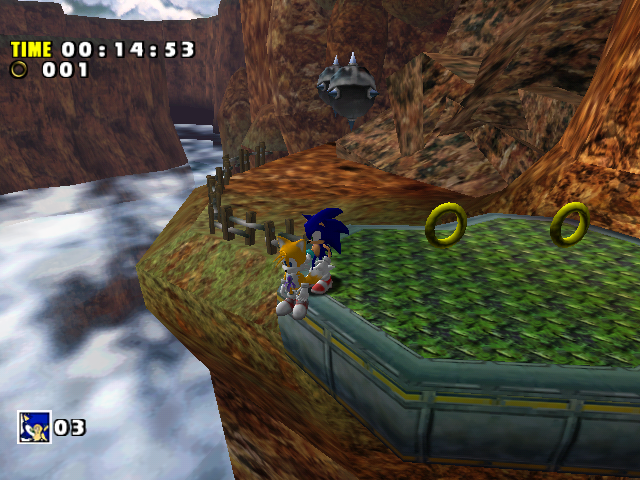
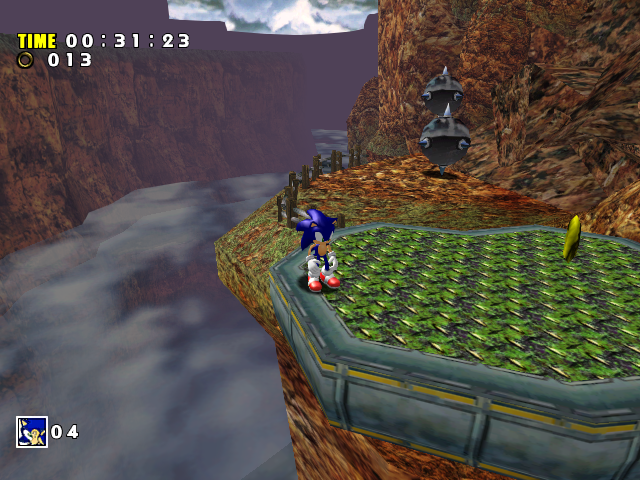
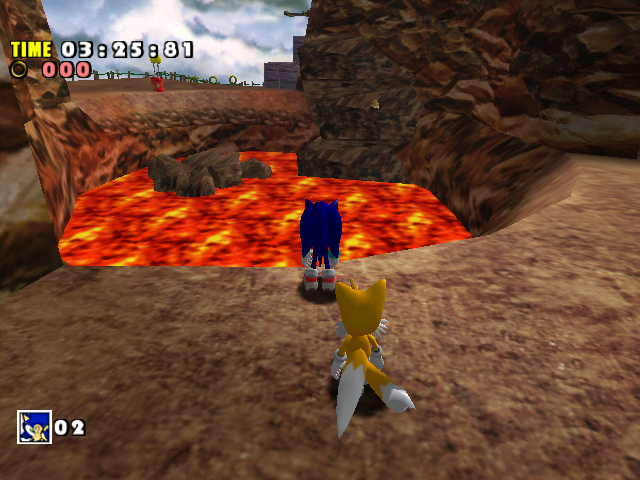
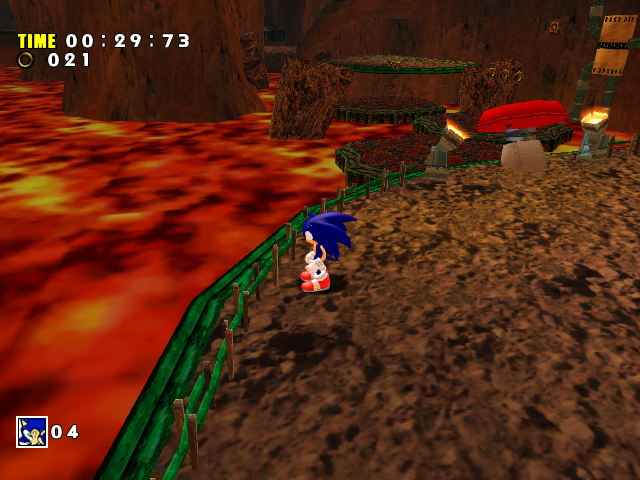
- The clouds and lava are darker due to poor lighting.
|
GameCube |
PC |
|---|---|
|
|
|
GameCube |
PC |
|---|---|
|
|
- The fog in act 1 has been made thicker.
Hot Shelter#
- The bridge's UVs were altered to make the textures look more washed-out.
- Gamma's level has a transparency issue with the glass, which is odd as most transparency issues happened when the game was ported to the GameCube.
Other#
- The controls are much less sensitive than the Dreamcast and GameCube versions.
- Assuming you have a powerful enough PC, the framerate isn't unstable anymore.
Regional Differences#
Japanese and North American Versions#
Both of these versions are nearly identical, however the Japanese version comes with SafeDisc 4 DRM protection, while the North American version uses a simple disc check; the Japanese version also forces the title screen, introduction, and main menu to in Japanese, regardless of what language is selected in the options menu.
European Versions#
There are multiple known European versions of the PC game; notably, the original European version used SecuROM 5 DRM, while the Sold Out Software re-release uses the SafeDisc 4 DRM (which was also used for Sonic Heroes); the version of the game released for the Sonic PC Collection in 2009 seems to be the European version recompiled to remove the DRM, as its executable is incompatible with the mod loader, which expects a US executable.
The individual regional differences (including the Israeli and Singaporean versions) haven't been documented, although the Hungarian version is reportedly not based on the "regular" European version.
Korean Version#
Seems to be based on the American version due to lacking any copy protection besides the basic disc check, to the point that an American disc 2 will boot up the game fine:
- ALL dialogue has been properly translated, including text, menus, the Chao Garden, et al.
- Presumably due to strict laws relating to Japanese media at the time, Japanese voice acting is completely disabled and can no longer be selected from the options menu, despite being present on the disc and the textures for it still being translated. The developers went so far as to replace one piece of dialogue in the voice archive with its' English equivalent (the "select your file" voice, since the game doesn't force Japanese voices until after saves are loaded).
- For whatever reason, not only does the game's
FONTDATA0.BINcome with the expected Hangul script, it also has characters for Russian, Greek, and Chinese.
(Source: DC Mods)