 This article has a talk page!
Sonic & SEGA All-Stars Racing lets you race to the finish line (not like this, though) as Sonic, his friends, his vague-at-best acquaintances, yourself, and even a certain bear and bird!
Unused Tracks#

|
This page or section needs more images. |
There is data for three unused tracks present across the PC and Xbox 360 releases of the game, likely intended for testing purposes.
GenericTrack#
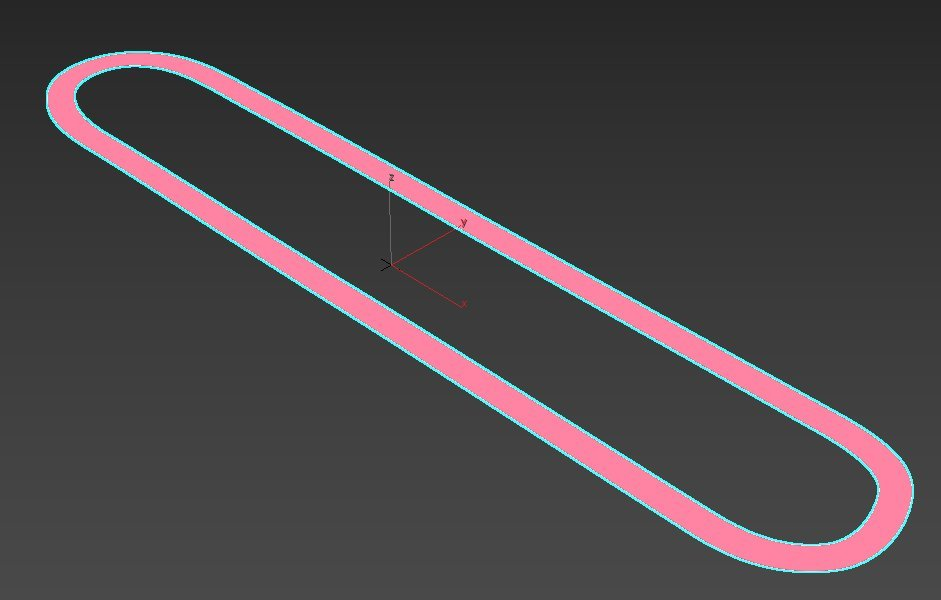
A simple oval with long straightaways, although made out of an excessive number of polygons making its collision file the largest in the game. This track is not present in the PC release.
RouletteTest#
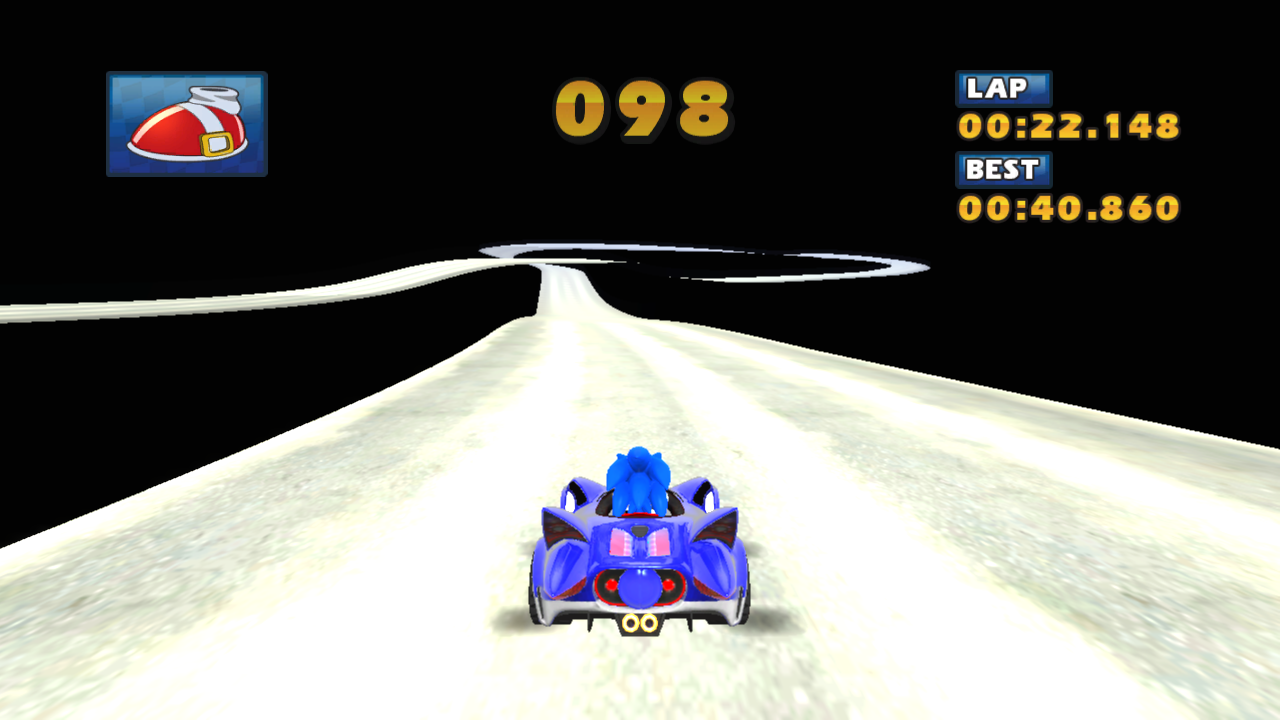

A track bearing some similarity to Whale Lagoon, featuring a 270-degree left turn that crosses the initial straightaway followed by a curvy section that leads to the finish line. Attempting to load the course in any mode with CPU drivers will crash the game, likely due to a lack of path data and lap triggers.
Particle_TestTrack#
|
Particle_TestTrack |
SeasideHill_Hard (Lost Palace) |
|---|---|

|
|
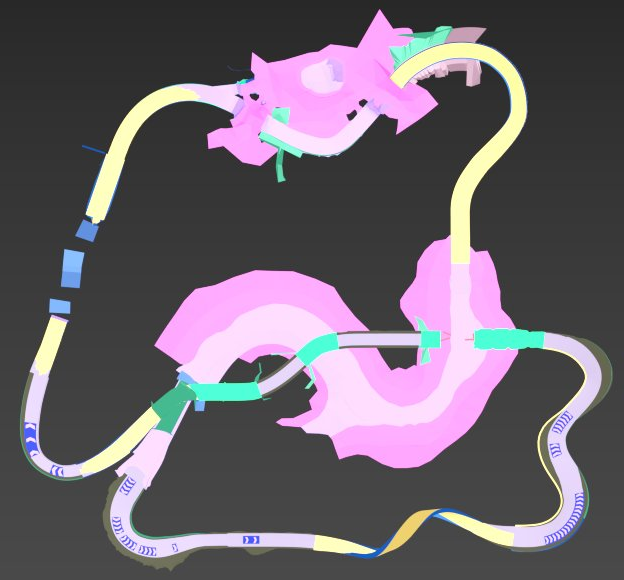
A slightly different version of the Lost Palace track, the most notable difference being a collision plane across the entire surface of the water instead of only along the sides of the track. This track is not present in the Xbox 360 release.
(Source: SKmaric)
Unused Announcer Voice Clips#

|
This page or section needs more audio. |
Watch on YouTubeA number of the announcer's voice clips were cut from the game for unknown reasons.
Interestingly, a few of the voice clips point to challenges and modes that would later appear in the sequel, such as "Race the rivals!", "Drift to score!", "Clear the gates in order!", and "Capture the Chao!"
Unused Text#
Right after the build info is an early name for the game.
Preproduction
Sega Superstar Karts
Present at 0x47D060 in boot.dol (Wii) is a test string.
THIS IS MY HASH TESTPresent at 0xF1BF4, 0xF1FF4, and 0xF8970 in default.xex (Xbox 360) is some text for a debug menu. Also on the Windows version at 0x2BB2EC in the PC executable. However, some of the text from the Xbox 360 port isn't present on the Windows build.
Pick Blend Shape
N.A
Orthogonal View
Drive Normally
View Models
Clear Animations
Show Animations
Restart
Edit Material
Set LOD Level
Clear Look At
Test Look At
Hide Test Suspension
Show Test Suspension
Hide Test Occlusion Shadow
Show Test Occlusion Shadow
Use Normal Vehicle
Use Revenge Vehicle
Free Camera
Animate Camera
Detach Animations
Synchronise Animations
Show Preview Animation
Detach Preview
Attach Preview
Hide Reactions
Show Reactions
Show Environment
Hide Environment
Show Character
Hide Character
Clear Animation
Show Animation
Receive Item
Hide Grey Road
Show Grey Road
Pick Surface
Show Test Suspension
Cancel
Shape %i
Delaying error because we're saving or loading
Net_JoiningGameInvite
Round State : %d
Max Players : %d/%d
Difficulty : %s
Stage : %s
Laps : %d
Enabled
Disabled
Ai : %s
Items : %s
Catch up : %s
Manual
Enter MainMenu
smos
Cost
ItemImage
PreviewItem
ModelViewer
RenderTest
CarViewer
AvatarTestResource
Models
Debug Menu
Reload current model [F5]
Grid [G]
Off
XZ
XY
YZ
XZ+XY
XY+YZ
XZ+YZ
XY+XZ+YZ
On
Animate [<space>]
Animation Speed
On
LinkAnims
[K] Wireframe [4/6]
Lighting [L]
Shadows [S]
Only
Hide
Show
Transparencies [T]
Camera [C]
Zero Camera [0]
Collision Prims
Prim OOBBs
Outliner [O]
Draw Bones [B]
View Selected Only [V]
Refocus camera on selection
TTY Dump Selected
Restart Animations [R]
Fog_StartDistance
Fog_EndDistance
Fog_StartDensity
Fog_EndDensity
Fog_FarClipPlane
Fog_Red
Fog_Green
Fog_Blue
Fog Colour
FakeBloom
Bloom Threshold
Bloom Multiplier
Bloom Persistence
Bloom saturation
Shadow color
Background color
Resource/DebugLights
defaultlights
Forest
Loading
Trees: %d
Branch: %d
Mesh: %d
Prim: %d - (%d alpha)
Textures: %d
Camera:Quake [C]
Slow [SHIFT]
Norm [SHIFT]
Fast [SHIFT]
Zoom [SHIFT]
POS: %6.1f, %6.1f, %6.1f
FWD: %6.3f, %6.3f, %6.3f
%*s%s %s
[PRIM]
[LOD %d - MESH]
[LOD %d]
[MESH]
[COLLISION BOX]
%*s%s
[COLLISION MESH]
[COLLISION SPHERE]
[COLLISION ERROR !!!]
<Shadow Light: Directional>
<Light: Directional>
<Light: Unknown>
<Light: Point>
<Light: Spot>
<Light: Ambient>
<Light: 3ds Point>
<LIGHT: ERROR>
<LOD %d - Mesh>
<LOD %d>
<Mesh>
<collision box>
<collision sphere>
<collision mesh>
<COLLISION ERROR>
0x%08x : %4.2f
0x%08x : 1.0f
<branches:%d
meshes:%d
prims:%d(%d)
lights:%d
emitters:%d
<overrides - %d>
<animations - %d>
Objects.%s - <trees:%d>
Render Test
kSTATE_DONE
kSTATE_TEST
kSTATE_LOADING_AVATAR
kSTATE_LOADING_FILES
State: %s
Avatar
Forest
Avatar
[Y] - Show Grid - On
[Y] - Show Grid - Off
[X] - Reset Avatar
[B] - Random Avatar - On
[B] - Random Avatar - Off
[LB] - Draw Cull Geometry - On
[LB] - Draw Cull Geometry - OffThe Windows version has some debug switches but none of them appear to work any more.
 -autoheapdump <0|1 - off|on> -autoheapdump cmdline_autoheapdump
 -shaderbuild<...> -shaderbuild cmdline_shaderbuild
 -master <controller num> -master cmdline_master
 -quickstart <0|1 - off|on> -quickstart cmdline_quickstart
 -miss_unlock  <to mission index> -miss_unlock cmdline_miss_unlock
 -unlock  <1|2|3|4|5 - all|racers|tracks|missions|extras> -unlock cmdline_unlock
 -no_ai_racers <0|1 - off|on> -no_ai_racers cmdline_no_ai_racers
 -reset_status <0|1 - off|on> -reset_status cmdline_soft_reset
 -audio_debug <0|1 - off|on> -audio_debug_text cmdline_audio_debug
 -num_laps <num laps> -num_laps cmdline_num_laps
 -30hz <0|1 - off|on> -30hz
 -coleventofflne <0|1 - off|on> -coleventofflne cmdline_coleventofflne
 -shad_cmp_mt <0|1 - off|on> -shad_cmp_mt cmdline_shad_cmp_mt
 -sh_gen <0|1 - off|on> -sh_gen cmdline_sh_gen
 -auto_sh_gen <0|1 - off|on> -auto_sh_gen cmdline_auto_sh_gen
 -tty <audio|graphics|game|programmer name> -tty cmdline_tty
 -mission_hud <0|1 - off|on> -mission_hud cmdline_missionhud
 -autotimeout <num_seconds> -autotimeout cmdline_autotimeout
 -autotest <0 - off|1 - race> -autotest cmdline_autotest
 -updatelimit <0|1 - off|on> -updatelimit cmdline_updatelimit
 -rumble <0|1 - off|on> -rumble
 -audio <0|1 - off|on> -audio
 -ai_speed <0.0 .. 1.0> -ai_speed cmdline_aispeed
 -debug_hud <0|1 - off|on> -debug_hud cmdline_debughud
 -lag <lag in ms> -lag cmdline_lag
 -seed <random_seed> -seed cmdline_seed
 -car <car_name> -car cmdline_car
 -track <track_name> -track cmdline_track
 -mode <time_trial|race|split_screen|mission_mode|model_viewer|ai_test|network_test|traffic_test|car_viewer|tso_viewer> -mode cmdline_mode
(Source: Ferrox)
Build Info#

|
To do: |
A build date and time can be found in the game's executable file: boot.dol (Wii), default.xex (Xbox 360) and the name of the game before the .exe extension (Windows).
Version |
Hex Address |
Build Date |
|---|---|---|
Wii (US) |
0x47D349 |
|
Xbox 360 (US) |
0xF22A4 |
|
Windows (US) |
0x2C2544 |
|
(Source: Ferrox)
Revisional Differences#
|
|
This page or section needs more images. |
|
PS3/X360/PC (High-end settings) |
Wii/PC (Low-end settings) |
|---|---|
|
|
|
Wii Red Track |
Wii Blue Track |
|---|---|

|

|
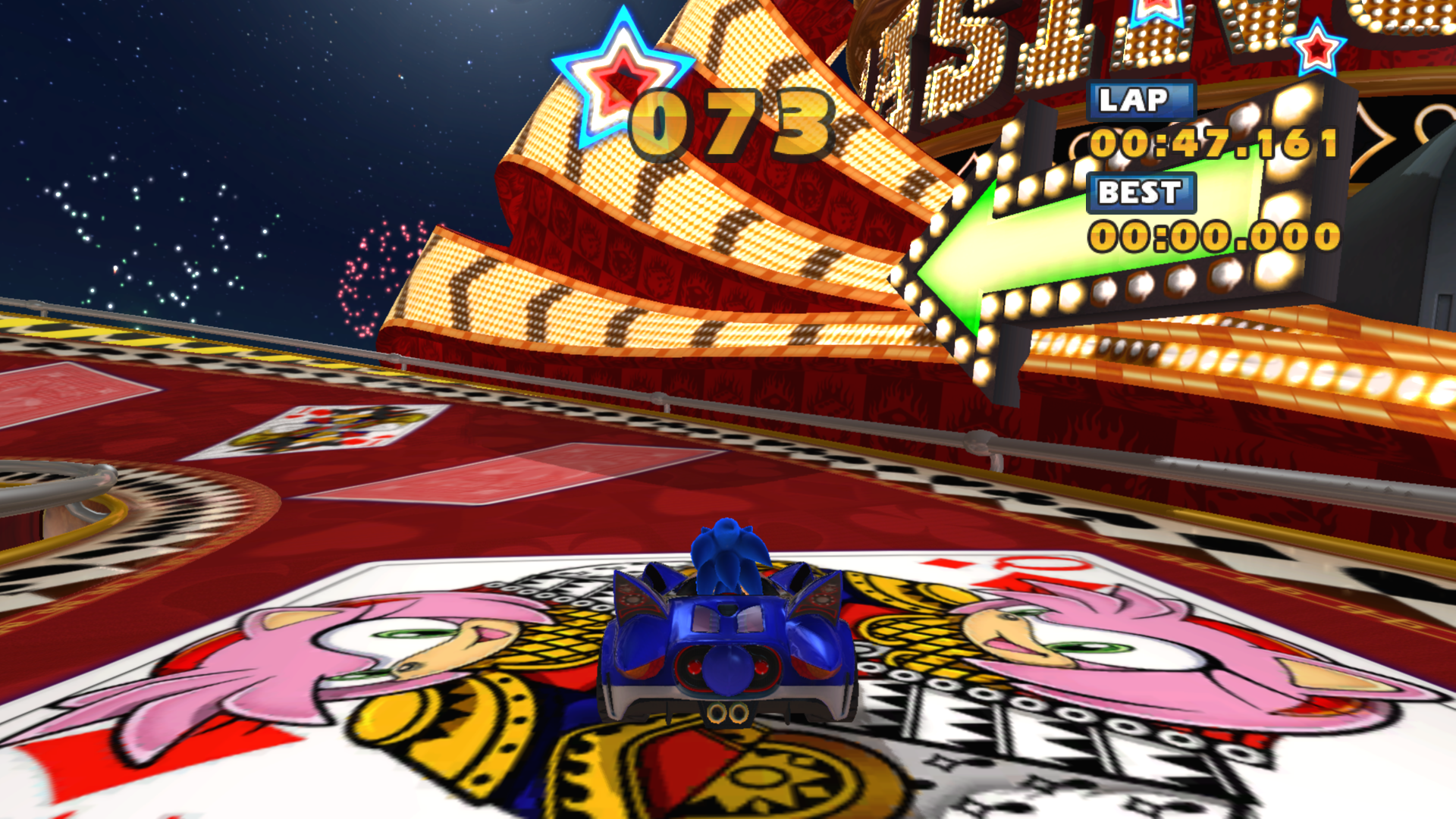
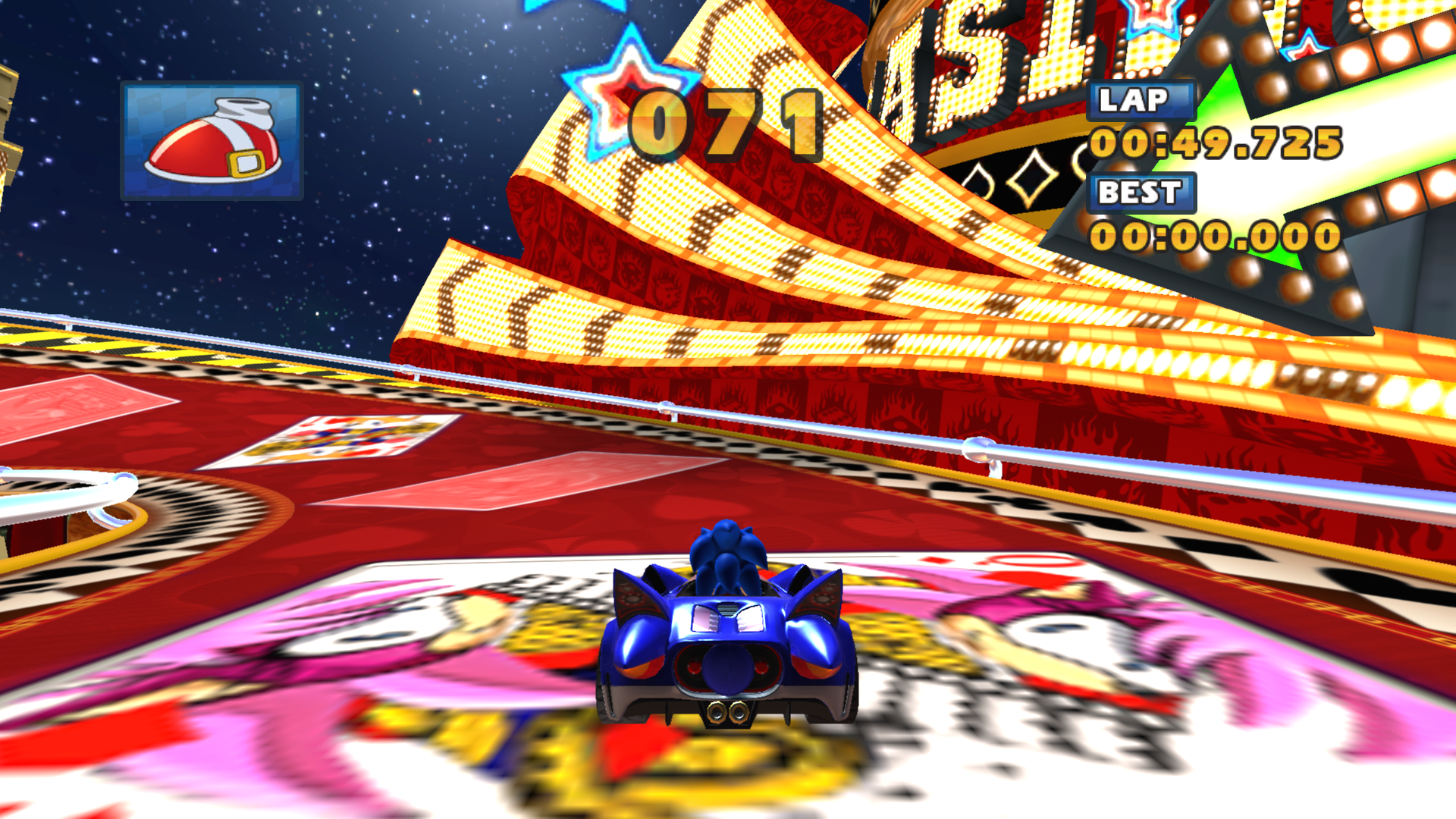
During early development of the game, artists were using placeholders of images they Google searched. However, fan art of Sonia the Hedgehog (one of Sonic's siblings from the 1999 Sonic Underground television series) made by DeviantArt user ArtByRiana was added, thinking it was official artwork of Amy Rose. Shortly after this was discovered, Sonic Team requested to Sumo Digital to patch it out (most likely due to either using fanart without the artist's consent or legal issues with the Sonic Underground characters), and was quickly updated to use Amy Rose in the Xbox 360 and PlayStation 3 releases.
While the PC version was also patched, they forgot to update the low resolution version. Wii games cannot be patched, so the image remains in that release.
(Source: https://www.deviantart.com/artbyriana/journal/Closing-thoughts-on-SASR-s-Art-Theft-227306410)