 This article has a talk page!
The Mii Channel is an application for the Wii that lets you create avatar characters known as Miis, which can then appear in other games and applications. While chiefly a symbol of the Wii, a few DS games like Tomodachi Collection and Personal Trainer: Walking also have Mii support - and users can exchange characters created in them with the Mii Channel.
For the 3DS and Wii U, the Mii system returned and was overhauled, with the Mii Maker offering far more customizability. Despite this, they also became much less popular in terms of games focusing on and implementing them. All of this continued with the third generation on the Switch, where the Mii creator isn’t even its own application.

Build Date#
Present in builddate.dat, in the root of the 00000002.app archive.
v0 |
v2 |
v3 |
v4 |
v5 |
v6 |
|---|---|---|---|---|---|
|
|
|
|
|
|
These dates do not include years; yet, by observing the later and recorded Wii updates, it can be deduced v4 was presumably made in 2007, while both v5 and v6 were products of 2008.
00000000.app (opening.bnr) includes the codename and an extended build date of the channel, including the builder information:
v2 |
v3 |
v4 |
v5 |
v5 (Korea) |
v6 |
|---|---|---|---|---|---|
|
|
|
|
|
|
Version Differences#
Six "major" versions of the Mii Channel are probably known to exist. In addition to those:
- A variant of v2, built a few minutes apart from the channel version, is used as part of a disc application provided to developers. The disc version is meant for developers working with Miis to be able to create a Mii database without having to install the Wii Menu first on development systems such as NDEV. Apart from having different file system layouts due to being built for a disc instead of a channel, there are no other differences.
- v5 also has a separate Korean version (the international version of the Mii Channel is region-free and otherwise distributed in all other regions);
- v6 also has a separate version for Wii U and Wii Mini (omitting WiiConnect24 as well as, inexplicably, support to transfer Miis on a Wii Remote). If the regular v6 is installed on one of said consoles, the Wii Remote storage and Mii Parade can be accessed and appears to be fully functional. The hidden Nintendo DS connectivity feature is still implemented, albeit obviously non-functional on Wii Mini.
Internal Project Name#
The software is internally named nigaoe - literally "portrait" in Japanese. This is also seen in the official filename of Mii Channel install packages: RVL-NigaoeNR-v?.wad, and is written on a placeholder face texture in the Everybody Votes Channel.
Unused Graphics#

This is an unused 9th pair of glasses. These are stored alongside the rest of the glasses graphics in 00000003.app/RFL_Res.dat
Unused Sounds#
This sound is used in prerelease versions when switching between different facial feature categories.
Assertion Handler#
The channel contains the assertion handler from the EGG library. If an assertion fails, the details and stack dump are printed to the serial output and the program freezes itself. There is no on-screen display.
Regional Differences#
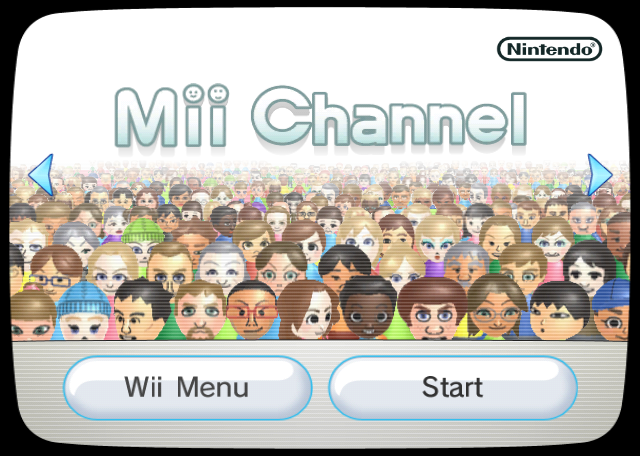
Title Screen#
|
Japan |
International |
|---|---|

|
|
|
First-Party | |
|---|---|
|
Default Channels |
Wii Menu • Mii Channel • Photo Channel (1.0 Restore Program) • Wii Shop Channel • Forecast Channel • News Channel • Wii Menu Electronic Manual • Wii + Internet: Get Connected Video |
|
Installable Channels |
Everybody Votes Channel • Internet Channel (Demo) • Check Mii Out Channel • Nintendo Channel • Wii Fit Channel • Mario Kart Channel • TV no Tomo Channel G Guide for Wii • Wii Speak Channel • Wii no Ma • Demae Channel • Digicam Print Channel • Wii Fit Plus Channel • Kirby TV Channel • The Legend of Zelda: Skyward Sword Save Data Update Channel • Wii U Transfer Tool • USB Memory Repair Program |
|
Third-Party | |
|
Installable Channels |
|