This Wii channel allows you to view photos, doodle on them, etc. and also let you make a slideshow of them with your own MP3 (or AAC in 1.1) files. It can also access images posted on the Wii Message Board (such as saved edited photos, screenshots taken from compatible games, and received Wii Mail attachments). Oh, it also plays moving photos! (read: Motion-JPEG in MOV or AVI containers; not GIF)
The Photo Channel has been partially succeeded by Nintendo DSi Camera and Nintendo 3DS Camera.
Revisional Differences#
The Photo Channel "1.0" (HAAA-v0) was a launch title for the Wii; it was followed by two minor upgrades (v1 and v2), which changed the kernel version from the then-only-available IOS9 to IOS13 and are otherwise currently undocumented.
Version 1.1 (HAYA-v1), released December 10, 2007, added and changed several features:
- You can now set a favorite photo to be used on the Photo Channel's Wii Menu icon.
- MP3 playback has been replaced with AAC playback.
- You can now play songs in a random order.
- The version number was added to the top-left corner of the channel's banner.
Version 1.1-a (as written on the banner; internally v2), released on July 22, 2008, adds Digicam Print Channel integration.
Version 1.1-b (v3), debuting along the SDHC-ready Wii Menu 4.0 on March 25, 2009, changes the kernel dependency to IOS61 for the same benefit, making this tied with the simultaneously-made-available Wii Shop Channel version for the second Wii title to support SDHC.
Title Screen#
|
1.0 |
1.1-b |
|---|---|

|
|
All pictures in 1.0 transition in some way. Starting with 1.1, only the center picture does something.
Technical Details#
The Photo Channel 1.0 has titleID 00010002-HAAA. The Photo Channel 1.1 is not technically an update (a title with the same titleID and a higher version number, that would overwrite the older one) but rather a completely separate app, 00010002-HAYA.
Both titles are installed on a sufficiently updated Wii, with the Wii Menu having special handling for deciding which one to display (while considering the version of HAAA and a third title, 00010002-HAZA, which only contains savedata).
On consoles that left the factory with the Photo Channel 1.0, HAZA will not be present, causing the Wii Menu to prefer HAAA. HAZA was a free optional download from the Wii Shop Channel, claimed to be the actual Photo Channel 1.1, removable and reinstallable at will.
On consoles that launched with Photo Channel 1.1, a stub version of HAAA (v65280) not distributed via online updates is preinstalled (also causing the Wii Menu to prefer HAYA) and the user of a non-Japanese unmodified console will be unable to use Photo Channel 1.0.
(Note how the (normally impossible) presence of HAYA only is not sufficient to make it accessible.)
Why these update channels weren't applied as a system update is unknown.
Unused Text#
Print ServiceBefore you can order photo products, the Photo
Channel must close, and another channel will start.Before you can order photo products, the Photo
Channel must close, and another channel will start.
You will lose any changes made to your photos
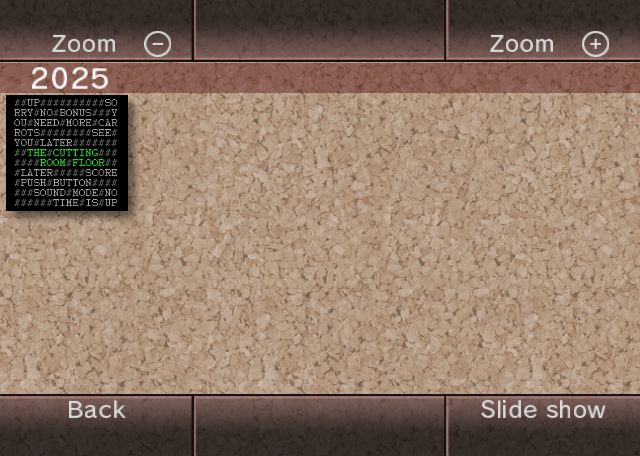
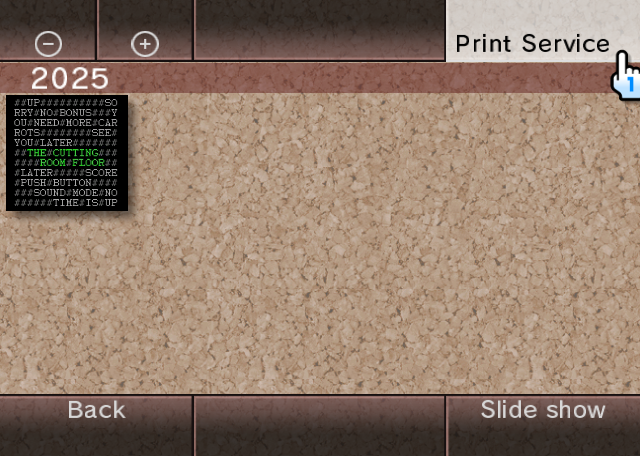
unless you post them to your Wii Message Board.The Photo Channel has a feature to launch directly the Digicam Print Channel. Nintendo had plans to offer its service overseas (however it didn't), so some localized text for this remains (since, like the Mii and Shop channels, the Photo Channel is worldwide - except in Korea).
|
Normal UI |
with Digicam Print Channel |
|---|---|
|
|
Although it wasn't released overseas, you can still see the option to switch to the Digicam Print Channel if you install the Japanese WAD on a modded Wii, and have an SD Card inserted.
Unused Sounds#
There's some leftover sounds from Brain Age: Train Your Brain in Minutes a Day! in the .brsar archive.
Present in SE_KIMAGURE_HINT.
Present in SE_KIMAGURE_SEIKAI. (Seikai means Correct Answer).
Present in SE_KIMAGURE_MACHIGAI. (Machigai means Mistake).
Development-Related Text#
The CVS folder, present in the root of the 00000009.app archive (00000014.app in v1.1), contains several files (most without file extensions) holding leftover text from the development process:
|
v1.0 |
|---|
|
|
v1.1 |
|
Entries.Log (v1.1 only):
A D/homebutton////Repository (both versions):
photo/DVD/content2Root (both versions):
:pserver:itoyu@tosa:/usr/local/cvsrepo/revappsTag (v1.0 only):
Tbranch_SYSTEM_MENU_2Build Dates#
- HAAA-v0:
*** Photo channel: %s %s *** Oct 4 2006 17:44:54
(Source: 00000001.app @ 1A9318)
- HAAA-v1:
*** Photo channel 2: %s %s *** Nov 11 2006 21:25:17
(Source: 00000004.app @ 1AFF28)
- HAAA-v2:
*** Photo channel 2: %s %s *** Jul 9 2008 20:03:21
(Source: 00000008.app @ 1B06F0)
- HAAA-v65280:
MP3_photo_dummy.0708221150 ohizumi@TENMA
(Source: 00000007.app @ pretty much everywhere)
- HAYA-v0:
photo_070926_FINAL.0709261800 itoyu@ITOYU-WIN
(Source: 00000007.app @ 000000)
- HAYA-v1:
photo_080709_FINAL.0807092038 itoyu@ITOYU-WIN
(Source: 00000004.app @ 000000)
- HAYA-v2:
photo_090305_FINAL.0903050824 itoyu@ITOYU-WIN
(Source: 00000012.app @ 000000)
|
First-Party | |
|---|---|
|
Default Channels |
Wii Menu • Mii Channel • Photo Channel (1.0 Restore Program) • Wii Shop Channel • Forecast Channel • News Channel • Wii Menu Electronic Manual • Wii + Internet: Get Connected Video |
|
Installable Channels |
Everybody Votes Channel • Internet Channel (Demo) • Check Mii Out Channel • Nintendo Channel • Wii Fit Channel • Mario Kart Channel • TV no Tomo Channel G Guide for Wii • Wii Speak Channel • Wii no Ma • Demae Channel • Digicam Print Channel • Wii Fit Plus Channel • Kirby TV Channel • The Legend of Zelda: Skyward Sword Save Data Update Channel • Wii U Transfer Tool • USB Memory Repair Program |
|
Third-Party | |
|
Installable Channels |
|