 This article has a talk page!
Revision differences#
When the Nintendo 3DS released, it couldn't record videos! This feature was added later, in 3.0 according to the official changelog.
1.0 - 3.0 |
3.0 - latest |
|---|---|
 |
 |
The text also changed from "take" to "shoot", at least in the European version.
Test Photo#
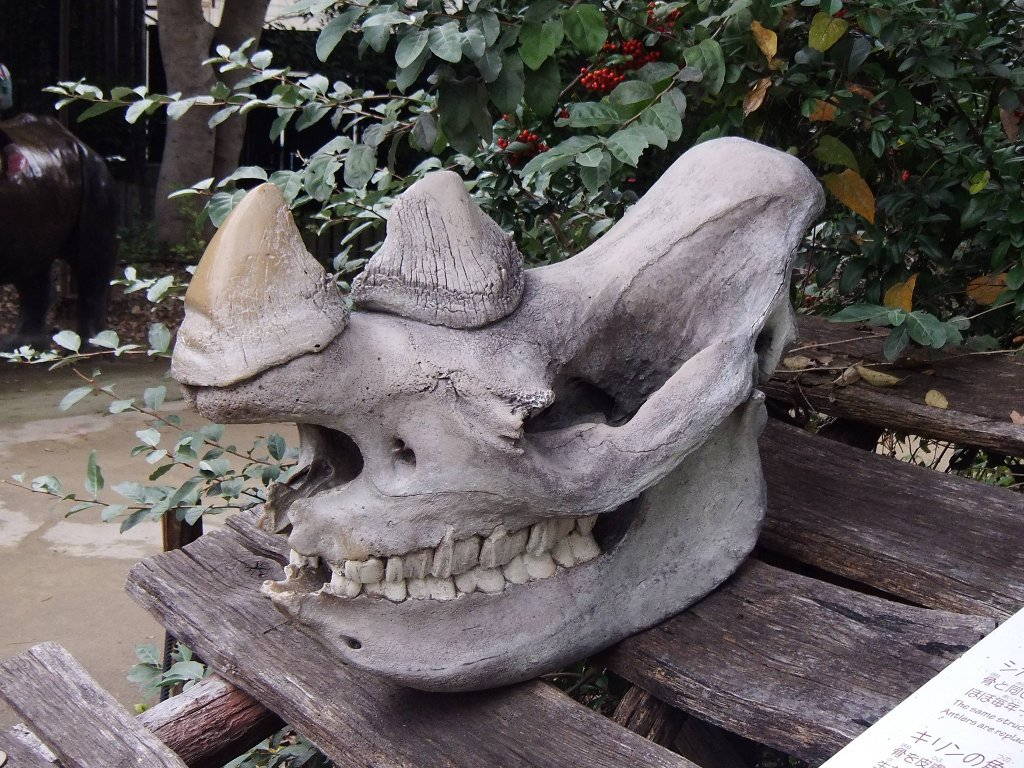
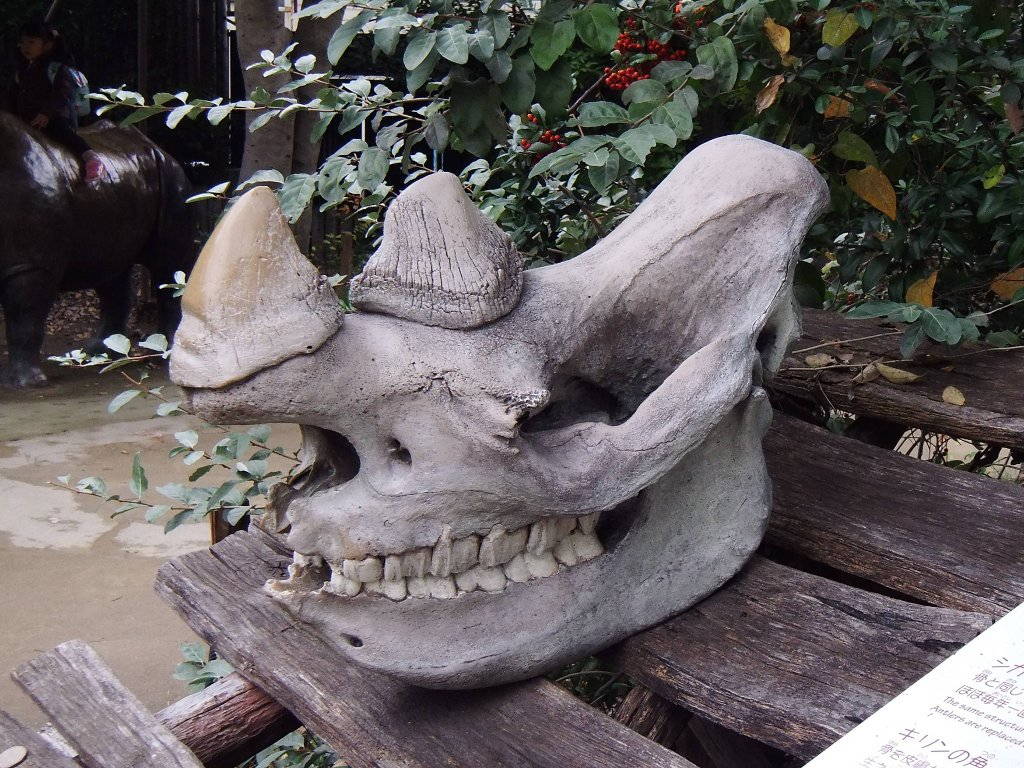
Present in the debug_mpo_ folder is a 3D picture of a rhinoceros skull, named resizable.mpo, taken with a Fujifilm FinePix Real 3D W1 Camera. The photo was taken at the Tennoji Zoo in Ōsaka, Japan. Interestingly, this picture was taken on March 29, 2009 and edited with GIMP on August 12, 2010, six months before the release of the 3DS.
(discovery: Larsenv)
Unused Banner & Icon#
The first version of this application contains an unused banner and icon, named ugc.bnr and ugc.icn respectively. They are located in romfs/bnr. UGC may be an abbreviation for "User Generated Content". These seem to be remnants of the scrapped functionality to create albums and save them to the Home Menu that can be found in the first released version of the application (1.0 firmware) and in the prototype.
Icon


These are the titles found in SMDH data.
Language |
Short Title |
Long Title |
Publisher |
|---|---|---|---|
Japanese |
短いタイトル名 |
長いタイトル名 |
発売元 |
English |
ShortName |
LongName |
Publisher |
Banner
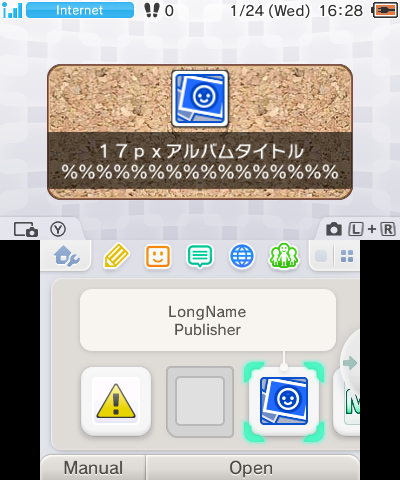
The background is notably borrowed from the Nintendo Wii's Photo Channel.
Transcription |
Translated |
|---|---|
17px アルバムタイトル |
17px Album Title |
The % symbols at the bottom of the banner may be a placeholder for where user-generated text could go.
(discovery: MilesTheCreator)
Unused Sounds#
Present within the App's bcsar file (romfs/sound/PNOTE_Sound.bcsar) are four unused sounds, listed below.
Sound |
Name(s) |
Description |
|---|---|---|
WSD_VOC_L[01 to 18] |
A metal "bang" sound. |
|
WSD_S_FCE_NG1 |
An error beep. |
|
WSD_S_STR1 |
The shutter sound from Nintendo DSi Camera. |
|
WSD_VOC[01 to 18] |
Someone saying "ボイスのテストデータです", it translates to "Voice Test Data." |
(discovery: TheMeowthTeamV2YT)
Unused Album feature#
Discovered with the 2010 prototype, there is an interesting album feature which didn't make it into the release. In the 3DS Camera application from the 1.0 Firmware, this feature is still there and can be recovered using this mod. The 1.0 version doesn't contain any text related to the album feature, so the texts you'll see are borrowed from the prototype.

When this feature is enabled, a new "Album Creation" button on the top left of the gallery can be seen.
Opening the album creation#
When you open the album creation, the parrot will ask you to either start from scratch or let him make one for you using a randomly selected theme.

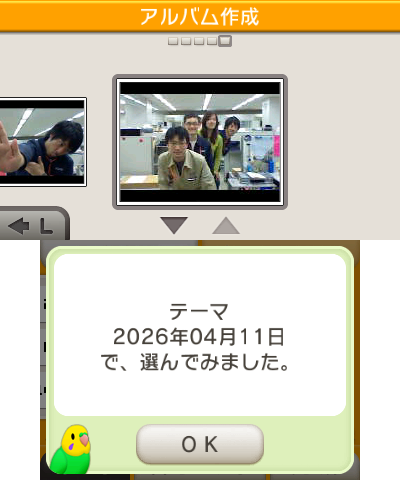
The themes the parrot can pick can be photos from a specific date, photos from games, photos with Miis and more. In this screenshot, the parrot selected all photos from the 2026/04/11 date.
Using the album#
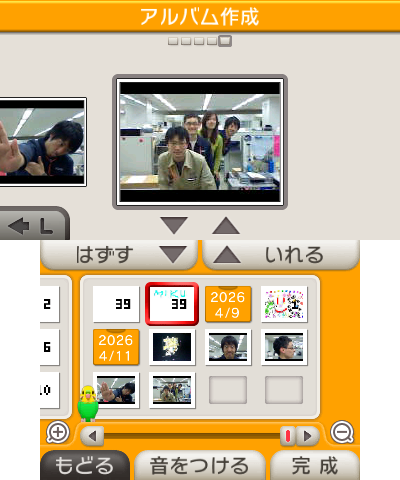
This is the main screen of the album; this is where you can add or remove photos for your album. You can use L and R to cycle between the album's photos, everything else is controlled on the bottom screen: the top buttons are to remove and add a photo, as for the bottom buttons, the buttons are (left to right), quit, add recordings, finish.
Album's recordings#
Preset recordings |
User recordings |
|---|---|
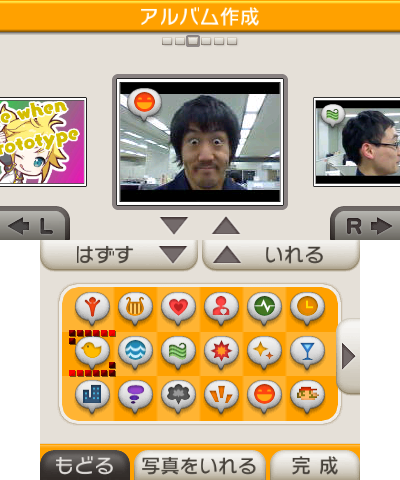 |
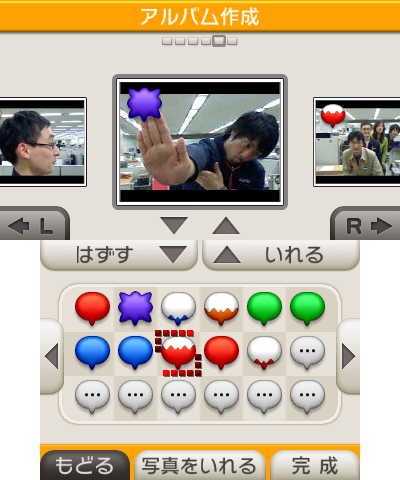 |
You can add recordings to the album's photos which will be played when the picture is shown. You can either pick a preset recording or pick one yourself. You can listen to them in the list below:
Icon |
Sound |
Filename |
|---|---|---|
 |
Seikou01 |
|
 |
Harp01 |
|
 |
Kiss01 |
|
 |
Pulse01 |
|
 |
Electronic_signal01 |
|
 |
Clock01 |
|
 |
Bird01 |
|
 |
Ocean01 |
|
 |
Wind01 |
|
 |
Punch01 |
|
 |
Star01 |
|
 |
Glass01 |
|
 |
Downtown01 |
|
 |
Zawa01 |
|
 |
Whitsle01 |
|
 |
Kansei01 |
|
 |
Laugh01 |
|
 |
1UP01 |
Album preview#
First confirmation |
Second confirmation |
|---|---|
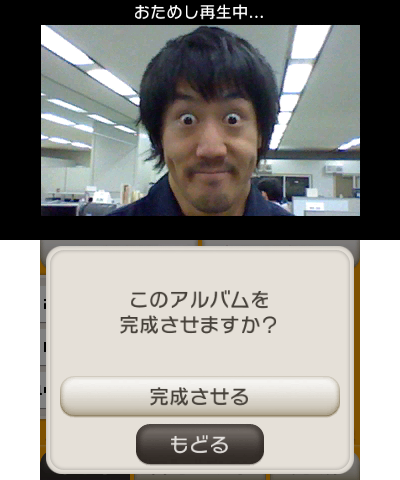 |
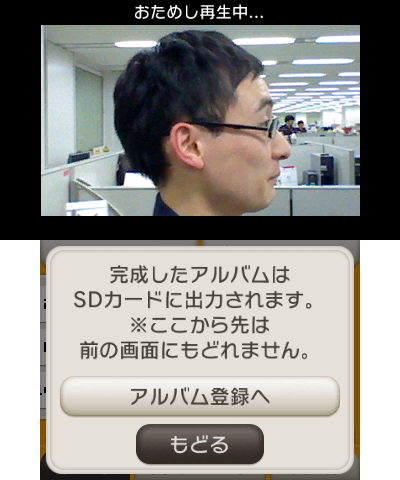 |
After selecting "finish", you will see a preview of your album, and ask if you want to finish the album. Then, a second confirmation dialog will appear telling you that the album will be saved on the SD card and that you won't be able to come back after confirming.
Album icon customisation#
Main menu#
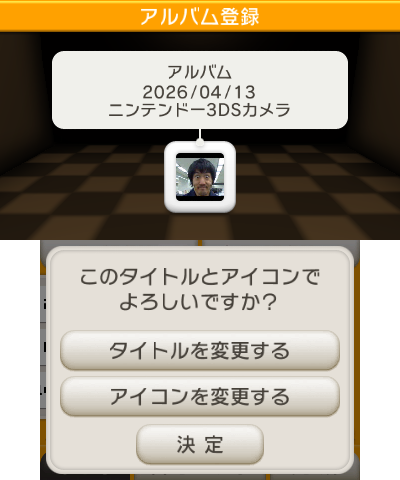

After confirming that you want to finish making the album, you'll be presented with a menu to customise the album's icon, this menu is very similar to editing a playlist in Nintendo 3DS Sound. The first button is for changing the title, which will open the keyboard to enter a title, the second button will open a menu for selecting an icon, which you'll see below, and the 3rd button is to finish.
The "Publisher" (here, "ニンテンドー3DSカメラ"), is a guess of the mod, it's the title of the application in Japanese (Nintendo 3DS Camera). It's unknown what it was supposed to display on this version, the username is displayed on the prototype, but this doesn't work here.
Icons#
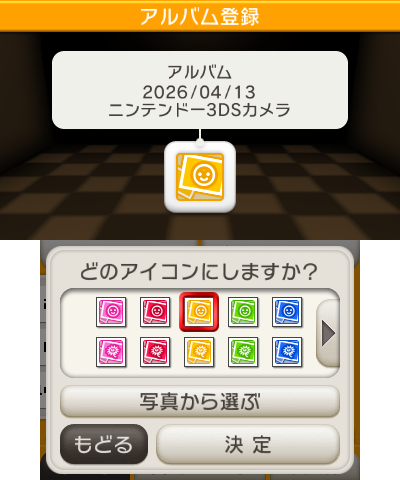
Preset icons |
Album photos icons |
|---|---|
 |
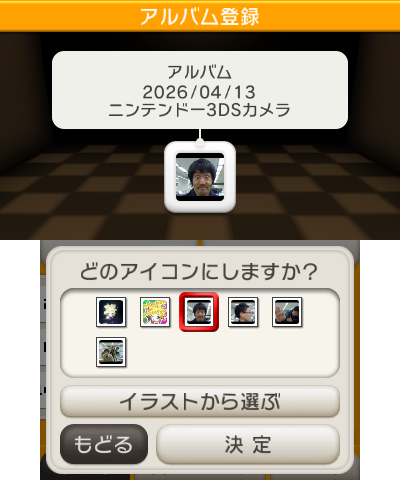 |
You can select an icon from a photo of your album, or from a preset, this is where those icons are from!
Here's an unofficial spritesheet of all icons that you can select:

Saving#

After confirming your title and icon, it's supposed to save the album. On the 1.0 version, this does not work and throw an error. The technical reasons behind this aren't known at the time of writing this.
|
First-Party | |
|---|---|
|
Default Apps |
Home Menu (Prototype) • Nintendo 3DS Camera (Prototype) • Nintendo 3DS Sound • Mii Maker (Prototypes) • StreetPass Mii Plaza (Prototype) • Face Raiders • AR Games • Activity Log (Prototypes) • Download Play • Health and Safety Information • System Settings (Prototype) • Nintendo Zone • Instruction Manual (Prototype) |
|
Included with System Update |
Nintendo eShop (Prototype) • Miiverse • Nintendo Network Settings • Internet Browser |
|
Downloadable Apps |
Virtual Console • Swapnote • Save Data Transfer Tool • Nintendo Badge Arcade |
|
Third-Party | |
|
Downloadable Apps |
|
|
Related | |
|
DSiWare |
|