 This article has a talk page!
This page details one or more prototype versions of System Settings (Nintendo 3DS).

|
This article has just been started and needs the article basics added. |
Languages#
A lot of strings are translated in the available languages, but they all contains random spacing. This could be a bug, probably because the app was being developped at the same time translations were made.
There's more text translated in the EUR languages while the USA ones lacks more text.
The wifi status text will be changed to the correct language once the status changes.
Debug Features#
Debug Menu#
This is the first thing that shows up when you start the application. This allows you to quickly launch different parts of the app. You can press start in most areas to open this menu again.
Debug Menu |
|---|
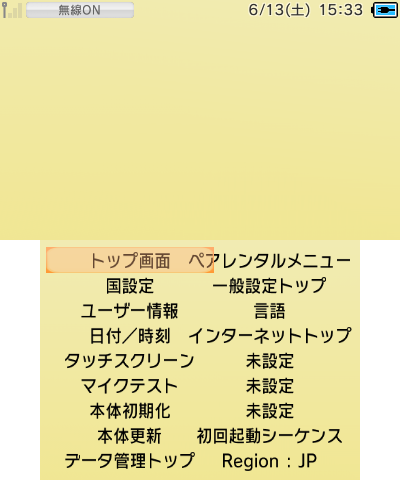 |
Translation:
Main Menu |
Parental Controls |
Country Settings |
Other Settings |
User Information |
Language |
Date/Time |
Internet Settings |
Touch Screen |
Not Set |
Microphone Test |
Not Set |
System Update |
Not Set |
System Format |
First Setup |
Data Management |
Region : JP |
This differs from the layout file discovered in the main app (and also present in this prototype, having the same text), the layout's text is overwritten by the code, but the layout indicates a previous version of this menu.
Pressing B after first launching the application cycles between regions in this order: JP, US, EU, AU. After entering a menu, you can no longer change the region until you reboot the app.
Home Button#
Pressing Y anywhere shows the icon for disabled home menu. The real home button does nothing.
Screenshots#
- Pressing L+R+D-Pad Down takes a screenshot of the bottom screen.
- Pressing L+R+D-Pad Up takes a screenshot of the top screen.
Screenshots are saved to the SD Card at sd:/ctr-hontai/cap00000.bmp, the 8 digits is incremented by 1 for each screenshot. The counter resets at app launch.
Dummy EULA#
Because there's no erreula (error and eula) applet yet, a dummy EULA menu shows up instead.
Dummy EULA |
|---|
 |
It scrolls up to 22 lines.
You can make it pop up on the Internet settings, where the "assistant" will stay. Tapping it will softlock the app since there's no text assigned for it, you can press start to return to the debug menu to escape though.
Main Menu#
US |
EU |
|---|---|
 |
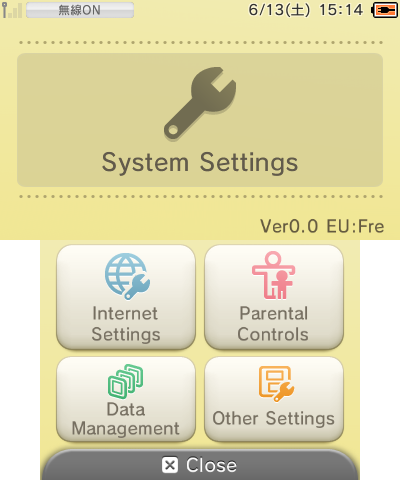 |
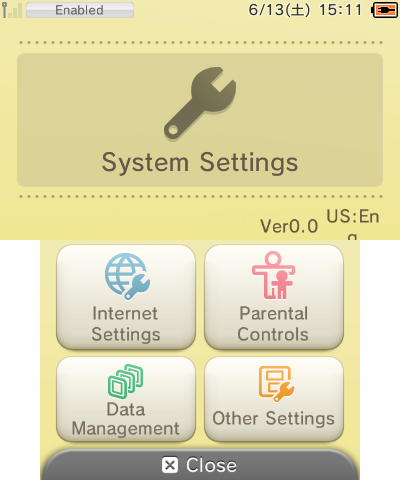
Here, the place where the version string is supposed to be shows a "v0.0" placeholder, and the selected region and language. There is also not enough space to display the full text in some region/language combination, resulting as a bad text wrap.
There is a bug if the EU region is selected, where the displayed current language is offset by one. This results as a crash if you select the Russian language then go back to this menu.
Language Selection#
Attempting to go to this menu while having the JP or AU region selected will result in a crash.
US |
EU |
|---|---|
 |
 |
The US region don't have the language text, but they can be selected, in order: English, French, Spanish and Portuguese. For some reason, selecting Portuguese crashes the app.
For Europe, all languages are displayed and can be selected correctly, except for the Russian language which will crash if you go back to the main menu.
System Update#
This feature look identical to retail, but function differently. Instead of actually connecting to the internet and update, you have to tap the touch screen to advance the bar!
Internet Settings#

|
To do:
|
Internet Settings main menu |
|---|
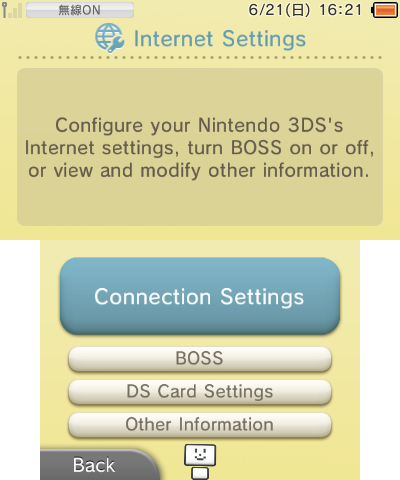 |
- The Spotpass Settings is called "BOSS", see below for more details.
- The DS internet settings is called "DS Cart Settings" here, and redirects to the "Other Information" menu.
Spotpass Settings#
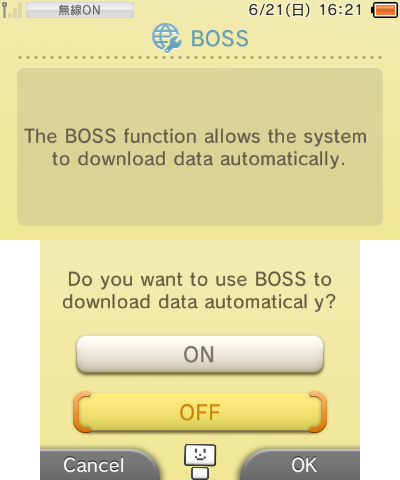
Spotpass is called "BOSS", which is the Spotpass codename.
BOSS menu |
BOSS menu tip |
|---|---|
 |
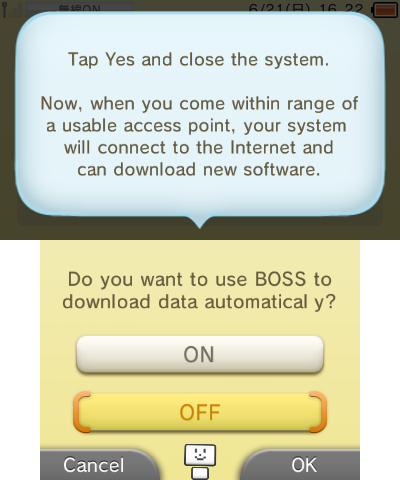 |
There's no sub options like the final, only one for turning it off and on. The tip displayed is confusing, but it look like this is for turning on and off Spotpass entirely.
Connection Test#
|
Proto |
Final |
|---|---|
|

|
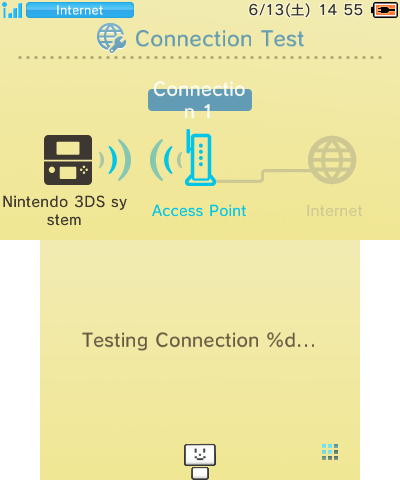
- The internet icon is different.
- The bottom screen would show the connection number, which got removed because it's useless.
- The "%d" text is there pretty much everywhere, this would've been the connection slot number, but got removed from the code, as the text wasn't updated, this shows up as is.
- The "Nintendo 3DS system" text got changed to fit properly.
- The process is laggy on the prototype.
Connection Test fail#
Error message |
Error code |
|---|---|
 |
 |
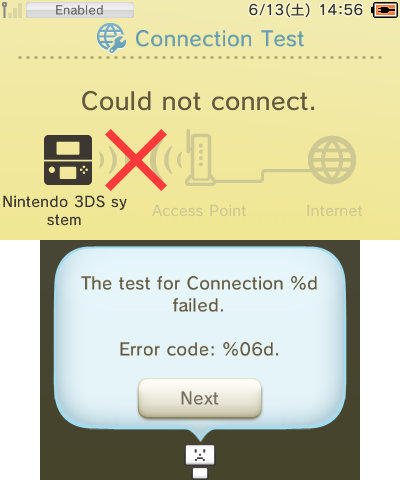
- Since the erreula (error and eula) applet didn't exist yet, the error code is displayed on a other menu instead.
- What's interesting is that the "assistant" was supposed to shows it at some point.
- Taping the "assistant" on the error code menu will softlock the app just like the dummy eula applet. You can also press start to escape and open the debug menu.
Connection Test success#
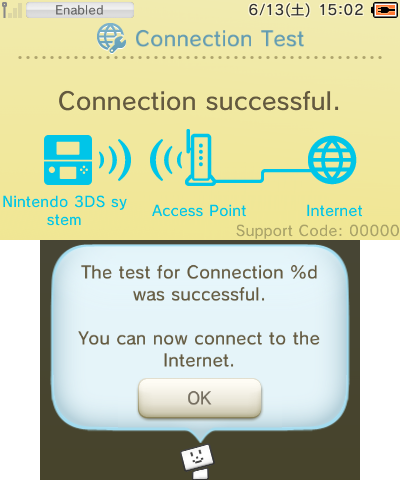
Success message |
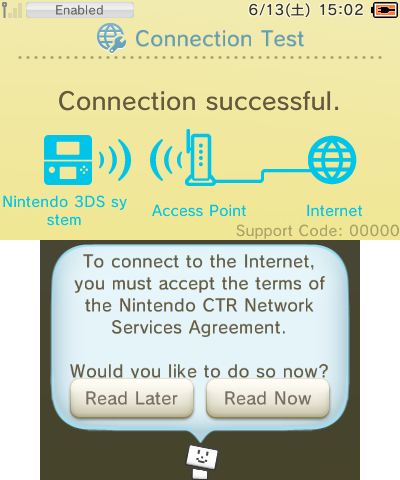
Eula agreement |
|---|---|
 |
 |
- The support code will always be 00000.
- It will then ask to agree to the EULA.
- in the US English language, it will be called "Nintendo CTR Network", and is the only place where "CTR Network" is mentioned.
Parental Controls#
There's a few things to say about parental controls in this prototype. The settings are saved properly, but not used properly:
- The code will be 1234 regardless of what you set it outside of parental controls settings.
- You cannot remove parental controls, the option to do so doesn't function as it should.
- the "CTR Tag Mode" term is also used just like in data management.
Age restriction#
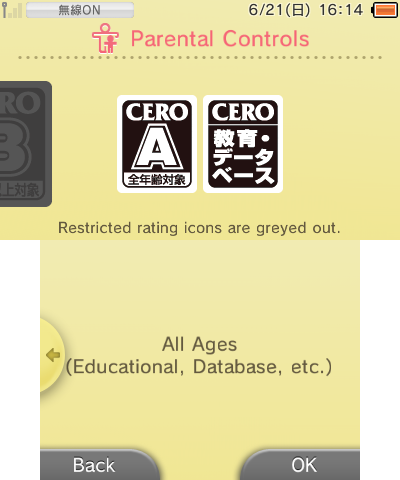
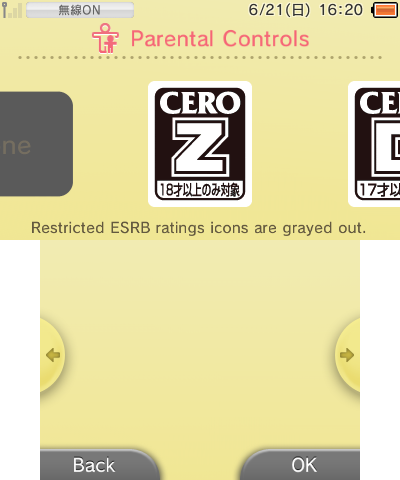
The Japanese CERO age rating will be shown regardless of the chosen region, likely because this wasn't implemented for other regions yet. The Europe PEGI ratings can be found inside the romfs, but they're unused.
US |
EU |
|---|---|
 |
 |
 |
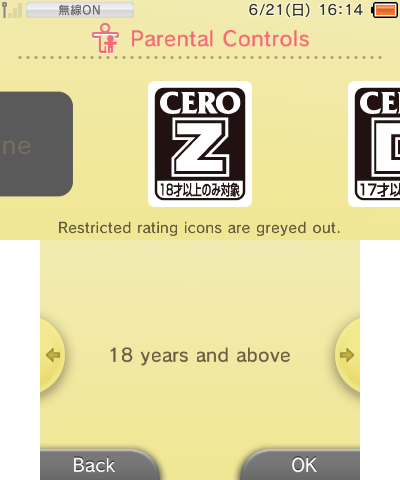 |
Regions other than JPN aren't supposed to see this, which is why the The USA languages don't have text on the bottom screen.
For some reason, the EUR languages does, and are direct translations from the JPN text (probably for testing?). They're still present in the latest version of the app, and unused.
3DS Shop#
US |
EU |
|---|---|
 |
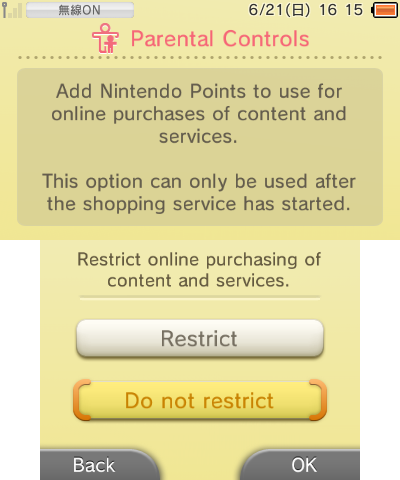 |
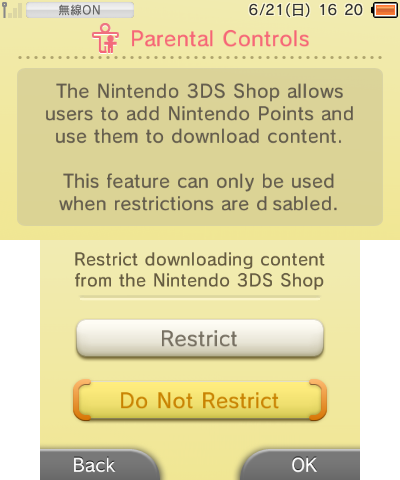
The US English language refers to the Nintendo eShop as "3DS Shop", while the EU one refers to a generic "content and service" term.
Data Management#
US |
EU |
|---|---|
 |
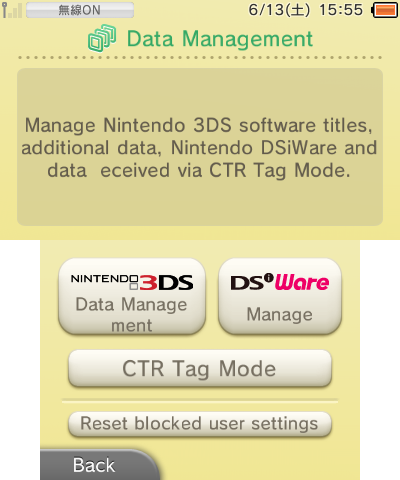 |
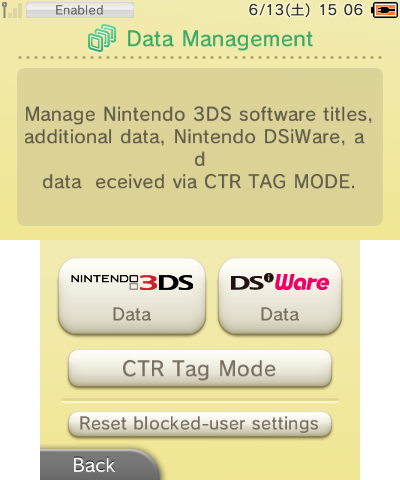
There's a noticable difference where there's text below the "Nintendo 3DS" and "DSiWare" logos, which is like the Asian regions (see the original System Settings regional differences).
The "Reset blocked-user settings" shows the usual confirmation pop up, but does nothing while confirmed, it isn't disabled after "reseting".
Streetpass#
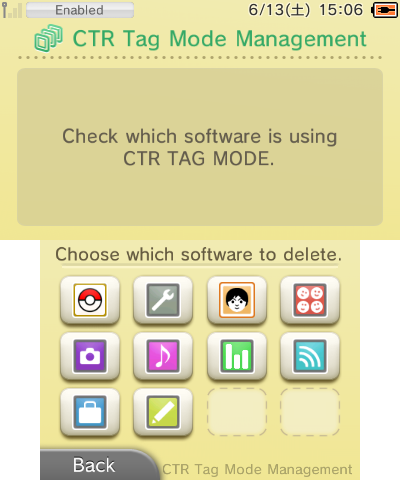
The name of "Streetpass" didn't seem to exist yet, and is called "CTR Tag Mode" instead; interestingly, they didn't use the "CEC" (Chance Encounter Communication) name, being the Streetpass codename.
Streetpass dummy software list |
|---|
 |
Selected Software |
Delete Data |
|---|---|
 |
 |
This menu displays a list of dummy softwares after pressing A or B, having various stats of "data transmissions", and can be "deactivated".
Data Management#
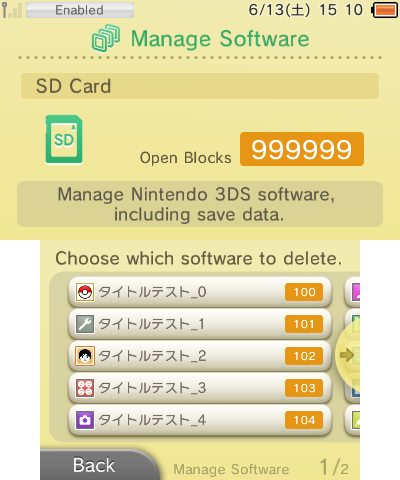
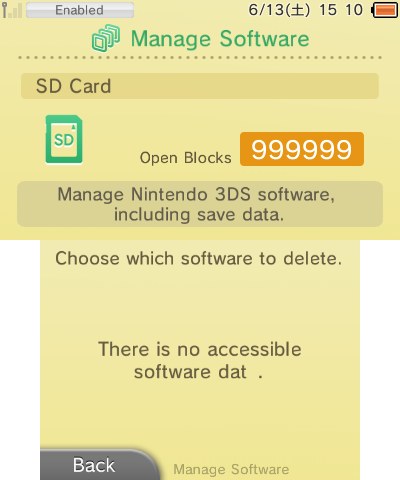
Everything here works the same, it will "load" until you press A or B, and display a list of dummy software if you pressed A, and nothing if you pressed B.
It will also shows a dummy "Open Blocks" counter, being 999999.
A pressed |
B pressed |
A pressed (DSiWare) |
|---|---|---|
 |
 |
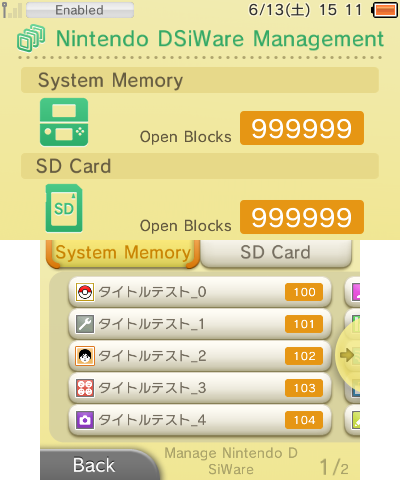 |
Icons#
The data management menu uses dummy icons to test if the menus work as intended with dummy softwares.
Their format is CIC (likely Ctr ICon), which is the same as the smdh format, but only contains the icon (no title).
Icon |
File name |
Notes |
|---|---|---|
 |
Apps000.cic |
An early icon of a Pokemon game. |
 |
Apps001.cic |
An early icon of the System Settings. |
 |
Apps002.cic |
|
 |
Apps003.cic |
Could be an early icon of the Friend List. |
 |
Apps004.cic |
An early icon of the Nintendo 3DS Camera. |
 |
Apps005.cic |
An early icon of the Nintendo 3DS Sound. |
 |
Apps006.cic |
An early icon of the Activity Log. |
 |
Apps007.cic |
|
 |
Apps008.cic |
An early icon of the Nintendo eShop, notice how it uses the blue color just like its prototype. |
 |
Apps009.cic |
An early icon of Game Notes. |
 |
Apps010.cic |
Could be an early icon of Download Play. |
 |
Apps011.cic |
An early icon of Nintendo Zone. |
 |
Apps013.cic |
Earliest icon of Health and Safety Information. |
 |
Apps023.cic |
Early icon of Health and Safety Information. |
 |
Apps033.cic |
Another early icon of Health and Safety Information. |
There's a lot of them, 96 to be exact, some of them are a earlier design of the 3DS system icons, which is in this list, while everything else are DSiWares icons.
|
First-Party | |
|---|---|
|
Default Apps |
Home Menu (Prototype) • Nintendo 3DS Camera (Prototype) • Nintendo 3DS Sound • Mii Maker (Prototypes) • StreetPass Mii Plaza (Prototype) • Face Raiders • AR Games • Activity Log (Prototypes) • Download Play • Health and Safety Information • System Settings (Prototype) • Nintendo Zone • Instruction Manual (Prototype) |
|
Included with System Update |
Nintendo eShop (Prototype) • Miiverse • Nintendo Network Settings • Internet Browser |
|
Downloadable Apps |
Virtual Console • Swapnote • Save Data Transfer Tool • Nintendo Badge Arcade |
|
Third-Party | |
|
Downloadable Apps |
|
|
Related | |
|
DSiWare |
|