 This article has a talk page!


Unused Models#
DSiWare Banner#
An early design of the banner can be found in version 1.0.0-0, at romfs/3D/BannerDSiWare_LZ.bin
The text label has a shine animation that is absent in later versions. It uses the icon from the DSiWare game Paper Airplane Chase and contains a different placeholder text.
|
1.0.0-0 |
Post 1.0.0-0 |
|---|---|
|
|
|
Original |
Translated |
|---|---|
ここにゲームタイトル |
Game title here |
Software Present#
The present model and its animations can be found in version 1.0.0-0, at romfs/3D/BannerGift_LZ.bin
|
Early gift model |
Unused blue gift model |
|---|---|

|

|
There is another variant with a blue gift wrap that goes unused.
The gift model uses the red color by default, there are unused animations which makes the gift blue by changing the material color. Each animation are suffixed with "Tiger" and "Boss" respectively.
Tiger is the codename for Nintendo eShop, and Boss is the codename for SpotPass. Could be used for SpotPass advertisements since they're gift wrapped when received.
An unused animation that rotates the model back and forth, titled BannerGift_Loop_Tiger and BannerGift_Loop_Boss. The _Boss one colors the gift to blue. They are removed in later versions.
|
BannerGift_Loop_Tiger |
BannerGift_Loop_Boss |
|---|---|
|
|
|
A rough opening animation titled BannerGift_Open_Tiger and BannerGift_Open_Boss. The _Boss one also colors the gift blue.
BannerGift_Open_Tiger |
BannerGift_Open_Boss |
|---|---|
Default banner#
The default banner is what is shown on the top screen when a blank slot is selected and no theme is applied. From 1.0 to 9.2, there's 5 unused animations for them, which look like this:
Default animation |
Unused 01 |
Unused 02 |
|---|---|---|
Unused 03 |
Unused 04 |
Unused 05 |
|---|---|---|
Unused Textures#
Dmy_00

A placeholder 2D banner can be found in version 1.0.0-0, at romfs/3D/Banner2D_LZ.bin
It was replaced with a 16x16 blank image in later versions.
Original |
Translated |
|---|---|
テクスチャサイズは256x128です |
Texture size is 256x128 |
Unused Sounds#
SE_CTR_HOME_BANNER_PRESENT#
|
1.0.0-0 |
Post 1.0.0-0 |
|---|---|
The banner sound for the present. Interestingly enough, this banner sound is longer than 3 seconds.
SE_CTR_HOME_NEWAPP_DIALOG#
Unused 1 |
Unused 2 |
Final |
|---|---|---|
Two unused sounds when the dialogue for new software appears.
SE_CTR_HOME_POPUP_INF#
Unused |
Final |
|---|---|
Unused sound when getting a new notification.
Hidden Key Combinations#
There are a few key combinations hidden within the system software that are not listed in the 3DS' instruction manual.
Auto-Boot 3DS Game#
There are a few requirements that have to be met for this to work:
- You must not have set up the system (i.e., brand-new system out of the box or fresh from a factory reset).
- You must have a 3DS (not DSi or DS) game card inserted.
By holding A + B + X + Y + R, you can force the inserted game card to boot directly, bypassing the initial setup and Home Menu, along with any updates on the game card's update partition that would otherwise be required to be installed to play the title.
The following will also occur:
- Usage of games will not be added to the Activity Log.
- You will not have any Miis, so games will resort to their defaults.
- You will not have an internet connection or be able to use StreetPass.
- Games will not be able to check the Friends List because it will be empty.
- Region lock will still be enforced.
Some games may not take to this mode nicely - for example, Super Mario 3D Land will crash if you attempt to create a new save file (possibly because there are no Miis). Additionally, pressing the HOME button, or any software functions that would otherwise do the same as pressing the HOME button, will simply shut off the console. This mode may have been used for kiosk demos that have the Home button disabled, or for Nintendo's repair centers to be able to boot into a diagnostics card if the system can't boot into the setup for whatever reason. Trying to play a New Nintendo 3DS game (such as Minecraft: New Nintendo 3DS Edition for example) on a non-New 3DS using this feature will freeze the system at a black screen.
Some 3DS kiosk demos and other various demonstration software can also set a flag in their icon file that will cause them to auto-boot without this key combination held. The system checks for this flag before checking for the button combination.
(Source: 3dbrew)
Touch Screen and Circle Pad Calibration#
After the above takes place, as the Home Menu is booting, before the menu finishes loading, you can hold down L + R + X to access the touchscreen calibration part of System Settings, and L + R + Y to access the circle pad calibration part of System Settings.
Boot Firmware from DS(i) Cart#
If the system's lid is closed, or the lid close sensor is otherwise tricked into believing it is closed (a magnet on any model 3DS and the New2DS does the job nicely, while on the standard 2DS this is accomplished simply by using the sleep slider), holding Start + Select + X and pressing the power button will make the system try to boot from a DS cartridge directly before trying to boot from the NAND.
- To clarify, it will actually try to boot from the cartridge, as in execute firmware from it. It will not work with a DS game cartridge, as it is expecting a different format.
- Old 3DS models (3DS, 3DS XL, and 2DS) won't boot while "closed" unless this combination is held.
- Thanks to some flaws in the signature check done on firmware that is executed by the 3DS bootrom (through normal means or through a DS cart like this), this combination can be used along with a modified DS flashcart to unbrick a system and/or install custom firmware on it, as seen in this video.
Home Menu Reset#

|
To do: |
If L + R + B + Down is held during startup, a confirmation message will appear asking if you want to delete the Home Menu management information.

Promotional Videos#
Right after the system's launch, there were promotional videos released through the version 1.1.0-1 update of the System Menu. The videos were all in a 3D format, for obvious reasons. There were three videos released: One for Japan featuring an orchestral rendition of the main Super Mario Bros. theme, which was recorded at the Nintendo World 2011 live concert, one for the NA featuring a 3D version of OK Go's "White Knuckles" music video, and one for Europe which features various nature scenes and skydivers. These videos get removed when System Menu 2.0.0-2 installs to the system, as it stubs the contents of each region's title so they no longer contain any data.
"White Knuckles" was at one point also available to watch on Nintendo Video in the US, and when it became unavailable there, it was also available for a while on the 3DS eShop as a downloadable video.
Japan |
North America |
Europe |
|---|---|---|
Friend List "Join Game" Multi-Selection#
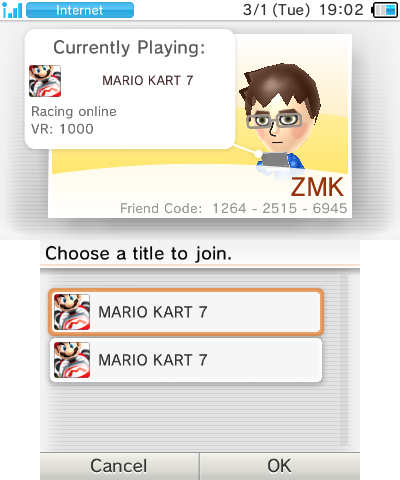
Programmed into the Friend List applet on the Home Menu is the ability to select which version of a game you want to launch, in this screenshot's case, triggered by having two different regions of Mario Kart 7 installed to the system. This feature seems to go unused otherwise, as it is impossible to install a game from a region outside the region of your system without modding the console, and the games that you may expect to trigger the feature (Pokémon games, Animal Crossing New Leaf + the standalone Welcome Amiibo release of said game) either don't have Join Game functionality in the Friend List or do not trigger this menu.
UNITINFO#
|
|
To do: |
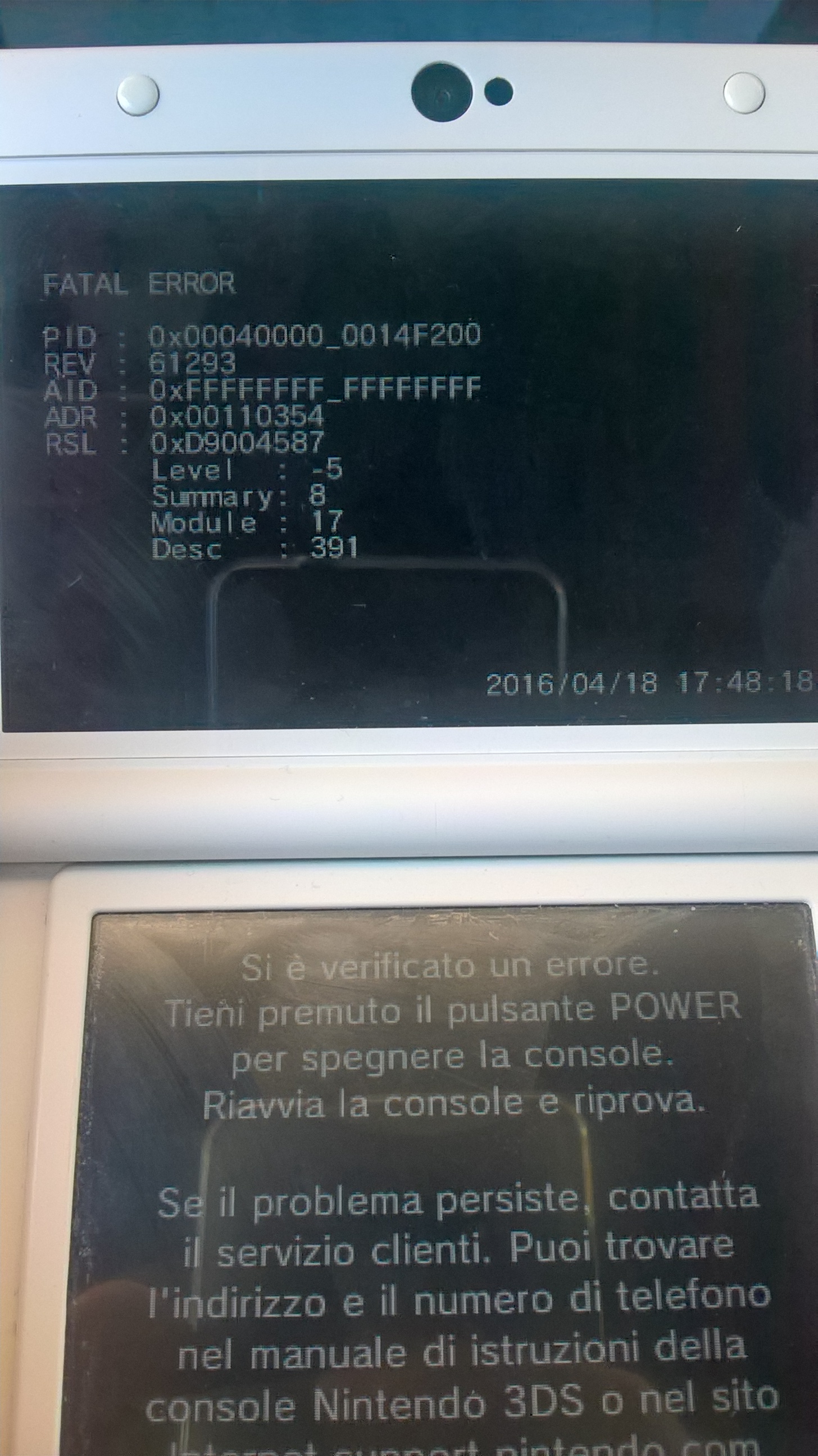
UNITINFO CFG9_UNITINFO is a register read by the ARM9 processor of the 3DS that dictates whether the 3DS will be a retail unit or a few varying types of development/debugging unit. Normally, this register’s value is 0 on a retail unit, and 1-3 on a development unit, depending on the type of development unit, of which there are 3 that can be set by this register's value (Developer, Debug, and Firm). Using homebrew tools, such as Luma3DS Custom Firmware, the bit can be set to a non-zero value to make a retail system act like a development console.
When UNITINFO is set to non-zero, the following changes from a retail system (UNITINFO = 0) can be noted:
- The system will switch its cryptography for installable software to use development keys, meaning any software that was not installed with the system or signed with development encryption won't work (most normal games and applications fall under this category)
- The 3DS' Error Display module (ErrDisp) will print out more detailed information about the specific error that has occurred
- The eShop will not work for reasons not currently documented or understood
- Amiibo functionality will be disabled for reasons not currently documented or understood
- Various system modules will act differently, but the changes to each are not currently well documented
(Source: 3dbrew, Luma3DS' option documentation)
Version Differences#
|
|
To do:
|
1.0.0-0#
Message Boxes#
1.0.0-0 - 1.1.0 |
2.0.0-2 - Present |
|---|---|
 |
 |
 |
 |
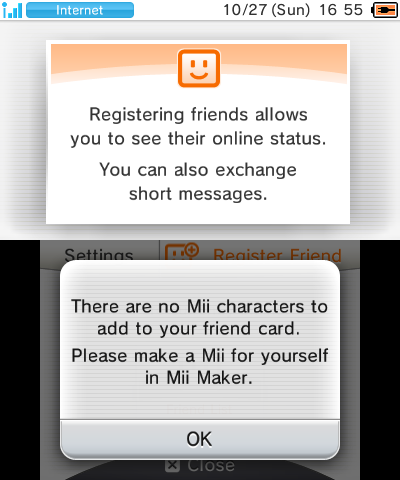
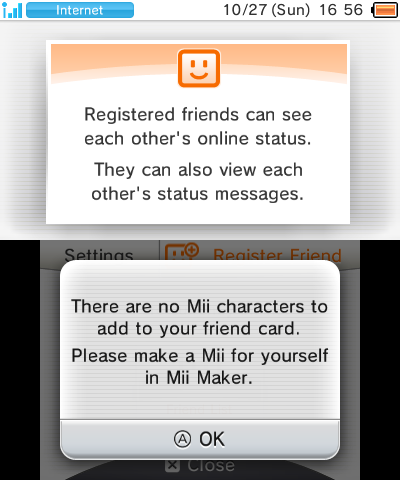
Prior to firmware version 2.0, one could not dismiss message boxes with (A).
Power Menu#
1.0.0-0 - 1.1.0 |
1.0.0-0 - 1.1.0 Sleep Mode Screen |
2.0.0-2 - Present |
2DS |
|---|---|---|---|
 |
 |
 |
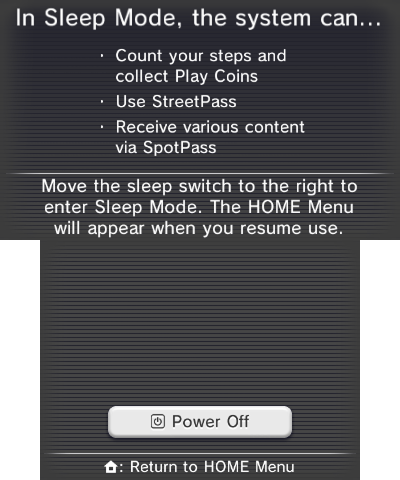 |
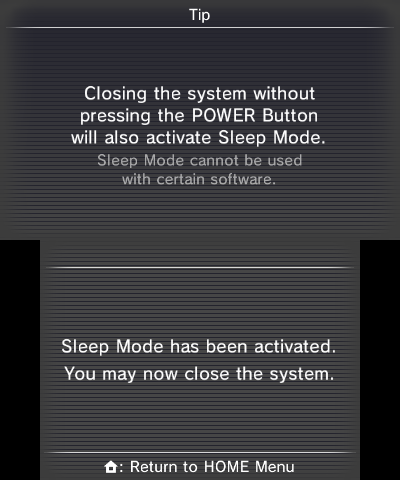
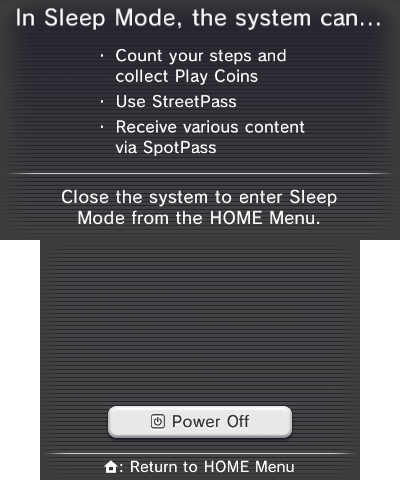
On firmware 1.0.0-0 the screen that is opened when you press the power button had a different design that featured a larger Power Off button along with a Sleep Mode button. Pressing the sleep mode button switches to a screen that says sleep mode has been activated and you can now close the system. In all other firmware versions the sleep mode button was removed and text was added to the top screen saying that you can close the system (or the Sleep Slider on Nintendo 2DS) to activate sleep mode. This was most likely very quickly removed as it serves no purpose since you can put the system to sleep by just closing it at any time without going through this menu.
The second lines of the bullet points on the top screen "Count your steps and collect Play Coins" and "Receive various content via SpotPass" are misaligned from the first lines.
Internet Browser Placeholder#
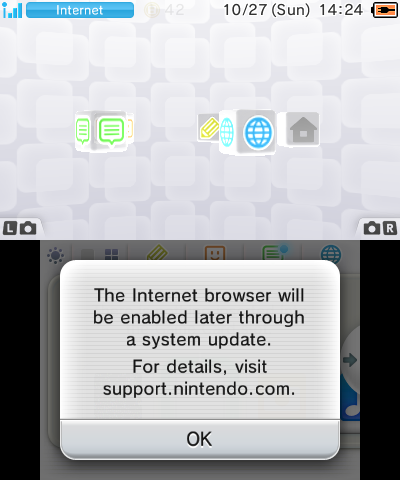
The Internet Browser was not included in firmware 1.0.0-0 but the icon to launch it still exists. Attempting to launch it displays a popup saying that the Internet Browser will be enabled in a future system update.
Friends List#
1.0.0-0 - 1.1.0 |
2.0.0-2 - Present |
|---|---|
 |
 |
The description of the friends list is slightly different between 1.0.0 and later firmwares.
7.0.0-13#
The way the camera applet is accessed was changed, going from being launched by pressing either shoulder button (like on the DSi) to being launched by pressing both buttons. The glyphs for the buttons were also changed, as they now default to being outlined and become filled when the corresponding button is pressed.
9.0 (or 9.2)#
It's hard to describe when the major differences from post 8.1 happened since there are not much information about the 9.0/9.1 versions, a regular user would update from 8.1 to 9.2.
Software Present#
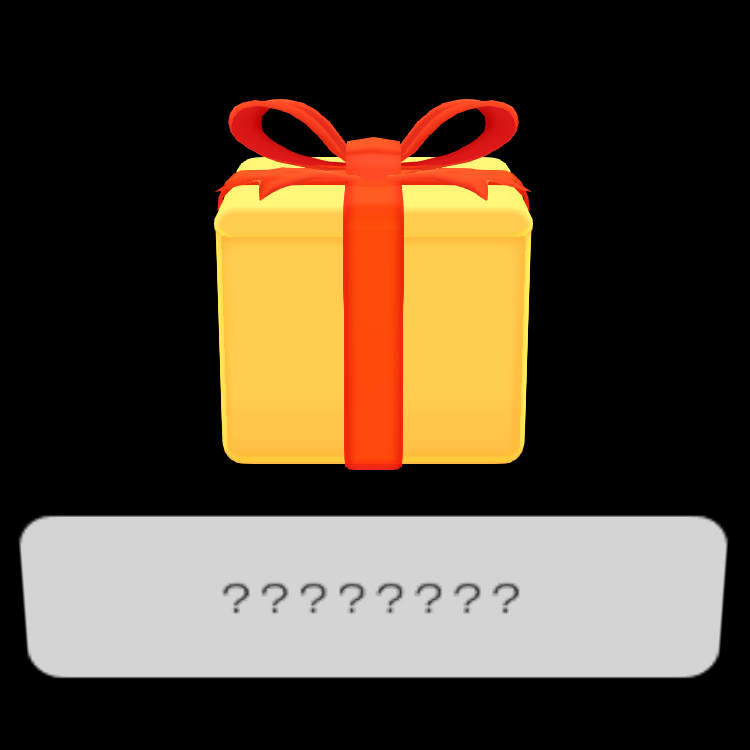
The gift box model was redesigned in 9.2, and features several notable differences.
|
1.0-9.0 |
Post 9.0 |
|---|---|
|
|
|
The colors are dull compared to later versions and lacks the text label.
Animations
The opening animation also changed between those versions:
BannerGift_Open |
BannerGift_Open (Post 9.0) |
|---|---|
Old/New 3DS#
Circle Pad Pro/C Stick calibration#
|
|
To do: |
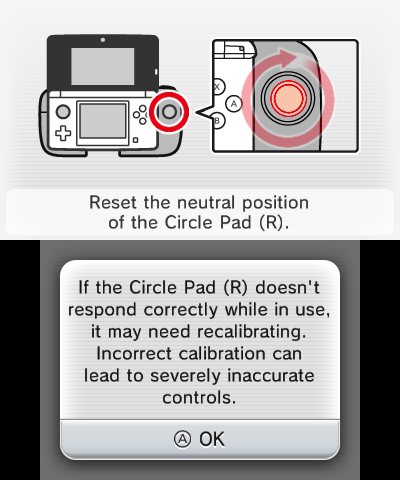
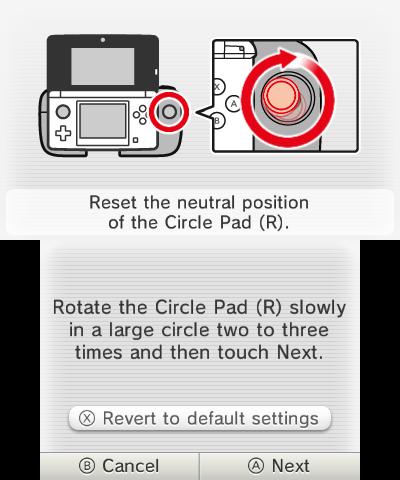
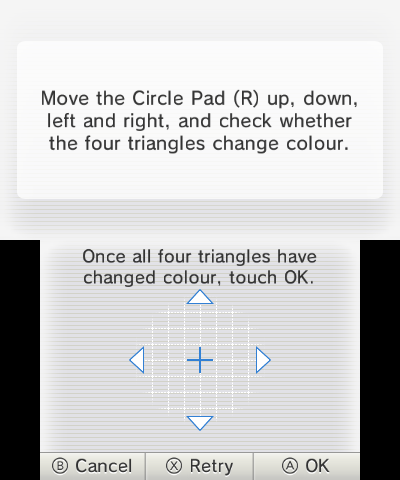
On the old 3DS, the calibration process for the Circle Pad Pro is identical to the process for the regular Circle Pad, with the system prompting the user to rotate the stick two or three times in a circle, then showing a screen with the position of the stick and asking to test the calibration by moving it and lighting up four triangles; there's also an option to revert the calibration to the default settings. The Circle Pad Pro is referred to as "Circle Pad (R)" in the text, which is otherwise identical to the one found in the System Settings when calibrating the left pad.
On the New 3DS, trying to calibrate the stick will immediately show a screen with the position of the stick (and no triangles to light up), and a message stating that the stick resets when the system enters Sleep Mode. There is no actual calibration process or options.
Old 3DS |
|---|
|
|
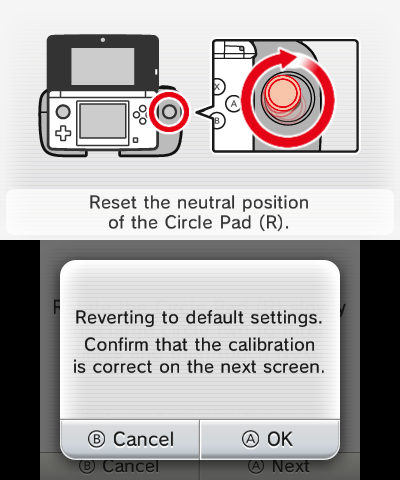
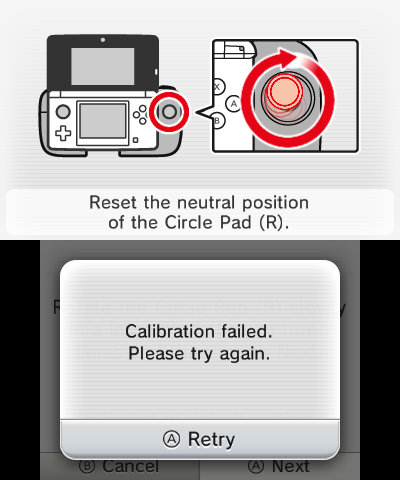
New 3DS |
|---|
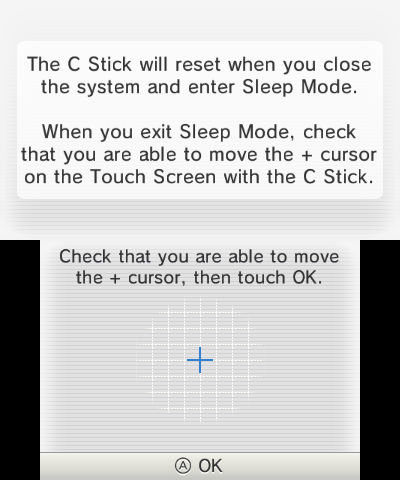 |
amiibo Settings#
The amiibo Settings app on the old 3DS has an option to update the NFC reader/writer.
|
Old 3DS |
New 3DS |
|---|---|

|

|
Initial Setup#
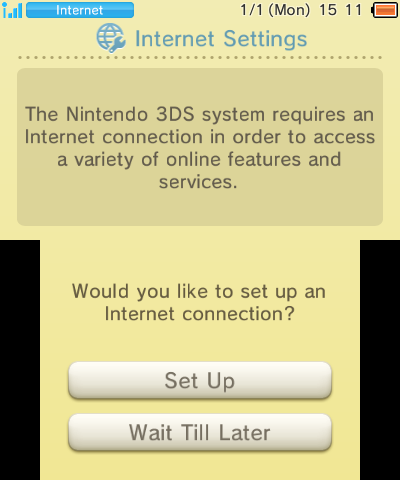
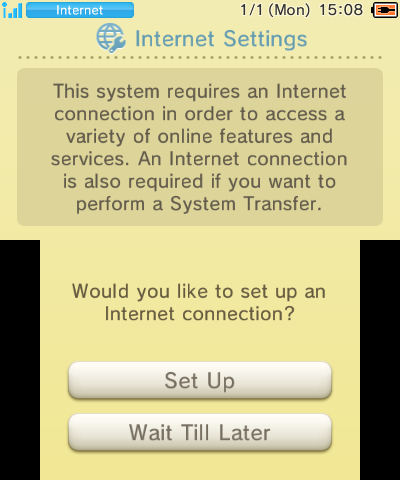
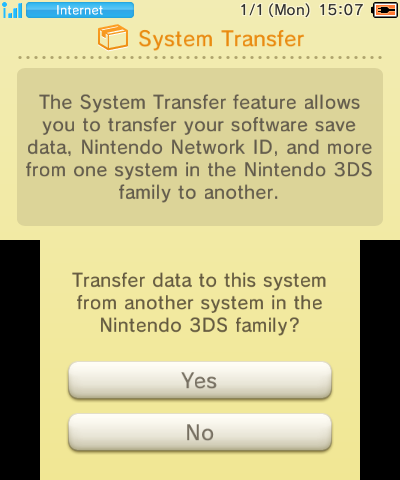
The old 3DS does not give you the opportunity to perform a System Transfer during the initial setup, while the New 3DS does.
Old 3DS |
New 3DS |
|---|---|
 |
 |
New 3DS |
|---|
 |
Regional Differences#
Besides the region lock that each system implements, there are a few differences between each region.
Console Models#
|
|
To do: |
- In Japan, the old 2DS was not sold for many years, eventually being available in limited edition bundles.
- In America, the small New 3DS received a limited, delayed release.
- In Mainland China, only the old 3DS XL was launched, with iQue being absorbed by Nintendo in 2013. Some Taiwan-region games can also be played on China-region consoles in Simplified Chinese.
- In Greater China (Taiwan, Hong Kong and Macao regions), only the original 3DS and XL were released... twice!
2nd Taiwanese/Hong Kong Version#
As the 3DS was not initially launched in Hong Kong/Taiwan/Macao, those regions resorted to Japanese imports.
By late 2012, the "Traditional Chinese" model was launched, featuring a red rectangular "Ct" logo on boxes. It predictably failed, according to precedent, to the above. These are the Taiwanese/Hong Kong consoles as documented hereafter.
In 2015, these products were superseded by another range sporting a round green "Jp" logo, which are fundamentally different from true Taiwanese/Hong Kong systems:
- As the logo suggests, these consoles run Japanese software.
- The near totality of online services (Nintendo-provided and otherwise) and some more features are visible but blocked:
- StreetPass Mii Plaza, Nintendo eShop (including game update download), Nintendo Zone
- Friends List, Internet Browser, Miiverse, Theme Shop, Nintendo 3DS Image Share
- NNID Settings, System Transfer, EULA
- StreetPass
- The only language is Japanese - except for the error displayed when selecting one of the above, which is in "English" only:
This is not available to this Nintendo 3DS.
- Updates for some Japanese games are preinstalled on the bundled SD card. With no direct or in-app eShop access and per-console encryption of SD titles, they could not officially be reobtained if lost or uninstalled for any reason!
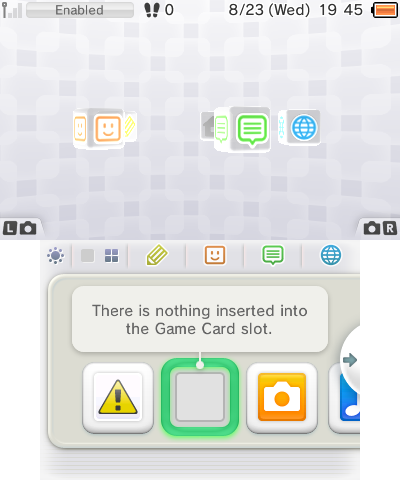
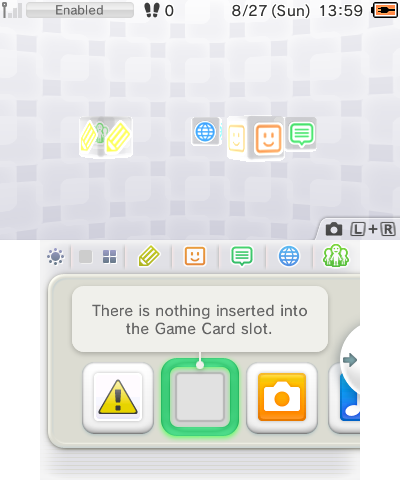
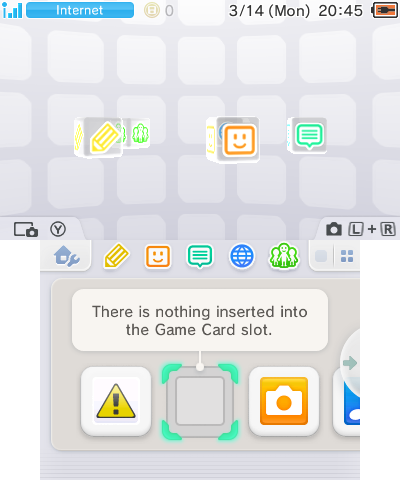
Home Menu + Revisions#
US/JP/EU 1.0.0 - 6.3.0 |
US/JP/EU 7.0.0 - 8.1.0 |
US/JP/EU Post 9.0.0 |
|---|---|---|
 |
 |
 |
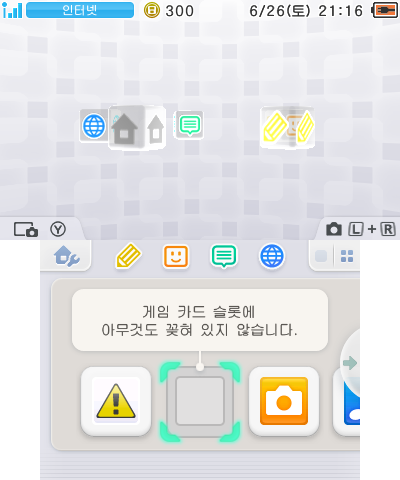
Korea Post 9.0.0 |
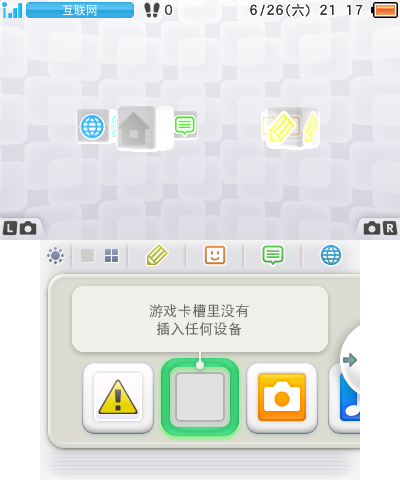
China (iQue 3DS XL) |
Taiwan/Hong Kong |
|---|---|---|
 |
 |
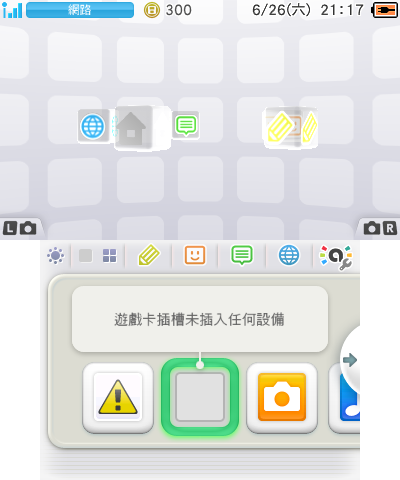 |
The Miiverse applet and "Change Theme" + "Save/Load Layout" option under the Home Menu Settings are absent from the Korean version of Home Menu even if it has theme code handler, whereas the Chinese and Taiwanese/Hong Kong version of Home Menu layout remains unchanged despite being on system version 9.0 and higher. The Taiwanese/Hong Kong version of the Home Menu has an amiibo settings button as an applet button due to the Home Menu Settings button not being present.
Language Selection#
- American systems, also sold in the Middle East and Southeast Asia, offer (American) English, French, Spanish and (Brazilian) Portuguese.
- European systems, also available in Oceania, have English, French, German, Spanish, Italian, Dutch, Portuguese and Russian.
- Japanese, Korean, and Chinese systems are monolingual and completely lack a language selection option.
Furthermore, only the appropriate countries and their subdivisions are selectable as residence area.
Taiwan/Hong Kong special case#
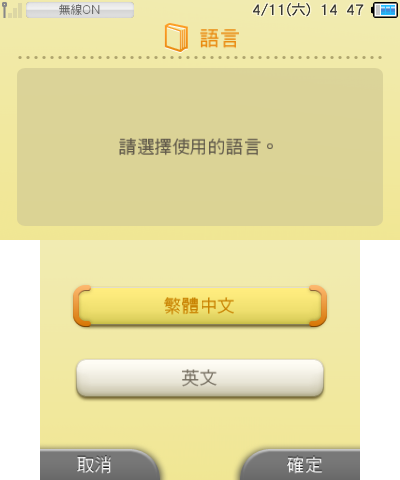
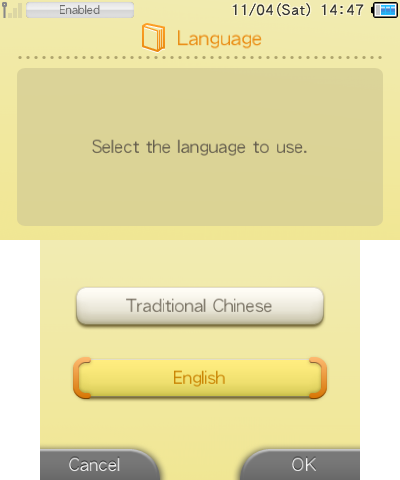
Taiwan/Hong Kong systems have traditional Chinese by default and an unused English language with most of the system apps translated. They lack a language selection option; however, a working language selection menu is present at the first boot and in the system settings on an earlier dev firmware (v0.17.5).
Lang select menu - Trad. Chinese |
Lang select menu - English |
|---|---|
 |
 |
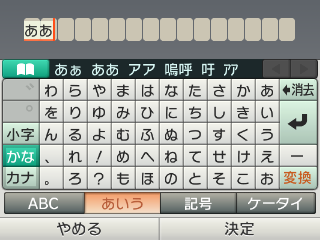
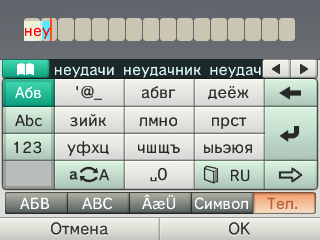
Keyboard#
EUR/USA |
Russian (EUR) |
Japanese |
Korean |
|---|---|---|---|
 |
 |
 |
 |
Taiwan/HK with hidden English language |
EUR/USA numpad |
Russian (EUR) numpad |
Japanese numpad |
|---|---|---|---|
 |
 |
 |
 |
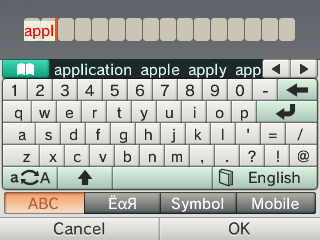
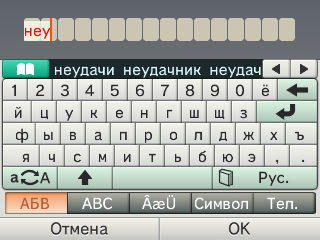
Unlike the Nintendo DSi, the 3DS keyboard has regional differences.
- Japan/Korea/Taiwan/Hong Kong/China all have the symbols and accents on the same section and Europe/USA have a separate section for accents and symbols.
- Japan and China have a 50-key Japanese keyboard (and a button to toggle hiragana/katakana).
- Japan is the only region to have a space button on the numpad.
- Japan and China can type hiragana/katakana using the QWERTY keyboard.
- Taiwan/Hong Kong have a Zhuyin and Cangjie keyboard that can be toggled.
- Korea, Taiwan/Hong Kong and China don't have a numpad.
- Russia is the only language to have an extra Russian keyboard as a different section.
|
First-Party | |
|---|---|
|
Default Apps |
Home Menu (Prototype) • Nintendo 3DS Camera (Prototype) • Nintendo 3DS Sound • Mii Maker (Prototypes) • StreetPass Mii Plaza (Prototype) • Face Raiders • AR Games • Activity Log (Prototypes) • Download Play • Health and Safety Information • System Settings (Prototype) • Nintendo Zone • Instruction Manual (Prototype) |
|
Included with System Update |
Nintendo eShop (Prototype) • Miiverse • Nintendo Network Settings • Internet Browser |
|
Downloadable Apps |
Virtual Console • Swapnote • Save Data Transfer Tool • Nintendo Badge Arcade |
|
Third-Party | |
|
Downloadable Apps |
|
|
Related | |
|
DSiWare |
|