 This article has a talk page!

Unused Graphics#
item_tex_disc_sacd.png#


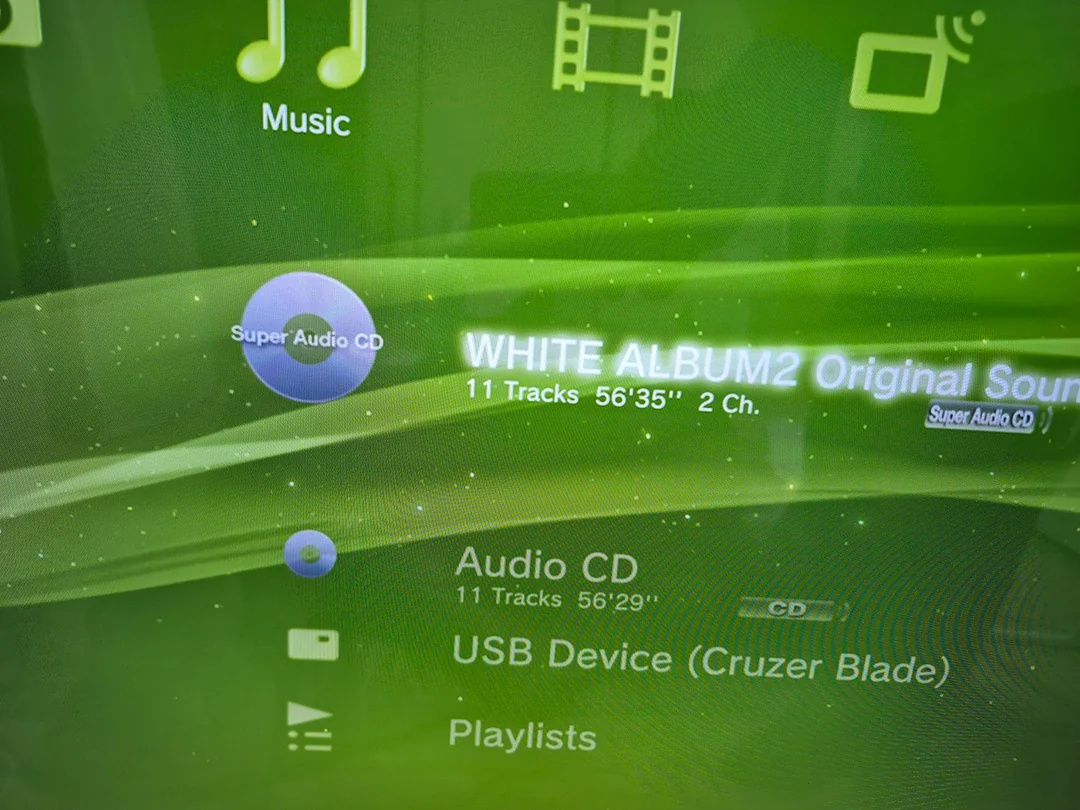
Super Audio CD is a format developed by Sony in partnership with Philips. It allowed multiple audio channels, a higher bit rate and longer playing time than a conventional CD. While early "Phat" PS3s did have the ability to play Super Audio CDs, this icon was not used when doing so.
tex_Sign_In and tex_Signing_In#


This could have been an early icon for Sign In in the PlayStation Network tab (not to be confused with Sign Up), which would have changed appearance during the sign in process.
item_tex_gfolder#

This resembles the icon used for the developer directory in some prototype builds of the XMB.
item_tex_Players#

Could be an early icon for the Friends or Users tab.
Hidden Firmware Info#
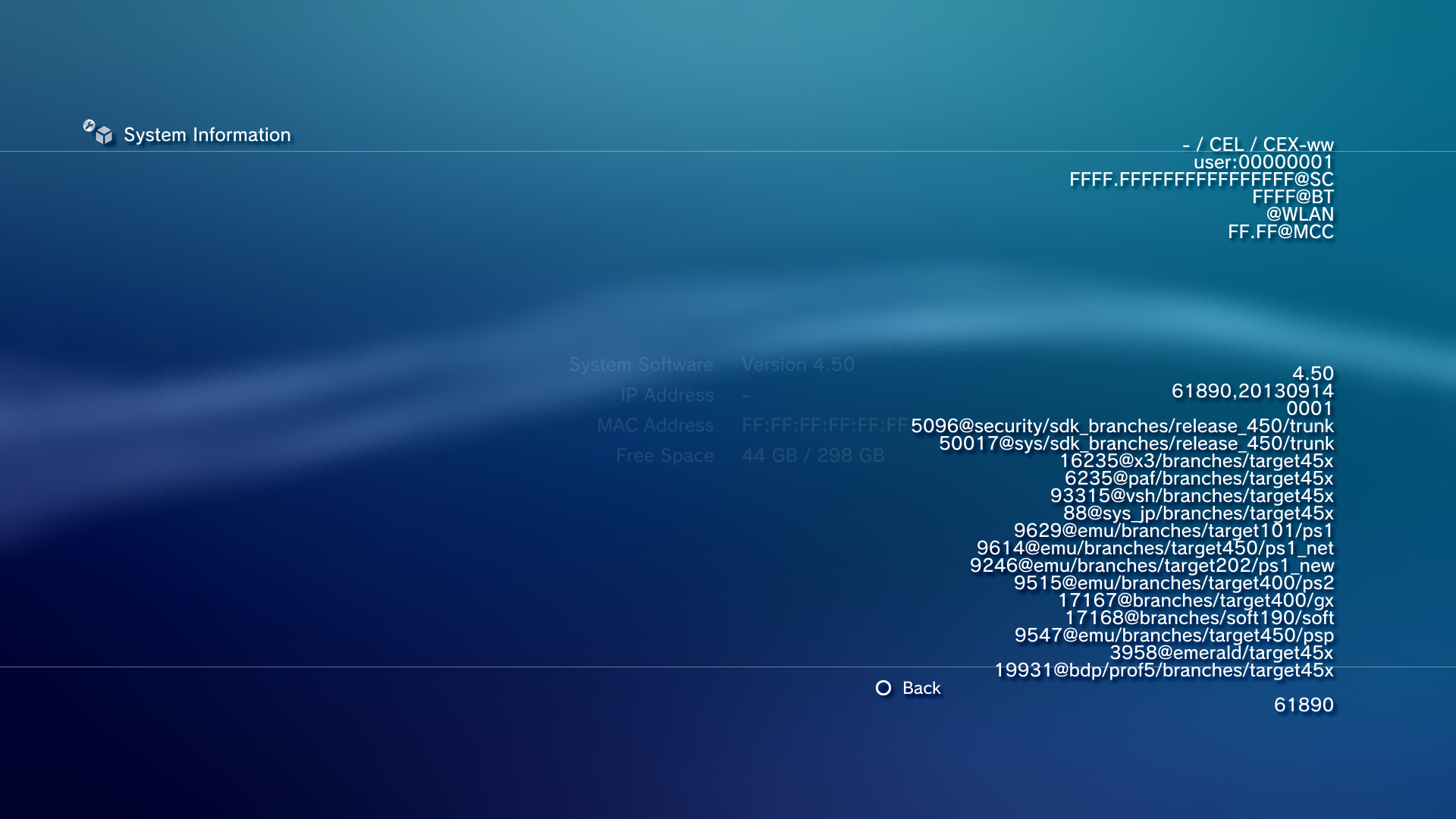
Go to Settings -> System Settings -> System Information, hold L1 + R1 + Left + Square, then release them and immediately press and hold Start.
While the branch names and the number of lines changed throughout the revisions, due to an oversight, starting from v4.60 where they slowly moved them to be remotely accessed via SVN+SSH, all the names fully "disappeared" by v4.66.
Through v4.65 |
v4.66 Onward |
|---|---|
 |
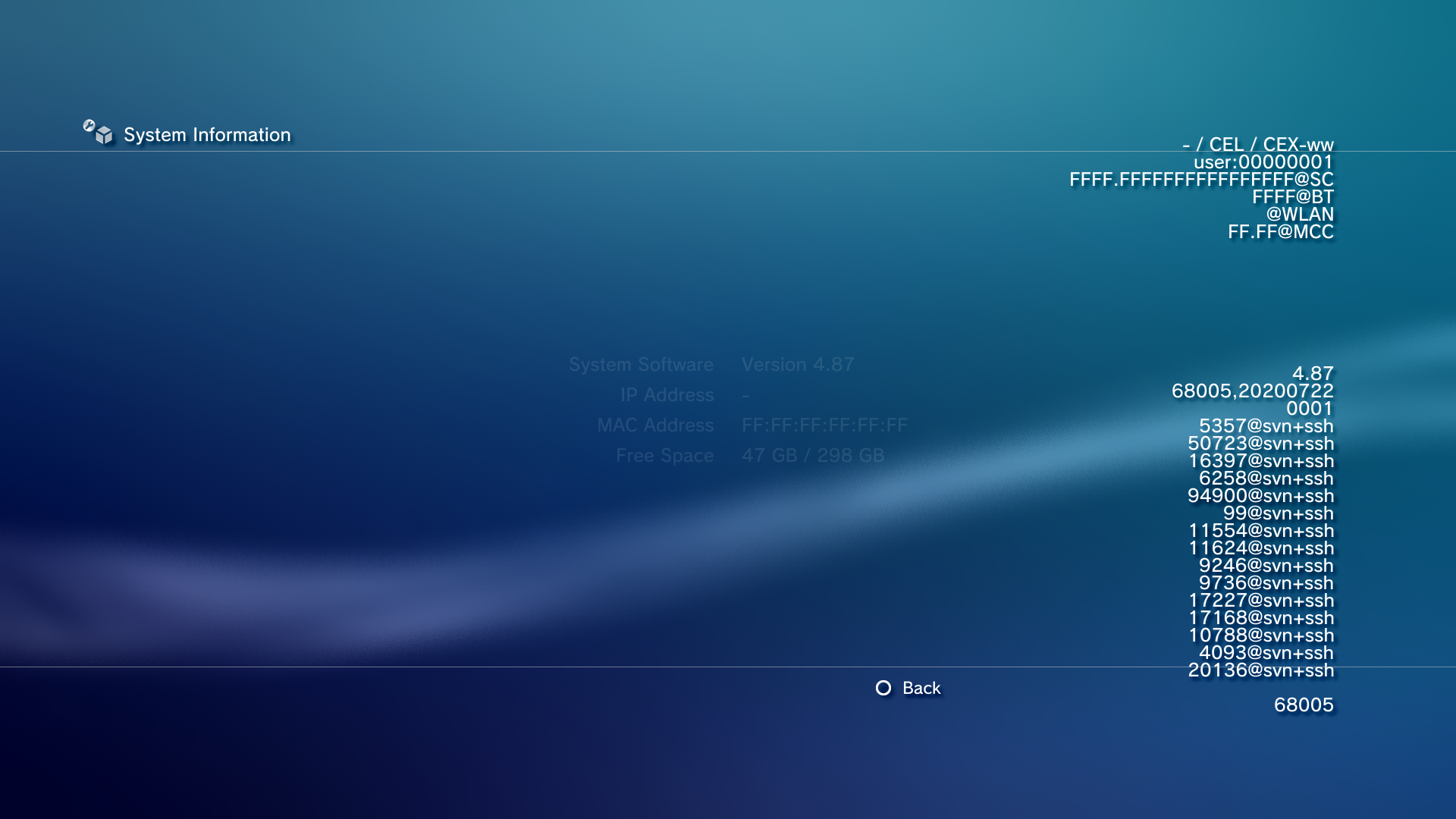 |
Internally this information is stored as colon separated data, where it will display anything between the 1st and 2nd colon on each line. The 1st column is the name of the line, and the last column is rarely used for additional information. Because the names now contained a "svn+ssh://" protocol, the colon gets misinterpreted as the beginning of the next column, and all the additional information is discarded. As an example, from the PS3 firmware v4.90:
Internal Data |
Displayed Data |
|---|---|
release:04.9000: |
4.90 |
Revisional Differences#

|
To do: |
PlayStation 2 Support#

The very first PS3 models (CECHA and CECHB) contain a PlayStation 2 Emotion Engine + Graphics Synthesizer chip (combined CPU and GPU), as well as its RAM, to ensure quite-accurate backwards compatibility for PS2 games (although the IOP and its memory, as well as supplementary hardware like the mechacon, Network Adapter, and HDD are still emulated). This, like all later-developed PS2 modes, runs for performance reasons as a separate lv2 kernel, namely ps2_emu.
In an attempt to cut production costs that greatly exceeded even the famous $599 retail price, the CECHC and CECHE models remove the Emotion Engine while retaining the Graphics Synthesizer, resulting in partially emulated backwards compatibility (ps2_gxemu). This also caused compatibility issues with some games. Due to the late release in PAL-region territories, this is also the only version of the console to support PAL PS2 discs.
Ultimately, all future PS3 revisions removed PS2 disc support entirely, leaving only the later PS2 Classics line of digital re-releases as the only official option. They run (on any model) in ps2_netemu, which uses fully software emulation of limited accuracy, does not support most USB accessories or the Network Adapter, and uses encrypted disc and memory card images (which, unlike the Virtual Memory Cards used by the other kernels and accessible under Game > Memory Card Utility, appear under Game > Save Data Utility (PS2), are per-user and cannot officially have saves imported or exported). ps2_netemu also contains a debug menu, accessed by pressing Home to display the emulator's menu then inputting the same key sequence as above.
Curiously, on "non-BC" models, the Memory Card Utility can still create and edit virtual PS2 memory cards, despite this feature then having no official purpose (unless the owner of such a console also happens to have a Memory Card Adapter and wanted to use that system to backup saves in .PSV format for a PS2-compatible console).
This might have been because a software emulator compatible with disc titles, ps2_softemu, was in fact developed to some degree, but was never officially used and was removed with system version 4.10.
(Source: PS3DevWiki)
SACD Support#
Early PS3 consoles (up to and including the CECHE model), along with the above mentioned PS2 functionality and two additional USB ports, have the ability to play Super Audio CD, Sony and Philips's fancy upgraded version of the Compact Disc, adding features such as higher bitrates and surround sound with complementary strong restrictions against lossless digital copying. Ultimately, the format was a commercial failure, and Sony would remove SACD support on later models due to the format's unpopularity.
System software 2.00, which introduced the ability to use the optical output at all while playing a SACD, contains the ability to convert the native DSD waveform to 5.1 DTS; this feature was removed in the next version (2.01), leaving only PCM output (which cannot be output in multichannel format over S/PDIF due to said interface's bandwidth limitations).
(Source: PS3 SACD FAQ)
The high-profile exploitation of the PS3, apart from very strongly advancing the PS2 and PSP scenes, ironically also put the first SACD ripper in consumers' hands.
Information Board#
In 2.x firmwares, a feed of announcements from Sony was available via the Information Board XMB item and associated floating ticker widget. No other widgets have been since implemented.
It has only partially been replaced in 3.00 by the What's New feature, which can be set as the default XMB item.
Coldboot and Gameboot animations#
In firmware versions before v3.00, the startup screen uses an orchestral tuning sound with the words "Sony Computer Entertainment" on it. This was replaced with a different tune along with a new startup, featuring the "PS" logo and the new "PlayStation 3" logo, in firmware v3.00.
Also, during game boot, originally you were greeted with a "PlayStation 3" splash screen featuring the Sam Raimi Spider-Man-style font. This was removed in firmware versions after v3.00 and instead boots directly into the game.
|
Before v3.00 |
v3.00 and newer |
|---|---|
OtherOS#
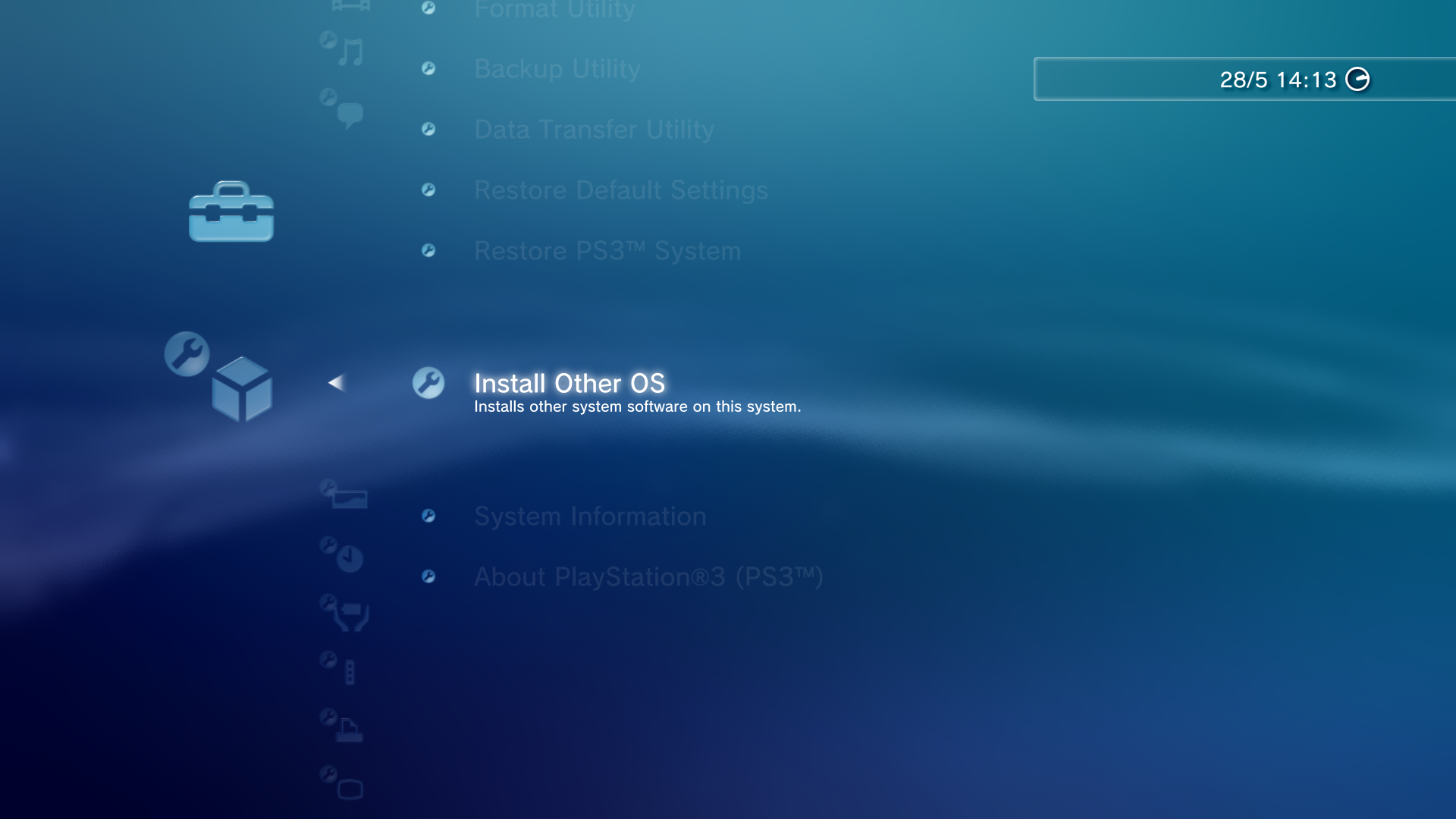
Early PS3 consoles had the option to install other operating systems, such as Linux or FreeBSD, after repartitioning the hard drive. This feature was removed from Slim models, as well as on any model running firmware 3.21 (released in March 2010) or newer.
(Source: PlayStation.Blog)
This prominent retroactive removal of an advertised feature was quickly determined to be an infringement of EU consumer rights, and much later the same conclusion was recognized in the USA. Unfortunately, in the USA, the maximum amount to a single PS3 owner was $55.
While the specific reason for its removal was not mentioned, it is commonly attributed to George Hotz having discovered two months earlier a combined hardware- and Linux-based exploit to break out of the lv2 sandbox, potentially usable to get full hardware access (e.g. to the normally restricted GPU) on the OtherOS but also to compromise the native GameOS. Alas, Sony's decision resulted in attracting further attention from pro-homebrew hackers including KaKaRoTo, Geohot himself and Team Twiizers/Fail0verflow which until then praised and ignored the semi-open platform, with their the battle to restore OtherOS functionality being joined by others with interests on the GameOS side (native homebrew, game backups and modding), scoring a dramatic series of victories against the very hyped PS3 security model.
Oddities#
Some firmware releases have a module with a larger target firmware value than itself. In all but one case, it doesn't really make much of a difference:
- /dev_flash/vsh/module/mcore.self in releases v2.40 through v2.43 have a target of v2.50, and v4.45 & v4.46 target v4.50
- /dev_flash/vsh/module/mgvideo.self in releases v3.16 and v3.21 target v3.30
The real oddity is /dev_flash/ps2emu/ps2_netemu.self in firmware v3.72 which has a target of v4.00, a firmware release that typically uses an entirely different set of keys, yet is still signed with keys intended for firmware releases v3.70 through v3.74.
PSN Security Implementation Overview#
Layer 1 - System Calls#
This check was implemented on the server-side on February 16, 2011 in response to high profile hackings and the early piracy of Killzone 3.
At first, when it is signed in to PSN, at first the console randomly uploads 3 encrypted files to PSN which include:
- CI.TMP (console information): internal/external IPs, router information (brand, model), console firmware information
- MI.TMP (media information): latest title ID, timestamp, etc.
- PTL.TMP (process information?): list of running processes and plugins, timestamps, etc.
These are all stored in /dev_hdd0/home/USER_ID/community in an encrypted form. The algorithm uses a modified Mersenne Twister PRN to generate cipher stream from SHA-1 HMAC of the OpenPSID and a fixed key from the VSH.
After that, Sony can verify that the console is running custom firmware (on modded systems, this allows ISO games to run) or not. If it is, they can send a message to the account's email (for US users), and then flag both the console and account to be banned.
Layer 2 - Console ID Checking#
The console ID includes 2 unique IDs; IDPS and PSID. IDPS is unique to each console, while the PSID is unique to each PSN account.
Sony can manually check if multiple players are playing on the same console ID. If this check is failed, they can ban the selected CID from PSN. Sony eventually stopped banning CIDs as a result of a database of CIDs being leaked in 2021.
Layer 3 - 4.30 Authentication#
Starting with firmware 4.30, released on October 24, 2012, PSN connections now use X-I-5-Passphrase to check legality. The firmware uses two passphrases, a new one is encoded with base64 and sent via a custom HTTP header (called X-I-5-Passphrase). Trying to decode counts as having a size of 512 bytes and looks like random data. It is encrypted per console data and it is different every time you log on to a network. It also includes a random header, user ID, console ID, two ECDSA signatures from the first part of EID0 (the first signature is used to check if the console is converted to DEX manually, which would cause a brick) and account ID. Data is hashed with SHA-256 and encrypted with AES-128-CBC. Using a random header and CBC mode gives a unique passphrase every session.
Sony can use the simple algorithm on the server to check legality:
- Compare console ID stored in the HTTP GET request with the console ID stored in the passphrase.
- Then validate two ECDSA signatures.
- If the check is failed, the console ID is sent to check for console ban (on blacklist base, not for validity).
Layer 4 - Firmware 4.88#
System Software 4.88 was released on June 1, 2021 and the authentication on the server-side was changed to detect spoofing or proxy.
Sony can check if the console is running on a firmware older than the latest official version. If this check is failed, then they can send a message to the account's email (for US users), and then flag both the console and account to be banned.
Layer 5 - Ban Messages#
Ban Message from Sony#
When the console is banned from PSN for using custom firmware, US users receive one of the following messages by email:
2011 |
|---|
A circumvention device and/or unauthorized or |
2012-2015 |
n/a |
2016-2018 |
n/a |
2019+ |
n/a |
Error Screens#
After the console is banned, this error occurs when trying to log in to PSN on a banned console.
|
Early |
Later |
|---|---|
|
You cannot use PlayStation Network with this account. (8002A227) |
Access to Sony Entertainment Network from this system has been banned or temporarily suspended. |