 This article has a talk page!
Factory Menu#

|
To do: |
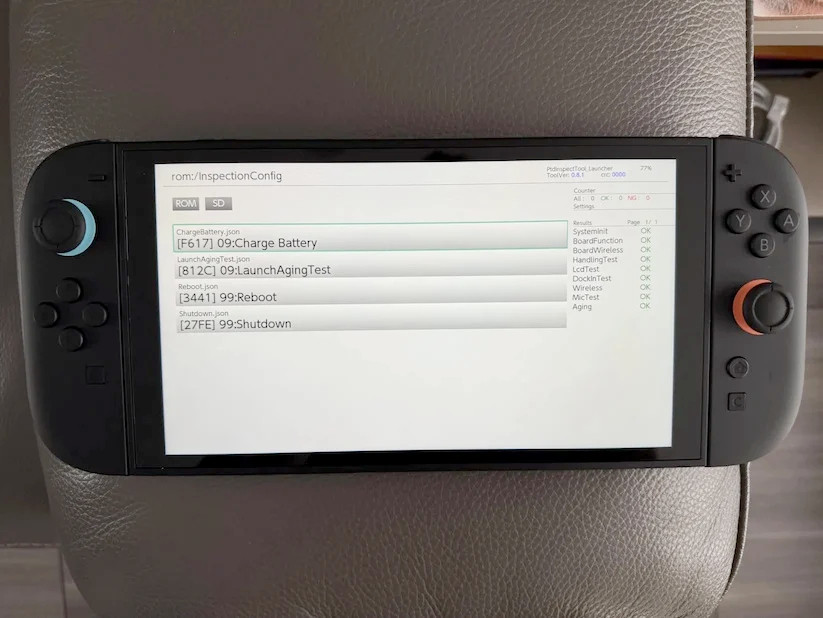
The Switch 2, like all other modern Nintendo consoles, has a factory OS used for testing the system during manufacturing, which is then removed when flashing the Switch 2 OS. At least one Switch 2 launch unit is known to have left the factory with the factory OS still installed. Does that sound familiar?
Hidden Features#
Controller Safe Mode#

|
This needs some investigation. |
There is a hidden DFU-like mode present on the Joycon 2, Pro Controller, and Nintendo GameCube controllers which can be accessed by a button combo.
- Hold the Plus and the ZR Button (ZL and Minus for the Left Joy Con)
- While Holding ZR and Plus, Press and hold the SYNC button
- Release the buttons in the following order ZR → Plus → SYNC or ZL → Minus → Sync if done on the left joy-con.
If done correctly, the first and the fourth player LEDs will light up.
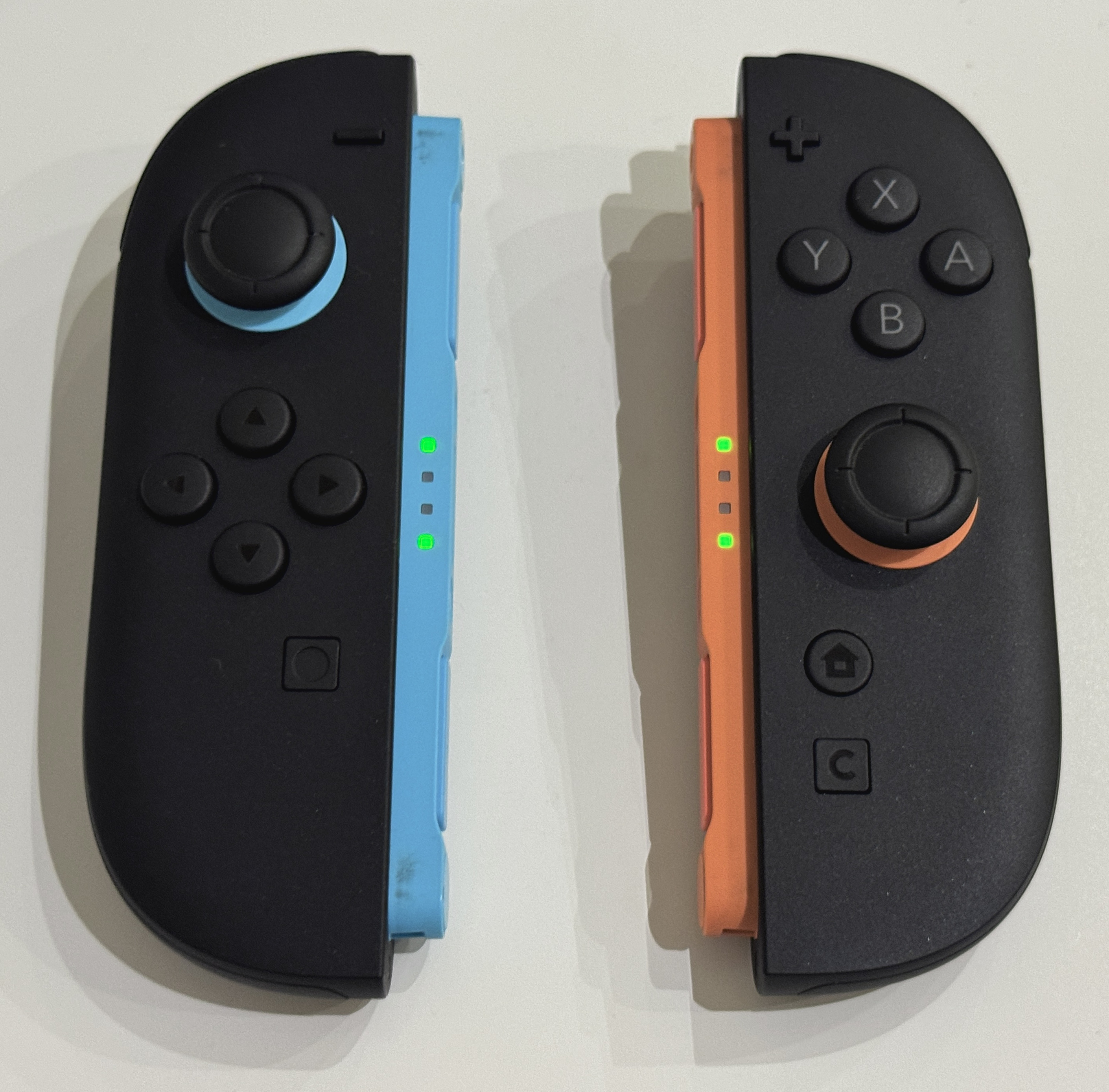
While in safe mode, the controllers will all enumerate as "Nintendo Safe Mode Device" when connected to a PC through USB. It is unknown how this mode is used without the proper software, which most likely is used by Nintendo internally.
When a Joycon 2 connects to the Switch while in this mode, several things happen:
- The connecting animation shows up as gray instead of the Joycon color, due to the controller not reporting its color while in Safe Mode 4
- The controllers don't show up as connected, and all inputs are ignored.
To exit out of this mode, the Sync button has to be pressed.
Power-wise, Safe Mode seems to use less power than normal use. A Joycon 2 will last around 50 hours in Safe Mode at full charge before dying. This is compared to the standard 20 hour battery life during normal use. 5
(Source: SwitchBrew)
Send/Receive Save Data#

Returning from the original Nintendo Switch is the secret "Send/Receive Save Data" menu. Like the previous iteration, this menu sends save data to Nintendo's repair service given server authentication. It is accessed via the same button combination: holding the Left Thumbstick and Plus button simultaneously while in Data Management.
The only difference between consoles is the error message displayed without authentication. On the Switch 2, it reads "This feature is unavailable right now", while on the Switch 1 it reads "This feature is currently unavailable".
Regional Differences#
Two Japanese versions of the console were available at launch: a multilingual edition being sold for ¥69,980, roughly equivalent to the price of the console in other countries, and one with Japanese-only language support at a much cheaper price of ¥49,980. This was done due to resellers initially importing cheaper Switch consoles from Japan that all came with multi-language support, thus causing stock issues back then.[citation needed]
References#
- https://www.nintendo.com/us/whatsnew/nintendo-switch-2-launches-june-5-bringing-new-forms-of-game-communication-to-life/↩︎
- https://nintendosoup.com/nintendo-switch-2-launches-june-26-in-southeast-asia-july-10-in-taiwan/↩︎
- https://nintendosoup.com/nintendo-switch-2-launches-july-3-in-malaysia/↩︎
- Connecting a dead Joycon 2 to a Switch briefly shows the grey color as well.↩︎
- In my investigation, the left joy con died at around 46.5 hours and the right at 48 hours. The slight difference in duration was most likely due to slight hardware discrepancies.↩︎