 This article has a talk page!


Development Team Easter Eggs#
<<Eggsβox>>#
Watch on YouTubeWhen copying a CD to the Xbox, save the Soundtrack as <<Eggsβox>> including the Beta, greater than and less than symbols. A "Thank You" message starts which is followed by a scrolling list of the Xbox Team members. The easter egg in question is a standard Xbox Executable (XBE) which is launched when the easter egg is triggered. The executable is disguised in the C:\xboxdashdata.default.xbe to invoke the easter egg manually.
If you press a button on the controller or let the message play through to the end, the Xbox reboots.
(Source: Xbox Dev Wiki)
Timmy!#
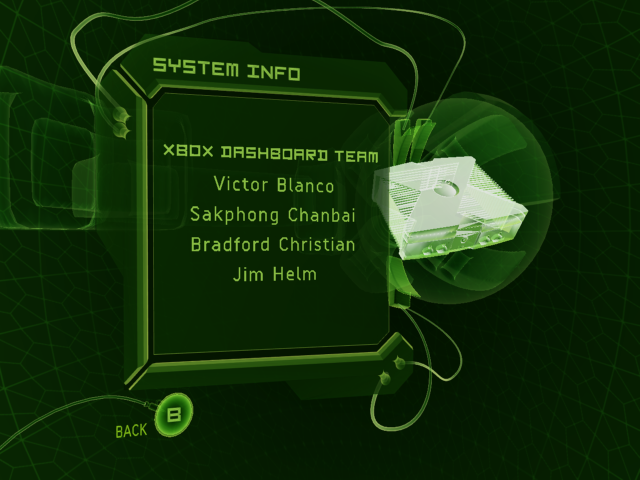
In May 2021, an anonymous developer from the Xbox team revealed the 2nd Easter egg that went undiscovered all this time, which has a similar activation method.
When copying the soundtrack from a CD, set the title to Timmyyyyyyyyyyyyyyyyyyyyyyyyyy! (26 y's) but this time you have to let it finish ripping the soundtrack. Then go back into Settings, and in System Info. This will now display the following developer credits.
(Source: Kotaku)
Games Launcher#
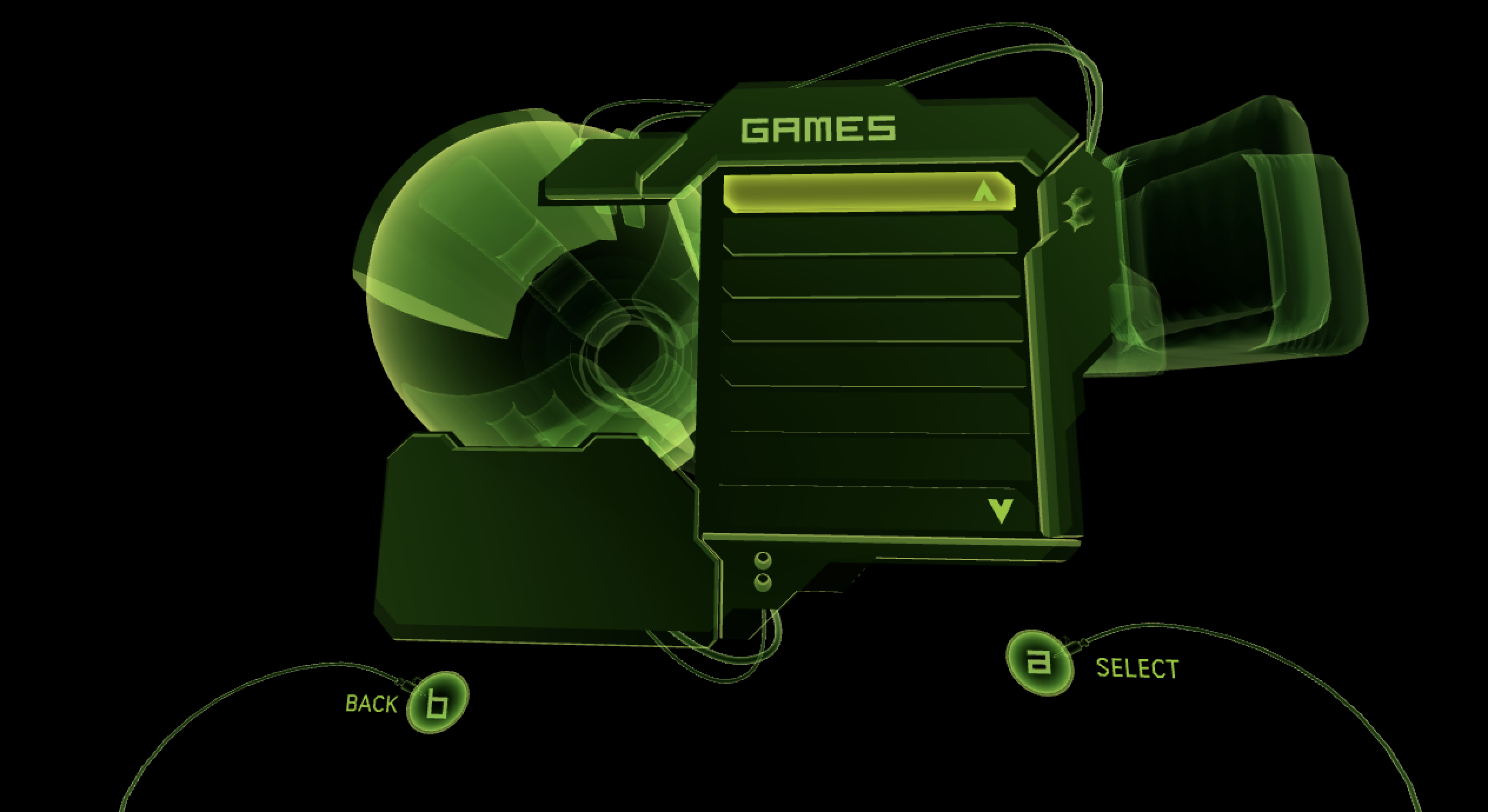
In late development, the Dashboard had a 'Games' tab on the main menu. All assets remain in the files for every revision. The following model files exist in MainMenu5.xip:
game_podshell_*game_arm*game_nozzle*games_tube*games_metapanel-FACES.xm
The following audio files remain unused as well:
C:\Audio\TransitionAudio\Games Main Menu In_LR.wav
C:\Audio\TransitionAudio\Games Main Menu Out_LR.wav
C:\Audio\TransitionAudio\Games Sub Menu In_LR.wav
C:\Audio\TransitionAudio\Games Sub Menu Out_LR.wav
C:\Audio\MusicAudio\Games Info Screen In.wav
C:\Audio\MusicAudio\Games Info Screen Out.wav
Hidden Factory Reset#
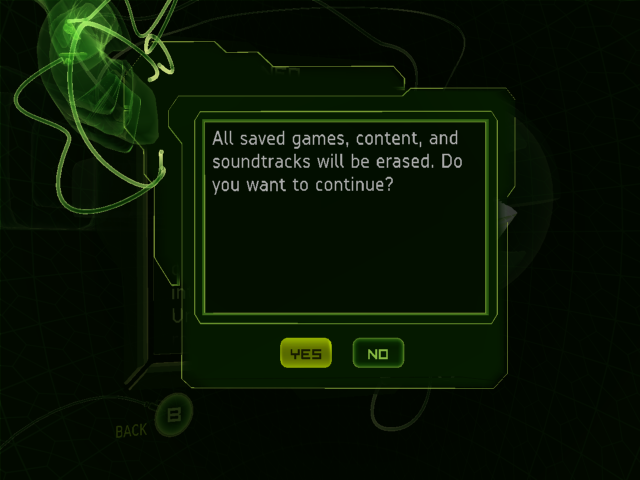
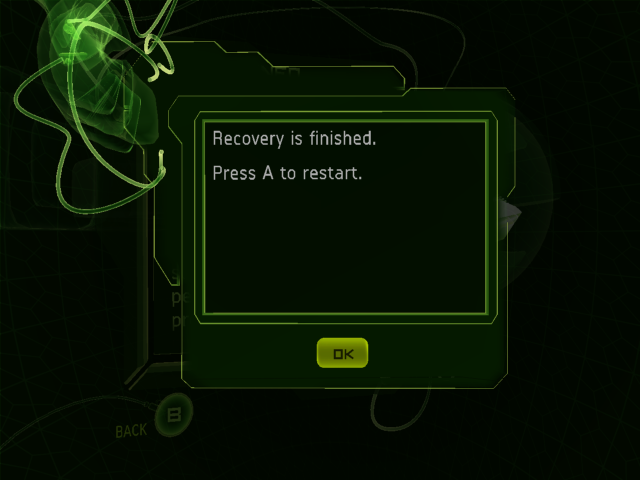
An undocumented user data wipe feature is available by pressing Y followed by a 4-button combination on the System Info screen. Contrary to popular belief, the latter part of the code is console-specific, being derived from the HDD Key in EEPROM. The specific button combo can be determined using this calculator.
(Source: unmodded.mine.nu & 2020 leak: private/ui/xapp/config.cpp:887 → private/inc/cryptkeys.h:42 & 88-146)
An equivalent sequence exists on the Xbox 360 for parental controls and is officially available to users who registered their Microsoft Account on the console by going to the account's device management page.

Regional Differences#
Note: video region is separate, and technically independent of, software region. Both of these are defined by EEPROM.
- NTSC systems can officially output 480i, and (with YPbPr cables), 480p, 1080i, and 720p.
- PAL systems only offer 576i and 480i, but do so with any cables.
- Additionally, only American (region 1) and Japanese (region 2) consoles have parental controls, and only the former have them for games (as opposed to DVD-Video).
Revisional Differences#
Hardware#
The Xbox received multiple internal component changes, to reduce cost and obstruct modchips. These variants are labelled with unofficial version numbers:
Name |
Fans |
RAM |
ROM |
Power supply |
Clock capacitor |
Video DAC |
USB hub |
Service port (LPC/I2C) |
|---|---|---|---|---|---|---|---|---|
1.0 |
2 |
Samsung, 4 out of 8 16MB chips |
NOR Flash (TSOP), parallel, 1 MB |
Single column connector |
Known to leak, optional |
Conexant |
Separate PCB |
Fully featured |
1.1 |
1 |
Integrated |
||||||
1.2 |
NOR Flash (TSOP), parallel, 256 kB |
ATX-like connector |
||||||
1.3 |
No LFRAME |
|||||||
1.4 |
Focus |
|||||||
1.5 |
No LFRAME or power |
|||||||
1.6 |
Samsung, 4/4 chips |
Flash, LPC, integrated in Xyclops SMC |
ATX-like, pinout changed again |
Relatively reliable, required to boot |
Xcalibur |
No LPC bus |
||
1.6b |
Hynix, 4/4 chips |
As there have only been a couple of reports of consoles matching its description, it is unknown and debated whether 1.5 actually exists or happens to be a convenient manufacturing defect of 1.4.
Kernel#

|
To do: |
Xbox Revision |
1.0 |
|||
|---|---|---|---|---|
Kernel Versions |
3944 |
4034 |
4036 |
4627 |
Each kernel versions have slight differences, and only appear specifically on certain motherboards.
Service Screen#
Earliest |
Early |
Later |
|---|---|---|
 |
 |
 |
The screen that appears when the Xbox requires service/the Xbox crashes differs depending on the Kernel. Notably, 3944 lacks an error code entirely, while 5101 and above changes the text to be less formal and more direct, alongside adding 3 languages (Portuguese, Korean, and Chinese)
Software#
Watch on YouTubeIf the console is running the dashboard version "4920", once you hit "Xbox Live" in the menu, a FMV for the Xbox Live logo will be displayed. The oldest dashboard completely lacks an Xbox Live option.