 This article has a talk page!


Unused Boot Screens#
DUMMY#

Found within /storage_mlc/sys/title/00050010/10066000/meta are some dummy boot screen images in standard TGA format. The title it belongs to is identified as simply "ecop", which is the ECO process. The dummy icon is also used in discs' update partitions and some kiosk (CAT-I RTL) demos on kiosk unit install discs, and one of them is the placeholder amiibo Settings icon.
"drc" is the internal name for the GamePad.
Wii U-Wii U System Transfer#

The system transfer file has a few graphics left in its meta folder, instead of some placeholders. This suggests that the transfer tool was originally going to be an app rather than a mode in the system settings. The splash boot screen for the DRC and TV are the same, just different sizes.
Unused Graphics#
The Wii U has a LOT of dummy graphics. And by lot, we mean a LOT.

Found within layout/Parts/common.arc.zlb/AppIcon^q.bfilm is a dummy icon for titles that are being downloaded, this graphic is also present in other system apps.

Found within the contents of mlc01\sys\title\00050010\10040100\content\Common\Package\Men2.pack is a Dummy icon with many squares in different colors. Might also be a placeholder for the app icons.

A Dummy banner, identical to the last dummy icon, but with numbers in each square.

Yet another Dummy icon, this time similar to the one in the Download Management app except it has a transparent background and the font is different.

A Dummy image, used as a placeholder for the splash screen when launching a game. Found inside AppLaunchTV.szs.

Used as a placeholder for the Nintendo logo when launching a game. Found inside AppLaunchDRC.szs.

Used as a placeholder for the Wii U animation when launching a game.


Two very small Dummy icons, which look to be smaller versions of the Download Management icons. Found inside LauncherIcon.szs.

Another Dummy icon with Japanese text (差し替え用), which translates to "For replacement". Found inside Inf.pack in the Notifications applet.
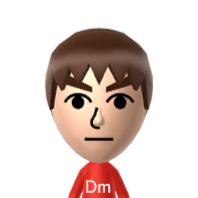
A default male Mii with "Dm" written on it. Used as a placeholder for Mii portraits in the Mii Maker app.

A very tiny S, found inside memo.arc.

What appears to be a smoke effect, found inside the Software Keyboard applet.
Early App Icons#
These early icons are located in a file called OfficialAppIcon.szs, which is found in a couple of directories, with two exceptions.
Something you'll notice with the early icons (not counting the ones with 仮s) is that they sport a darker version of the spotted background used in the final icons.
Early Icon |
Final Icon |
Software Name |
Texture Name |
Comments |
|---|---|---|---|---|
 |
 |
Information (used for notifications) |
AppIconInformation |
Just a darker version of the info icon. Has the same name as the used one too. |
 |
 |
Health and Safety Information |
AppIconBaristaSafe |
Although the color is different and the exclamation point is off point, the name is interesting: "Barista" is a person that prepares espresso-based beverages, like coffee. References like this are very common in the Wii U, given its codename "Cafe". |
 |
 |
Nintendo TVii |
AppIconVino |
The TV had a more pinkish look to it in the early version, but then was changed to be more red in the final version. |
 |
 |
Parental Controls |
AppIconPcl |
Obvious color and shading difference. |
 |
 |
Wii Karaoke U |
AppIconOrchestra |
Wii Karaoke U is a default app on Japanese versions of the console. Compared to the final icon, the early version is pretty lacking. (仮) is (Temporary). |
 |
 |
Daily Log |
AppIconPly |
Some shading that isn't in the used one, with a darker color. |
 |
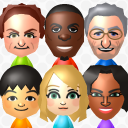 |
Mii Maker |
AppIconSugar |
A very drastic design change. The early icon is actually similar to the one used on the 3DS, except it would've been in HD. |
 |
 |
Wii U Chat |
AppIconDoors |
Very early design for Wii U Chat's icon. The picture on the earlier one is actually a door, as Wii U Chat's codename is Doors. |
 |
 |
System Settings |
AppIconSet |
Obvious color change as well as size difference. |
 |
 |
System Menu |
iconTex.tga |
This is the only one that is not found in OfficialAppIcon.szs. Instead, it is found in both /10010109 and /1001010a which is the HOME Menu. The logos are practically identical minus a few small touchups. The two key differences are that the early remnant is positioned differently and has a trademark symbol, while the final one does not. |
 |
 |
Miiverse |
HBMIconL_002^l.bflim |
A drastic design change. |
(Source: sunn)
System Transfer Settings Applet#

|
To do: |
Layout Placeholder Text#
In the layouts, the following placeholder strings are present in the text boxes:
灩挱
灡攱
灲琱
瑸琱
䁔〰
睮搱
Unused Graphic#

Possibly a placeholder graphic for an app's icon on the GamePad.
Compilation Paths#
In the BEMTSTM files with WiiBgNormal in the name, there's a small bit of information from an original file on the developer end, * would be 0 or 2 according to the file.
%WAGONU_ROOT_WINPATH%\raw\effects\particle\WiiBgNormal_0*_Group29.bemtstmWAGONU_ROOT_WINPATH is likely the below according to the files always having this string near this value.
D:\wagonU\trunkUnused Text#
In the message file, one of the strings is completely unlocalized in Japanese.
String ID |
Text |
Translation |
|---|---|---|
BMS_Dummy_Body |
BMSで権利移行の操作をしてください。(サーバー対応されるまでの暫定画面です。)※BMSで操作をしない場合、権利の移動がされません。またSDカードを引っ越し先が認識しません。 |
Please operate the rights transfer with the BMS. (provisional screen until the server is supported.)※ If you do not operate with the BMS, the rights will not be transferred. The destination device no longer recognizes the SD card. |
Empty Messages#
The following message IDs do not have text, some may have suggested more functionality or were carried from other similar software.
TestMessage
Button_ReturnWiiUMenu
Button_DownloadManage
plr_Header_04
plr_HeaderNum_04
SF_Confirm_Header
SF_Confirm_Body0
SF_Confirm_Body1
SS_Option_Header
SS_Option_Item0
SS_Option_Item1
SS_All_Header
SS_All_Body0
SS_All_Body1
SS_All_Body2
SS_All_Footer
SS_Transfer_Header
SS_User_Header
SS_Div_Body
SS_Div_header
SS_Div_Body0
SS_Div_Body1
SS_Div_Body2
SS_Div_Footer
SS_USBAsk_Body
Button_USBNo
Button_USBYes
SS_USBUse_Body
SS_MoveAsk_Header
SS_MoveAsk_Body
Button_MoveNo
Button_MoveYes
SS_Leave_Header
SS_Leave_Header0
SS_Leave_Body
SS_Leave_Header1
SS_DA_Body
SS_DALeave_Body
SS_DAReceive_Body
SS_DASelect_Body
SS_DAOK_Body
SS_DAOwn_Body
NANDSpace2_Body
EULA_Body1
SR_ClearData_Header
SR_ClearData_Body
SR_ClearUser_Header
SR_ClearUser_Body
MR_Search_Body
MS_Approve_Header
MS_Approve_Body
MR_Wait_Body
BS_Waiting_Body
IRC_Timeout_Body
AB_Wait_Body
AB_TE_Body
AB_IVSClear_Body
AB_This_Body
AB_Other_Body
ABE_ClearIVS_Body
ABE_T4_Body
AB_FormatWait_Body
AB_PowerOFF_Body
AB_Exit_Body
TS_SocketWaitPower_Body
TR_Initialize_Body_00
TR_Socket_Body
TW_CompatExit_Body
Button_Later
FR_NA_Body
FS_InitializeC_Body
FS_End_Body
E_SDLock_Body
E_SDNoexec_Body
E_SDNouse_Body
E_CustomerSupport_Body
E_RightMove_Body
E_AssertTrans_Body
E_Ver
TV_Title
TV_Start_Header
E_TitleName_JP_FCYJ
E_TitleName_EU_FCYP
E_TitleName_EU_C9PP
Hidden Screenshots#
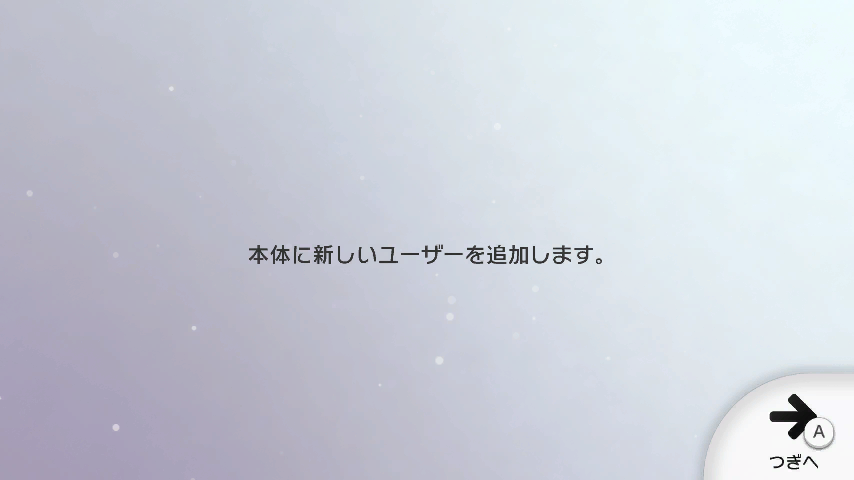
Hidden inside 00050010/10040100/content/Us/Model/AccountTvCap_Us/gsys.bfres are two early screenshots of the Wii U.
Text |
|---|
本体に新しいユーザーを追加します。 |
Translation |
Add new user to this console. |
An early screenshot of the account creator, named acsCreate_sys1_001A0. It is copied with different language tags at the end for each supported language, as if it were "translated".
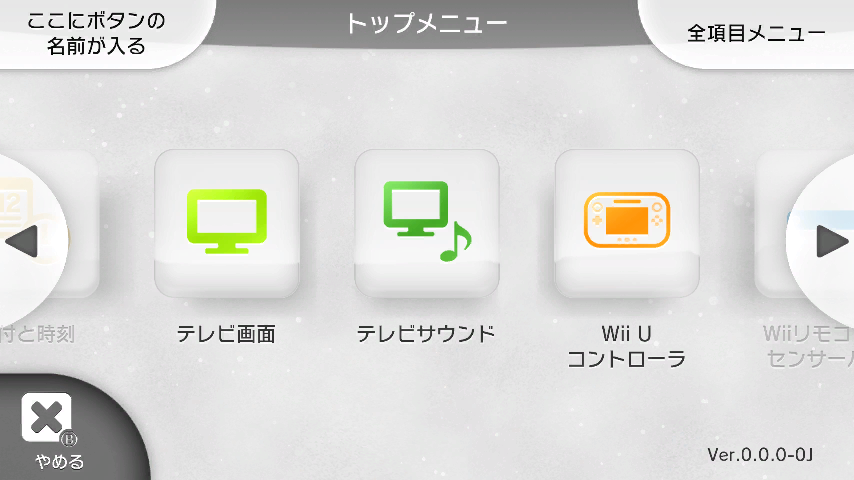
A screenshot of a very early build of the System Settings app. It even uses the prototype GamePad design! The name of the graphic is update.
The text translates as:
Text |
Translation |
|---|---|
ここにボタンの名前が入る |
Insert the button's name here |
トップ メニュー |
Main Menu |
全項目 メニュー |
All Items Menu |
(日)付と時刻 |
Date and Time |
テレビ画面 |
TV Screen |
テレビサウンド |
TV Sound |
Wii Uコントローラ |
Wii U Controller |
Wiiリモコンセンサー(バー) |
Wii Remote Sensor (Bar) |
やめる |
Quit |
(Source: sunn)
eShop Icon Mistake#

This placeholder icon is used in the USA Wii U eShop metadata for the 3DS version of Captain Toad: Treasure Tracker (and its demo, but only the former can be seen through the eShop interface as non-Wii U demos' icons don't appear in the Wii U eShop interface). The icon has a last modified date of Tue, 29 Nov 2016 01:11:29 GMT.
(Source: Original TCRF research)
Nintendo 64 Virtual Console#
Internal Project Name#
The internal project name of the Wii U's Nintendo 64 Virtual Console emulator is "VESSEL", according to multiple strings in the rpx.
(Source: Original TCRF research)
Debug Menu#
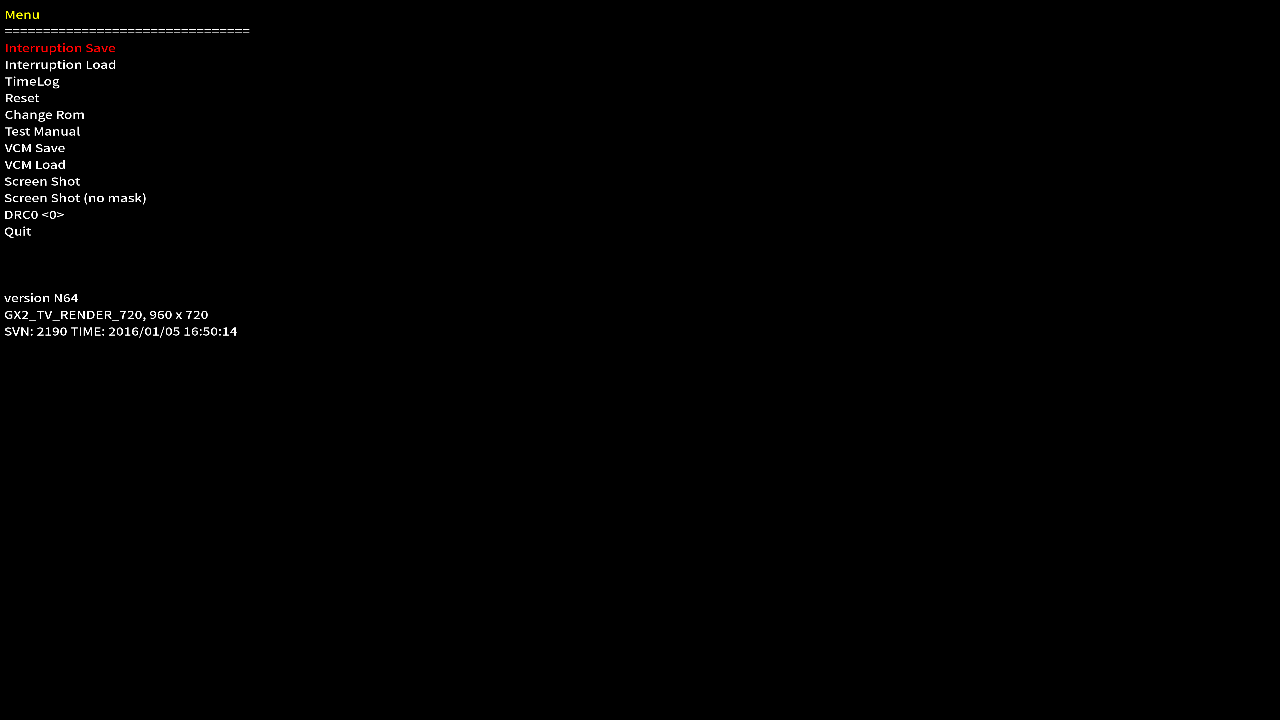
If the Wii U's Nintendo 64 Virtual Console emulator detects more than one entry in the content/rom folder, it opens a hidden debug menu. The "Change Rom" option is automatically selected by default and reads folders as files, but other options can be accessed by closing out of the ROM list. The RPX's build time (as read from BuildInfo.txt in the content root folder) and screen resolution statistics are displayed at the bottom. "SVN" refers to Apache Subversion, a version control tool; the number following it is the commit ID.
(Source: Original TCRF research)
DS Virtual Console Development Text#
Welcome to Hachihachi !
Choose your ROM with the Wii U GamePad:
Unable to delete FS client for the SD card!
Unable to add FS client for the SD card!
Unable to mount the SD card!
  - B to exit to parent directory
  - A to enter a directory or launch a ROM
C:\Dev\Mercurial\hanafuda\hachihachi-packaging\hachihachi\source\host\rom_selector.cpp
It seems the developers behind the Nintendo DS Virtual Console had the ability to switch ROMs on the fly. "Hachihachi" seems to be the internal name of the emulator itself. "Hanafuda" are a type of Japanese playing cards, and were Nintendo's flagship product prior to about the mid-1960s.
Media Player Test File#
The file mvplayer.rpl in the directory for WebKit files contains URLs for videos that were likely tested with the Wii U during development. The domain doesn't resolve to an IP address, so it's possible that the server is down or these URLs could have only been accessed through Nintendo's internal network. This file can also be found in several games that utilize the Nintendo Web Framework.
http://keyframe.ntd.nintendo.com/original/video/youtube-sh-720p.mp4
http://keyframe.ntd.nintendo.com/original/stream/bipbop/bipbopall.m3u8
http://keyframe.ntd.nintendo.com/original/video/apple-sh-1080p.mov
http://keyframe.ntd.nintendo.com/original/video/Motocross_720p_30fps_noaudio.mp4
http://keyframe.ntd.nintendo.com/original/audio/audio-tron-legacy-the-grid.m4a
http://keyframe.ntd.nintendo.com/original/audio/audio-girl-talk-play-your-part.m4a
http://keyframe.ntd.nintendo.com/original/stream/key1_iv1_20s/crypt_index.m3u8
http://keyframe.ntd.nintendo.com/original/video/mobiclip-batman-1080p-m.mp4
http://keyframe.ntd.nintendo.com/original/video/school.f4v
http://keyframe.ntd.nintendo.com/original/video/BigBuckBunny_1080p.f4v
http://keyframe.ntd.nintendo.com/original/video/sony-nex5N-1080p.mp4
http://keyframe.ntd.nintendo.com/original/video/qtredirect1/thumb.mov
http://keyframe.ntd.nintendo.com/original/video/home_1080p-muxed.mp4
http://keyframe.ntd.nintendo.com/original/video/PS3_BIOHAZARD_720_9000kbps.mp4
http://keyframe.ntd.nintendo.com/original/video/PeakPrecision_V2.mp4
http://keyframe.ntd.nintendo.com/original/video/skyloft.mp4
http://keyframe.ntd.nintendo.com/original/stream/10309/tnMmRuNDpPZGSugjcn3u6Rms4QSiS63S.m3u8
http://keyframe.ntd.nintendo.com/original/video/nikon-d7000-1080p.mov
http://keyframe.ntd.nintendo.com/original/video/PS3_FFXIII_1080_9000kbps.mp4
http://keyframe.ntd.nintendo.com/original/video/PS3_PULSE_1080_10000kbps.mp4
http://keyframe.ntd.nintendo.com/original/video/vimeo.mp4
http://keyframe.ntd.nintendo.com/original/video/Come_Follow_Me.mp4
http://keyframe.ntd.nintendo.com/original/video/rocketstart_wobbly.mp4
http://keyframe.ntd.nintendo.com/original/stream/relative-url/hit.m3u8?arg=foo/bar
http://keyframe.ntd.nintendo.com/original/video/Unboxing_MediaPlayer_SDK_720p.mp4
http://keyframe.ntd.nintendo.com/original/video/sony-psn-god-of-war-III-720p.mp4
http://keyframe.ntd.nintendo.com/original/video/imdb1.mp4
http://keyframe.ntd.nintendo.com/original/video/imad07.mp4
http://keyframe.ntd.nintendo.com/original/video/ustream.ts
http://keyframe.ntd.nintendo.com/original/video/Small_Potatoes_Episode_2_b010pyk0.mp4
http://keyframe.ntd.nintendo.com/original/audio/AAC-LC_Mono_48000Hz_WonderfulTonight.mp4
http://keyframe.ntd.nintendo.com/original/stream/byterange_apple/index.m3u8
Build Dates and Other Text#
HOME Menu#
There's the revision number present in Common/System/revision.txt. It's the same for every region.
v0 |
v24 |
v35 |
v72 |
|---|---|---|---|
|
|
|
|
v84 |
v153 |
v169 |
v180 |
|
|
|
|
There's a timestamp present in Common/System/timeStampV.txt or Common/System/timeStamp.txt. Again, it's the same for each region.
v0 |
v24 |
v35 |
v72 |
|---|---|---|---|
|
|
|
|
v84 |
v153 |
v169 |
v180 |
|
|
|
|
System Settings#
There's the revision number present in Common/System/revision.txt. It's the same for every region.
v0 |
v24 |
v35 |
v72 |
v84 |
|---|---|---|---|---|
|
|
|
|
|
v137 |
v153 |
v164 |
v178 |
v257 EUR |
|
|
|
|
|
There's a timestamp present in Common/System/timeStampV.txt or Common/System/timeStamp.txt. Again, it's the same for each region.
v0 |
v24 |
v35 |
v72 |
v84 |
|---|---|---|---|---|
|
|
|
|
|
v137 |
v153 |
v164 |
v178 |
v257 EUR |
|
|
|
|
|
Hidden Features#
There are a few key combinations hidden within the system software that are not listed in the Wii U's instruction manual.
HDD Sleep Workaround#
 |
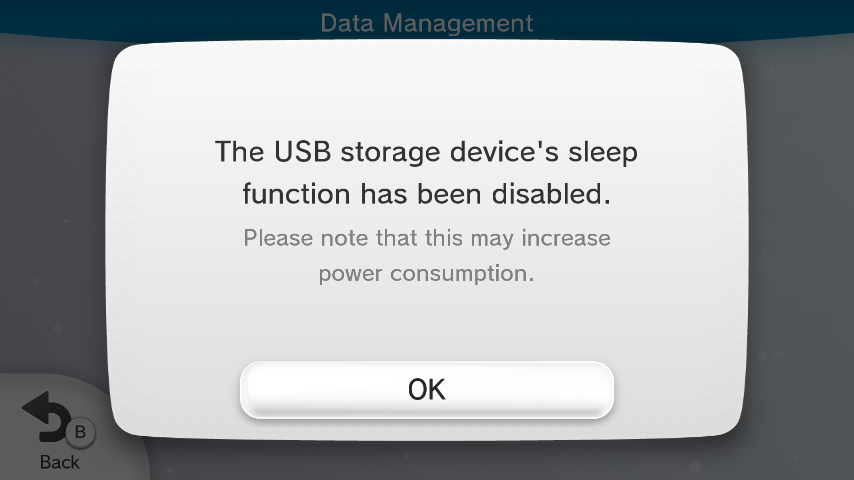 |
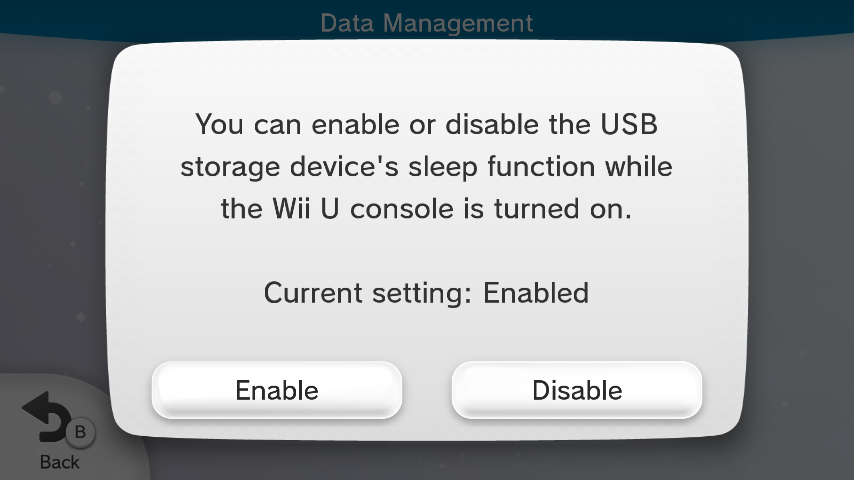
The Wii U operating system supports the generation of dummy USB drive read requests to work around certain drives'/USB adapters' aggressive auto-standby. This feature is documented but only online, not in the included manuals.
To enable or disable it, the user must navigate the System Settings so that the GamePad displays the "Data Management" and "Format USB Storage Device" options, then hold ↓+Plus+Minus until a confirmation popup is displayed. (It's also available in the developer utility SystemConfigTool.)
NNID Password Bypass#
The Wii U, unlike any previous or following Nintendo system, becomes de facto inoperable if all registered users are associated with a NNID without a saved password and said passwords are unknown. For this reason, comparably to parental controls, a hidden feature allowing (with the cooperation of Nintendo support) the use of an override code exists.
It is accessed by holding Y+Plus+Minus while on a NNID password field.
Wii U GamePad Signal Status#
As of version 2.1.3, a function to check the signal status of the Wii U GamePad is hidden in the HOME Menu. This lets the user evaluate the connection between the console and GamePad. This was documented in a Japanese support page.
To perform this test, display the HOME menu, select Controller Settings and hold Down + Plus + Minus on the GamePad for at least three seconds. The GamePad will momentarily disconnect from the console to perform this test, after which it will display the signal strength, signal quality, radio channel in use, Wi-Fi usage, general usage and networks. By pressing Plus or Minus, you can view information about different radio channels, however, the channel in use never changes.
(Source: Nintendo Support (Japanese))
Unlink NNID from User During Error Prompt#
If a user linked to an NNID is selected and the system displays the error message "You cannot use this Nintendo Network ID on this console", the X and Y buttons can be held while tapping "OK" on the screen. A message will display stating that the NNID link has been removed. The user can remain as a local account, re-linked to the same NNID, or be deleted.
Launching System Settings After Startup#
If ↑+A+B+Plus is held on the GamePad while the Wii U splash screen is displayed at startup, the system will directly launch System Settings.
Shortcut to System Applications on Wii U Menu#
As of version 5.2.0, while the Wii U Menu is displayed onscreen, ↑+Plus+Minus can be held on the GamePad for at least three seconds to launch System Settings. Holding ↓+Plus+Minus for the same duration launches Parental Controls. The shortcut for System Settings was documented in a Japanese support page.
(Source: Nintendo Support (Japanese))
YouTube Uploading Feature#

|
This page or section has one or more broken YouTube links. |
Certain Wii U games (such as Mario Kart 8 and Super Smash Bros.) supported uploading footage to YouTube directly from the console, using the Miiverse post applet to handle everything. However, the original Google client is long abandoned and won't link on newer accounts, rendering this feature no longer usable without patches.
(Source: David Joaq)
GamePad Factory Mode#
|
|
This page or section has one or more broken YouTube links. |

|
Please elaborate. |
Watch on YouTubeWatch on YouTubeA factory diagnostics utility is present in the GamePad firmware. There is a flag in the EEPROM that controls whether diagnostics is enabled. It was disabled before GamePads left the factory, but at least one GamePad shipped before December 25, 2012 was known to have left the factory with diagnostics enabled. It can also be activated by inserting an unknown debugging device (probably used with GamePad repairs) into the accessory port.
(Source: Nites, libdrc)
Unused Secondary GamePad Notice#
|
|
To do: |
Within the GamePad's firmware (at least confirmed with NTSC-U GamePads) there is a graphic in the LANG1 blob that is for a notice for when the controller is currently paired as a secondary Wii U GamePad and that it cannot be used to control the Wii U console. This is a left over from when secondary Wii U GamePads were planned to be supported.
NTSC-U |
|---|
 |
(Source: Famidawg)
English Translation Differences#
|
|
To do: |
Quick Start Menu#
US |
Europe |
|---|---|
From here you can transfer to the Wii U Menu. |
Jump to the Wii U Menu? |
WaraWara Plaza#
US |
Europe |
|---|---|
Been playing: |
I've been playing |
Revisional Differences#
|
|
To do: |
Nintendo TVii#
The Nintendo TVii button was removed on August 11, 2015 following the discontinuation of the service. The application itself wasn't actually removed however, and can still be opened through the quick start menu, although it gives a network error message after loading.
(Source: Nintendo TVii End of Service FAQ)
HOME Menu#
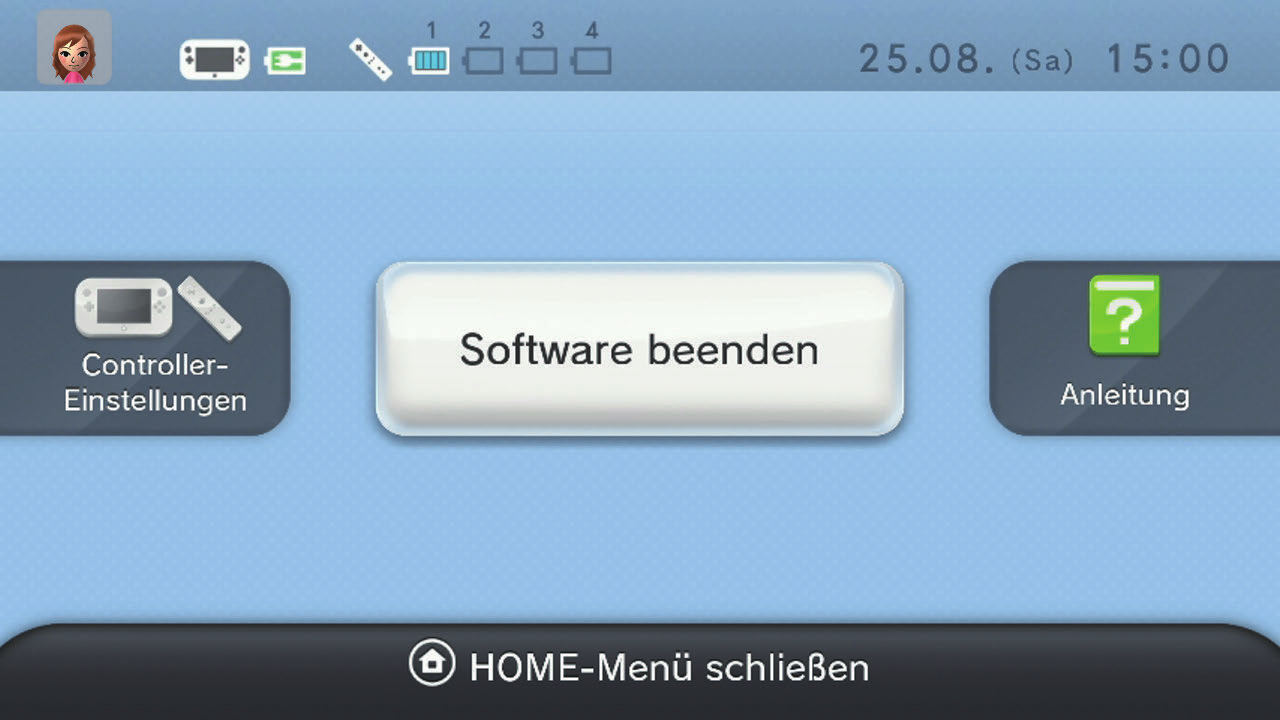
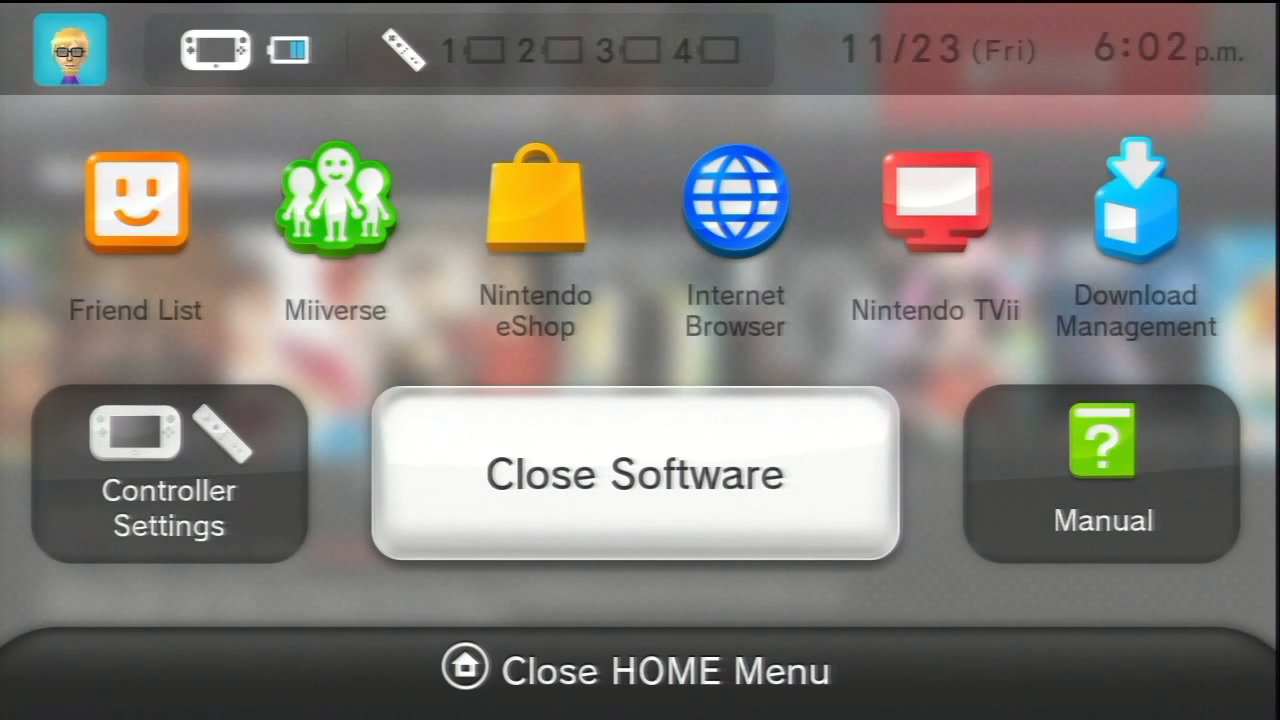
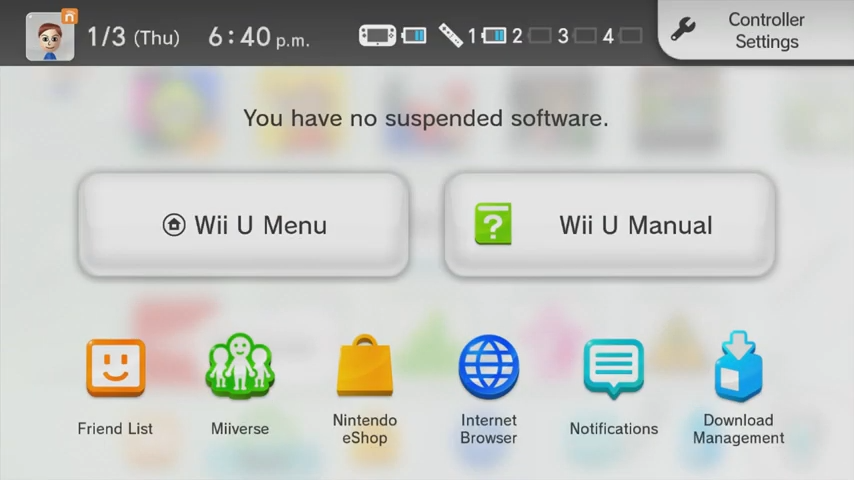
From version 1.0.0 to 5.2.0, the HOME Menu design was completely different from the current one, with icons in different positions and an overall different menu design. Notifications also appeared from the top instead of the bottom.
1.0.0 |
5.2.0 |
5.3.0 |
|---|---|---|
 |
 |
 |
Wii U Menu#
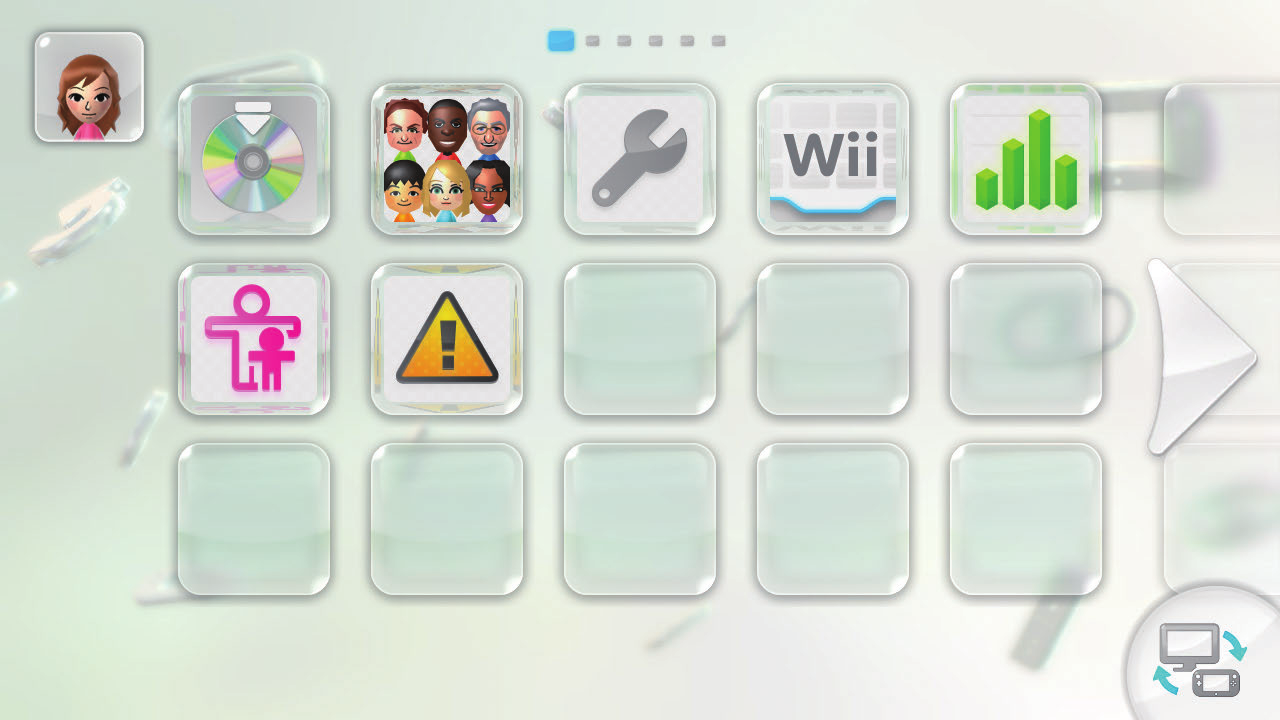
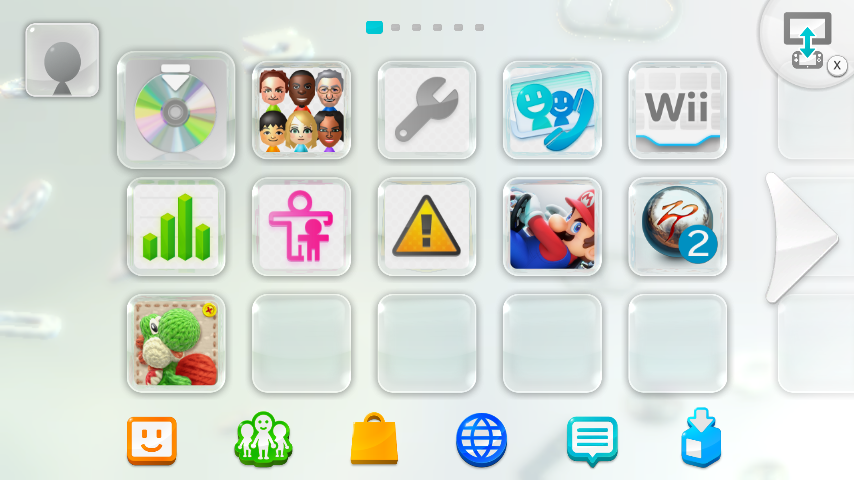
Originally, none of the applets (Friend List, eShop, Miiverse, etc) were added. The button to switch between the menu and WaraWara Plaza had a different appearance, which stuck around for a few more versions before being changed.
1.0.0 |
5.5.6 |
|---|---|
 |
 |
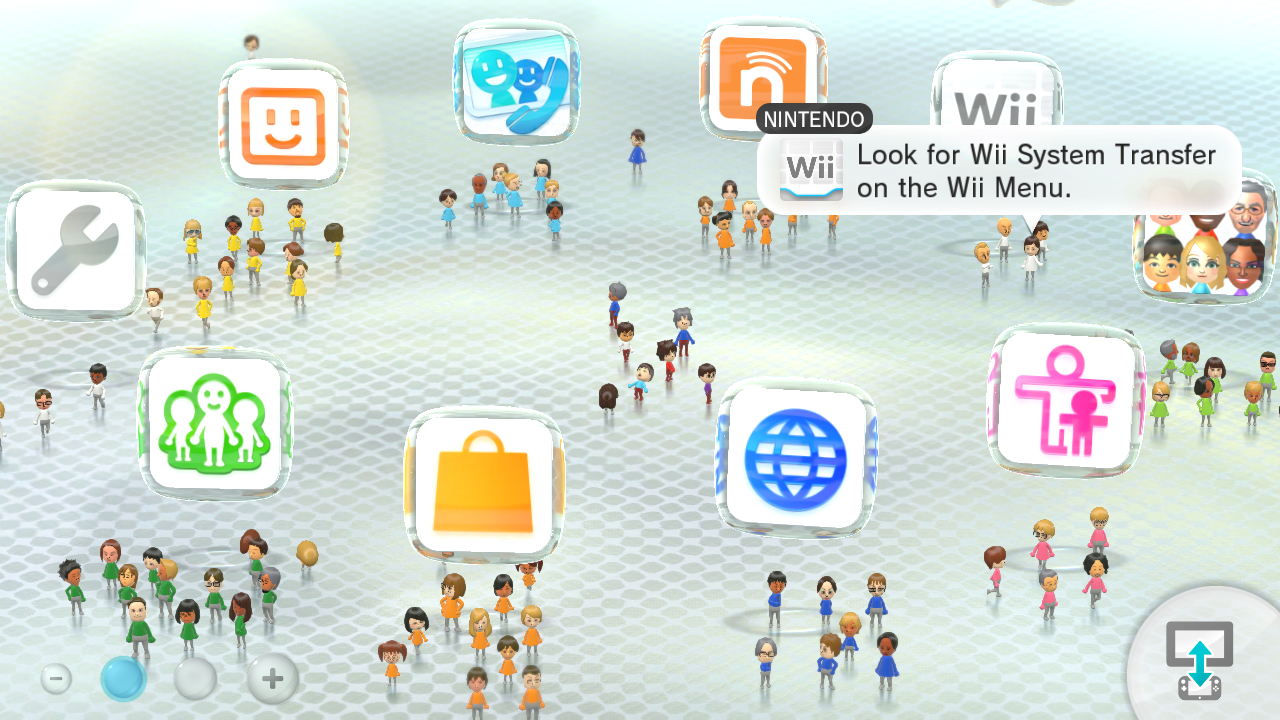
WaraWara Plaza#
|
|
To do: |
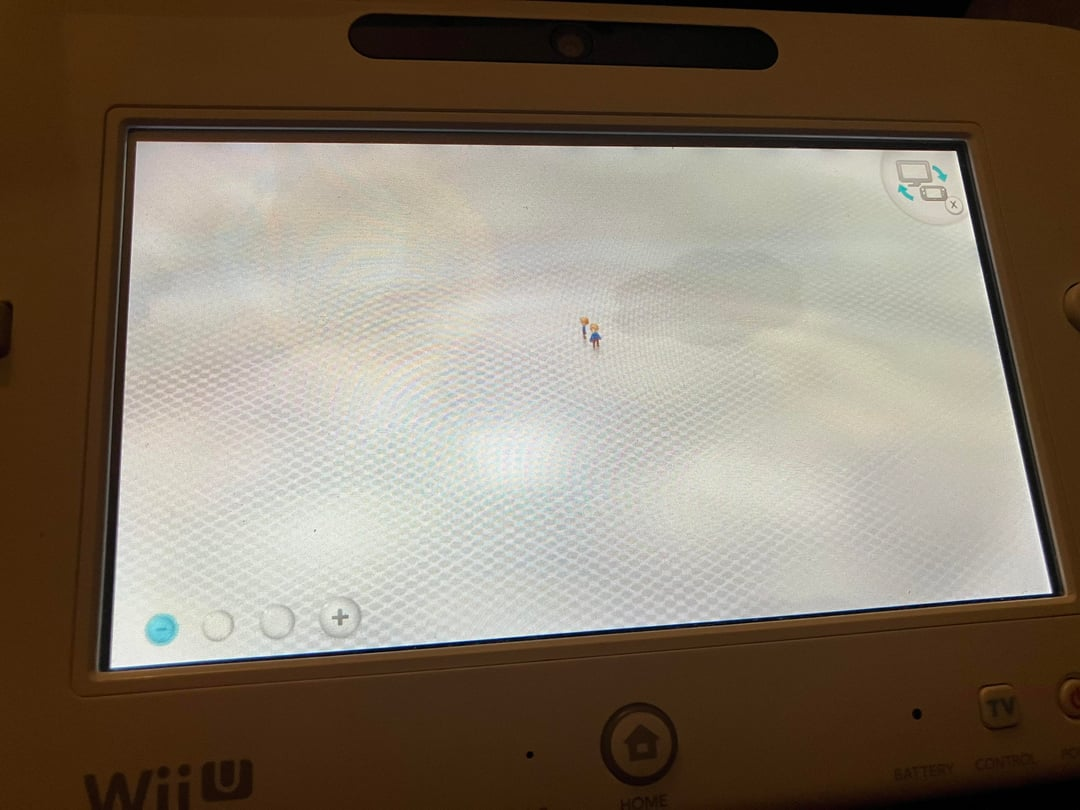
Because Miiverse wasn't added yet, the WaraWara Plaza only contained user Miis.
1.0.2 |
5.5.6 |
|---|---|
|
|
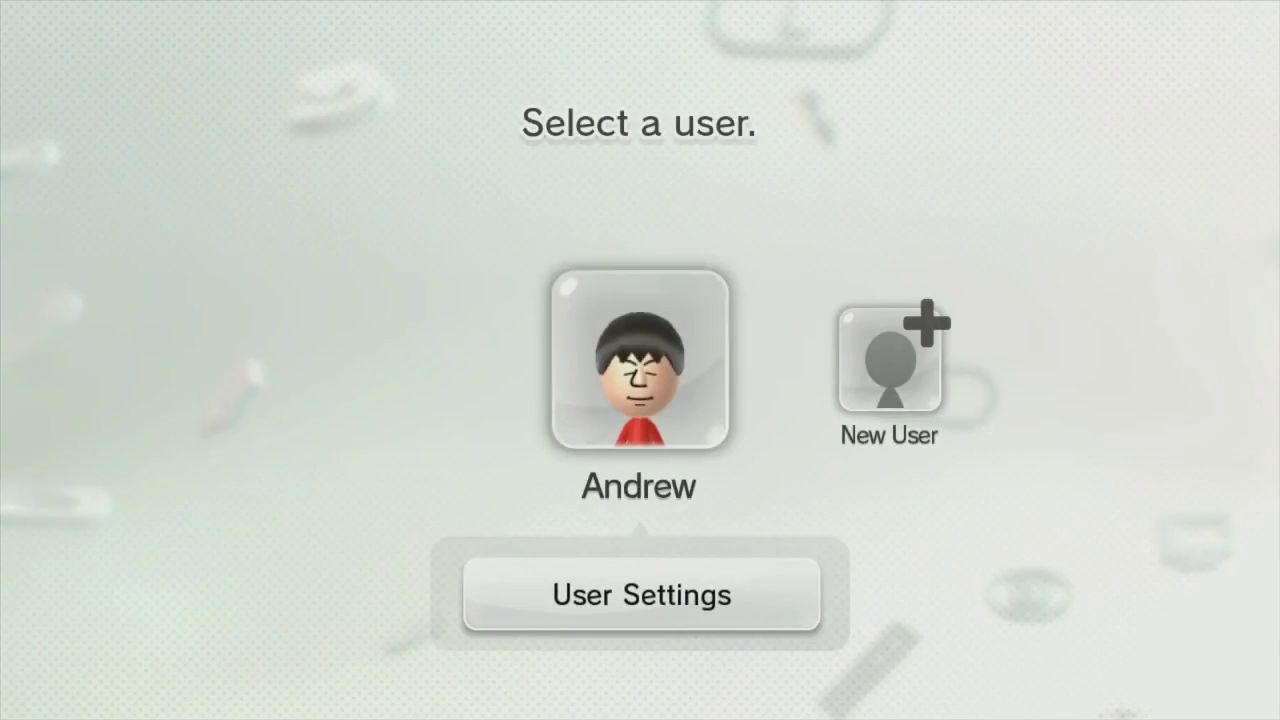
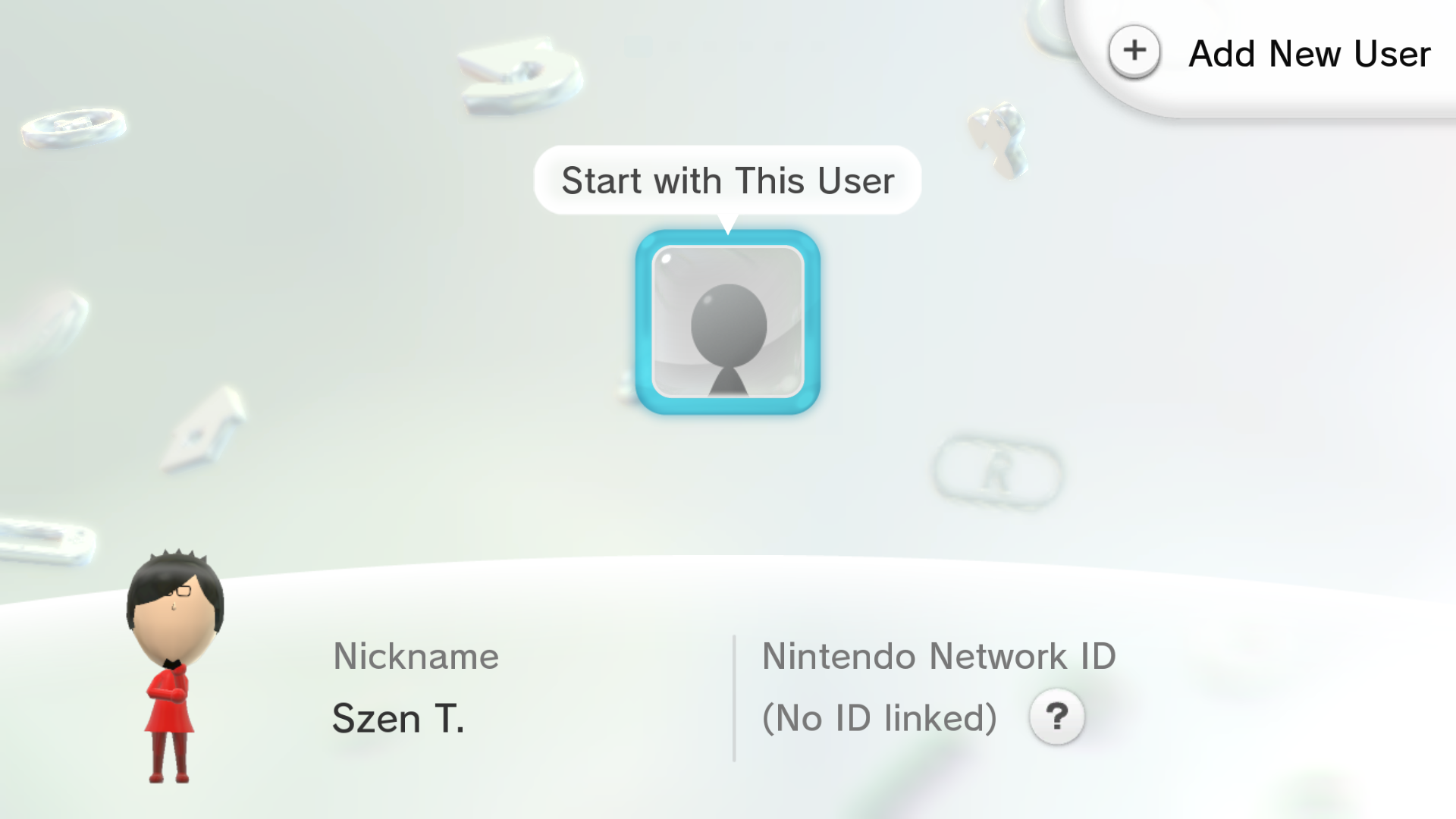
User Selector#
The design of the screen was changed drastically. The "User Settings" button can be pressed on the login screen immediately after startup. Pressing the profile icon on this version of the Wii U menu will immediately take you to the user selection screen instead of opening User Settings.
1.0.2 |
5.5.6 |
|---|---|
 |
 |
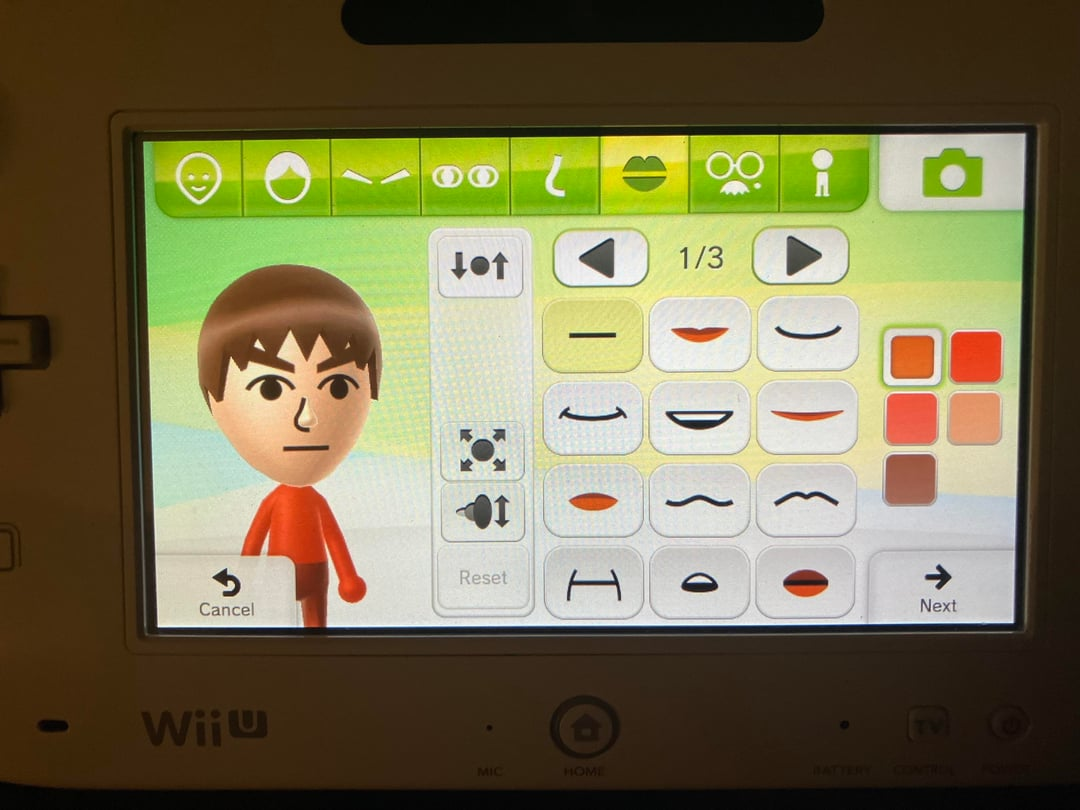
Mii Maker#
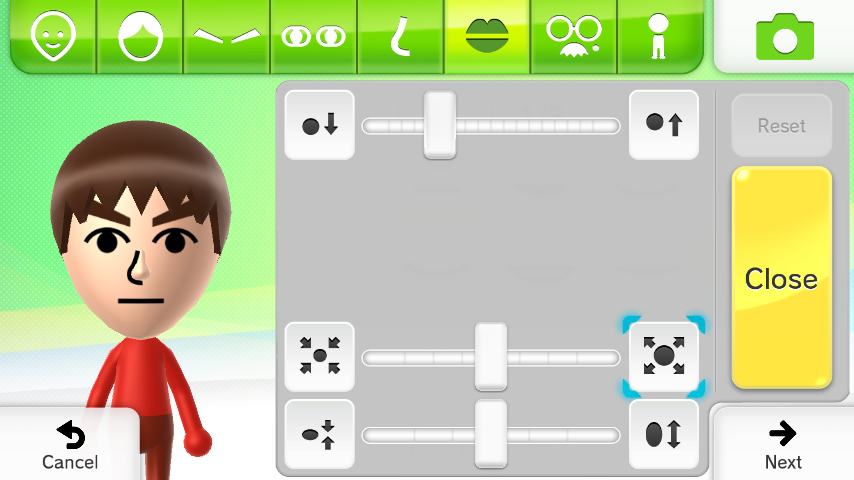
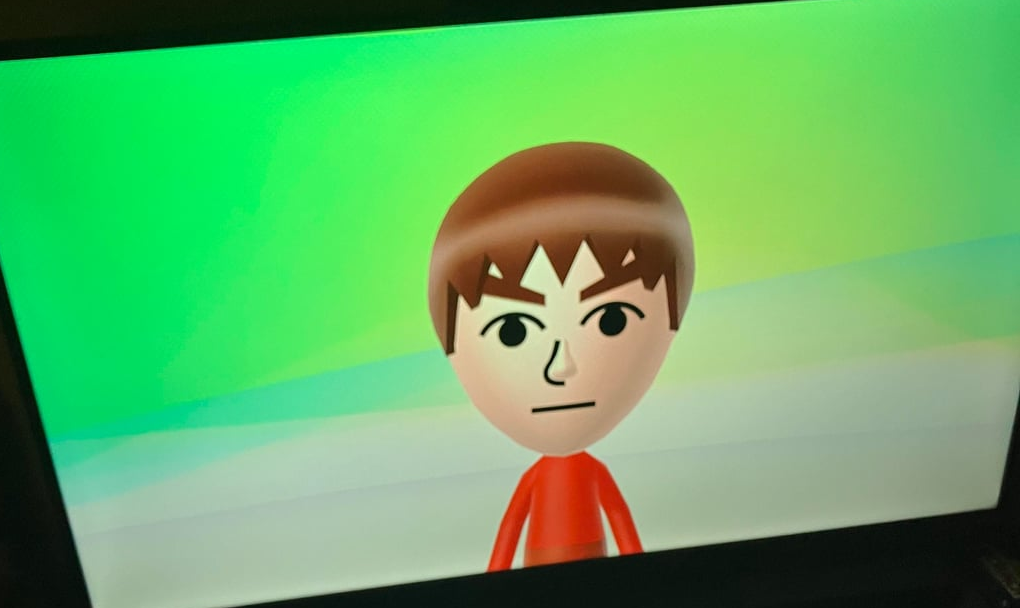
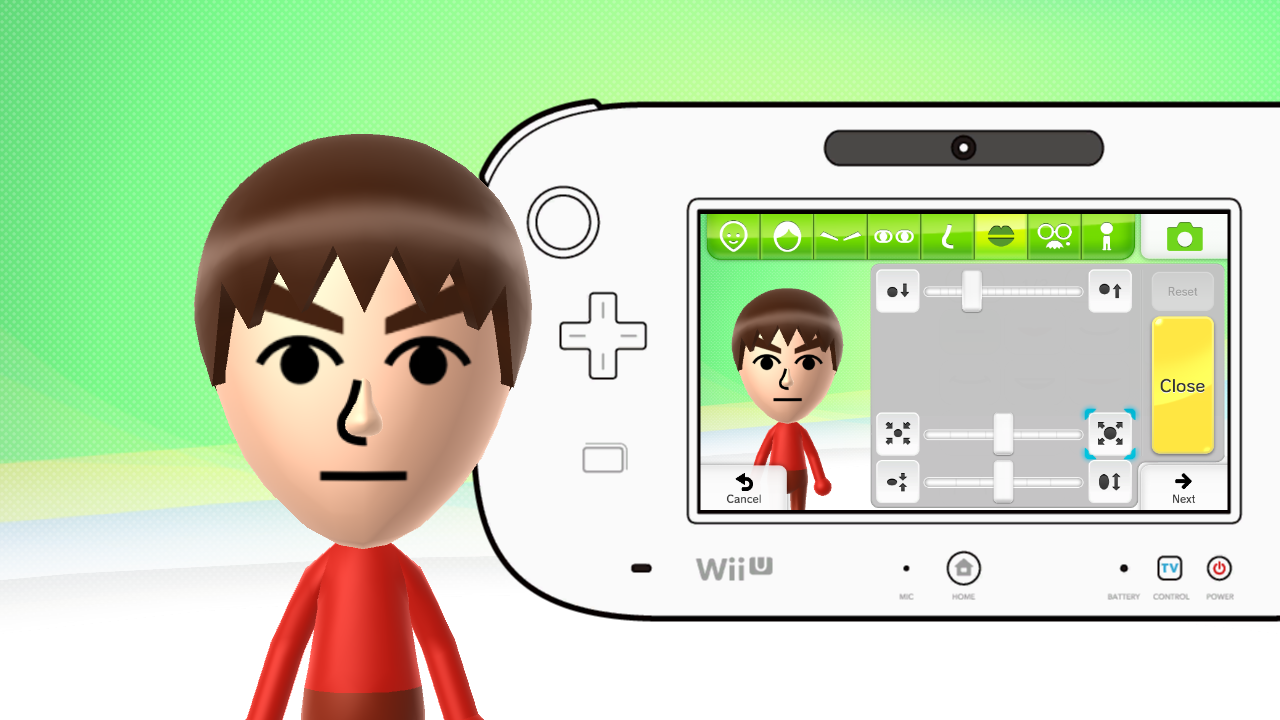
Originally, instead of all adjustment sliders on one menu and sharing a single button, they each have separate buttons with their own individual slider, and the GamePad screen wasn't mirrored to the TV.
1.0.2 |
5.5.6 |
|---|---|
 |
 |
 |
 |
Error Screen#
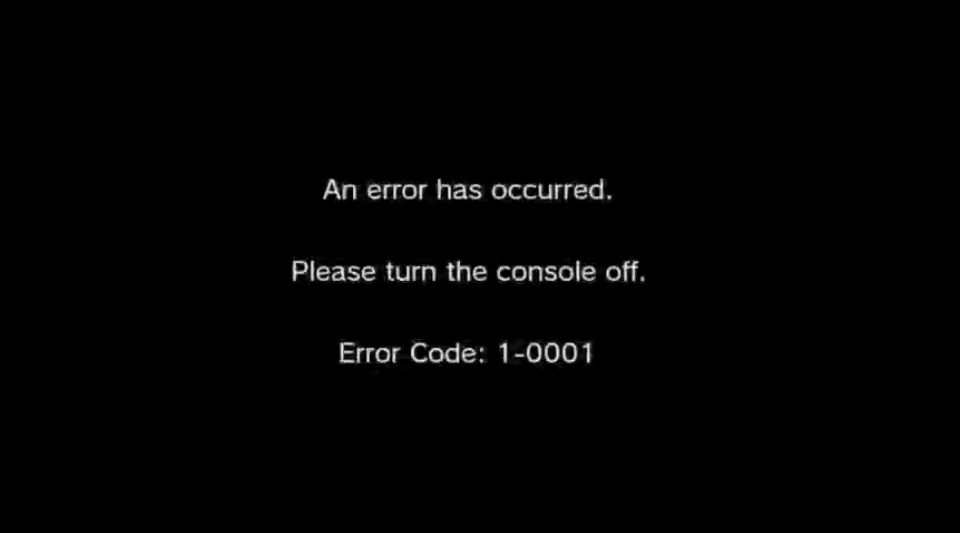
Originally, the screen that is displayed when a fatal error occurs featured much more generic text. System info was also not displayed.
Early |
5.5.6 |
|---|---|
 |
Generic Error |
System Memory Error |
Disc Drive Error |
USB Storage Device Error |
USB Removed |
Disc Removed |
Gamepad Error |
|
|---|---|---|---|---|---|---|---|
Japanese |
|||||||
English (US) |
|||||||
French (US) |
|||||||
French (EU) |
|||||||
German |
|||||||
Spanish (US) |
|||||||
Spanish (EU) |
|||||||
Italian |
|||||||
Dutch |
|||||||
Portuguese (US) |
|||||||
Portuguese (EU) |
|||||||
Russian |