

Unused Image#

Found in the "neon" resource in dash.xex is this image. "Yak" is the old nickname of Jeff Minter, known for the running theme of ruminants in his games, and whose light synthesizer known as "Neon" was used for this console.
Leftovers#
While each of the dashboards look quite different on the surface, there is a direct lineage between each revision, and some resources end up going unused without being removed.
A scaled copy of the black avatar silhouette used by the NXE dashboard was added to the controlp XZP resource of dash.xex in the Kinect dashboard update. This copy is smaller than the original copy stored in the dashcomm resource, and has a slightly different file name with different casing ("avatar_silhouette.png" instead of "AvatarSilhouette.png"). This leftover resource was removed in the Metro dashboard update (2.0.14699).
Kinect Unused NXE Copy (avatar_silhouette.png) |
NXE (AvatarSilhouette.png) |
Kinect (AvatarSilhouette.png) |
|---|---|---|
 |
 |
 |
The same also applies to the Create Account and Recover Gamertag images, found in the signin resource in dash.xex. These were removed from the Metro dashboard alongside the entire signin resource.


The Metro dashboard has leftover resources for the Xbox logo at the bottom right, which are unmodified since the Kinect dashboard. These are found in the controlp resource of dash.xex.


Additionally, both the Metro and the Kinect dashboards still have the xenonripple.uxfx shader in the controlp resource of dash.xex, which was responsible for rendering the ripple effect underneath the Xbox logo in the NXE dashboard.
Unused Text#
<Insert display string text>Placeholder text for the achievements.
This text can be seen if a player were to modify their gamer profile via USB to add achievements.
Hidden System Settings Reset#

On the System Info screen in System Settings, press the following button sequence LT, RT, X, Y, LB, RB, followed by a four button sequence that's unique to each system. The unique ending is stored as a 4 character ASCII string, and can be retrieved by inspecting the 4th block of the SMC configuration at offset 0x238, dumped from the system's NAND.
This method is primarily used by Xbox Support to remove parental controls when the PIN is lost.
Developer Text#

|
To do: |
Present in multiple system XEXs are these devkit related messages:
D3D: GPU initialization (HSIO training) has failed so no graphics will render.ERR[D3D]: Unanticipated CPU_INTERRUPT. Sign of a corrupt command buffer?The PIX capture is now saved to xe:\pix\crashdump.pix2. Please power cycle your
devkit and use the 'Open Crash Dump' option from the PIX File menu to load the file
for postmortem debugging. CPU Synchronization , The GPU appears to be hung! Specifically:
%s 0x%02x: %08x %s
%25s: 0x%08x
The GPU state doesn't match any known hangs. Please send a repro
scenario to xboxds@xbox.com so that we can fix the hardware or
supply a work-around.
D3D version is %i, frame is %i.
Breaking into the debugger. The GPU is hung and can't be recovered
without doing a cold boot.
ERR[D3D]: Try reproducing the hang with the debug or instrumented
versions of D3D (D3D9D.LIB or D3D9I.LIB) to capture a
crash-dump PIX file that can be sent to Xbox developer
support.Hidden Debug Info#
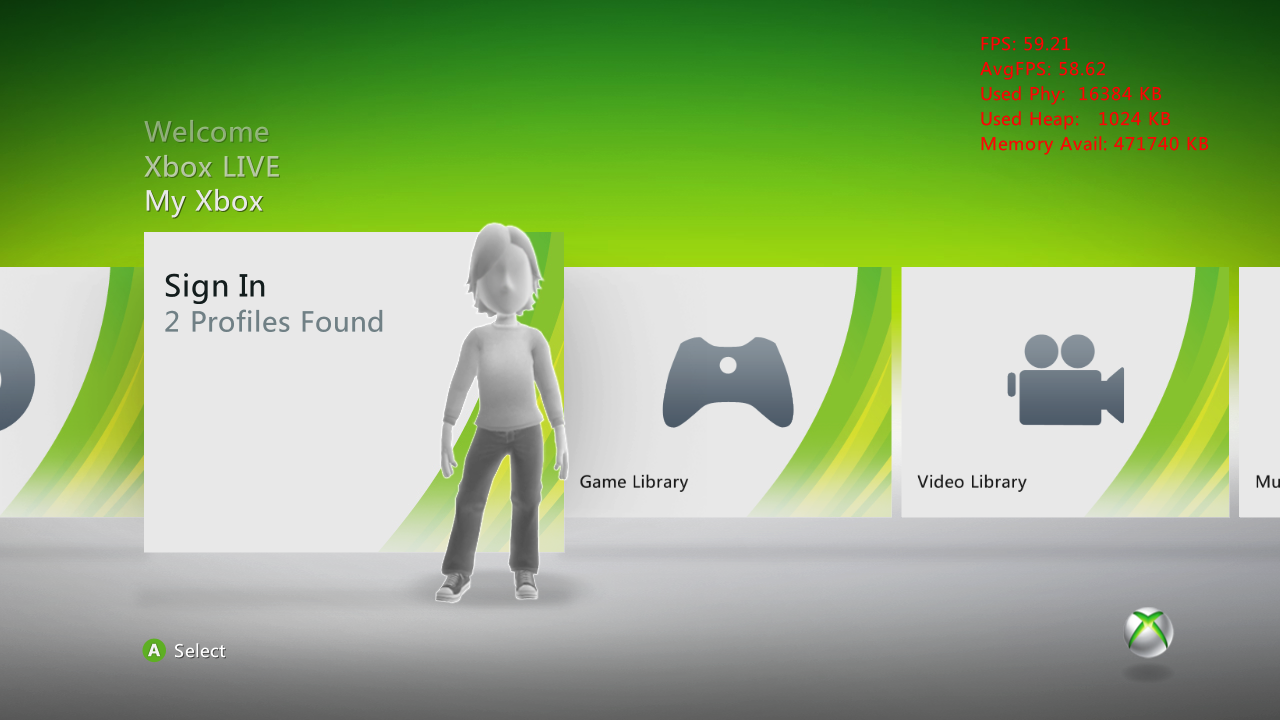
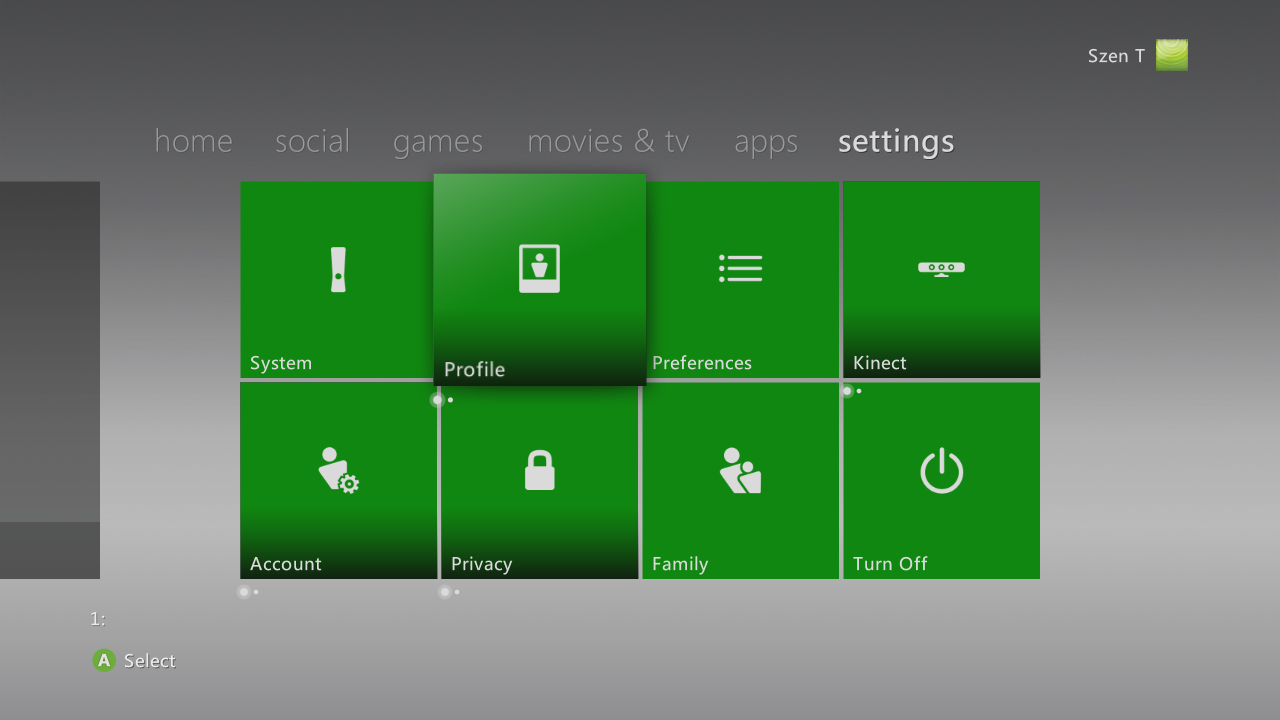
By turning on preview mode, debug info on the dashboard (such as the frames per second and memory usage) can be seen. This feature was introduced in the NXE dashboard. In the Metro dashboard, preview mode instead adds multiple-page indicators to certain buttons for debugging.
|
Kinect |
Metro |
|---|---|
|
|
Revisional Differences#
The Xbox 360 Dashboard underwent several dramatic redesigns throughout the system's lifetime. The Dashboard cannot be downgraded once updated to a new version through official means, but there's always workarounds.
Blades (2005-2008)#
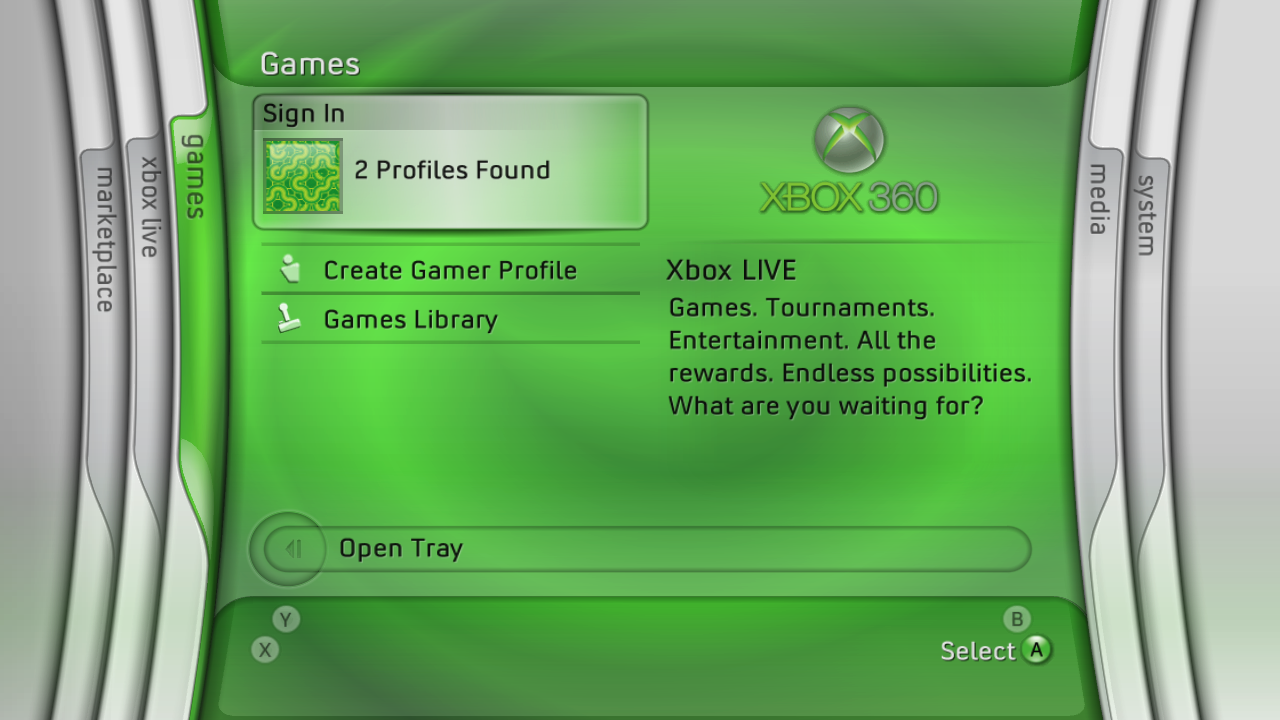
The Dashboard version that launched with the console, used from 2005 to 2008. Microsoft and the community have named this version "Blades".
Version numbers range from 2.0.1888.0 to 2.0.6770.0.
Small Revisions#
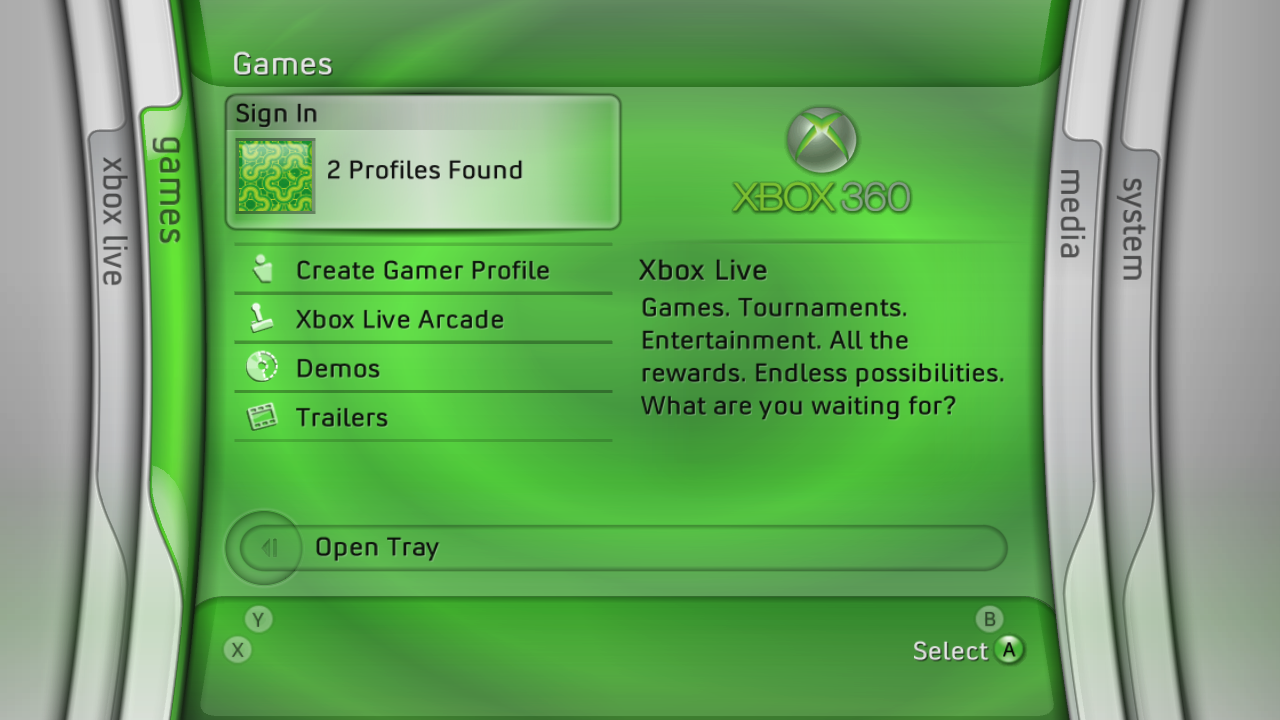
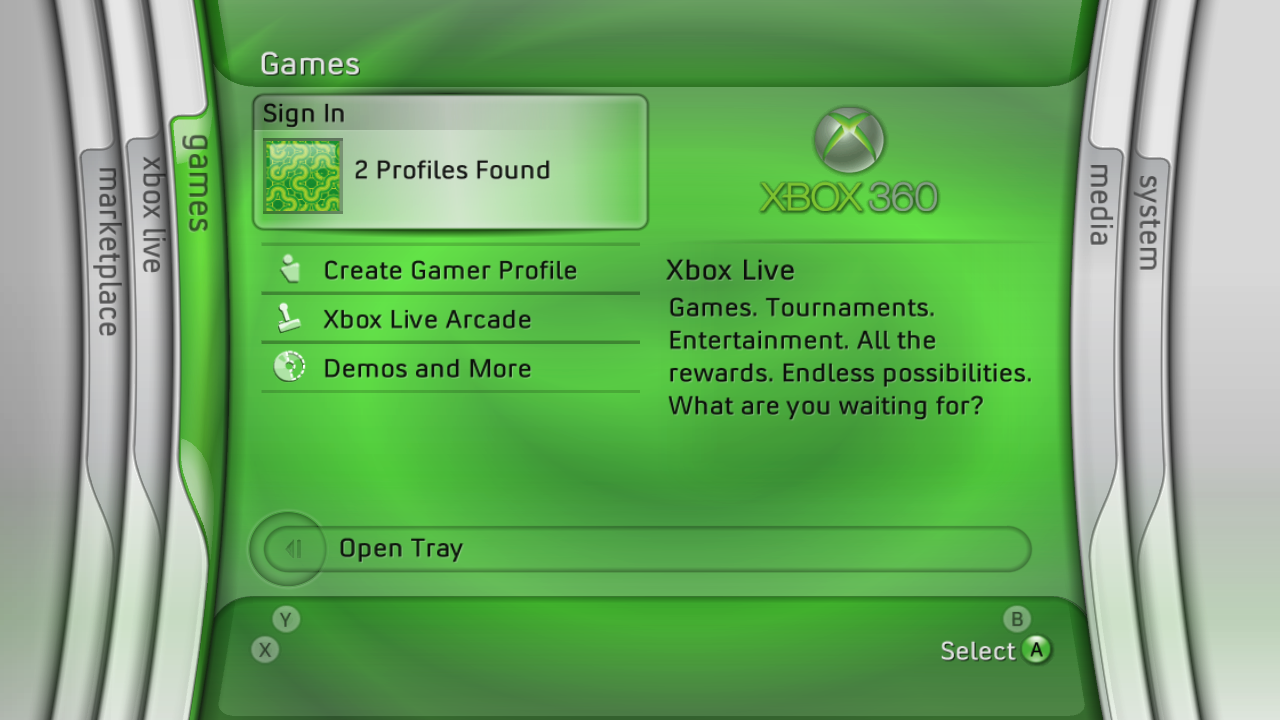
Several smaller changes to this dashboard had been introduced, such as the addition of a Marketplace blade, as well as making the blades' fonts smaller. Other changes include: options simplified on the games blade, more settings options and the icon for Media Center changing from the one from Windows XP Media Center Edition to the one from Windows Vista and onwards. In the final versions of the dashboard, the "click" sound as a blade landed no longer plays and going further into a blade no longer has extra sounds or animations.
2.0.1888.0 – 2.0.4552.0 |
2.0.5759.0 – 2.0.5787.0 |
2.0.6683.0 – 2.0.6770.0 |
|---|---|---|
 |
 |
 |
New Xbox Experience (2008-2010)#
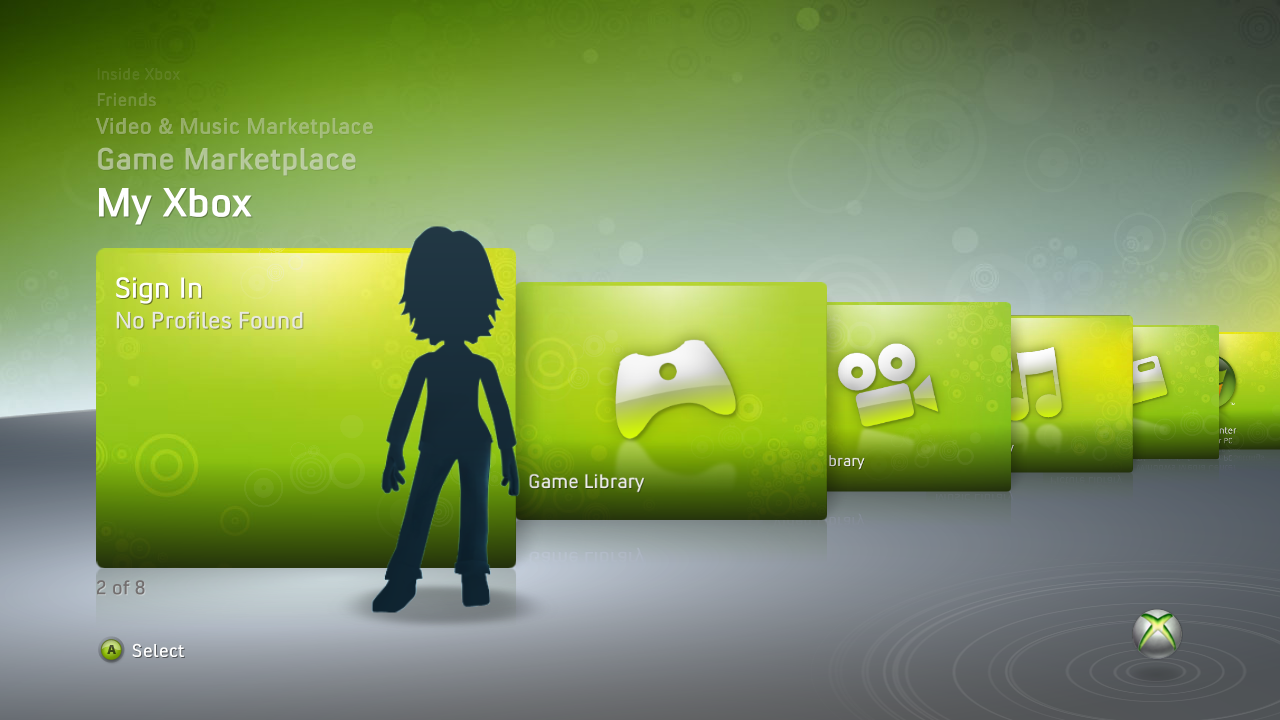
A complete overhaul of the Dashboard, used from 2008 to 2010. The GUI design resembles Windows Media Center from Windows Vista. The "JTAG" hardware hack was patched during this era.
New features included Xbox Avatars, the ability to queue downloads from Xbox.com, Xbox Live Parties, and the ability to install disc games to the hard drive.
Version numbers range from 2.0.7357.0 to 2.0.9199.0.
Dashboard |
|---|
 |
Kinect (2010-2011)#
A rework of the NXE interface to include elements of Microsoft's Metro design language, used from 2010 to 2011.
New features include a new boot animation, Kinect support, improved avatars, and improved social features.
Version numbers range from 2.0.12611.0 to 2.0.13604.0.
Dashboard |
|---|
 |
Startup Animation#
Originally, the startup animation was an orb that lights up an X-shape. This was changed in the Kinect dashboard to an animation with swirling effects. When installing the Kinect Dashboard (or a newer version) update, the bootanim.xex file in the console’s NAND is replaced.
|
2005-2010 |
Current |
|---|---|
|
|
|
Metro (2011-Present)#
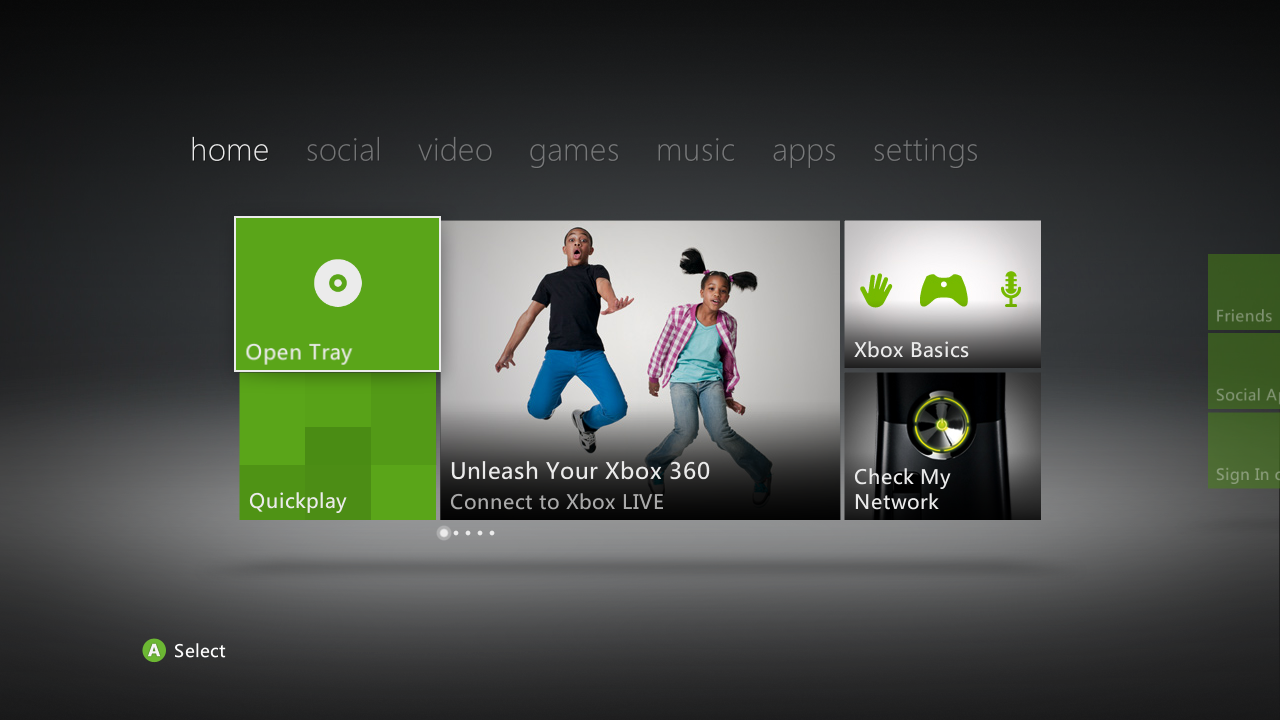
The current version of the Dashboard, designed after Microsoft's Metro design language (used in Windows 8, released in 2012) that started appearing in its products around 2010-2011.
Features included far more advertisements, Internet Explorer, Bing Search, USB external drive support up to 2TB, and the replacement of Microsoft Points with various real-world currencies.
Most of the advertisements were removed from the Dashboard in a serverside update in 2020.
Version numbers range from 2.0.14699.0 to 2.0.17559.0.
Redesign#
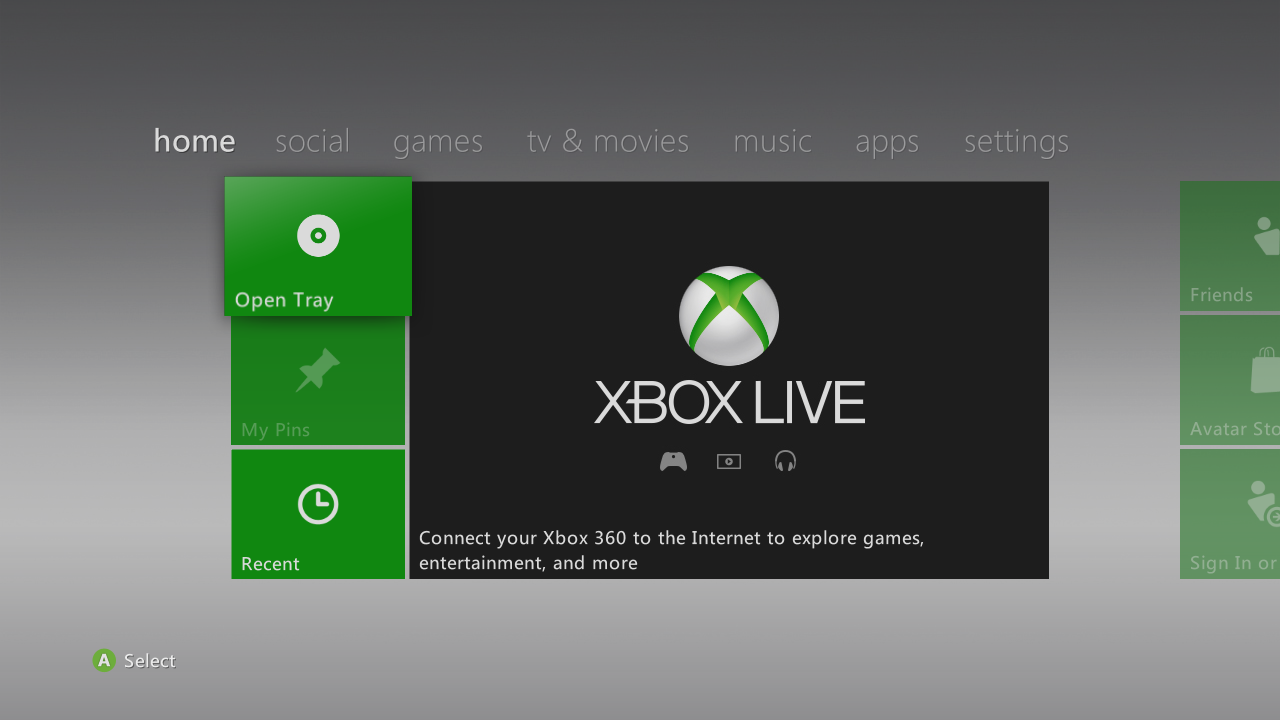
In October 16, 2012, starting from build 2.0.16197.0, the Metro dashboard received a redesign. After this point, the overall design of the dashboard itself wouldn't change much, besides a minor Xbox Live logo change and the button highlights in all the menus being changed to a more darker and flat shade of green instead of a light green gradient.
2.0.14699.0 – 2.0.15574.0 |
2.0.16197.0 – 2.0.17559.0 |
|---|---|
 |
 |
Marketplace Shutdown#
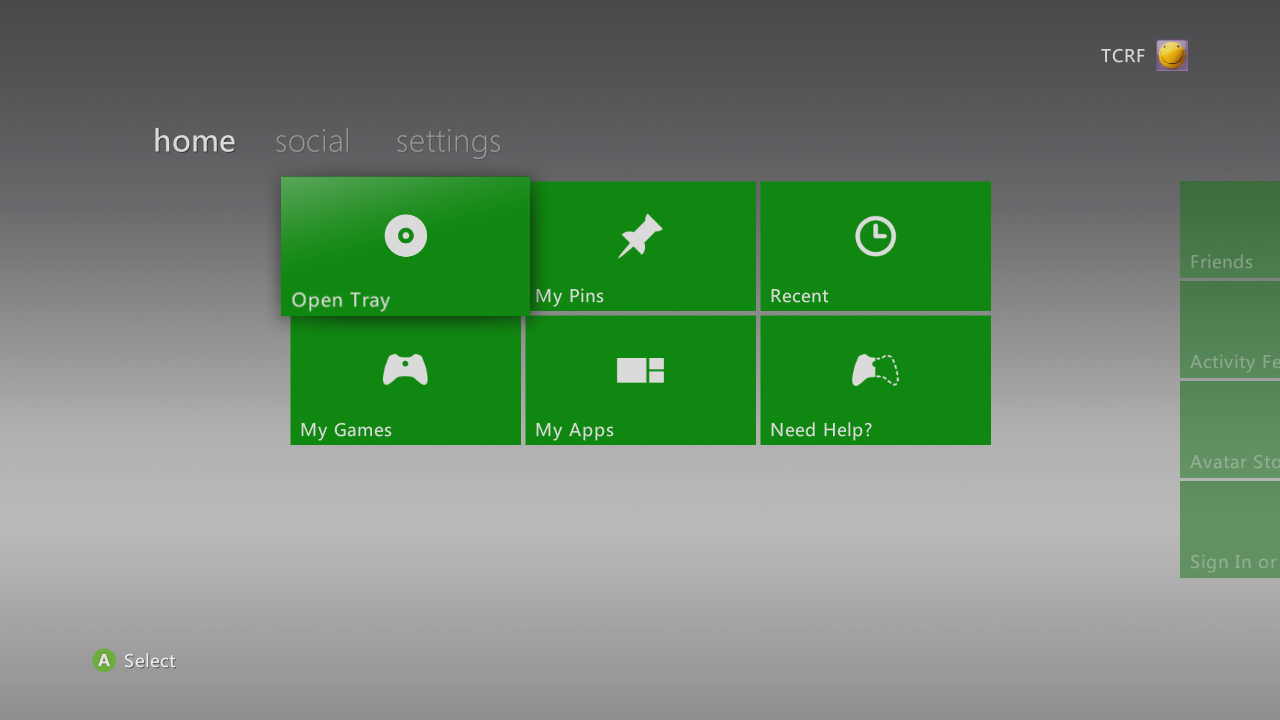
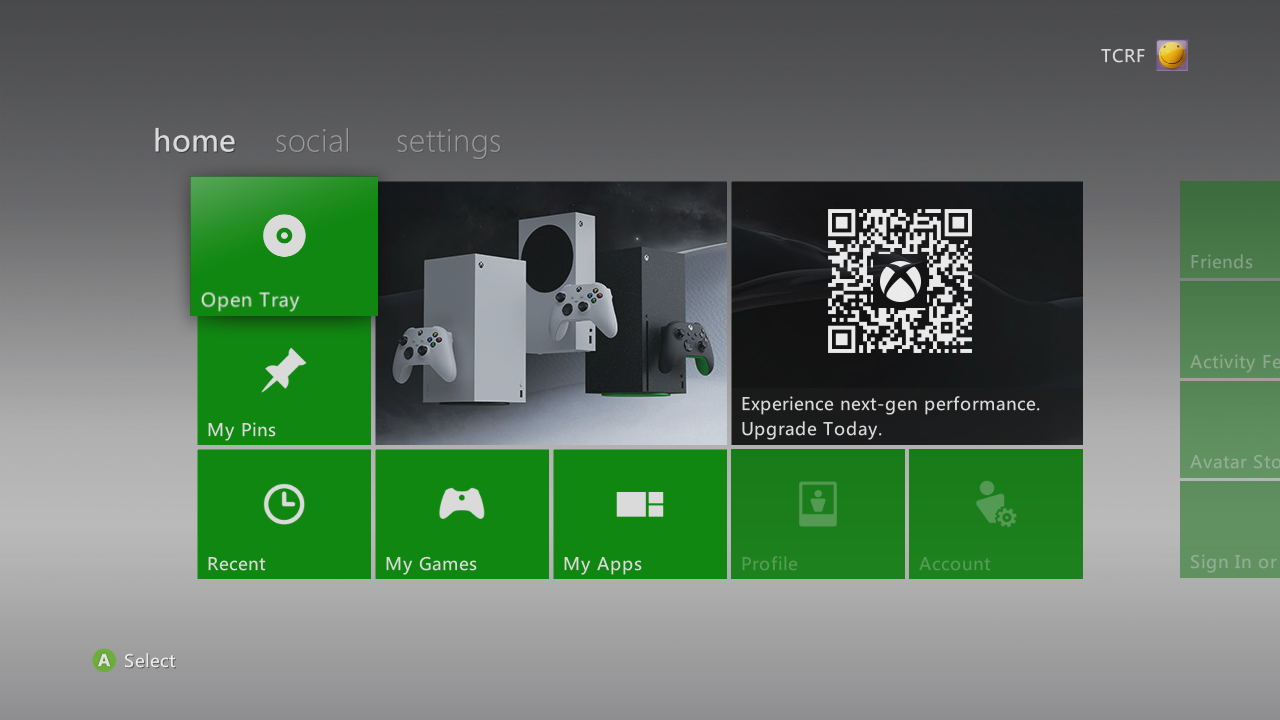
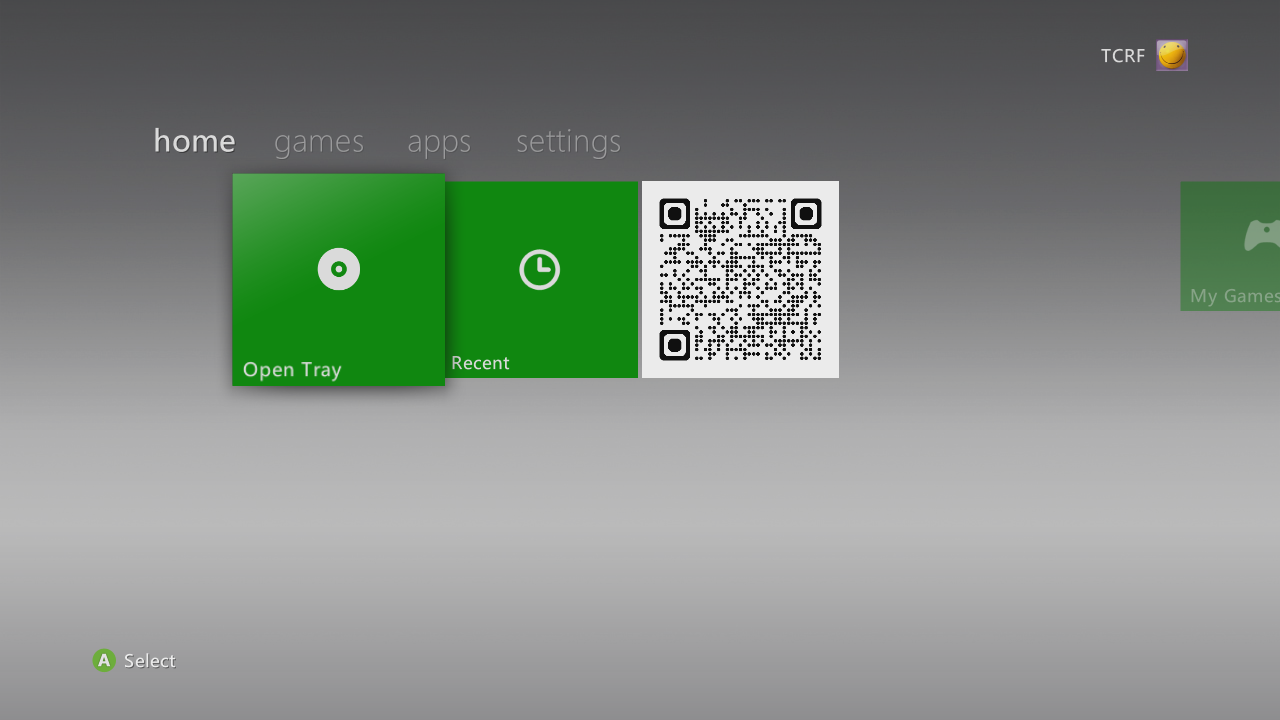
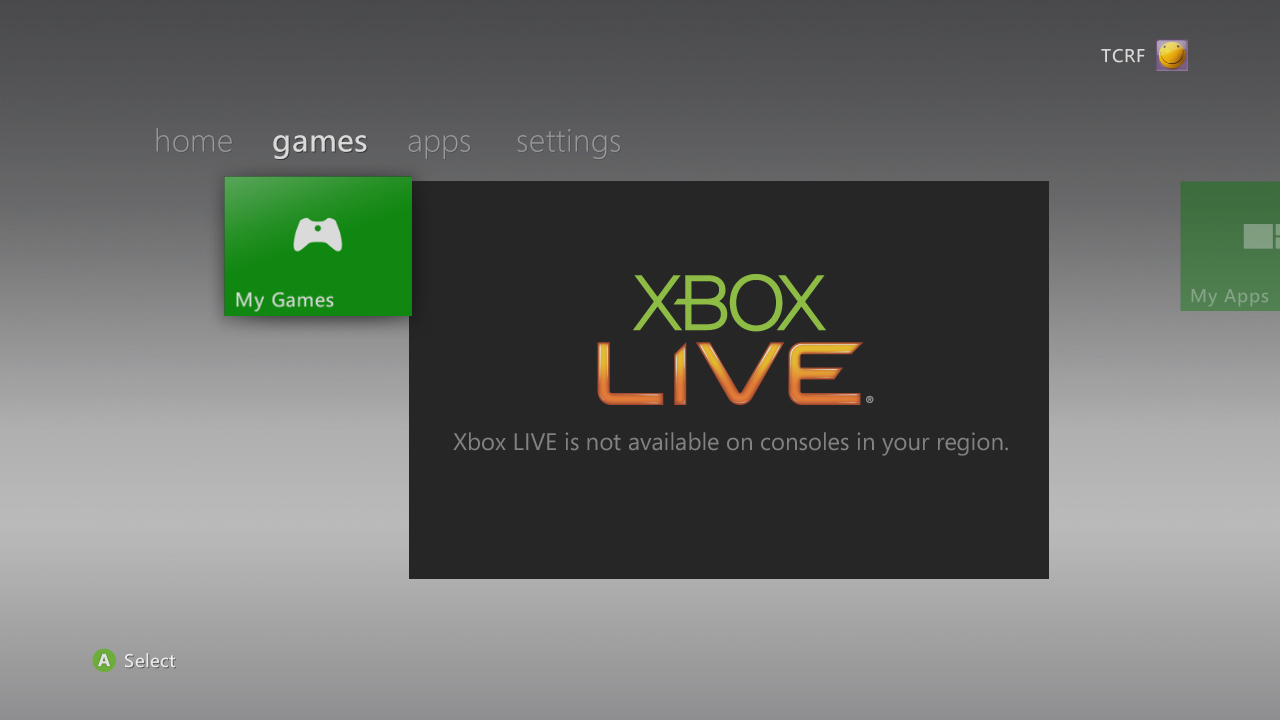
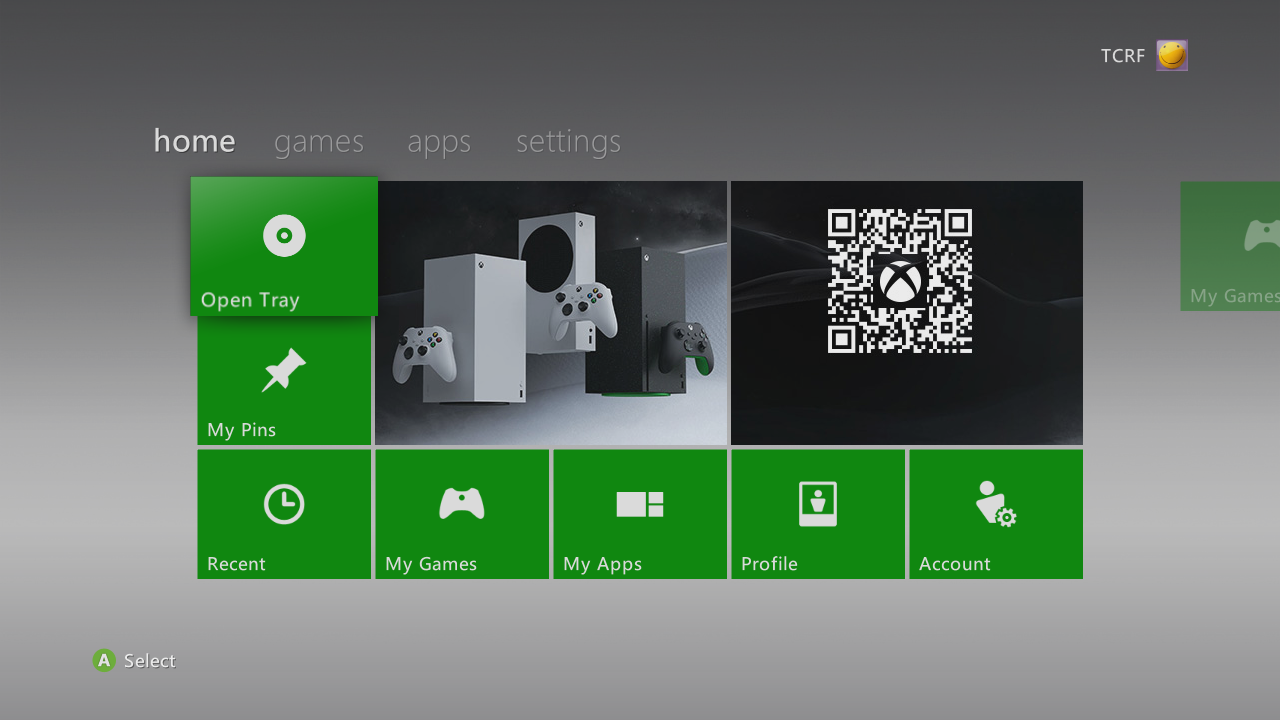
If the Xbox 360 is connected to the internet after July 29, 2024 when the Xbox Live Marketplace was shut down, the dashboard will receive a few server-side changes, removing all the elements related to it. The disc tile's size has been changed, leading game banners to look stretched.
As such the dashboard only has 3 pages, and looks very barebones compared to the earlier dashboards. Setting the locale to "Other" strips the dashboard down even further. Going offline reverts these changes.
On June 24, 2025, a server-side update changed the layout once again but only for the US locale, and added advertisements for Xbox Series X|S. Along with these advertisements, game banners are now no longer stretched. "Other" locale also got this change, but without the additional text.
Offline |
Online (2024, Regular) |
Online (2025, US locale) |
|---|---|---|
|
 |
 |
Online (2024, "Other" locale) |
Online (2025, "Other" locale) |
|
 |
 |
 |
Comparison#
Blades |
New Xbox Experience |
Kinect |
|---|---|---|
|
|
|
|
|
Guide Evolution#
Like with the Dashboard, the Xbox 360 Guide has had been through lot of big changes over the systems lifetime, usually based around the exact Dashboard version and style it's on.
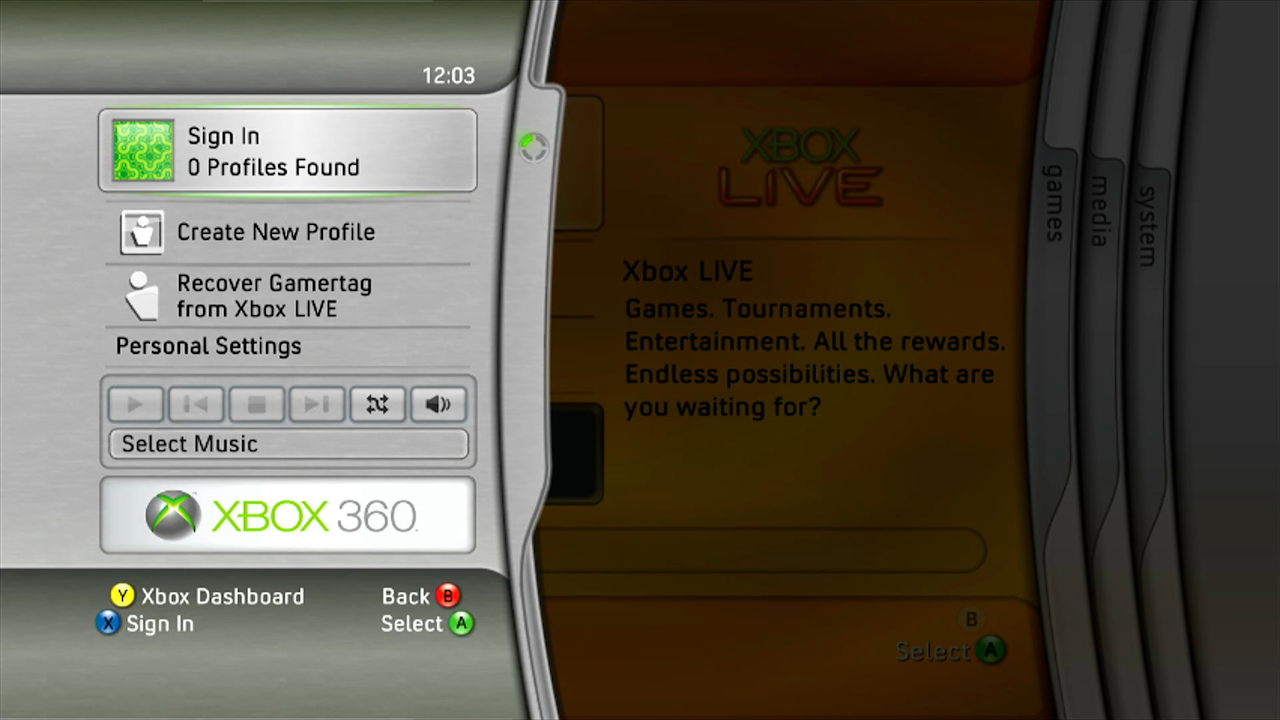
The Guide featured in the Blades Dashboard follows a similar design to the Blades themselves, with the Guide essentially functioning as a single Blade on the left of the screen, with a selection of some of the same options as the modern guide, with the general pop-up messages also appearing as a small Blade but from the right of the screen instead. Certain themes and customized settings from the Blades era could also change the background of the Guide as well.
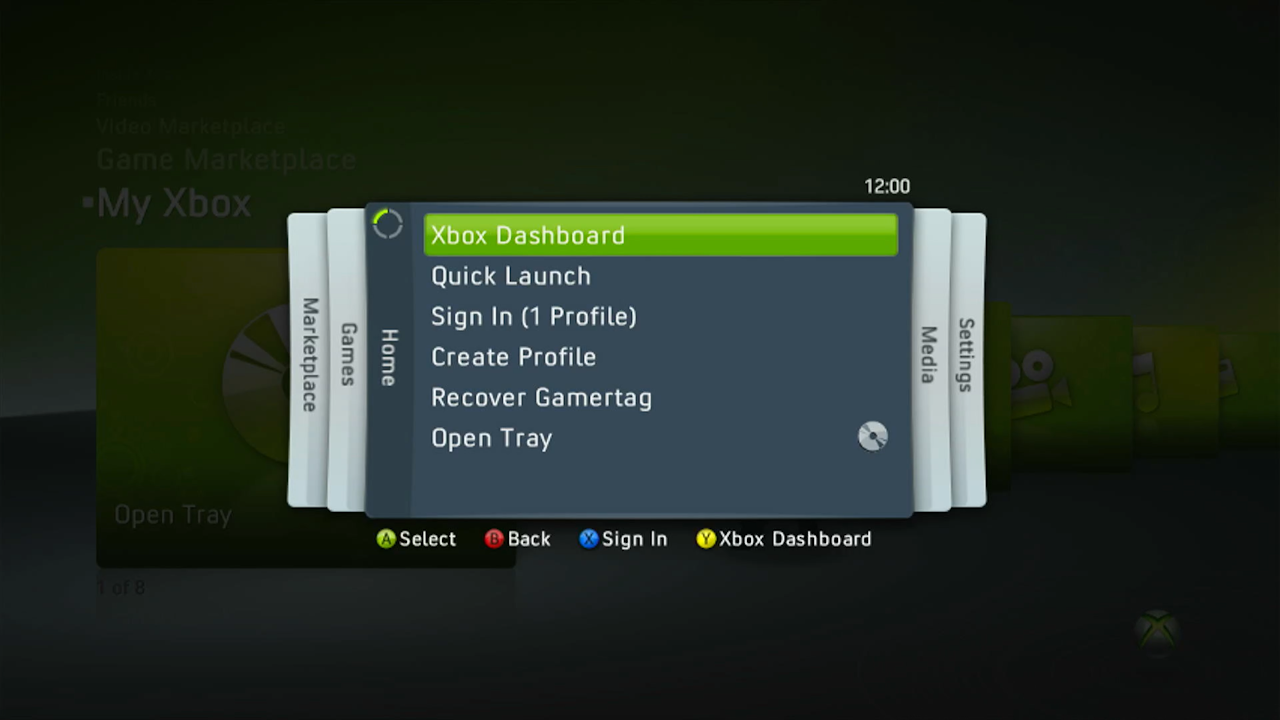
The NXE Guide saw a large-scale re-design and features a design that's somewhat reminiscent of the original Blades dashboard as a whole, with some of the sounds and general design elements of NXE on top. Pop up messages were changed to be vertical and in the center of the screen instead of a Blade on the right of the screen. After NXE, the general layout of the Guide wouldn't change too much.
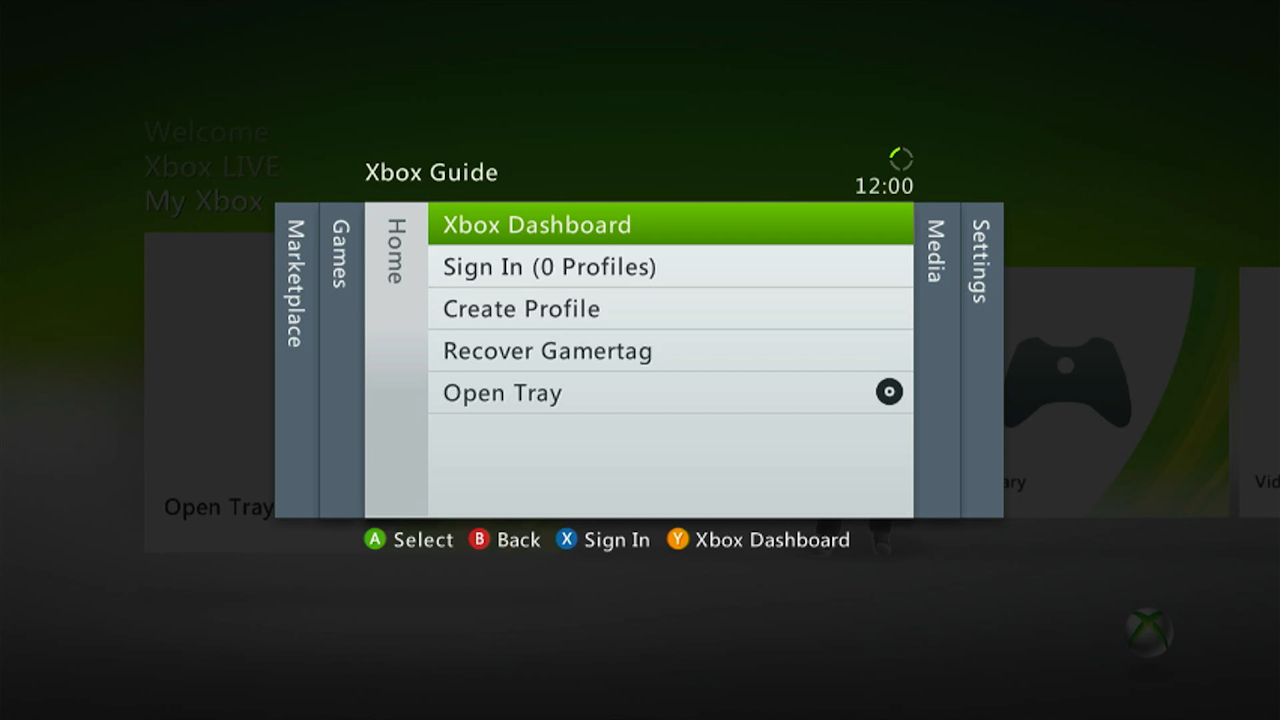
With the overall simpler and more flat design changes of the Kinect Dashboard, the Guide saw a similar design change to match, but the layout and features would stay mostly the same.
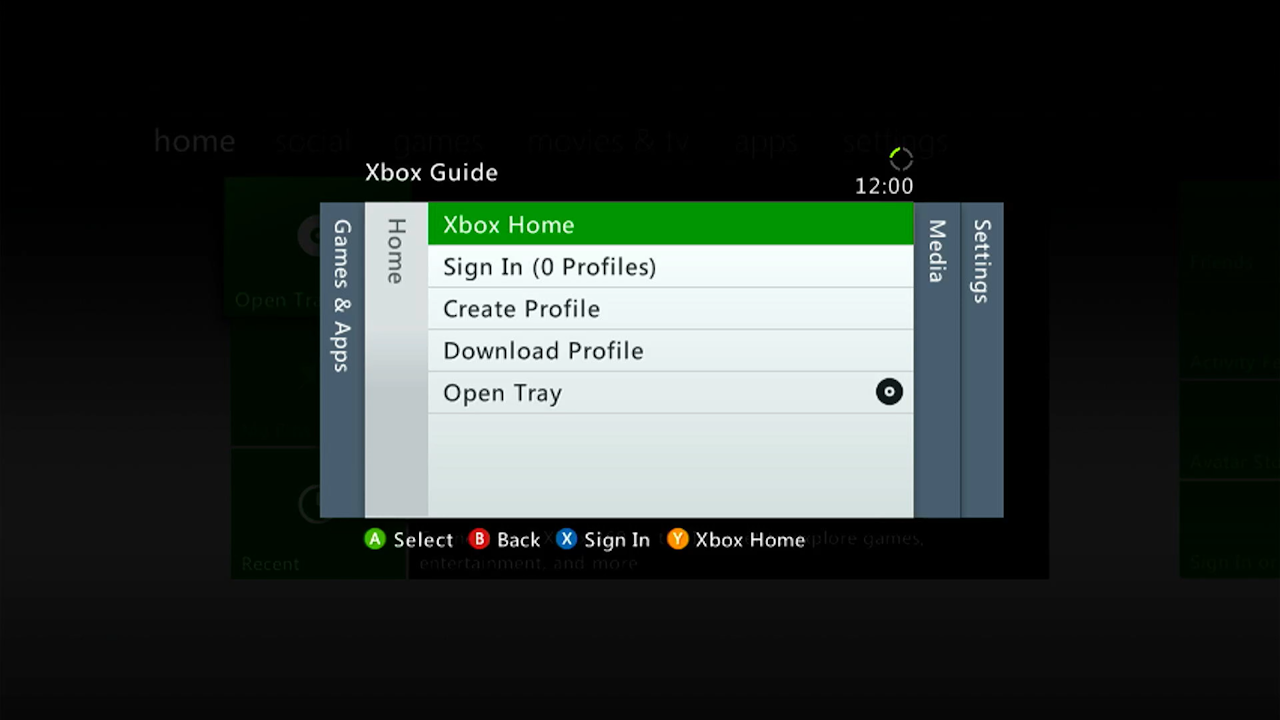
During the early days of the Metro Dashboard, the Guide wouldn't change much since the Kinect Dashboard, though it would see some minor design changes during the coming updates, the main noticeable differences around the Metro redesign are: the Marketplace tab being removed (its contents would be integrated into the other sections), Games being renamed to 'Games and Apps' and the overall design had a minor change to show a darker and more solid green button highlights instead of a small gradient with a lighter shade of green.
Blades |
New Xbox Experience |
|---|---|
 |
 |
Kinect - Metro (Original) |
Metro (Redesign) |
|---|---|
 |
 |