 This article has a talk page!
Golf#
Watch on YouTubeHidden inside all systems is the flog (get it... Golf... floG) binary, which is an NES emulator stub with Golf present and fully playable as an Easter egg. While this is in all systems, update v4.0.0 replaced the data and removed any way to access it. The Easter egg appears to have been a tribute to Nintendo president Satoru Iwata, who died during the Switch's development; he was the sole programmer of Golf, one of his first projects for Nintendo.
In all versions prior to v4.0.0, the following checks had to be in place at the Home Menu (Japanese, US, and European systems only):
- The Joy-Cons detached from the console.
- The motion from the Joy-Cons is tracked. Hold the Joy-Cons pointing forwards/downwards, then move them to a vertical position and hold it there for a bit. This mimics Iwata's "direct" gesture in the Nintendo Direct presentations.
- The internal system date must be July 11th, the date of Iwata's death. If the date is changed in System Settings but the console is connected to the internet and can see the actual date, this method will not work.
- Once the above are done, the console checks if flog is installed.
If all of these checks are met, flog begins to play Golf.
(Source: Yellows8, Hexkyz, SciresM)
HTML Comments#
In the "LobbyApplet" (that is just a web browser) is a commented-out credit.
<!-- ©Nintendo -->(Source: cth103)
Unused Sounds#
Both of these are present in the "starter" applet in rom:/sound/starter.bfsar.
(Source: Original TCRF research)
Firmware 1.0.0 Findings#
Firmware 1.0.0, which was installed on early launch consoles, has a few unused graphics not present in newer firmwares, along with some dummy strings.
soft_00_00 (lyt/DummyGame.szs)#
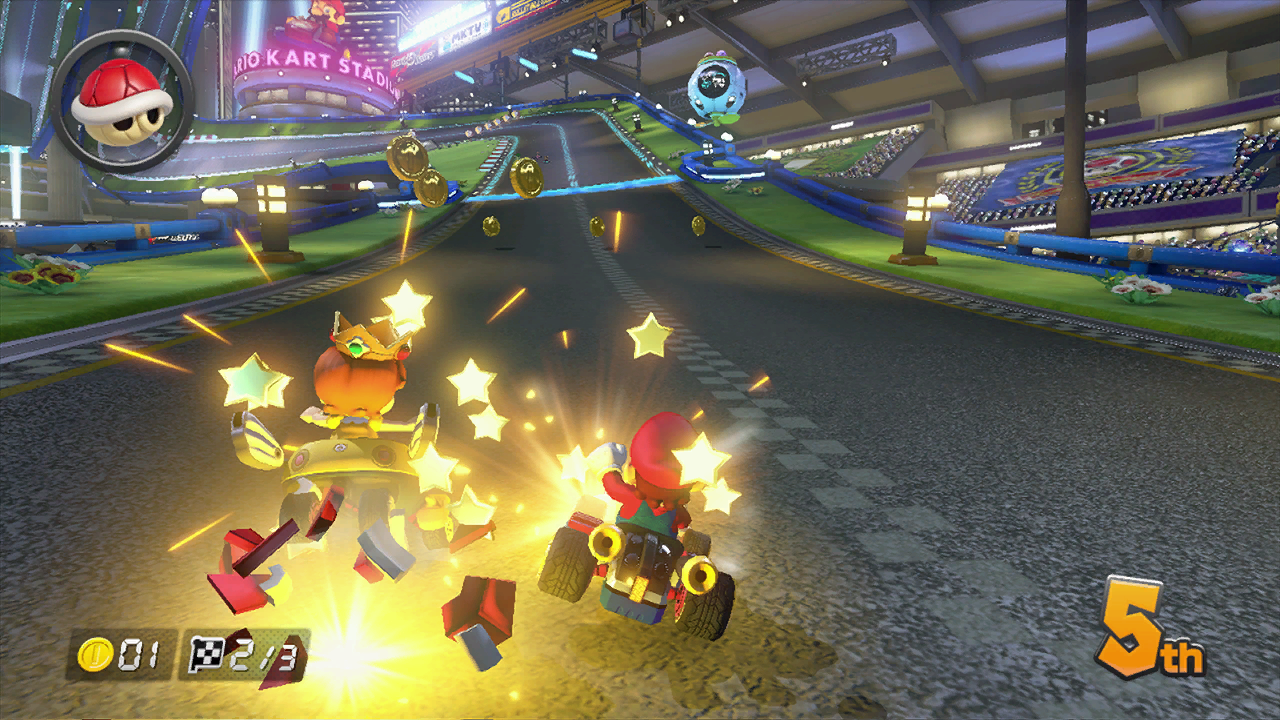
A screenshot of Mario Kart 8, which is the Wii U version judging by how the item box in the HUD doesn't have a second slot.
soft_00_01 (lyt/DummyGameA.szs)#


Studio logos for a game called "Outvader", judging by the file name.
NewsIcon_Nintendo (lyt/Notification.szs)#

An image of Mario from Super Mario Bros., with "fixme" in a pixelated font below.
DummyAccountMii (lyt/Set.szs)#

A Wii U render of a likely female Mii, with orange as its favorite color.
SD Advice Local News (010000000000080B/romfs/image/LnSdAdvice)#

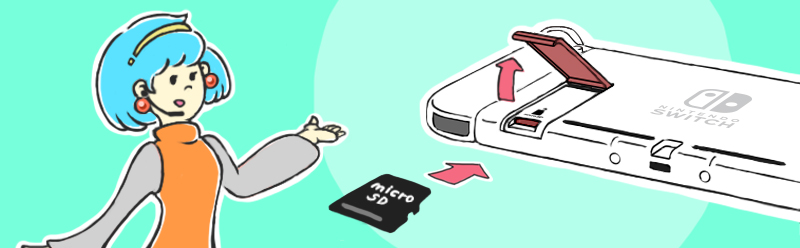
Inside the LocalNews data module, there exists unused images for an "SD Advice" local news listing featuring Amelia N., the mascot for the Nintendo Switch Information Center. This SD Advice listing is nowhere to be seen in any firmware.
Dummy Chinese Fatal Error Messages (010000000000081D\romfs\zh-CN)#
ErrorCode(zh-CN): %04d-%04d

Fatal error(zh-CN)
Dummy strings for the Chinese translation of the fatal error screen, located inside the "FatalMessage" applet.
PRODINFOF Manufacturing Logs#

|
To do: |
The PRODINFOF Partition contains some logs that are written during manufacturing under /ptd/log/.
The layout and contents of these logs have changed over time in newer systems, and the contents will also vary slightly from system to system. The below layouts and contents come from a console that shipped with firmware v1.0.0.
/ptd/log/ layout:
log
│   TestFlagLine.log
│   TestFlagQc.log
│   Process_asm1.log
│   Process_board1.log
│
├───BOARD_TEST
│       Sequence.log
│
├───BOARD_WIRELESS
│       Sequence.log
│
├───USB_AND_HP
│       Sequence.log
│
├───LCD_AND_KEY
│       Sequence.log
│
├───AGING
│       Sequence.log
│
└───FINAL_CHECK
Sequence.logAGING/Sequence.log:
0,00:01:01,30:00
1,00:01:01,TestMode(SABP) No Issue[1024MB]
2,00:01:01,34[C]/34[C] CPU[N/A] GPU[N/A] DDR[N/A] TOTAL[N/A]
3,00:01:01,CPU[1785MHz] GPU[921MHz] EMC[1600MHz]
4,00:01:06,FAN[02735rpm]
5,00:01:07,Battery[ 53%]
6,01:01:01,TestMode(SABP) No Issue[1024MB]
7,01:01:01,44[C]/44[C] CPU[N/A] GPU[N/A] DDR[N/A] TOTAL[N/A]
8,01:01:01,CPU[1785MHz] GPU[921MHz] EMC[1600MHz]
9,01:01:01,FAN[10527rpm]
10,01:01:02,Battery[ 53%]
11,02:01:01,TestMode(RABP) No Issue[1024MB]
12,02:01:01,47[C]/47[C] CPU[N/A] GPU[N/A] DDR[N/A] TOTAL[N/A]
13,02:01:01,CPU[1785MHz] GPU[921MHz] EMC[1600MHz]
14,02:01:01,FAN[10654rpm]
15,02:01:02,Battery[ 53%]
16,03:01:01,TestMode(RABP) No Issue[1024MB]
17,03:01:01,46[C]/47[C] CPU[N/A] GPU[N/A] DDR[N/A] TOTAL[N/A]
18,03:01:01,CPU[1785MHz] GPU[921MHz] EMC[1600MHz]
19,03:01:01,FAN[10679rpm]
20,03:01:02,Battery[ 53%]
21,04:01:01,TestMode(SARV) No Issue[1024MB]
22,04:01:01,47[C]/47[C] CPU[N/A] GPU[N/A] DDR[N/A] TOTAL[N/A]
23,04:01:01,CPU[1785MHz] GPU[921MHz] EMC[1600MHz]
24,04:01:01,FAN[10695rpm]
25,04:01:02,Battery[ 53%]
26,05:01:01,TestMode(SARV) No Issue[1024MB]
27,05:01:01,47[C]/48[C] CPU[N/A] GPU[N/A] DDR[N/A] TOTAL[N/A]
28,05:01:01,CPU[1785MHz] GPU[921MHz] EMC[1600MHz]
29,05:01:01,FAN[10709rpm]
30,05:01:02,Battery[ 53%]
31,06:01:01,TestMode(RARV) No Issue[1024MB]
32,06:01:01,48[C]/48[C] CPU[N/A] GPU[N/A] DDR[N/A] TOTAL[N/A]
33,06:01:01,CPU[1785MHz] GPU[921MHz] EMC[1600MHz]
34,06:01:01,FAN[10718rpm]
35,06:01:02,Battery[ 53%]
36,07:01:01,TestMode(SABP) No Issue[1024MB]
37,07:01:01,48[C]/48[C] CPU[N/A] GPU[N/A] DDR[N/A] TOTAL[N/A]
38,07:01:01,CPU[1785MHz] GPU[921MHz] EMC[1600MHz]
39,07:01:01,FAN[10725rpm]
40,07:01:02,Battery[ 53%]
41,08:01:01,TestMode(SABP) No Issue[1024MB]
42,08:01:01,48[C]/48[C] CPU[N/A] GPU[N/A] DDR[N/A] TOTAL[N/A]
43,08:01:01,CPU[1785MHz] GPU[921MHz] EMC[1600MHz]
44,08:01:01,FAN[10726rpm]
45,08:01:02,Battery[ 53%]
46,09:01:01,TestMode(RABP) No Issue[1024MB]
47,09:01:01,49[C]/49[C] CPU[N/A] GPU[N/A] DDR[N/A] TOTAL[N/A]
48,09:01:01,CPU[1785MHz] GPU[921MHz] EMC[1600MHz]
49,09:01:01,FAN[10738rpm]
50,09:01:02,Battery[ 53%]
51,10:01:01,TestMode(RABP) No Issue[1024MB]
52,10:01:01,49[C]/49[C] CPU[N/A] GPU[N/A] DDR[N/A] TOTAL[N/A]
53,10:01:01,CPU[1785MHz] GPU[921MHz] EMC[1600MHz]
54,10:01:01,FAN[10741rpm]
55,10:01:02,Battery[ 53%]
56,11:01:01,TestMode(SARV) No Issue[1024MB]
57,11:01:01,50[C]/50[C] CPU[N/A] GPU[N/A] DDR[N/A] TOTAL[N/A]
58,11:01:01,CPU[1785MHz] GPU[921MHz] EMC[1600MHz]
59,11:01:01,FAN[10741rpm]
60,11:01:02,Battery[ 53%]
61,12:01:01,TestMode(SARV) No Issue[1024MB]
62,12:01:01,49[C]/50[C] CPU[N/A] GPU[N/A] DDR[N/A] TOTAL[N/A]
63,12:01:01,CPU[1785MHz] GPU[921MHz] EMC[1600MHz]
64,12:01:01,FAN[10748rpm]
65,12:01:02,Battery[ 53%]
66,13:01:01,TestMode(RARV) No Issue[1024MB]
67,13:01:01,49[C]/50[C] CPU[N/A] GPU[N/A] DDR[N/A] TOTAL[N/A]
68,13:01:01,CPU[1785MHz] GPU[921MHz] EMC[1600MHz]
69,13:01:01,FAN[10739rpm]
70,13:01:02,Battery[ 53%]
71,14:01:01,TestMode(SABP) No Issue[1024MB]
72,14:01:01,49[C]/50[C] CPU[N/A] GPU[N/A] DDR[N/A] TOTAL[N/A]
73,14:01:01,CPU[1785MHz] GPU[921MHz] EMC[1600MHz]
74,14:01:01,FAN[10749rpm]
75,14:01:02,Battery[ 53%]
76,15:01:01,TestMode(SABP) No Issue[1024MB]
77,15:01:01,49[C]/50[C] CPU[N/A] GPU[N/A] DDR[N/A] TOTAL[N/A]
78,15:01:01,CPU[1785MHz] GPU[921MHz] EMC[1600MHz]
79,15:01:01,FAN[10749rpm]
80,15:01:02,Battery[ 53%]
81,16:01:01,TestMode(RABP) No Issue[1024MB]
82,16:01:01,49[C]/50[C] CPU[N/A] GPU[N/A] DDR[N/A] TOTAL[N/A]
83,16:01:01,CPU[1785MHz] GPU[921MHz] EMC[1600MHz]
84,16:01:01,FAN[10751rpm]
85,16:01:02,Battery[ 53%]
86,17:01:01,TestMode(RABP) No Issue[1024MB]
87,17:01:01,50[C]/50[C] CPU[N/A] GPU[N/A] DDR[N/A] TOTAL[N/A]
88,17:01:01,CPU[1785MHz] GPU[921MHz] EMC[1600MHz]
89,17:01:01,FAN[10750rpm]
90,17:01:02,Battery[ 53%]
91,18:01:01,TestMode(SARV) No Issue[1024MB]
92,18:01:01,49[C]/50[C] CPU[N/A] GPU[N/A] DDR[N/A] TOTAL[N/A]
93,18:01:01,CPU[1785MHz] GPU[921MHz] EMC[1600MHz]
94,18:01:01,FAN[10761rpm]
95,18:01:02,Battery[ 53%]
96,19:01:01,TestMode(RARV) No Issue[1024MB]
97,19:01:01,49[C]/50[C] CPU[N/A] GPU[N/A] DDR[N/A] TOTAL[N/A]
98,19:01:01,CPU[1785MHz] GPU[921MHz] EMC[1600MHz]
99,19:01:01,FAN[10751rpm]
100,19:01:02,Battery[ 53%]
101,20:01:01,TestMode(RARV) No Issue[1024MB]
102,20:01:01,50[C]/50[C] CPU[N/A] GPU[N/A] DDR[N/A] TOTAL[N/A]
103,20:01:01,CPU[1785MHz] GPU[921MHz] EMC[1600MHz]
104,20:01:01,FAN[10762rpm]
105,20:01:02,Battery[ 53%]
106,21:01:01,TestMode(SABP) No Issue[1024MB]
107,21:01:01,50[C]/50[C] CPU[N/A] GPU[N/A] DDR[N/A] TOTAL[N/A]
108,21:01:01,CPU[1785MHz] GPU[921MHz] EMC[1600MHz]
109,21:01:01,FAN[10758rpm]
110,21:01:02,Battery[ 53%]
111,22:01:01,TestMode(SABP) No Issue[1024MB]
112,22:01:01,49[C]/50[C] CPU[N/A] GPU[N/A] DDR[N/A] TOTAL[N/A]
113,22:01:01,CPU[1785MHz] GPU[921MHz] EMC[1600MHz]
114,22:01:01,FAN[10766rpm]
115,22:01:02,Battery[ 53%]
116,23:01:01,TestMode(RABP) No Issue[1024MB]
117,23:01:01,50[C]/50[C] CPU[N/A] GPU[N/A] DDR[N/A] TOTAL[N/A]
118,23:01:01,CPU[1785MHz] GPU[921MHz] EMC[1600MHz]
119,23:01:01,FAN[10804rpm]
120,23:01:02,Battery[ 53%]
121,24:01:01,TestMode(RABP) No Issue[1024MB]
122,24:01:01,50[C]/50[C] CPU[N/A] GPU[N/A] DDR[N/A] TOTAL[N/A]
123,24:01:01,CPU[1785MHz] GPU[921MHz] EMC[1600MHz]
124,24:01:01,FAN[10757rpm]
125,24:01:02,Battery[ 53%]
126,25:01:01,TestMode(SARV) No Issue[1024MB]
127,25:01:01,51[C]/51[C] CPU[N/A] GPU[N/A] DDR[N/A] TOTAL[N/A]
128,25:01:01,CPU[1785MHz] GPU[921MHz] EMC[1600MHz]
129,25:01:01,FAN[10765rpm]
130,25:01:02,Battery[ 53%]
131,26:01:01,TestMode(RARV) No Issue[1024MB]
132,26:01:01,50[C]/51[C] CPU[N/A] GPU[N/A] DDR[N/A] TOTAL[N/A]
133,26:01:01,CPU[1785MHz] GPU[921MHz] EMC[1600MHz]
134,26:01:01,FAN[10761rpm]
135,26:01:02,Battery[ 53%]
136,27:01:01,TestMode(RARV) No Issue[1024MB]
137,27:01:01,49[C]/51[C] CPU[N/A] GPU[N/A] DDR[N/A] TOTAL[N/A]
138,27:01:01,CPU[1785MHz] GPU[921MHz] EMC[1600MHz]
139,27:01:01,FAN[10756rpm]
140,27:01:02,Battery[ 53%]
141,28:01:01,TestMode(SABP) No Issue[1024MB]
142,28:01:01,48[C]/51[C] CPU[N/A] GPU[N/A] DDR[N/A] TOTAL[N/A]
143,28:01:01,CPU[1785MHz] GPU[921MHz] EMC[1600MHz]
144,28:01:01,FAN[10767rpm]
145,28:01:02,Battery[ 53%]
146,29:01:01,TestMode(SABP) No Issue[1024MB]
147,29:01:01,49[C]/51[C] CPU[N/A] GPU[N/A] DDR[N/A] TOTAL[N/A]
148,29:01:01,CPU[1785MHz] GPU[921MHz] EMC[1600MHz]
149,29:01:01,FAN[10764rpm]
150,29:01:02,Battery[ 53%]
151,30:01:01,TestMode(RABP) No Issue[1024MB]
152,30:01:01,49[C]/51[C] CPU[N/A] GPU[N/A] DDR[N/A] TOTAL[N/A]
153,30:01:01,CPU[1785MHz] GPU[921MHz] EMC[1600MHz]
154,30:01:01,FAN[10758rpm]
155,30:01:02,Battery[ 53%]
156,30:01:03,PASS : No Issue[1024 MB]
157,30:01:03,PASS : 49[C]/51[C] between 20[C] and 70[C]
158,30:01:03,PASS : CPU[1785MHz] GPU[921MHz] EMC[1600MHz]
159,30:01:03,N/A : Power Measuring is not supported
160,30:01:03,PASS : 11852rpmBOARD_WIRELESS/Sequence.log:
0,00:00:00,Finished setting PinMux
1,00:00:00,Finished checking WLAN setting
2,00:00:00,Finished checking BT setting
3,00:00:01,Finished Resetting BT
4,00:03:05,Finished InitializeEtherInterface
5,00:04:00,Finished InitializeWlan
6,00:33:06,Finished RwlServerLCD_AND_KEY/Sequence.log:
0,00:01:06,[Acc]     95,     71,    100 [Gyro]      5,      7,      4
1,00:01:08,
2,00:01:08,
3,00:01:08,
4,00:01:08,
5,00:01:09,
6,00:02:03,
7,00:02:04,
8,00:02:04,
9,00:02:08,
10,00:04:09,
11,00:05:00,
12,00:07:04,
13,00:08:03,
14,00:08:03,
15,00:09:01,
16,00:21:05,
17,00:22:09,
18,00:24:01,
19,00:26:02,
20,00:28:05,
21,00:30:08,Process_asm1.log:
SYSTEM_INIT,LINE,00.43,OK,,2017/02/09,08:35,,,,"",
USB_AND_HP,LINE,00.10,OK,,0000/00/00,00:00,,,,"",
LCD_AND_KEY,LINE,01.07,OK,,0000/00/00,00:00,,FEDC,6543,"",
AGING,LINE,01.02,OK,,0000/00/00,00:00,,,,"",
WIRELESS,LINE,00.41,OK,,2017/02/10,15:15,,,,"",
FINALIZE,LINE,00.43,OK,,2017/02/10,16:01,,,,"",
FINAL_CHECK,LINE,00.07,OK,,0000/00/00,00:00,,FEDC,6543,"",Process_board1.log:
BOARD_TEST,LINE,01.15,OK,,2016/07/20,18:49,0000000,E4B2,D30C,"",
BOARD_WIRELESS,LINE,01.03,OK,,2017/02/09,08:50,,,,"OK!",TestFlagLine.log:
SYSTEM_INIT=1
BOARD_TEST=1
BOARD_WIRELESS=1
BATTERY_VENDOR=0
LCD_AND_KEY=1
USB_AND_HP=1
AGING=1
SIX_AXIS=0
WIRELESS=1
FINALIZE=1
FINAL_CHECK=1
HB_TB_INTEGRATION=0
SDEV_RESERVE2=0TestFlagQc.log:
SYSTEM_INIT=0
BOARD_TEST=0
BOARD_WIRELESS=0
BATTERY_VENDOR=0
LCD_AND_KEY=0
USB_AND_HP=0
AGING=0
SIX_AXIS=0
WIRELESS=0
FINALIZE=0
FINAL_CHECK=0
HB_TB_INTEGRATION=0
SDEV_RESERVE2=0
(Source: ZachyCatGames)
Unused Developer Text#
Present at 0xBD07EA in the qlaunch applet's ExeFS is this text.
Nintendo NXAlso present at 0xBDEF54 in this applet is a link to Nintendo's developer website.
https://developer.nintendo.com/html/online-docs/g1kr9vj6-ja/Packages/Docs/Lists/ErrorCodeList/NintendoSwitch-ErrorCodeList-ja/2002.htmlRevisional Differences#
HOME Menu#
Older |
Old |
New |
Latest |
|---|---|---|---|
 |
 |
 |
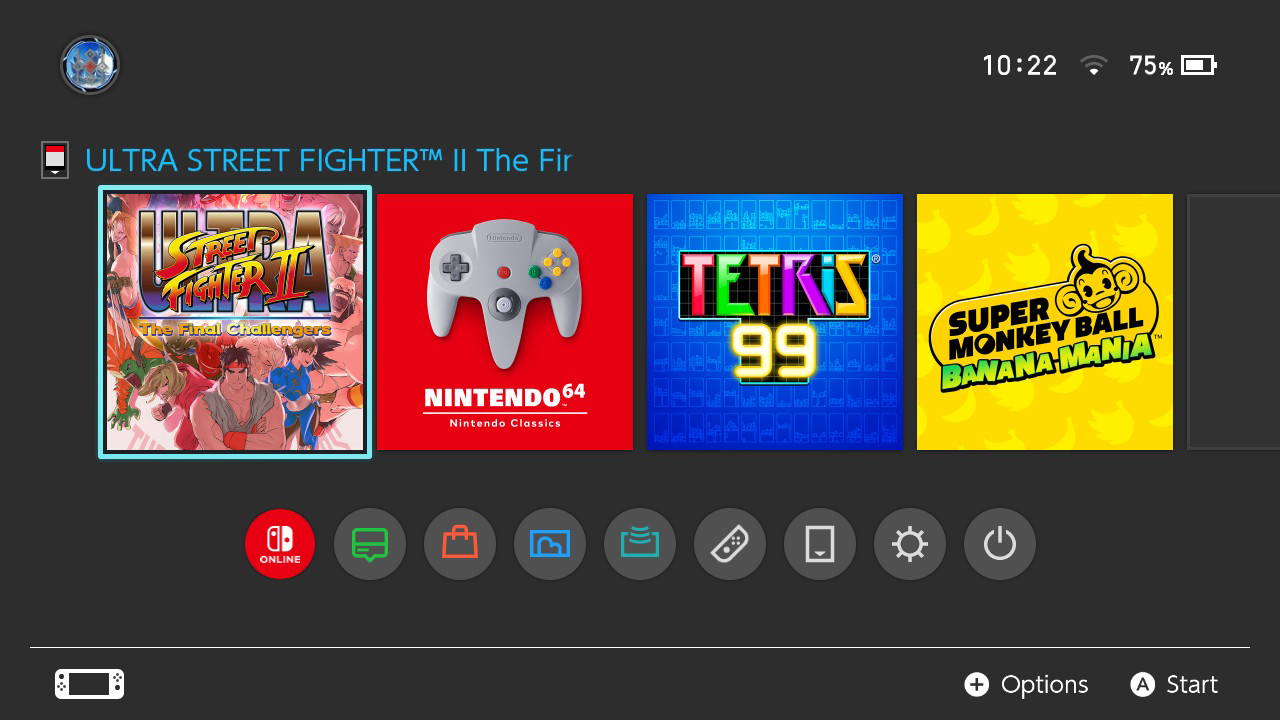 |
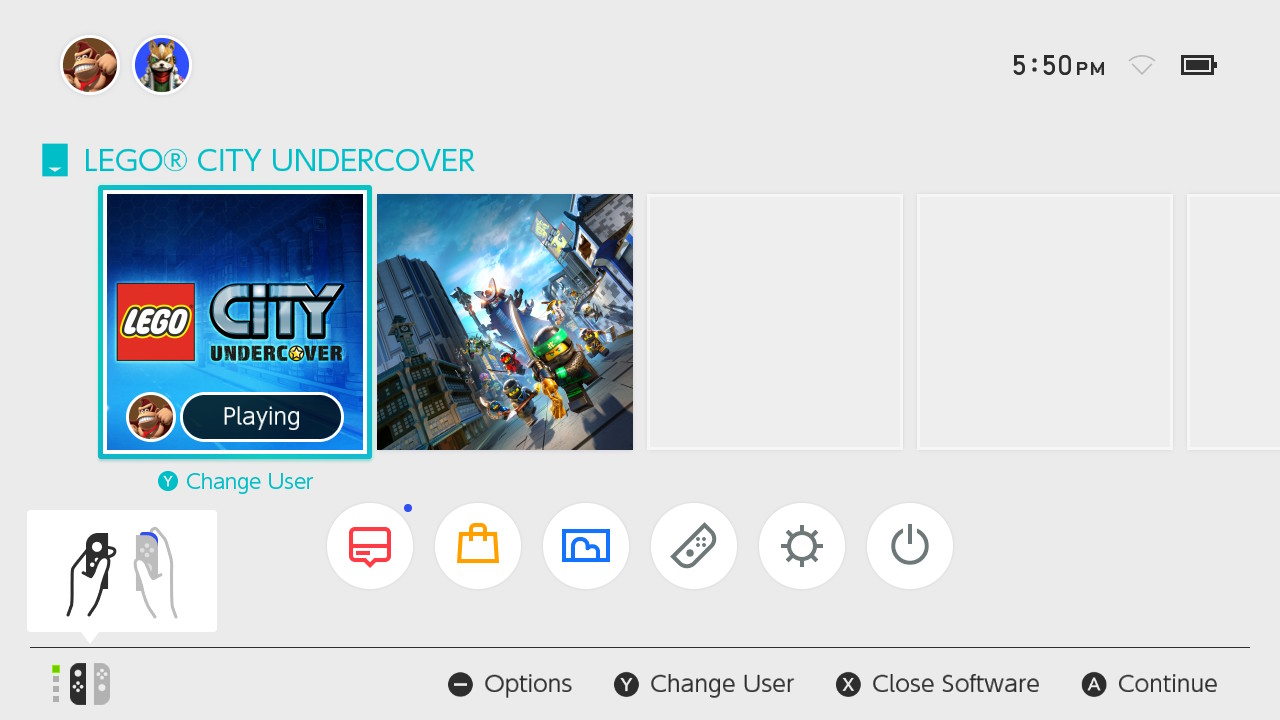
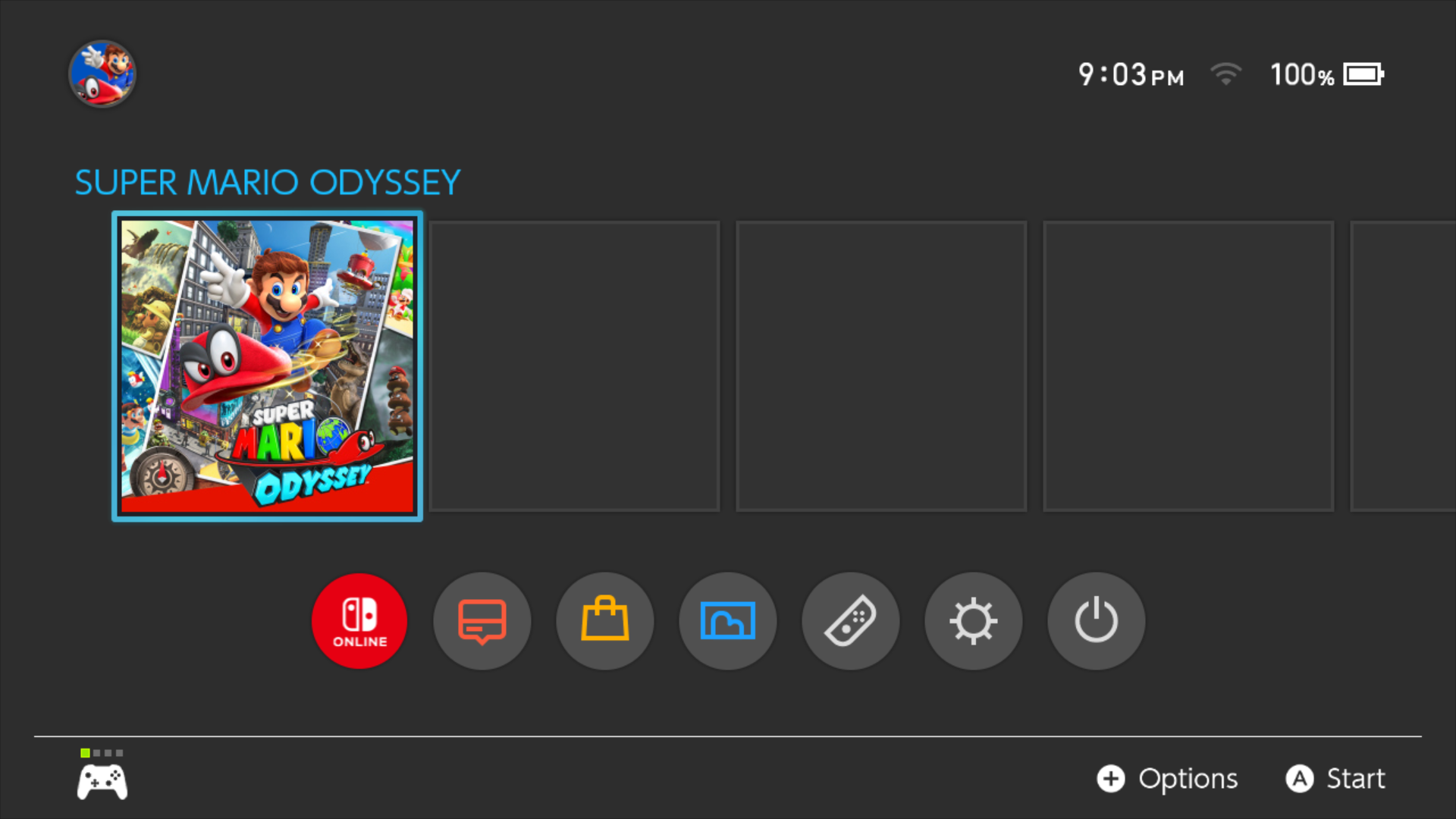
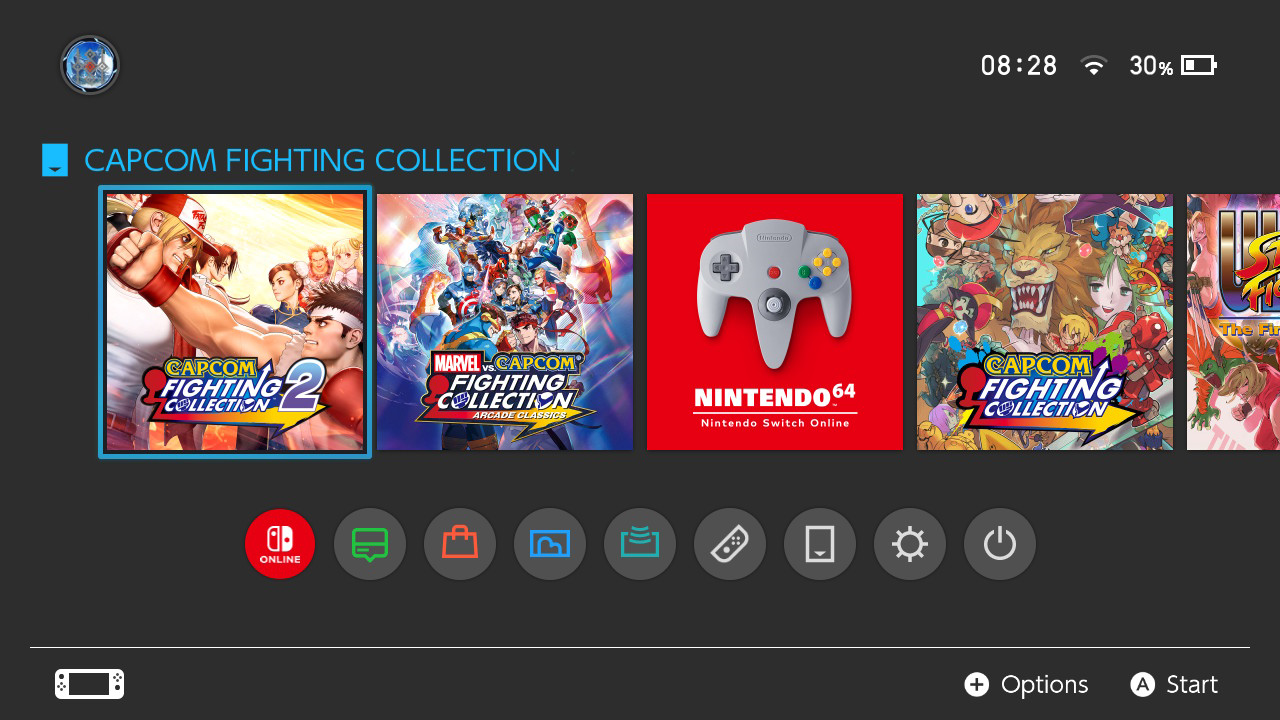
After Version 11.0.0, the HOME Menu gained an icon for the Nintendo Switch Online app. Then, the HOME Menu had given some extra icons in Version 20.0.1 to prepare for the launch of the Nintendo Switch 2. New features added were GameShare and Virtual Game Cards. The Nintendo eShop's icon color was now changed from orange to red, along with the icon for News, which had its red color changed to green. The Switch Online app's sound effect was also changed to match with the sound effect on the Switch 2. With Version 21.0.0, detailed icons were added next to software to denote game card type (physical for Switch 1 or 2 or virtual game card).
As for the Tencent Nintendo Switch, since it does not make use of Switch Online and major updates stopped at Version 19, it adopts the pre-11.0.0 applet bar design.
Nintendo eShop#
|
|
To do:
|
|
Old |
New |
|---|---|
|
|
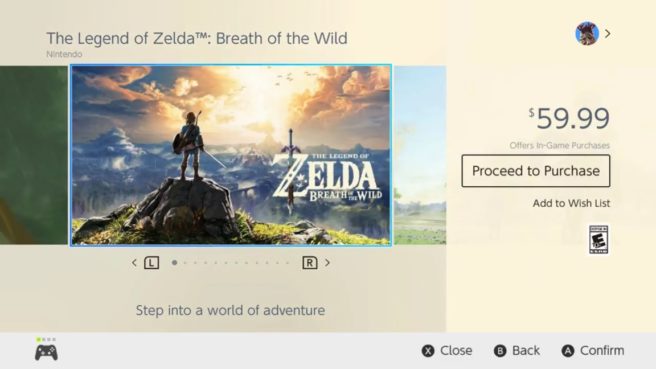
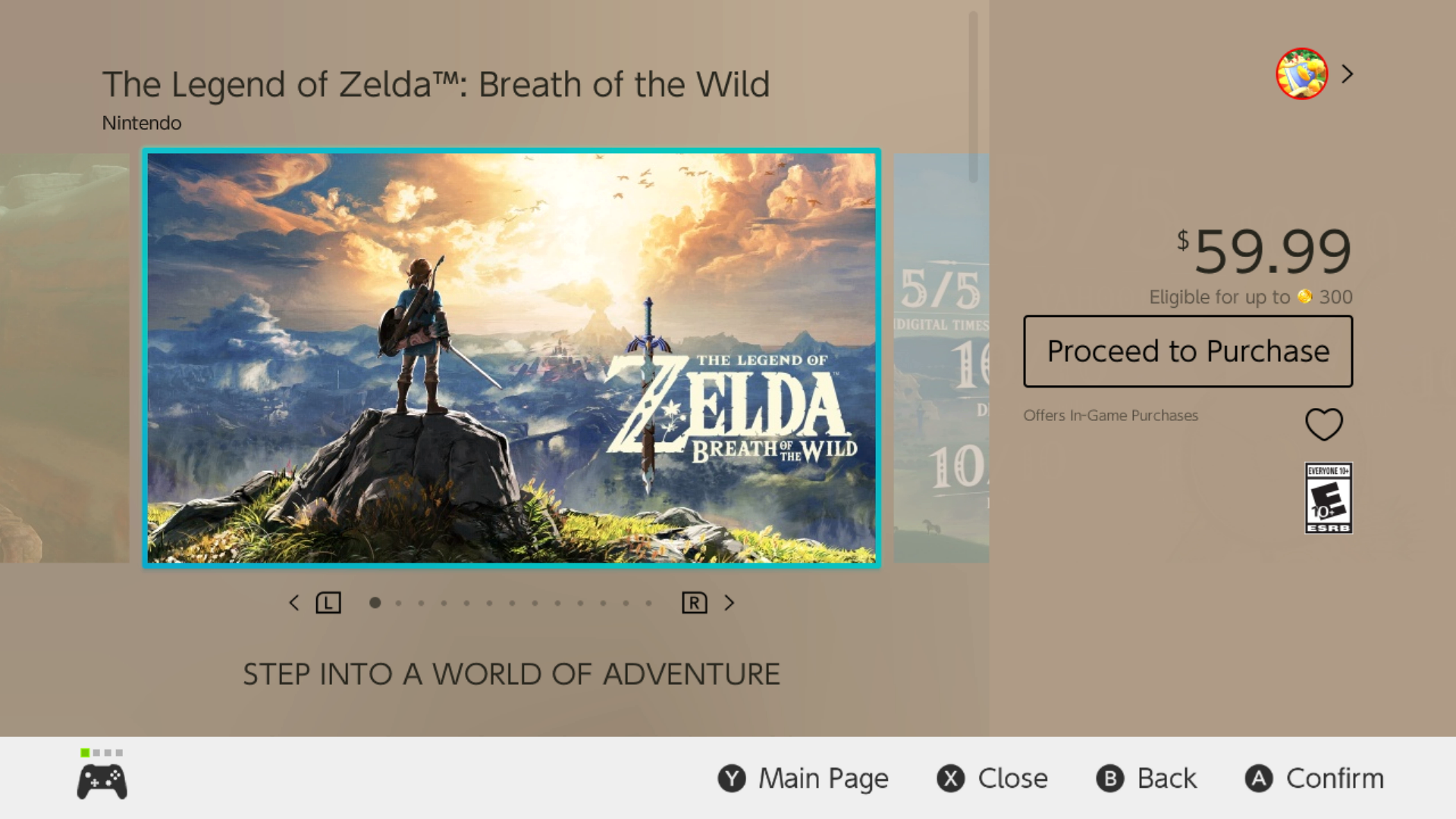
At some point in the second half of 2019 (December?), the eShop interface (which is hosted server-side) was changed to replace the "Add to Wish List" link with a heart icon with the same functionality.
(Source: Original TCRF research)
News App#
|
Old |
New |
|---|---|
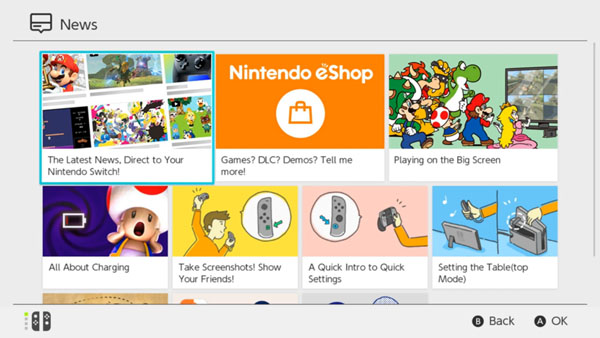
|
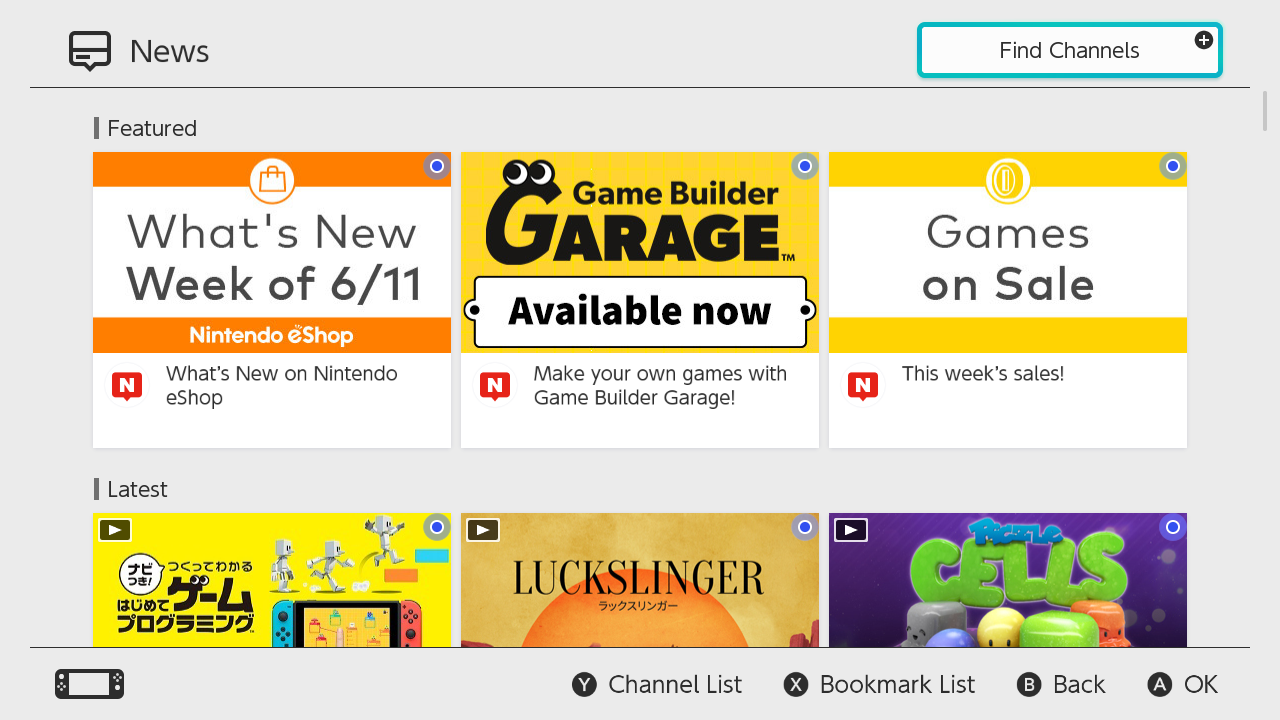
|
Prior to system update 4.0, the featured news articles were bigger than the others. There were also no channel icons, find channels and bookmark lists displayed.
(Source: Nintendo Customer Support)
Nintendo Switch Online#
Originally it was possible to play online on paid games without an NSO membership until system update 6.0.0, after which all paid games (except in China due to its service using Google's servers, which are blocked in China) require said membership. With the Ver. 20.1.0 update, the ability to customise the app's theme colours was added.
Profile Icons#
Unknown#
|
Old |
New |
|---|---|

|

|
One of the Switch's default user icons depicts Animal Crossing character Lottie, specifically using her artwork from Animal Crossing: amiibo Festival. Originally, a tiny part of her tail from the original artwork was visible in the bottom right; this ended up being edited out at some point, probably because it looked a bit odd.
6.0.0#
|
1.0 - 5.00 |
6.0 |
|---|---|
|
|
|
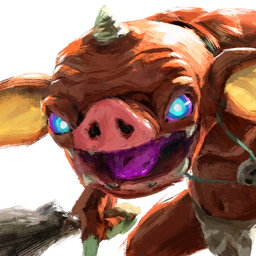
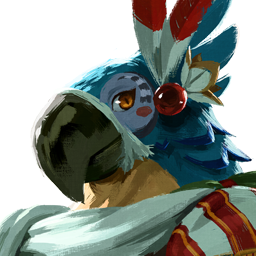

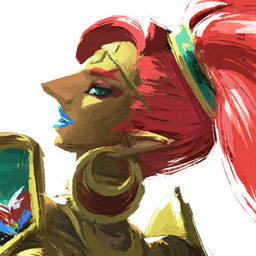
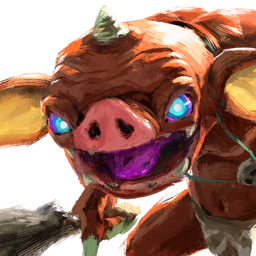
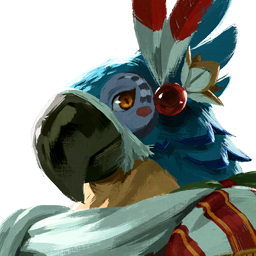

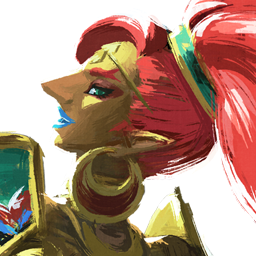
In the version 6.0 system update, four Breath of the Wild icons were adjusted ever-so-slightly. Urbosa's ponytail and Mipha's weapon handle are the most "noticeable" of these incredibly subtle tweaks.
(Source: Random Talking Bush)
20.0#
The Version 20.0 update, released on April 30, 2025, changed 17 of the default user icons (most of them related to the Mario series) in preparation for the then-upcoming launch of the Nintendo Switch 2.
|
1.0 - 19.01 |
20.0 |
|---|---|
|
|
|










The main Super Mario Bros. series icons were changed from DS/Wii-era art to more contemporary ones, exhibiting a higher level of detail. Most of them use the same pose, though there are some slight differences like Luigi's mouth being open, Bowser's teeth being larger, and Yoshi being a more vibrant shade of green.
|
1.0 - 19.01 |
20.0 |
|---|---|

|

|
Donkey Kong received a more drastic design change in line with his appearances in Mario Kart World, Donkey Kong Bananza, and The Super Mario Bros. Movie. The old icon doesn't appear to have been removed, curiously enough, as the Nintendo Switch Online app uses the old artwork for Donkey Kong Country Returns HD.
|
1.0 - 19.01 |
20.0 |
|---|---|
|
|
|




Yoshi's 2D icon was partially redrawn to bring him slightly more in line with his Super Mario World appearance. Donkey Kong's was also updated to use his modern design, though with relatively few changes compared to his 3D icon.
|
1.0 - 19.01 |
20.0 |
|---|---|
|
|
|










The item icons, by contrast, got little more than some lighting tweaks. In particular, the ? Block and Shell icons were barely changed at all.
|
1.0 - 19.01 |
20.0 |
|---|---|
|
|
|






For a change, these three Pikmin icons were altered too, replacing their Pikmin 3 renders with similarly-posed Pikmin 4 ones.
GameShare#
Added as of Ver. 20.0.01, this feature allows original Switch users to play supported games with nearby Nintendo Switch 2 users by searching for and accepting a GameShare invitation. A Switch 2 user can share a supported game by starting it up from the HOME Menu first, then starting GameShare from within the game on their console.
Virtual Game Cards#
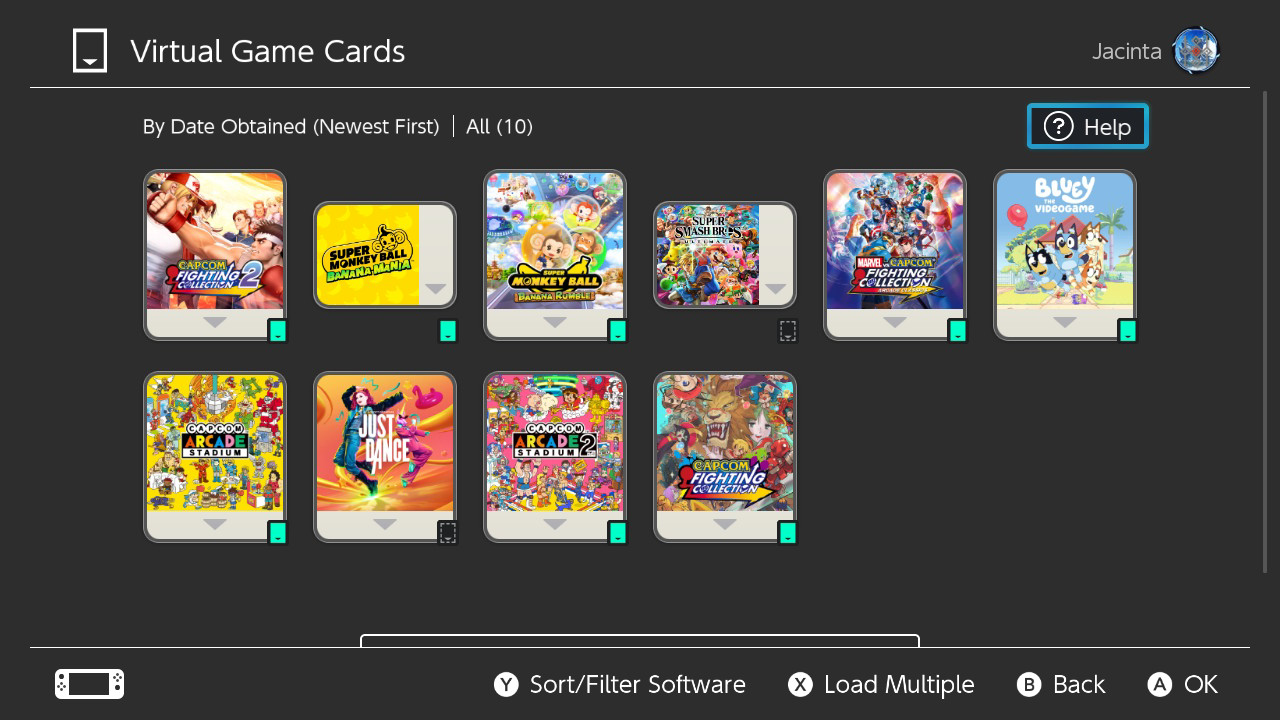
Added as of Ver. 20.0.01, this feature allows the player to view their purchased digital software and downloadable content being displayed as virtual game cards (which can also be viewed in a web browser through a PC, or smart device). The user can select cards to load to their console, and once a card has been loaded, its icon will appear on the HOME Menu and the user can then be able to play it. They can also be lent out to other users for 14 days at a time. If you want to lend a VGC to someone, they must be part of the user's Nintendo Account family group, and their console will need to be close to the user's own to lend them a card. It may not be possible to lend out certain software titles. If a PIN lock is set, others won't be able to access the menu screen.
Hidden Features#
Secret Left Thumbstick + Plus button combo#

|
This needs some investigation. |
There is a secret button combination that is used in various parts of the system setting which opens a secret setting hidden away from end users.
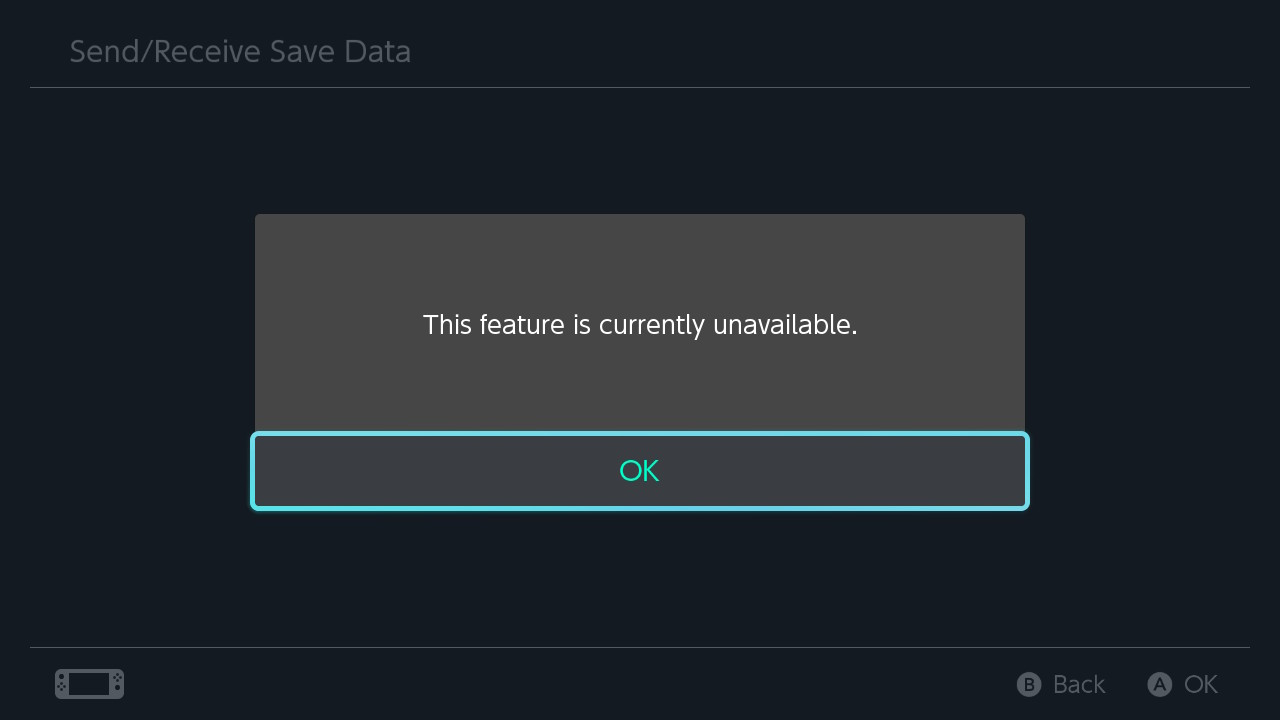
As of version 9.0.0, pressing and holding the Left Thumbstick and the Plus button at the same time while in Data Management opens a menu named "Send/Receive Save Data", which will issue requests to Nintendo's repair service. Without specific authorization from the server, it is unable to be accessed. In that case, an error message with "This feature is currently unavailable." is seen upon reaching the menu. It is known as "Sending and Receiving Save Data" in other regions.
This menu can be used by Nintendo customer support to send save data to a support representative if something goes wrong with it. An example of the menu used this way came from a save data bug in Pokémon Scarlet and Violet. When players connected their game to Pokémon Go or downloaded game DLC, one of two error messages could appear when the user re-launches the game. The main message is a "Save Data Not Recognized" error. A "Save Data Corrupted" error could also appear, which later had an official fix. For the former, customer support told affected users to access this secret menu for save data analysis. After a while of waiting, users reported that the broken save data worked again.
(Source: SwitchBrew,Matthewcbayer, madebypeppers)
If you enter this combination in the Error History, you will receive a message asking if you want to send error logs to Nintendo.
In Notifications, this combination will ask if you want to update your settings. It's unknown on what it does and what it was made for.
In Internet Settings, doing this combination and connecting to the internet will give you a hidden password entry screen.
This screen is intended as a leftover for developers and is used for BCAT testing, the only working password for a retail console is "bcatlp1test" or "bcatlp1test4china" if you are on a Tencent Nintendo Switch. To delete the configuration, simply type "delete"
Entering password intended for development consoles on a retail console will result in an error code 2141-0202. If you enter a password intended for a Chinese region switch, you will receive error code 2141-0140 due to region mismatch.
Entering anything else results in 2141-1101 or 2141-1104.
Switch Tracking#

|
Please elaborate. |
Each Switch console has a tracking feature enabled by default. It is only accessible to Nintendo Support employees and thus can't be disabled by the end user. It's typically used to find and identify lost/stolen consoles when connecting to the internet.
Application Authorization Overview#
The console uses a very strong protection method named "Application Authorization", meant to check if any game was purchased legitimately, and flags the console to be banned if either check fails, making it impossible to play any pirated games online unless it has been purchased legitimately. It has 5 checks. Nintendo calls the method a technological protection measure.
Layer One - Internet Connection#
The console connects to ctest.cdn.nintendo.net and checks for a special header, named "X-Organization: Nintendo". If it is, the console verifies it can connect to the internet.
Layer Two - Device Authorization#
Nintendo has a special server for handing out device authorization tokens, named "dauth-lp1.ndas.srv.nintendo.net". These tokens don't blanket-authorize all system operations -- they are handed out to specific parts of the system, specified by a client ID in the token request.
- The console connects to the dauth "/challenge" endpoint, sending up a "key_generation" argument informing the server what master key revision the console is using.
- Dauth sends back as a json a random "challenge" string, and a constant "data" string.
- The console treats the "data" string, decoded as base-64, as a cryptographic key source, and uses the SPL services to transform it with TrustZone only keydata and load it into an AES keyslot.
- The console generates its authorization request data. this is done by formatting the string
challenge=%s&client_id=%016x&key_generation=%d&system_version=%swith the challenge string, the client ID requesting a token, the master key version, and the current system version digest. - The console calculates an AES-128 CMAC using the trustzone-only key it derived over its authorization request, appends "&mac=%s" to the request data (formatting with the url-safe base 64 encoded CMAC), and fires the request off to the "/device_auth_token" endpoint.
- If all goes well, dauth returns a token for the console. (If the console is banned, It will instead receive an error message informing the player the console is not allowed to use online services).
Layer Three - Account Authorization#
The console performs pretty bog-standard oauth authorization talking to "api.accounts.nintendo.com". This allows 'Nintendo' to block specific accounts, and because all requests require a client certificate, any blocked account can be immediately associated to a console.
Layer Four - Application Authorization#
Nintendo has another special server, named "aauth-lp1.ndas.srv.nintendo.net". Going online in a game requires getting a token from the "/application_auth_token" endpoint.:
- The console gets a device authorization token from dauth for the aauth client ID.
- The console retrieves its certification to play the title it's trying to connect online with, and sends them to aauth.
- If all goes well, aauth returns an application authorization token.
Game Cartridges
- If playing on a game cartridge, The certification is the gamecard's unique certificate. This is signed by Nintendo using RSA-2048-PCKS#1 at the time the gamecard is written, and contains encrypted information about the gamecard (this includes what game is on the gamecard, among other, unknown details).
- In the gamecard case, the data uploaded to aauth is
application_id=%016llx&application_version=%08x&device_auth_token=%.*s&media_type=GAMECARD&cert=%.*s, formatted with the title ID for the game being played, the version of the game being played, the token retrieved from dauth, and the gamecard's certificate (retrieved from FS via theGetGameCardDeviceCertificatecommand), formatted as url-safe base64. - This code lives at .text+0x7DE1C for 5.0.0 account.
Digital Games
- The certification for a digital title is the console's ticket. The important details are that tickets contain the Title ID of the game they certify, the Device ID of the console they authorize, the Nintendo Account ID used to purchase them, and are signed by Nintendo using RSA-2048 (cannot be forged).
- In this case, the console talks to the "es" service, and sends a command to retrieve an encrypted copy of the relevant ticket along with the encryption key. This encryption is AES-128 CBC, using a key randomly generated via cryptographically-secure random number generation. The key itself is encrypted using RSA-OAEP 2048. To skip over some technical details, this is a one-way encryption which only Nintendo can reverse, so even if obtained the output of the es command the player would not be able to determine the encryption key being used (and thus couldn't decrypt the ticket).
- The data uploaded to aauth in this case is
application_id=%016llx&application_version=%08x&device_auth_token=%.*s&media_type=DIGITAL&cert=%.*s&cert_key=%.*s, formatted with the title ID for the game being played, the version of the game being played, the token retrieved from dauth, the encrypted ticket encoded with url-safe base64, and the encrypted key encoded with url-safe base64. - This code lives at .text+0x7DE98 for 5.0.0 account.
Layer Five - Console Ban#
If the console fails to find a certificate, a special NO_CERT request is sent, which will flag the console to be banned.
(Source: SciresM, Original TCRF research)