 This article has a talk page!
The Sims is nothing but the Game of Life, and somehow managed to become one of the best selling PC games of all time.
It was so popular that, after years of demand, it got a proper rerelease in 2025 for newer systems with all expansions included.


Resources#
 Unused GraphicsWhen Sims had Technicolor thoughts.
 Translation NotesCultural awareness is the name of the game!
 Unused AnimationsSee Sims move as you've never seen them move before!
Data consumption warning: Contains multiple animated
GIFs.
 Unused TextWould you be willing to have your fingers bitten by rabid ferrets?
 Unused SoundsIt's nothing but a bunch of Simlish!
Data#
 Unused BehaviorsAll work and no play...Or all play and no work?
Developer ToolsUnless you're Patrick, you probably shouldn't read this.
Unused BehaviorsAll work and no play...Or all play and no work?
Developer ToolsUnless you're Patrick, you probably shouldn't read this.Miscellaneous#
 OdditiesBeware of the upside-down lady!
 Regional DifferencesSims from around the world!
 Revisional DifferencesAs their world expanded, Sims' attitudes slowly changed...
Easter Eggs#
Autorun Art#
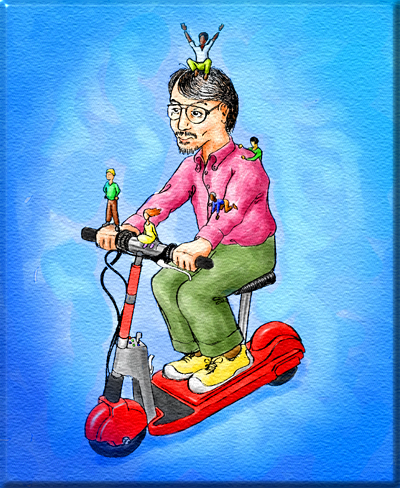
It is relatively known among the recurring Sims players that, if one clicks at the Maxis logo, located at the bottom-left of the game's autorun application, a hidden dialog window is opened up. It contains an image named "241.bmp", that showcases game designer Will Wright sporting a slight smile as he rides his trademark red scooter, accompanied by five tiny computer people. Similar Easter eggs can be found in other Maxis titles: SimCity 3000's autorun file features a hidden picture where Wright appears as one of the city advisors. The Sims Online's autorun executable, on the other hand, presents a modeling clay Wright holding a The Sims box! 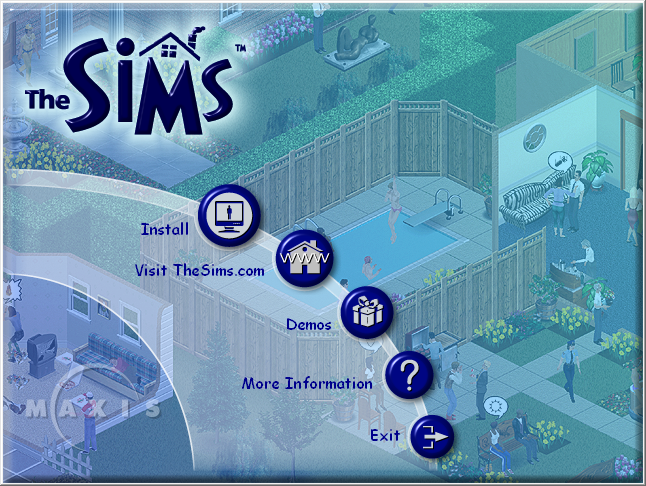
100th Day Easter Egg#

Completing the light-dark day cycles for the 100th time in a row in the same save file – a feat easily toppled by the passing of all the family members or other events that force Sims to move from their original houses – unlocks a rewarding treat for the dedicated players. Long, illustrated Did You Know? hint boxes with 27 daily insights into the Sims development team, alongside tidbits about the game's development. It's worth mentioning that this easter egg was intentionally limited to players of the English versions of the game.
House Party 'Jungle Jumble' Message#
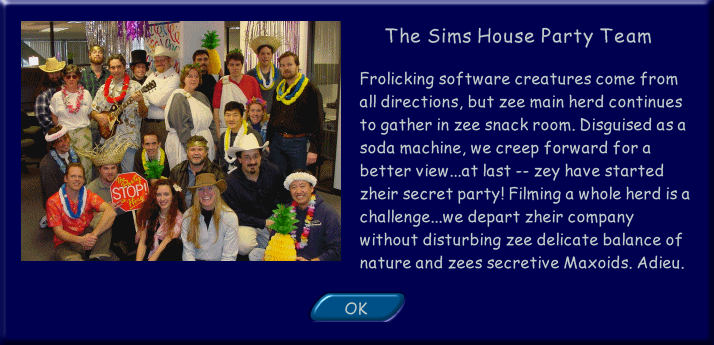
 Included with the House Party Expansion Pack, the "Jungle Jumble Import Display" object gives the player a special message upon directing a sim to 'View' the display. The message is written in the same stereotypical faux-French tone as the Mime NPC introduced in the same pack and includes a photo of the development team behind the House Party expansion pack, dressed in costumes for a "secret" party. Bizarrely however, a game set to
 UKEnglish is not able to view the easter egg included with the House Party expansion pack, causing it to be exclusive to North American players.
Hidden SimsWebCam Feature#


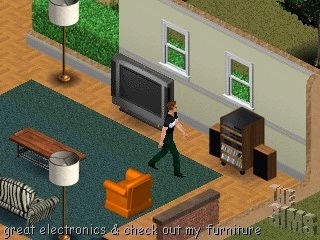
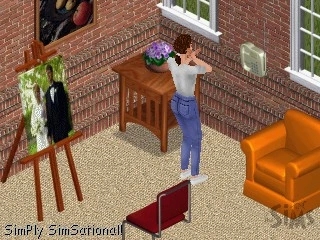
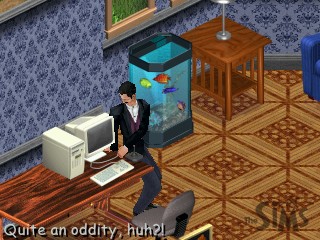
Hidden within the base game of The Sims lies a curious snapshotting tool, dubbed "SimsWebCam" or "stalker camera." This feature, notable absent from patched versions and expansions, offers a unique way to capture Sims in action. To activate it, players can simply position their cursor over a Sim, playable or not, and press F7. This triggers zooming rectangles to focus on the Sim, and a 320x240 JPG file named "SimsWebcam" is created or overwritten in the game's main directory. A further research at the game's development history shows that, for the means of building pre-release hype and gathering user feedback, the Sims team employed "SimsWebCam" for weekly streamed gameplays on the SimCity website. It is believed that the system automatically captured and uploaded screen snapshots twice a second, effectively narrating a live gameplay experience through a rolling sequence of images. While streaming, fans actively participated in chat rooms with questions about the mysterious, in-progress world of The Sims. A partial coverage of these livestreams can be read here. Functionally similar to the final Camera Mode, SimsWebCam's key difference is its default "Simply SimSational!" caption placed at the lower-left corner of images. Players can customize the caption by using the "w" cheat code followed by desired text. Additionally, the camera's settings, including resolution and an unknown parameter, can be adjusted via the "stalk.ini" file.
(Source: LUCPIX, Earliest SimWebCam livestreams reference (04/29/99))
Unused censored Flags#
The game supports 128 different "censored" character flags: their function is to pixelate different combinations of nine unique joints, censoring undressed Sims. Interestingly, of these flags, only three are used in the whole course of gameplay: 1 (bottom "SPINE", normally used when male Sims take a bath), 3 ("SPINE" and "SPINE2", used when female Sims take a bath) and 128 (censors the whole body). The unused ID's are notable by blurring body parts that, at first sight, seem too innocuous to receive such treatment, opening the question as to why there are censorship flags specifically for them, to begin with.
The hands censorship flag would be sort-of repurposed for the Throw Signs interaction in The Urbz: Sims in the City and the Give Finger interaction in The Sims 2 console.
character flag]]) |
|---|
ID |
style="background:#EAECF0;| |
(Source: LUCPIX)
(: Our special thanks to Don Hopkins for bringing that up!)
Development Oversights#

|
To do: |
Lost Time#

In all versions of the game, there is an error where midnight isn't displayed, instead skipping from 11:59 PM to 12:01 AM.
(Source: LUCPIX)
Sprite Rendering#
NW equals SE#


"Large Black Slab" and Blue China Vase do not have proper back sprites.
(Source: LUCPIX)
False Symmetry#
|
|
To do: |



Players may face a number of minor inconsistencies in asymmetric objects, given how the props they carry make it clear that the two sprites for their front and back angles are mirrored captures of one another, instead of being rendered in different perspectives accordingly. Noteworthy cases include two out of three bookcases — Cheap Pine Bookcase and Amishim Bookcase — and the Backman Wood beverage bar.
(Source: LUCPIX)
Vampiress' Swapped Mesh#
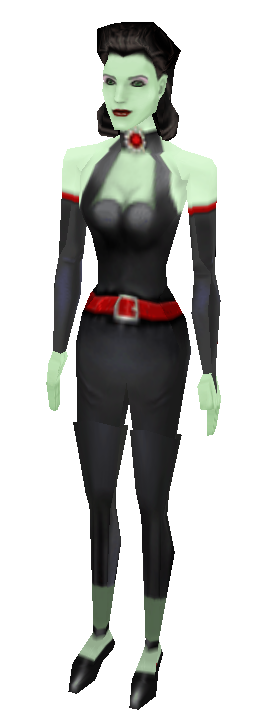
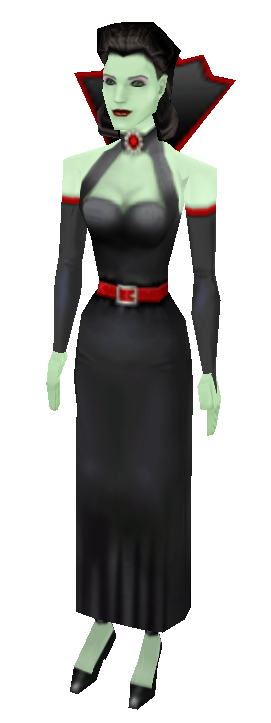
Only available on the Makin' Magic expansion pack, the players are invited to first venture into the art of wizardry by producing the Beauty or Beast charm — at the best possible scenario, it temporarily modifies both the head and body skins of the caster as one of the various fantastic creatures available. Because the filename of the original vampiress body mesh (MagicFAFitlgt_Vampire) bears resemblance, in context and spelling, to that of Vicki Vampiress' skin (MagicFAFitlgt_Vampiress), a mistake occurred during the input of the filename strings, causing the charm to always use the vendor NPC's mesh instead — the unique set of body files meant for the charm's vampiress summarily going unused as a consequence.
|
|
|
|---|---|
|
|
(Source: LUCPIX)
Development Foresight#
Because of The Sims ' absolute lack of gameplay linearity, the team has assured to code alternate states for just about any object in the game world. Even though most of them are not particularly hard to be reproduced by players, some of them may end up overlooked by requiring scenarios and commands that may be unusual in standard simmings. A somewhat relevant example would be how staircases can catch fire, and subsequently spread to adjacent tiles, including the second-floor of a house (if objects are nearby both floors can be reduced to ash).
Object |
Snapshot |
Foresight |
Context |
|---|---|---|---|
Mail Box |
style="background:#000052| |
colspan="2" style="background:#FFFFBF;color:#4D4D4D| The ultimate developer foresight. The game triggers a text box in case no (net) changes have been done to the current household since the (Sim world's) previous three days that could justify the receipt of Mail Box bills to be paid. This requires playing on an empty lot for 3 (Sim world) days without doing anything at all, which means most Simmers will never get to experience this. |
|
Baby Cradle |
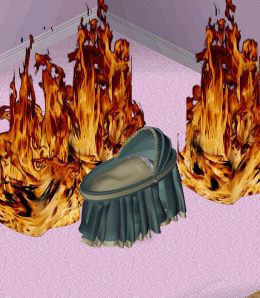 |
style="background:#FFFFBF;color:#4D4D4D| The baby cradle has, in its "init" function, the "fireproof" flag; which no other object in the entire game has. As result, it is one of the few objects that do not burn to ashes when close to fires. What classifies it as a foresight is most fireproof objects in the game can't normally be picked by the user (like the mailbox), plus they use the "Burns" flag instead. |

baby::init common with the fireproof flag. |
|
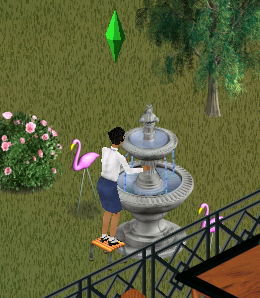 |
style="background:#FFFFBF;color:#4D4D4D| At homes that have no sinks, Sims will autonomously go ahead and wash their hands in the nearest fountain, despite how the object has no "Wash Hands" pie menu button, as sinks do. The tree that handles this action is a straightforward duplicate of the one seen in standard sink objects, whose animations weren't optimized for the fountain's structure. Consequently, Sims inevitably clip into the object's sprite mid-interaction. |

init scripting tree for the fountain with enables Sims to use it to alternatively wash their hands. |
Outdoor Flowers |
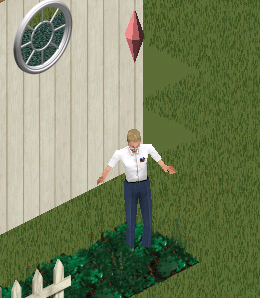 |
style="background:#FFFFBF;color:#4D4D4D| There is a chance that Sims of a mood score averaging less than -50 (visually indicated by the Control Panel as three or more red stripes) go ahead and angrily stomp on healthy outdoor flowers, for some stress relief. Said interaction increases their "Fun" score in 20%.Only available when Free Will is switched on. Yet, once autonomous, the characters tend to prioritize the utilization of home objects, unless the lot they live on has otherwise nothing much for them to look after. |
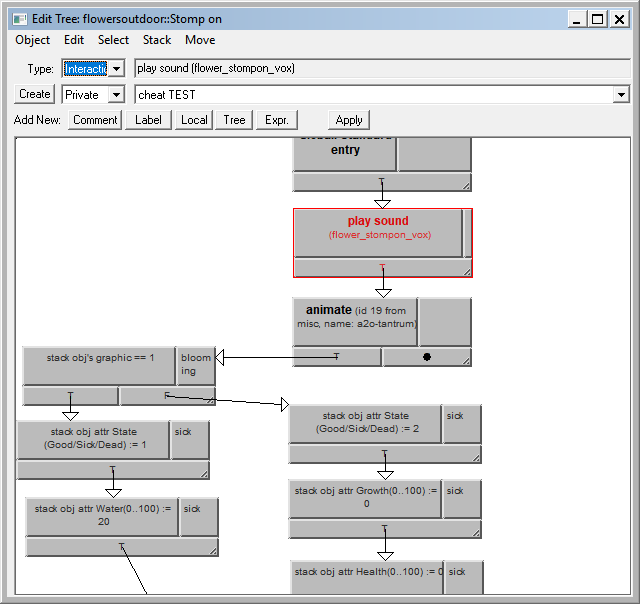
flowersoutdoor::Stomp on. |
Chairs |
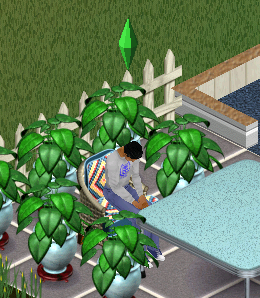 |
colspan="2" style="background:#FFFFBF;color:#4D4D4D| Blocking the extremely sleepy Sims' way to standing up forces them to faint while sitting. |
|
Bookshelves |
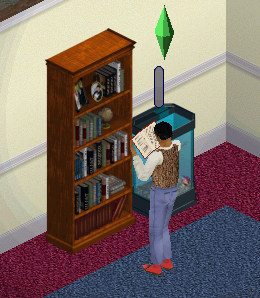 |
colspan="2" style="background:#FFFFBF;color:#4D4D4D| Sims foresee the cases when they're commanded to read books in houses that are entirely free of seats. In that case... they read while standing, anyway. A much more assimilated, but not entirely identical case is when Sims read the newspaper under the same scenario, because the newspaper is usually the only object the Sims may interact with as they begin their lives at a blank lot. |

(Source: LUCPIX)
Leftover Edith Boxes#
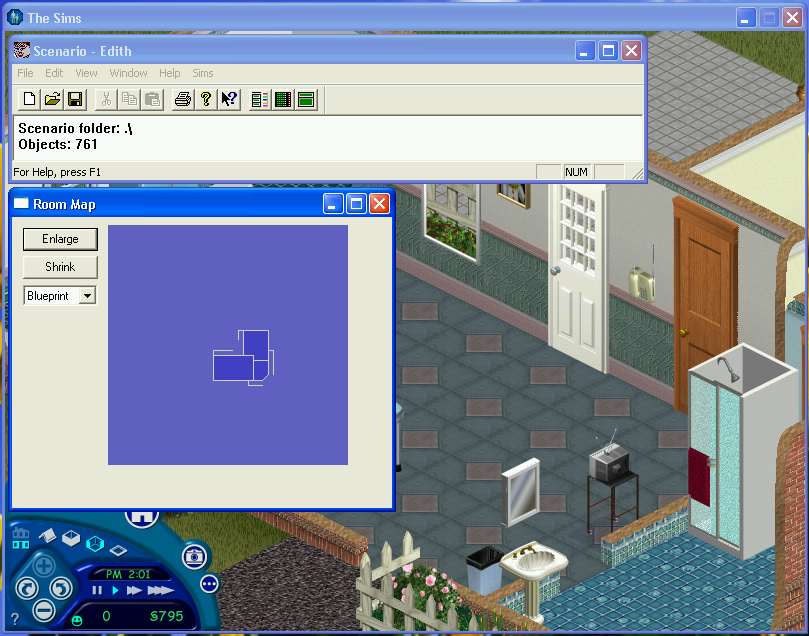
The programming and behavior for every single object in the game (plus quite a few tweaking facilities of a more advanced bias) are directly attributed to the in-house developer tool "Edith", engineered by the own The Sims staff — there attached at the game's main executable "Sims.exe" in debug/pre-release builds, getting its core features and interface almost wholly cut off from the retail releases, for natural reasons. Well... almost. The executable of most of The Sims ' versions, from the base game until its last update, Complete Collection, still appear to hold extra leftover dialog boxes originally belonging to the "Edith" tool — the Bild Interactive build figures an exception among many possible ones — however, it's already bundled with quite a few quirkiness to call its own. Notable examples include the "Room Map" (draws real-time top-view blueprints of the world in its current state), "Terrain Tweak" (changes the soil's properties, as the color and grass levels) and "Neighborhood" (character data tweaker, including their "age" and many unused attributes).


Because none of the game's commands may trigger these dialog pop-ups, and the string tables coded into the executable are always hidden from the user by default, it's strange to imagine someone experiencing this without mods.
(Source: LUCPIX)
Neighborhood#
Unused Lot Data#
While a copy with all the expansions handles up to 99 houses and neighborhoods, the original base game runs one 10-lot neighborhood at a time — "House01.IFF" through "House10.IFF".
Even so, two lots are not accessible in the game in any version:
File |
Thumbnail |
Note |
|---|---|---|
|
 |
A full-size, deserted 64x64 tile property. NPC's (such as the service Sims), ghosts and, the passersby from future expansion packs, such as the Townies from Hot Date and Vacation Tourists, have this lot set as their home. If one replaces a house the game can normally load with this lot, then moves a family into it, none of the Sims will automatically spawn due to no pedestrian/car portals, mailbox or trash can being present, making it practically impossible to be played with any sorts of story progression. The lot's grass pattern also is identical to several shown in the Gamestar Preview Video of a February 1999 pre-release build, suggesting that it was mainly used for testing reasons, or is the default property of the game's lots, when generated by the engine. |
|
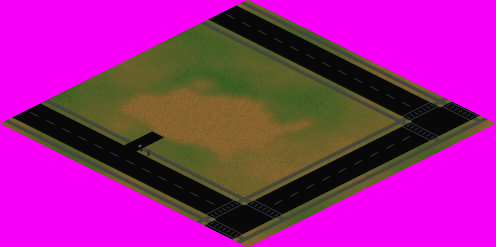 |
Not much special other than the fact it actually has a unique "U"-shaped pavement (which could not quite accommodate any of the areas from the final neighborhood) and a different style of crosswalk. Upon closer observation, it's apparent that is has been built off of the previously mentioned "House00.IFF", given their similar grass patterns, despite the evident user-made alterations. A notable development phase in which one can spot this lot in action is the Steering Committee build (Jun 1998), as one of the demo scenarios. In its original state, had quite a few early trees, and the lawn pattern and flooring remained untouched after all the following iterations, albeit unused. If one renames "House11.IFF" to one the game can normally load, the game engine will report "missing objects", as the lot contains an outdated object that no longer exists which used to be the game's method for producing "outdoor" noises. Additionally, due to the lot not containing a car portal, carpools and the school bus are never spawned at this lot, making it a rather unwanted house to be played at if one wants to get a Sim a job. A video tour can be seen here. |
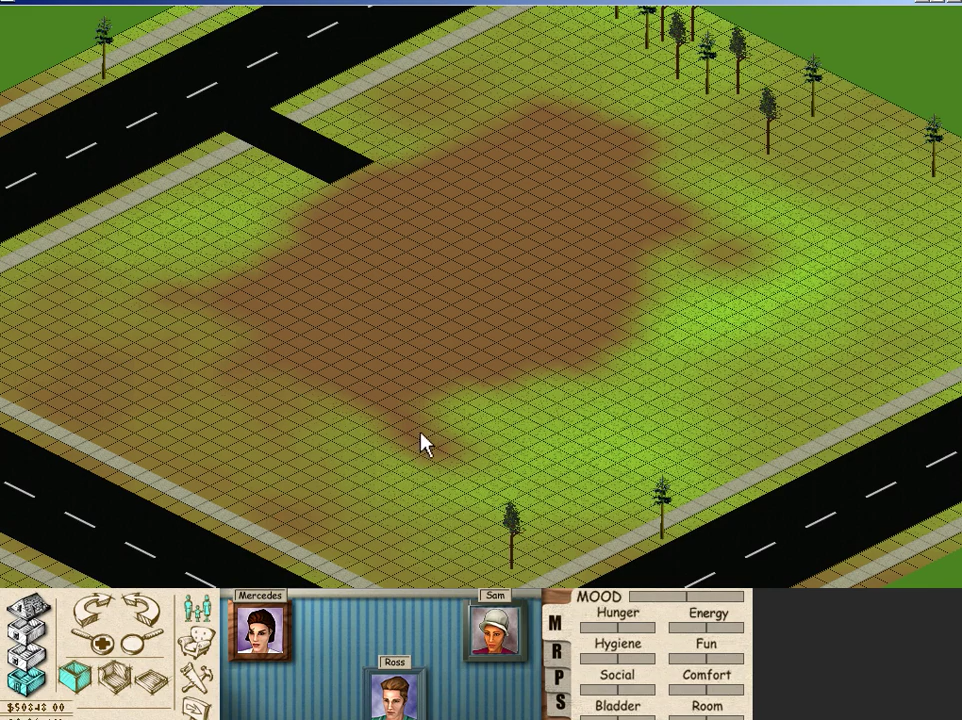
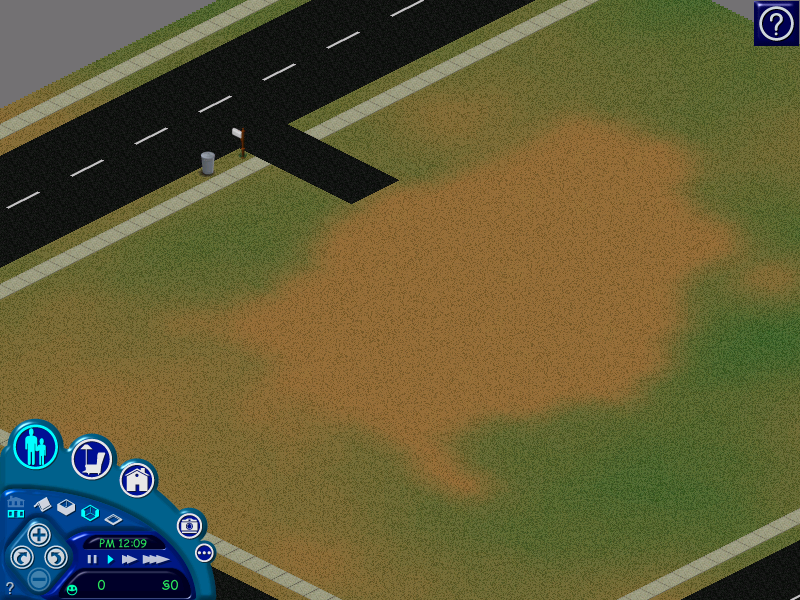
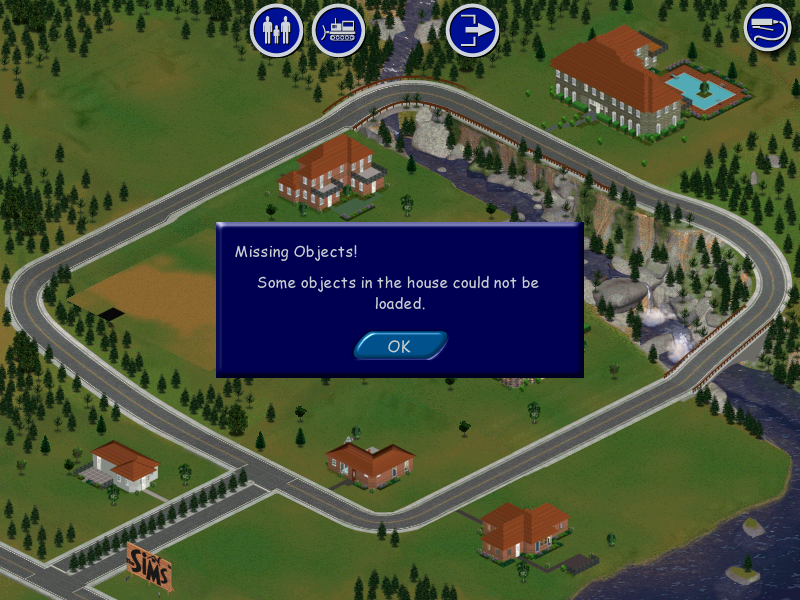
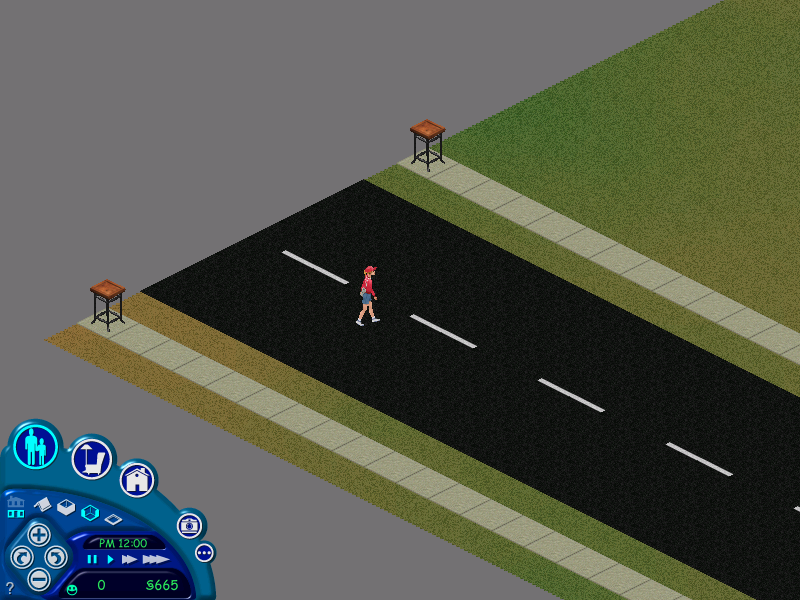
(Source: Eientei95, LUCPIX)
lotpos.txt#

lotpos.txt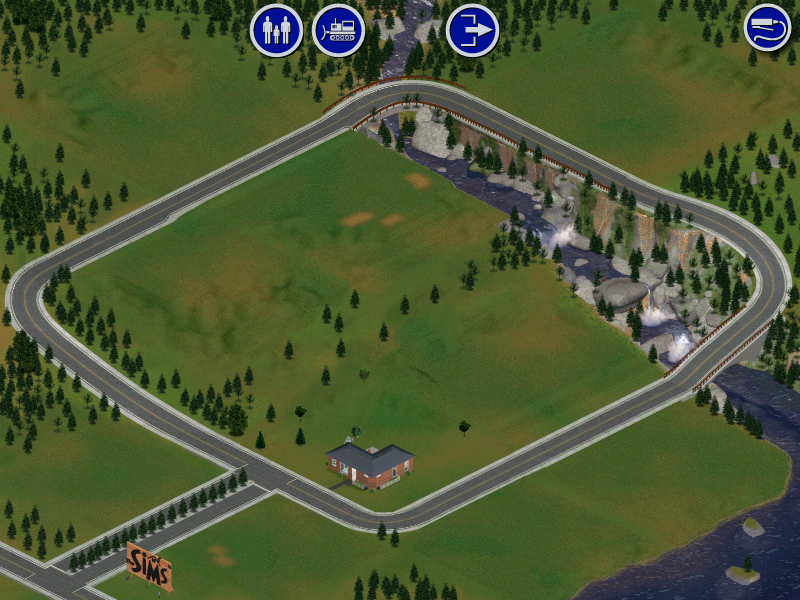
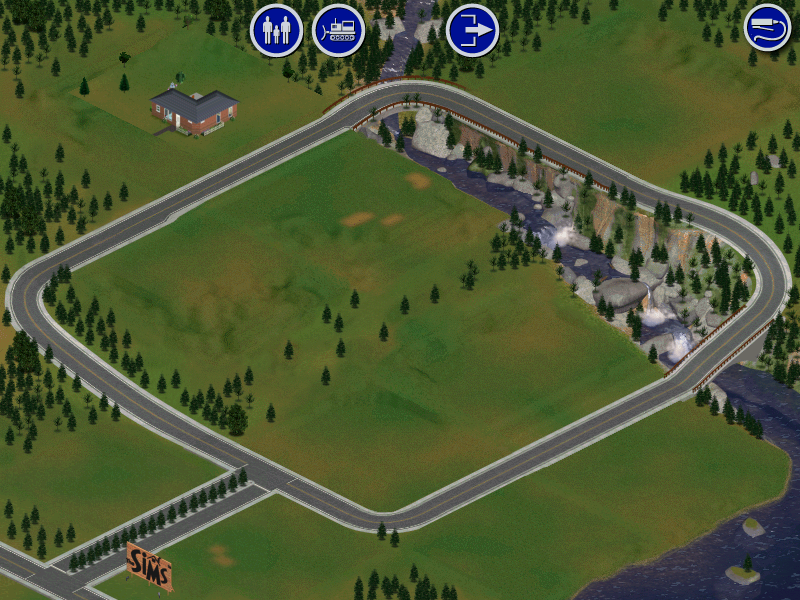
Found in GameData is an undocumented read-only simple text file named "lotpos.txt". There are printed ten different X and Y coordinate variables suitable for a 800x600 canvas, which correspond to the placement of the 10 house files that the Neighborhood Menu displays (in order). It can be easily edited via simple text editors, influencing the position of the affected coordinate's house the next time the game is opened. Later expansion pack-based versions of the game make the task of editing the houses' position a little less intuitive (yet still possible), however, as the coordinates data are, then, located within different IFF files for each neighborhood the player owns, demanding appropriate tools to edit them.
(Source: LUCPIX)
"Developer Time Message"#

The Neighborhood Menu triggers a prompt box that, upon the player's consent, reverts the read-only state from the house files in game (naturally, forbidding the players from saving their games). Because the unused lots "House00.iff" and "House11.iff" are the only ones among the twelve lots available that meet this condition, players can never get to experience this unless the properties from their game's files are otherwise deliberately modified.
(Source: Autinerd)
Build Date#

"Sims.exe", the binary for all the game's versions, contains strings for information upon the date and time for when the latest installed build was compiled. It is possible to print the strings through a pop-up window choosing an occupied lot at the Neighborhood Menu and pressing V.
Hidden Livin' Large Disc Skins#
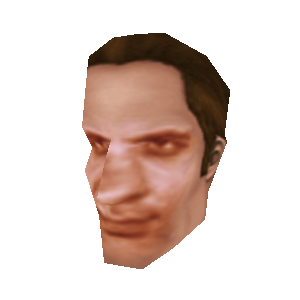
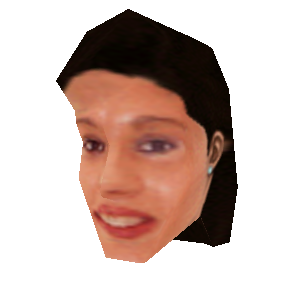
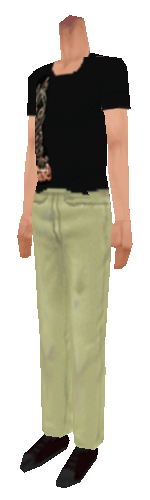
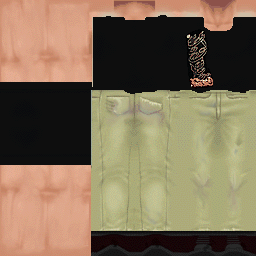
Included on the install disc for the Livin' Large expansion pack is a set of skins; three heads and three bodies. These skins are very obscure and tucked away in the Patches\res folder, where the average user would be unlikely to ever look. These skins are not installed with the game, and only ever remain on the installation disc. Meaning that coupled with their obscure location, the average user would be unlikely to ever see them.
Aside from their obscurity, the heads in particular stand out for their "realistic" appearances, having been based on photos of real life people. Although who exactly those real people are, along with why skins depicting them were included on the disc in the first place remains a mystery.
Heads
Filename |
Render |
Texture |
Age |
Gender |
Skintone |
|---|---|---|---|---|---|
|
| |
| |
Adult |
Male |
Light |
|
| |
 |
Adult |
Female |
Light |
|
| |
| |
Child |
Male |
Light |



Bodies
Filename |
Render |
Texture |
Age |
Gender |
Skintone |
|---|---|---|---|---|---|
|
| |
| |
Adult |
Male |
Light |
|
| |
| |
Adult |
Female |
Light |
|
| |
| |
Child |
Male |
Light |
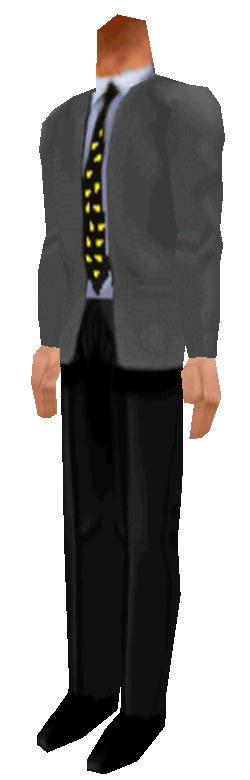
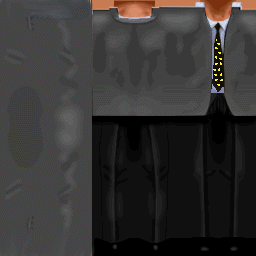
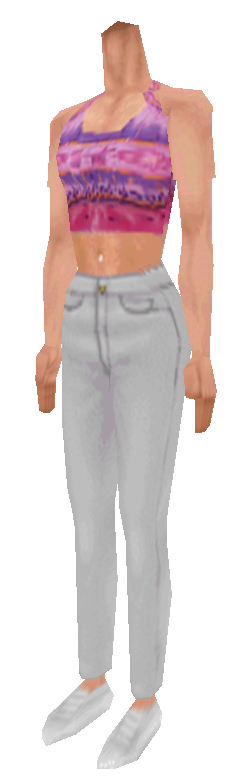
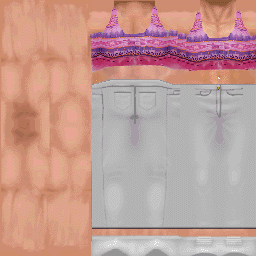
(Source: Sindle)
Doornbos' Tree#


"team_jamie.bmp" is an image indexed in the "100th day" trivia dialog about Jamie Doornbos, picturing his Sim self working out, plus a screen snapshot of the visual programming of an object behind him, too small and blurred to be readable. The code in question, despite what the logic may suggest, has nothing to do with the exercise machine Jamie is working out with: It is a script for the Basketball Hoop, called "bball::Play Once": it handles the events related to a Sim playing basketball without the company of another Sim. The code portion that the snapshot covers shows the starting routines related to the interaction, where it is first checked the Sim's age so it can call the appropriate 3D ball prop and character-to-object animations for them.
(Source: LUCPIX)
Unused Models#
Arrow#
snapshot.]] 01 June 1999, 13:28

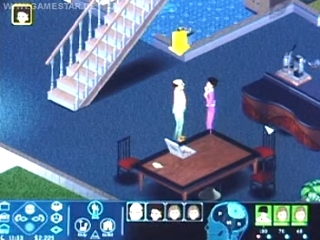
head-arrow-ROOT-BOX01.sknA downward pointing arrow. Earlier in development, active Sims had this across their heads as a programmer art of sorts. Later in development, the model was scrapped in favor of the "plumb-bob".
Hand Gestures#


The characters' hand models could be changed to these depending on the value of their "left" and "right hand gesture" flags, which is a feature no object in the base game makes actual use of. Dresser objects contain several scripts referencing "Expression" primitives that change the hands model to "HAND-FIST", but nothing ever calls them. It's unknown the contexts "HAND-POINT" would be used in.
- Of note is that a similar model as
HAND-FISTwas later purposed for the Makin ' Magic expansion pack, when Sims throw a penny into a wishing well.
(Source: LUCPIX)
Unused Registry Entry#
There is an unused registry entry called "BetaSite" with a DWORD value of 0x00000001 (1). What it does is unknown and changing the "DWORD" doesn't appear to do anything visually, so it's completely unknown what it's meant to be for.
(Source: Blayer98)