 This article has a talk page!
This is a sub-page of The Sims (Windows).
Graphics ripped from the base game (Version 1.0), except those listed in Expansions. Some of the following resources were repurposed for different objects in later expansion packs, not in the same context as originally intended. These repurposed features will be mentioned in the associated notes.
Lost Graphics#
Graphics that are no longer existent in the game's database, yet resources as global strings contain raw data referencing their names. What's known about earlier builds of the game unveils their intended context, hence the prototype sprites listed in the Sample column below, indicating the early icons that the raw texts are originally associated with.
STR# 161 - bubble icons |
|---|
ID |
|
|
|
|
|
|
|
|
|
|
|
|
|
|
|
|
|
|
STR# 501 - conversation icon labels |
ID |
|
|
|
|
|
|
STR# 502 - motive icon labels |
|
|
|
|
|
|
|
Unused Sprites#
Edith Tool#
ID |
Sample |
Note |
Context |
|---|---|---|---|
|
 |
rowspan="3"; style="background:#FFFFBF;color:#4D4D4D|The master executable keeps resources remnant of Edith (in-house editing/debugging utility for the game's visual programming) in all versions, and that includes three very simple bitmap icons, that see use at the tree tracing dialog, indicating which primitive event is currently running. |
rowspan="3"; style="border:none; background:#EAECF0 | |
|
 |
||
|
 |

Miscellaneous#
Type |
ID |
Sample |
Note |
Context |
|---|---|---|---|---|
'Head dots' |
||||
|
|
 |
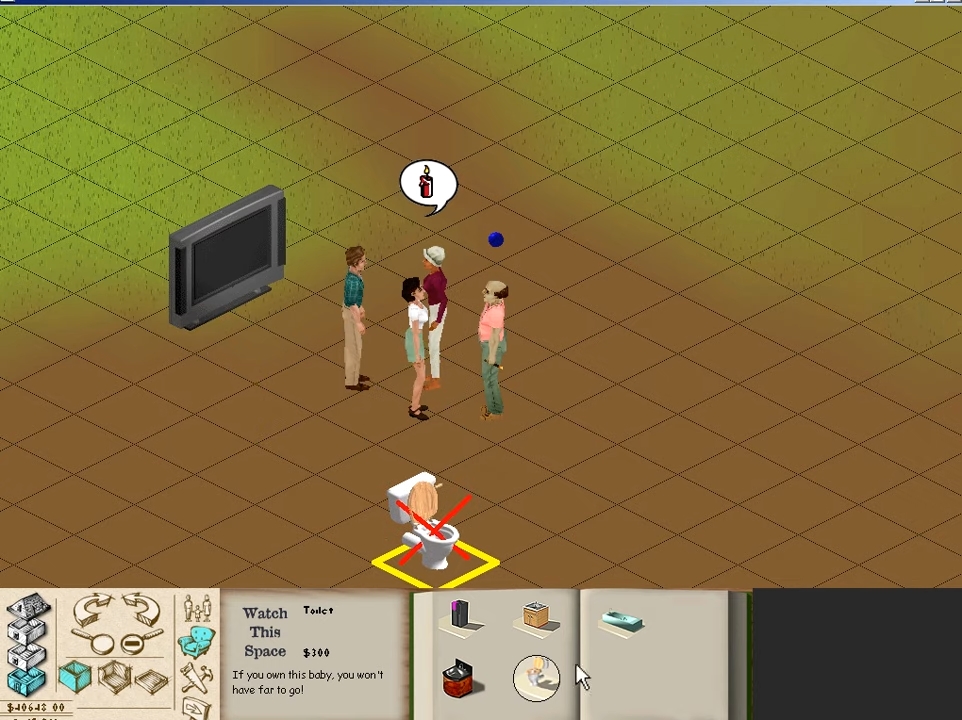
style="background:#FFFFBF;color:#4D4D4D| A flashing blue dot. Early in development, this indicated the active Sim the player was in charge of. It was discontinued sometime around January 1999 in favor of an arrow-shaped 3D prop that would be subject of quite a few minor tweaks along the game making process, only to become what it was later known as the plumb-bob. |
. |
"micon" icons |
||||
colspan="6"; style="border:none"| 'miconEnvironment' |
||||
|
|
 |
colspan="3" style="background:#FFFFBF;color:#4D4D4D|
|
|
"Hdline" Icons#

.]] "Headline" is a deprecated designation/system of slots for images placed over the Sims' heads as an indicator of their mood, as well as relationship statuses. None of these icons made it to the final cut and look very different from the used ones — as a matter of fact, they went unused even in the Steering Committee prototype of the game, which was compiled nearly two years before the final build! Oddly enough, these would also be left over in console port and Bustin' Out.
"hdline" icons |
|---|
'hdlineHate' |
|
"debug" Icons#
"debug" icons |
|---|
'Sim Actions' |
|
|
|---|
Early |
 |
(Source: LUCPIX)
Unused Graphics in Objects#
Found in Objects.FAR, object sprites in The Sims are made up for four separate images, one for each rotation in each direction. It is worth noting that Maxis, especially in the base game, would often exclude two of the four rotation sprites and simply flip the remaining two to make up for it. The end result is (mostly) imperceptible and creates the illusion of a full rotation.
For the purposes of this article, any object that has only two rotation sprites will have the remaining two rotated as would have been done in-game to illustrate its full rotation.
Unused Graphics#
Draw Group |
ID |
Sample |
Note |
Context |
|---|---|---|---|---|
|
||||
tile cursor |
|
 |
style="background:#FFFFBF;color:#4D4D4D|Some of the earliest pre-releases used this as an indicator an object could not be placed on a tile, without detailing why. The final build swapped this in the name of tooltip texts. |
|
|
||||
Abstract Tile |
|
 |
colspan="2" style="background:#FFFFBF;color:#4D4D4D|Earlier in development, a few attempts in designing complex shutters for the game's windows were made, but it does not seem like the plan went too far. |
|
|
||||
left/right |
|
 |
colspan="2" style="background:#FFFFBF;color:#4D4D4D|A partial dupe of one of the dresser objects, except they feature some programmer text. |
|
|
||||
chair2 graphic |
|
 |
style="background:#FFFFBF;color:#4D4D4D|Passively listed in |
|
|
||||
Counter Chp |
|
 |
colspan="2" style="background:#FFFFBF;color:#4D4D4D|As with chair2 graphic, its original palette is long gone, if one even existed to begin with. Evidently this sprite did not get very far before being scrapped, given that it is a (more or less) exact duplicate of the "NuMica Kitchen Counter" with "Bathroom Cheap" written across it. |
|
Multiple |
||||
TestObject graphic |
|
 |
colspan="2" style="background:#FFFFBF;color:#4D4D4D|A clone of endtable1 graphic: sprites for an unused single-tile dining table that the final iteration has as a placeholder for all the invisible vehicle spawning objects in every lot. Multiple objects have this listed in their |
|
pc 1 through pc 8 |
|
 |
colspan="2" style="background:#FFFFBF;color:#4D4D4D|Clones of the sculpture |
|
Early Graphics#
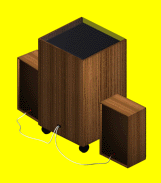
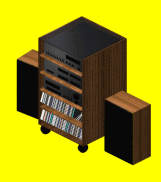
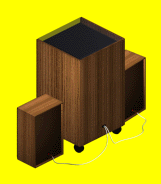
The stereo objects were originally designed to break and be repaired, like other electronic items in the game. While this concept did not go too far in development, one can spot two placeholder draw group resources for the "Zimantz Component" stereo that, given their names, were meant to picture it as broken. In practice, they have a visually intact stereo instead; the actual oddity manifests itself in their mild visual differences in comparison to the final stereo, indicating they're slightly early iterations of the object:
- The two cables that connect the stereo to the speakers are white instead of black;
- The disc/stereo rack is a little darker, yet the closest speakers present the same brightness level as the partially covered ones;
- Even though both versions seem to use the same wooden texture, it's a little offset when compared to the final.
Draw Group |
ID |
NE |
SE |
SW |
NW |
|---|---|---|---|---|---|
|
|||||
stereo broken |
|
 |
 |
 |
 |
|
|||||
Final |
 |
 |
 |
 |
|
(Source: LUCPIX)
Other Unused Graphics#
5Kiss#
28 December 1999 00ː47
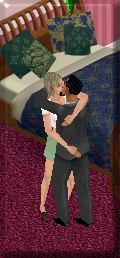
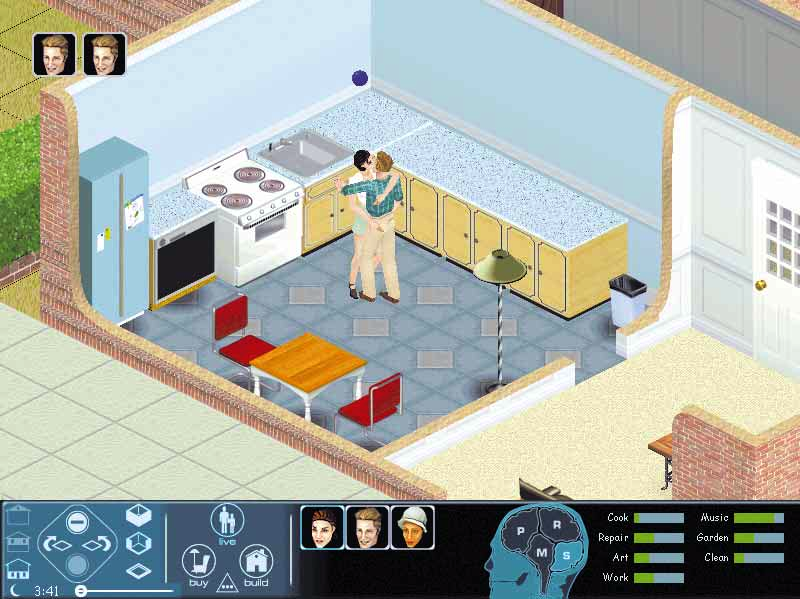
5KissAttached to the game's setup executable are five different screen snapshots of a female Sim in different social settings, intended to be displayed, one at a time, on dialog windows as the user progresses through the installing. According to logic, the fifth and final image would be 5Kiss.bmp: a happy ending where the female Sim passionately kisses a man (as pictured above), except that the last dialog window mistakenly displays a repeated instance of 4Fight.bmp, where the character is seen having a fight with the same man.
"X"#
28 May 1999 19ː31
|
|
|
|---|---|

|

|
"Arrow" is the internal name for the always-spinning motive diamond that has been eventually popularized as the plumb-bob — but that's because, as a three-dimensional prop, it first came in game as a literal, not-very-interesting arrow. What, at first, was a solid-color texture, saw an evolution as a plain "X" texture, virtually unnoticeably wearing the final prop.
Early Basketball Texture#
|
|
|
|---|---|

|

|
The asterisk-lined basketball texture was given a makeover, in the name of warmer colors and even a fancy canon brandingǃ
Early Wallphone Texture#
|
|
|
|---|---|

|

|
Given both textures are nearly a whole year apart, it's of note they don't differ a thing despite how the latter edit is but crudely upscaled and sees brighter corners plus a metallic add-on up its antenna.
Unused Thumbnails#
walls.IFF#
The first two thumbnails depict early wall designs that can not be found anywhere within the game. However, they are used as full-size images on The Sims' official downloadable wall-making tool, HomeMaster (having its name changed to HomeCrafter right after The Sims' release), as demo walls. They consistently display a pale background instead of blue, as thumbnails did until the game's pre-final build.
-2fHomeCrafter#THUMBTEMPLATE.BMP)


Windows.IFF#
Speech sprites (intended to appear across speech/thought bubbles) with final windows pictured in oddly colored thumbnail backgrounds, also akin to those of pre-release builds. Sims don't normally go and react to recently-placed windows, or think about them when they figure an obstacle during their trajectory, or talk about them with others, so these went unused.


Sims#

All Sims have 3 large face thumbnails generated right after their conception; two of them, depicting their head meshes slightly tilted up/downward, are not used anytime in normal play. May refer to older mechanics of facial expressions sensitive to the Sims' motives. A similar feature, albeit in mugshots would be in The Sims 2.
Diagonal Window/Door Alpha Channels#
walls.IFF


One of most notable building limitations on The Sims is the inability to combine walls built diagonally (those that break the world tile grid into two rather than aligning its corners, "facing" the viewer as a result, as pictured above) with any object, even windows or doors.
At one point, the player might have been capable of doing so — an assumption sustained by a few visual mock-ups designed in mid-development — however this concept hasn't made its way to the final, with only a few unused alpha channel sprites, unused placement flags and text as remnants of it.
Tutorial Test Icon#
tutorial.IFF

TestIcon.bmpPlaceholder for the Help Menu pop-up icons that teach the users how to play the game as they first venture into the Newbie household.
(Source: LUCPIX)
Unused UI Graphics#
There are some unused graphics in UIGraphics.FAR, which contains the game's UI images and other content.
Neighborhood Menu#
Pick-A-Family/Create-A-Sim#


Early buttons for the family/character creation screen, most notably seen in builds of the game of approximately the same period as E3 1999. The buttons used in-game are empty, with text rendered over the button graphic.
DesignCharSkinsBtn#
29 September 1999 16ː20

What's interesting is that this image shows a Sim in an outfit not available in the final game. However, it is present and used for the The Sims Steering Committee pre-release build of the game two years before the game officially came out.
Marquee#
29 September 1999 16ː19

Was originally used for the Neighborhood View screen in the Early 1999 prototype, surrounding the below graphic.
SimEstates#
29 September 1999 16ː17

It was also originally used for the Neighborhood View in the January 1999 prototype.
Control Panel/UI#
View Menus#
At one point, right-clicking any of the areas in the game's world during gameplay called a specific pie menu with zooming/rotating settings to choose from, operating in the same fashion as the Control Panel buttons. Most of the game's pre-release builds from early 1999 had a darker, less saturated user interface, although their fundamental aspects didn't differ entirely from their respective finals.
ViewMenuZoomOut
28 May 1999 19ː21

ViewMenuZoomIn
28 May 1999 19ː21

ViewMenuRotateRight
28 May 1999 19ː21

ViewMenuRotateLeft
28 May 1999 19ː21

RotateRight#
|
|
|
|---|---|

|

|
RotateLeft#
|
|
|
|---|---|

|

|
ZoomOut#
|
ZoomOut.bmp (Early) 28 May 1999 19ː21 |
zoomout.bmp (Final) 30 September 1999 13ː16 |
|---|---|

|

|
ZoomIn#
|
|
|
|---|---|

|

|
Personality#
|
|
|
|---|---|

|

|
CatalogUnknown#
31 August 1999 20ː31

Placeholder for objects in the buy menu with no icon. Later revisions of the game engine automatically generate the buy thumbnails from the sprite resources when they aren't explicitly defined in the object data. This means most players have never and will never see this in the buy catalog, although it can be seen in later versions of the game if an invention object's thumbnail can not be loaded.
AMPM#
30 September 1999 14ː10

Originally placed next to the time display. The final game, though, uses a plain text equivalent.
popuproofpattern#
30 September 1999 14ː09

cpanel\Build\popuproofpattern.bmp was meant for the pop-up when choosing the roof pattern, much like the one for the roof pitch.
Miscellaneous#
CheckBtnNew#
28 May 1999 19ː22

An old check button, which appears to may have been used in a debugging menu and/or the options menu.
TogglePushBtn#
28 May 1999 19ː22

A sheet for testing the button effects.
PieBack#
28 May 1999 19ː22
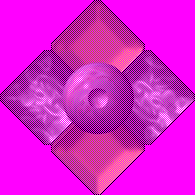
This was most likely a very early background design for the pie menu.
PieButt#
28 May 1999 19ː22

In earlier builds, clicking the right button mouse whilst the mouse pointer is located at any areas of the game's world would call a special pie menu with world rotating/zooming choices. At the center of the menu, this image would be seen.
Sys Files#
28 May 1999 19ː22


It is currently unknown where these would appear — potentially in some type of debug menu.
Unused Mouse Pointers#
Base Game#
Build Mode#
At some point, the building tools had cursors that much resembled those of SimCity 3000. The final game, though, uses colorful, pre-rendered sprites as tall as the own characters.
11 October 1999


...and their final equivalents, for comparison.
28 November 1999 15ː19


Miscellaneous#
28 May 1999 19ː22


(Source: LUCPIX)
Expansions#
Graphics that are only present in expansions.
Later Updates/Expansions#
Other\setup_placeholder#
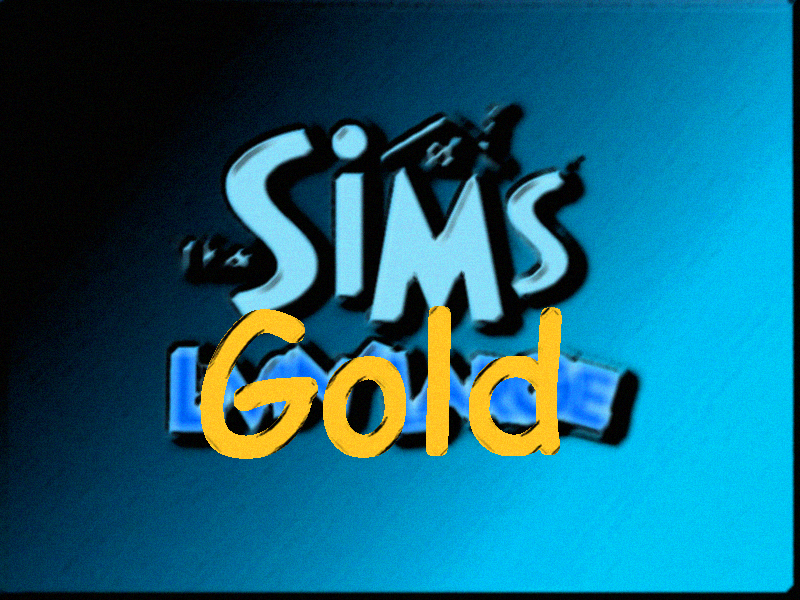
Only present in the Deluxe Edition and later expansions and bundles. The "Gold" subtitle can be assumed to be an early name for the Deluxe Edition. If one checks the credits for The Sims Vacation/On Holiday, The Sims Gold is mentioned.
Hot Date#
Sign#

dscreensign.bmp is an exquisite urban sign that was once used as an interactive element on the downtown lot selection menu, likely as an equivalent of the wooden sign that calls the credits window upon clicking it on the neighborhood screen. An early screenshot pictures it in action.
Early Taxi cursor#
An unused cursor for the Downtown loading screen exists in the game's files which appears more cartoony, and doesn't have shading unlike the final design. What's interesting is that the final cursors for Hot Date and Vacation/On Holiday are already included in the Deluxe Edition even if the player has not installed either expansion pack yet.

