 This article has a talk page!
This is a sub-page of Prerelease:The Sims (Windows).
The Sims: Hot Date is perhaps the expansion pack that expanded on The Sims the most and set the tone for the expansions that followed. It added a ton of new interactions and let you follow your Sims outside their main lot for the first time.
Concept Art
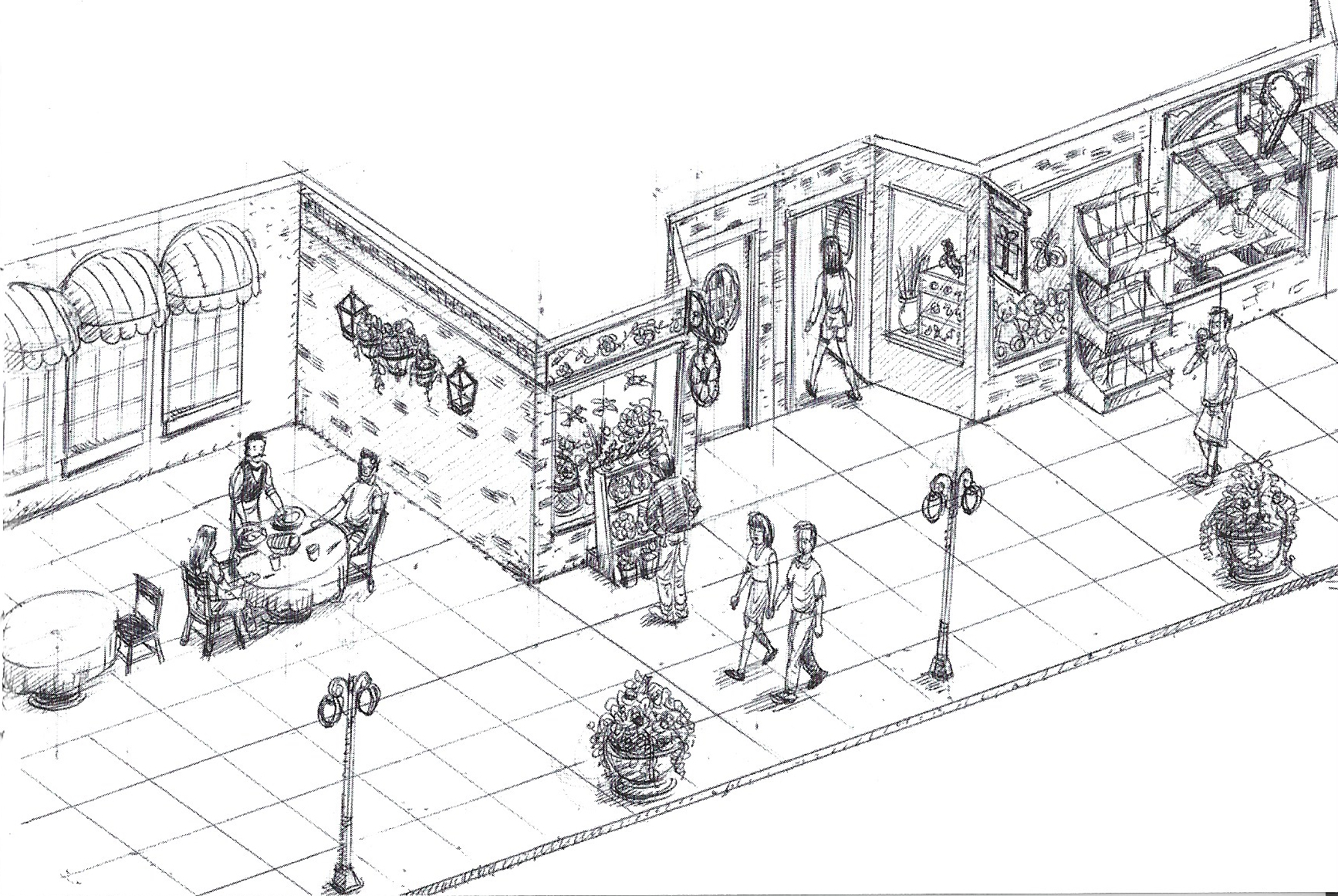
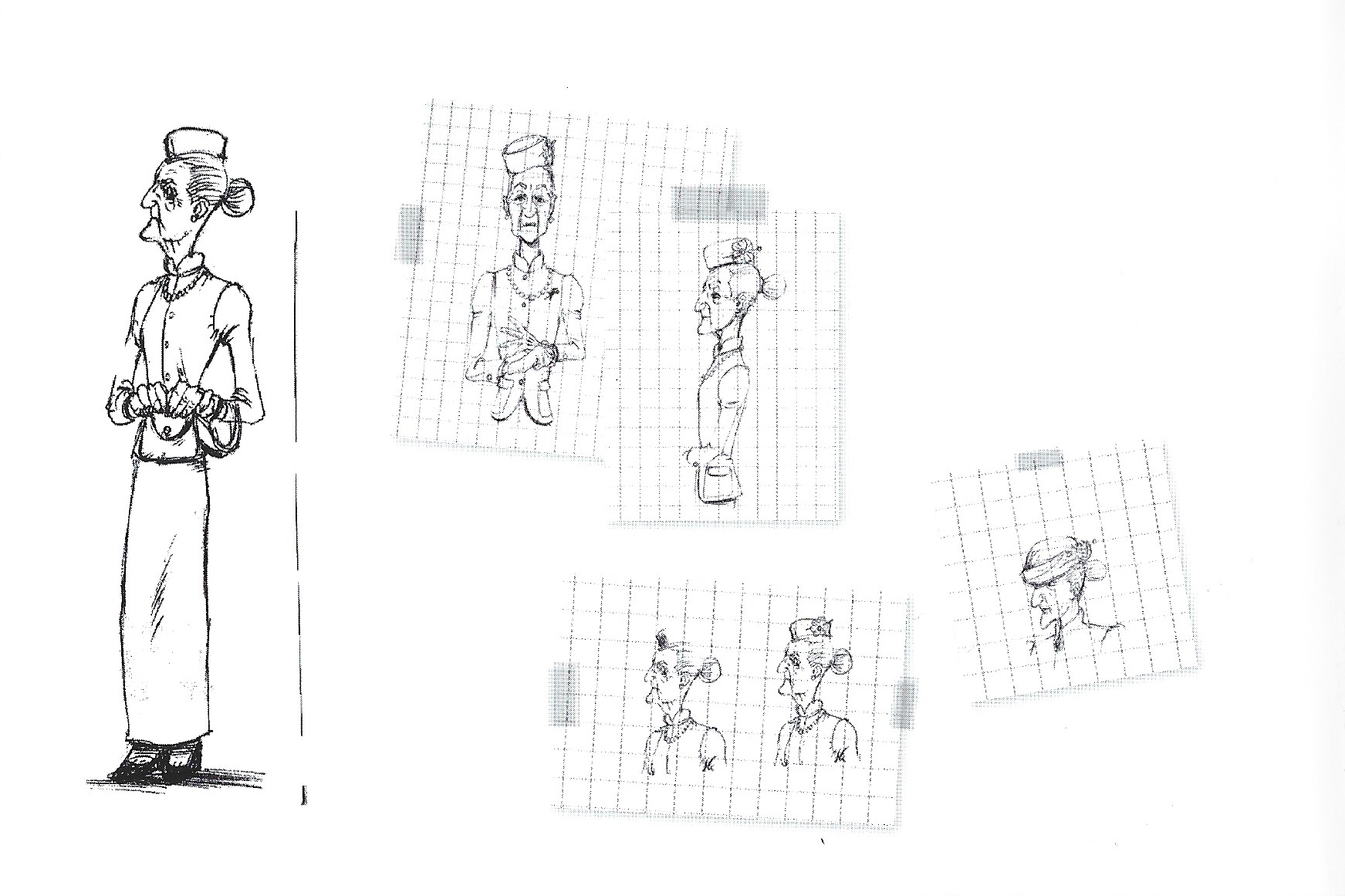
Prerelease images
Prerelease images released for the game show a few objects and UI features which were changed or altogether not included in the final release.
Early Downtown#
Early |
In-between |
Final |
|---|---|---|
 |
 |
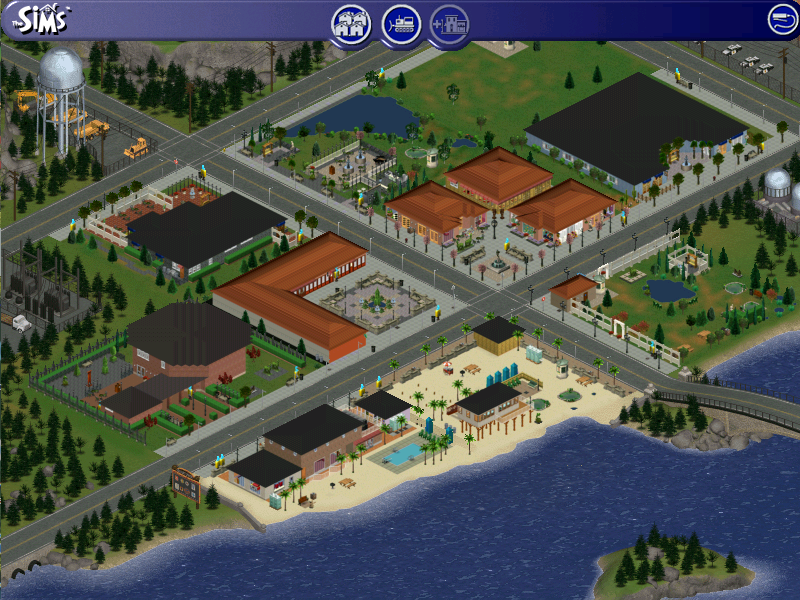 |
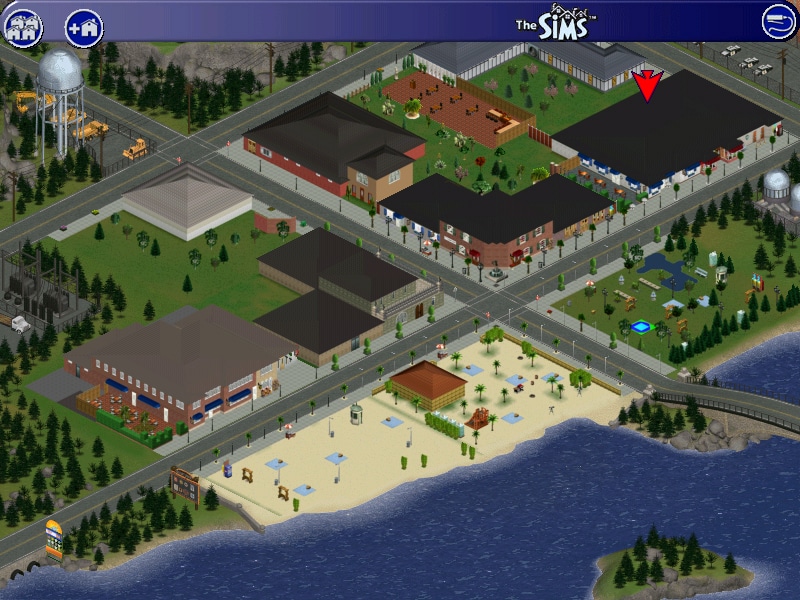
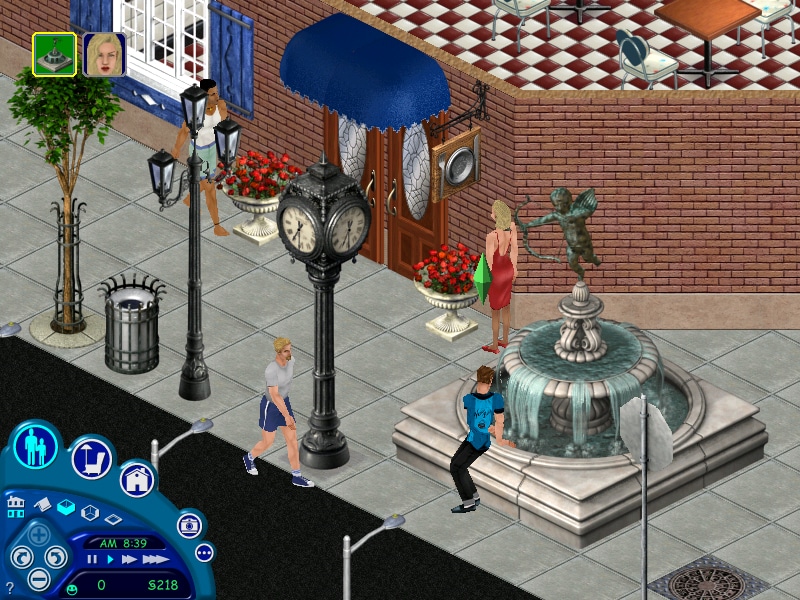
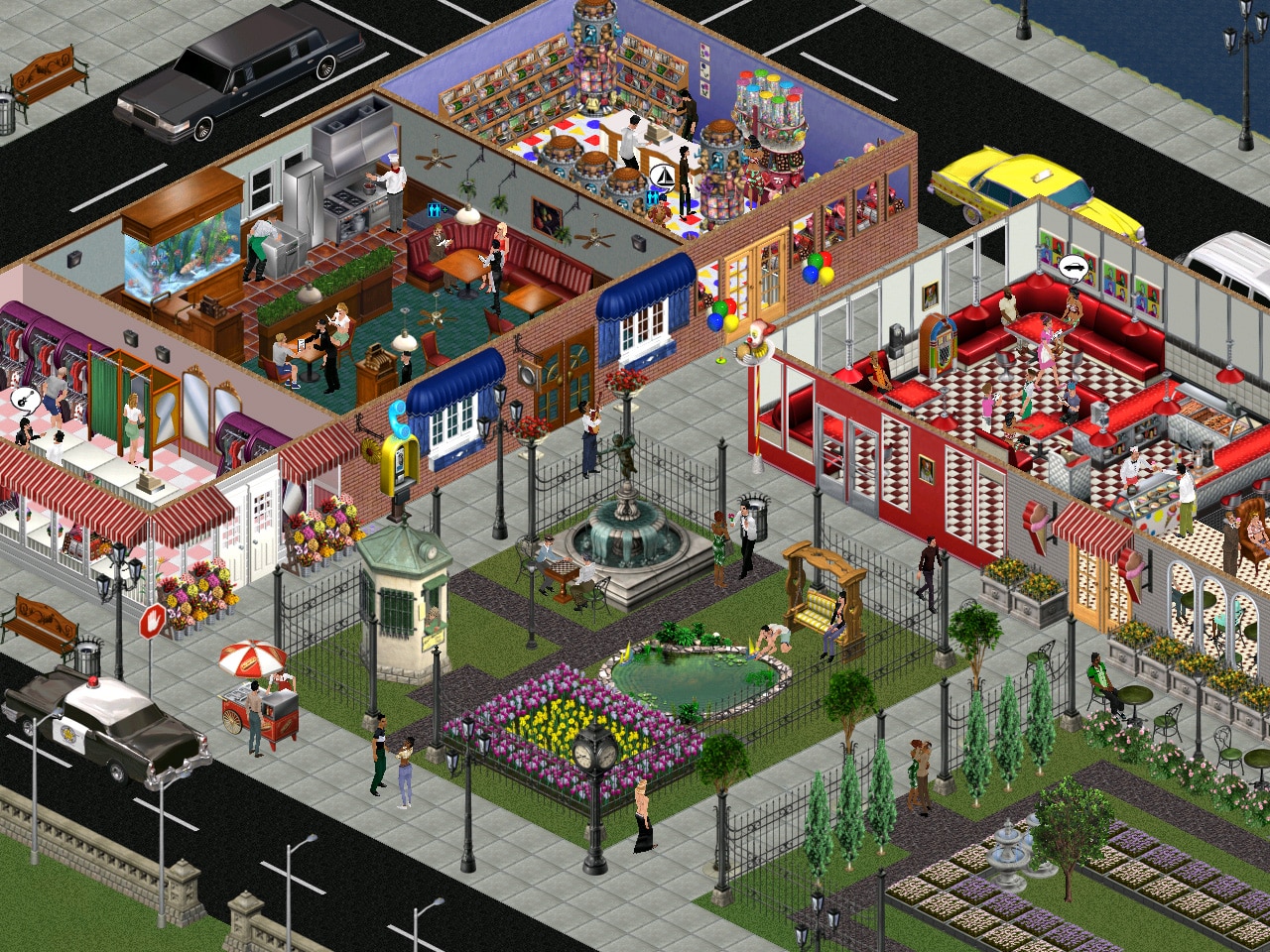
- The Sims logo screen placement and appearance is different, oddly picturing a set of three roofs instead of one, very reminiscent of what ultimately became The Sims Online's own logo (which was in development alongside Hot Date, however wouldn't be officially released until late 2002).
- A yellow sign can be seen in the bottom left. Its condition in the final product as an unused user interface graphic indicates that its original purpose was the same as the wooden sign on the neighborhood menu: clicking on it most likely would call the Credits screen.
- Early in the development of the expansion pack, the graphics of the downtown lot import button were a direct duplicate of its residential lot equivalent.
- The Funinator Deluxe play structure can be seen at the "SimCity Beach" (the closest sandy lot to the bridge) — which is strange, as the game does not have an option for child Sims to go to the city, thus no child-exclusive items are available for purchase on downtown lots.
- A red arrow points to a lot, which is a UI behavior that never is reproduced in the final. A notable context that a graphic like this can be seen is the neighborhood menu: a red arrow signifies the tutorial house scenario prior to it being first played. This suggests that the downtown screen would likewise have a specific tutorial scenario of its own, likely guiding players through the community lot building features that Hot Date introduced.
- Though difficult to see, an unused red-colored variant of the blue awning can be seen above doors on the middle and upper-right lots.
- Vending machines are present on the upper-right and the lowest lot. The Pepsi vending machine was later made available as a free download from the official website, but the red vending machine was ultimately only used in The Sims Online.
- Several unused trees are present on different lots that were ultimately removed and only used in The Sims Online
- A strange bright blue and green square can be seen on the park lot. It's not clear if this was an object or some kind of flooring arrangement. The bright colors do not blend in with the natural theming of the rest of the lot, so this may have been something that was placed here for testing purposes.
Early Features#
Objects#
|
Prerelease |
Final |
|---|---|
|

|
- The "Ur-Bin Trash Can" interior was changed from silver to black.
- The "Stigma Awnings" were refined with a more pronounced white trim.
- Flowers were added to the "Edelweiss" window.
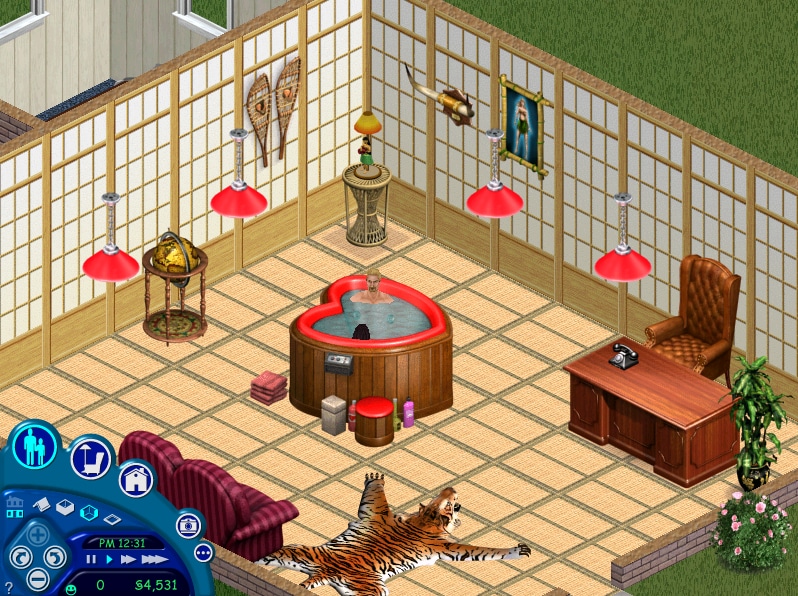
This screenshot displays a chair, showshoes decoration, and plant which were unused. However, the items were included in The Sims Online, named "The Overlord by SeatKraft Systems", "Snowshoes Wallhanging", and "Leaping Frogsbelly". The chair was later made available in The Sims as a bonus download as part of a Pepsi promotion, now named "Viceroy Leather Chair". The design of the chair was recolored blue and repurposed in the Executive Offices location in the Game Boy Advance and Nintendo DS versions of The Urbz: Sims in the City.
Flooring#
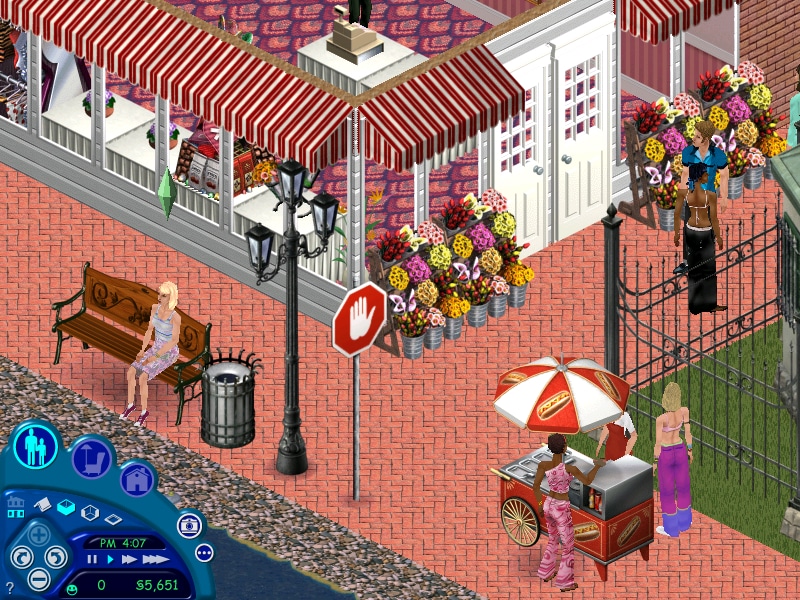
This screenshot shows an uncharacteristically realistic rock flooring tile near the water.
Early Labels and UI#
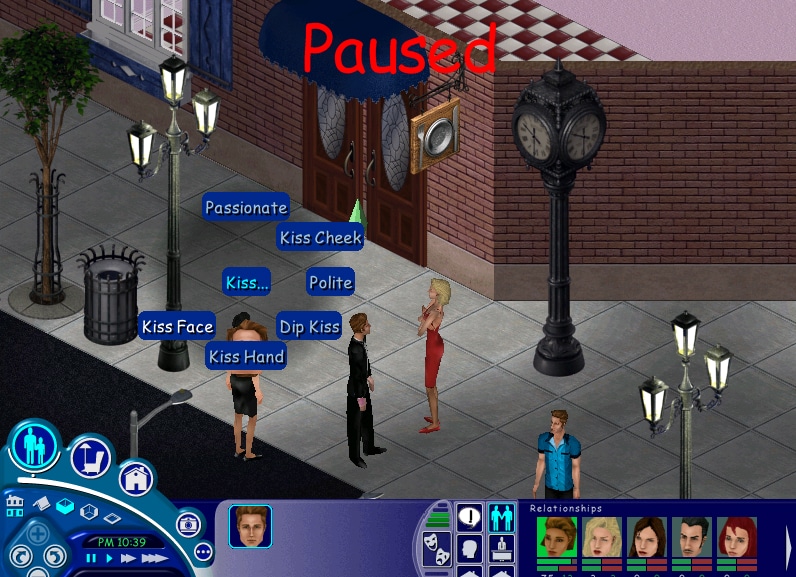
Hot Date introduced a separate bar for Sim relationships which represents the "lifetime" relationship. An earlier version of the UI for this can be seen in the bottom right. It also shows a somewhat rudimentary exclamation point in the middle of the Interests icon which was removed in the final.
Among other interactions, Hot Date expanded upon the different ways Sims could kiss one another. The different types of kisses were labeled in a much more simplistic manner in a prerelease screenshot. Prior to this expansion, the game simply lists "Kiss" as an option with no submenu. Sims will autonomously choose to use one of the two options of "Polite" or "Passionate" based on several factors; in these builds, those specificities are only labeled internally. Listing the term "kiss" again within the submenu may have been seen as redundant, and the final release more closely matches the older internal labeling.
Prerelease |
Final |
|---|---|
Kiss Cheek |
Peck |
Dip Kiss |
Fiery |
Kiss Hand |
Suave |
Kiss Face |
Romantic |
Thumbnail Template#
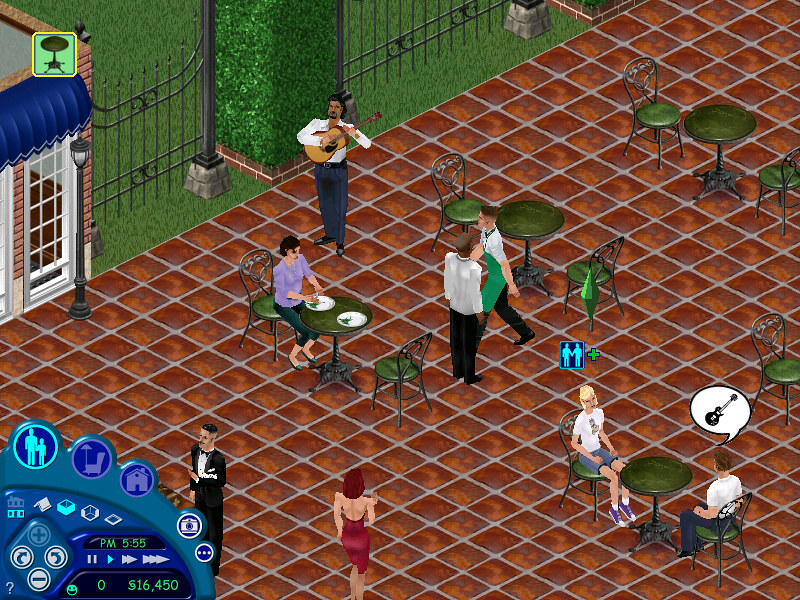
Interaction queue images for downtown objects were generated off a green thumbnail template. Toward the end of the development of the expansion pack, the usual light blue template was restored.
Date Scenario#
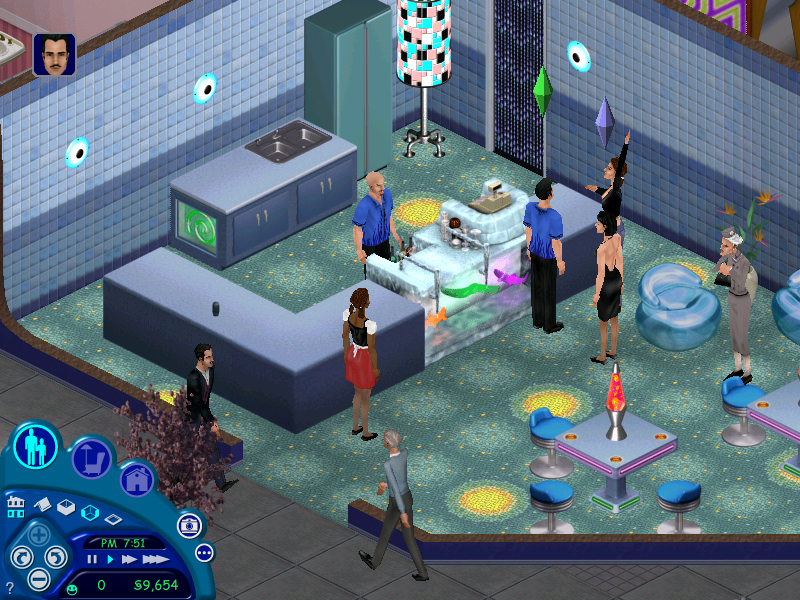
The overhead plumb-bob that indicates the non playable datee used to be just a repainted version of the one typically used for active Sims. Later on, its size was slightly decreased.