 This article has a talk page!
Developer Options#
There's a bunch of hidden options that were used by the developers. Some of them are left over and meant for the home console version, meaning while they can be enabled in this version, they won't have any effect whatsoever. Or at the very least, be severely broken. A complete set of developer options available within the game can be found on the notes page. The codes below work for both the EU and NA region releases.
(Source: Edness)
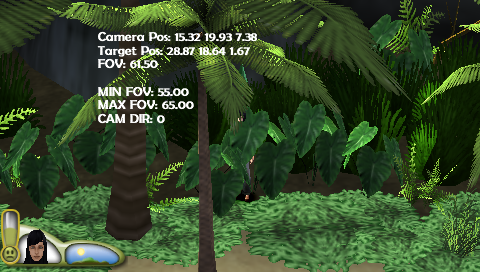
Camera Information#
_C0 Camera Information
_L 0x0044720F 0x00000001
Shows a debug display on the screen listing the current camera offset, its target offset, FOV, and whether or not Camera Director is active.
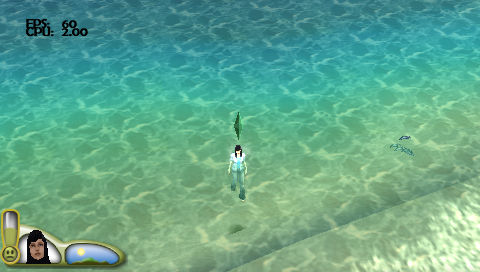
display_performance_metrics#
Used to display the fps and cpu.
_C0 display_performance_metrics
_L 0x0044692E 0x00000001
A slightly broken option that displays the hardware usage. At first it's only visible during loading screens and popup messages, but will eventually show up during gameplay as well.

enable_show_all_plans#
If enabled all plans are visible
_C0 enable_show_all_plans
_L 0x003EC420 0x00000001enable_ignore_crafting_requirements#
If enabled crafting items uses no requirements
_C0 enable_ignore_crafting_requirements
_L 0x003EC421 0x00000001
_L 0x003EC422 0x00000001
This option is for some reason listed twice. It seems to work with only the 1st line active, but just to be safe, both codes have been written down here.
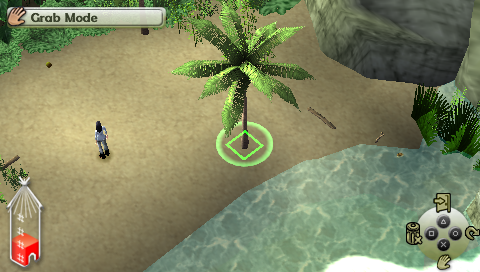
enable_all_objects_moveable#
If enabled all objects can be moved
_C0 enable_all_objects_moveable
_L 0x0044695E 0x00000001
Allows moving pre-placed objects like the trees which normally isn't possible.
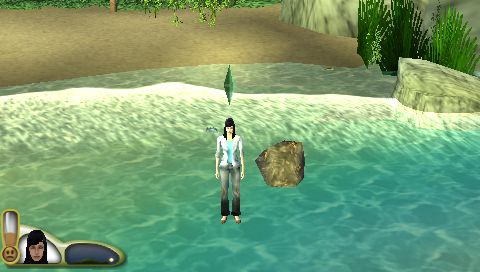
enable_uneven_terrain#
If enabled, don't draw tiles, walk/place on uneven terrain
_C0 enable_uneven_terrain
_L 0x00446957 0x00000000
Since the previous Sims games lots were flat, this option had to be introduced to work around that "limitation." Disabling it will turn the world flat again.
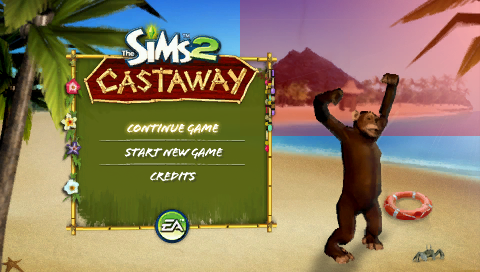
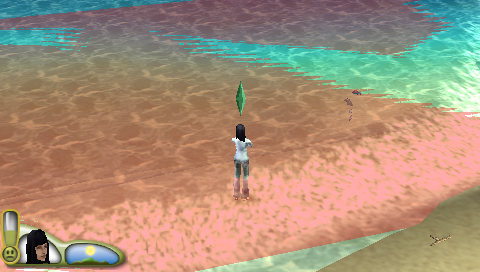
display_text_boundaries#
Used to highlight the boundaries on the TV where text can't touch
_C0 display_text_boundaries
_L 0x0044692F 0x00000001
One of the barely functioning leftovers. Instead of highlighting the overscan region, it highlights random sections of the screen... Or the whole sea!
enable_all_lots_on_map#
Enable all lots for transport on pause menu map
_C0 enable_all_lots_on_map
_L 0x00446934 0x00000001skip_startup_movies#
If enabled the intro and maxis logo movies won't be played
_C0 skip_startup_movies
_L 0x00446974 0x00000001enable_3d_wall_fade#
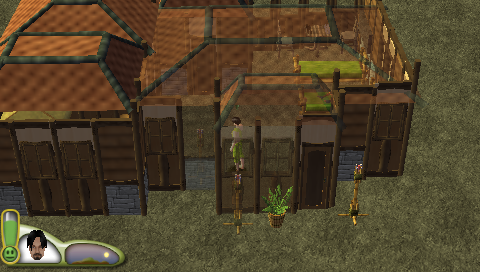
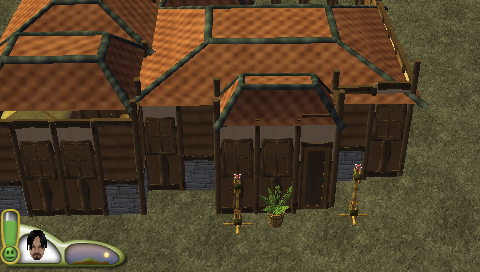
If enabled the 3d wall fade system is used instead of 2d system
_C0 Disable 3D Wall Fade
_L 0x0044692D 0x00000000
This option is enabled by default. Disabling it disables the typical wall fading seen when inside buildings.
3D Wall Fade Enabled |
3D Wall Fade Disabled |
|---|---|
 |
 |
disable_shower_curtain#
disables the shower curtain
_C1 disable_shower_curtain
_L 0x0044696E 0x00000001
This option disables the shower curtain that obscures a Sim while it changes before and after having a shower.
Unused Music#
audiostr.arc has leftover music from the previous two home console games - The Sims 2 and The Sims 2: Pets.
Filename |
Unused Soundtrack |
|---|---|
music_24_bbcas1 |
|
music_24_bbcas2 |
|
music_24_bbcas3 |
|
music_48_title_track |
|
music_load_initial_loop |
|
music_shopping1 |
|
music_shopping3 |
Regional Differences#
The graphic used for the game's icons in the XMB is different for the European and North American releases, likely due to the game's logo being different in other languages.
EU |
NA |
|---|---|
ICON0.PNG |
|
 |
 |
ICON1.PMF |
|