 Featured article
It's a bird... It's a plain... It's Ocarina of Time! The game so nice, they made it thrice!
 Development Info
 Prototype Info
 Prerelease Info
 Notes
Notes
 Bugs
Bugs
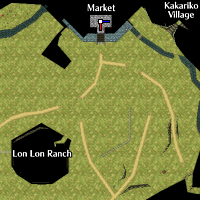 OdditiesThe Odd-yssey of Hyrule.
 Curious CollisionThe better question is "Where can't you use the Hookshot?"
 Version DifferencesBlood is thicker than bile.
Unused Content#
Animations#
 Unused Link AnimationsNever forget the jump strike.
Unused NPC AnimationsWhat do the dolls do when no one is watching?
Unused Link AnimationsNever forget the jump strike.
Unused NPC AnimationsWhat do the dolls do when no one is watching?Atmosphere#
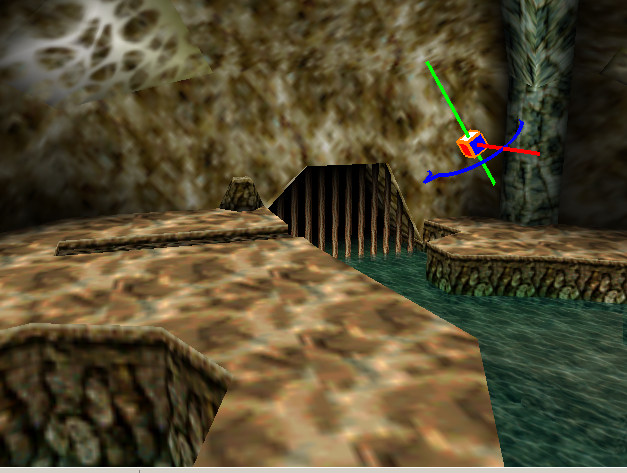 Unused Camera SettingsCamera, camera, on the wall, what's the fairest angle of them all?
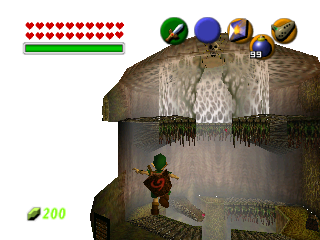 Unused Environment SettingsThrough sun and snow we all shall go.
Cutscenes#
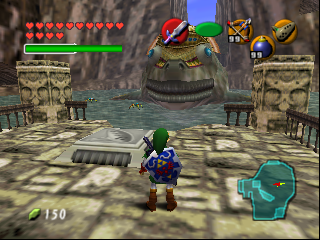 Alternate Scene SetupsThe ghosts of development past.
 Unused CutscenesI bet you haven't seen these scenes.
Resources#
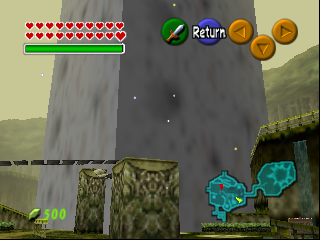 Unused Actors & ObjectsALL GLORY TO THE HYPNOSTONE!
 Unused Content in Used Actors & ObjectsUnseen treasures lurk in familiar files.
 Unused Sound EffectsThey say Hylians have big ears in order to hear the voices of the gods...
 Unused TextHow can flags be real if our eyes aren't real?
 Unused TexturesHere dwells the lost language of the Hylia.
Data#
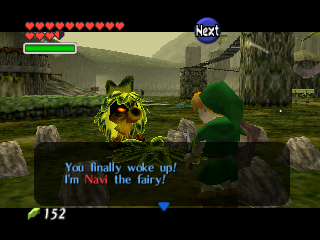 Unused Enemy Damage VariablesBop those baddies!
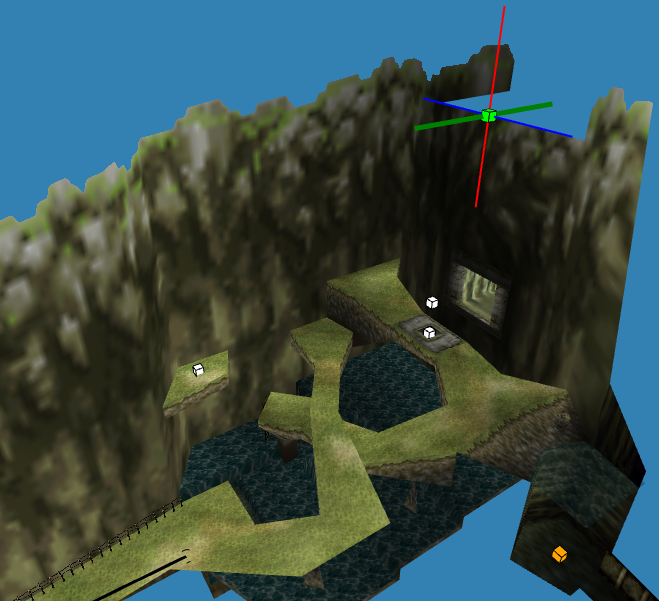 Unused SpawnsPull a Pocahontas and jump off the waterfall.
 Unused Shop DataShop till you drop.
Uncategorized#
Alternate Elemental Arrows#
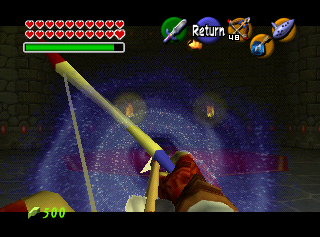
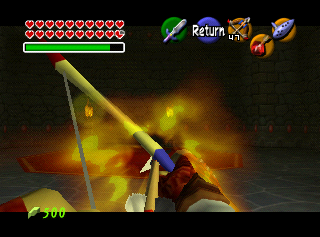
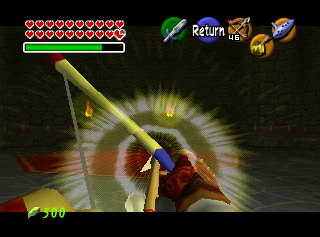
Using GameShark codes, you can equip the individual elemental arrow icons to the C buttons, rather than having the magic combine with your Bow. These items are used for display only on the pause screen, but function as normal elemental arrows.
Item |
GameShark code |
|---|---|
Ice Arrow |
8011A63A 000C |
Fire Arrow |
8011A63A 0004 |
Light Arrow |
8011A63A 0012 |
Fairy Bow + Ice Arrow |
8011A63A 0039 |
Fairy Bow + Fire Arrow |
8011A63A 0038 |
Fairy Bow + Light Arrow |
8011A63A 003A |
Dark Link Behavior#
Dark Link may be the enemy with the most extensive coding in the game, and the programmers certainly considered all options. Notably, he reacts to the player casting Nayru's Love, which will cause him to shield a lot and generally get out of the way, even though you cannot normally get that item before defeating Dark Link since it's located outside the Desert Colossus, which requires crossing the Haunted Wasteland, which in turn requires either the Longshot (obtained from beating Dark Link) or Hover Boots (obtained in the Shadow Temple, which can only be accessed after beating the Water Temple), it can however be crossed in an unintended way such as back walking at one of the sides of the quicksand. This behavior can, however, be seen in the Master Quest version, since the Longshot is obtained much earlier in the Water Temple, before Dark Link is fought.
Dark Link even has collision properties, allowing him to be hit by the Boomerang, which is not usable as an adult without glitches. Doing so stuns Dark Link for quite a long time and he never even attempts to block it, resulting in the fight being far easier.
Seeing as the actor is just a shell which inputs buttons to the Link actor, Dark Link can also swim and dive in water, as well as climb ledges. If you are Young Link, Dark Link can also use crawling holes. However, because Dark Link has no animation for getting hit while swimming, this will instead cause him to slowly float to the sky.
Nayru's Love derived from Shadow Magic and it's very likely this behavior was programmed to Dark Link back then. Internally, Nayru's Love is still called "Ovl_Magic_Dark" and the Late 1997 Overdump also has this text revealing what it used to do:
You got the Shadow Medallion!
Use it with C and everything will become pitch black!
Enemies won't be able to notice you in the dark!
Gerudo Gate#
It's impossible without glitching or using a cheating device to access Gerudo's Fortress from the Haunted Wasteland as Young Link: even if you make it through without the Phantom Guide, you can't cross the River of Sand without the Hover Boots or Longshot, which Young Link can't equip. Even if you manage to, the gate to the Haunted Wasteland will be closed and a Gerudo will be guarding it. She says, "The Gerudo's Fortress is located beyond this gate. A kid like you has no business there."
Moblin Behavior#
The spear moblins can be stunned with the Boomerang, and once the stun expires, they will run around and charge in an attempt to hit Link. This can never be seen in normal gameplay because moblins only appear as Adult Link, who cannot use the Boomerang, and no other weapon in Adult Link's possession can stun spear moblins.
Iron Knuckle Head#
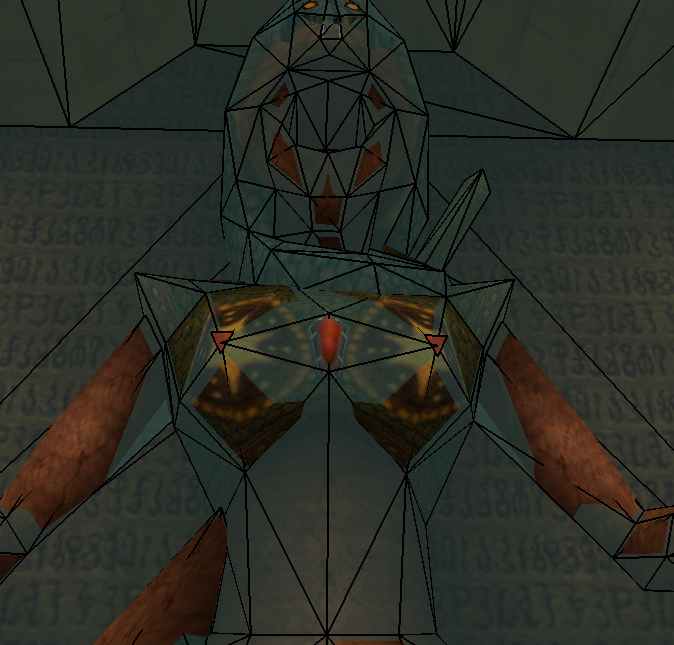
In the pre-boss room before Twinrova in the Spirit Temple, Link fights a brainwashed Nabooru inside an Iron Knuckle's armor. If you position the camera so that it clips into this Iron Knuckle's model, you will see Nabooru's head. If you do the same to any other Iron Knuckle in the game, you will also see a head that looks similar to Nabooru's with the same textures but significantly different structure and design. The head is wrapped in chainmail, which covers almost everything below the nose. Also, due to the way the head is modeled, the head has no eyebrows.
The most interesting differences are that the earrings are texture-less gold hoops and that the design of the head ornament is different. This alternate head model is either an earlier version of Nabooru's head, or it was meant to be directly revealed in the same way as Nabooru's, showing that all Iron Knuckles are actually Gerudos.
Either way, regular Iron Knuckles vanish when defeated, so their true face is normally never shown. The head itself was removed in the 3DS remake, but it's still present in the model, just not in-game (with the logical exception of the one that Nabooru actually comes out of). However, when they shed enough armor in combat, a distinctly human neckline can still be seen in all versions (including Majora's Mask).
|
Regular Iron Knuckle |
Pre-Boss Iron Knuckle |
|---|---|

|

|
Use the patch below to remove the helm from all Iron Knuckles in the Master Quest debug rom.
 |
Download Remove helm from Iron Knuckles File: Ocarina_of_Time_MQ_Debug_IronKnuckle.zip (279 B) (info) |
(Source: Dark Linkaël (Patch))
Sold Out Item#
"SOLD OUT" is an icon that is normally only displayed in the Bombchu Shop in the Back Alley for Bombchus that you have already bought, as well as the inventory menu after selling a mask. However, if hacked into Link's inventory as an item, it works exactly like the Master Sword because it's linked to the same action (0x03). The GameShark code 8011A638 002C (US 1.0) adds SOLD OUT to Link's B button.
Triforce Transition#
There's a very cool Triforce transition in the game, not used anywhere. You can force the Triforce transition to appear with the GameShark code.
Version |
GameShark code |
|---|---|
JP/NA 1.0 |
8011B9ED 0001 |
JP/NA 1.1 |
8011BBAD 0001 |
JP/NA 1.2 |
8011C09D 0001 |
NA (GC) |
8011C565 0001 |
NA (Master Quest) (GC) |
8011C545 0001 |
EU 1.0 |
801197ED 0001 |
EU (GC) |
80119D75 0001 |
Unused Child Malon Spawn in Talon's House#
Inside Child Malon's actor file, there are three lines of code that spawn her in Talon's House at night after completing the quest to wake Talon at Hyrule Castle. While it's not possible to enter the house from outside at night (trying to use the door spawns a dialogue box with Talon saying that Malon is sleeping), you can use the Sun's Song from inside to access the nighttime setup. Even so, Malon does not appear because the map does not load an actor or object for her.
Adding her actor and object to the map reveals that Malon exhibits the same behavior as she does when she appears in Lon Lon Ranch during the day, teaching Link Epona's Song.
(Source: Porcino)
Unused Epona / Ingo's Horse Race Behavior#
The actor used for Epona and the Ingo Horse has some unusual time-based behavior coded into it.
In Lon Lon Ranch, these horses are programmed to appear during the daytime, but they are automatically removed at night.
Strangely, outside of Lon Lon Ranch, the logic is reversed: the same actors are programmed to appear at nighttime instead of the day.
This reversed nighttime behavior does not apply to Hyrule Field, Lake Hylia, Gerudo Fortress, or Gerudo Valley, where horses are always persistent both day and night.
Because no scene outside of Lon Lon Ranch actually uses this configuration, the nighttime variant of the horse actors goes completely unused in the final game. For example, forcing Epona or Ingo’s horse into places like the Lon Lon Ranch stable or other maps will cause them to spawn only at night, despite no such behavior being visible in normal gameplay.
Developer OversightsThey're only human, after all.
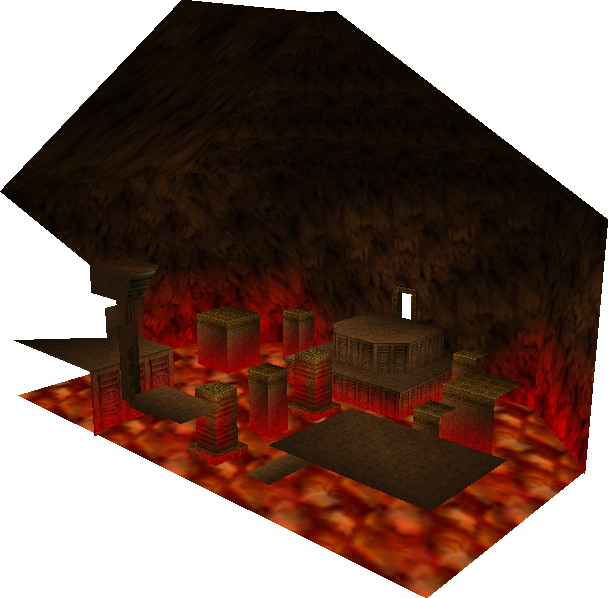 Early RoomsEven rooms have to change several times before they're ready to go.
 Prerendered ImagesOh, that you would rend the heavens and come down, that these backgrounds would tremble before you!
Debug Content#
For the full debug functions in the uncompressed Master Quest debug prototype, see: Proto:The Legend of Zelda: Ocarina of Time Master Quest.
Nearly a decade after Ocarina of Time was released, a debug version of the game's Master Quest spinoff was leaked. Decompressed by default, it has many debug features that aren't present in the retail versions of Ocarina of Time or Master Quest. These include a memory editor, audio debugger, a number of test maps, and a large amount of uncompressed development text.
While the retail version of Ocarina of Time does not contain as many debug features as the debug ROM, a few are still present.
Map Select#
The Map Select allows you to go to any area in the game. See the Map Select section of the Debug ROM article for a detailed analysis.
|
Retail Game |
Debug ROM |
|---|---|

|

|
The Debug ROM contains nine test maps that aren't in the retail version of the game, while the retail game contains entries for two test maps that aren't in the Debug ROM. View the Test Maps section of this article for more details.
Inventory Editor#

Allows you to manually edit Link's inventory, equipment, and quest items.
To activate it, use the code and press Start on Controller 1 to open the Pause Menu, then L to open the Inventory Editor.
Version |
Gameshark code |
|---|---|
JP/NA v1.0 |
D01C84B5 0020 |
JP/NA v1.1 |
D01C8675 0020 |
JP/NA v1.2 |
D01C8D75 0020 |
NA (GC) |
D01C9675 0020 |
JP (Master Quest) (GC) |
|
NA (Master Quest) (GC) |
D01C9635 0020 |
EU (Master Quest) (GC) |
D01C6E35 0020 |
EU v1.0 |
D01C64F5 0020 |
EU v1.1 |
D01C6535 0020 |
EU (GC) |
D01C6E75 0020 |
CN (iQue) |
D01D5A35 0020 |
CN-TR (iQue) |
D01D4DF5 0020 |
View the Inventory Editor section of the Debug ROM article for more details.
Memory Usage#

Version |
Gameshark code |
|---|---|
JP/NA v1.0 |
801C6F64 0001 |
JP/NA v1.1 |
801C7124 0001 |
JP/NA v1.2 |
801C7824 0001 |
JP/NA (GC) |
801C8144 0001 |
JP/NA (MQ) (GC) |
801C8104 0001 |
EU v1.0 |
801C4FA4 0001 |
EU (GC) |
801C5944 0001 |
CN (iQue) |
801D4504 0001 |
CN-TR (iQue) |
801D38C4 0001 |
Crash Debugger#

Erase Save Data Code#
On the title screen, pressing D-Up, D-Down, D-Left, D-Right, Start, B, C-Down, L, C-Right, C-Left, A, C-Up, R, Z on Controller 3 resets the save data. This can be used in case the save data was corrupted, which could cause a crash on the file select menu. After the first input, there is a 16-frame timer for hitting the next input within the sequence (which reverts the timer back to 16 with each correct input).
(Source: mzxrules)
Build Dates#
A build date can be seen in the crash debugger and can be found in memory.
Version |
RAM Address |
Build Messages |
|---|---|---|
US Release Candidate |
0x80006800 |
|
US/JP v1.0 |
0x80006800 |
|
US/JP v1.1 |
0x80006800 |
|
EU v1.0 |
0x80006D20 |
|
US/JP v1.2 |
0x80006D30 |
|
EU v1.1 |
0x80006D20 |
|
US Lodgenet |
0x80006E10 |
|
JP GameCube |
0x80006540 |
|
JP Master Quest |
0x80006540 |
|
US GameCube |
0x80006540 |
|
US Master Quest |
0x80006540 |
|
EU GameCube Debug 1 |
0x80012340 |
|
EU Master Quest Debug |
0x80012340 |
|
EU GameCube Debug 2 |
0x80012340 |
|
EU GameCube |
0x80006540 |
|
EU Master Quest |
0x80006540 |
|
JP Zelda Collection |
0x80006540 |
|
iQue Chinese |
0x8000AB60 |
|
iQue Traditional Chinese |
0x8000A610 |
|
Anti-Piracy#
|
|
To do: |
This game checks for the correct CIC chip when it is powered on and uses countermeasures if it is not found. JP/NA copies use 6105, while EU copies use a 7105. Old copiers would often not be able to provide the correct CIC chip, which leads to tripping these anti-piracy checks. Most accurate emulators do not trip these anti-piracy checks.
To perform this, at the game's boot, boot_main runs a function in cic6105 to ensure that it can read values from the CIC chip, and stores them at a few flag variables. These values are called later on for certain scripts, where if there is a mismatch, scripts that relies on these flags will perform their countermeasures.
main#
main calls two functions in the CIC chip to initialize the fault client and the debug queue. It never gets called if the correct CIC chip isn't implemented. Outside of debug builds, this is harmless.
z_title#
z_title is the actor that displays the Nintendo 64 logo at the game's boot. When the logo is removed from memory, it calls a function in the CIC chip which sets the R_AUDIOMGR_DEBUG_LEVEL debug variable in the audio_thread_manager to 0 (none). If the CIC chip is not detected, this value is never initialized. Outside of debug builds, this is harmless.
en_zl2#
en_zl2 is the actor that controls the adult Zelda seen in most cutscenes. If the correct CIC chip is not detected, en_zl2 will reshape Zelda's hair into a giant golden pentagon. This can be first seen during the cutscene in which Sheik's identity is revealed.

bg_zg#
bg_zg is the actor that controls the bars in Ganon's Castle which block the exits during the escape sequence. Normally, Zelda is able to open the bars, but if the correct CIC chip is not detected, then the bars will not open. Zelda will instead run straight through them and leave the player behind to die. This makes the game impossible to complete.
z_fishing#
z_fishing is the actor that manages the fishing pond minigame. During the actor's initialization routine (80A3514C in JP/NA 1.0), it tests if the correct CIC chip exists. If it doesn't, then the routine that determines if a fish will stay hooked will force the fish to always let go after 51 frames. The flag variable is at 80008EE0.
Others#
On boot, the CIC chip sets a variable at 80008EE4, but it does not seem to be used by any of the game's code.
(Source: User:GlitterBerri and User:Jrra)
(Source: Original TCRF research)
Ura Zelda Leftovers#
An add-on was originally planned for Ocarina of Time. Known by the development nickname Ura Zelda, this expansion would make use of the 64DD, a disk drive accessory for the Nintendo 64.
Title Screen Disk Tag#
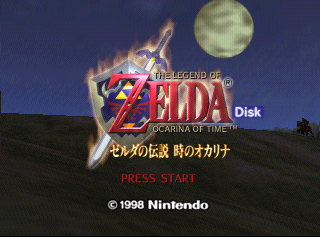
It is possible to trick the game into believing you have inserted an Ura Zelda disk. This can be done with a Japanese-region Ocarina of Time ROM by changing the bytes at 0xB9CCD0 from Ocarina of Time's identifier, EZLJ, to the identifier of another 64DD disk. The game will then recognize the 64DD disk as Ura Zelda.
This will cause the game to display a Disk tag on the title screen. In addition, save files with Disk tags appended will no longer be greyed out. However, the game crashes if you try to load them, perhaps because it is trying to access non-existent files on the disk.
Alternatively, you can enable the code D00EB36E 0001 801F0ADB 0004 (JP/NA 1.0) while on the title screen to display the Disk tag.
Save File Disk Tag#
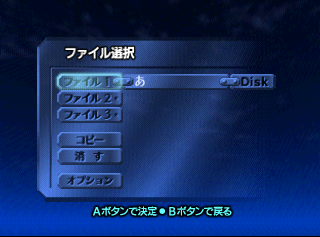
By using the codes below, it is possible to append a Disk tag to your save file.
Version |
GameShark code |
|---|---|
JP/NA Release Candidate |
801E4CC0 0001 |
JP/NA1.0 |
801E4EC0 0001 |
JP/NA1.1 |
801E5080 0001 |
JP/NA 1.2 |
801E5780 0001 |
NA (GC) |
801E6080 0001 |
NA (MQ) (GC) |
801E6040 0001 |
JP (MQ) (GC) |
801E6080 0001 |
EU v1.0 |
801E2F08 0001 |
EU v1.1 |
801E2F48 0001 |
EU (GC) |
801E3888 0001 |
EU (MQ) (GC) |
801E3848 0001 |
CN (iQue) |
801F2440 0001 |
CN-TR (iQue) |
801F1800 0001 |
The tagged file is greyed out by default and cannot be opened unless a 64DD is attached to the system, and the game is tricked into thinking you have the correct disk inserted using the method detailed in the section above.
Test Maps#
The retail version of the game contains two Map Select entries that were presumably used to test the 64DD add-on.
64DD TEST n64dd SetDiskVersion#
The first entry is 64DD TEST n64dd SetDiskVersion. Selecting this option normally freezes the game. It would've been used to enable the 64DD Mode in the game. However, if you have a 64DD attached to your system, the following message will be displayed:
Japanese |
English |
|---|---|
ディスクを差し込んでください。 |
Please insert a disk. |
No Ura Zelda disk has ever been leaked, so it is impossible to test this option using the right disk. If you insert another 64DD disk, the following message appears:
Japanese |
English |
|---|---|
間違ったディスクが差し込まれてい |
It's possible that you have |
64DD TEST2 n64dd SetDiskVersion#
The second entry is 64DD TEST2 n64dd SetDiskVersion. Selecting this option has no effect, even if a 64DD is attached to the system. This would've turned off the 64DD Mode in the game, hence why it does nothing.
Error Messages#
Error messages indicating that the wrong 64DD disk is inserted are another relic from Ocarina of Time's past. This text can be found starting at 0xB9CDF0 in a decompressed 1.0 ROM. The messages were even translated into English.
Check to see if the proper disk is inserted.
Please insert the disk the correct disk.
Do not remove the disk when the access light is flashing.
Please read the instruction manual for details.
Please read the instruction manual for details.
Please insert a disk.
Please insert the disk again.
Please remove the disk.
These messages can be viewed on a decompressed US-region Ocarina of Time ROM by attaching a 64DD to your system, then changing the bytes at 0xB96B0A in ROM (or $1D2C5A in RAM) from FF FF to 00 00. If these bytes are not changed, the N64 enters an infinite loop while checking the region of the attached 64DD. This is because the region of the attached 64DD is, by necessity, Japanese, as the accessory never got an overseas release.
In addition, there is also an error message indicating that the Expansion Pak is not inserted. This is due to the fact that the Expansion Pak is required to use the 64DD.
Are you sure the Expansion Pak is inserted correctly?(Source: Jimmy130)
Function of ovl_64dd#
Ocarina of Time 1.0 contains a file called ovl_64dd that performs the following functions:
4D50

Disk 0x785C8 (LBA25)

LBA 25: 1DC000-1E0D17 (Size: 0x4D18)


Copy
1DD060-1DD177 (Offset 0x1060 of LBA 25)
to
1D9C30-1D9D47 (Size: 0x118)

Var0x0 - Var0x4
Var0x8 - Var0xC

801C6F30 - Copy 64DD LBA Block?
Args:
A0 = Destination
S0/A1 = Offset
S1/A2 = Size

801C7E80 - Read whatever 64DD stuff?
A2 = Var0x0 - Var0x4
T1 = Var0x0 + A2
T0 = Var0x8 - Var0xC

SP 8011F0C8
$SP + 0x20 = T0
$SP + 0x18 = T1
$SP + 0x24 = A2

Data:
-LBA 25 Offset 0x1060- Memory Patch
0x0 - Source Start (Base Offset 0x1DC000)
0x4 - Source End
0x8 - Destination Start (Memory Address)
0xC - Destination End (Memory Address)
0x10 - Pointer to Pointer to routine


800FB4E0 - VROM Replacement Disk (part of "code" file)
9 entries by default (thx Zoinkity)

0x0 - VROM1 Start
0x4 - VROM1 End
0x8 - VROM2 Start
0xC - VROM2 End
0x10 - unknown
0x11 - unknown
0x12 - >0 = load from disk
0x13 - written, 0 = loaded from cart, 1 = loaded from disk

80121220 - Pointer to Disk function pointers (Zoinkity)
 +0 in 800AD4C0
    after calling, sets 80121220 = p->table of these function pointers
 +4 in 800AD51C
    if 64dd hooked, call this function and set detection byte to 0
 +C ???; called later in 8009CEEC
 +10    ???; called in 8009A750, near start
 +14    ???; called at end of 8009A5C0
 +18    ???; called at start of 8006C340
    accepts: A0=[8011BF10, which is p->800F72D8]
 +1C    ???; called in 8006C2CC, second, before setting 8011BF10 = 0
    accepts: A0=[8011BF10]
 +20    ???; called at end of 8006C340
 +24    ???; called in 8006C2CC, first
 +28    at 8006C0D0; replacement for 0x976000 (map_i_static)
    accepts: A0, ???
 +2C    ???; called at end of 80066DF0
 +30    ???; called in 80066EC0 with A0 = 8011BF00 before setting 8011BF00 = 0
    accepts: A0=[8011BF00]
 +3C    ???; called at end of 8005BACC
 +40    ???; sole purpose of 8005BC44
 +44
 +48    in 8009CEEC
    V0 = p->entry replacing entry A0 in table A1
    accepts: A0=index, A1=p->table [800FB4E0]
    incoming entries are 0x14 long; if entry[12] > 0, appears to replace
 +54    ???; called in 8009A750, and if V0 skips calling 80056C70(S1)
    accepts: A0
 +58    ???; called in 800E162C
    accepts: A0=[80112E34 = 8010A94C], A1=[80112E38 = 8010EA8C], A2=[80112E3C = 80112CAC]
 +60    called in 800DC838; if V0, replaces cart load from 0x966000 (staff_message_data_static)
    accepts: A0, ???
 +64    called in 800DC838; if V0, replaces cart load from 0x8EB000 (jpn_message_data_static)
    accepts: A0, ???
 +68    called in 800DC838; if V0, replaces cart load from 0x92D000 (nes_message_data_static)
    accepts: A0, ???
 +6C    ???; called in 80082790
    accepts: A0, A1=[800FBD18, a table of function pointers]
 +70    ???; called in 80000D28
    accepts: A0=, A1, A2, A3, SP+10, SP+14, SP+18
 +74    ???; called in 800A0BD0
    accepts: A0
 +78    V0 = p->data in bank+offset A1 in table A2
    accepts: A0=p->struct, A1=entry, A2=p->table [800EFE14]
(Source: LuigiBlood, Zoinkity)
Files Replaced#
ovl_64dd would have rewritten the following files with files on the Zelda disk:
Scene File |
Title Card |
Location |
|---|---|---|
ydan_scene |
g_pn_06 |
Inside the Deku Tree |
ddan_scene |
g_pn_08 |
Dodongo's Cavern |
bdan_scene |
g_pn_07 |
Inside Jabu-Jabu's Belly |
Bmori1_scene |
g_pn_01 |
Forest Temple |
HIDAN_scene |
g_pn_03 |
Fire Temple |
MIZUsin_scene |
g_pn_04 |
Water Temple |
jyasinzou_scene |
g_pn_05 |
Spirit Temple |
HAKAdan_scene |
g_pn_02 |
Shadow Temple |
HAKAdanCH_scene |
g_pn_54 |
Bottom of the Well |
Additionally, the room files for these scenes would likely also be replaced, since most rooms reference textures stored within the scene file.
(Source: LuigiBlood, Zoinkity)
Miscellaneous Content#
Blanked Files#
|
|
To do: |
The following files contain no data and were blanked out before the game's release.
01F5    gameplay_object_exchange_static
025F    object_warp2
0270    object_efc_flash
0289    object_demo_tre_lgt
0349    object_spot01_objects2
03EE    elf_message_ydan
05EF    anime_model_1_static
05F0    anime_model_2_static
05F1    anime_model_3_static
05F2    anime_model_4_static
05F3    anime_model_5_static
05F4    anime_model_6_static
05F5    anime_texture_1_static
05F6    anime_texture_2_static
05F7    anime_texture_3_static
05F8    anime_texture_4_static
05F9    anime_texture_5_static
05FA    anime_texture_6_static
Some guesses as to the purposes of each file can be made based on their filenames:
- gameplay_object_exchange_static was likely an object file that several actors could have depended on. Since files with "static" in their name aren't compressed, it's possible that the bulk of this file might have resided on ROM, with the engine loading select assets on the fly.
- object_* files are object files. All object_* files listed here are directly referenced by the game's object table.
- object_spot01_objects2 would have been an object file specific to Kakariko Village (known as spot01).
- elf_message_ydan is one of two "elf_message" files, which contain the data for Navi's main quest hints, specifically the "spontaneous" C-Up hint Navi gives that can alternatively be brought up when Saria's Song is played. While the file is used and loaded into memory when the player is inside a dungeon and contains data for a single message ("Link, Try to keep moving!!"), there is an option that loads no "elf_message" for a given scene that still triggers the same message, suggesting that there might have been a more comprehensive hint system planned for dungeons.
- The anime_model_* and anime_texture_* files are unique in that there are no other files in the game that begin with "anime", so the purpose of these files isn't immediately clear.
Alternate Languages#
All versions have a byte which stores what language to use during play. The European version of the game will allow you to select a language, but in the Japanese/US releases the language cannot be changed. For those versions, the following GameShark codes will set what language is used.
JP/NA Version |
Japanese |
English |
|---|---|---|
Release Candidate |
8011B7C9 0000 |
8011B7C9 0001 |
1.0 |
8011B9D9 0000 |
8011B9D9 0001 |
1.1 |
8011BB99 0000 |
8011BB99 0001 |
1.2 |
8011C089 0000 |
8011C089 0001 |
USA (GC) |
8011C551 0000 |
8011C551 0001 |
Japan (Master Quest)(GC) |
||
USA (Master Quest)(GC) |
8011C531 0000 |
8011C531 0001 |
Japan (GC) |
8011C571 0000 |
8011C571 0001 |
The same thing in the iQue versions.
iQue Player |
Japanese |
Chinese |
|---|---|---|
Chinese |
80139349 0000 |
80139349 0001 |
Traditional Chinese |
80138709 0000 |
80138709 0001 |
Title Screen Save File#
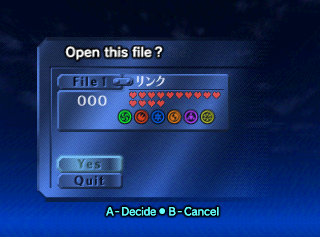
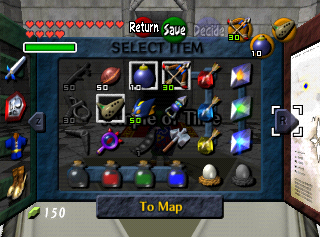
While technically not unused itself, the title screen is actually using a debug save file. You can access the save file with the below code. This will give you all equipment, songs, and most upgrades. The file name will spell リンク (Link in Japanese). Make a save file in slot 1 with the code on.
Version |
GameShark Codes |
|---|---|
JP/NA v1.0 |
81090C3A 403B |
JP/NA v1.1 |
81090C56 403B |
JP/NA v1.2 |
8109127A 41CF |
EU 1.0/1.1 |
8109125A 41AF |
NA (GC) |
8109099A 3F97 |
JP (Master Quest) (GC) |
|
EU (GC) |
810909CA 3F8B |
JP (GC) |
810909BA 3F9F |
NA (Master Quest) (GC) |
8109097A 3F8F |
EU (Master Quest) (GC) |
810909AA 3F83 |
(Source: Punk7890)
Developer Credit#

This texture with both Gerudo and Hylian script appears on the wall in all of the minigame areas. Although the low resolution makes it difficult to read (and the first character in particular seems to be partially cut off or otherwise incorrect), the Gerudo script at the top of the sign reads "Hiromasa Sikata". Hiromasa Shikata is credited in the game for Field Design.
The underlined text below the signature reads "51111 511". Add these numbers together, and you get "97", which is likely the year that this texture was created. This explains why the Gerudo alphabet, which was first published in Hyrule Historia, only has characters for the numbers 5 and 1.
(Source: Original TCRF research)
Regional Differences#
Title Screen#
|
Japan |
International |
|---|---|
|
|
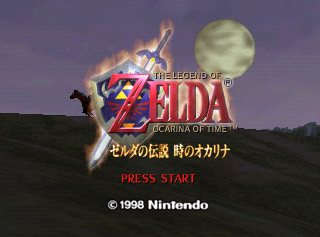
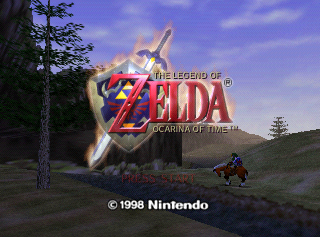
The logo has a Japanese subtitle in the Japanese version.