 This article has a talk page!

|
To do: |
Continuing the fine tradition of not-as-good-as-the-console LEGO ports. Notable for being the first LEGO handheld title to be developed by TT Fusion.
Level Oddities#
Cantina#
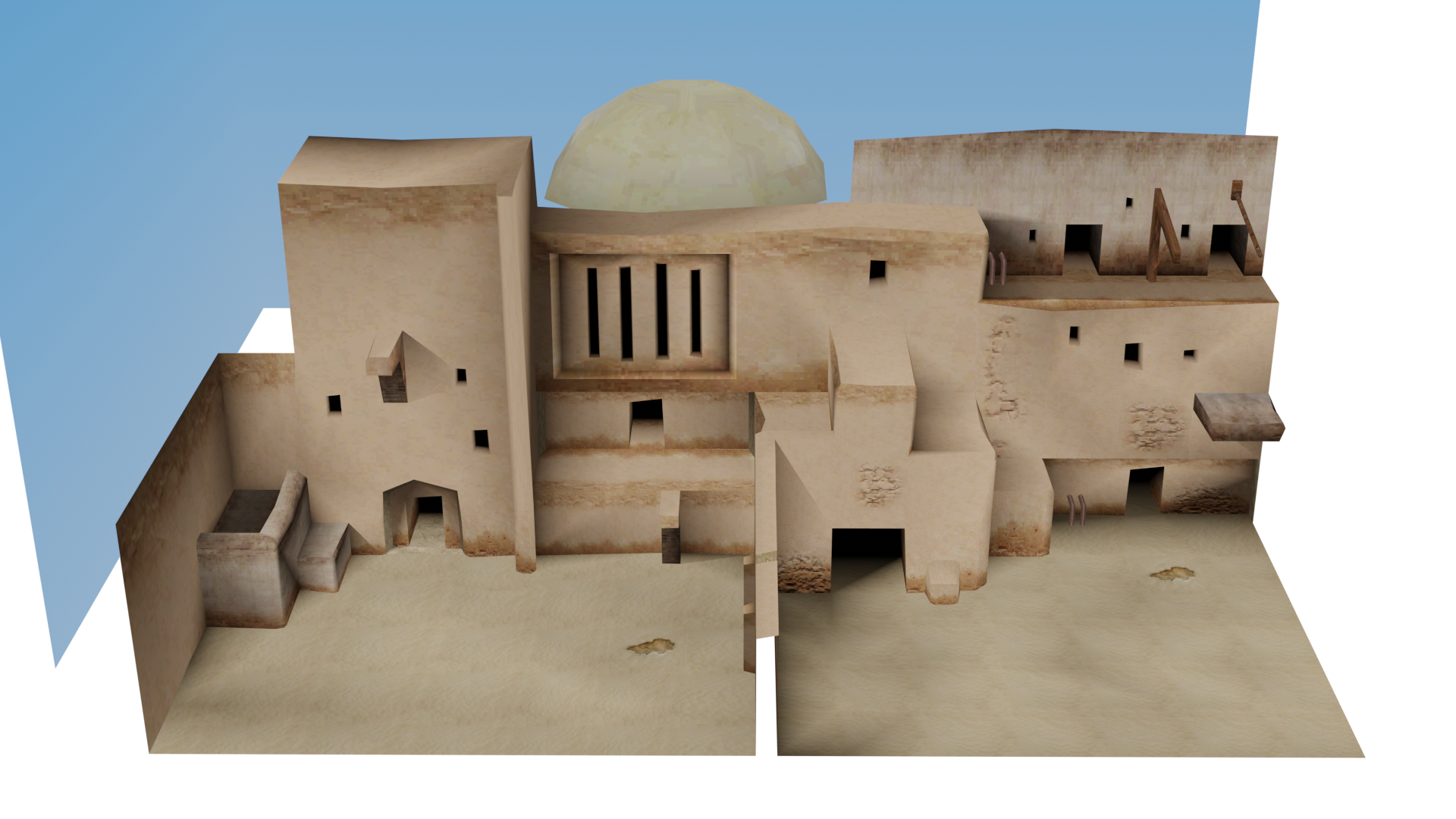
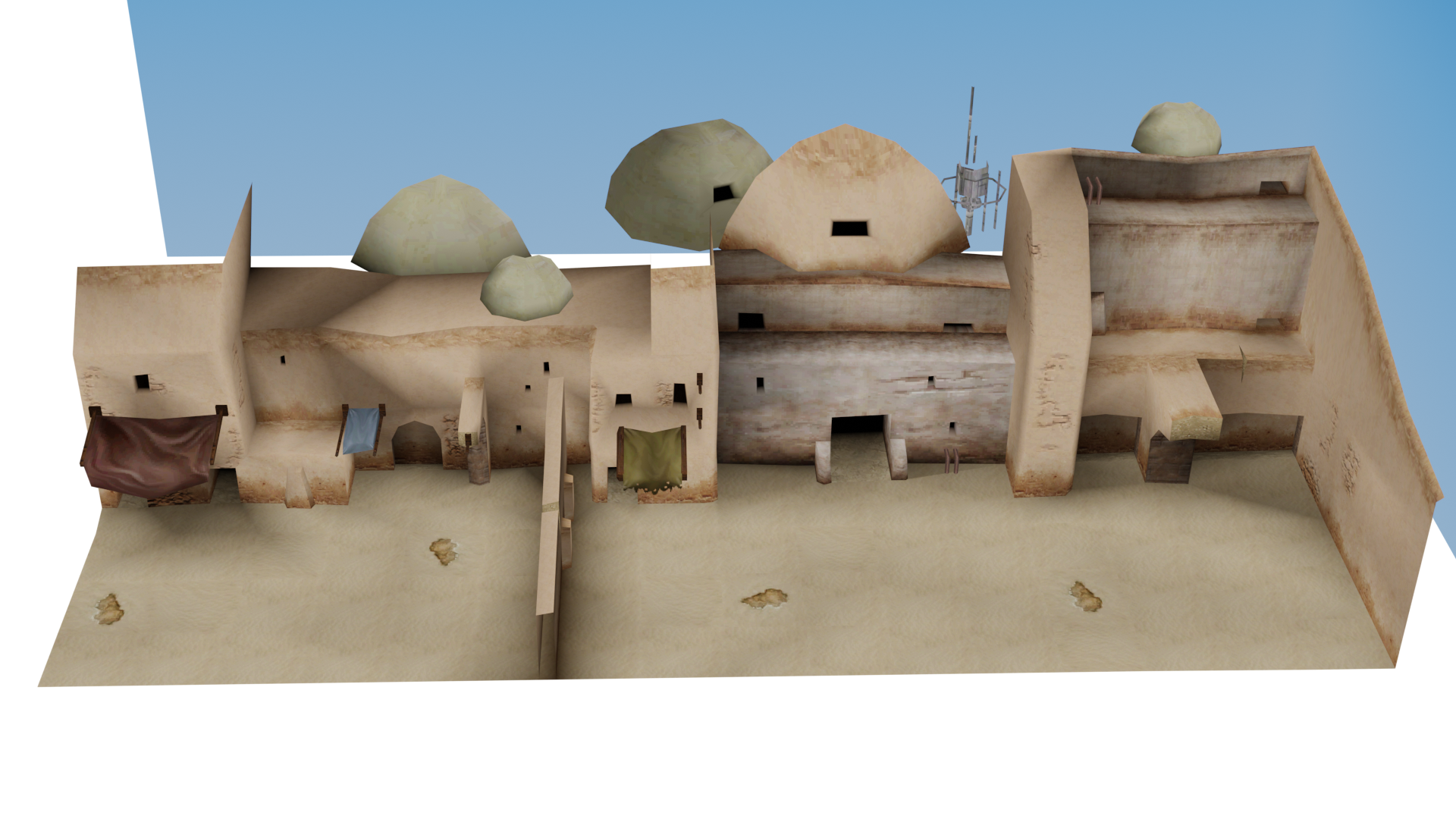
Both outside sections of the hub map has some unseen portions of the geometry which can only be accessed via a cheat or exploit.
Death Star Escape#

This episode IV level has a panel inside an elevator which is unusable due to a level transition being activated before being able to touch it. Even more odd is the fact that a C3PO panel is right next to the door with this panel.
Escape from Echo Base#

There is a breakable object in the second room of the level that is placed out of bounds, and therefore can't be seen or interacted with in any way. After setting off the explosion to access the next room of the level, this box oddly gets "slid" upwards.
Dagobah#

There are two inaccessible breakable objects that have been placed out of bounds in the starting area. In the same way as Echo Base, they each slide upwards after building the first two bridges.
Cloud City Trap#

Before the first C3PO panel room is loaded in, this strange object sits in its place outside the map.
Out of Bounds Tiles#


Almost every single level in the game has one or more floating tiles sitting somewhere out of bounds. These tiles are sometimes textured like other assets in the level, but in most cases they use a generic dev-texture instead. Their purpose is unclear.
Debug Menus#
Pressing Up, Left, Down, Right, Up, Left, Down, Right, Up, Left, Down, Right, R, L, Start, Select at the main menu will enable the debug menus. Alternatively, using the following codes will also enable them.
USA |
Europe |
|---|---|
221248EF 00000001 |
22124A0F 00000001 |
(Source: GameFAQs.com)
When enabled, two new options are added to the main menu: "Debug" and "Debug Multiplayer." Noticeably this code seems to crash to the home screen when done on a 3DS so be careful.
Debug#
The Debug menu has submenus as follows:
- Episodes 1..3 - Allows you to choose to begin the game at several points within Episodes 1-3.
- Episodes 4..6 - The same, but for Episodes 4-6.
- Bonus Levels - Can be used to start any of the bonus levels in the game.
- Customisation - Opens the character customization screen.
- Test Levels - A menu containing one (non-working) test level.
- Cheats - Toggles for various cheats.
Debug Multiplayer#
- Host Game - Opens a menu similar to the "Debug" menu.
- Join Game - Makes the menu disappear and possibly attempts to join a multiplayer game. This menu has another string, "Connected!", that you just never see because it was seemingly left broken.
Test Levels#
Only has one option, lvl_testplayground. Upon selection, the game states the DS Card has been removed.
|
|
To do: |
Cheats#
All of these cheats can be toggled on or off. This submenu has no "Back" selection.
- All Characters: Unlocks all characters.
- All Levels: Unlocks all levels.
- All Extras: Unlocks all extras.
- All Minikits: Gives all minikits.
- Loadsamoney: Gives the player 100,000,000 studs.
- Skip Activation: Disables Activation panel minigames, allowing you to activate them without starting minigames.
Host Game#
Opens a menu similar to the Debug menu, except that choosing any level will result in a menu with the options "Press START", and "Back." The DS console's name appears after a few seconds of being on the menu. Selecting the "Press START" option does nothing, and if back is selected, or the B button is pressed, the game freezes.
Menu Cheats#
Beside the cheat code which activates the debug menu there are eight other button combinations which can be activated in the main menu and which affect the savefile which is loaded afterwards. A cheat was accepted when a sound is heard after the last input.
Input |
Effect |
|---|---|
Left, Right, Left, Right, Up, Down, Up, Down, R, L |
Character 'Boba Fett' unlocked in the shop for purchase. |
L, R, Up, Up, Down, Down, Left, Right, Left, Right |
Character 'Darth Vader' unlocked. |
Left, Left, Left, Right, Right, Right, Up, Up, Down, Down, Down, Down |
Character 'General Grievous' unlocked in the shop for purchase. |
R, R, Right, Right, Right, Up, L, L |
Character 'The Emperor' unlocked in the shop for purchase. |
Start, Right, Up, Left, Down, Select, L, R |
Increase total studs by 1.000.000. |
Start, Start, Down, Down, Left, Left, Up, Up, Select |
Increase total studs by 3.000.000. |
Down, Down, Up, Down, Down, R, Left |
Red Brick 'Evasion Survival' unlocked in the shop for purchase. |
Up, Up, Down, L, L, R, R |
Red Brick 'Focus Survival' unlocked in the shop for purchase. |
Unused Custom Body Parts#
When scrolling through the character customization screen, the game uses certain values in memory to track the selected body part that should be shown on each piece of the character. Notably, when scrolling through the menus as normal, several values are skipped over by the game and thus can't be seen normally. It is possible to both preview and save custom characters that use these body parts by changing the value manually - the address for each body part and the results of forcing the skipped values are as follows:
Part |
USA |
Europe |
|---|---|---|
Head |
0x021243B9 |
0x021244D9 |
Face |
0x021243BA |
0x021244DA |
Torso |
0x021243BB |
0x021244DB |
Legs |
0x021243BC |
0x021244DC |
Cape |
0x021243BD |
0x021244DD |
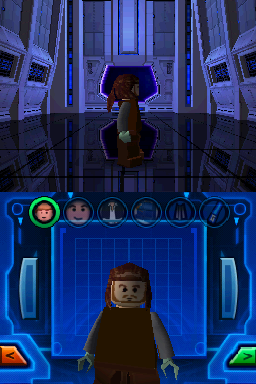

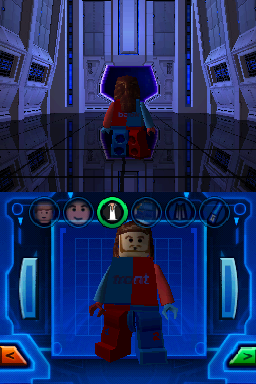
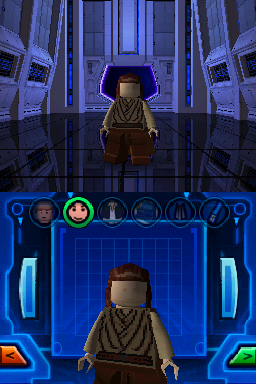

All of the other skipped body parts aren't unused elsewhere, but were just specifically removed from being in the custom character menu. All body parts belonging to Jango Fett, Boba Fett, Imperial Guard and Geonosian are skipped, as well as the Gamorrean Guard's head.
References#
|
The LEGO series | |
|---|---|
|
Windows |
LEGO Chess • LEGO Rock Raiders • LEGOLAND • LEGO Football • LEGO Creator • LEGO Digital Designer • Galidor • LEGO Builder Bots • LEGO Bricktopia • Brickcraft • LEGO Worlds |
|
Game Boy Advance |
|
|
Wii |
|
|
PlayStation 4, Xbox One |
|
|
Nintendo Switch |
|
|
Android, iOS |
|
|
PlayStation |
|
|
PlayStation 2 |
|
|
Adobe Flash |
Aqua Raiders: Treasure Trench • Castle • Mars Mission: CrystAlien Conflict |
|
Adobe Shockwave |
Junkbot • World Builder • World Builder 2 • Stack-It • Spybot: The Nightfall Incident • Studios Backlot |
|
The LEGO Movie | |
|
Windows, Mac OS X, PlayStation 4, Xbox One |
|
|
PlayStation 3, Xbox 360, Wii U |
|
|
Nintendo 3DS |
|
|
Batman | |
|
Windows |
The Videogame • 2: DC Super Heroes • 3: Beyond Gotham • DC Super-Villains • Legacy of The Dark Knight |
|
Wii |
|
|
Nintendo DS |
|
|
PlayStation 2, PlayStation Portable |
|
|
PlayStation 3, Xbox 360 |
|
|
Wii U |
|
|
Xbox One, PlayStation 4 |
|
|
Nintendo Switch |
|
|
Nintendo Switch 2, PlayStation 5, Xbox Series X |
|
|
Mac OS X |
|
|
Bionicle | |
|
Game Boy Advance |
|
|
Windows, Mac OS X |
|
|
PlayStation 2 |
|
|
GameCube, Wii |
|
|
Adobe Flash |
Mata Nui Online Game • Mata Nui Online Game II: The Final Chronicle • Voya Nui Online Game • Mistika |
|
Unity Web Player |
|
|
City | |
|
Windows, PlayStation 4, Xbox One, Nintendo Switch |
|
|
Wii U |
|
|
Nintendo 3DS |
|
|
Adobe Flash |
Train Game • Police Chase • Build It • Time to Build • On Patrol |
|
Disney | |
|
Windows |
|
|
Nintendo DS |
|
|
Friends | |
|
Nintendo DS |
|
|
Nintendo 3DS |
|
|
Harry Potter | |
|
Windows |
|
|
PlayStation 3, Xbox 360, Wii |
|
|
Nintendo DS |
|
|
PlayStation Portable |
|
|
Nintendo 3DS |
|
|
PlayStation Vita |
|
|
Indiana Jones | |
|
Windows |
|
|
Wii |
|
|
Nintendo DS |
|
|
PlayStation Portable |
|
|
Island | |
|
Windows |
LEGO Island (Prototype) • LEGO Island 2: The Brickster's Revenge • Island Xtreme Stunts |
|
PlayStation |
|
|
Game Boy Color |
|
|
Game Boy Advance |
LEGO Island 2: The Brickster's Revenge • Island Xtreme Stunts |
|
Adobe Shockwave |
|
|
Jurassic Park | |
|
Windows |
|
|
Marvel | |
|
Windows, PlayStation 4, Xbox One, Mac OS X |
Marvel Super Heroes • Marvel's Avengers • Marvel Super Heroes 2 |
|
Wii U, PlayStation 3, Xbox 360 |
|
|
Nintendo Switch |
|
|
Middle Earth | |
|
Windows |
|
|
Wii, Xbox 360, PlayStation 3, Mac OS X |
|
|
Wii U, PlayStation 4, Xbox One |
|
|
Ninjago | |
|
Windows, PlayStation 4, Xbox One, Nintendo Switch, Mac OS X |
|
|
Adobe Flash |
Spinjitzu Smash (DX) • Smash Creations • Smash Party • The Four Paths • Viper Smash • Spinjitzu Spinball |
|
Racers | |
|
Windows |
Racers (Prototypes) • Racers 2 |
|
Nintendo 64, PlayStation |
|
|
GameCube |
|
|
PlayStation 2 |
|
|
Game Boy Color |
|
|
Game Boy Advance |
|
|
Adobe Flash |
|
|
Star Wars | |
|
Game Boy Advance |
|
|
Windows |
The Video Game • II: The Original Trilogy • The Complete Saga • III: The Clone Wars • The Force Awakens • The Skywalker Saga |
|
Mac OS X |
|
|
GameCube |
|
|
Xbox |
|
|
PlayStation 2 |
The Video Game (Prototype) • II: The Original Trilogy (Prototype) |
|
Wii |
|
|
Nintendo DS |
II: The Original Trilogy • The Complete Saga • III: The Clone Wars |
|
PlayStation Portable |
|
|
Xbox 360 |
II: The Original Trilogy • III: The Clone Wars • The Force Awakens |
|
Xbox One |
|
|
PlayStation 3 |
|
|
PlayStation 4 |
|
|
Wii U |
|
|
Nintendo Switch, PlayStation 5, Xbox Series X |
|
|
See Also | |