 This article has a talk page!

|
This game is defunct. |
Mata Nui Online Game II: The Final Chronicle (commonly abbreviated to MNOG2 or MNOLG2) is the 3rd person followup to MNOG, also released in episodic updates to help build up to (and completely skim over) the finale of the first major arc of the Bionicle line. The following content was found using the most recent fan "restored" version of the game, though the files in which these were found are unchanged from the final official version.
Revisional Changes#
Official releases:
- March 8, 2003 - A demo playtest containing the first area of gameplay is conducted at Templar's headquarters in New York. A later version was linked on May 29 to the Bionicle fansites BZPower and Mask of Destiny for a limited time to gather more data.
- June 26, 2003 - Game is released on Bionicle.com, showcasing most of Ga-Koro.
- July 17, 2003 - Update primarily about Kolhii, adding Nokama's return, two more Ga-Koro charms, and an actual Kolhii match against Onu-Koro.
- August 27, 2003 - The interior of Mata Nui is added along with Onu-Wahi and Ko-Wahi.
- October 13, 2003 - Le-Wahi is added.
- November 3, 2003 - Po-Wahi and Ta-Wahi are added.
- January 9, 2004 - The Championship, the final charms, and the endgame is shoddily tossed in.
On February 9, 2004 the renovated Bionicle website was published, and the game was removed temporarily. Unfortunately, the files NixiesLibrary.swf and nokamaconversation.swf were accidentally deleted. This rendered the game, already unbeatable without cheats due to other issues, even more broken. Neither file was recovered, and as a result the loss of these files constituted the final (unintentional) revision that was released when the game returned to the site on August 9, 2004.
Debug Mode#
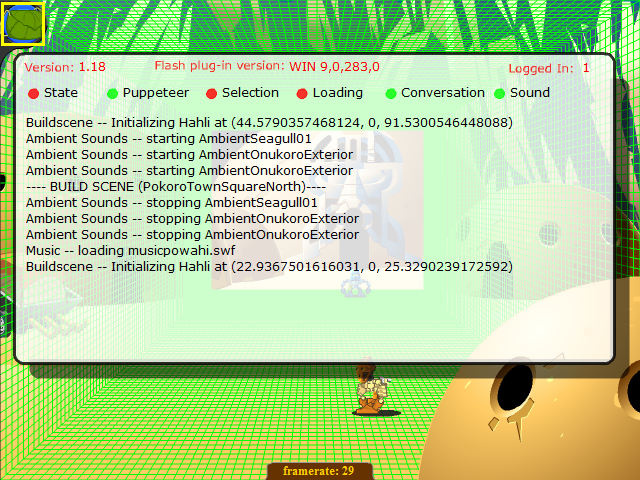
The game has a debug mode left in, triggerable by typing "kapura" as the first key presses after the game is started. Successful activation is confirmed by a framerate counter appearing at the bottom of the screen. At this point, pressing different numbers trigger different things:
0: Toggles the debug output console. It lists the game version, Flash version, and logged-in status at the top of the screen. The console lists the past five minutes of BUILD SCENES and Hahli initializations as well as Backpack interactions, with the following toggleable sub-lists that default to off: State (Focused on game state and save-related functions), Puppeteer (Focusing on moving matoran), Selection (item interactions), Loading (which deals with room/player loads), Conversation (dealing with the new conversation system), and Sound (listing when sounds are spawned/played). Draggable.
'1': Turns off the debug roomshape graphic (see below).
'2': Turns on the debug roomshape graphic, showing a rough 3d box of the intended room shape.
'8': Re-loads the current room.
'+': Mutes all sound.
'*': Unmutes all sound.
At any time even outside of debug mode, the Tab key can be pressed to cycle through all clickable objects on AND outside the screen, top to bottom and left to right. Shift+Tab scrolls backwards. Current highlighted object is surrounded by a yellow box. Bordered clickable objects (such as the Kolhii Stick, active backpack sub-menu, and unused items) with not allow Tab to move past them unless your mouse is moving when Tab is pressed. When an object is highlighted, pressing Space will activate it (usually what the mouse does). For example, this can be used to cross the broken Ga-Koro bridge without fixing it, and to insta-win or insta-lose Kolhii matches.
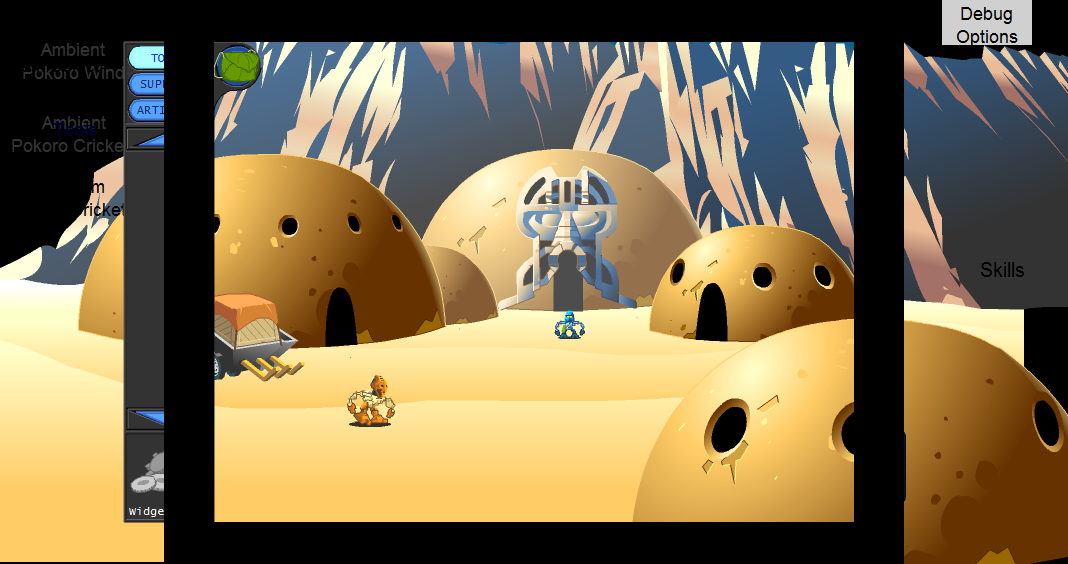
To the right of the game frame (offscreen) is a gray box labeled "Debug Options" and the text "Skills" below it. The Debug Options appears clickable when you mouse over it, but there is no connected code that runs on click. This is because this is a 'Button' object internally in the Flash Player, but it only has listeners for keypresses (As written above) and none for mouse actions. The location of sound objects are shown by their text (for example, "Ambient Pokoro Wind"). To the right, whatever sub-menu you have open has corresponding text ("Tools", "Supplies", "Artifacts") displayed in blue.
Unused Items#
All used items have an electric-blue highlight, while the unused items have a yellow highlight and (with the exception of the two unused tree/pole types) a border like the Kolhii stick. Unless otherwise shown, all unused items have a red box as their graphic.
Default placeholder graphic: 
Unused Tools#
- Wayfinder
- Swim Fins
- Rope & Grapple
- Fishing Pole

Unused Supplies#
- Puiri - Counter stuck at 0 for some reason.
- Puiri Pole

- Mangeao
- Mangeao Pole
- Grapple

Unused Artifacts#
- Kolhii Key, which ends up an empty non-highlightable box.
- Staff of Unity
- Sea Chart - The function for this item is reused for Pelagia's ferry service.
- Marka's Note
- Charm of Prosperity and Charm of Stamina - Despite being fully implemented items, there is no place in the official release you can actually receive these charms. This is unfortunate, as they are necessary to reach the Crystal of Prosperity and beat the game. Oops!
Unused Areas#
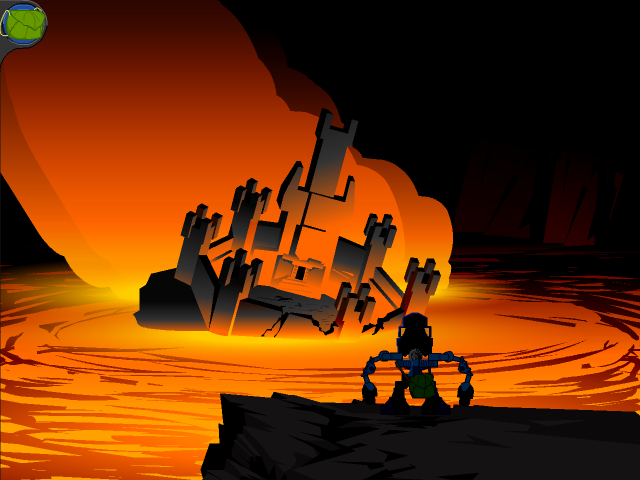
LeTakoroGate2.swf is unused, as it is impossible to return to the main island after Ta-Koro sinks.
Misc.#
Offscreen Objects#
Room Name |
Thumbnail |
Description |
|---|---|---|
HahlisHut |
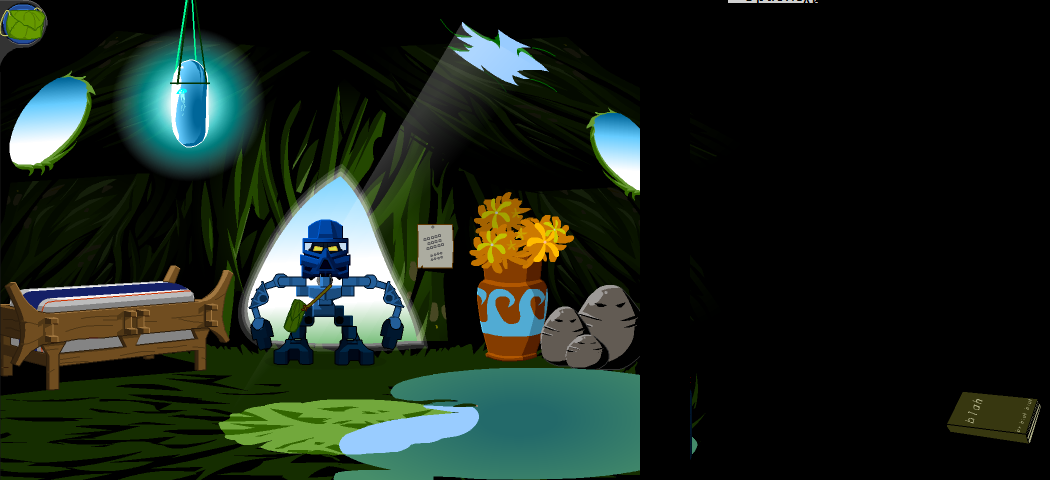 |
In Hahli's hut, off the frame to the right is a book labeled "blah" that, when interacted with, pulls up the Ga-Koro Map. |
GakoroKoliField |
 |
In Kolhii arenas, under the frame is "Won Kolhii Match" and "Lost Kolhii Match", which function as suggested when tab-selected. |
AkmuosShop |
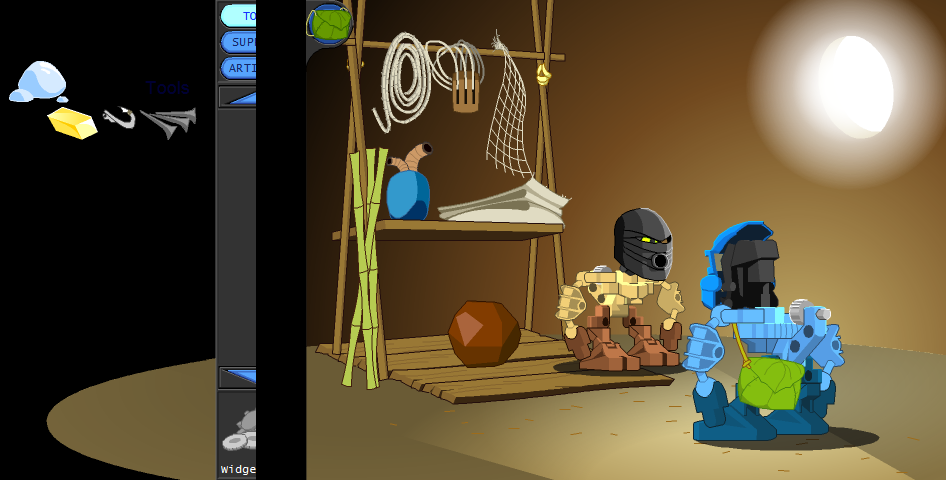 |
Ahkmou's shop has Protodermis, Lightstone, Fish hook, and nails offscreen. Clicking them starts up the default conversation. |
PokoroKolhiiGate |
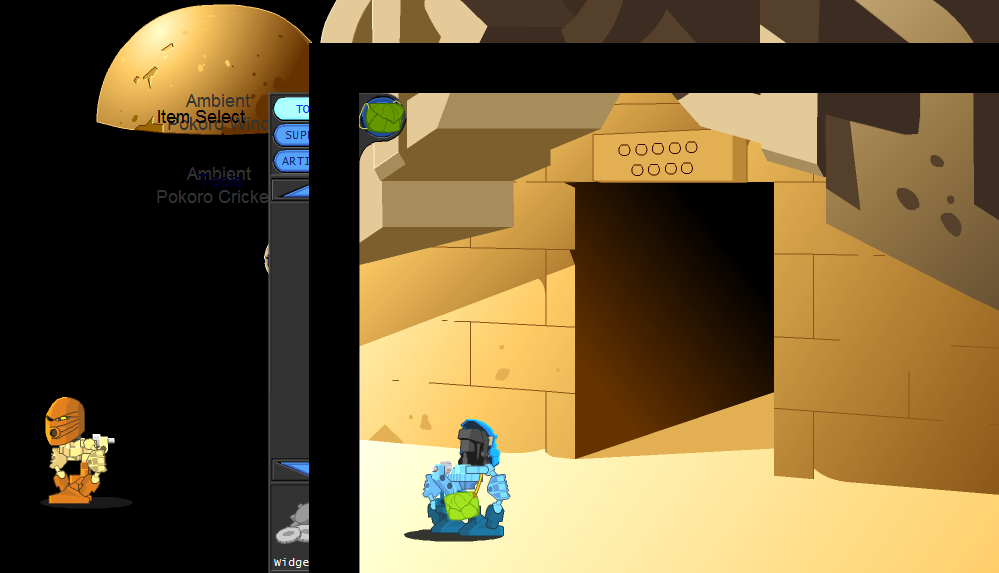 |
Po-Koro Kolhii gate has a hut outside the left of the frame, and Gadjati can walk farther left than the frame. |
ZemyasShop |
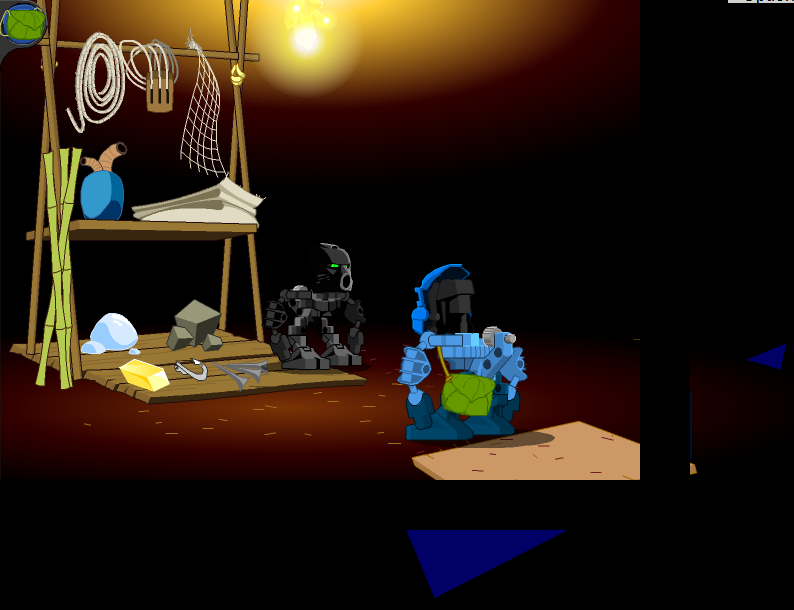 |
Onu-Koro shop has blue triangles outside the frame. |
SecretCaveTunnelD |
 |
The third onu-koro crystal door (duty) has a clickable doorway far to the left of the frame that warps you straight to the crystal chamber, allowing you to collect onu-koro's crystal before the championship. |
KokkansStore |
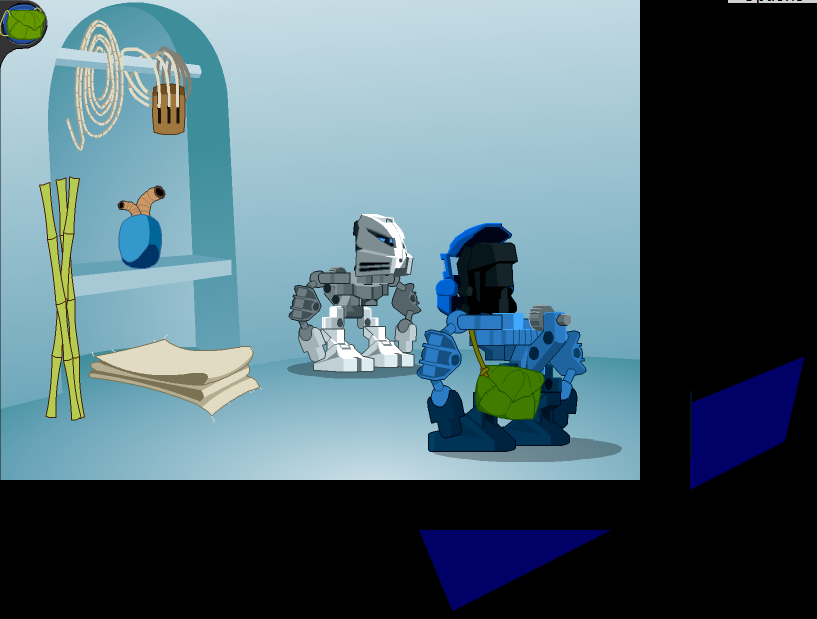 |
Outside Kokkan's shop is a blue polygon. |
ChamberOfProphecy |
N/A |
Sanctuary rooms have strange debug roomshape behaviour, occasionally toggling it if debug is active. |
KokoroWastes |
 |
There’s a giant flag off the frame to the left. |
VohonsShop |
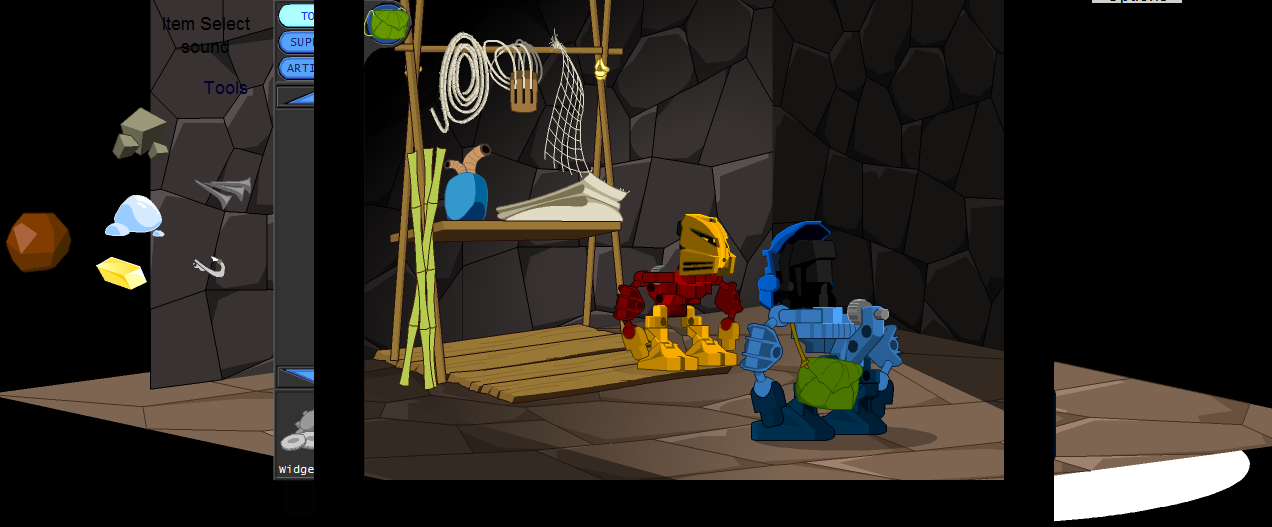 |
Vohon's shop has ore, protodermis, nails, fish hook, lightstone, and kolhii ball offscreen to the left. |
PokoroRoadF |
 |
There is an off-screen button which is an entrance leading to the scene "PokoroFerryRoadA", which does not exist in the release of the game. The scene movement constraints make it impossible to enter without editing the scene. |
LekoroRuinsEntrance |
 |
Entrance button off-screen in this scene, entering it takes you to the entrance of the tree. There is also a leftover entrance button on-screen in the blank space in the branches near the top of the screen - clicking it takes you to the ground under the village. |
LekoroRuinsApproach |
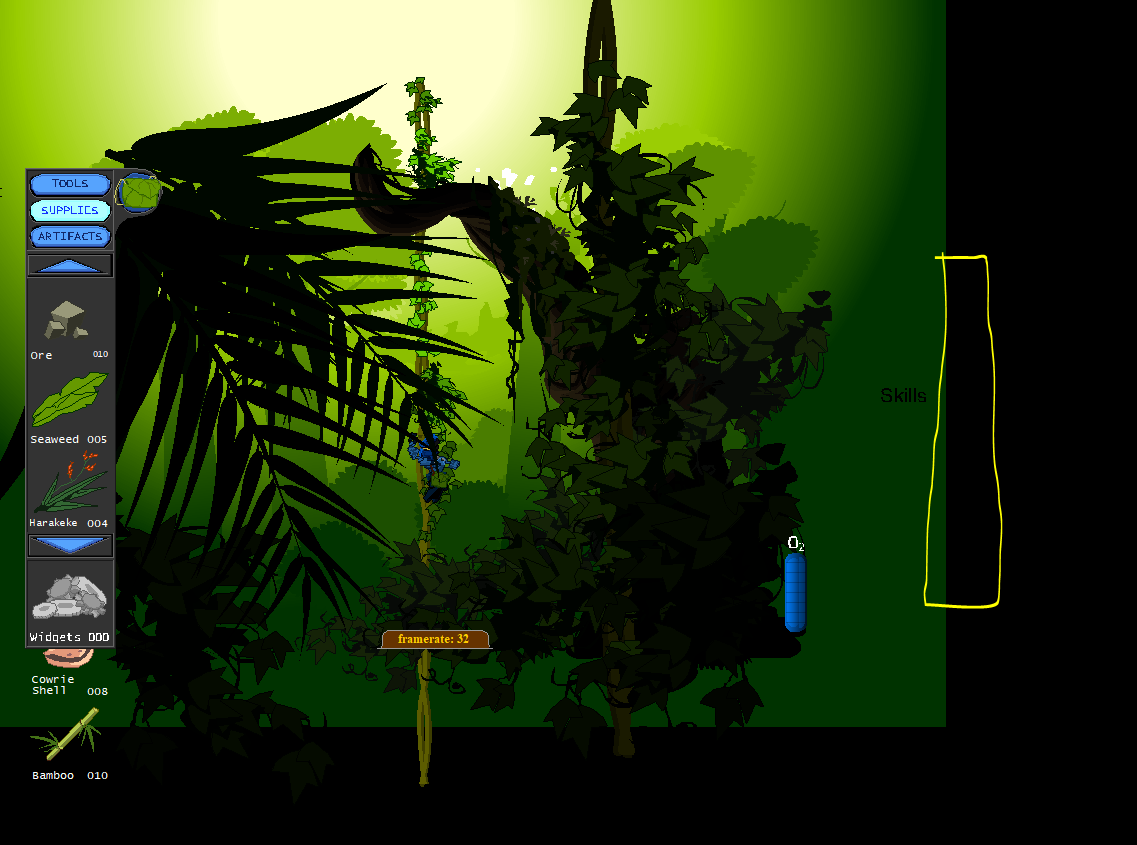 |
Another entrance button off-screen. It takes you to LekoroPlatformA at an invalid entrance position, placing you center-bottom of the frame. |
LetakoroRoadD |
 |
Entrance button off-screen. Leading to LekoroRoadA at an invalid position, entering the player bottom-middle in the screen. The movement constraints make it impossible to enter without editing the scene. |
VakamasChamber |
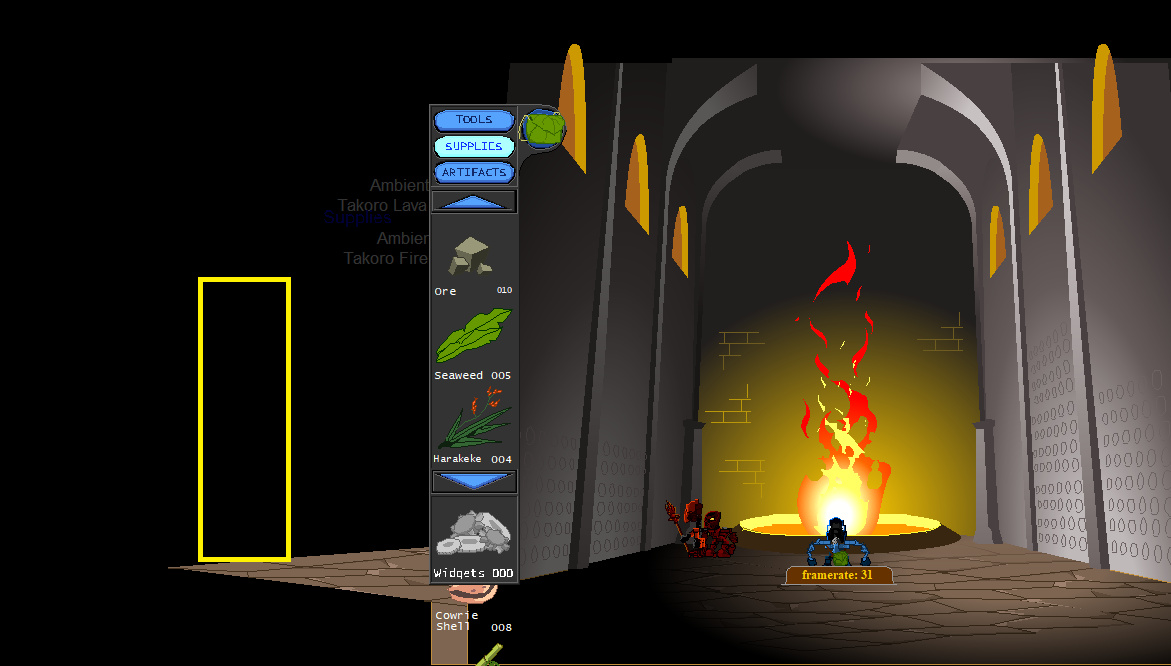 |
Another hidden entrance button leading to KokoroWastesPassage. This is possibly due to this chamber using the Kokoro chamber as a base during development. |
Quirks#
Modifying the save to start in the Ga-Koro Kolhii field without accepting a match starts a game with no CPUs, and goals aren't counted. Normally, the match finishes when the timer makes a full rotation, but when started this way, the timer flashes red and stops moving upon completing a rotation and no cutscenes are played.
The game's Flash detection only checks the first digit of the version number, and as a result is only playable (unmodified) with versions 6-9.
Broken Objects#
Room Name |
Thumbnail |
Description |
|---|---|---|
LeTakoroRoadB |
 |
This scene tries to load an invalid character object, labelled 'Ambient'. It's likely a broken import from the MataNuiInterior.swf file, possibly the 'RandomTakoroRopeCreak' ambient sound object which is present in the next scene of the bridge. |
|
The LEGO series | |
|---|---|
|
Windows |
LEGO Chess • LEGO Rock Raiders • LEGOLAND • LEGO Football • LEGO Creator • LEGO Digital Designer • Galidor • LEGO Builder Bots • LEGO Bricktopia • Brickcraft • LEGO Worlds |
|
Game Boy Advance |
|
|
Wii |
|
|
PlayStation 4, Xbox One |
|
|
Nintendo Switch |
|
|
Android, iOS |
|
|
PlayStation |
|
|
PlayStation 2 |
|
|
Adobe Flash |
Aqua Raiders: Treasure Trench • Castle • Mars Mission: CrystAlien Conflict |
|
Adobe Shockwave |
Junkbot • World Builder • World Builder 2 • Stack-It • Spybot: The Nightfall Incident • Studios Backlot |
|
The LEGO Movie | |
|
Windows, Mac OS X, PlayStation 4, Xbox One |
|
|
PlayStation 3, Xbox 360, Wii U |
|
|
Nintendo 3DS |
|
|
Batman | |
|
Windows |
The Videogame • 2: DC Super Heroes • 3: Beyond Gotham • DC Super-Villains • Legacy of The Dark Knight |
|
Wii |
|
|
Nintendo DS |
|
|
PlayStation 2, PlayStation Portable |
|
|
PlayStation 3, Xbox 360 |
|
|
Wii U |
|
|
Xbox One, PlayStation 4 |
|
|
Nintendo Switch |
|
|
Nintendo Switch 2, PlayStation 5, Xbox Series X |
|
|
Mac OS X |
|
|
Bionicle | |
|
Game Boy Advance |
|
|
Windows, Mac OS X |
|
|
PlayStation 2 |
|
|
GameCube, Wii |
|
|
Adobe Flash |
Mata Nui Online Game • Mata Nui Online Game II: The Final Chronicle • Voya Nui Online Game • Mistika |
|
Unity Web Player |
|
|
City | |
|
Windows, PlayStation 4, Xbox One, Nintendo Switch |
|
|
Wii U |
|
|
Nintendo 3DS |
|
|
Adobe Flash |
Train Game • Police Chase • Build It • Time to Build • On Patrol |
|
Disney | |
|
Windows |
|
|
Nintendo DS |
|
|
Friends | |
|
Nintendo DS |
|
|
Nintendo 3DS |
|
|
Harry Potter | |
|
Windows |
|
|
PlayStation 3, Xbox 360, Wii |
|
|
Nintendo DS |
|
|
PlayStation Portable |
|
|
Nintendo 3DS |
|
|
PlayStation Vita |
|
|
Indiana Jones | |
|
Windows |
|
|
Wii |
|
|
Nintendo DS |
|
|
PlayStation Portable |
|
|
Island | |
|
Windows |
LEGO Island (Prototype) • LEGO Island 2: The Brickster's Revenge • Island Xtreme Stunts |
|
PlayStation |
|
|
Game Boy Color |
|
|
Game Boy Advance |
LEGO Island 2: The Brickster's Revenge • Island Xtreme Stunts |
|
Adobe Shockwave |
|
|
Jurassic Park | |
|
Windows |
|
|
Marvel | |
|
Windows, PlayStation 4, Xbox One, Mac OS X |
Marvel Super Heroes • Marvel's Avengers • Marvel Super Heroes 2 |
|
Wii U, PlayStation 3, Xbox 360 |
|
|
Nintendo Switch |
|
|
Middle Earth | |
|
Windows |
|
|
Wii, Xbox 360, PlayStation 3, Mac OS X |
|
|
Wii U, PlayStation 4, Xbox One |
|
|
Ninjago | |
|
Windows, PlayStation 4, Xbox One, Nintendo Switch, Mac OS X |
|
|
Adobe Flash |
Spinjitzu Smash (DX) • Smash Creations • Smash Party • The Four Paths • Viper Smash • Spinjitzu Spinball |
|
Racers | |
|
Windows |
Racers (Prototypes) • Racers 2 |
|
Nintendo 64, PlayStation |
|
|
GameCube |
|
|
PlayStation 2 |
|
|
Game Boy Color |
|
|
Game Boy Advance |
|
|
Adobe Flash |
|
|
Star Wars | |
|
Game Boy Advance |
|
|
Windows |
The Video Game • II: The Original Trilogy • The Complete Saga • III: The Clone Wars • The Force Awakens • The Skywalker Saga |
|
Mac OS X |
|
|
GameCube |
|
|
Xbox |
|
|
PlayStation 2 |
The Video Game (Prototype) • II: The Original Trilogy (Prototype) |
|
Wii |
|
|
Nintendo DS |
II: The Original Trilogy • The Complete Saga • III: The Clone Wars |
|
PlayStation Portable |
|
|
Xbox 360 |
II: The Original Trilogy • III: The Clone Wars • The Force Awakens |
|
Xbox One |
|
|
PlayStation 3 |
|
|
PlayStation 4 |
|
|
Wii U |
|
|
Nintendo Switch, PlayStation 5, Xbox Series X |
|
|
See Also | |