 This article has a talk page!
This is a sub-page of Proto:Persona 5/December 4th, 2015/June 13, 2014 eboot.

|
To do:
|

Like the other debug builds of Persona 5, it brings you to a debug menu on boot-up. Unlike the other builds however, there is a lot of options not present, such as tests. Note that the December and later builds removed the test folder completely, so a lot of files and the test folder had to be added to keep the game from crashing or softlocking. Keep in mind a lot of models and graphics are speculations of what they may have looked like.
TITLE#
Takes you to the Title screen.
FIELD#
Works the same as the other debug builds.
BATTLE#
Works the same as the other debug builds. Besides some features not here yet, such as:
- Morgana Only
- SERIES0
- SERIES1
- TALK MAJOR
FIELD VIEWER#
Works the same as the other debug builds.
EVENT EDITOR#
|
|
To do: |

Allows you to edit events, this editor is seen in the CGWORLD magazine Vol. 218.
EVENT VIEWER#
Works the same as the other debug builds. However, a few options are not present here:
- TEST
- * FILTER *
- -> START (The option that starts a filter to a event).
- FADE OUT
- DRAW INFO
LOOKAT VIEWER#
A lookat viewer for character models. Has a few options:
- MAJOR - Sets the major for the model.
- MINOR - Sets the minor for the model.
- SUB
- TYPE
- PACK
- ANIM - Sets the .GAP file the model has.
- -> START EYES
- -> START HEAD
MOVIE VIEWER#
Plays any .usm movies that are in the movie folder.
WEAPON VIEWER#
A weapon viewer. Doesn't seem to work however.
NPC VIEWER#
A npc viewer.
[FLD] LAYOUT EDIT#
[FLD] SOUND HIT#
[FLD] MDT TOOL#
Has a view options:
- MAJOR - Sets the major id for a field.
- MINOR - Sets the minor id for a field.
- ALL - Converts all field data to a .MDT file for every single field. However, the game crashes when trying to convert f010_006 to a .MDT file.
- VIEW - Lets you view all of the selected field's object box collision. You can move around in free camera, and pressing the Triangle button will reset the camera's rotation.
MODEL MEM VIEWER#
CROWD UNIT EDIT#
SAMPLE#
A lot of samples made for testing purposes. Fortunately, the folder and all its files are in the Dec build unused of course. Watch on YouTube
DEBUG PRINT#
What seems to be samples for Task ID name's.
FILE#
Has text saying PRESS THE CANCEL BUTTON TO EXIT THIS SAMPLE.
2D PRIMITIVE#
Has a gradient multicolored square, with a line right by it.
TEXTURE#
Has an image of Rise from Persona 4.
PIXEL BLEND#
Meant to test blending colors for a 2D image, with the image used being Rise from Persona 4.
MODEL#
Has the player test model t-posing.
ANIMATION#
Cycles through the player test model animations.
MORPTH#
Cycles through face emotions with the model of Vincent from Catherine.
CLONE MODEL#
A lot of models of Yukari Takeba, so much so the framerate drops a lot. The camera also pans around.
EFFECT#
Has a fire particle.
FONT#
Has Japanese text on screen. Which says, あいうえおかきくけこ日月年上下XRD664. Which translates to, aiueokakikukekonichigetsunenuppeXRD664.
ATTACHMENT#
Has the test model of Yu Narukami swinging a bat. Text on the bottom left says, RR BUTTON : BAT IS ATTACHED or DETACHED, which, when pressing the Circle button, does just that.
SYNC OBJECT#
Has a model of older Nanako Dojima from Persona 4. She keeps on doing an animation of her swinging her weapon.
BITMAP FONT#
Meant to test bitmap fonts.
MESSAGE#
Does nothing.
MEMORY INFO#
Does nothing.
LIFE SIMULATOR#
Does nothing.
TEST (TOHYAMA)#
Named after Hirokazu Tōyama, being the lead interface programmer, and the programming manager.
FACILITY#
Has options for viewing facilities. Selecting one will bring you to that facility.
ADX2#
A sound test for bgm, sound effects, and voices. Nothing plays however.
PAK TEST#
Displays PAK FILE TEST then WAIT. Nothing else happens.
OT TEST#
A lot of colored squares going down diagonally. You can edit if any of the squares can overlap each other.
FUGOU TEST#
Same as POKER TEST seen in TEST (HORINOUC).
HDD INSTALL TEST#
Brings you to the install screen.
TROPHY TEST#
Brings you to the loading trophies screen and softlocks the game afterwards.
SAVEDATA(DEBUG)#
Takes you to a basic save slots.
LOADDATA(DEBUG BTL)#
Loads save data, with text on a active slot saying the protagonist level, and the date.
SCORE TEST#
Takes you to a screen where you can send or receive scores. However, nothing works, and softlocks the game.
MATCH TEST#
MAIL TEST#
Has a few options:
- MAIL VIEW - does nothing.
- DAY EDIT - works the same as DAY EDITOR in the L3 menu.
SNS TEST#
Briefly has text saying SNS TEST. Nothing else happens.
SNS DISP TEST#
FRIEND TEST#
TUS TEST#
START PANEL#
Every option brings you back to the other test options.
NEWS PAPER#
TESTMENU_MOVIE#
Plays a .usm file. With text on the top left saying, MOVIE TEST.
ADD PC PARAM#
Does nothing.
UTF8 MAKE#
Does nothing.
ADD CONT#
The top of the screen says, ADD CONTENT TEST. There's also numbers that have false by each, nothing happens if anything is pressed.
DMALLOC TEST#
TEST (KOSAKA)#
Named after Yujiro Kosaka, being one of the lead field programmers, and the chief programmer.
SEPTEMBER TEST#
crashes the game.
LAYOUT EDITOR#
Brings up a debug menu to edit fields.
COLLIS MESH CONVERTER#
Appears to do nothing.
PATH MESH CONVERTER#
Crashes the game.
PRIM TEST#
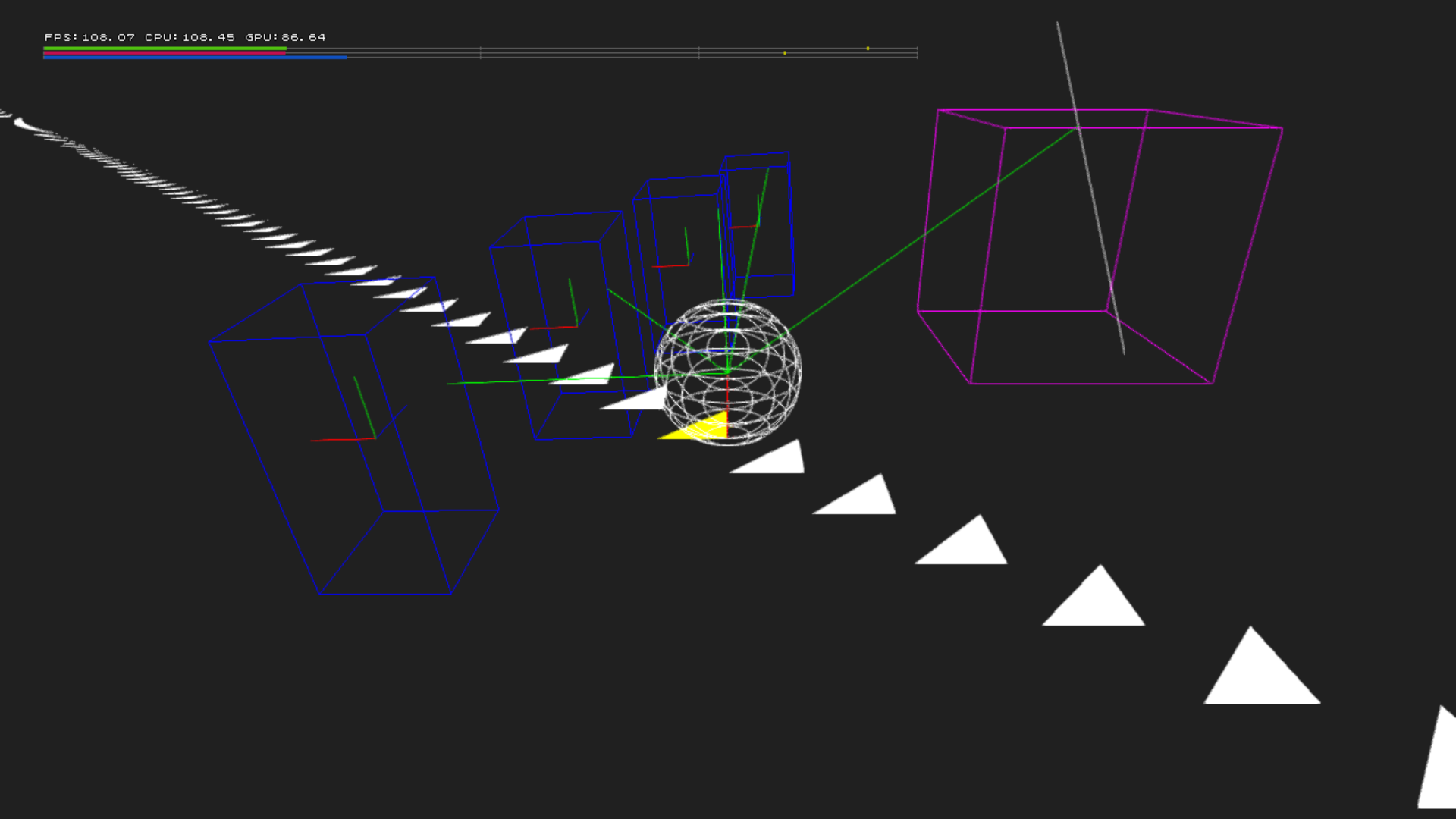
Some wire frame 3D models with a white line; some things to note are:
- You can move the white line around, and can move the line up or down by pressing L1 or R2.
- Touching an arrow will turn it yellow.
- Touching the cyan cube turns the cube purple, with a green line following the white line. If the white line goes outside the cube, the green line resets it's position.
- Pressing the triangle button will toggle if the blue cubes are rotating around or not.
SCENE + COLLISION#
Crashes the game.
BONE TEST#
Crashes the game.
2D TEST#
Shows an image. Nothing else happens.
MOVIE TEST#
Crashes the game. However, it tries to load a .pam file in the test/kosaka folder.
CLONE TEST#
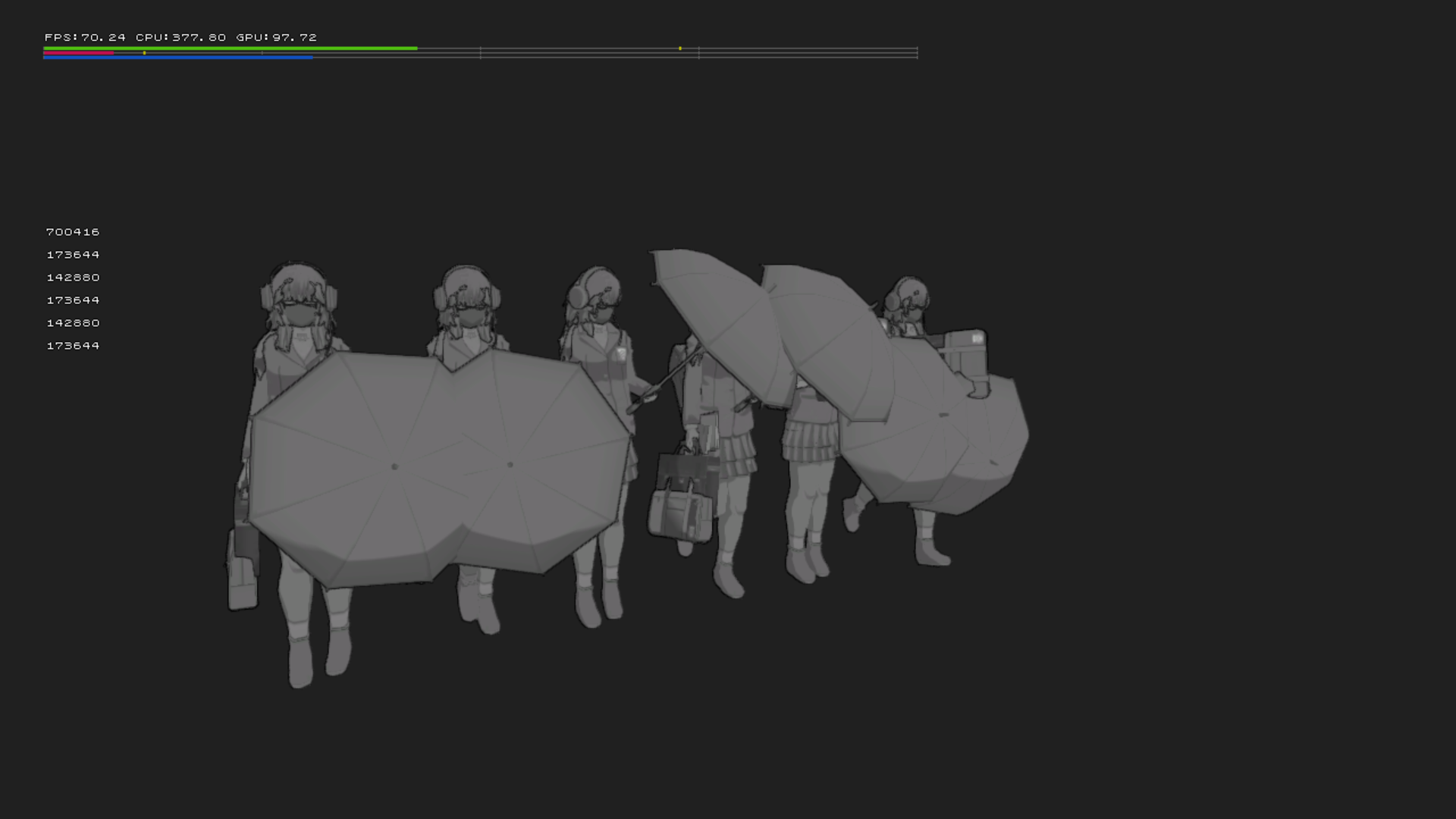
Has 7 clones of a gray female Shujin background NPC seen in early development footage. You can also move around in free camera.
MOB TEST#
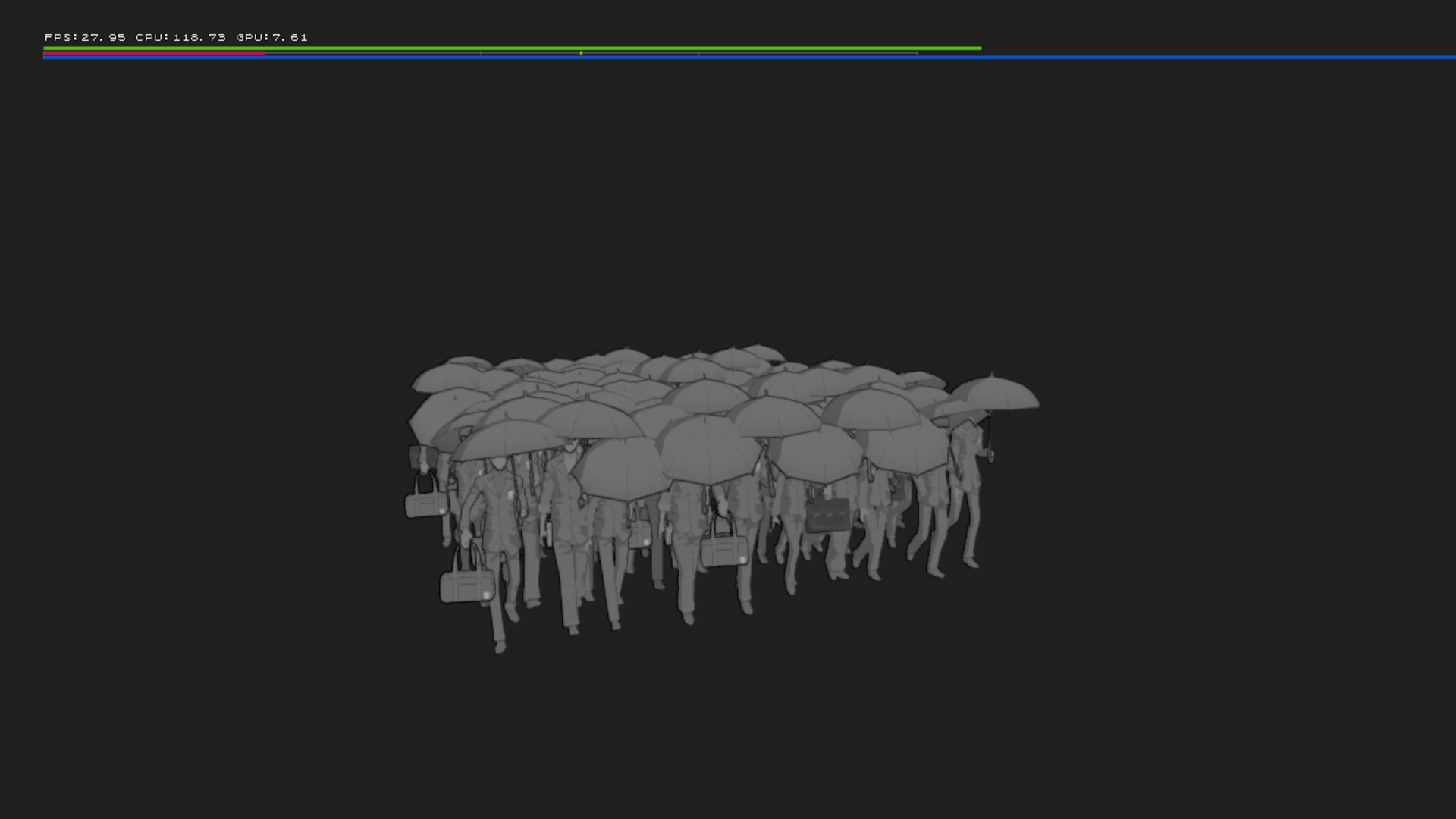
Has a lot of gray background NPCS seen in early development footage. Pressing circle hides all of them. You can also move around in free camera.
ANIM TEST#
Has Joker's Phantom Thieve model with a knife in his hand, you can select any animation that he has.
CYLINDER TEST#
Has two cylinders. The player can control the green one, while the blue one stays in place and acts like a collision.
MDT CONVERT#
Works the same as [FLD] MDT TOOL.
MDT VIEW#
Has a view options:
- MAJOR - Sets the major id for a field.
- MINOR - Sets the minor id for a field.
Pressing the circle button will view the selected field's object data.
DATE DRAW#
Does nothing.
CHECK TEST#
When the circle button is pressed, a early graphic for ACTION! can be seen. There's some other things you can do:
- Pressing the Square button shows a early CHECK! graphic.
- Pressing the Triangle button shows a early ATTACK!! graphic.
- Pressing L1 fades the graphic out.
- Pressing R3 shows a early GO TO graphic.
TEST (MIYASHITA)#
Named after Yukinobu Miyashita, being the lead event programmer.
EVENT EDITOR#
Works the same as EVENT EDITOR.
EVENT SEARCH#
Lists every single event ID and name into a .txt file.
EVENT TEST#
Works the same as EVENT VIEWER seen above.
FONT TEST#
SPRITE TEST#
A sprite viewer for pause menu graphics.
SCRIPT TEST#
Crashes the game.
LISTBOX TEST#
Brings up a debug box with text on it saying TEST LISTBOX, with some options:
- STRING - Just says test.
- BOOL - You can set it to true or false, doesn't seem to do anything.
- INT(DEC) - Sets a integer number with the max number being 10, and the minimum being 0. Doesn't seem to do anything else.
- INT(HEX) - You can set a hexadecimal, which starts at 0x00FF. Doesn't seem to do anything else.
- FLOAT - A float that's set at 1000.01, doesn't seem to do anything else.
CHARA CAMERA TEST#
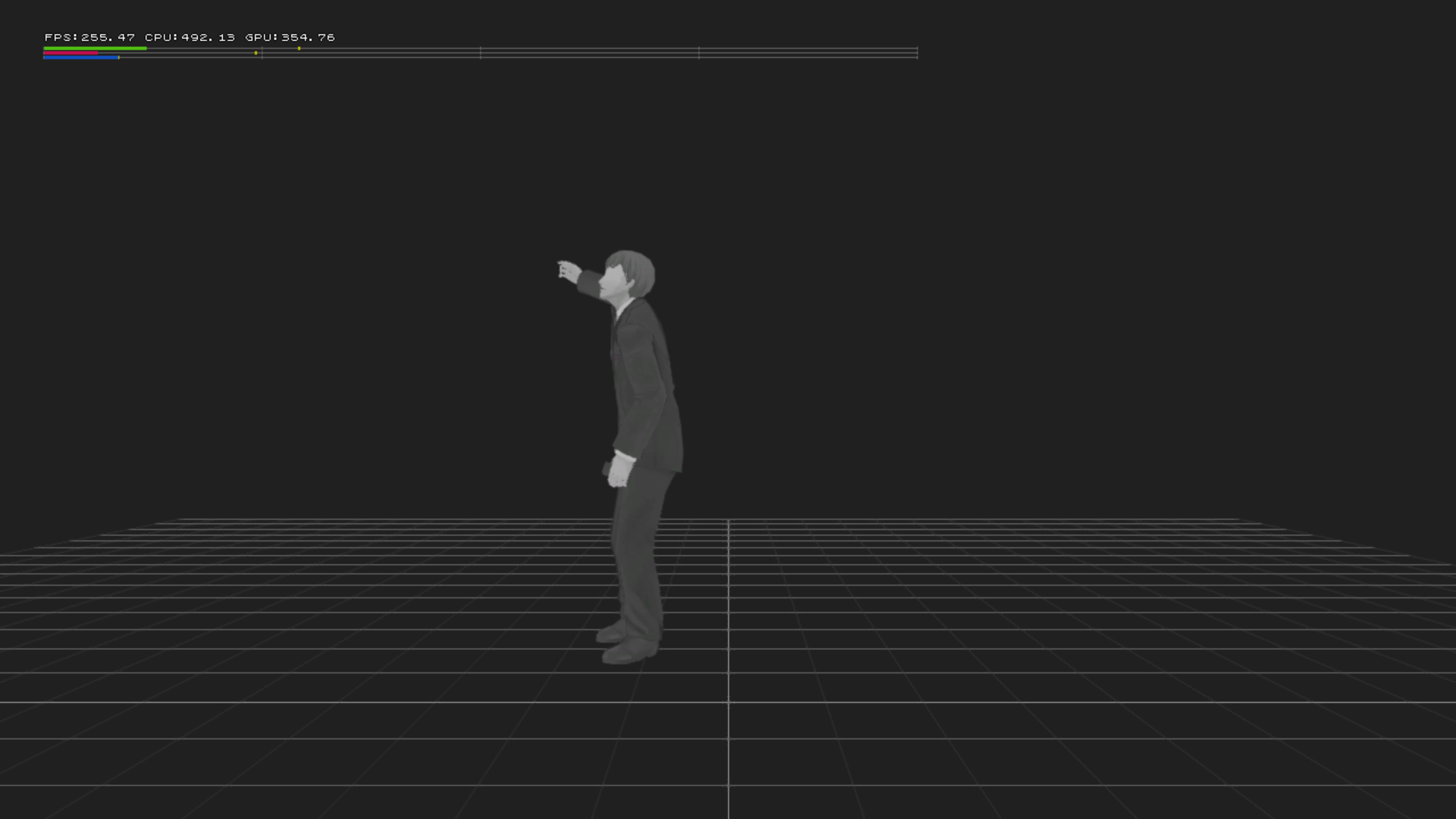
Has a gray NPC seen in early development footage. Moving around only moves the NPC, while the wire frame background stays in place.
LOOKAT TEST#
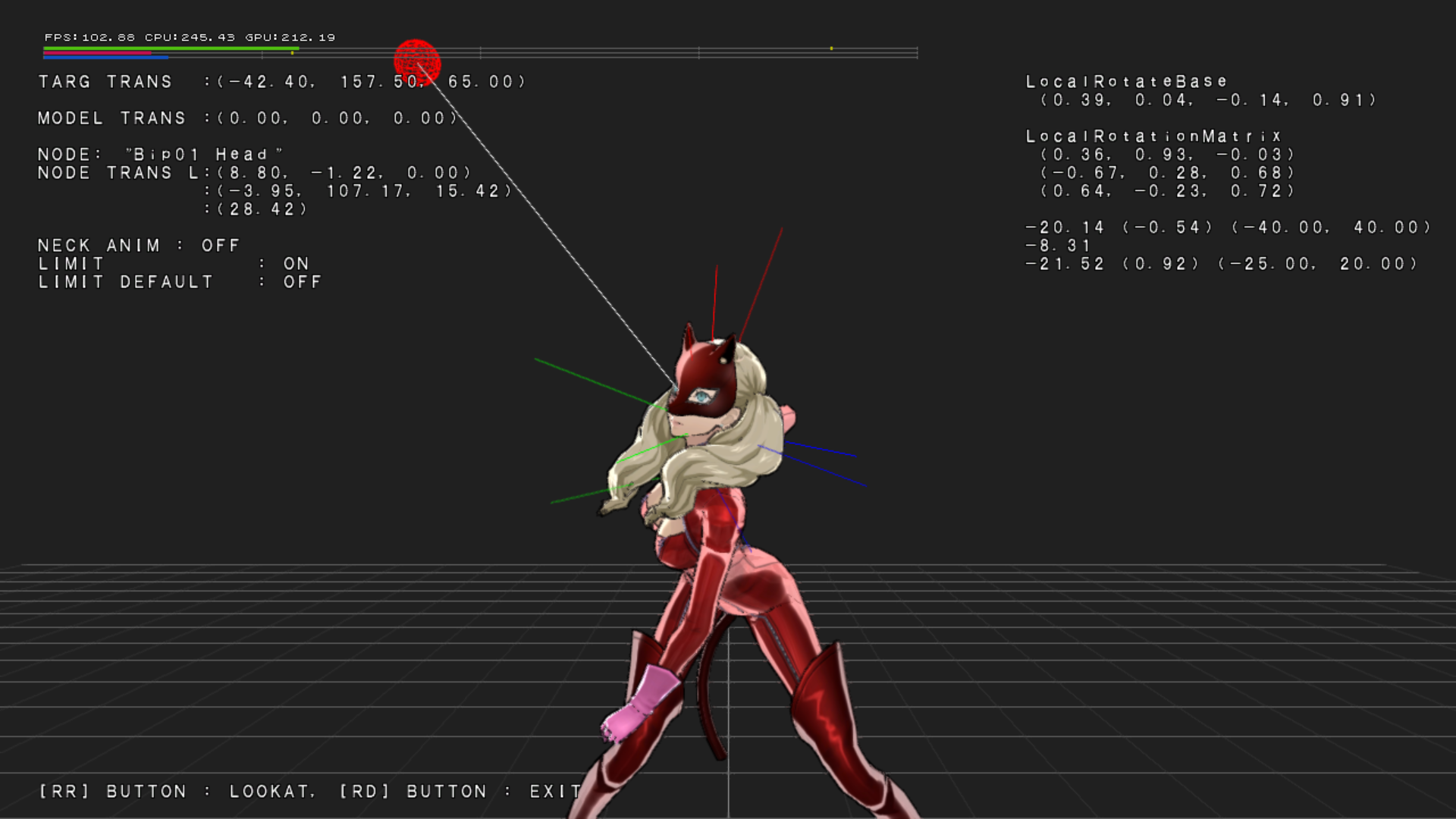
Has Ann Takemaki in her phantom thief outfit with a red wireframe sphere. You can move the red sphere, and pressing the circle button makes her look at it.
LOOKAWAY TEST#
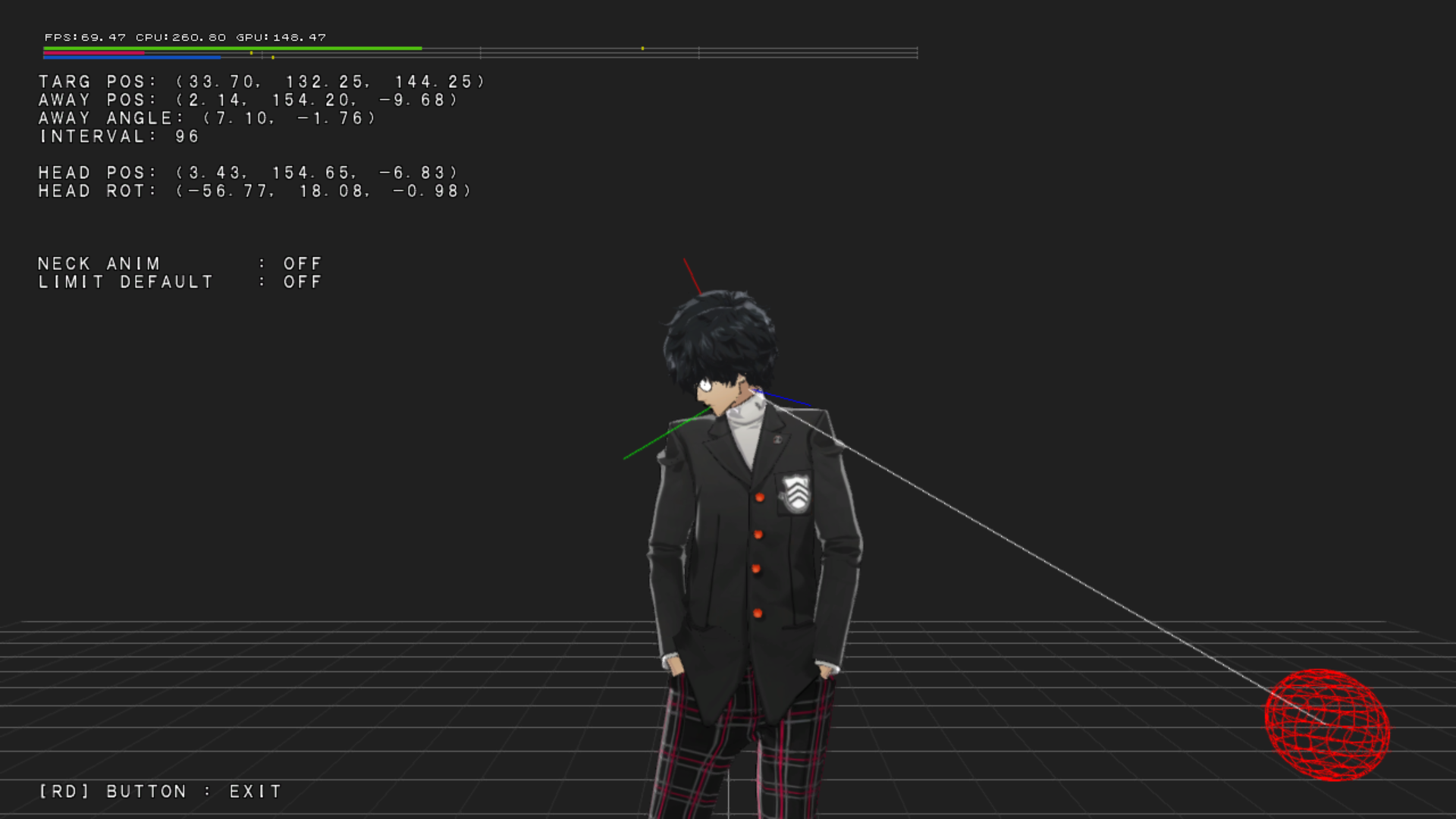
Has Joker's winter uniform model with a red wireframe sphere. You can move the red sphere, and pressing the circle button makes him look at it. There also is a yellow wireframe sphere, which once in a while it'll move off screen. Then Joker's head will look away from the red sphere and look at the yellow one instead.
MOVIE TEST#
Crashes the game.
COMMAND CUSTOM#
COMMAND EXE#
DUMMY#
Does nothing.
TEST (NIIDA)#
Named after Toshiyuki Niida, one of the graphic engine programmers, and the lead battle programmer.
UI TEST#
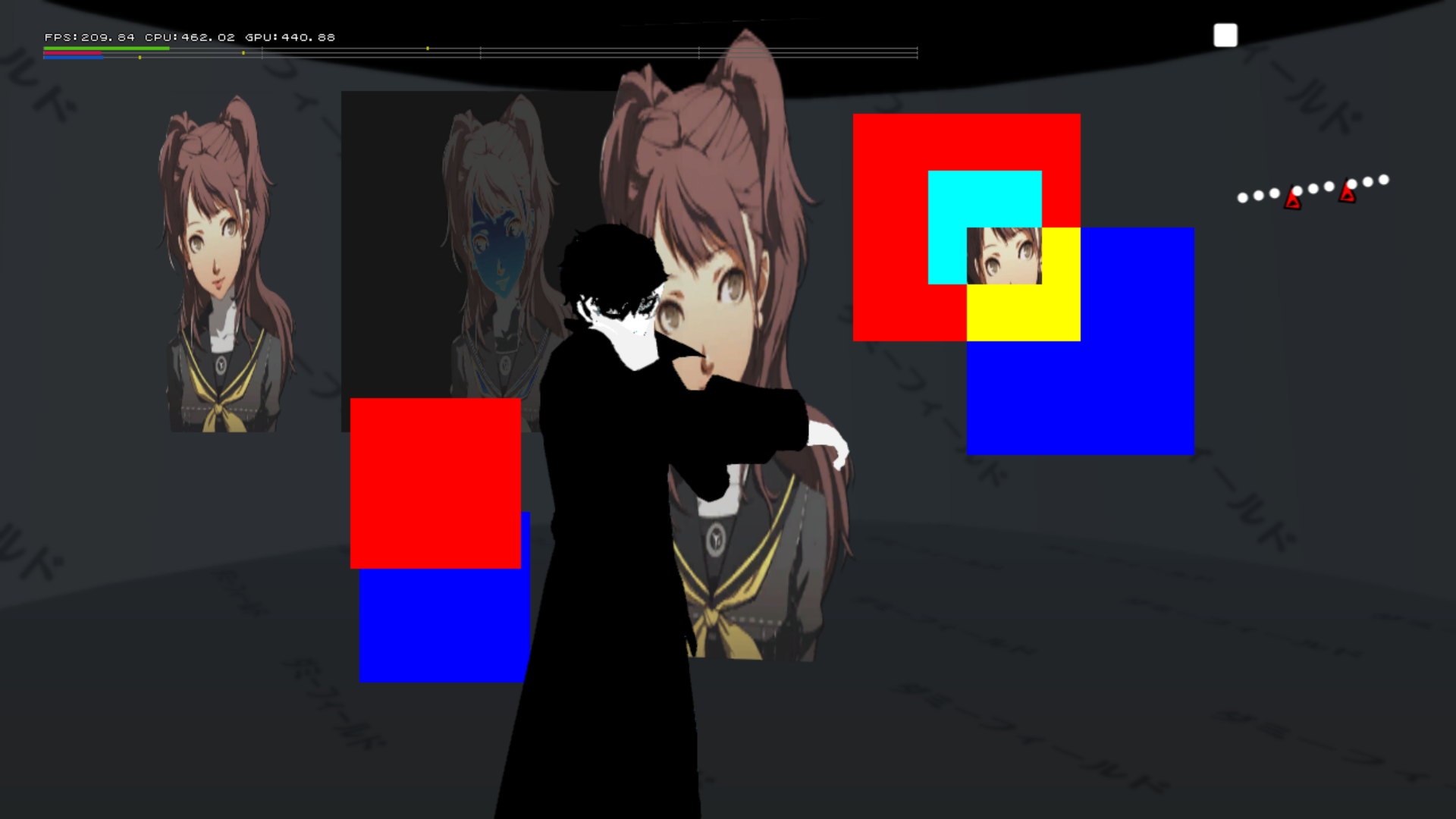
A UI test, featuring Joker's pause menu model with him repeating the same animation over and over again slowly. Some Rise portraits from Persona 4 are seen, one is inverted with another right by it that looks normal, and one is near the right of the screen with a green square moving left and right, used for a mask test. There are some other things to note:
- Can only move around in free camera mode.
- While moving, the 2D boxes, Joker's pause menu model, and some Rise portraits stay in place. While the field model and an rise portrait don't.
- Pressing select will show an low quality image of the screen near the top left. Likely a HDR test.
- Pressing circle will hide Joker's pause menu model.
- Pressing triangle will hide the background model.
- Pressing square will disable the masking on the masking test.
SCENE TEST#
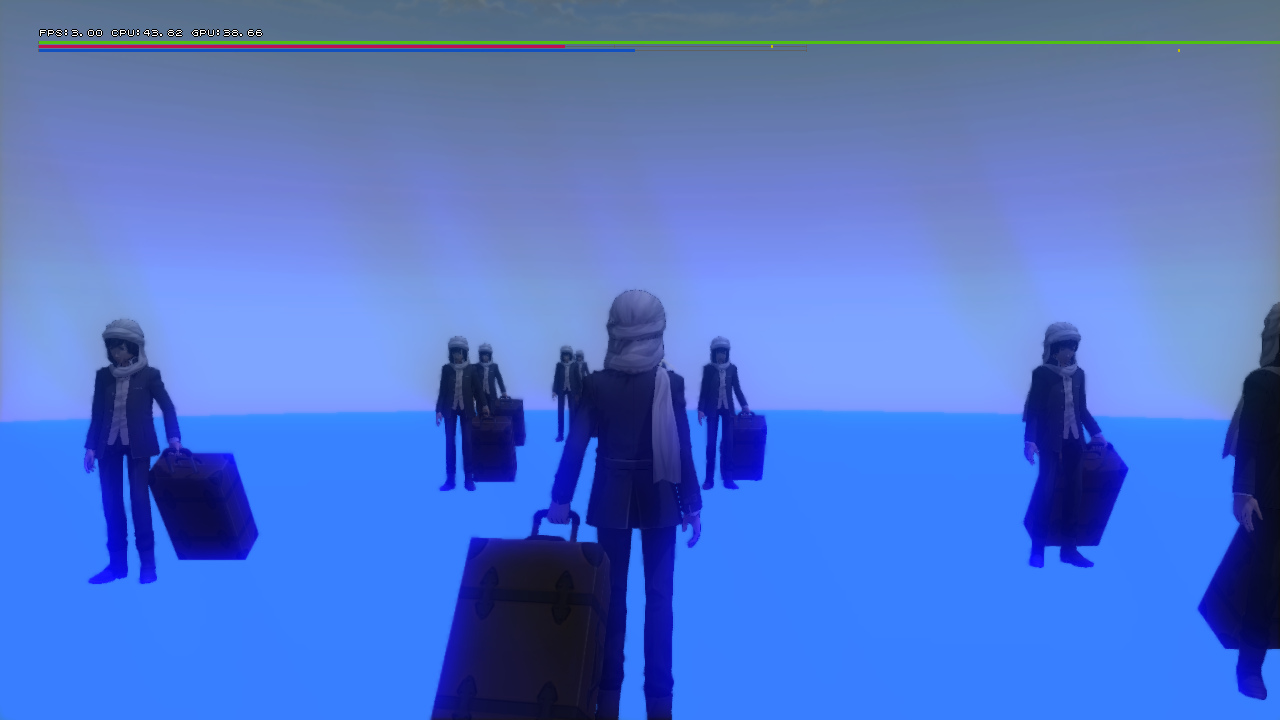
Has a lot of player test models, the player can move around while a bunch of NPCs are seen around that do nothing. Interestingly, the game tries to load files called alexandra.GFS, alexandra.GMD, and alexandra.ENV in the test/niida/scene folder. It may be a reference to Cathrine of Alexandria. Some other things to note are:
- Pressing the triangle button will enter free camera mode.
- There is no camera limit when rotating the camera upwards.
IK#
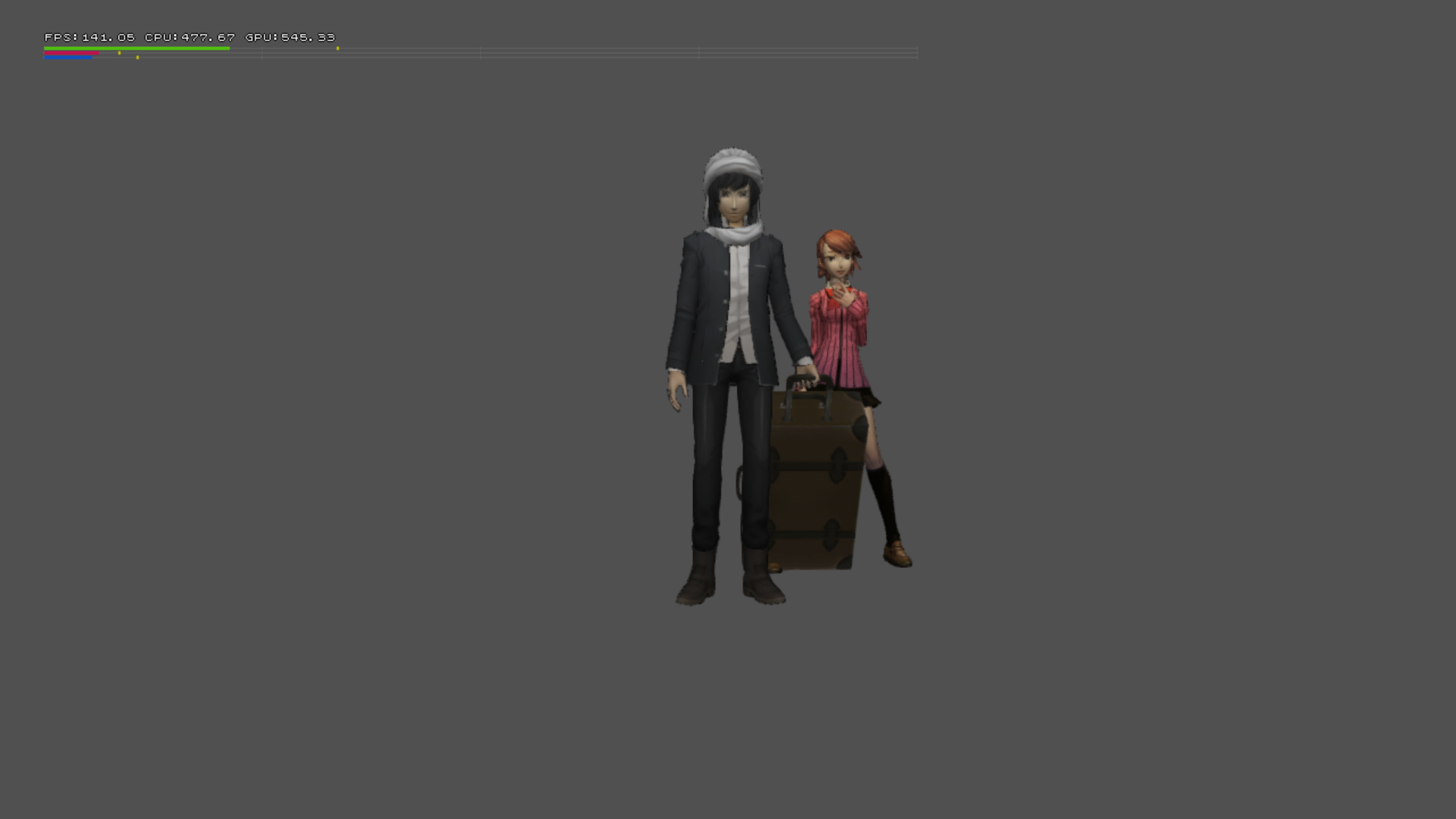
A test for IK collision.
TEST (TAKEUCHI)#
Likely named after Keita Takeuchi, the battle programmer.
GRASS_TEST#
CLIPPER_TEST#
MOVIE_TEST#
Plays a .usm movie file.
SWORDTRACK_TEST#
A debug menu for a swordtrack named test.pac.
CURVE_TEST#
Shows a wireframe grid with a red box in the middle of it. You can move around in freecam mode, nothing else however.
MEMORYDUMP_TEST#
Has 3 options for memory dumping 3D models, which if a option is selected will create a .txt file located in the test/takeuchi/dump folder. There are a few things to note about these:
PLAYER_DUMP - Tries to include a folder named 0010 in the model/character folder, which doesn't exist.
PERSONA_DUMP - Tries to include multiple folders from ps0323 to ps0463 in the model/character/persona folder.
ENEMY_DUMP - Unfortunately crashes the game if selected.
MOTIONSOUND_TEST#
TESTMENU_MOTIONSE_TABLE_TEST#
Adds text in a file named resrcMotionSeTable in the resource folder. Which includes player and enemy resource data.
TESTMENU_COLLECTSHADER_TEST#
Cycles through all the effects in the battle/effect folder.
FACIAL_TEST#
TEST (NOWATARI)#
Named after Takahiro Nowatari, the lead field programmer.
Map Editor#
PLG VIEWER#
Supposed to view .plg files. Nothing happens when a .plg file is opened however.
FTD RELOAD#
Reloads .FTD files.
MASK TEST#

A mask test for maps. The two black line image fades in endlessly.
DUNGEON TEST#
Works the same as AT DUNGEON, in the field debug menu on bootup.
BG MODEL VIEW#
Has a few options when selected:
- MAJOR - Sets the major ID of a field.
- MINOR - Sets the minor ID of a field.
- DATE - Sets the date.
- TIME - Sets the time of day.
When there is a valid Minor and Major of a field ID, and pressing the circle button, you can view a field with no objects in freecam mode. The top left of the screen shows how much memory a field is taking.
MODEL MEM VIEW#
Let's you view a 3D model, and see how much memory it's taking.
EFFECT MEM VIEW#
Allows you to view any effects in-game.
AGEING MENU#
Has a few options:
Function Name |
Translation |
Function |
|---|---|---|
シェーダー回収 |
Shader Recover |
Crashes the game. |
フィールド確認 |
Field Confirmation |
|
NPC確認 |
NPC Confirmation |
Crashes the game. |
「自動生成マップ確認 |
Check automatically generated map |
Does nothing. |
SCRIPT VIEW#
You can view any script in the game's files.
WIPE VIEW#
Allows you to see every loading transitions in this build.
FLD DUMP VIEW#
Views a .FLD file in the test/nowatari folder. Opening it just says the file name, nothing else happens.
TEST (YONEZAWA)#
Named after Taichi Yonezawa, one of the field programmers.
BTL RESULT#
Does nothing. Given its name though, it seems to test the results screen seen in battles.
BTL PERSONA STATUS#
Does nothing.
MODEL SPINE ROT#
Does nothing.
CAMERA QUAKE#
Does nothing. Likely testing camera quakes.
FIELD SNAPSHOT#
DUNGEON SNAPSHOT#
MESSAGE TEST#
Does nothing.
TEST ALPHATEST#
Does nothing.
TEST_LENSDUST#
Does nothing. However, it seems to be a test for lens flares.
DUNGEON 2D VIEWER#
Does nothing. Likely a map viewer for Mementos.
Cone Collide#
Does nothing.
Curve#
Has three wireframed balls following a curve.
- Pressing the Circle button speeds it up, while the Cross button stops it.
- The Triangle button hides the white and blue spheres, and the Square button makes the spheres go on the green path.
Car Path#
Does nothing. Seems to test a car's path however.
Cutscene Editor#
Does nothing.
Comb Cut In#
Does nothing. Likely a test for cutins.
PERSONAL CUT IN#
Does nothing.
CAMERA Editor#
Does nothing.
TEST (HORINOUC)#
Named after Kenji Horinouchi, one of the interface programmers.
CAMP TEST#
Brings up some options:
- Normal - Brings up the pause menu normally.
- direct SYSTEM - Brings up the config from the pause menu.
VELVET TEST#
Brings up options to see every element for the Velvet Room.
- Root - Opens the Velvet Room UI as normal
- Combine - Brings you to the combine menu.
- Complete Book - Does nothing.
- SkillCard - Does nothing.
CALENDAR EDIT#

Brings up the calendar select with P4 Golden's graphics. Selecting any day however crashes the game.
ROUTE MAP TEST#

What appears to be an early UI for fast traveling, selecting left or right on the d-pad will change the text on the right to a different location name, and change the position of the train icon. The location names on the right say:
- Terminal
- Shinjuku
- Ichijaya
- Akihabara
- Shibuya
While the text on the left says Terminal.
SPD VIEWER#
Allows you to view any .spd files.
DDS VIEWER#
Allows you to view any .dds files.
FONT TEST#
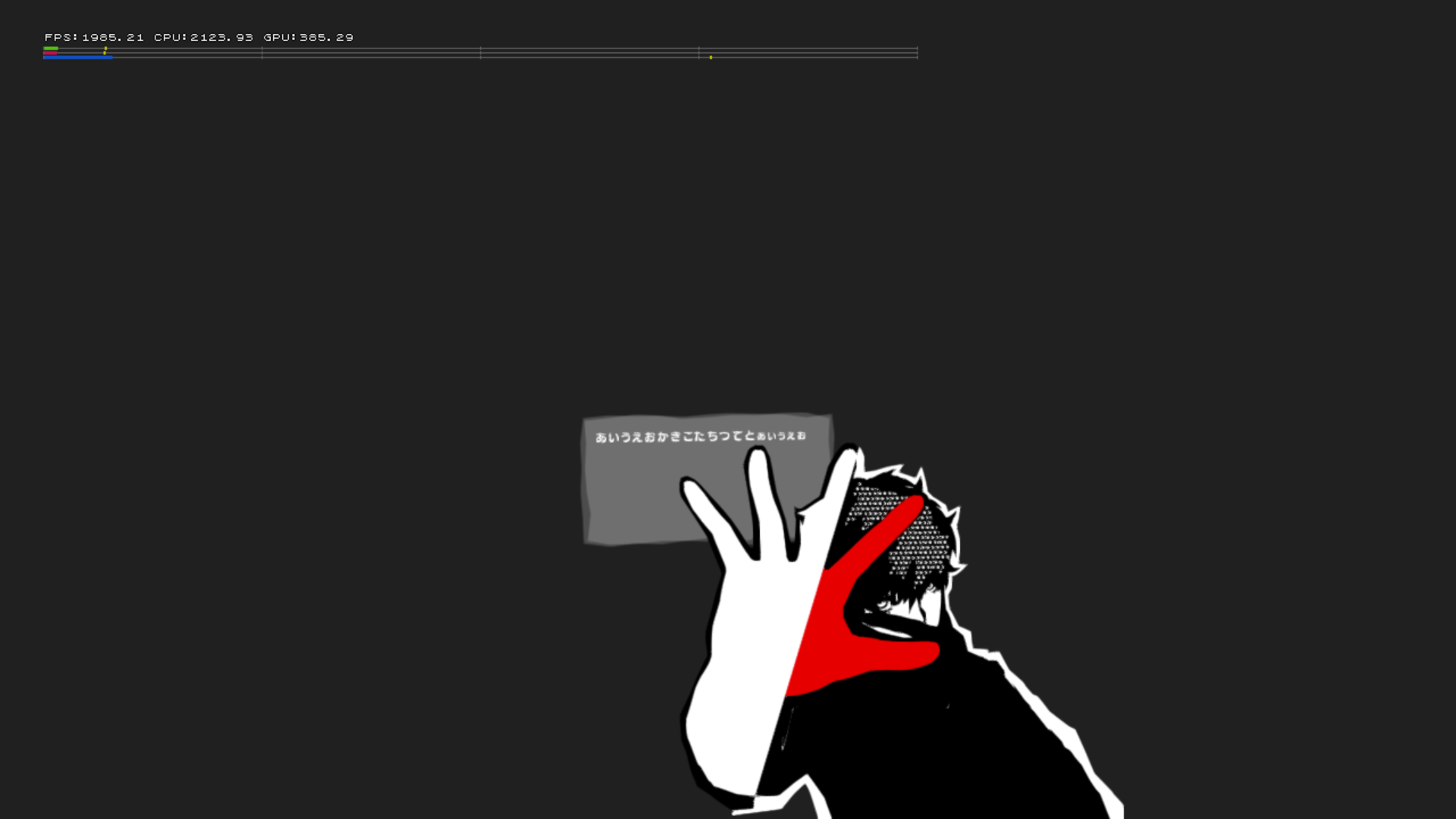
Has a gray box with Japanese text, with Joker's pause menu graphic seen right by it. You can also move it using the D-Pad. Pressing left or right rotates it, while the analog stick moves it in all directions.
SCRIPT TEST#
Allows you to view scripts.
PARTY EDIT#
Appears to be an editor to add party members in whatever order.
MASK TEST#
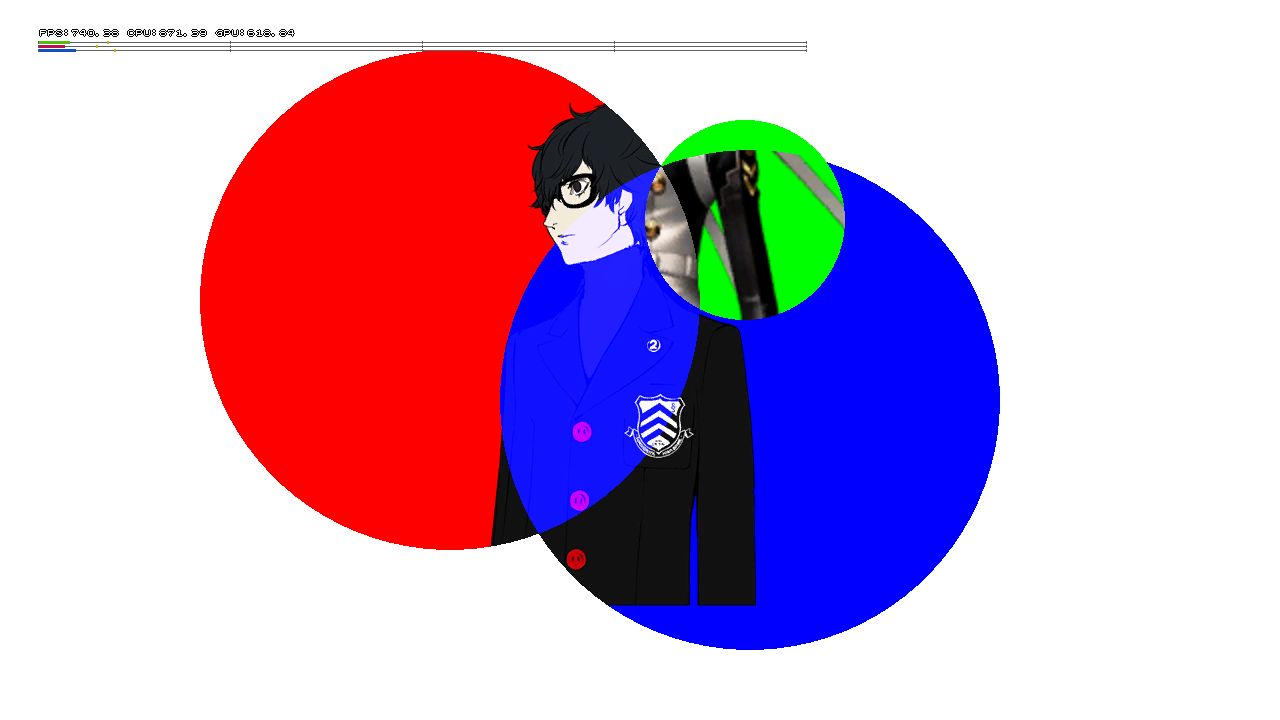
Has a graphic that uses concept art of the protagonist shown here, with him being masked into two blue and red circles. You can move the green circle near the top left. Moving the green circle to the other circles has graphics for Izanagi and Izanagi-no-Okami shown from P4G. Pressing the Circle button will hide the portrait graphics.
SOCIAL TEST#
Brings up some options:
- RANKING TEST -
- MATCHING TEST -
- MINNA DE GATTAI TEST -
STAR ANIME TEST#
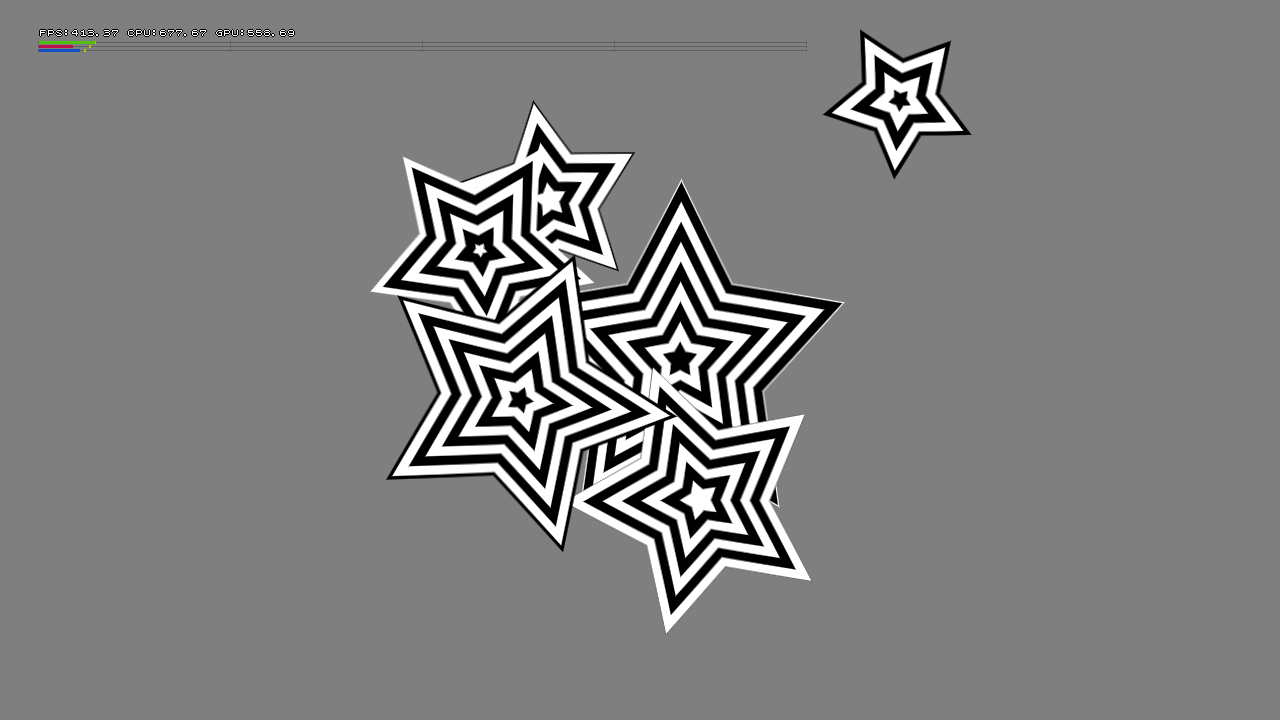
Has six stars from the pause menu.
NAME ENTRY TEST#

The name entry from Persona 4 Golden, using its graphics and functionality.
POKER TEST#
A tycoon test. Which uses Ryuji's early name Reiji. Interestingly, it was added and refined as the tycoon from Persona 5 Royal.
TEST#
Does nothing.
TEST (HIURA)#
Named after Makoto Hiura, one of the interface programmers.
BUSTUP TEST#
Supposed to test bust-ups, however it doesn't seem to work.
MSG TEST#
Has some numbers and Japanese text. Selecting any option here brings up some other numbers and does nothing else.
SCRIPT TEST#
Crashes the game.
MODEL MSG TEST#
Tries to load a cut-in file, but it softlocks.
COMMAND EXE#
Same as BUSTUP TEST.
TEST (SUZUKI)#
Named after Yuya Suzuki, one of the interface programmers.
TEST DRAW#
Brings up four options:
Text#
Has all the English alphabet letters from A-Z in lowercase with the color of cyan.
Primitive#
Has a trapezoid primitive with another one sliding back and forth, and five lines moving.

dds#
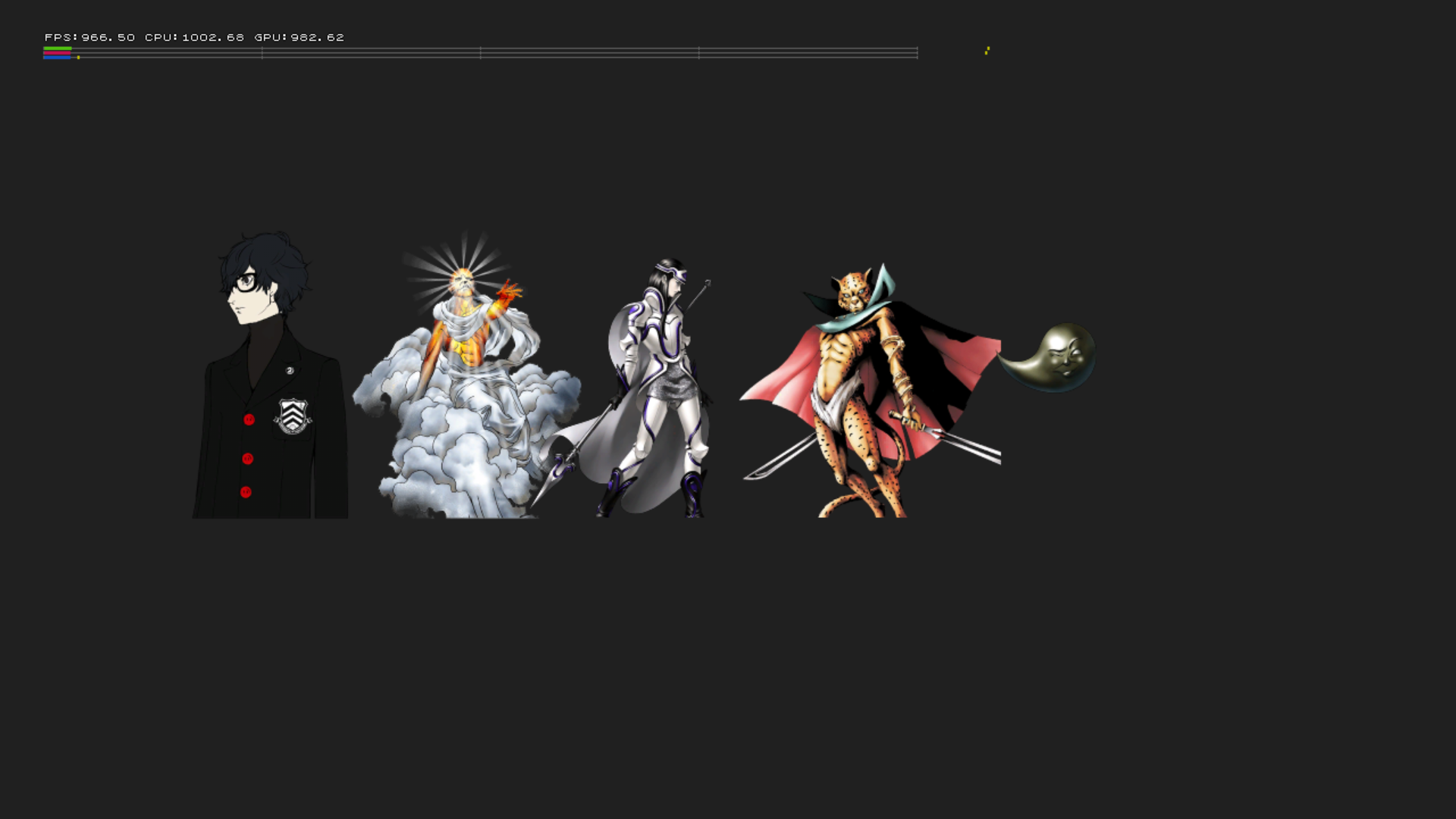
Has some persona menu portraits from P4G and a graphic using concept art of Joker from the P4G folder. All are lined up in a horizontal line. Pressing left or right on the d-pad rotates all of them.
spd#
Shows an image of the word Calendar misspelled as Calender, from Persona 4 Golden on the bottom of the screen.

TEST FACILITY#
Brings up the option to select any facility, including the Weapon shop, Item shop, and Fusion Facility. Selecting any of them brings you to the respective facility.
TEST MODEL_UI#
An animation viewer for Joker's pause menu UI.
TEST EDITOR_CALL#
A viewer for Joker's pause menu model. You can edit what animation is playing and move the model's position or rotation.
TESTNOTFIRM_TITEL#
Brings you to the Title screen.
TEST PARTYCHANGE#
Can change who you have in your party when exploring a dungeon.
TEST RAIN#
Crashes the game. However it seems to test rain.
TEST FILTER#
Has two stretched-out boxes colored blue and pink. Which has the protagonist concept art graphic from the P4G folder, and the protagonist pause menu model t-posing. Pressing the Circle button will invert the colors.

TEST FCLMODEL#
A viewer for Takemi's UI model. You can edit what animation is playing and move the model's position or rotation.
TEST (IKEDA)#
Named after Takaaki Ikeda, one of the interface programmers.
VELVET TEST#
Brings up the Velvet Room facility.
CUTIN TEST#
Softlocks the game.
RUMBLE TEST#
Brings up a debug menu to test rumbling. All options seem to do nothing.
FONT TEST#
Has some Japanese text that says, test. Pressing the Circle button brings up more Japanese text.
LIPS TEST#
Lets you select .lsp files in the test/ikeda/lips folder. Those files are called "lsd001", "lsd002", "lsd003". Selecting any of them crashes the game.
WIPE TEST#
Fades the screen to black, and loads you in Station Square Shibuya. Nothing else happens.
MSG TEST#
Plays event e173_001.
FADE TEST#
Fades the screen black. Nothing else happens.
CMBACT TEST#
Plays event e104_001.
MODEL TEST#
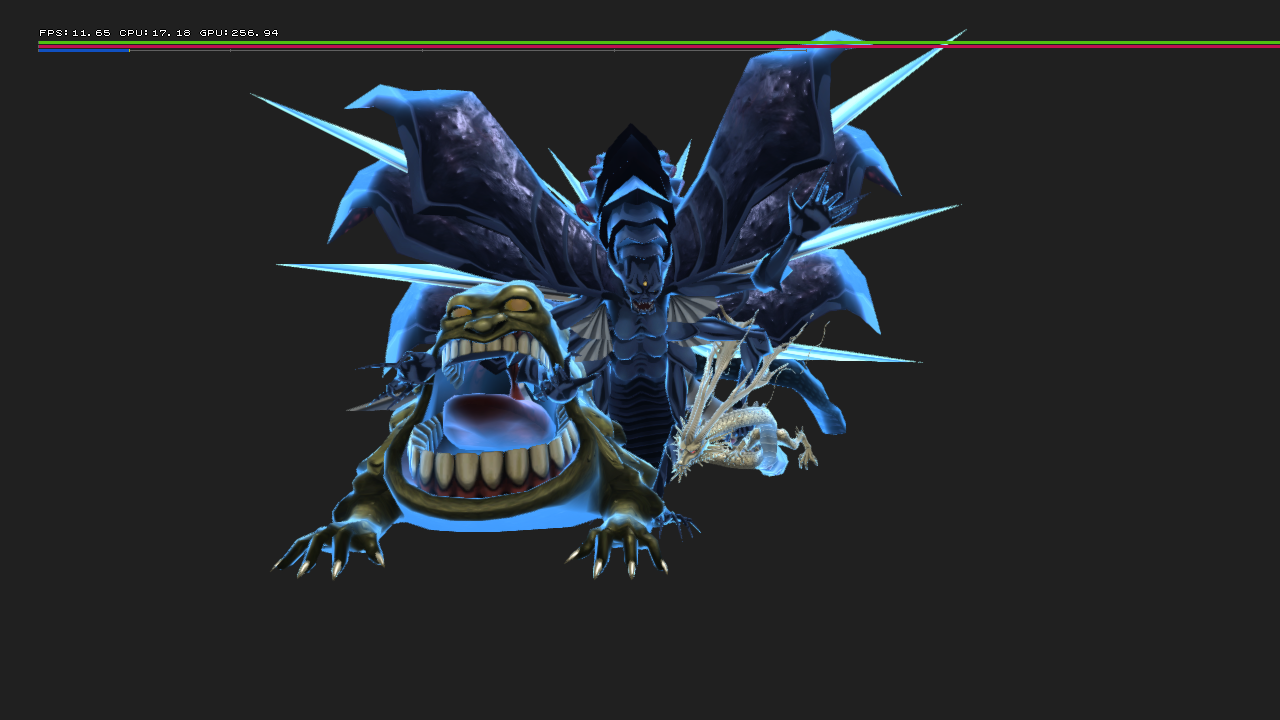
Loads three persona models: Satan, Kohryu, and Abaddon. They all use their idle animations and clip through each other.