 This article has a talk page!
This is a sub-page of Proto:Persona 5/December 4th, 2015.
 By editing the December 4, 2015 prototype by using this guide, it can be reverted to an June 13, 2014 build. This build has a lot of normally unused graphics, code, models, and tests that never get used in the December build. This prototype seems to come from the alpha stage of development, due to the a2/a3_sample voice clips being used in battles.
Note that a lot of graphics, models, and some script files are missing normally; due to them being removed by the Dec 5, 2015 build. So some were added to make certain things function properly.
Sub-Page#
General Differences#
- The build crashes very often.
- Transitioning to another day.
- NPCs crash the game. The files for them had to be removed so it can be possible to access any field in this build.
- Sometimes using Third Eye crashes the game.
- Trying to access your phone (SNS) crashes the game.
- Lighting in fields, events, and battles are a bit screwed up. Except oddly event e171_001_pv, which looks how it does in the Dec build.
- Oddly the "Giwaku" models are loaded in when an field is loaded.
- Cut-ins softlock the game when trying to load.
- No "Take Your Time" loading screen.
- When loading graphics, there's red text near the bottom right that says, GFD: compiling shader.... This can happen in the December build, but not as often as this eboot.
- A lot of textures use placeholders.
- The only audio that plays at all are some voice clips in battles that use the alpha sound clips.
- UI for dialogue is fairly simplistic. Looking more statically and gray.
- The day/time change use graphics from Persona 4 Golden, but oddly the yellow graphics are replaced with red.
- The Third Eye mechanic has an over-the-shoulder camera view, and the screen doesn't darken when using it.
- Running in a circle and turning the camera in a field slowly moves the player slowly downwards.
Title Screen#
|
Early |
Dec 2015 |
|---|---|
|
|
|
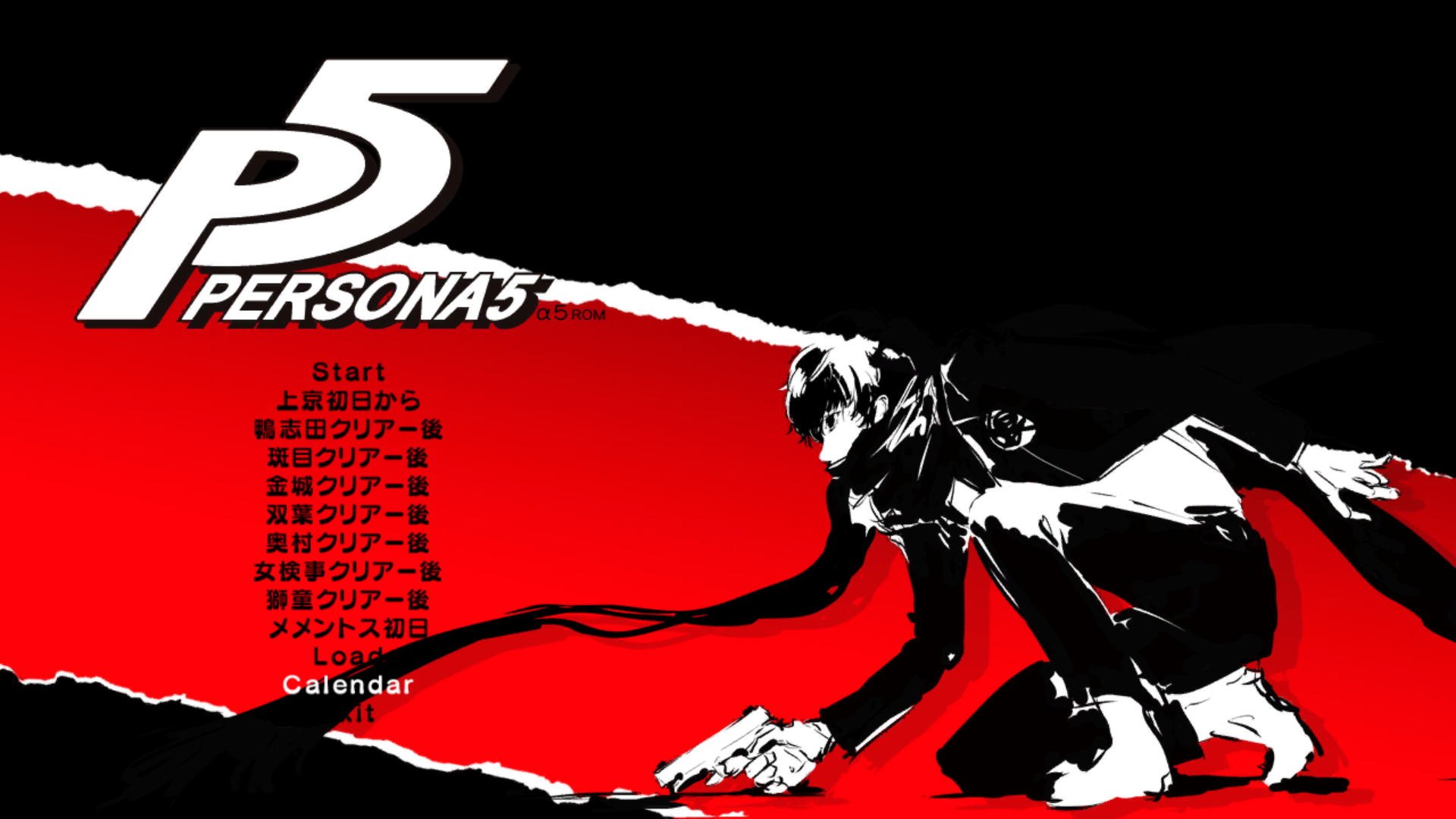
Selecting the TITLE option on the bootup debug menu will send you to this screen, with P5test text near the top of the screen. There are multiple shortcuts, selecting any of them plays the anime cutscene of Joker visiting the Velvet Room for the first time, then event e107_001_pv, and finally, the game crashes. Compared to the title screen of the Dec 2015 build, it has a lot of the same functions, but at this point there is no Calendar option, and the last option is labeled End instead of Exit.
Debug Differences#
Unlike the other debug builds of the game, this eboot has a lot less options.
L3 Menu#
Name |
2014 eboot |
FLAG EDITOR |
Yes |
COUNTER EDITOR |
Yes |
ITEM EDITOR |
Yes |
NPC FLAG EDITOR |
No |
UNIT_EDITOR |
No |
PLAYER STATUS EDITOR |
Yes |
PERSONA STATUS EDITOR |
Yes |
ENEMY VIEWER |
Yes |
COMMUNITY EDITOR |
Yes |
RESOURCE VIEWR |
Yes |
FLD OBJ VIEWER |
Yes |
FLD OBJ SNAPSHOT |
No |
NOTEX BG PATH USE |
No |
EVA EDIT (FLD) |
Yes |
EVA PLAYER (FLD) |
Yes |
SKY FILTER |
Yes |
DAY EDITOR |
Yes |
QUEST EDITOR |
No |
ARBIET EDITOR |
No |
PARTY RECOVERY |
Yes |
BULLET RECOVERY |
No |
MEMORY MAP |
Yes |
RAIN EDIT |
Yes |
SNOW EDIT |
No |
3D SOUND VIEW |
Yes |
SYSTEM SETTING |
Yes |
SCREEN SHOT CONFIG |
Yes |
RENDER TEST |
No |
SAFE AREA |
No |
SPEAKER LEVEL |
No |
SND APP TEST |
No |
TOGGLE WARNING DISPLAY |
No |
DISP LINE |
No |
LOUNDNESS LEVEL |
No |
RESET LOUNDNESS |
No |
L3+R3 Menu#
Transitions#
The game at this point uses four transition screens, some of which use normally unused animations for Joker's pause menu model.
Loading screen 1#
An early version of the crowd loading screen, using early graphics seen unused in the Dec 2015 build.
Loading screen 2#
An early version of Joker jumping down and jumping to the right, this one is much faster than the final. Afterwards an early loading screen is shown with Joker walking stealthily with a spotlight moving all over the place.
Loading screen 3#
A black circle appears from the top left of the screen, then goes to the middle of the screen, then expands. Afterwards an early loading screen is shown with Joker walking stealthily with a spotlight moving all over the place.
Loading screen 4#
The screen fades in to see an overview of Tokyo, after a moment the pointer gets placed down, then goes to another position on the map with the camera moving towards the location. Then the pointer gets placed and it ends.
Pause Menu#
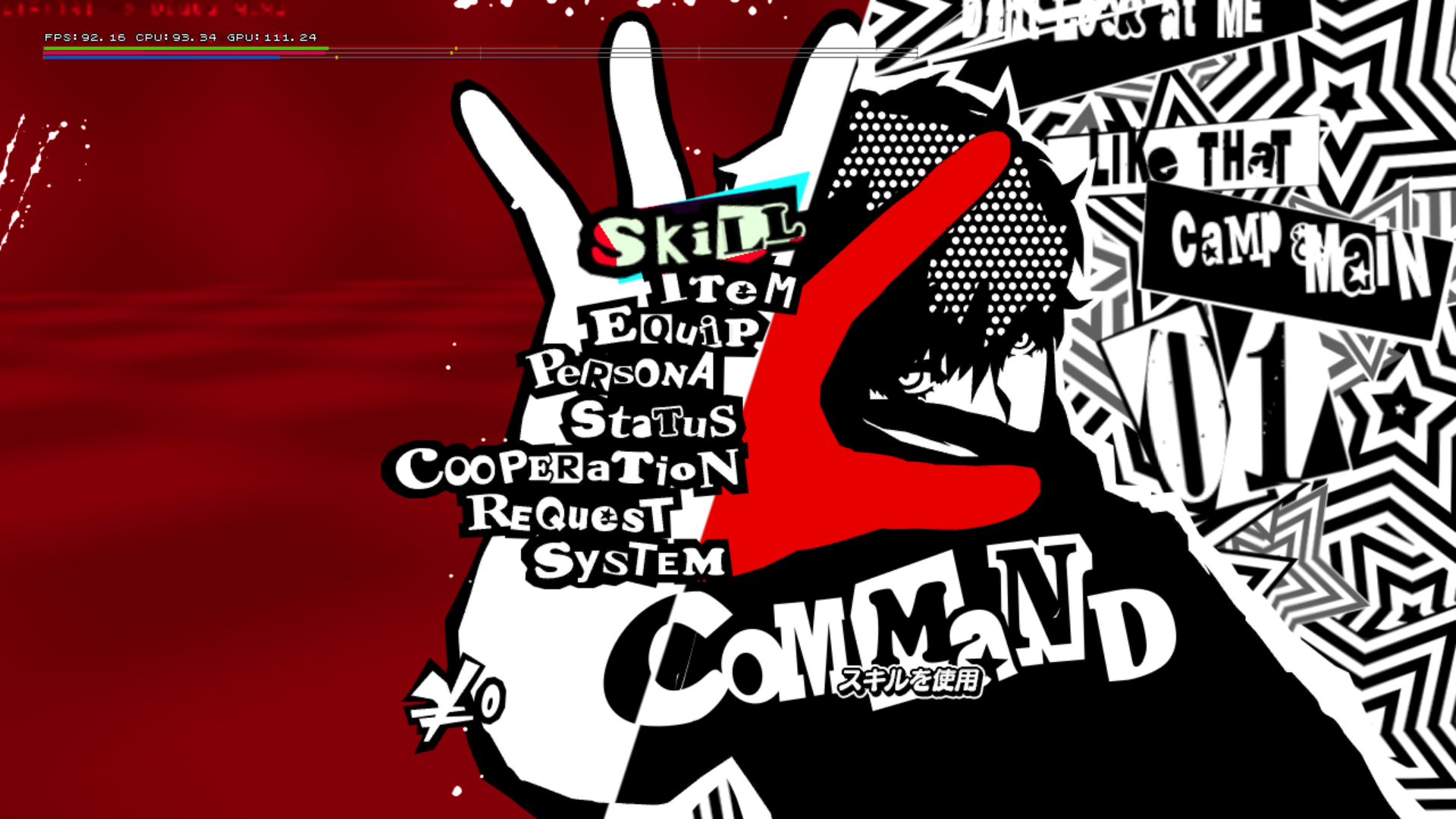
The pause menu seems to be mostly the same (Besides Joker's pause menu model's position and animations being a bit scuffed), there are differences throughout however.
Main#
- Doesn't have the calendar option, similar to PV01.
- The text for Don't Look at Me, CAMP & MAIN are a bit misplaced; likely them being redrawn since this eboot and PV01.
|
Early |
Dec. 2015 |
|---|---|
|
Persona Submenu#
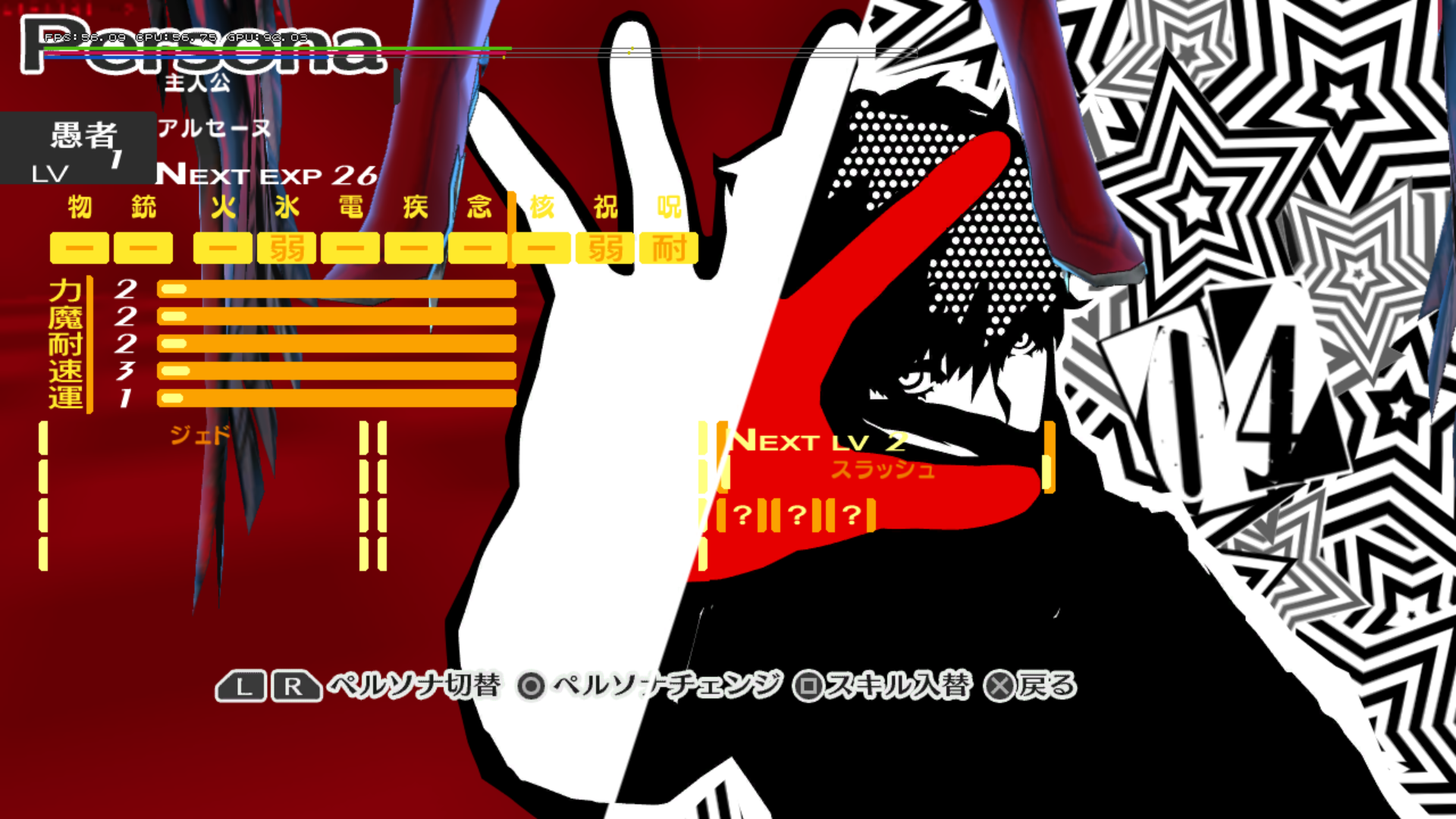
Uses graphics (besides the persona portraits in the data.cpk/P4G/camp/persona or data.cpk/camp/persona folders.) and functionality from Persona 4 Golden, with the persona 3D models being at the top of the screen. And the protagonist pause menu graphic is still shown.
|
Early |
Dec. 2015 |
|---|---|
|
Community Submenu#
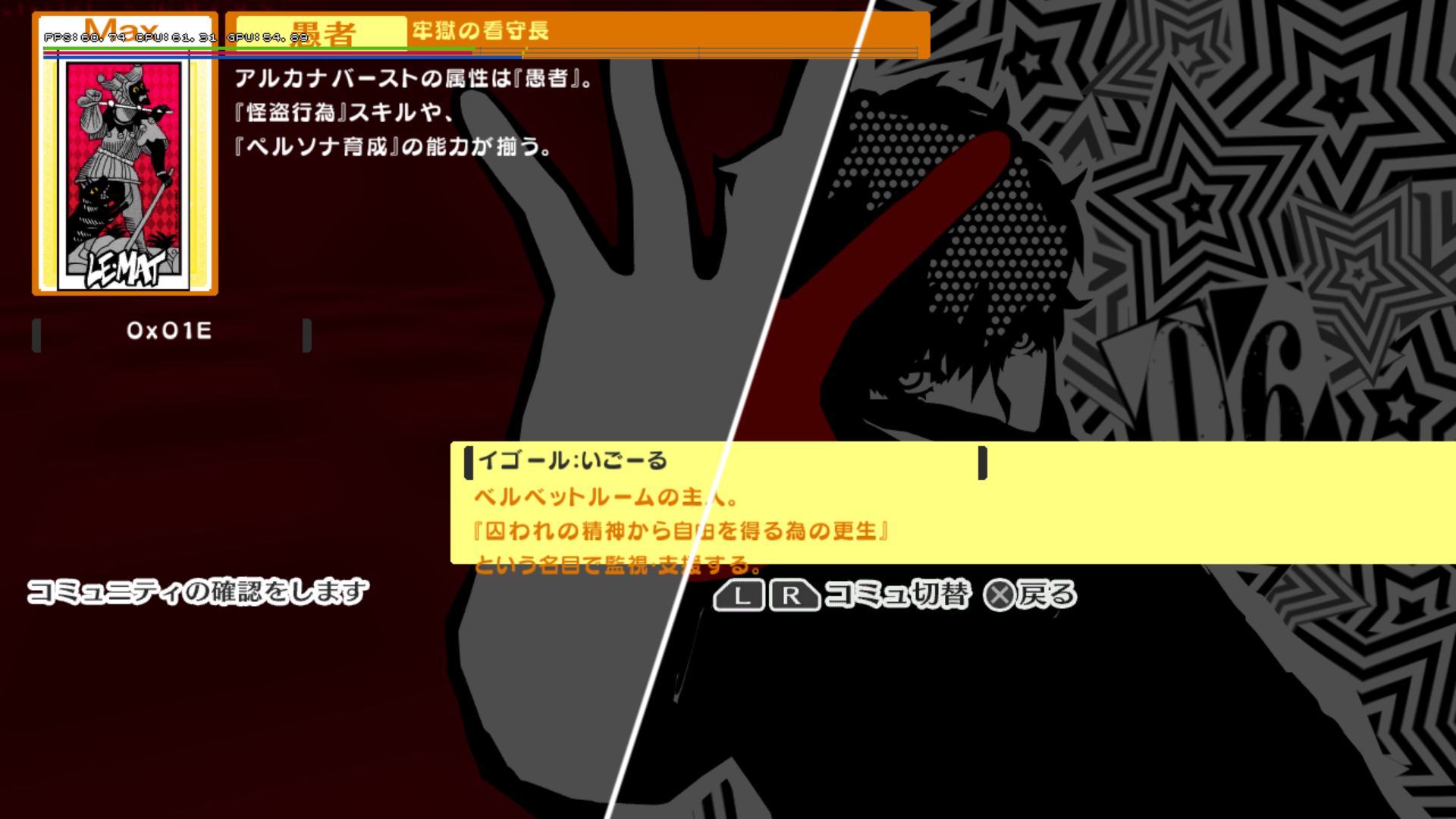
The Community submenu uses graphics and functionality from Persona 4 Golden, with most of the tarot card graphics from the P4G folder being shown. And the protagonist pause menu graphic is still shown.
|
Early |
Dec. 2015 |
|---|---|
|
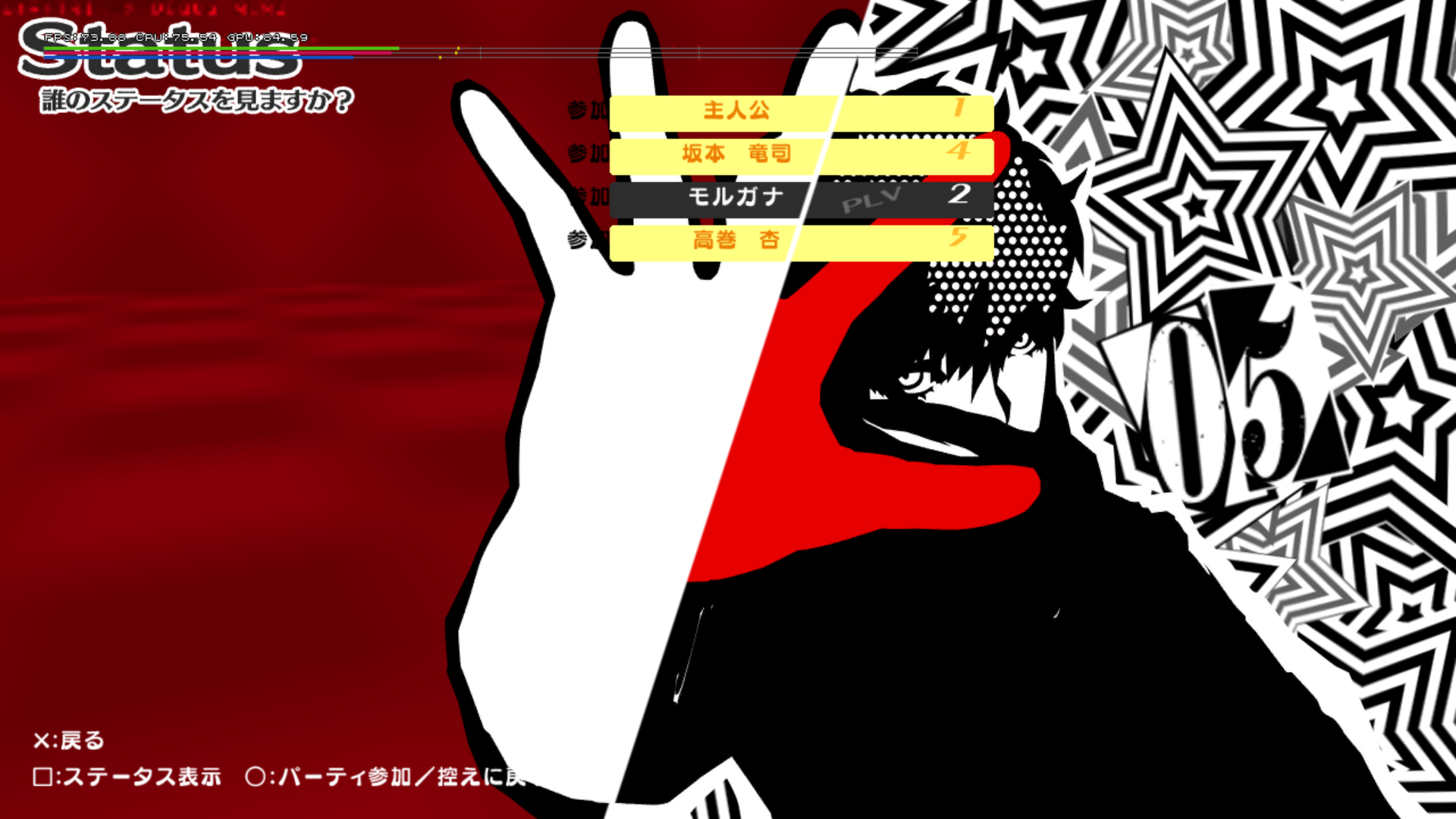
Status Submenu#
The Community submenu uses graphics and functionality from Persona 4 Golden, there are some other things to note however:
- Trying to view any of the party members or the protagonist's stats will crash the game.
- The character portraits from P4 Golden aren't seen here. However, if the player goes to the Persona submenu after returning from the status menu, the character portrait will be shown near the bottom right of the screen for a split second.
- The protagonist pause menu graphic is still shown.
|
Early |
Dec. 2015 |
|---|---|
|
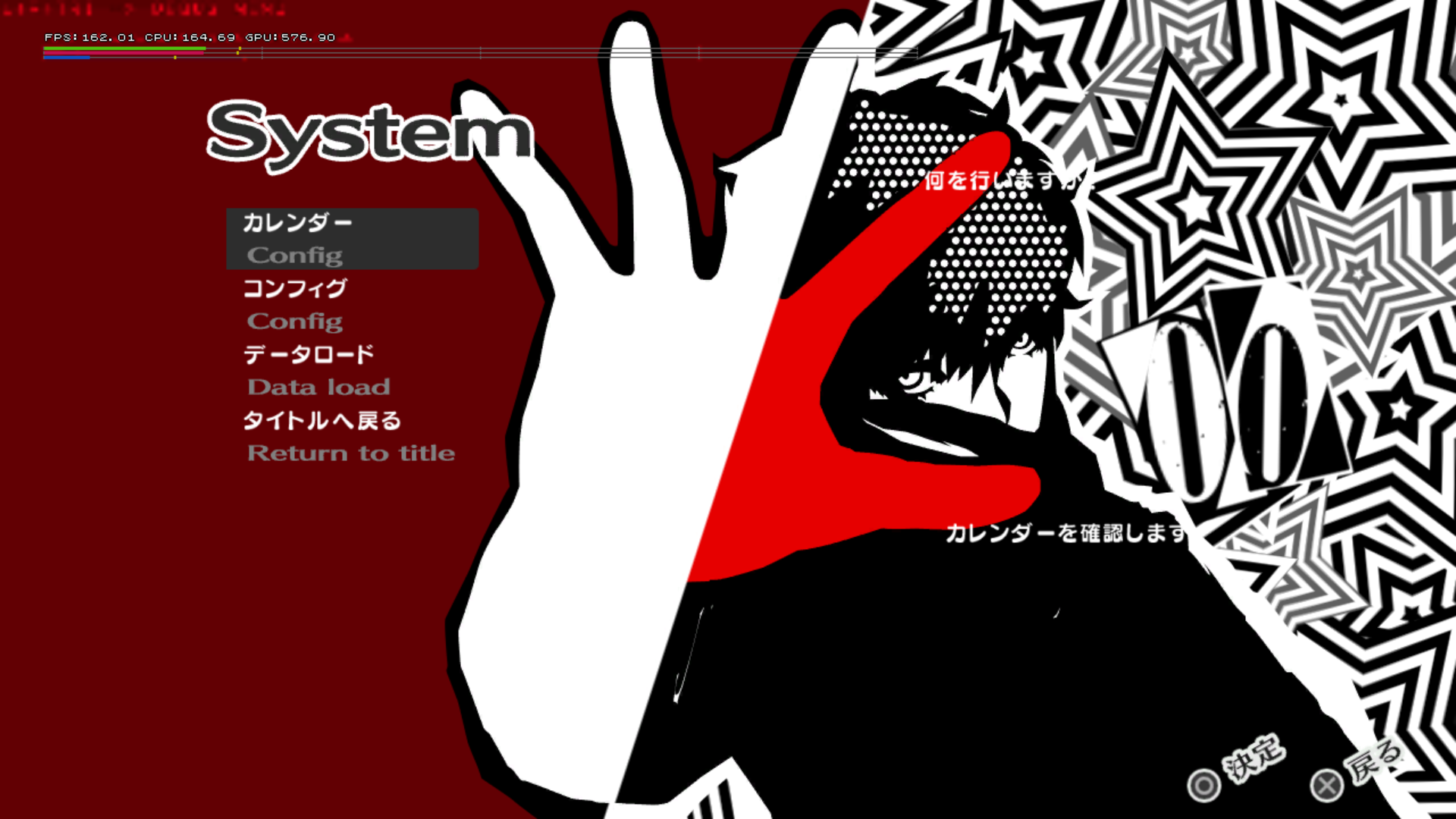
System submenu#
Has graphics and functionality from Persona 4 Golden.
- There's a 2nd config option, which takes you to the calendar option that uses P4 Golden graphics and functionality
- The calendar text graphic is oddly recolored red.
- The protagonist pause menu graphic is still shown.
|
Early |
Dec. 2015 |
|---|---|
|
Facilities#
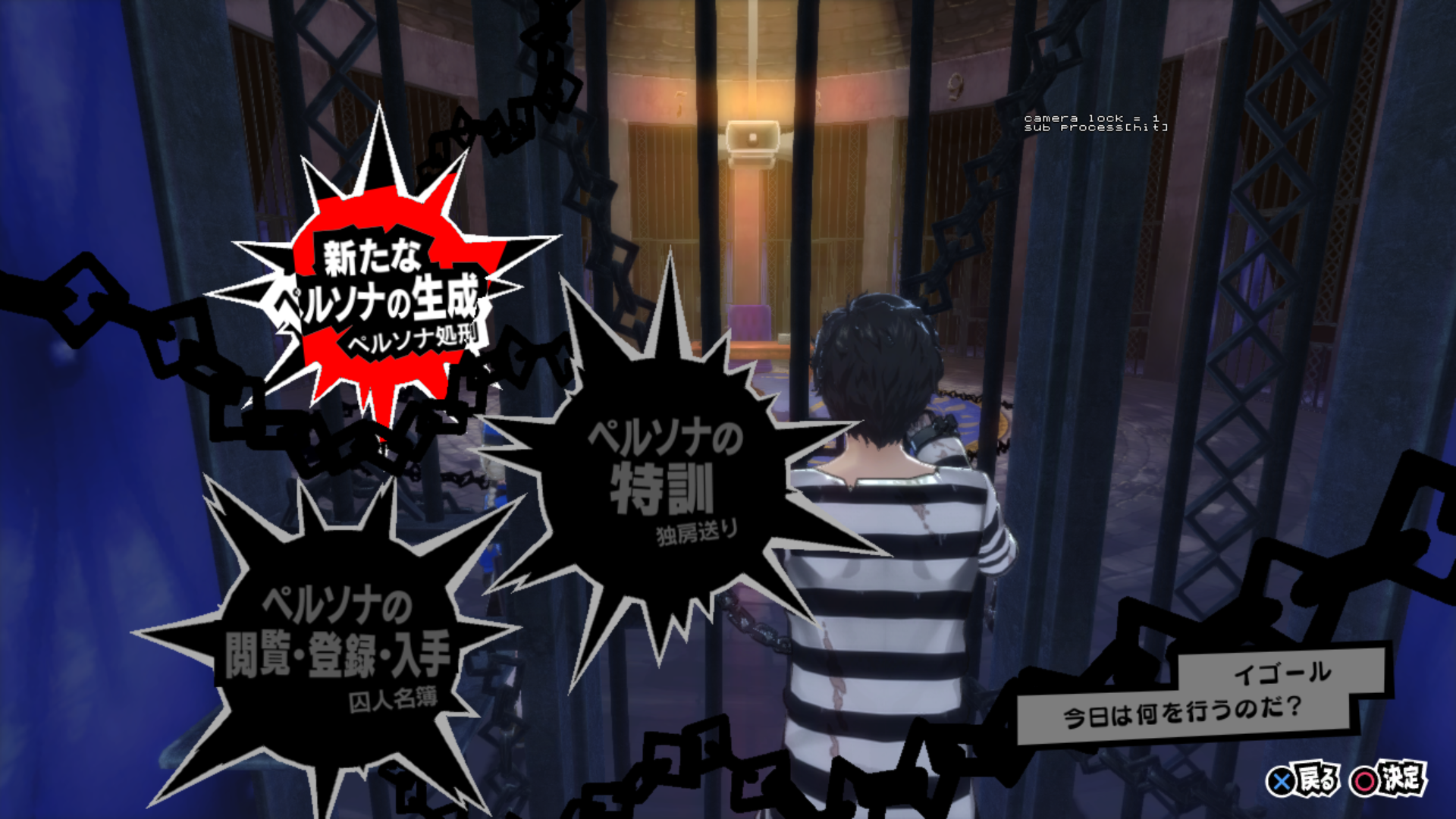
Velvet Room#
|
Early |
Dec. 2015 |
|---|---|

|
|
- Uses P4 Golden's UI and functionality.
- After choosing the "Fuse Persona" option, it uses otherwise unused text of using "bribing" seen here.
- Trying to fuse a persona crashes the game.
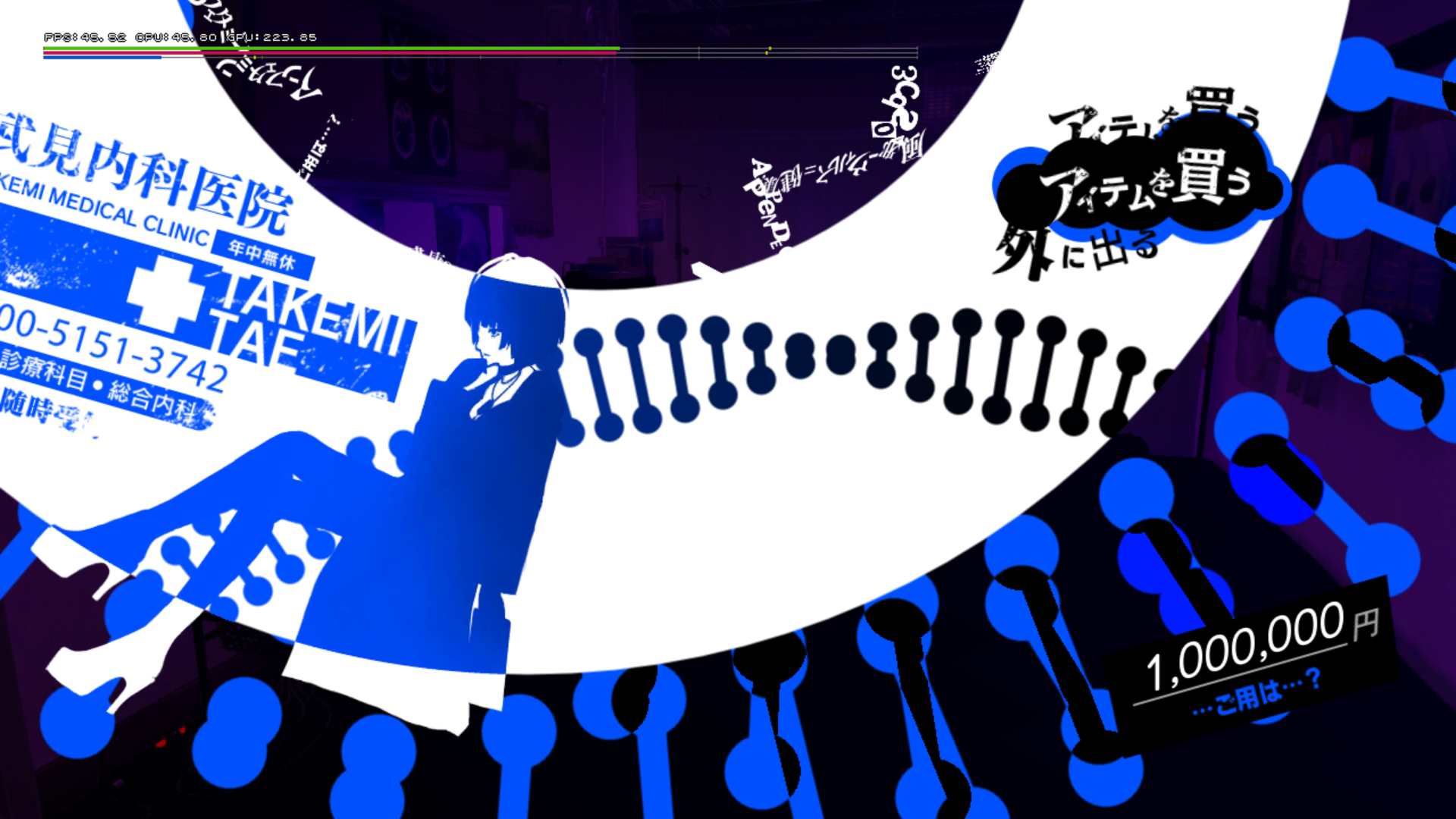
Item Shop#
|
Early |
Dec. 2015 |
|---|---|
|
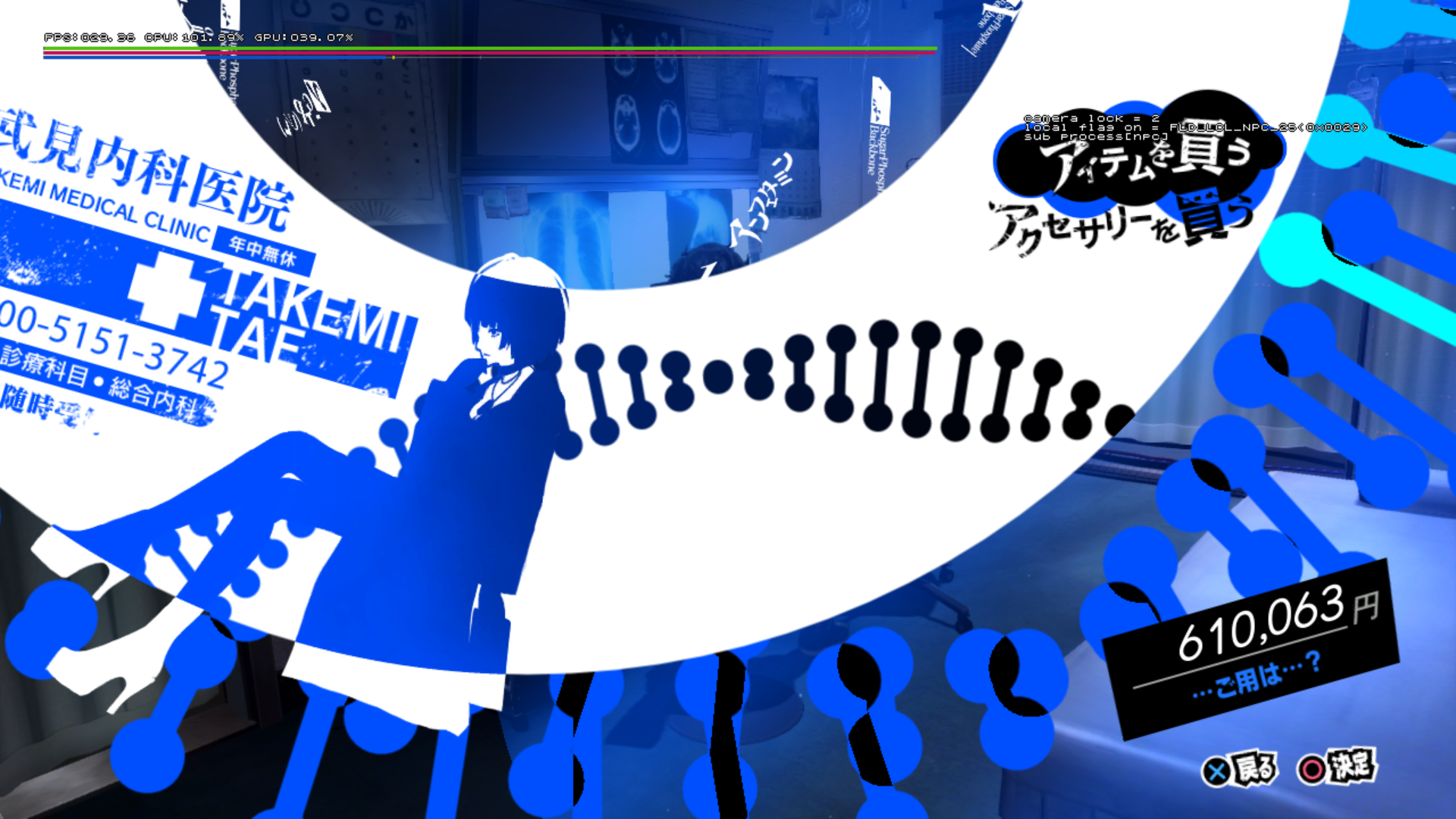
|
- The model's position and animations for Takemi are scuffed.
Weapon Shop#

|
This page or section needs more images. |
|
Early |
Dec. 2015 |
|---|---|
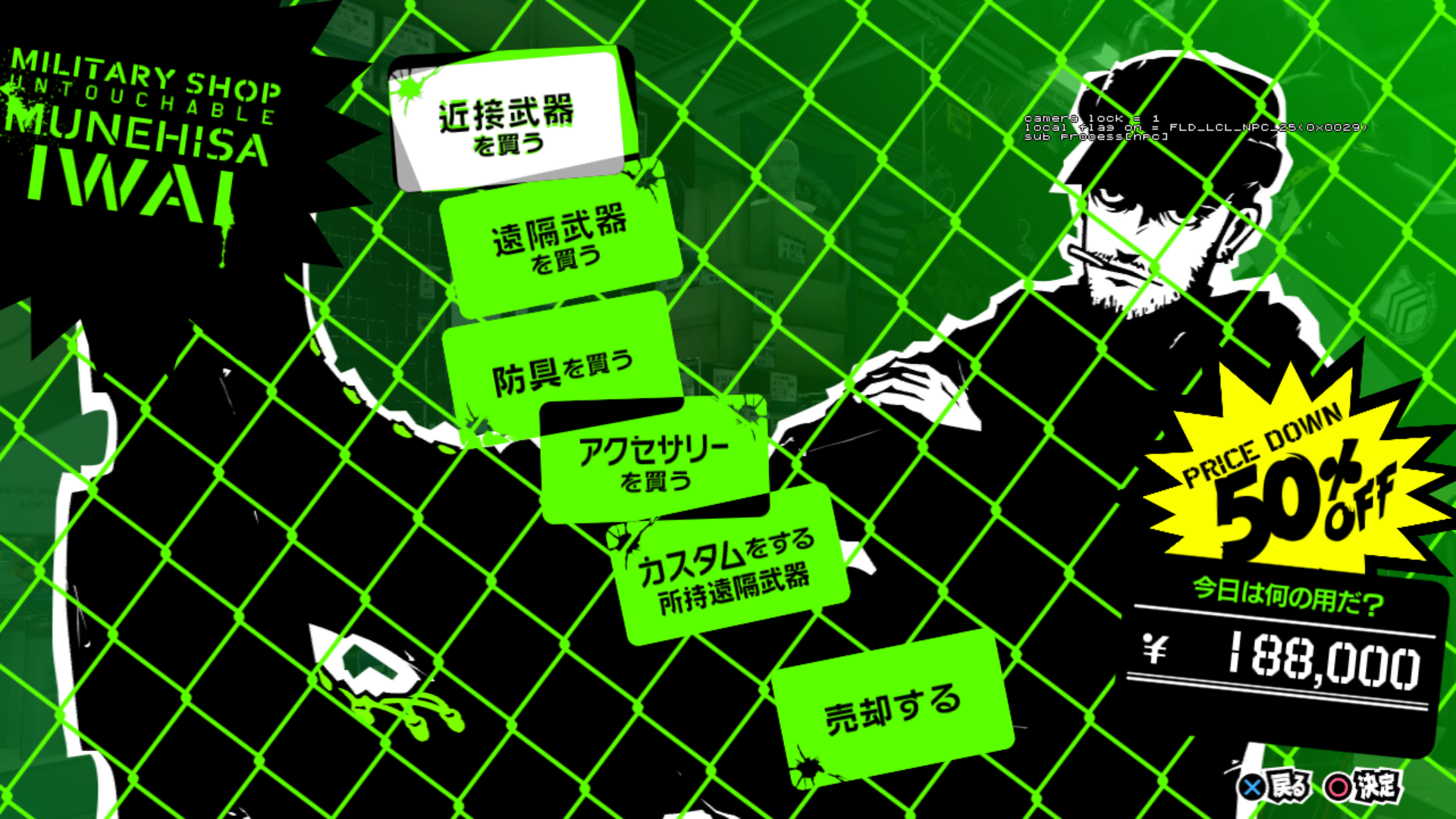
|
- Doesn't have the model and graphics for Iwai.
- This facility seems to be added fairly close to this build, since it tries to load .spd files (which aren't visible in this facility) in the
P4G/facilityfolder that are from Daidara's Metalworks, the weapon shop in Persona 4 Golden. However those files had to be re-added, seen the Dec build removed them.
Battles#
|
Early |
Dec. 2015 |
|---|---|
|
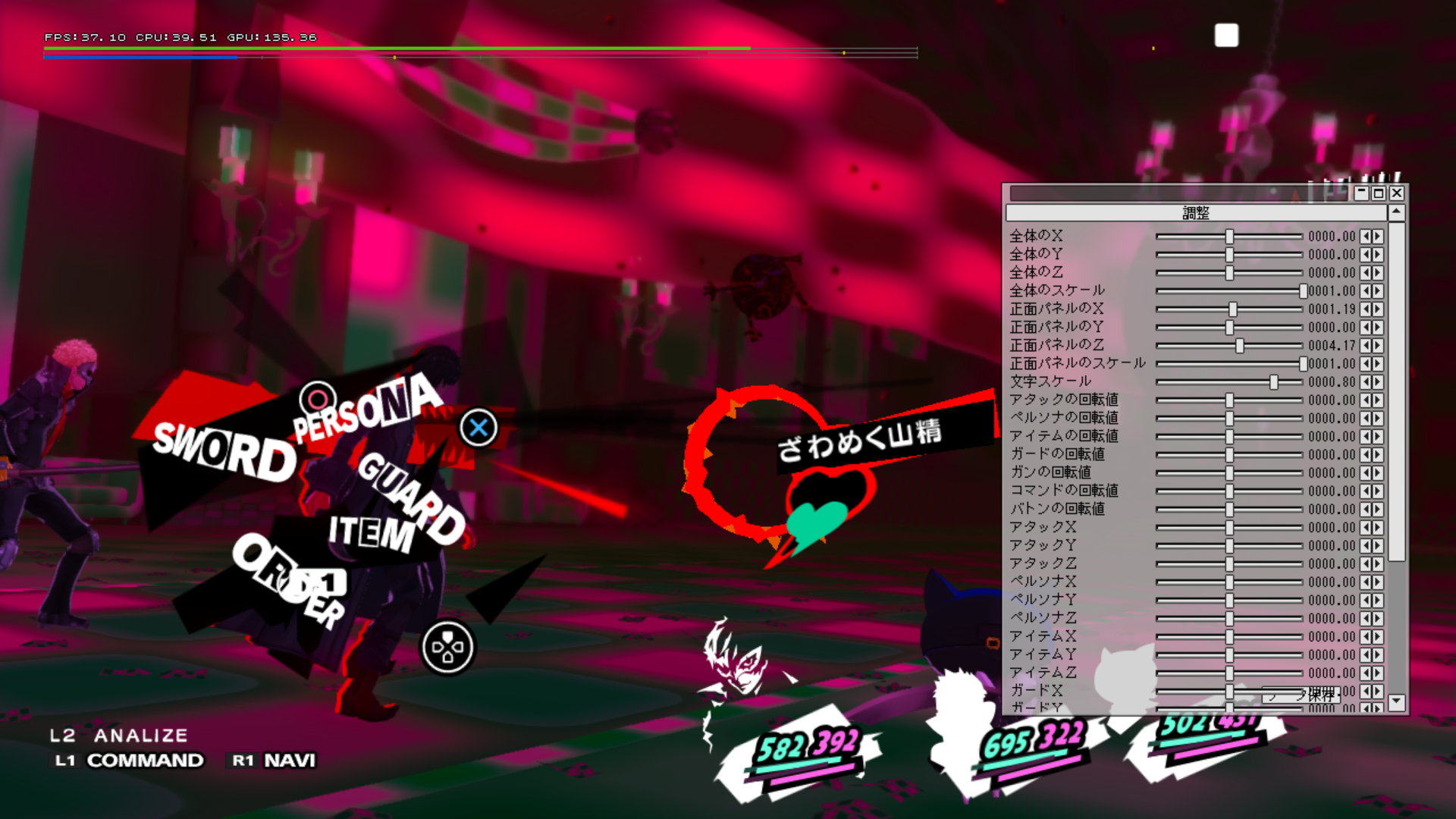
Battles are mostly functional, though there are a few things to note:
- A debug menu exists for changing the position of the battle UI, oddly only functional and used in this eboot and not in any other debug build. Though it can be seen in CGWORLD Magizne Vol .218
- The Morgana navigator portrait uses a graphic that can be seen here. It appears with a pop-in effect.
- Surprisingly there are a few voice lines, using the Alpha voice sample audio files.
- A basic UI is used for analyzing a shadow.
- The item menu has a basic look, with only text of what the item is and quantity on hand.
- The Persona status menu uses the UI from Persona 4 Golden.
- The skill selection menu has a different look, and has a temp graphic for the skill icon seen unused in the Dec 2015 build, and Catherine Full Body.
- Pressing L1 displays an menu with options for Analysis, Escape, Party, Tactics, Break Siege, and Baton Touch.
- UI for guarding has a more basic look to them.
- The game will crash whenever the following happens:
- Attacking an enemy with a weapon.
- Activating an holdup.
|
Early |
Dec. 2015 |
|---|---|
|
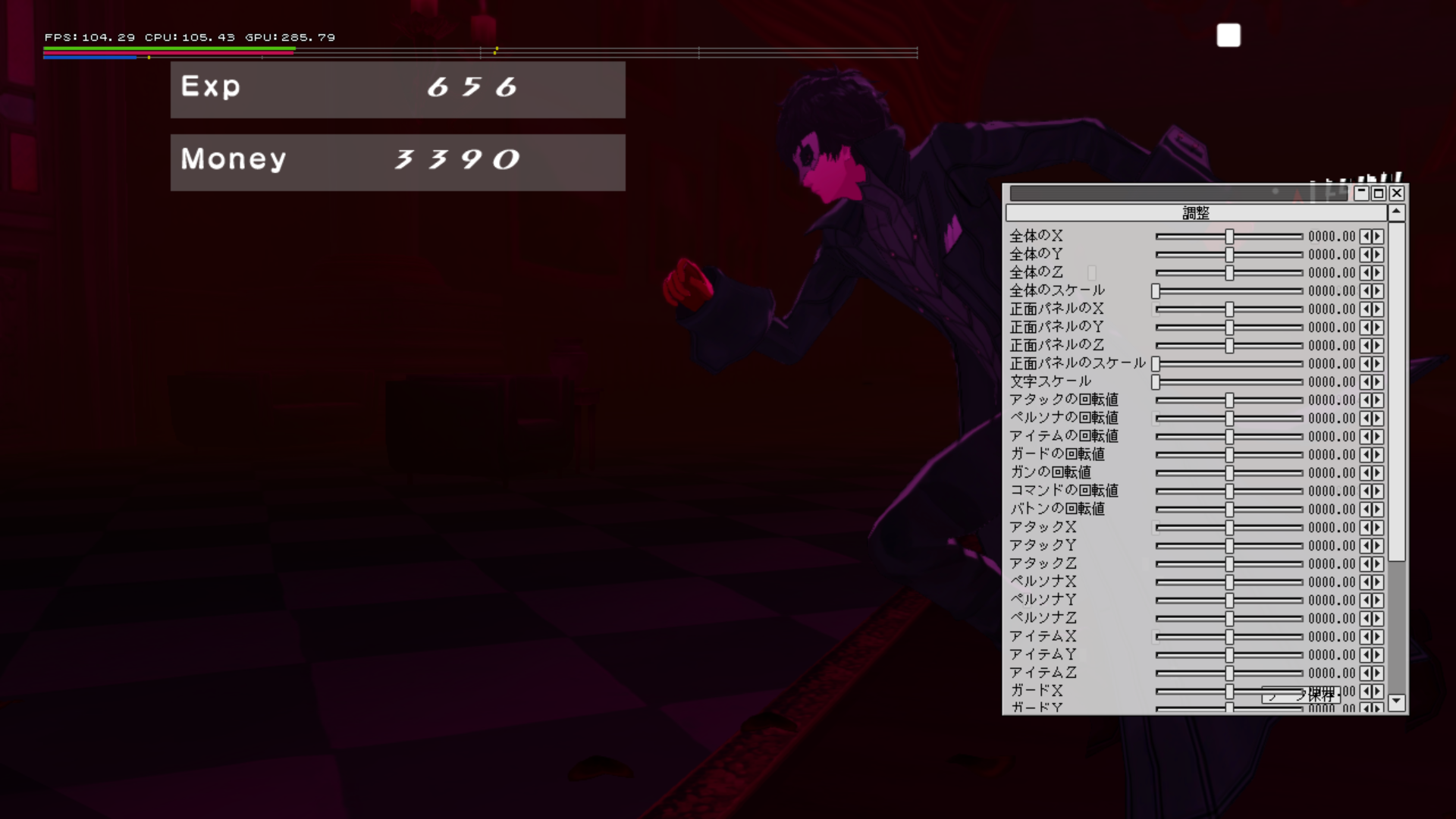
- Results UI looks a lot more basic.