 Prerelease Info
 Notes
Notes
 Bugs
Bugs
 The Sims Console LeftoversStuff from another part of SimValley.
 Unused GraphicsWallpapers, flooring and other stuff that Malcolm took away.
 Unused Text"It's FUBAR!"
Hidden Sim DataEverybody is a good cook inside.
Unused Text"It's FUBAR!"
Hidden Sim DataEverybody is a good cook inside.Build Information#
Platform |
Build Number |
|---|---|
GameCube, Xbox (ALL) |
2.1.3.31-1i |
PlayStation 2 (EUR-S) |
2.10.12.19-1 |
PlayStation 2 (JPN, EUR-N, ASIA) |
2.10.11.17-1 |
PlayStation 2 (USA, KOR) |
2.10.11.14-3 |
Debugging Options#

|
To do:
|
Several debugging options left hidden in the game that can be brought back.
The PS2 European version had two different releases - the standard European version (SLES-52047) with French, German, Spanish, Italian and Dutch as the additional languages, and the Nordic version (SLES-52048) that has Danish, Norwegian, Finnish and Swedish alongside English. They are represented with (S) and (N) respectively in the tables below.
The ASIA column is prefixed with (C) for the Chinese version (SLAJ-25028), (J) for the Japanese version (SLPM-65479), and (K) for the Korean version (SLKA-25137).
Debug Menu#
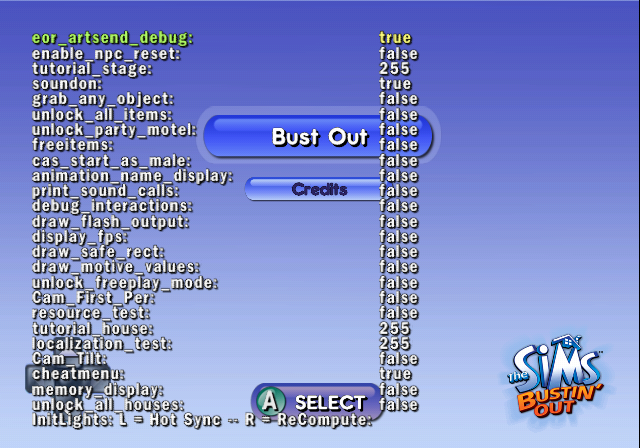
(cheatmenu)
This debug menu is normally visually broken, because the default value that sets the distance between each line is 1.1f, whereas it needs to be a much larger number such as 70f on PS2, Xbox and GCN NTSC, and 80f on GCN PAL in order to render it properly. The debug menu can be opened by pressing SQUARE + TRIANGLE + CIRCLE on PS2 and X + Y + B on GameCube and Xbox, though not all options can be enabled here, such as display_fps because those need to be set to active before the Start screen, whereas this menu can only be brought up after it.
EUR |
ASIA |
USA |
|
GCN |
002E691B 00000001 |
(J) |
002E687B 00000001 |
PS2 |
(S) |
(C) |
003F8784 00000001 |
Xbox |
00310D82 01 |
(C) |
00310CE2 01 |
Option |
Information |
Screenshots |
|---|---|---|
eor_artsend_debug |
||
enable_npc_reset |
||
tutorial_stage |
||
soundon |
Disabling this will, of course, disable sound. |
|
grab_any_object |
Lets you grab and move any object. |
|
unlock_all_items |
Unlocks all items in the Buy menu. |
|
unlock_party_motel |
||
freeitems |
||
cas_start_as_male |
When entering the Create-A-Sim, the default character will be male. |
|
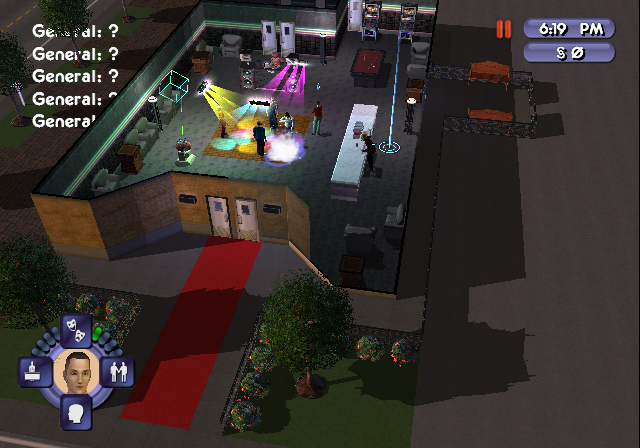
animation_name_display |
A broken option that seems to always display ? for everything. |
 |
print_sound_calls |
||
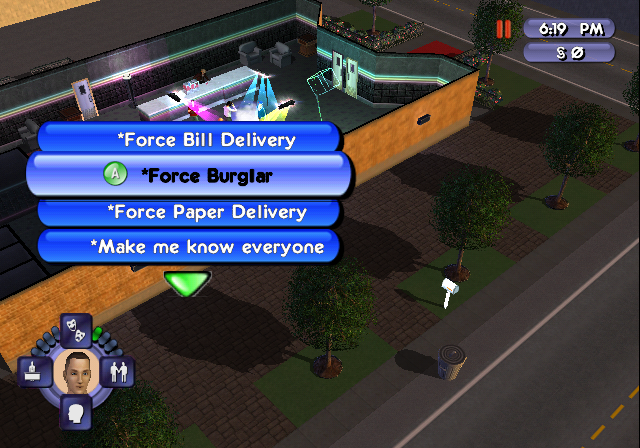
debug_interactions |
Gives additional options used for debugging, available in objects. |
 |
draw_flash_output |
||
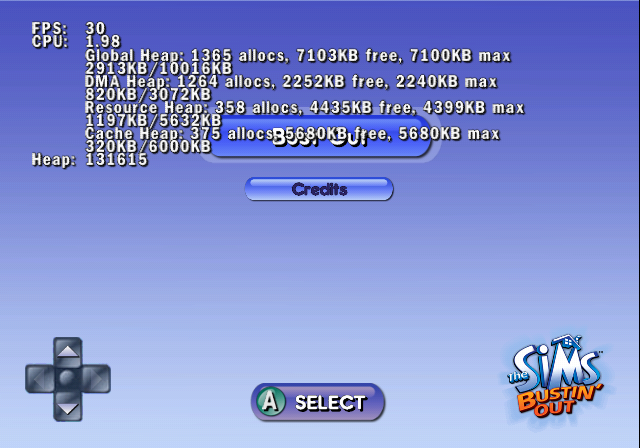
display_fps |
An option that only works if enabled before the Start screen. |
 |
draw_safe_rect |
Draws a red rectangle for the TV overscan boundaries. |
 |
draw_motive_values |
||
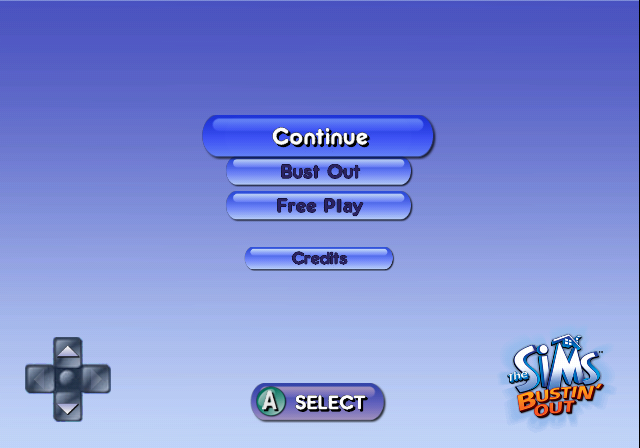
unlock_freeplay_mode |
Requires to go in-game and back out in order to take effect. |
 |
Cam_First_Per |
||
resource_test |
||
tutorial_house |
||
localization_test |
||
Cam_Tilt |
||
cheatmenu |
This very menu you're looking at! |
|
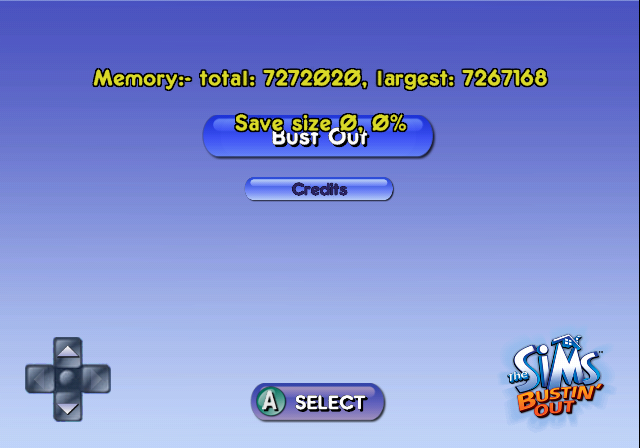
memory_display |
Displays the current memory usage and save file size. |
 |
unlock_all_houses |
||
InitLights: L = Hot |
FPS & Performance Statistics#
(display_fps)
Displays a whole bunch of information on the screen about the performance of the game. The displayed information displays slightly on each platform, but GameCube displays the most.
EUR |
ASIA |
USA |
|
GCN |
002E6907 00000001 |
(J) 002E4CA7 00000001 |
002E6867 00000001 |
PS2 |
(S) |
(C) |
003F8770 00000001 |
Xbox |
00310D7D 01 |
(C) 0031049D 01 |
00310CDD 01 |
Rendering Information#
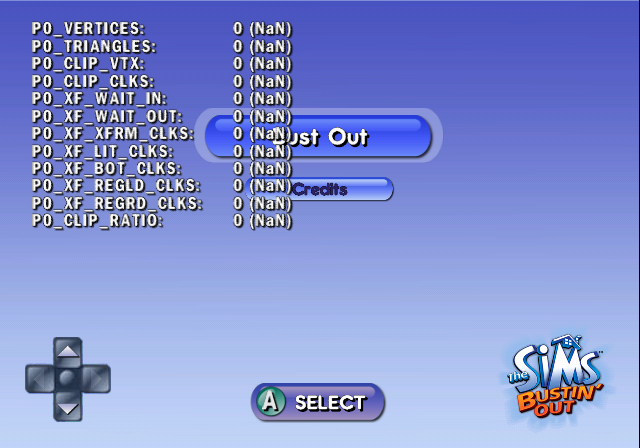
Attempts to list a bunch of rendering information, but the values always remain at 0 (NaN). Just like the debug menu, this display is by default visually broken due to the line spacing being set to 1.1f and needs to be fixed by increasing it to 80f. This is also only present in the GameCube release.
EUR |
JPN |
USA |
|
GCN |
0037C23F 00000001 |
0037A5DF 00000001 |
0037C19F 00000001 |
(Source: Edness)
Development Files and Folders#
Some files and folders used during development are still present on the disc. These elements give information about early versions of the game.
Debug Options#
SystemData/Runtime/ChalData/CHEATS.txt includes some settings, debug options and most likely unavailable options. Two lines (lobby_server = 0 and enable_dnas = 0) indicate either the possibility of an online mode like in the PlayStation 2 version, or just a leftover from said version. Changing the values has no effect on the game.
# ensure a space exists on either side of the = symbol for each line
directionZ = 60
cam_zoom_max = 160
directionIntensity = 53
cam_fov = 220
eor_artsend_debug = 1
enable_npc_reset = 0
tutorial_stage = 255
soundon = 1
ambientIntensity = 50
lobby_server = 0
enable_dnas = 0
boot2 =
grab_any_object = 0
unlock_all_items = 0
unlock_party_motel = 0
freeitems = 0
cam_zoom_min = 40
cas_start_as_male = 0
animation_name_display = 0
debug_interactions = 1
draw_flash_output = 0
display_fps = 0
draw_safe_rect = 0
directionX = 143
draw_motive_values = 0
unlock_freeplay_mode = 0
Cam_First_Per = 0
resource_test = 1
tutorial_house = 255
cameraIntensity = 42
directionY = 40
localization_test = 255
Cam_Tilt = 0
cheatmenu = 0
memory_display = 0
unlock_all_houses = 0
Developer Notes#
Relationship Panel Images#
/SystemData/Runtime/Thumbnails/readme.txt explains how to use the thumbnails folder:
The bitmaps in this directory are used as head icons in the relationship panel. All bitmaps must be 32x32, 8-bit images.ALLCHARACTERS.rsp#
The ALLCHARACTERS.rsp file present in /SystemData/Runtime/ contains an early list of settings for all the characters. In this file, "Mimi", "Mom", "Dudley", "Randy", and "Max" (present in the final version) don't have personal thumbnails and are linked to the "placeholder" image used during development. The file includes some physical options that are likely unused in the final version.
Leftover Thumbnails#
The Thumbnails folder present in /SystemData/Runtime/ contains a lot of unused images for the relationship panel, which show leftover thumbnails for characters from the various modes in the previous game. This folder indicates the presence of 83 characters, but the final game has only 23 story characters.


Leftover Dumped File#
 |
File: The_sims_BustinOut_tuning_txt.7z (19 KB) (info) |
A file named Tuning.txt in the /SystemData/Runtime/GameData folder contains a huge list of what effects every object, event, and social interaction can have on Sims and the surrounding environment.
This file also appears to have information about unused/unfinished objects and interactions.
Leftover Batch Files#
Four batch files are still present inside the /SystemData/Runtime/ChalData/ folder: export.bat, exportchallenge.bat, exportdefault.bat, and exportstory.bat.
Export.bat#
@echo off
rem --------------------------------------------------------------------------
rem check P4CLIENT variable
rem --------------------------------------------------------------------------
if defined P4CLIENT goto CLIENTOK
echo environment variable P4CLIENT is not defined!
goto Done

:CLIENTOK
rem create a new changelist
p4 change -o > p4change.txt
..\bin\simsver p4change.txt "Sims IFF export"
type p4change.txt | p4 change -i
p4 -s changes -c %P4CLIENT% -s pending | ..\bin\getp4change
call setresult.bat
if defined P4Change goto EXPORT
echo Failed to create a changelist for this operation.
goto Done

:EXPORT
p4 edit -c %P4Change% c:\eor\projects\sims\qdata\objects\*.txt
..\bin\Simsexport ..\QData\Objects\SimsObjects.qdp %*
rem revert unchanged
p4 revert -a -c %P4Change%
p4 change -d %P4Change%
:DoneExportchallenge.bat#
..\bin\SimsNghExport.exe @allcharacters.rsp -iWallsFloors.ini ChalData chall.ngh

pauseExportdefault.bat#
..\bin\SimsNghExport.exe @allcharacters.rsp -iWallsFloors.ini UserData default.ngh

pauseExportstory.bat#
..\bin\SimsNghExport.exe @allcharacters.rsp -iWallsFloors.ini StoryData story.ngh

pause
Unused Sounds#
|
|
To do:
|
Although the many, many leftover sounds from the previous entry have been cleaned out, there's still some lurking. Sound files in capital letters are pulled from its mainline cousin, to make it easier to tell between which is which.
limo_music_loop#
Travelling music loop intended for the Limo Ultimo, which plays the same as the Super Scooter except with a higher sample rate of 24050Hz than 22050Hz and with more variation in instrumentation.
Filename |
Sample |
|---|---|
|
Tragic Clown#
The leftover sounds for Sunny the Tragic Clown remain in the files; he was possibly going to return as a Tragic Clown painting can be found in the Buy Mode catalog.
Filename |
Sample |
|---|---|
|
|
|
Other#
Filename |
Sample |
Notes |
|---|---|---|
|
While the other ones were used in the previous console entry for completing a house fast and are leftovers in its sub-page, no |
Unused Text#
main.dol#
Starting at 0x2C4914 are some source code paths.
c:/eor/src2/games/sims/MSrc/Neighbor.cpp
c:/eor/src2/games/sims/MSrc/Neighborhood.cpp
c:/eor/src2/games/sims/MSrc/NetObjectManager.cpp
c:/eor/src2/games/sims/MSrc/newarray2d.cpp
c:/eor/src2/games/sims/MSrc/NghResFile.cpp
c:/eor/src2/games/sims/MSrc/ObjectModule.cpp
c:/eor/src2/games/sims/MSrc/ObjectSim.cpp
c:/eor/src2/games/sims/MSrc/Recon.cpp
c:/eor/src2/games/sims/MSrc/CTGFilePS2.cpp
c:/eor/src2/games/sims/MSrc/IFFResFile2.cpp
Unused Effects#
The final game still has some unused effects from objects or social interactions. All of this information came from Tuning.txt (see above).
Unused Object Effects#
The Espresso Machine could originally become dirty at one point. (line 467).
CoffeeEsp 4096:Tuning Values
0:Drink_Espresso_Effect_Inc_M_Energy 30
1:Drink_Espresso_Effect_Inc_M_Bladder -35
2:Drink_Espresso_Timing_Loops 2
3:Drink_Espresso_Effect_Inc_M_Fun 30
4:Drink_Espresso_Get_Dirty_Dirt_Inc_per_use_-_Unused 20
5:Chance_of_Break 40
6:Drink_Espresso_Effect_Max_M_Energy 20
7:Repair_Unused 4
8:Repair_Timing_Thresh_M_Mood 0
9:Break_Amount 45
All Lamps use the same methods and appear to have unused functions. Originally, the Bulblamp didn't have the same effect than other lamps.
Lamps 4097:Tuning
0:Room_Score_Not_Broken_Cheap 0
1:Room_Score_Not_Broken_Mod 0
2:Room_Score_Not_Broken_Exp 10
3:Room_Score_Obsolete_Broken_Bulb 0
4:Room_Score_Obsolete_Unused 0
5:Timing_Thresh_Unused 300
6:Room_Score_Not_Broken_VExp 10
7:Break_Burn_out_chance_Cheap_ 2000
8:Break_Bulb_Burn_out_chance_Mod_ 3000
9:Break_Burnouty_Chance_Exp_ 4000
10:Break_Burn_Out_Chance_VExp_ 5000
11:Misc_Electricution_Chance 100
The Heartbed (The only bed where you can perform the "WooHoo" interaction) has a lot of unused functions.
BedHeart 4096:Tuning
0:Undefined 4
1:Undefined 250
2:Misc_Snore_Every 4
3:Misc 85
4:Misc_Unused 100
5:Misc_Unused 100
6:Misc_Unused 1
7:Undefined 100
8:Misc_M_Hunger_Unused -100
11:Effect_Inc_M_Comfort 53
12:Undefined 150
13:Undefined 6
14:Undefined 18
15:Undefined 350
16:Undefined 750
17:Undefined 5
18:Undefined 2
22:Sleep_Effect_Inc_M_Energy 3
Development Oversights#
|
|
To do:
|
Furniture#
Poster Error#
Texture (rotated) |
action queue (enlarged) |
|---|---|
 |
 |
The texture file (art_painting_poster_movie_classic) and action queue (art_painting_poster_movie_classic_action_queue) for the "Love in Bahgdad" Movie Poster are different, where the latter lacks Fanny Adoré and Humphrey Hawks present on the top part of the poster. It's likely that it was from earlier in development where their designs weren't finalized yet, though the finalized texture shows early design for Fanny, oddly enough.
Iron Fence Error#
Build Mode Icon |
Texture |
|---|---|
 |
 |
The Build Mode icon (metal_fence_type2) shows the Connecting Iron Fence with its design from the previous console entry, but the texture (metalfence_01) has a completely different appearance.
Earlier Super Scooter Texture#
The Super Scooter model that appears in Create-A-Sim (cas_vehicle_scooter) has slight differences in texturing compared to the final (vehicle_scooter); the gradient is less refined and the seat is of a blue hue than black.
Early |
Final |
|---|---|
 |
 |
Textual Errors#
- In the 6th text string used in Mom's House (
scenario_mom_house_resident.iff), Mom explicitly states that the Sim needs ten Career promotions to get Malcolm's Mansion, but that is false; they need eight promotions to unlock Malcolm's Mansion as a residential home.
Bye-bye baby! Come back and visit whenever you want! Good luck in your new career! You're only 10 promotions away from getting Malcolm's Mansion!- In Mimi's House (
scenario_mimi_house_resident.iff) There are a handful of text strings pointing towards a different scenario of having to fix more stuff at Mimi's Place rather than the coffee machine. Almost all of them use the same pluralized item context.
Hey…do you think ya could help me fix this stuff?
(Press <The3>START<Button3> to view GOALS)
Gosh! Is like, everything broken in here or what?
(Press <The3>START<Button3> to view GOALS)I swear! Everything I buy seems to break in 5 minutes! What's the deal?
(Press <The3>START<Button3> to view GOALS)Man this place is depressing. Look at all this broken junk!What a dump…when are ya gonna fix this stuff?Hello! I thought you said you could fix things! Stuff's still broken! NOT WORKING! Earth to $NameLocal:3!SWEET! You fixed all the broken stuff! You ROCK!- It even applies to the Move Out messages;
Hey! I thought I asked you to fix up the place! You just used me and my place until something better came along. I knew it…you men are ALL the same. Good riddance.I can't believe you're leaving already…all I asked was that you help fix a few things. Fine. Use me and lose me. Some friend you are…traitor.Moving out? I wish you wouldn't leave, but...I know you need to move on. Thanks for fixing all the stuff, you re the best friend ever! I'm going to miss you so much! Stop by anytime $NameLocal:3!Miscellaneous Errors#
Alarm Sound#
Among the sounds for the male screams is VOX_SCREAMM11, which is a loud, low quality alarm sound that can unexpectedly be heard when a male Sim is burning to death. What makes this an oddity is that neither female Sims or children use this sound at all when screaming, and, considering the specific sound effect used, it was most likely a placeholder sound effect.
This sound can also be heard in the previous game.
Child Sims' Military Uniforms#
In the mainline counterpart and previous console instalment when the Child Sim gets low grades from school, they have to leave the household to go to military school. While this mechanic does return in Bustin' Out, it has one notable flaw in which the child sims no longer have their military uniforms and instead go with their current outfit, and they no longer have a salute animation, despite the game playing the animation where they switch clothes.
Other#
- The interaction
Switch to Technois referred to asSwitch to Techno Radioon the Strings Theory Stereo, despite it behaving identical to other stereos. It's most likely an accident. - There is a missing frame graphic for the multiple TV object, called
electronics_tv_multiple_channels_09. - The text box dialogue for completing three Triple Flips in a row at Toane's Gym is assigned to "Guess What?" rather than Max or Goldie.
- After clearing all seven Careers in Bust Out mode, the flavor text at Mom's House will no longer play, including the Throw Party messages. The move-in and move-out messages still play though.
Oddities#
|
|
To do:
|
Killable Bust Out Mode Sims#
If a Sim other than the Player's Sim or the married Free Street Sim dies in Bust Out mode, they'll get instantly brought back to life by the Grim Reaper. However, there are certain Sims that can be killed off, where unlockable clothing options and Social Interactions are missable unless a new game is started.
Below are the following Sims that can be killed in Bust Out mode;
- Maxine Powers
- Mona Lott
- Makino Nada
- Chase Skurtz
- Humphrey Hawks
Unobtainable Wallpaper#
In Pixel Acres, an unobtainable wallpaper (wallpaper_wood_planks_grassy) is used for some of the walls on the Lot where it is similar in appearance to the Chemically Treated Wood Wall (wallpaper_wood_planks_vertical), except with grass at the bottom.
Unobtainable |
Obtainable |
|---|---|
 |
 |
Texture Oddities#
The texture of the ship in Create-A-Sim is titled cas_poster_avril, likely referring to real-life celebrity Avril Lavigne who appeared in The Sims Superstar. The supposed cameo was likely cut due to royalties.

Filename Oddities#
Sound Files#
- The sound effects for the Free Street houses are separated into three different files (
map_freeplay1,map_freeplay2andmap_freeplay3), despite all using the same sound. Another file that shares the same sound issting_char_winner, left over from The Sims: Vacation. - The sound effect for completing a Goal in Bust Out Mode
ui_unlockis duplicated asui_unlock_car,ui_unlock_level,ui_unlock_money,ui_unlock_objects,ui_unlock_skins,ui_unlock_services,ui_unlock_social, which all suggest that they were going to have distinct sound effects for unlocking certain items.- Oddly,
ui_unlock_socialandui_unlock_levelwere updated in The Urbz: Sims in the City, but still go unused there.
- Oddly,
STING_SOCSUC_1andSTING_SOCSUC_2, andSTING_SOCSUC3andSTING_SOCSUC4, used for gaining Skill Points have the same sound effect. The presence of other same-sounding jingles with different bass backing suggest those were going to have that.
Glitched Textures#
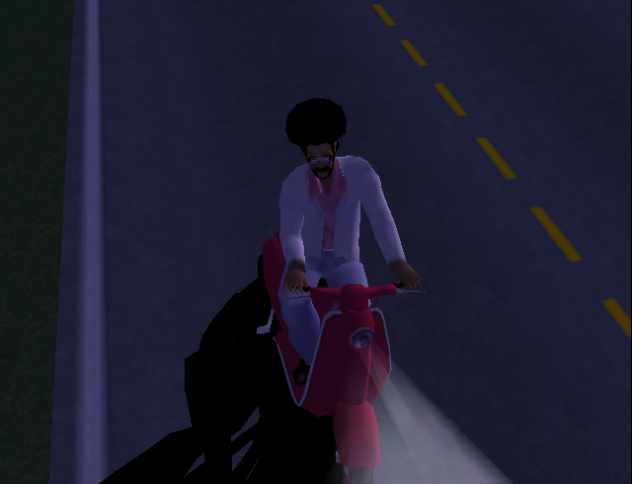
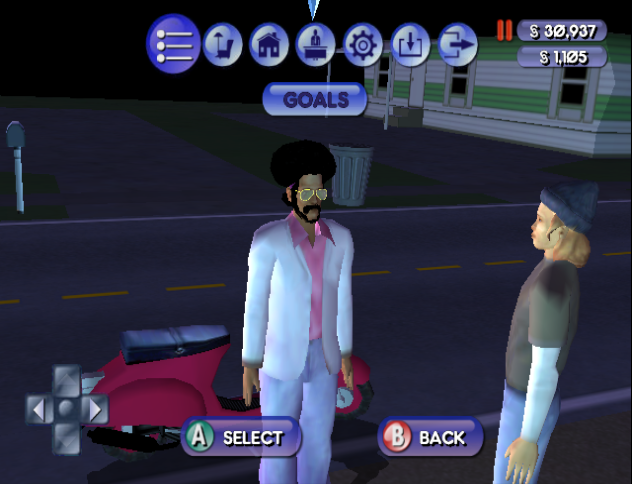
While driving in a vehicle in Bustin Out mode when you are moving or visiting lots, certain face accessories like shades will have glitched textures.
While Driving |
On A Lot |
|---|---|
 |
 |
Platform Differences#
Xbox Loading Screens#
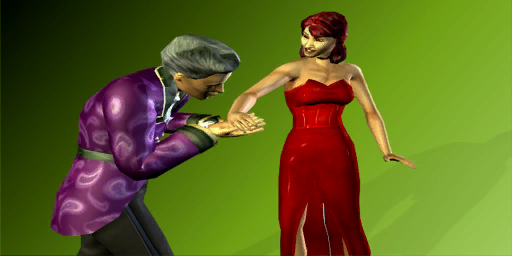
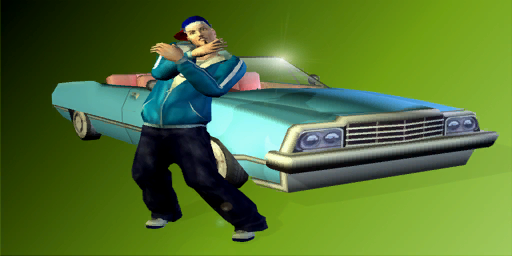
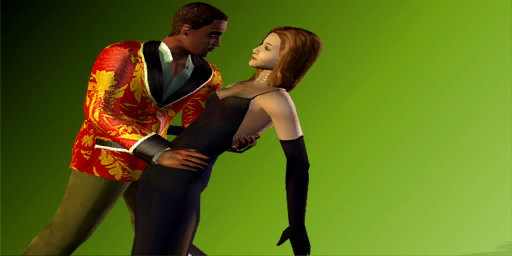
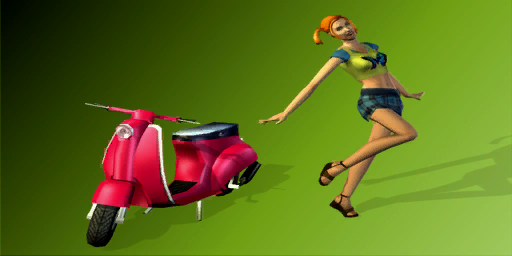
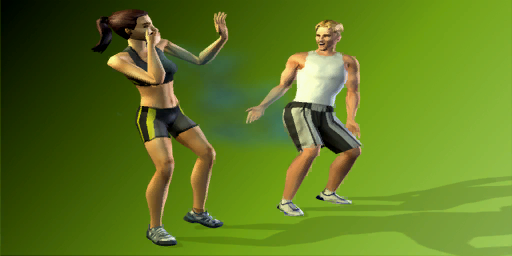
The Xbox version has unique loading screen backgrounds that can be seen. These textures also exist in the PS2 and GameCube versions, however they are 32×32 in size there.
PS2 & GCN |
Xbox |
PS2 & GCN |
Xbox |
|---|---|---|---|
 |
 |
 |
 |
 |
 |
 |
 |
 |
 |
 |
 |
 |
 |
 |
 |
Regional Differences#
|
|
To do: |
Title Screen#
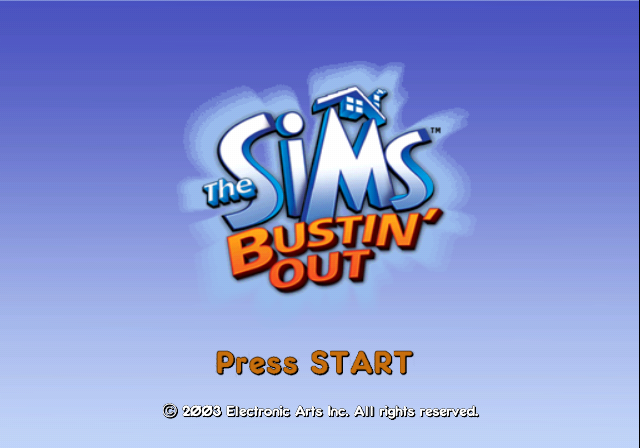
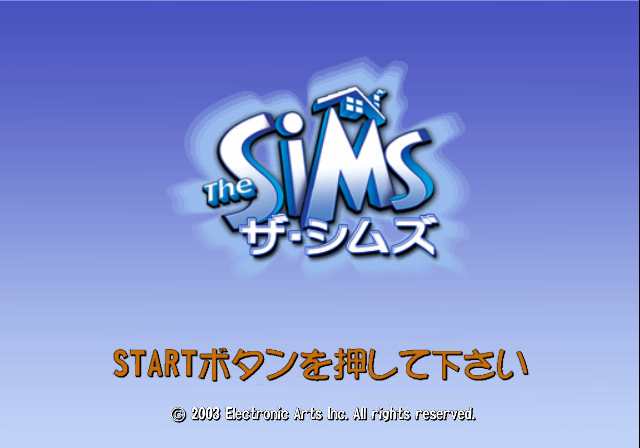
In Japan, this game is simply called The Sims (as the previous console game was called SimPeople there), compared to other regions that got a unique translated subtitle.
|
International |
Japanese |
|---|---|
|
|
Create-A-Sim Presets#
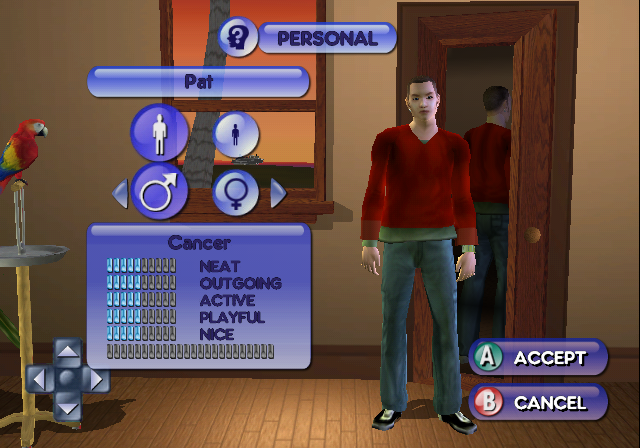
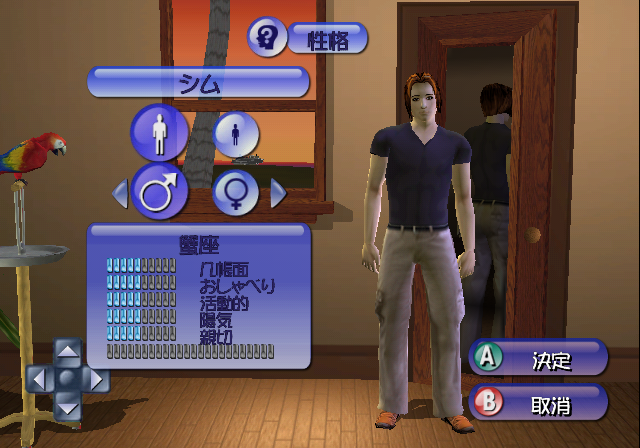
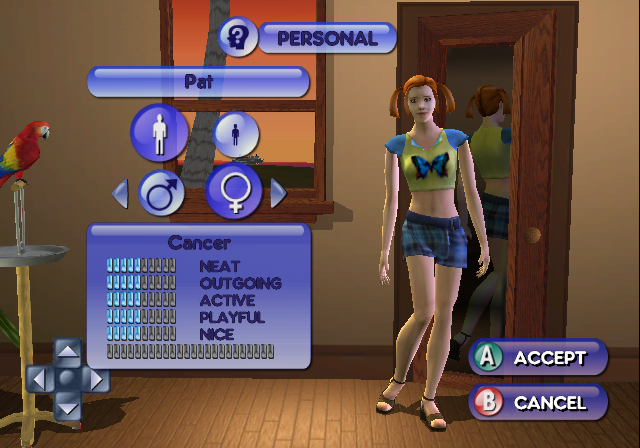
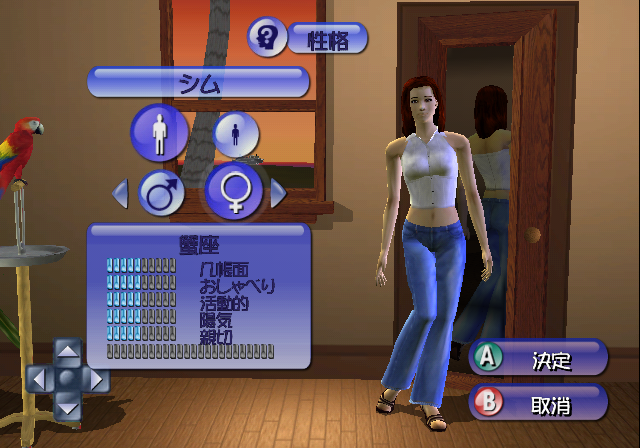
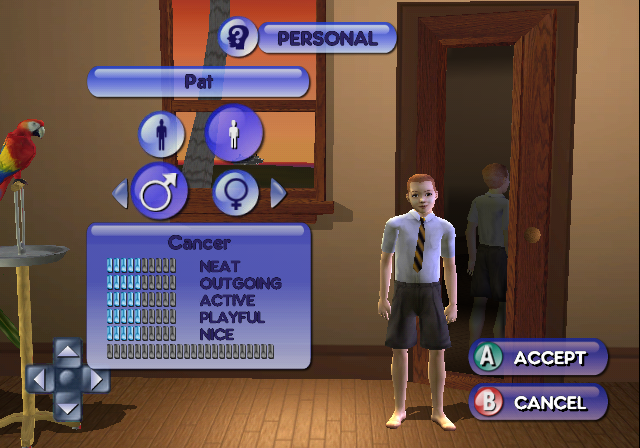
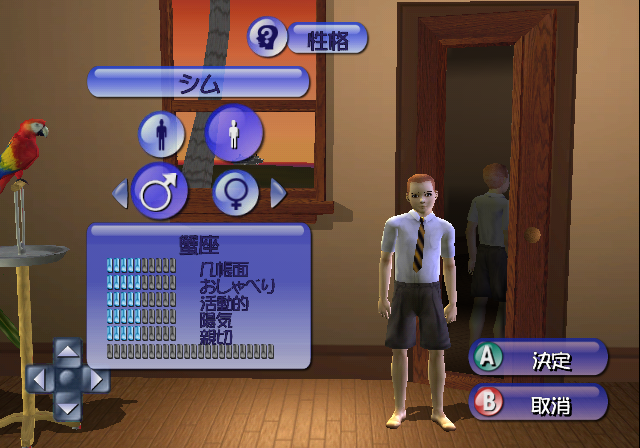
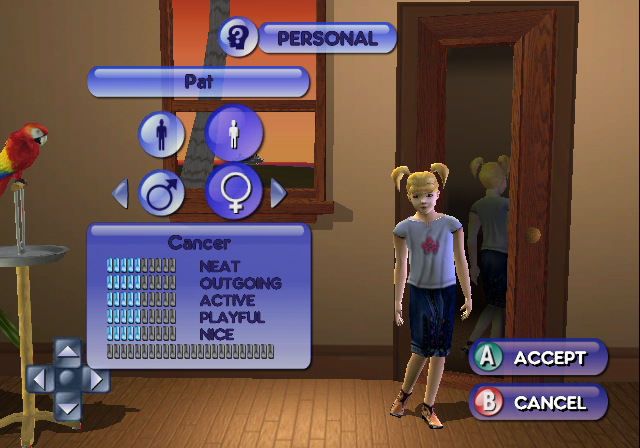
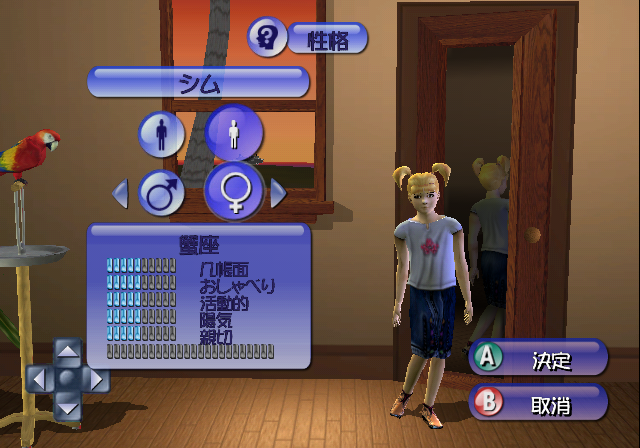
The adult character presets in Create-A-Sim are different in the Japanese, Korean, and Chinese versions, and look more Asian compared to the regular ones. The children, however, only have a slightly different skin tone. They can be recreated vice-versa without having to unlock any accessories in Bust Out mode.
International |
East Asian |
|---|---|
 |
 |
 |
 |
 |
 |
 |
 |