 This article has a talk page!
This is a sub-page of Proto:Persona 5.

|
This prototype is documented on Hidden Palace. |

|
To do:
|
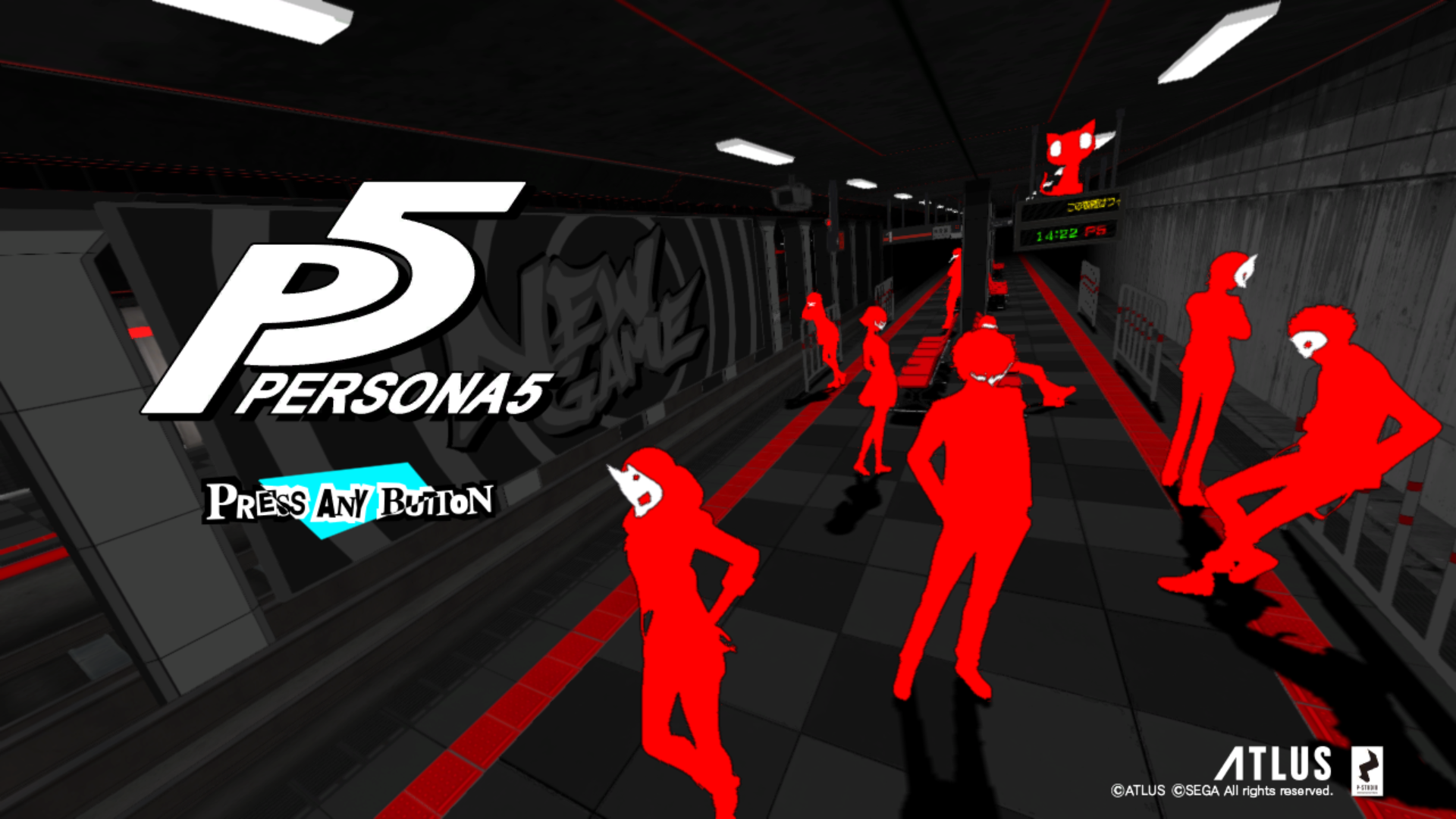
A build of the PlayStation 3 version dating back to June 3rd, 2016, was dumped on January 18, 2024, following an auction. Though it has the build date of June 3rd, the GFD Engine says it's a build dated to May 24, 2016. It is the master debug of the Japanese build, with a lot of debug functions.
General Differences#
- Unlike the previous debug builds, this build doesn't have the shortcuts on the title screen.
- Igor model isn't present in the Velvet Room field.
General Debug#
- If the protagonist is not named by the player, Joker's name will be set as 主人公 主人公 (Shujinko Shujinko), which translates to "Protagonist Protagonist". This still happens in the final game if the player isn't named.
- When skipping to different parts of the game using the main menu, most phantom thieves are set to a default level of 34, besides Haru, Futaba, and Akechi, who are set at level 45, 35, and 54 respectively. During the Kaneshiro arc, the default level is 25, and during the Madarame arc, the default level is 15.
Debug Screen on Bootup#

Present in all debug builds of the game when booting up the game, is a debug menu.
Options |
Function |
|---|---|
Title |
Takes you to the title screen. |
Load |
Loads a save file. This feature was not in the Dec 4, 2015 prototype, but was added in the February 25th, 2016 prototype onwards. |
Battle |
You can access any battles in the game. ENCOUNT - Sets what encounter of enemies will be fought. Party1 - Sets who is in your 2nd party slot. Party2 - Sets who is in your 3rd party slot. Party4 - Sets who is in your 4th party slot. MORGANA ONLY - If set to true will only let Morgana to be in your party. COSTUME - Sets what costume you have in battles. SERIES0 SERIES1 BOKOSUKE TUIGEKI LEVEL - Sets the level of everyone in the party. TALK MAJOR - Sets the major of talking to shadows through holdup. FLD MAJOR - Sets the field major of the battlefield. FLD MINOR - Sets the field minor of the battlefield. PREEMPTIVE - Has options to set what part of battle you're in. NORMAL ENCOUNT, PINCH ENCOUNT, ALLY ECOUNT, HOLD UP FORMATION, RANDOM FIRE, ALERT ENOUNT, ENEMY TALK. ALERT - If set to true will add more enemies when killing the first set. AI - If set to true will set all party members AI to true. BOSS EDIT - Appears to do nothing if set to true. PLAYER EDIT ENEMY EDIT PERSONA EDIT CAMERA EDIT - A camera editor, it's nonfunctional in this build and the previous debug builds. However it does work in the June 13, 2014 eboot. |
Field |
You can play through any field that exists. MAJOR - Sets the major for the field. MINOR - Sets the minor for the field. ENV MAJOR - Sets the Major for a ENV. ENV MINOR - Sets the Minor for a ENV. POS INDEX DIV INDEX DATE - Sets the date. TIME - Sets what the time of day it is. WEATHER - Sets the weather, normally is set to CALENDAR by default. The other options are:
ENEMY NO PUT - Disables enemies if set to true. ENEMY NOTICE - Will make enemies never notice you if set to true. ATTACK DISABLE NPC NONE - Disables NPCs if set to true. HIT NONE - Disables hit triggers from a field if set to true. INIT NONE INIT SCR NONE NO GAME OVER NO LEAVE - Doesn't allow you to leave a field, unless you exit the game through the pause menu. NO FBN SCRIPT DEBUG FLAG FOOT STEP INFO MEMORY CHECK NO DIVREAD NO RESUME NOTEX BG PATH RESIDENT RELOAD - Reloads NPC data AT DUNGEON - Has a few options for dungeons: DNG INDEX DNG LEVEL BUILD ID ENEMY NO PUT - Works the same as above. ENEMY NOTICE - Works the same as above. ATTACK DISABLE - Works the same as above. HIT NONE - Works the same as above. NO GAME OVER - Works the same as above. NO LEAVE - Works the same as above. MEMORY CHECK - Works the same as above. SCRIPT DEBUG FLAG - Works the same as above. SPECIAL FLOOR EVENT NO LOG |
Field Viewer |
Normally softlocks the game. But with some editing by including the test/nowatari folder from Royal, it can be accessed. |
Event Viewer |
You can view any Event in the game, and you can also view loading transitions. TEST - If set to true will play a test event in the test/event folder if it is added. MAJOR - Set the major of the event. MINOR - Set the minor of the event. -> START - Starts the event if it exists in game. * FILTER * - Possibly adding in a filter to a event, doesn't work however. -> START - Starts a filter to the event, doesn't seem to work. FADE OUT - You can view any transitions ingame. DRAW INFO - Draws debug info near the bottom left of the screen. |
R3 Menu#
Can be accessed anywhere in the game:
Options |
Function |
|---|---|
FLAG EDITOR |
Allows you to edit flags for events, confidants, fields, battles, system, and progress. |
COUNTER EDITOR |
Allows you to edit counters. |
ITEM EDITOR |
Allows you to edit what items you have, unused and used. |
NPC FLAG EDITOR |
Allows you to edit NPC flags. |
UNIT_EDITOR |
Has options to edit the Level, EXP, HP, SP, weapon, costume, accessory, armor, and gun on a party member. |
PLAYER STATUS EDITOR |
Allows you to edit the level, persona, and what skills the personas have of every party member. Interestingly, there is an unused party member named "0x00A" with the persona of "Loki", which could mean that Akechi would have joined before Shido's boss fight. Adding him to your party will crash the game. |
PERSONA STOCK EDITOR |
Allows you to select any persona to put in your stock, including party members personas. This menu also alows you to set the personas stats, level, and what skills they have. |
ENEMY VIEWER |
Allows you to view every enemy, including their stats, money got when defeating them, and item get. |
COMMUNITY EDITOR |
Allows you to set the rank, points, and if the confidant is broken or doubted. |
RESOURCE VIEWR |
Allows you to view animations for every model available in a scene. |
NPC DATA RELOAD |
Reloads data for NPCs. |
FLD OBJ VIEWR |
Allows you to view object names that are available in a field. |
FLD OBJ SNAPSHOT |
Snapshots every object and how many triangles each one has. |
NOTEX BG PATH USE |
|
EVA EDIT (FLD) |
Works the same as Scene/ENV Editor seen below. |
EVA PLAYER (FLD) |
|
SKY FILTER |
Alows you to add a filter to the screen:
|
DAY EDITOR |
A day editor. Has some options here:
|
QUEST EDITOR |
|
PARTY EDITOR |
Allows you to edit who's in your party. If you try to set the protagonist in any other slot (or listing an already listed party member in another slot), the window will refuse to close. |
ARBIET EDITOR |
|
PARTY RECOVERY |
Sets everyone in your party status effects off and makes their HP and SP full. |
BULLET RECOVERY |
Sets the gun ammo to full. |
MEMORY MAP |
Shows how much memory the game is using. |
RAIN EDIT |
Doesn't work. |
SNOW EDIT |
Doesn't work. |
3D SOUND VIEW |
|
SYSTEM SETTING |
Has a few options here:
|
SCREEN SHOT CONFIG |
|
RENDER TEST |
Sets the visibility of layers in the game. |
SAFE AREA |
Shows a transparent gray and red box, with a crosshair in the middle of the screen. |
SPEAKER LEVEL |
|
SPEAKER LEVEL |
|
SND APP TEST |
A sound test for bgm. |
TOGGLE WARING DISPLAY |
Doesn't seem to work. |
DISP LINE |
Displays 4 green lines on screen. |
LOUNDNESS LEVEL |
|
RESET LOUNDNESS |
Facility Debug#
Pressing L3 in a facility like Iwai, Takemi, and the Velvet Room:
Pause Menu Debug#
Pressing L3 on the pause menu, it has a few options.
Options |
Function |
|---|---|
HERO HP |
Sets the HP of the protagonist. |
HERO SP |
Sets the SP of the protagonist. |
HERO LV |
Sets the protagonist level. |
MONEY |
Sets how much money the player has. |
MEMBER ON |
Adds all party members. |
ITEM FULL |
Lets you obtain every item, unused and used. |
SKILL FULL |
Lets you obtain every skill, unused and used. |
PERSONA FULL |
Adds in personas in all empty slots. |
TECHNIQUE FULL |
Lets you obtain every weapon, gun, protector, accessory, and clothes. |
SLOT 8 |
Has the player have 8 slots for holding personas. |
SLOT 10 |
Has the player have 10 slots for holding personas. |
SLOT 12 |
Has the player have 12 slots for holding personas. |
QUEST FULL |
Unlocks every request. |
QUEST NEW |
Sets all quests to be new. |
QUEST END |
Ends every request that is active. |
TUTORIAL FULL |
Unlocks every tutorial. |
CALENDAR FULL |
|
CODE NAME FULL |
|
BASE COLOR |
Lets you change the white on the stars from white to black. |
BG MODEL EDIT |
Lets you set the animation, position, and rotation of the protagonist pause menu model. |
BG STAR EDIT |
Lets you edit the stars position. |
BG LINE EDIT |
Edits the white line position and rotation. |
BG NUMBER EDIT |
Alows you move the position of the number when selecting a option. |
BG MODEL DRAW |
Sets the visibility of the protagonist pause menu model. |
UI DRAW OFF |
Sets the visibility of the 2D UI options. |
BG EFFECT MOVE |
L2+R2 Field Menu#
Can only be accessed while in a field by pressing L2+R2. In the 2014 eboot, it can be accessed by pressing the L3 button:
Options |
Function |
|---|---|
BULLET(COLLIS) |
|
PLAYER |
|
ENEMIES |
|
DOOR & TRE. BOX |
|
CAMERA |
|
SCRIPT |
|
FIELD SETTING |
|
SHOW DEBUG |
|
SHOW MODEL |
|
SHOW 2D |
|
SHOW PERFORMANCE |
|
RESOURCE VIEWER |
Works the same as the L3 menu accessed anywhere ingame. |
TRANSITION WIPE VIEWER |
Loads any transition in game. |
EVA EDITOR |
Works the same as the Scene/ENV Editor seen below. |
EVA PLAYER |
Works the same as EVA PLAYER (FLD) seen in the L3 menu. |
SAVE |
Saves your game. |
LOAD |
Loads a save slot. |
Return to Calendar |
Passes time forward. |
NPC EDITOR |
Crashes the game. |
FPA EDITOR |
|
FGF EDITOR |
|
CHD EDITOR |
|
Reload Constant Objects |
Reloads all constant object data. |
Reload Party Members |
Reloads party member data. |
Reload Background |
Reloads the field model data. |
EXIT |
Returns you to the title screen. |
Event Debug#
- Pressing L1+R1 will skip the entire event.
Some info for an event can be seen when pressing the L3 button in event:
Options |
Function |
|---|---|
ID |
Shows the ID for the event. |
RANK |
Shows the rank of a event. |
LEVEL |
|
COUNT |
Shows the count of a event. |
READY |
|
MSG |
|
VFR |
Battle Debug#
- Pressing L3 will slow down the speed of everything.
- L2+R2 will end the battle.
- Pressing select will enter a free camera mode.
PC Debug options#
Despite this being a PS3 game, it has some PC options that you can mess around with by not putting in a controller, and being on a pc through emulation:
Right Click Menu#
option |
submenu |
|---|---|
Model Viewer |
Allows you to view 3D models. |
Texture Viewer |
Allows you to view every texture in a scene. |
Assest Viewer |
|
Filter Viewer |
|
Debug Console |
You can start, end, and remove a task. |
FPS |
Shows the FPS, CPU, and GPU on the top left of the screen. |
Performance Meter |
Shows the current performance. |
Memory Info |
Shows memory, rax memory, and resource usage. |
Graphic Info |
Shows rendering Info |
Camera Info |
Shows info for camera 0 and camera 1. |
Build Info |
Shows the build date and time. |
Animated Texture Editor |
Alows you edit or view animated textures. |
Scene/ENV Editor |
|
Effect Editor |
Allows you to view and edit effects. |
FPS Stabilizer |
|
Task Info Console Output |
Does nothing. |
About GFD Engine |
Shows the current version of the GFD, the build date and time, and the base FPS; which is 30. This build says it's a May 24, 2016, build. |
Serial Num. Capture Detail |
|
Serial Num. Capture Start |