This article has a talk page!
The Sims 2: Pets is the fifth console entry in the series, based off the mainline expansion pack. It's also notable for being the first Sims game on consoles that simplifies lot of stuff - in this case, the removal of death (where Sims "faint" instead) and fears, a simpler social system, lack of story mode, removal of multiplayer, downgraded control system and some other tidbits.
It's also the first Sims console game not to be released on the Xbox, the last to be released on the GameCube, and the first to be released on the Wii.
Sub-Pages#

Build Tags#
Platform |
Sandbox Version |
|---|---|
GameCube (USA) |
1.1.0.74 |
GameCube (EUR) |
1.2.0.82 |
The Sims 2 console leftovers#

|
To do: |
As this game was built off of The Sims 2 for consoles, it's safe to say most unused content would appear there. Although most of the Urbz leftovers have been taken out, likely to make space.
Xbox Controller Buttons#


Graphics for Xbox controller buttons can be found in the game, suggesting that an Xbox port was considered or are leftovers.
EyeToy Leftovers#
The PlayStation 2 version of this game and its follow-up doesn't have EyeToy support, so the icons and funframes from the previous entry go unused. Strangely, the first funframe is missing.


Leftover Wants and Fears#
As Fears were completely removed from the game, the leftover graphics for most of the Fears are present. There are even graphics for platinum and gold Wants as well!
Unused Unlock Codes#
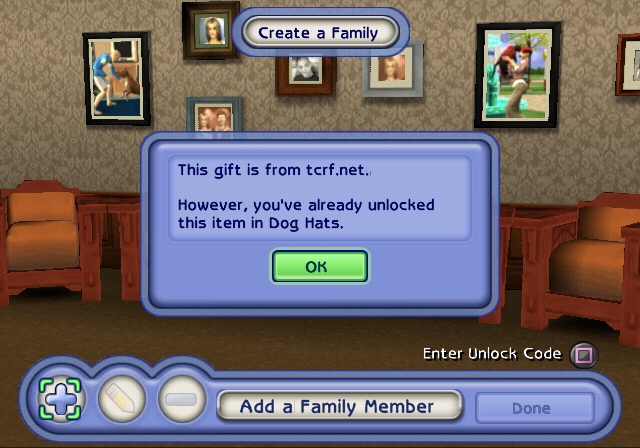
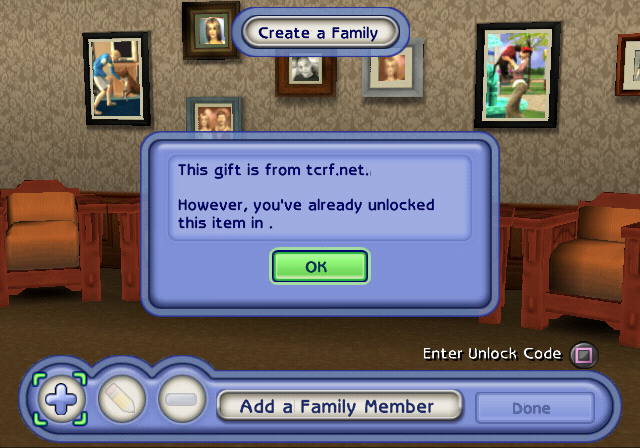
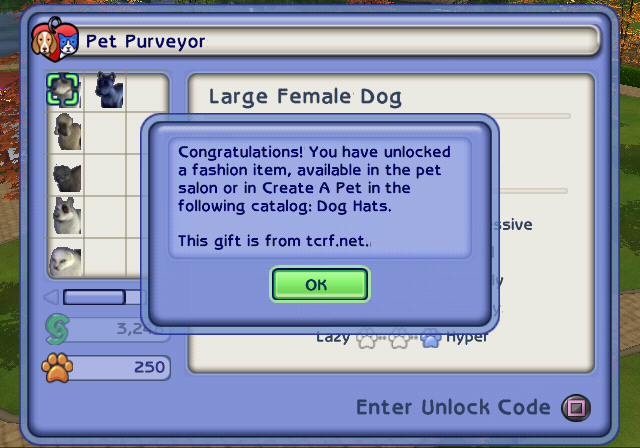
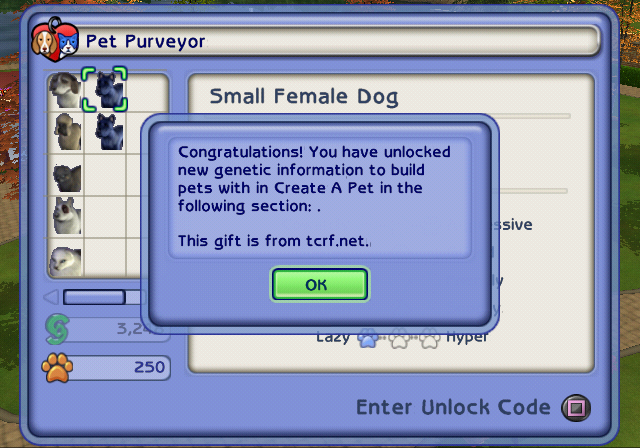
The Unlock Codes normally unlock gifts whose IDs are in the range of 1-46, however the game allows the gift ID to be in the range of 0-50. The 0th gift ID seems to have been meant to unlock an item in the Dog Hats section, but the other 4 gift IDs remain blank.
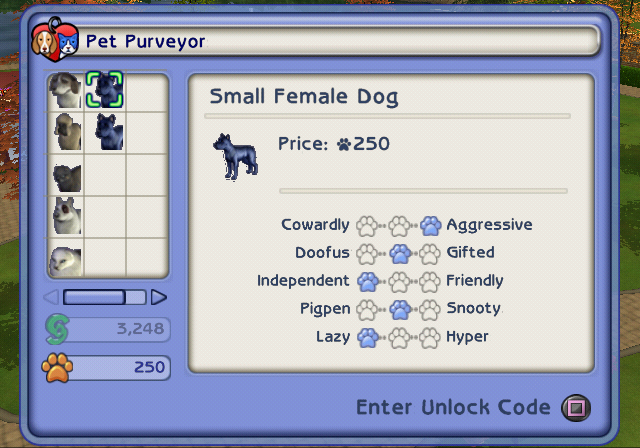
Attempting to input these keys in the Create-A-Pet, the game will inform you that the item is already unlocked, but in the Pet Purveyor all of them also award you with what would normally be unlocked with a key containing the 32nd gift ID (Dog Fur Colors - Blue).
ID |
Unlock Code |
|---|---|
0 |
X49R-7ZI7-M6K7-QINJ-TE3 |
47 |
X49R-7ZIF-WEU7-ZINJ-TE3 |
48 |
X49R-7ZI7-M6KF-ZINJ-TE3 |
49 |
X49R-7ZIF-M6KF-ZINJ-TE3 |
50 |
X49R-7ZI7-W6KF-ZINJ-TE3 |
Key Validation Oversight#
The key is a 19 character string which encodes a 13 byte array. The first 8 bytes are for the gifter's name, the 9th byte is for the gift ID, and the last 4 bytes are meant for the CRC-32 hash of first 9 bytes with the sign bit of each byte removed. However, for whatever bizarre reason, the first 9 bytes are first converted to UTF-16 (inserting a NULL after each byte), yet the array size that is passed to the CRC-32 function is never updated.
The name + ID byte array is now 18 bytes large, but only the first 9 bytes of that get hashed - this means only the first 5 characters (technically 4.5) of the gifter's name are actually checksummed. It is entirely possible to make a typo between (and including) the 8th and 14th characters of the key and have the game sometimes accept it, displaying a corrupt name or even unlocking the wrong gift, since that region is almost entirely unprotected against the checksum.
(Source: Edness)
Unused Text#
Create-A-Pet#
String Label |
String |
Additional Info |
|---|---|---|
urbzui\NewUIStrings\cap_fashion_head |
Headwear |
Unlike "Bodywear", the Headwear menu just says "Head" (cap_head) |
urbzui\NewUIStrings\cap_fur_pattern |
Pattern |
The pattern selection menu normally says "Fur Markings" (cap_fur_markings) |
Unused Graphics
Logo
The console versions were never translated to Czech or Hungarian, but there are still graphics of the logo translated to those languages.
Dog Patterns
Several placeholder dog patterns that are just a pink drawn X.
Wants
There are several wants that have a placeholder texture. Normally pet wants just display the icon of that specific pet. 36 of them say "TEMP", 2 of them say "PLAY", and there's one for "HOME", "TREAT", "DO TRICK", "TRAIN", and "TRASH".
There's one other unused want that's just replaced with a red texture.
Menu Icons
Main Menu
As seen in the Revisional Differences section, the Start and Continue icons are different between GCN/PS2 and Wii. The Credits button was likely also meant to be different, as it has alternate unused icons.
| Used | Unused |
|---|---|
| File:Sims2PetsPS2-FIN_sim2.png sim2 |
File:Sims2PetsPS2-FIN_sim1.png sim1 |
| File:Sims2PetsPS2-FIN_sim2_hi.png sim2_hi |
File:Sims2PetsPS2-FIN_sim1_hi.png sim1_hi |
Pause Menu
The icons on the pause menu highlight the background when selected, however there are unhighlighted variants of the icons themselves, all of them with the exception of the "Build/Buy Mode" icon having earlier designs. Some of them, most notably the "Game Options" and "Save/Quit" icons, are also very similar to those used in The Sims 2. The only exception is the "Object Catalog" that doesn't have an unhighlighted icon, which doesn't even follow the same naming pattern. (object_catalog)
Side note: The regular highlighted Neighborhood Screen texture is misspelled. (main_neightborhood_hi)
| Used | Unused |
|---|---|
| Personal Info | |
| File:Sims2PetsPS2-FIN_main_personal_hi.png main_personal_hi |
File:Sims2PetsPS2-FIN_main_personal.png main_personal |
| Family Inventory | |
| File:Sims2PetsPS2-FIN_main_inventory_hi.png main_inventory_hi |
File:Sims2PetsPS2-FIN_main_inventory.png main_inventory |
| Recipes | |
| File:Sims2PetsPS2-FIN_main_recipes_hi.png main_recipes_hi |
File:Sims2PetsPS2-FIN_main_recipes.png main_recipes |
| Game Options | |
| File:Sims2PetsPS2-FIN_main_game_hi.png main_game_hi |
File:Sims2PetsPS2-FIN_main_game.png main_game |
| Build / Buy Mode | |
| File:Sims2PetsPS2-FIN_main_buildbuy_hi.png main_buildbuy_hi |
File:Sims2PetsPS2-FIN_main_buildbuy.png main_buildbuy |
| Neighborhood Screen | |
| File:Sims2PetsPS2-FIN_main_neightborhood_hi.png main_neightborhood_hi |
File:Sims2PetsPS2-FIN_main_neighborhood.png main_neighborhood |
| Save / Quit | |
| File:Sims2PetsPS2-FIN_main_savequit_hi.png main_savequit_hi |
File:Sims2PetsPS2-FIN_main_savequit.png main_savequit |
Unused Files#
For whatever reason, creating copies of save files on the PS2 version is prohibited. Despite this, there's an icon for copying the save file.
copyicon.ico |
|---|
 |
There's also a placeholder icon.sys and some unknown/unused slime1 - 3.ico save icons, which are also present in The Sims 2 and The Sims 2: Castaway and can be read about here.
Team Photo#
|
|
To do: |
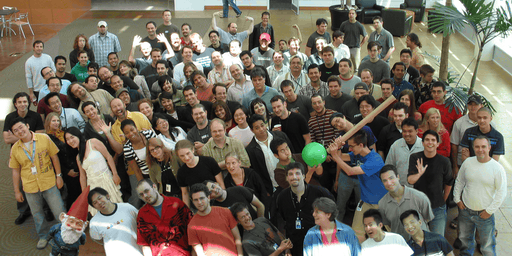
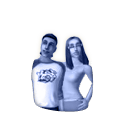
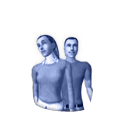
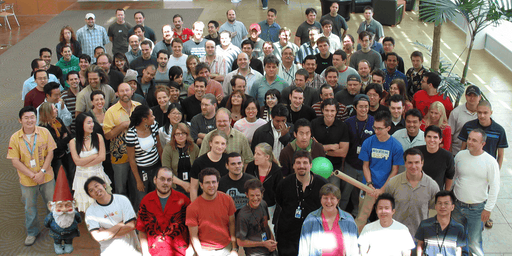 Two hidden photos of the developers that worked on the game can be found in the files. Unlike the last game, they are two separate images, each of them being 256×512.
Build Dates#
Also present in SLUS_215.36.
At 3C67D0:
EOR/Maxis Engine v3.0 built 16:28:08 Sep 7 2006
At 3F6948:
PS2 The Sims 2 Console Build B.08.24.0
At 3FD000:
SKU: %d [%s]%s
Build Version: %s
Sandbox Version: %s
Oddities#
Filename Oddity#
The shopping songs used in the Town Square has a skipped second entry according to the filenames (music_shopping1 and music_shopping3.
Version Differences#
Dog Breeds#
A few dog breeds in the Create-A-Pet use different names between releases and regions.
Breed Name & Icon |
GCN |
||
|---|---|---|---|
EU |
US |
EU |
KR |
 |
Luten |
Yes |
No |
Rottweiler |
No |
Yes |
|
 |
Brighton |
Yes |
No |
Staffordshire Bull Terrier |
No |
Yes |
|
Pet Shoes#
The pet shoes d_sh_bonus03 have three stripes on them in the European and North American PS2 v1.00 release, as well as in all the GameCube releases of the game. This was corrected to show a dog bone instead in the European PS2 v2.00 release, the Korean PS2 release, and in all the Wii releases.
Original |
Fixed |
|---|---|
 |
 |
 |
 |
Neighborhood View#
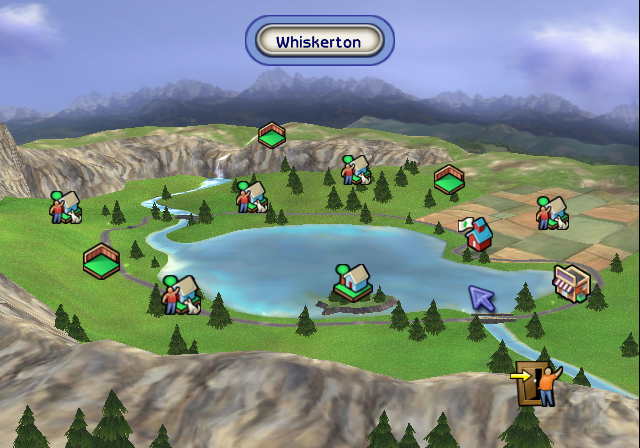
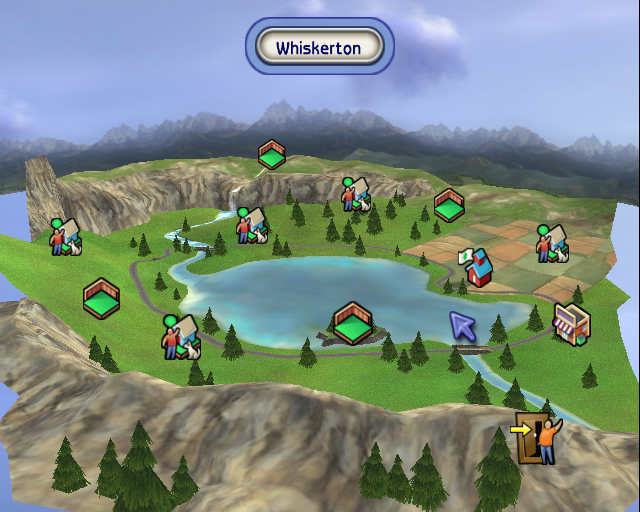
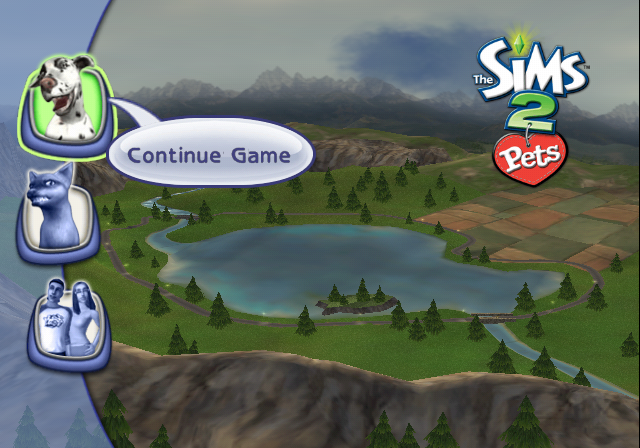
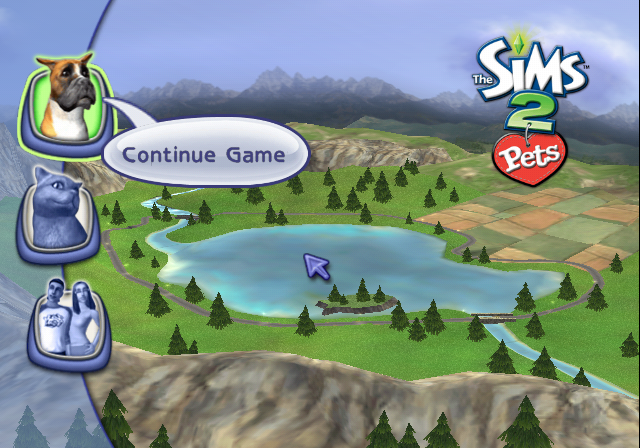
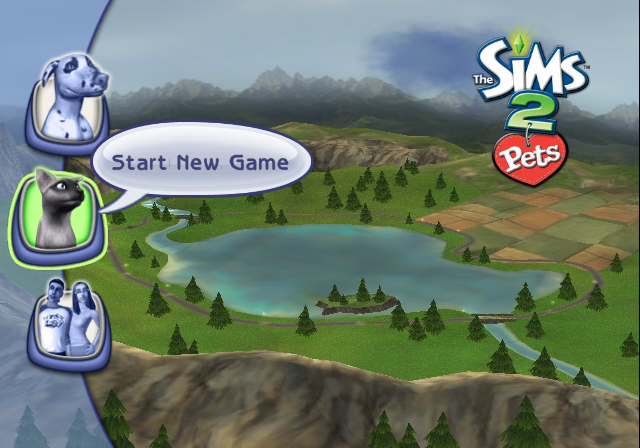
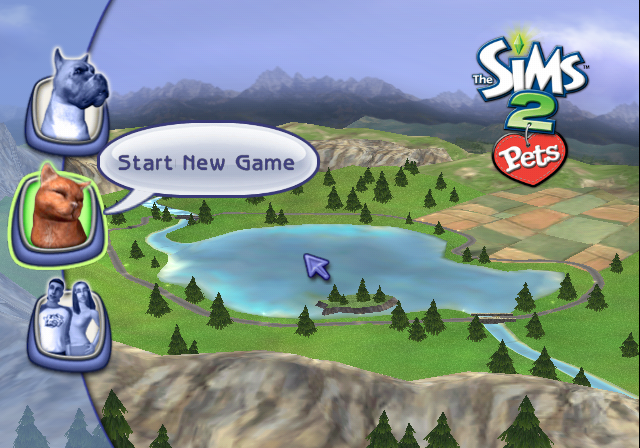
The PAL GameCube release has a slightly narrower and further zoomed out neighborhood view, which also includes the main menu, where the map boundaries can be seen. This is not present in the PlayStation 2 or Wii releases.
NTSC (GameCube) |
PAL (GameCube) |
|---|---|
 |
 |
Buttons#
The "Continue Game" and "Start New Game" buttons have different icons between consoles. The "Credits" button was also likely meant to be different, as seen in the Unused Graphics section.
GameCube/PS2 |
Wii |
|---|---|
dog2 dog2_hi cat1_hi cat1 |
dog1 dog1_hi cat2_hi cat2 |
 |
 |
 |
 |