 This article has a talk page!
This is a sub-page of The Sims 2: Pets (GameCube, PlayStation 2, Wii).
Various debugging options and such left hidden in the game.
(Source: Edness)
Create-A-Sim/Pet Options#
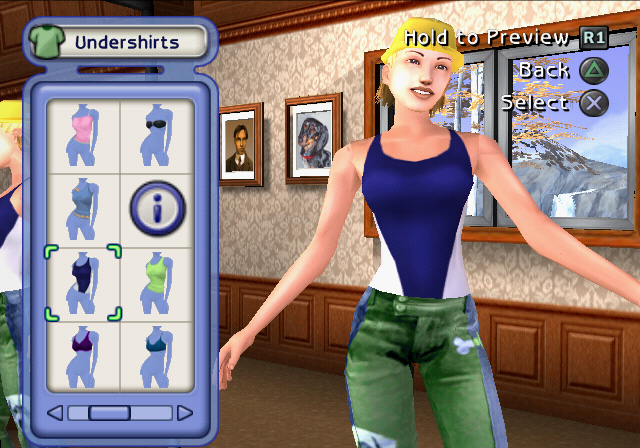
enable_clothing_catalog#
If enabled the CAS has all the clothing in the game available:
EUR |
KOR |
USA |
|
GCN |
0048F147 00000001 |
— |
0048EDF7 00000001 |
PS2 |
00537A24 00000001 |
00535024 00000001 |
00535B24 00000001 |
Wii |
0049560E 00000001 |
— |
0049534E 00000001 |
Gives a bunch of extra clothing options that normally aren't available in the Create-A-Sim.
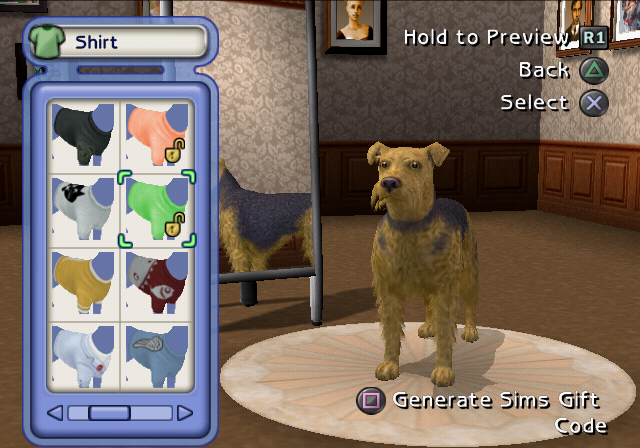
disable_kp_unlocks#
Unlock all Kissing Point unlocks.
EUR |
KOR |
USA |
|
GCN |
0048F18F 00000001 |
— |
0048EE2F 00000001 |
PS2 |
00537A6C 00000001 |
0053506C 00000001 |
00535B6C 00000001 |
Wii |
00495624 00000001 |
— |
00495364 00000001 |
Unlocks all the pet items.
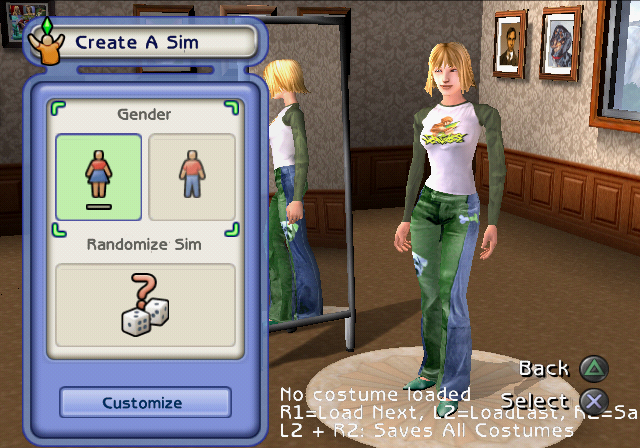
enable_costumes_editing#
If true, costumes configuration options will be available in CAS.
EUR |
KOR |
USA |
|
GCN |
0048F173 00000001 |
— |
0048EE13 00000001 |
PS2 |
00537A50 00000001 |
00535050 00000001 |
00535B50 00000001 |
Wii |
0049561D 00000001 |
— |
0049535D 00000001 |
Lets you select any premade costume such as job outfits and pajamas, and edit it.
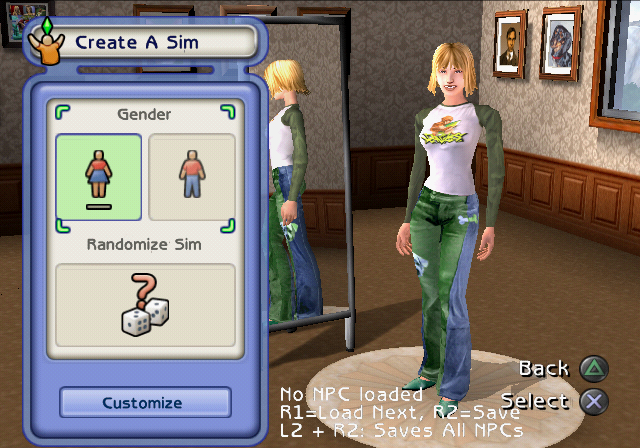
enable_sim_npc_editing#
If true, NPC configuration options will be available in CAS.
EUR |
KOR |
USA |
|
GCN |
0048F167 00000001 |
— |
0048EE07 00000001 |
PS2 |
00537A44 00000001 |
00535044 00000001 |
00535B44 00000001 |
Wii |
0049561A 00000001 |
— |
0049535A 00000001 |
Lets you cycle through, select and edit any NPC Sim that exists in the world. It also cycles through pets, but they are invisible in this mode which is what enable_pet_npc_editing is for.
enable_pet_npc_editing#
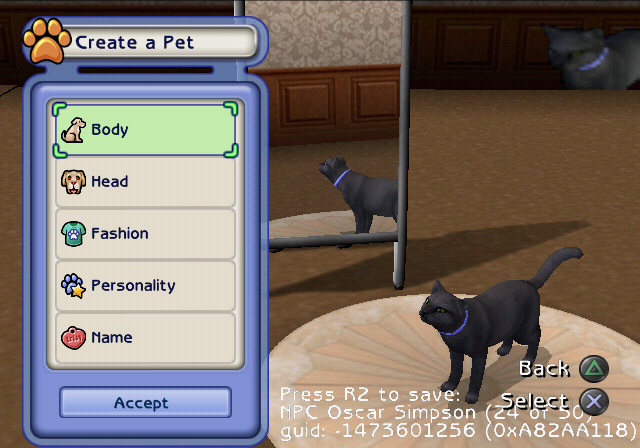
If true, NPC configuration options will be available in CAP.
EUR |
KOR |
USA |
|
GCN |
0048F16B 00000001 |
— |
0048EE0B 00000001 |
PS2 |
00537A48 00000001 |
00535048 00000001 |
00535B48 00000001 |
Wii |
0049561B 00000001 |
— |
0049535B 00000001 |
Just like above, except now the Sims are invisible and the pets are visible.
enable_random_pet_editing#
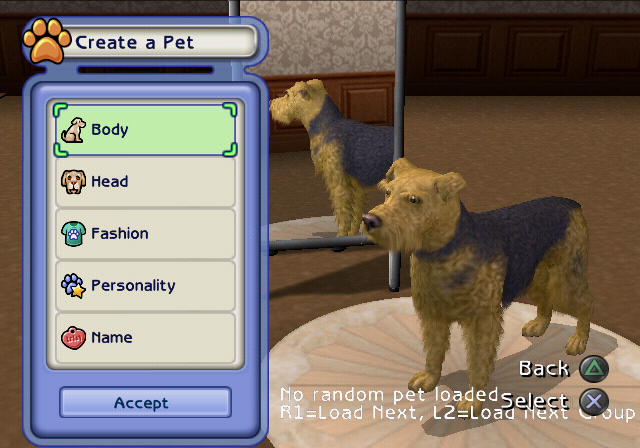
If true, random pet editor functionality is enabled (for Pet Purveyor random pets).
EUR |
KOR |
USA |
|
GCN |
0048F177 00000001 |
— |
0048EE17 00000001 |
PS2 |
00537A54 00000001 |
00535054 00000001 |
00535B54 00000001 |
Wii |
0049561E 00000001 |
— |
0049535E 00000001 |
Lets you select and edit any of the hundreds of random pets that can show up in the Pet Purveyor.
enable_pet_breeds_editing#
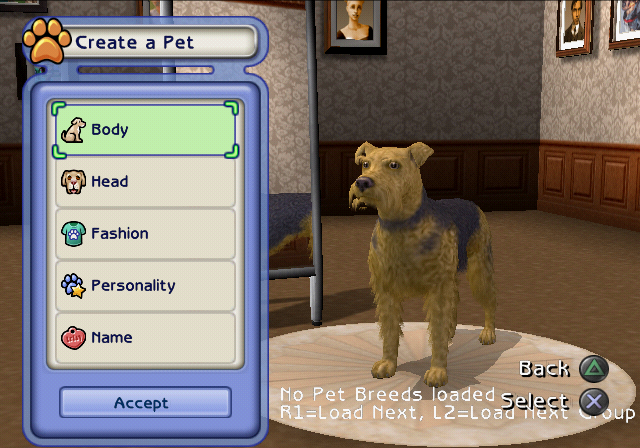
If true, pet breeds editor functionality is enabled.
EUR |
KOR |
USA |
|
GCN |
0048F17B 00000001 |
— |
0048EE1B 00000001 |
PS2 |
00537A58 00000001 |
00535058 00000001 |
00535B58 00000001 |
Wii |
0049561F 00000001 |
— |
0049535F 00000001 |
Lets you edit any of the default breed presets.
enable_grandparent_editing#
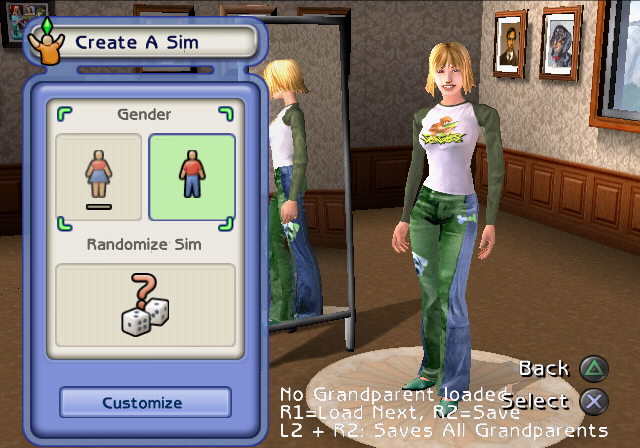
If true, grandparent configuration options will be available in CAS.
EUR |
KOR |
USA |
|
GCN |
0048F16F 00000001 |
— |
0048EE0F 00000001 |
PS2 |
00537A4C 00000001 |
0053504C 00000001 |
00535B4C 00000001 |
Wii |
0049561C 00000001 |
— |
0049535C 00000001 |
Lastly, a broken option that seems to have no other use, other than displaying the text at the bottom.
enable_cap#
Enable Create-A-Pet
EUR |
KOR |
USA |
|
GCN |
0048F193 00000001 |
— |
0048EE33 00000001 |
PS2 |
00537A70 00000001 |
00535070 00000001 |
00535B70 00000001 |
Wii |
00495625 00000001 |
— |
00495365 00000001 |
And lastly two similar options that lock the game in only loading one of these Create-A-* menus, and not the other.
enable_cas#
Enable Create-A-Sim -- old Create-A-Roommate
EUR |
KOR |
USA |
|
GCN |
0048F197 00000001 |
— |
0048EE37 00000001 |
PS2 |
00537A74 00000001 |
00535074 00000001 |
00535B74 00000001 |
Wii |
00495626 00000001 |
— |
00495366 00000001 |
Gameplay Options#
Developer Pause Menu#
EUR |
KOR |
USA |
|
GCN |
2852A710 00000018 |
— |
2852A3B0 00000018 |
PS2 |
D1A547C2 0000FFEB |
D1A51DC2 0000FFEB |
D1A528C2 0000FFEB |
Wii |
2851EB6E 00004008 |
— |
2851E8AE 00004008 |
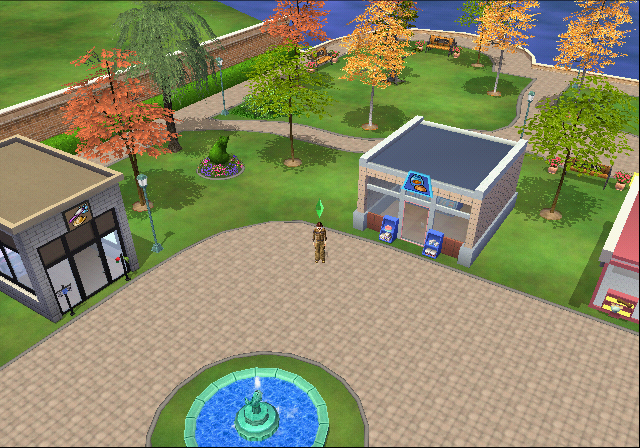
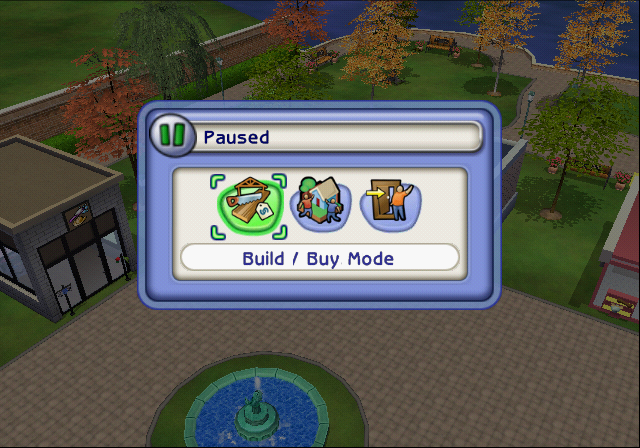
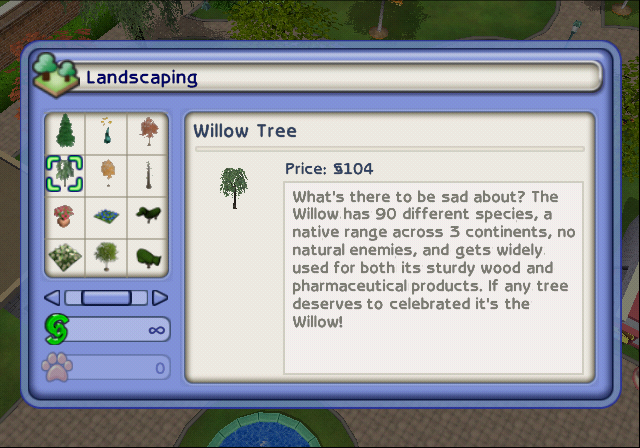
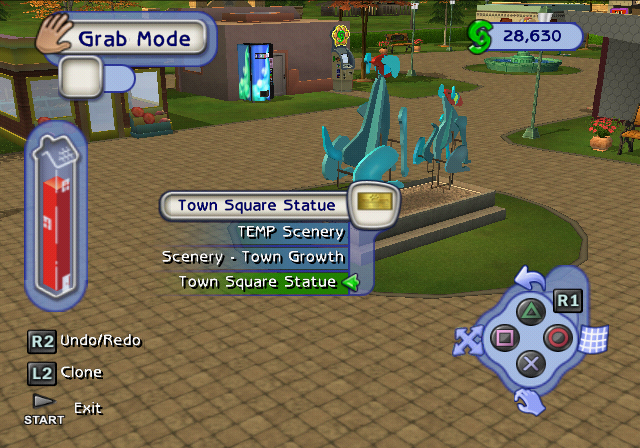
A pause screen likely meant to be used by developers... Or just an early pause menu. It hides the HUD, lets you use an infinite amount of Simoleons*, and best of all - allows you to build in Town Square! Once enabled and paused, you cannot exit the menu, requiring the additional codes to manually enable and disable this option. If this code is enabled and a popup box shows up in-game while not paused yet, the game may softlock.
- * Instead of keeping the amount of Simoleons unchanged like enable_free_items, it gives you the amount that you spent instead.
- R3 + UP / DOWN enables and disables it on PlayStation 2.
- Z + UP / DOWN enables and disables it on GameCube.
- C + UP / DOWN enables and disables it on Wii.
enable_all_objects_moveable#
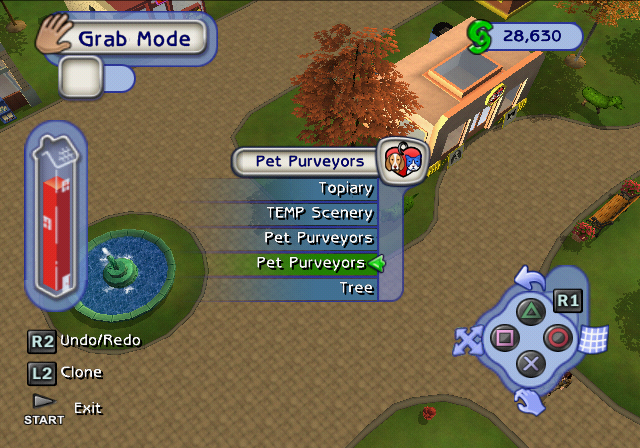
If enabled all objects can be moved:
EUR |
KOR |
USA |
|
GCN |
0048F14F 00000001 |
— |
0048EDEF 00000001 |
PS2 |
00537A2C 00000001 |
0053502C 00000001 |
00535B2C 00000001 |
Wii |
00495610 00000001 |
— |
00495350 00000001 |
To accompany the previous option above this, none of the already pre-set Town Square objects are moveable by default. This option will "solve" that little issue as well.
disable_pet_wants_balloons#
If enabled allow pets to have a wants panel in HUD:
EUR |
KOR |
USA |
|
GCN |
0048F127 00000001 |
— |
0048EDC7 00000001 |
PS2 |
00537A04 00000001 |
00535004 00000001 |
00535B04 00000001 |
Wii |
00495606 00000001 |
— |
00495346 00000001 |
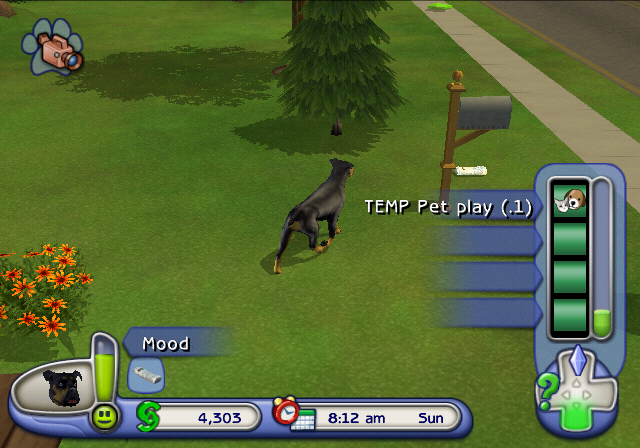
Doesn't show the pop-up balloons above the pets.
enable_pet_wants_panel#
If enabled allow pets to have a wants panel in HUD:
EUR |
KOR |
USA |
|
GCN |
0048F123 00000001 |
— |
0048EDC3 00000001 |
PS2 |
00537A00 00000001 |
00535000 00000001 |
00535B00 00000001 |
Wii |
00495605 00000001 |
— |
00495345 00000001 |
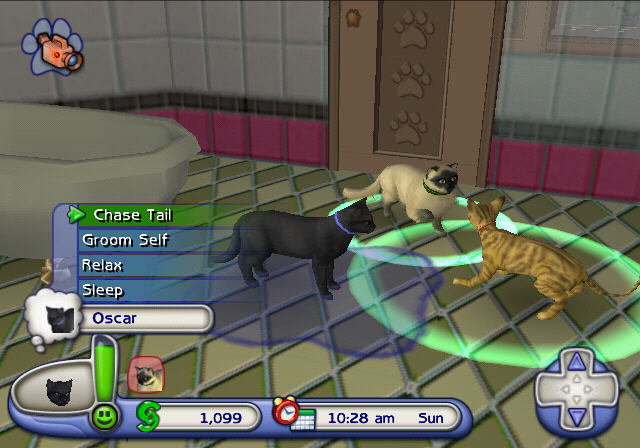
Lets you press DOWN on the D-Pad when a pet is selected, viewing its wants like you would for a Sim.
enable_player_selectable_pets#
If enabled allow pets to be selectable by the player:
EUR |
KOR |
USA |
|
GCN |
0048F12B 00000001 |
— |
0048EDCB 00000001 |
PS2 |
00537A08 00000001 |
00535008 00000001 |
00535B08 00000001 |
Wii |
00495607 00000001 |
— |
00495347 00000001 |
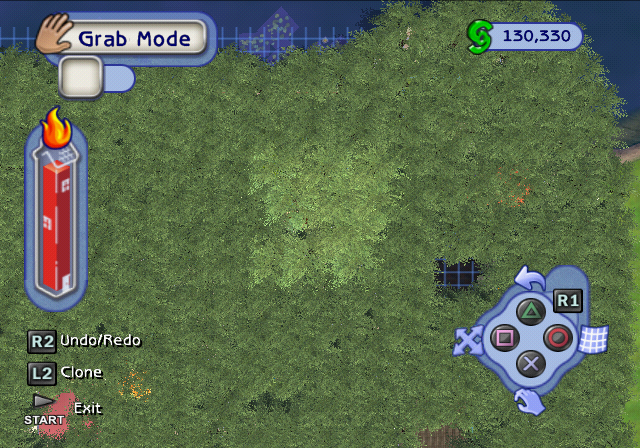
Lets you move and control the pets yourself, instead of relying on their terrible AI.
This feature would later be introduced in the Sims 3.
enable_build_past_fire_code#
If enabled can build without regard to fire code:
EUR |
KOR |
USA |
|
GCN |
0048F0F7 00000001 |
— |
0048ED97 00000001 |
PS2 |
005379D4 00000001 |
00534FD4 00000001 |
00535AD4 00000001 |
Wii |
004955F2 00000001 |
— |
00495332 00000001 |
May get really laggy if you go really insane with this option.
enable_3d_wall_fade#
If enabled the 3d wall fade system is used instead of 2d system:
EUR |
KOR |
USA |
|
GCN |
0048F0A3 00000000 |
— |
0048ED43 00000000 |
PS2 |
00537980 00000000 |
00534F80 00000000 |
00535A80 00000000 |
Wii |
004955DD 00000000 |
— |
0049531D 00000000 |
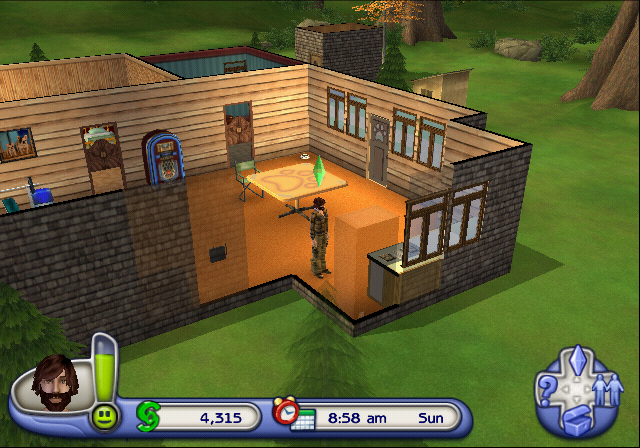
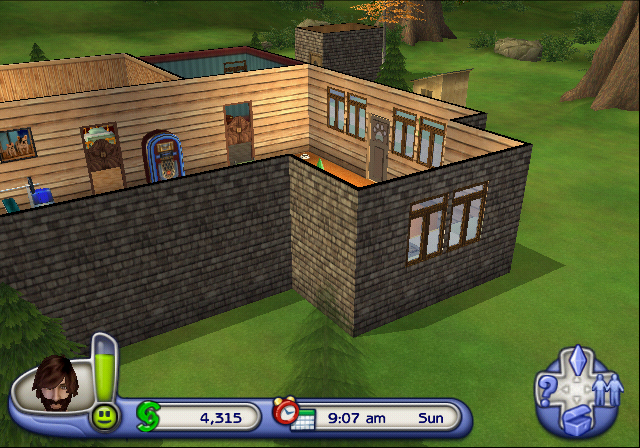
Disables the fading walls that are near the currently selected Sim.
enable_free_items#
If enabled all items don't cost any money when bought:
EUR |
KOR |
USA |
|
GCN |
0048F13F 00000001 |
— |
0048EDDF 00000001 |
PS2 |
00537A1C 00000001 |
0053501C 00000001 |
00535B1C 00000001 |
Wii |
0049560C 00000001 |
— |
0049534C 00000001 |

show_selector_names#
If true, the build buy dialog shows selector names:
EUR |
KOR |
USA |
|
GCN |
0048F143 00000001 |
— |
0048EDE3 00000001 |
PS2 |
00537A20 00000001 |
00535020 00000001 |
00535B20 00000001 |
Wii |
0049560D 00000001 |
— |
0049534D 00000001 |
Shows the internal names for objects, as they're named in DATASETS.ARC.
enable_modal_dialog_timeout#
Used to let modal dialogs timeout for autotesting.
EUR |
KOR |
USA |
|
GCN |
0048F0BB 00000001 |
— |
0048ED5B 00000001 |
PS2 |
00537998 00000001 |
00534F98 00000001 |
00535A98 00000001 |
Wii |
004955E3 00000001 |
— |
00495323 00000001 |
Makes every notification message with a button selection stay on the screen for only 1 second.
disable_object_highlighting#
If set object highlighting is disabled:
EUR |
KOR |
USA |
|
GCN |
0048F0BF 00000001 |
— |
0048ED5F 00000001 |
PS2 |
0053799C 00000001 |
00534F9C 00000001 |
00535A9C 00000001 |
Wii |
004955E4 00000001 |
— |
00495324 00000001 |
force_rain#
Used to force rain effects on:
EUR |
KOR |
USA |
|
GCN |
0048F15B 00000001 |
— |
0048EDFB 00000001 |
PS2 |
00537A38 00000001 |
00535038 00000001 |
00535B38 00000001 |
Wii |
00495614 00000001 |
— |
00495354 00000001 |
Visual Options#
Camera Information#
EUR |
KOR |
USA |
|
GCN |
0048CF6F 00000001 |
— |
0048CC0F 00000001 |
PS2 |
00535814 00000001 |
00532E14 00000001 |
00533914 00000001 |
Wii |
00493D0B 00000001 |
— |
00493A4B 00000001 |
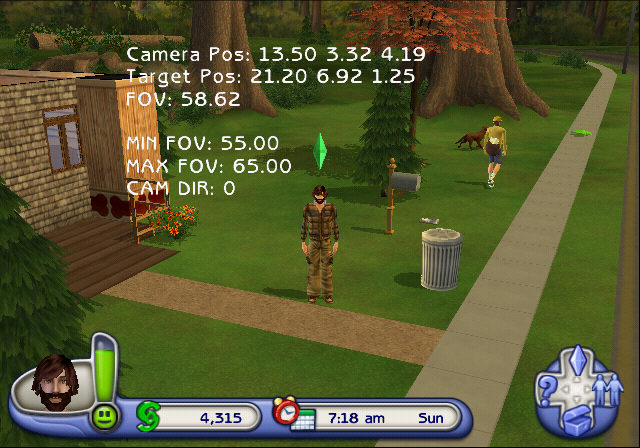
Displays the camera position, its target position, current, maximum and minimum allowed field of view and the camera director state while in-game.
Rendering Information#
EUR |
USA |
|
GCN |
005642B3 00000001 |
00563F53 00000001 |
Wii |
005D7B48 00000001 |
005D7888 00000001 |
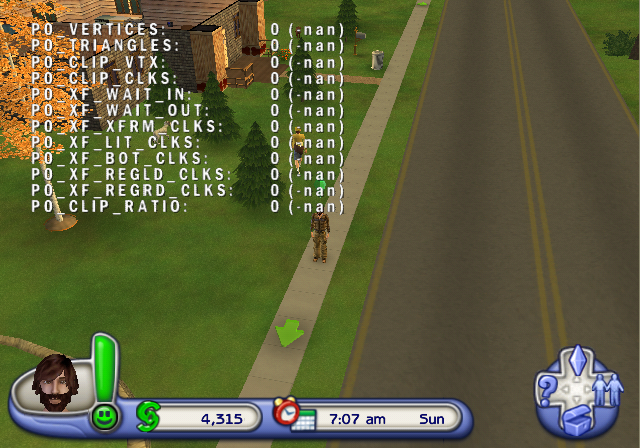
A somewhat broken option that's only present on the GameCube and Wii releases. The values always seem to remain at 0 (-nan) or 0 (nan), and maybe occasionally briefly flashing a value in one of the entries.
display_performance_metrics#
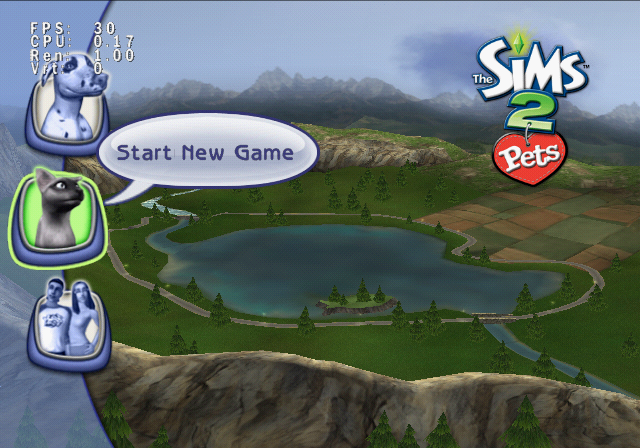
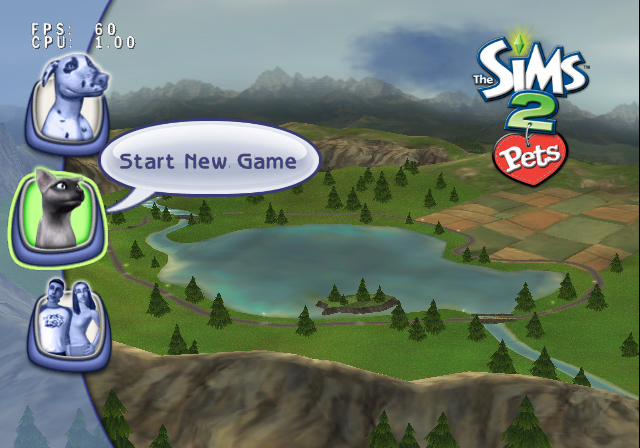
Used to display the fps and cpu.
EUR |
KOR |
USA |
|
GCN |
0048F0A7 00000001 |
— |
0048ED47 00000001 |
PS2 |
00537984 00000001 |
00534F84 00000001 |
00535A84 00000001 |
Wii |
004955DE 00000001 |
— |
0049531E 00000001 |
Displays the framerate, performance and hardware usage in the top left corner. All three platforms display FPS and CPU stats, but PlayStation 2 also displays Ren and Vrt statistics alongside.

display_text_boundaries#
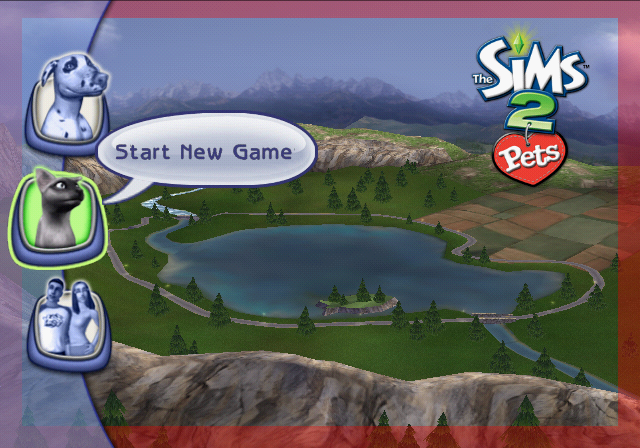
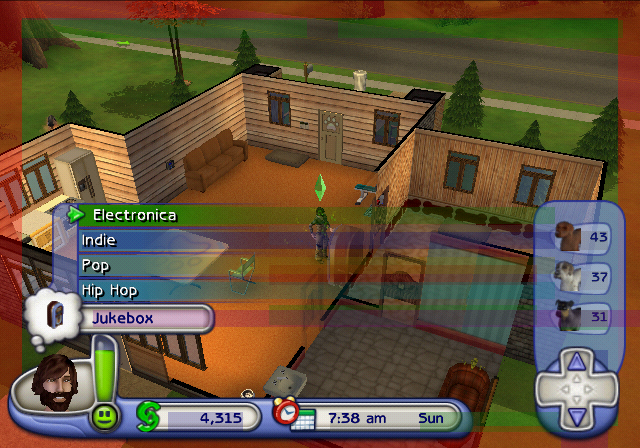
Used to highlight the boundaries on the TV where text can't touch:
EUR |
KOR |
USA |
|
GCN |
0048F0AB 00000001 |
— |
0048ED4B 00000001 |
PS2 |
00537988 00000001 |
00534F88 00000001 |
00535A88 00000001 |
Wii |
004955DF 00000001 |
— |
0049531F 00000001 |
enable_flash_bounding_boxes#
Enable colored bounding boxes used by flash text:
EUR |
KOR |
USA |
|
GCN |
0048F0D7 00000001 |
— |
0048ED77 00000001 |
PS2 |
005379B4 00000001 |
00534FB4 00000001 |
00535AB4 00000001 |
Wii |
004955EA 00000001 |
— |
0049532A 00000001 |
Miscellaneous Options#
skip_startup_movies#
If enabled the intro movies won't be played:
EUR |
KOR |
USA |
|
GCN |
0048F1A7 00000001 |
— |
0048EE47 00000001 |
PS2 |
00537A84 00000001 |
00535084 00000001 |
00535B84 00000001 |
Wii |
0049562A 00000001 |
— |
0049536A 00000001 |

skip_maxis_logo#
If enabled the intro movies & maxis logo won't be played:
EUR |
KOR |
USA |
|
GCN |
0048F1AB 00000000 |
— |
0048EE4B 00000000 |
PS2 |
00537A88 00000000 |
00535088 00000000 |
00535B88 00000000 |
Wii |
0049562B 00000000 |
— |
0049536B 00000000 |
Normally this game doesn't show the Maxis logo, however it can be brought back by disabling this option which is set to on by default.
enable_sound#
If set enables sound. Otherwise sound is turned off:
EUR |
KOR |
USA |
|
GCN |
0048F19F 00000000 |
— |
0048EE3F 00000000 |
PS2 |
00537A7C 00000000 |
0053507C 00000000 |
00535B7C 00000000 |
Wii |
00495628 00000000 |
— |
00495368 00000000 |
As expected, this option is switched on by default but it can be disabled. Doesn't seem to disable all sounds though, a few still play.