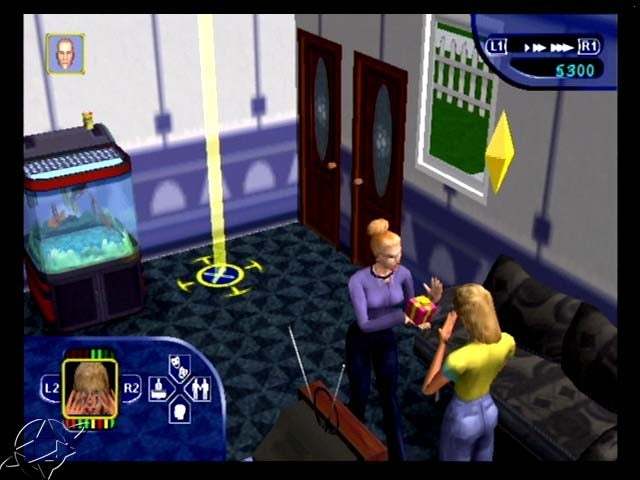
Prerelease Info
 Notes
Notes
 Bugs
Bugs
 The Sims Leftovers(Mostly) Expansion stuff that didn't fit the Object Limiter.
Build Information#
Platform |
Build Number |
|---|---|
GameCube (EUR) |
1.13.2.19-1f |
GameCube (USA) |
1.13.2.15-1f |
PlayStation 2 (ASIA) |
1.13.5.26-1f |
PlayStation 2 (EUR) |
1.11.12.30-1i |
PlayStation 2 (JPN, KOR) |
1.13.4.19-1f |
PlayStation 2 (USA) |
1.11.10.3-1f |
Xbox (EUR, USA, ASIA) |
1.14.3.10-1f |
Cheat Codes#
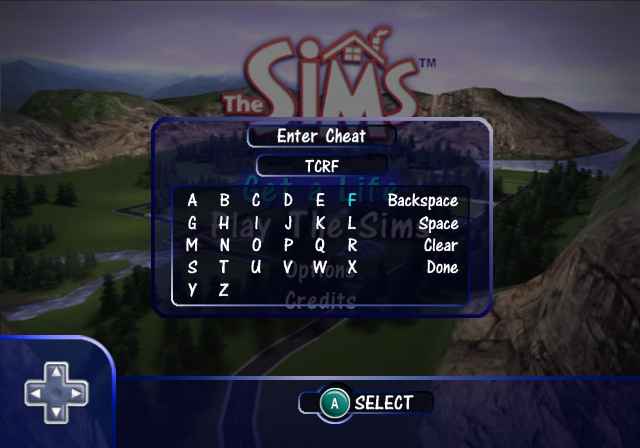
By pressing L + R on GameCube and Xbox or L1 + L2 + R1 + R2 on PlayStation on the main menu, you get a code input screen. A female Sim voice will either confirm or reject your code. Here are all of the working codes:
- SIMS - Opens "Play The Sims" mode so you don't have to start Get A Life to make your own families and houses.
- PARTY M - Unlocks an extra multiplayer level called The Party Mansion.
- MIDAS - Unlocks every buy/build mode object in the game as well as Create-A-Sim options.
- FREEALL - Disregards money when buying/building. This does not change moving into an existing lot if the family does not have enough money.
- FISH EYES - Press X on GameCube, O on PS2 or BLACK on Xbox during gameplay until it goes into a first-person view with the Sim you are using.
- SUNLIGHT - Makes the game brighter.
- MOONLIGHT - Makes the game darker.
- NORMALLIGHT - Resets the lighting (only works when the game is already brighter or darker).
- SUN - Makes the game brighter.
- MOON - Makes the game darker.
- NORMAL - Resets the lighting (only works when the game is already brighter or darker).
Unused Graphics#
|
|
To do: |
Earlier Fonts#
Chinese |
|---|

|
font_china_s14_p0 |
Japanese |

|
font_japan_s14_p0 |
Korean |

|
font_korea_s14_p0 |
Unused Models#
prop_bubbles#
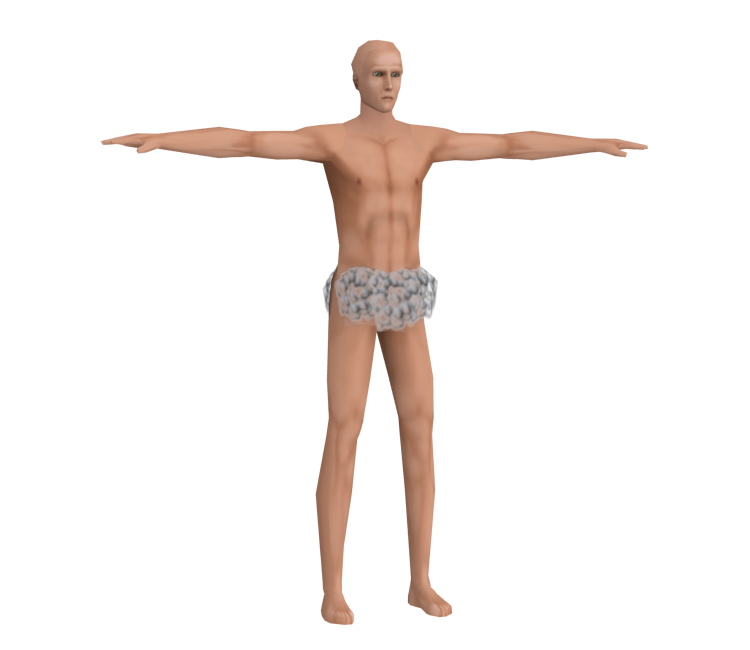
Some bubbles, placed around a Sim's private areas, most likely meant to be used for when sims use the bathtub or shower. Variations of this model exist for both genders and ages.
Debugging Functions#
|
|
To do: |
A few different debug options were left in the final version and can be accessed. The ASIA (PS2) column lines are prefixed with (C) for the Chinese SLPM-62240 version, (J) for the Japanese SLPS-20078 version, and (K) for the Korean SLPM-64540 version.
Animation Names#
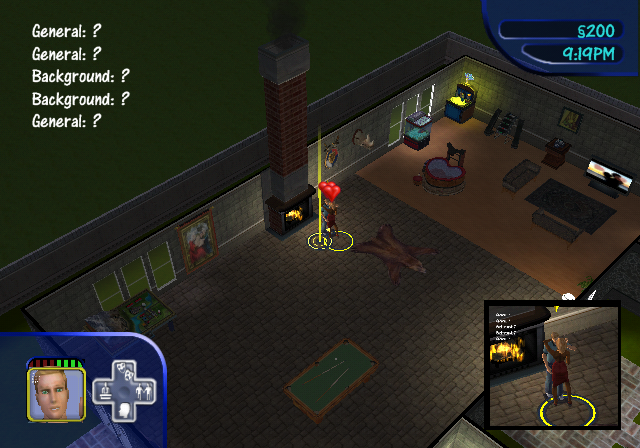
(animation_name_display)
Attempts to display the animations in the top left corner, but it seems to always show ? for every animation.
EUR |
ASIA (PS2) |
USA |
|
GCN |
00295473 00000001 |
(J) |
00295173 00000001 |
PS2 |
0035F6D4 00000001 |
0035F3D4 00000001 |
|
Xbox |
0021A313 01 |
0021A2B3 01 |
Rendering Information#
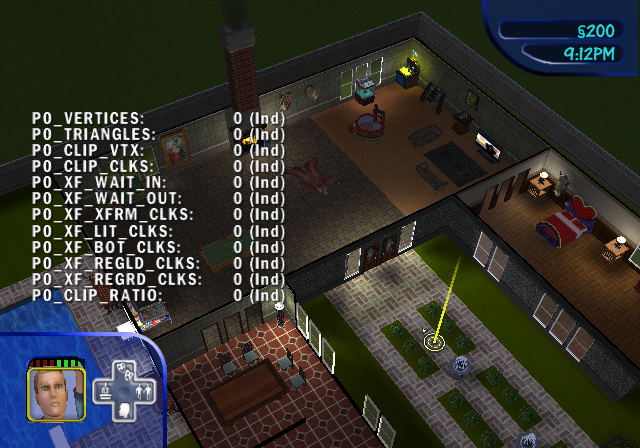
Lists a whole list of information on the screen, but the values seem to always remain at 0 (Ind). This function is only present in the GameCube release. If the codes are active during startup and the main menu, it may cause the game to hang, therefore it's been made toggleable by pressing Z + UP and Z + DOWN.
EUR |
USA |
|
GCN |
283B2814 00000018 |
283B2514 00000018 |
FPS & Performance Display#
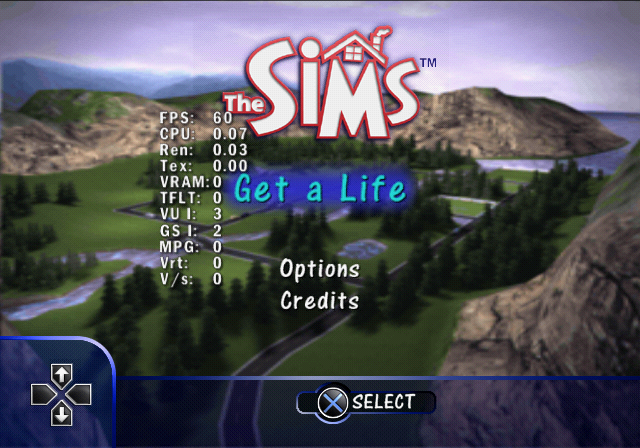
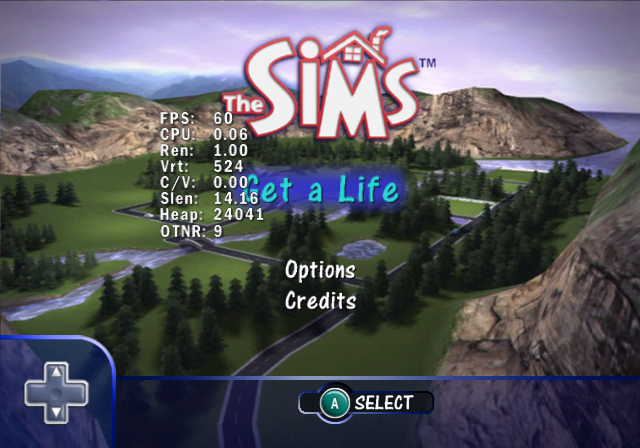 (
(display_fps)
Displays a whole bunch of information on the screen.
- PlayStation 2 EUR/USA displays FPS, CPU, Ren, Tex, VRAM, TFLT, VU I, GS I, MPG, Vrt, V/s statistics,
- PlayStation 2 ASIA displays FPS, CPU, Ren, Tex, Vrt, Heap, OTNR statistics,
- GameCube displays FPS, CPU, Ren, Vrt, C/V, Slen, Heap, OTNR statistics,
- Xbox only displays FPS, CPU, Heap, OTNR statistics.
And all three systems add an additional FOV statistic when in-game.
EUR |
ASIA (PS2) |
USA |
|
GCN |
00295477 00000001 |
(J) |
00295177 00000001 |
PS2 |
0035F6D8 00000001 |
0035F3D8 00000001 |
|
Xbox |
0021A314 01 |
0021A2B4 01 |
Memory Statistics#
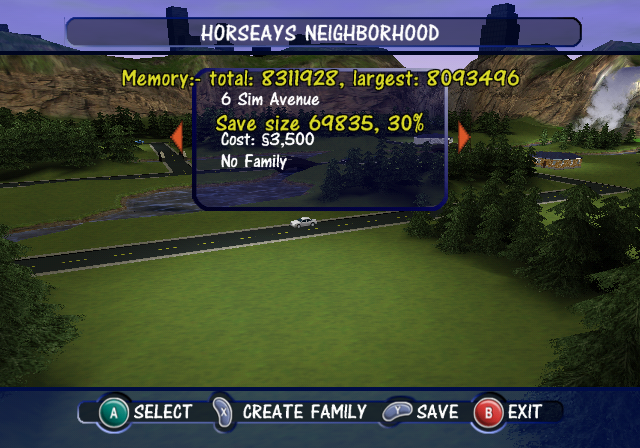
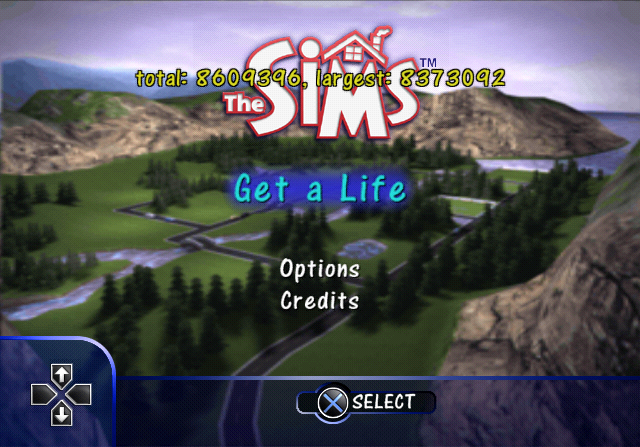
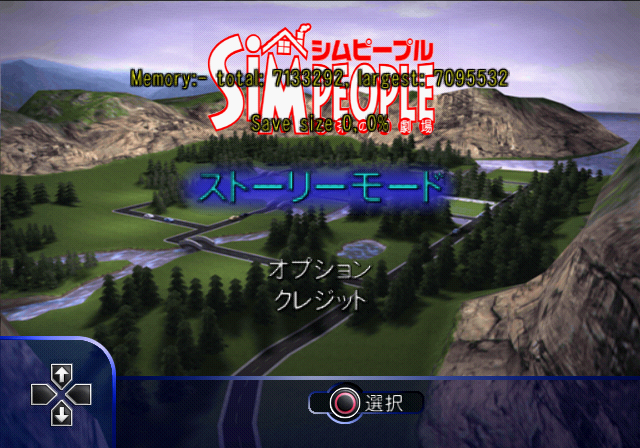 (
(memory_display)
This displays a few rapidly changing memory usage statistics on every screen in the game. On GameCube, Xbox, and the Asian PS2 versions, it displays Memory and Save size, but on the European and North American PS2 versions, it only displays memory statistics.
EUR |
ASIA (PS2) |
USA |
|
GCN |
0029515F 00000001 |
(J) |
0029545F 00000001 |
PS2 |
0035F6C0 00000001 |
0035F3C0 00000001 |
|
Xbox |
0021A30E 01 |
0021A2AE 01 |
Debug Actions#
(debug_interactions)
It is also possible to enable Debug Actions that open Sims to be able to test objects like never before. Debug Actions can be differentiated from normal ones by the asterisk in front of them.
EUR |
ASIA (PS2) |
USA |
|
GCN |
0029546F 00000001 |
(J) |
0029516F 00000001 |
PS2 |
0035F6D0 00000001 |
0035F3D0 00000001 |
|
Xbox |
0021A312 01 |
0021A2B2 01 |
Mailbox Debug Actions#
- Skip to Next Level - Only works in Get a Life mode. The screen fades out and begins loading to the next level as if the current level was completed.
- Force Bill Delivery - The bill lady comes to the lot and puts bills in the mailbox.
- Force Burglar - A burglar comes to the lot and steals things as usual.
- Force Paper Delivery - A paper delivery happens on the lot.
- Make me know everyone - The Sim that uses this action will now have 25 relationship points with every Sim in the neighborhood. In Get a Life, this varies depending on level. Using this option on the first level of Get a Life makes the unused Sim Jane House available to invite over or call.
- Make All Happy - Every Sim on the lot now has relatively high mood points, generally in the seventies for most motives.
Here is a list of debug actions that can appear on many objects:
- Make Friends for Me - Gives the Sim that uses this action 55 relationship points with five random Sims.
Sim Debug Actions#
- Display Needs - Shows the number value of the chosen Sim's mood and motives and relationship status with the active Sim.
- BURN BABY BURN! - Regardless of what Sim is selected, this will set the active Sim on fire and eventually kill them. The Grim Reaper will come as normal.
- PS2 - DEBUG - MODELESS DIALOG - Seems to have no effect when selected.
Object Debug Actions#
- Break - Can appear on plumbing, kitchen, or electronic objects. It does no more than what it says- it breaks it, leaving a big puddle of water or smoke.
- Clog - Appears on toilets. It clogs them up as usual.
- Force Healthy/Withered/Dead - Appears on any sort of plant. You can make plants look as pretty as you want or it can be ugly to make your Sims look even better!
- Force Gardener - Appears on any sort of plant. A gardener comes to the lot and functions as usual.
- Force Fire - This shows up on any kind of stove, but not the grill.
- Force Dead/Force Dirty - Appears on the fish tank. Kills the fish or dirties their tank immediately.
- Debug Snack/Light Meal/Reg Meal/Group Meal - Appears on refrigerators. Dialog boxes revealing the number value of the meal's Food Points out of how many possible food points it can have. Once the meal is eaten, a dialog box will reveal the food's quality.
- Interaction - Force Abduction DEBUG - Appears with the telescope. It makes the Sim use the telescope as usual, but ensures that they will eventually be captured.
- * - Appears with the KraftKing Woodworking Table. Appears to have no effect.
- Create Obj in Slot 2 - Appears with the Teppan'Yaki Table. Appears to have no effect.
- Undress - Appears with the wardrobes and dressers. The Sim acts as though they were changing outfits, but actually becomes naked! After a second, their censor box will disappear.
- Hands Open/Palm/Closed/3/4 - Appears with the wardrobes and dressers. Appears to do have no effect, but may have been used for animation testing.
- create food - Only available on the NuMica Folding Card Table. It creates four seemingly empty dark dishes (that eventually turn white) on each corner of the table, and none of them can be selected. Trying the action again when the dishes are on the table puts a similar dish in the active Sim's hand. They will play an animation of putting the dish down, but it will remain in their hand and then will disappear.
(Source: donny2112, Edness (codes))
Oddities#
|
|
To do: |
Skipped Wallpaper/Flooring Entries#
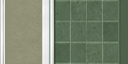
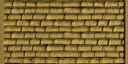
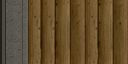
There are a lot of skipped-over entries for wallpapers and floorings that don't exist in the game, but some of them would be bought back in Bustin' Out...except almost all of them are unused. Below is a list of the wallpapers and flooring with their textures from Bustin' Out;
Wallpapers#
Name |
In BO? |
Texture |
Notes |
|---|---|---|---|
|
Yes |
 |
style="background:#FFFFBF;color:#4D4D4D| |
|
Yes |
 |
style="background:#FFFFBF;color:#4D4D4D| |
|
No |
N/A |
style="background:#FFFFBF;color:#4D4D4D| |
|
Yes |
 |
style="background:#FFFFBF;color:#4D4D4D|Can be seen in this screenshot, albeit modified. |
|
No |
N/A |
style="background:#FFFFBF;color:#4D4D4D| |
|
Yes |
 |
style="background:#FFFFBF;color:#4D4D4D| |
|
Yes |
 |
style="background:#FFFFBF;color:#4D4D4D| |
|
No |
N/A |
style="background:#FFFFBF;color:#4D4D4D| |
|
No |
N/A |
style="background:#FFFFBF;color:#4D4D4D| |
|
No |
N/A |
style="background:#FFFFBF;color:#4D4D4D| |
|
Yes |
 |
style="background:#FFFFBF;color:#4D4D4D| |
|
No |
N/A |
style="background:#FFFFBF;color:#4D4D4D| |
|
Yes |
 |
style="background:#FFFFBF;color:#4D4D4D| |
|
Yes |
 |
style="background:#FFFFBF;color:#4D4D4D| |
|
Yes |
 |
style="background:#FFFFBF;color:#4D4D4D| |
|
Yes |
 |
style="background:#FFFFBF;color:#4D4D4D| |
|
Yes |
 |
style="background:#FFFFBF;color:#4D4D4D| |
|
Yes |
 |
style="background:#FFFFBF;color:#4D4D4D| |
|
Yes |
 |
style="background:#FFFFBF;color:#4D4D4D| |
|
Yes |
 |
style="background:#FFFFBF;color:#4D4D4D| |
|
Yes |
 |
style="background:#FFFFBF;color:#4D4D4D| |
|
Yes |
 |
style="background:#FFFFBF;color:#4D4D4D| |
|
Yes |
 |
style="background:#FFFFBF;color:#4D4D4D| |
|
Yes |
 |
style="background:#FFFFBF;color:#4D4D4D| |
|
No |
N/A |
style="background:#FFFFBF;color:#4D4D4D| |
|
Yes |
 |
style="background:#FFFFBF;color:#4D4D4D| |
|
Yes |
 |
style="background:#FFFFBF;color:#4D4D4D| |
|
Yes |
 |
style="background:#FFFFBF;color:#4D4D4D| |
|
Yes |
 |
style="background:#FFFFBF;color:#4D4D4D| (find a way to rip this...) |
|
Yes |
 |
style="background:#FFFFBF;color:#4D4D4D| |
|
Yes |
 |
style="background:#FFFFBF;color:#4D4D4D| |
|
Yes |
 |
style="background:#FFFFBF;color:#4D4D4D| |
|
Yes |
 |
style="background:#FFFFBF;color:#4D4D4D| |
|
Yes |
 |
style="background:#FFFFBF;color:#4D4D4D| |
Flooring#
interestingly, all of the exterior tiles, except for exterior-tile--212 would be bought back.
Name |
In BO? |
Texture |
Notes |
|---|---|---|---|
|
Yes |
 |
style="background:#FFFFBF;color:#4D4D4D| |
|
Yes |
 |
style="background:#FFFFBF;color:#4D4D4D| Unused in Bustin' Out. Due to its rather burnt appearance, it's likely intended for the Reality Bites House. |
|
Yes |
 |
style="background:#FFFFBF;color:#4D4D4D| |
|
Yes |
 |
style="background:#FFFFBF;color:#4D4D4D| |
|
Yes |
 |
style="background:#FFFFBF;color:#4D4D4D| |
|
Yes |
 |
style="background:#FFFFBF;color:#4D4D4D| |
|
Yes |
 |
style="background:#FFFFBF;color:#4D4D4D| Unused in Bustin' Out. |
|
No |
N/A |
style="background:#FFFFBF;color:#4D4D4D| |
|
No |
N/A |
style="background:#FFFFBF;color:#4D4D4D| |
|
Yes |
 |
style="background:#FFFFBF;color:#4D4D4D| Unused in Bustin' Out. |
|
Yes |
 |
style="background:#FFFFBF;color:#4D4D4D| Unused in Bustin' Out. |
|
No |
N/A |
style="background:#FFFFBF;color:#4D4D4D| |
|
No |
N/A |
style="background:#FFFFBF;color:#4D4D4D| |
|
No |
N/A |
style="background:#FFFFBF;color:#4D4D4D| |
|
No |
N/A |
style="background:#FFFFBF;color:#4D4D4D| |
|
Yes |
 |
style="background:#FFFFBF;color:#4D4D4D| Can be seen all over prerelease images. Also unused in Bustin' Out. |
|
Yes |
 |
style="background:#FFFFBF;color:#4D4D4D| Unused in Bustin' Out. |
|
No |
N/A |
style="background:#FFFFBF;color:#4D4D4D| |
|
No |
N/A |
style="background:#FFFFBF;color:#4D4D4D| |
|
Yes |
 |
style="background:#FFFFBF;color:#4D4D4D| Unused in Bustin' Out. |
|
No |
N/A |
style="background:#FFFFBF;color:#4D4D4D| |
|
No |
N/A |
style="background:#FFFFBF;color:#4D4D4D| |
|
No |
N/A |
style="background:#FFFFBF;color:#4D4D4D| |
|
Yes |
 |
style="background:#FFFFBF;color:#4D4D4D| |
|
Yes |
 |
style="background:#FFFFBF;color:#4D4D4D| Unused in Bustin' Out. |
|
Yes |
 |
style="background:#FFFFBF;color:#4D4D4D| Unused in Bustin' Out. |
|
Yes |
 |
style="background:#FFFFBF;color:#4D4D4D| Unused in Bustin' Out. |
Default portraits#
Portraits of the members of the Pleasant family in the Play The Sims mode show their earlier appearances. Editing the family in Create a Sim will update them.
Sim |
Default |
Refreshed |
|---|---|---|
Jeff Pleasant |
 |
 |
Diane Pleasant |
 |
 |
Daniel Pleasant |
 |
 |
Jennifer Pleasant |
 |
 |
Misc#
- The background texture used for the main menu screen is called
neighborhood_load_screen, but it doesn't show as a loading screen in Play The Sims mode.
Unseen Career Description Text#
In the original game, the description for each job level could be viewed by clicking on the job itself, but in this port they are only shown when a Sim gets a promotion. As of a result, the entry-level career descriptions, copied word-for-word from the PC version, go unused.
You're available for auditions, but can still make your tips at night. Good people-skills could get your picture and resume served along with the salad.Spending your sunny days carrying someone else's clubs for a round of 18 - what could be easier? Early morning tee times call for early work hours, but it's a terrific opportunity to schmooze with the wealthy at the local country club.Entry-level two-bit thief--but you are your own boss. Dexterity and physical speed are obviously important. A certain amount of charisma is helpful, too, if you are going to charm those marks before you dip into their coats.Unused Sim/Lot Data#
|
|
To do: |
Jane House#
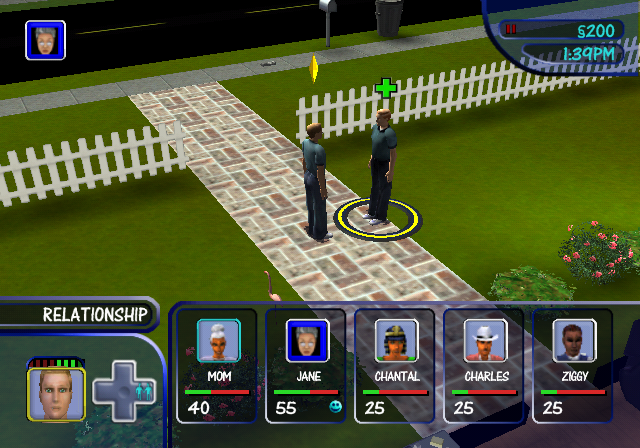
Jane House is an unused Sim that can appear in Get A Life, but only through enabled Debug Actions.
In Get A Life mode's first level (Money From Mom), use the action "Make me know everyone" from the mailbox and look in your Sim's friends. You'll have a friend named Jane House. You can call Jane and invite him/her over. It's possible that Jane House is an early test Sim for Get A Life. Jane's icon is a recycled icon from the original PC version of The Sims, has the voice of a female Sim on the phone, and appears as a default male Sim with a slightly different hue. When you invite them over, Jane functions like a regular Sim would. You can't call Jane or invite Jane over after the first level, because Jane gets replaced with the player's Sim in "Reality Bites". It's also possible to call both Jane House in "Dream Sequence".
Based off of Jane's initial position if story-mode lots are loaded into free-play mode, Jane may be a place-holder for the Player's sim as they start off in the same position as the player's sim would with them being on the couch in Mom's house. This Jane House that can be called in "Money from Mom" is the placeholder for "Reality Bites" 1 2
4 Sim Avenue and Unknown Lot#
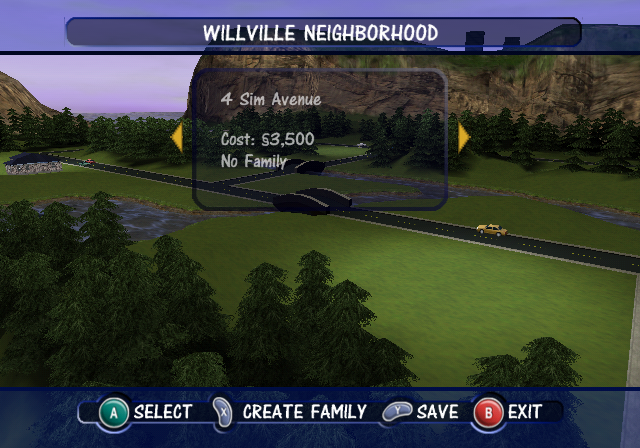
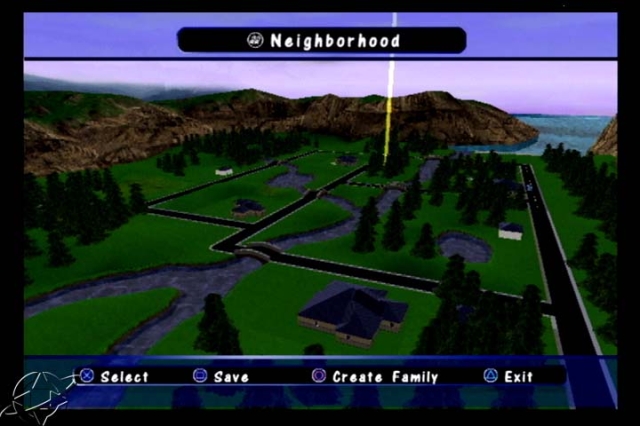
Play the Sims includes six available lots to make houses on. However, 4 Sim Avenue is not present and 7 Sim Avenue takes its place. With careful timing, 4 Sim Avenue can be revealed for a few frames when selecting a lot, sitting across the street from 7 Sim Avenue. There is also another lot in between 4, 6 and 7 Sim Avenue, in the Get a Life mode, this lot is the Dream Sequence, where DJ Tooter resides. The ground on the lots are even lit up as the other available lots are. It is most likely a programming bug that keeps the lots inaccessible. It may also be that there wasn't space on the disc to include another lot, and these lots was lazily removed from the game. There is no known way to access these lots. A screenshot from an earlier build of the game shows a house on the 4 Sim Avenue lot. In the final game, there are trees next to the 4 Sim Avenue's space.
Development Text#
Right at the end of SimsUI in quickdat.arc is: <pre style='white-space: pre-wrap; overflow: auto;> This is a test of the story mode transition screen system. Right now there are many many words being used in this description to fill out a theoretical message to the player. Following is a sample bullet-list:
1) Line 1 of the bullet list.
2) Line 2 of the bullet list.
3) Line 3 of the bullet list.
4) Line 4 of the bullet list
So now we have the complete listing of the text that will be displayed in this sample entry area. All work and no play make programmers dull people ... all work and no play make programmers dull people ... All work and no play make programmers dull people
Regional Differences#
|
|
To do: |
Japanese Version Changes#
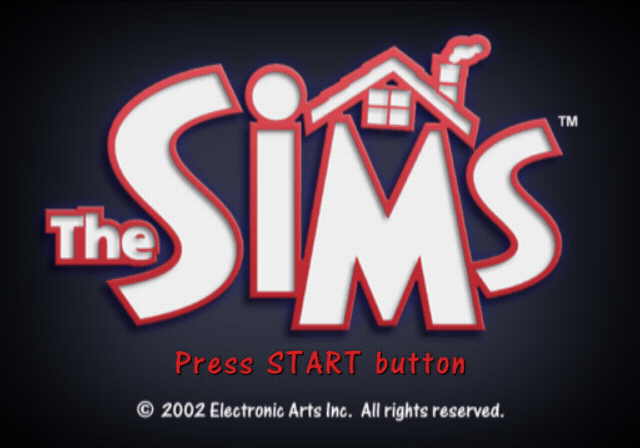
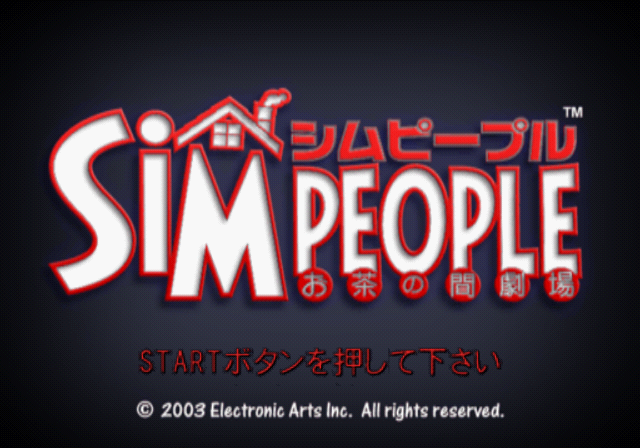
- The game in Japan is called SimPeople Ochanoma Gekijou, coming with a unique subtitle that other games do not have.
|
International |
Japanese |
|---|---|
|
|
- The intro cinematic was removed.
- The mosaic blur that appears when Sims using the toilet or taking a shower was completely removed.
- Sims no longer appear nude when taking a shower and wear their swimming outfit instead. This is due to CERO rating regulations regarding nudity despite already being covered up with a mosaic blur.
- This change was carried over to the Korean version.
Platform Differences#
Xbox Loading Screens#
The Xbox version has unique loading screen backgrounds that can be seen. Unlike the following games that also have unique loading screens on Xbox, there are no low resolution variants of these textures in the PS2 and GameCube release, but instead the same original resolution textures only found in the Asian PS2 versions, and in the GameCube versions.
|
|
|
|
|
|
|
|