 This article has a talk page!
Hello, my name is Dr. Glenn Pierce, and this is Superliminal, where you are in a dream and perspective is reality. Rest well.
 Prototype Info
 Notes
Notes
 Bugs
Bugs
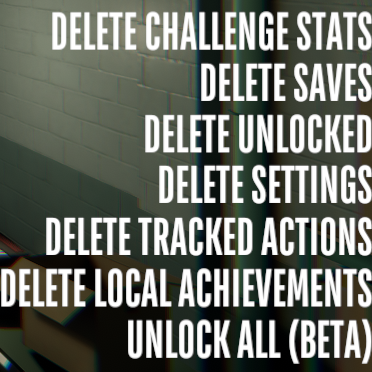 Debug Mode
 Inaccessible Areas and Objects
 Unused Areas and Objects
 Unused Graphics
 Version Differences
Demo Leftovers#

Inside each level's UI_PAUSE_MENU there's three objects named Title, Soon & BlackBG which when activated have UI elements to show "END OF DEMONSTRATION" & "PLAY THE REST LATER THIS YEAR". These were used in an unreleased demo played by Giant Bomb, video is shown here. (This was also probably used in the PAX demo based on the version number in the video, but there is no known proof that this was ever used).
Unused Placeholder Achievement#

If Canvas/Options Menu/Options Panel/UI_OPTIONS_CONTROLS/Achievements/Scroll View/Viewport/VerticalLayoutGroup/AchievementEntry is enabled and the player is looking in the achievements menu. It shows a placeholder achievement called "ACHIEVEMENT NAME" which includes the description:
This description only shows up after you get the achievement.???????????? ??? ????????????????? Developer Message#
Inside the executable for the Linux version, there is a short two-part developer rant.
Line 5:
# Another Unity regression! WHO WOULD HAVE THOUGHTLines 11-18
# Unity _seriously_ dropped the ball here.
# 2019.3 adds -rdynamic which means all Linux games will fail to load FMOD
# properly, and while FMOD can be compiled monolithically we still run into
# symbol override issues. Why Unity didn't say anything about possibly the
# world's most popular middleware I have absolutely no clue.
#
# So, we do both the monolithic build (thanks FMOD support!) and the preload, to
# ensure that our stupid hack is "safe". Unity's Linux team is fired. -flibit
Unused Debug Features#
DevLevelSelect#
|
|
To do: |
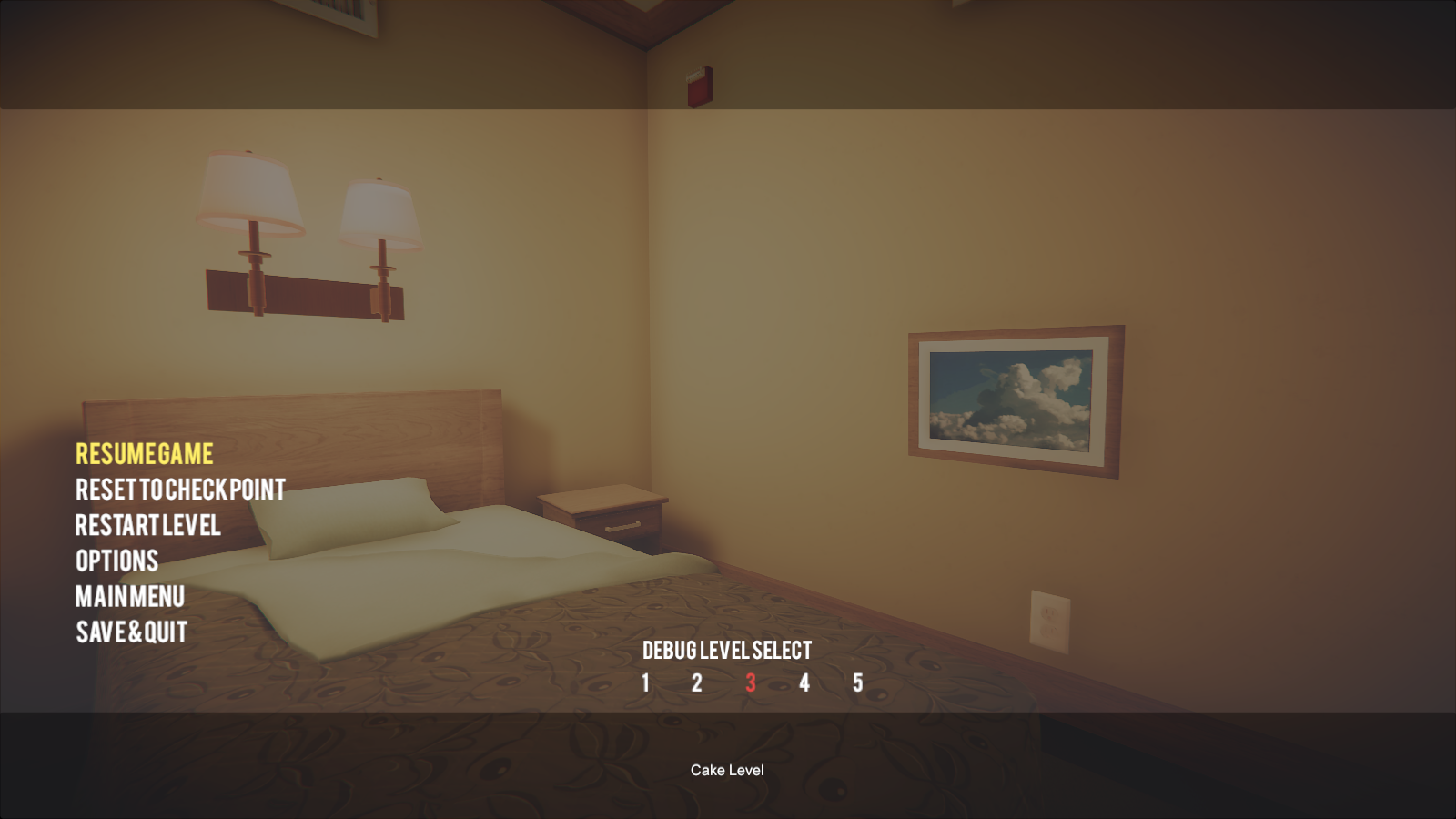
Inside the UI_PAUSE_MENU/Canvas/Pause Menu/Panel, there is a disabled developer level select objects listed (Panel, SceneNameLabel & DevLevelSelectText) which do nothing when clicked on. (Oddly, if SceneNameLabel is enabled and you highlight one of the numbers, it gets disabled). The only level names that can be shown are levels 1-5, but more can be shown by editing LevelSelectButton.levelNum's interger inside one of the Panel/LevelButton(Clone)'s LevelSelectButton component.
Level # |
DevLevelSelect Name |
Actual Name |
|---|---|---|
No Selection |
SceneName |
N/A |
0 |
Menu |
Main Menu |
1 |
Warning |
Somnasculpt Presentation |
2 |
Presentation |
Induction |
3 |
Welcome |
Optical |
4 |
Cake Level |
Cubism |
5 |
Cubism Level |
Blackout |
Any number above 5 |
TBD |
N/A |
PortalManager#
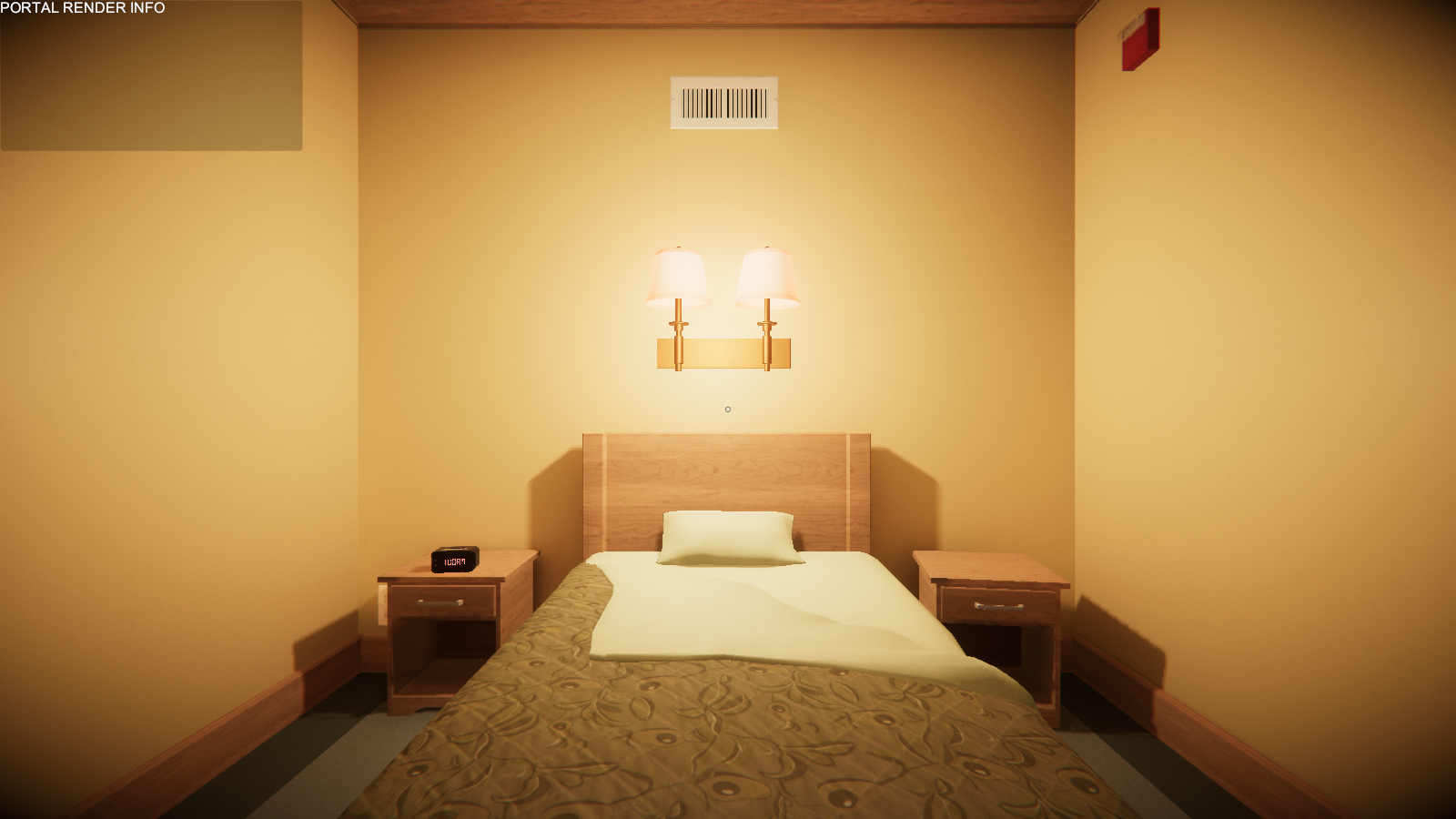
Placed on the top left of the game screen is an unused PortalManager debug window that only displays "PORTAL RENDER INFO" in a gray box. It is unknown if there is any added functionality to this feature.
Unused Dialogue#
Audio |
Transcript |
Notes |
|---|---|---|
(opening dialogue) |
This is an unused version of the opening speech. Interestingly, this is considered to be a voice line, whilst the final version is considered to be music. Used in the launch trailer. |
|
|
Your current delay in preceding through the indicated doorway... |
These have no associated subtitles in the game files. |
Hello! My name is Dr. Glenn Pierce, and in some cases, patients who are lost may find that the mind creates slight physical obstructions... |
This was intended for the end of Cubism, and still has its associated radio left over in the game. Used in the launch trailer. |
|
Hello, my name is Dr. Glenn Pierce, and let me put it to you more directly: |
This was intended for the middle of Blackout, between Pierce's last line and the Standard Orientation Protocol's first line. |
|
Hello! My name is Dr. Glenn Pierce. You are now beyond conventional psychospatial limits... |
This was intended for the beginning of Clone. |
|
Door closing. |
This is similar to the "door opening" line that plays in the Blackout secret ending. It has no associated subtitles in the game files. |
Unused Developer Commentary Dialogue#
Audio |
Transcript |
|---|---|
Albert: At some point, we actually had the tech to let you put a portal inside a portal, but the outcome wasn't very interesting. The portal would come out of itself and just become a really tiny portal. But that idea inspired us to mock up this moment, which is how we hoped a portal recursion might look like. |
|
Logan: I prototyped this a long time ago with some tricky teleporting, but it never quite worked. Once Phil joined the team, he made our portals much better, so we could do things like sideways portals, so I was able to revisit this idea and make it using portals, instead of hacking it together. |
|
Logan: We used to have a whole level where the theme was that rooms were upside-down and sideways. We eventually cut it, but some of those moments survived, so we put them in this level. |
|
Logan: We had the idea for the player to lift a room while they're inside of it for a while, so the two concepts of lifting a room, and putting a portal into a portal got merged here. |
Unused Build Number Text#
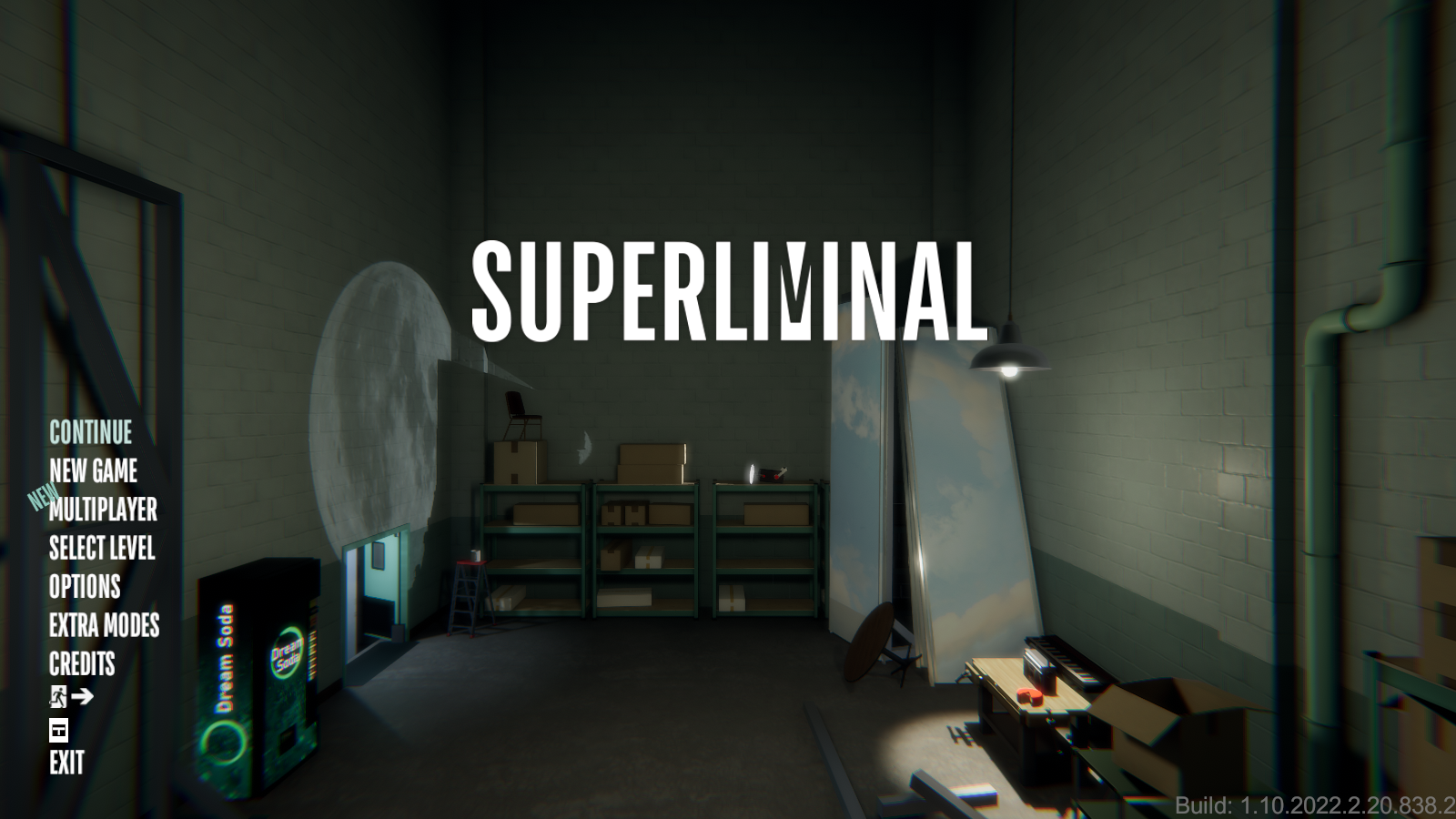
There is an unused Build Number text object called "UI_Debug_BuildVersionText_AlwaysThere", that shows the build number but stays on screen at the bottom right corner of the game window when it gets enabled (it gets moved from StartScreen_Live to DontDestroyOnLoad once enabled).
Unused Gamma Option#

In the gameplay options, there is an unused Gamma slider that currently does not do anything. Also, inside of the Main Camera's components there is a component for BrightnessContrastGammaPost, and inside that there are float values brightnessAdjustment, contrastAdjustment & gammaAdjustment. Both the brightness & contrast adjustment floats do work, while the gamma adjustment does nothing.
Early Dome Projection Map#
Watch on YouTubeThe dome projection battle royale map was added in version 1.10.2021.11.12.858.39, but an unused early version of it existed in the files of version 1.10.2021.11.5.550.43. Editing the source code to include disabled maps in the battle royale rotation allows for it to appear in the same way as the other maps.
Whilst this version is quite similar to the final version, it's clearly unfinished - the projections often appear buggy, the lighting is dark and there's a lack of decoration. The custom music also hasn't been implemented, and the staircases are floating.
Unused Demo Modes#
|
|
To do: |
With using a tool like UnityExplorer you can see two different Game Demo Modes.
ConventionMode#
Inside DontDestroyOnLoad/GameManager, there's a GameObject called ConventionMode, and inside is a toggle flag called "isInConventionMode". If activated the only thing it seems to do is set one of two timers based on what the player does:
- noInputResetTimer: If the game is started and the player has put in no keyboard or controller input after two minutes, the game cuts back to the main menu.
- resetTimer: If the game is started and the player has put in any keyboard or controller input, then the game will set a timer for 25 minutes. Then after that the game cuts back to the main menu.
GDC_2020_Mode#
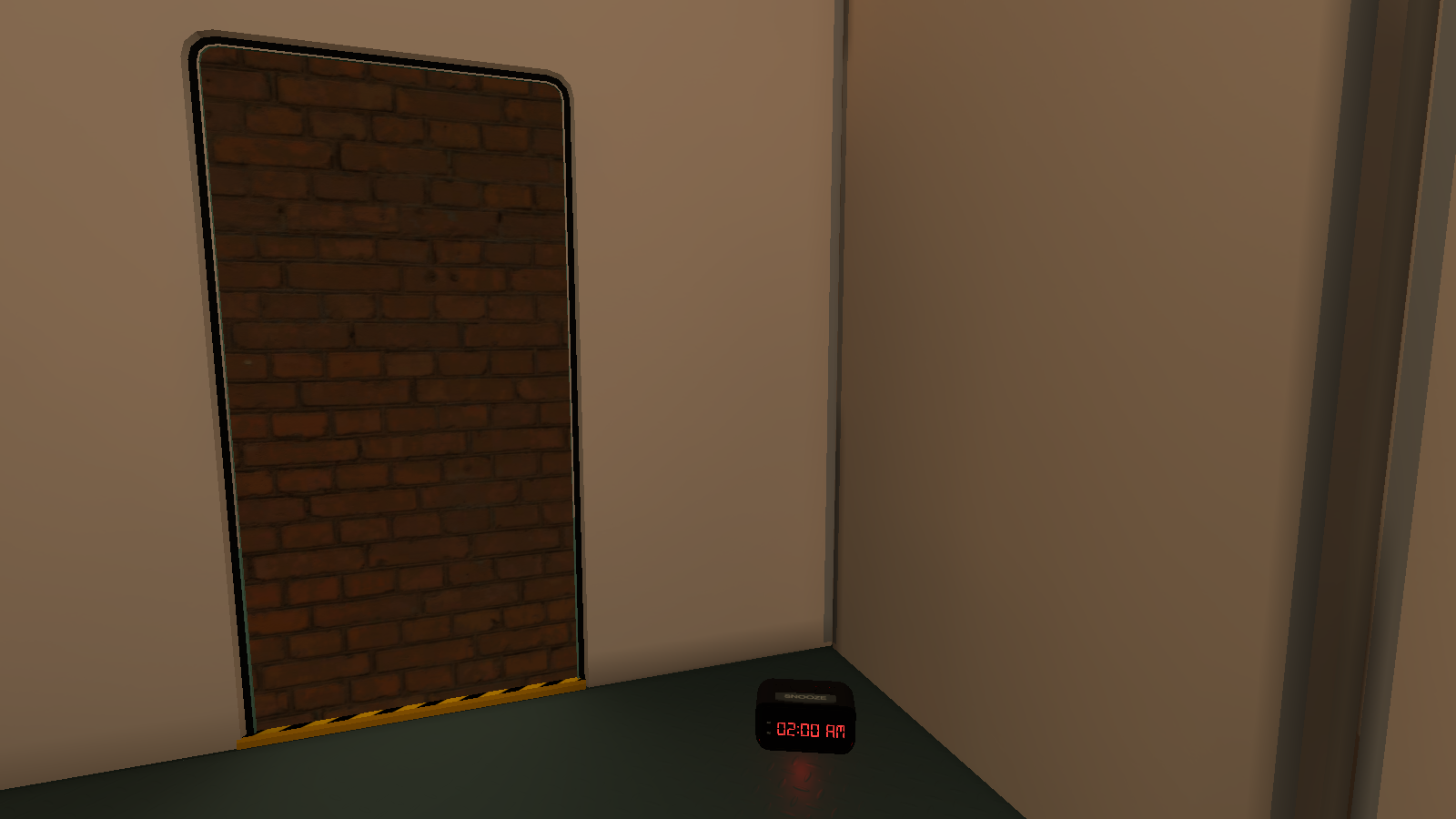
Note: This is not the same demo as the GDC 2020/Steam Game Festival: Spring Edition Demo.
Inside DontDestroyOnLoad/GameManager, inspecting the GameManager GameObject shows a toggle flag called GDC_2020_Mode.
If activated, the only differences from the actual gameplay are:
- Induction & Optical are only playable.
- Induction ends after intersection after the Pawn Illusion Hallway, the next room is blocked by a brick wall and an alarm clock you have to press to go to the next level.
- After Optical ends, the game fades to black and you are sent back to the main menu.
Unused VR Functionality#
There are several remnants to a VR Mode that seems to go unused:
- In the first released version of Superliminal (Version 1.0.2019.11.11.963), there is some function lines that seems baked into the boot.config file that mention VR:
vr-enabled=1vr-device-list=None,OpenVR
Though there's no mention of any features in the game's options. The vr-enabled would be switched to 0 and the vr-device-list line would be deleted in the next version. - In all versions, there are DLL plugins for OVRGamepad & OVRPlugin.
Unused Scripts#
- BloodTrailBehindPlayer.cs spawns random blood splat objects under the player at random intervals.
- Boid.cs and BoidTools.cs are an implementation of a boid flocking simulation.
- Emailer.cs sends email.
- ReverseGravity.cs turns off gravity and applies a force equal to negative gravity to an object.
Oddity#
The vending machine's albedo textures (both "Dream Soda" and "Dream Pop" versions) were exported with an additional layer enabled, which seems to have been used to lay out the texture. Different names for each of the sodas are visible in these textures. It is possible to see these names in-game if you clip out of bounds and bring a lamp with you. Pointing the lamp at the vending machine, the emissive texture (which was exported correctly) is washed out, and the albedo texture becomes clearly visible. 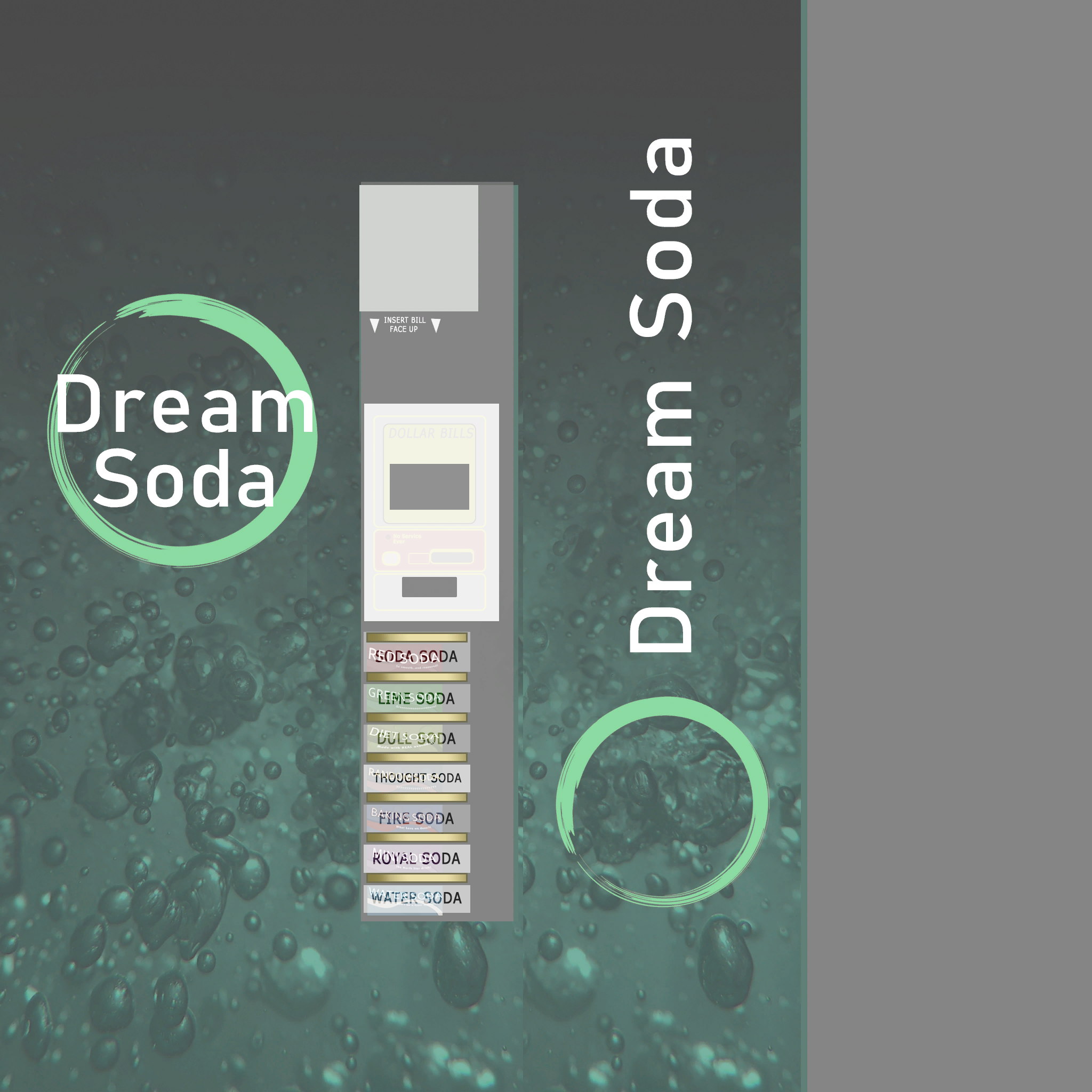
Final name |
Development name |
|---|---|
Red Soda |
Soda Soda |
Green Soda |
Lime Soda |
Diet Soda |
Dull Soda |
Random Soda |
Thought Soda |
Baking Soda |
Fire Soda |
Mini Soda |
Royal Soda |
Water Soda |
Water Soda |