This is a sub-page of Superliminal.

|
This needs some investigation.
|
Main Menu#
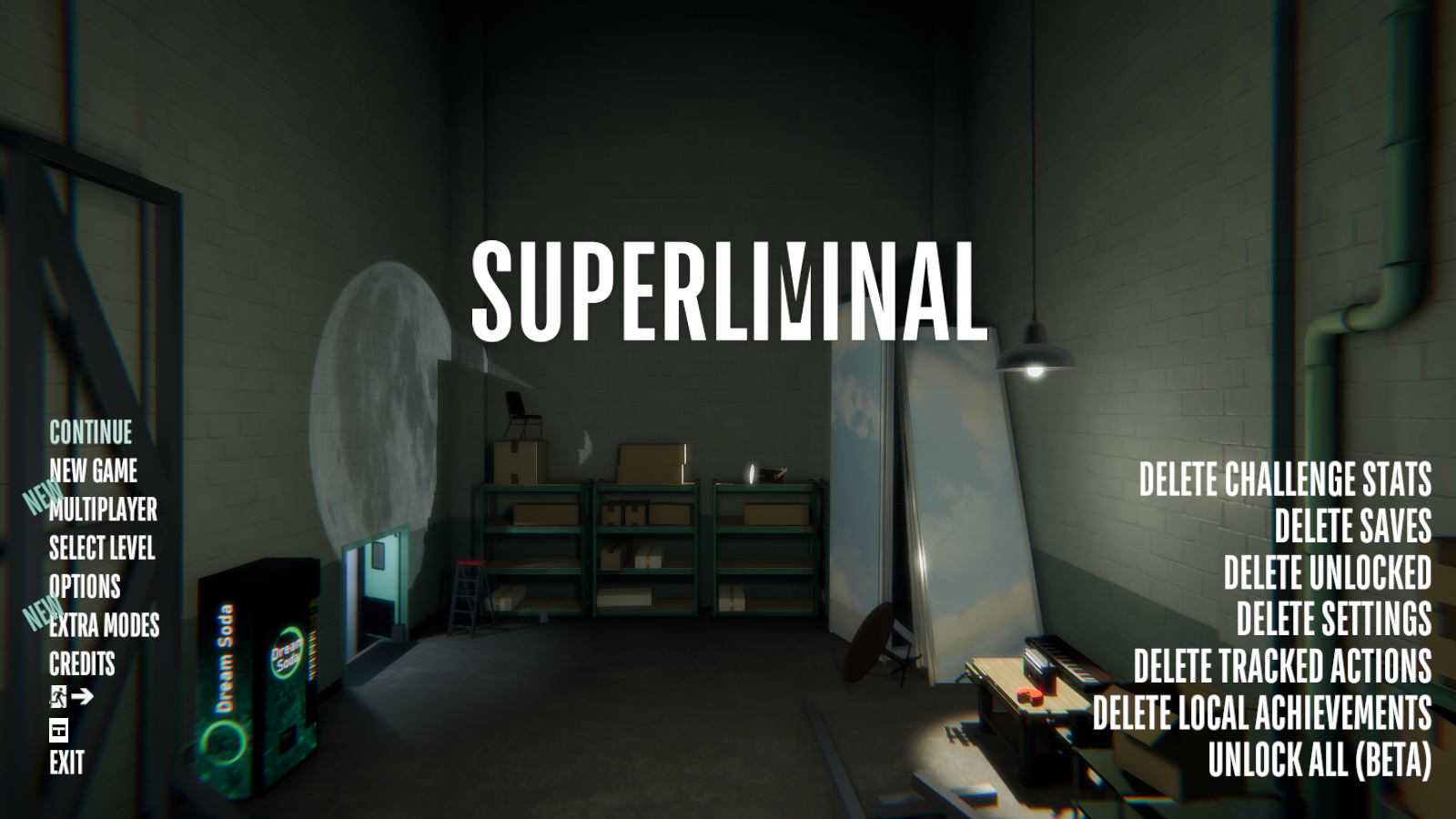
Option |
Effect |
|---|---|
DELETE CHALLENGE STATS |
Deletes Challenge Mode statistics |
DELETE SAVES |
Deletes save data |
DELETE UNLOCKED |
Resets unlocked levels |
DELETE SETTINGS |
Resets settings |
DELETE TRACKED ACTIONS |
Resets tracked actions (ex. fire hydrants, hidden constellations, blueprints, etc.) |
DELETE LOCAL ACHIEVEMENTS |
Resets local achievements. (Doesn't reset achievements on Steam) |
UNLOCK ALL (BETA) |
Unlocks everything |
Commands#
Note: These commands can still be activated even if another character is pressed. For example, typing fxps still activates data statistics. The KeystrokeTracker timeouts after 0.25 seconds.
Commands |
Effect |
|---|---|
- |
Goes to the previous scene level (does not work if you are in the Main Menu, which is the first scene). |
= |
Goes to the next scene level. |
[ |
Decreases movement speed by 0.2m/s (resets after hitting a checkpoint). |
] |
Increases movement speed by 0.2m/s (resets after hitting a checkpoint). |
[LeftShift]/[RightShift] + 0-9 |
Teleports player to different level checkpoints using the number row keys while holding one of the shift keys. (Note: The numerical keypad does not work with this) |
77 |
Sets game speed to 10 |
ao |
Unknown (might be broken or currently not working, all it does is dim the Main Menu's lights. Maybe it's trying to pull up a menu it can't find). |
ball |
Unknown (it's mentioned in the game's code, might have to do something with collision). |
db |
(Only works on main menu) Brings up a level select, doesn't turn off when re-typed. (Oddly, the loading screens are the only options that are selectable.) |
fps |
Activates data statistics. (FPS, RAM usage, Audio dB and PC statistics) |
gg |
Activates noclip. (Does not work with controller.) |
gif |
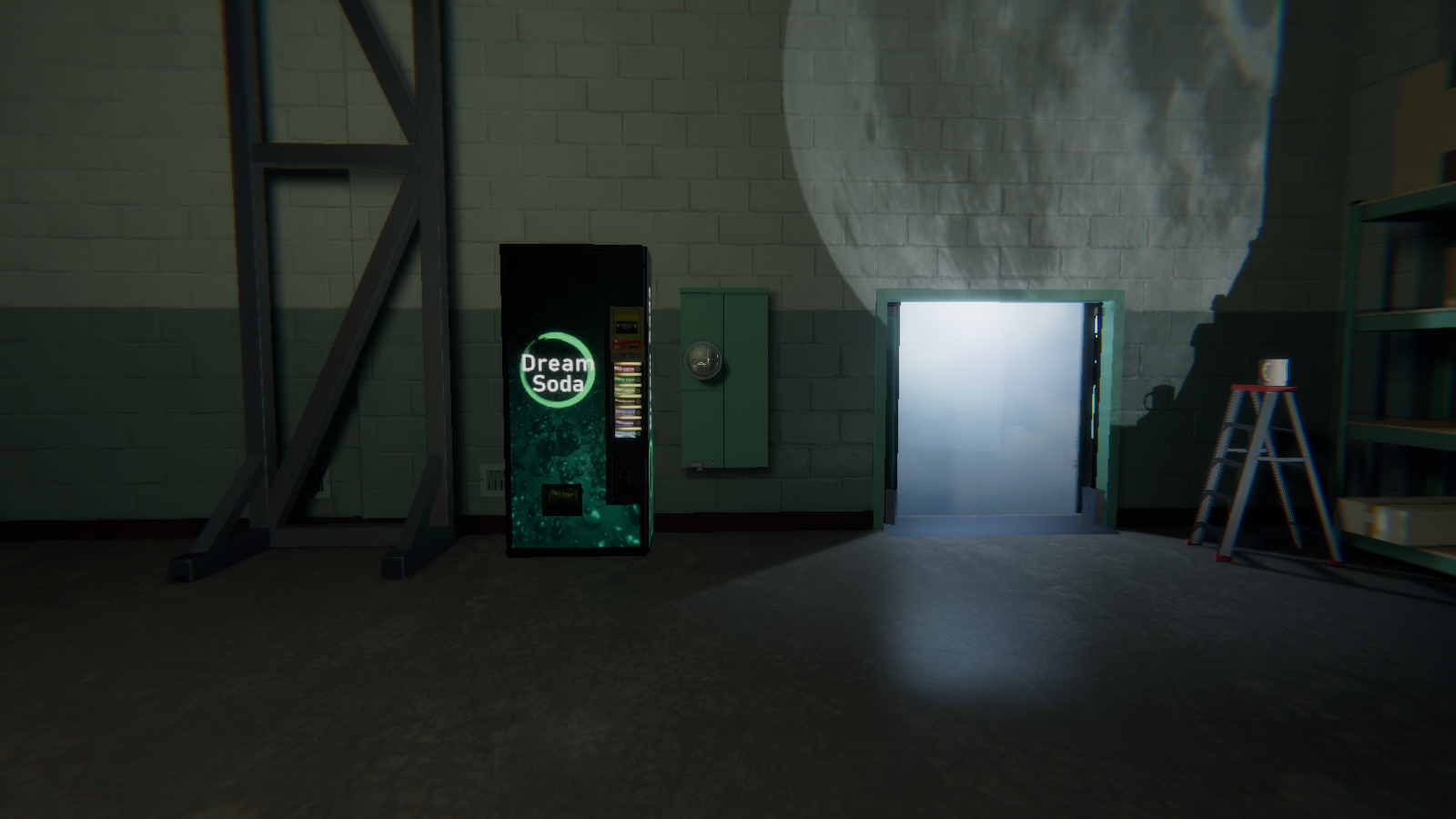
Turns on a post processing effect that reduces reflections. |
mp |
(Only works in multiplayer modes) Disables/Enables multiplayer user interface. |
photon |
(Only works in multiplayer modes) Disables/Enables PhotonStats (see below) |
pm |
Removes crosshair. (Only resets itself when the level is restarted) |
ref |
Unknown (It's mentioned in the game's code, might have to do something with reflection). |
rty |
Unknown (Unsure what it exactly does, but it does some weird things with clone-able objects & grabbable portals). |
tex |
Supposed to disable/enable texture streaming, but it doesn't seem to do anything except for displaying "Texture streaming disabled" on the top left of the game window. |
Level Select#
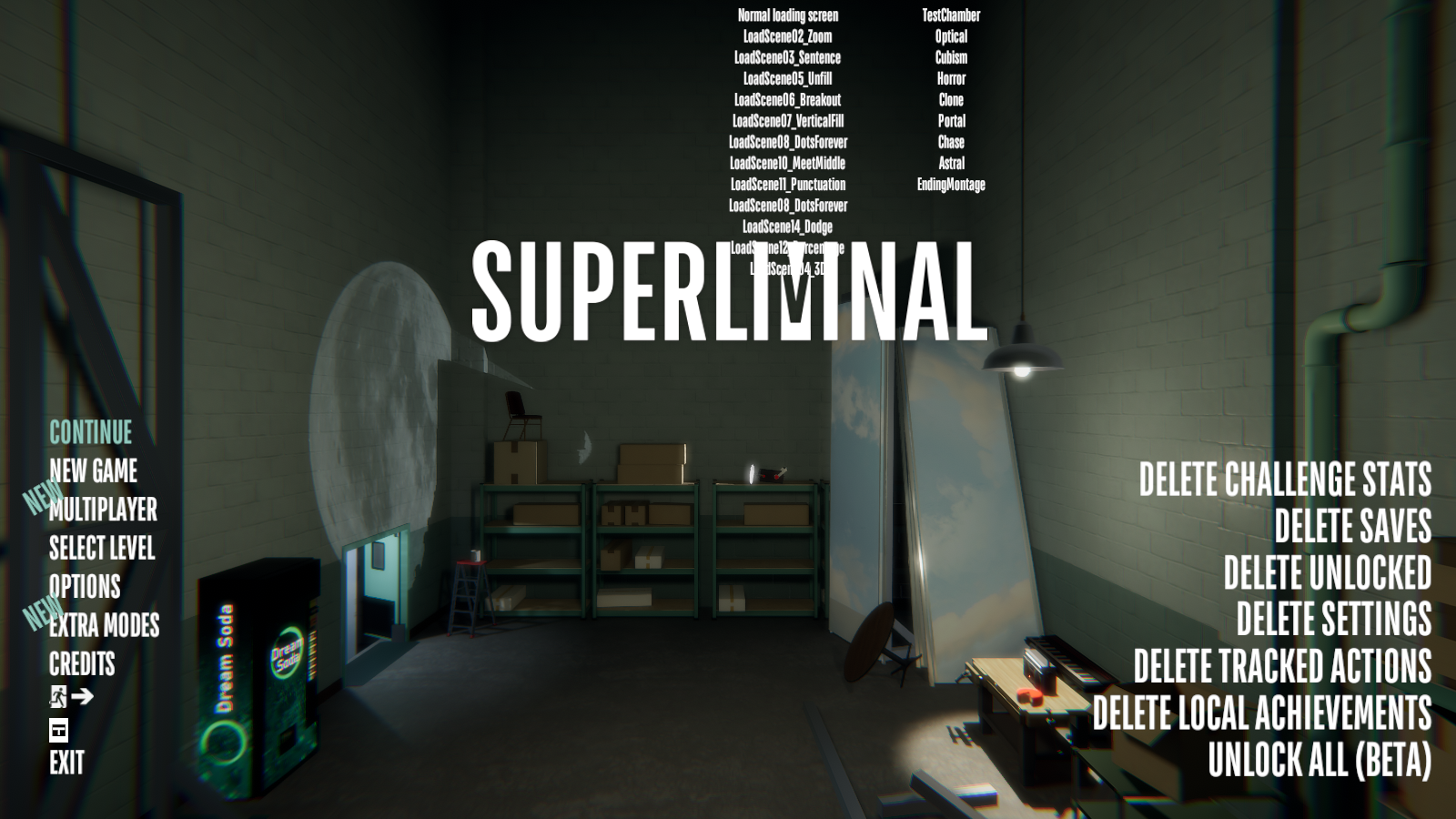
Typing db brings up a level select. For some reason, the loading screens are the only options that are selectable.
Level Select name |
Notes |
|---|---|
Normal loading screen |
Loads LoadScene15_FinalOneCompletelyNormal loading scene. |
LoadScene02_Zoom |
|
LoadScene03_Sentence |
|
LoadScene05_Unfill |
|
LoadScene06_Breakout |
|
LoadScene07_VerticalFill |
|
LoadScene08_DotsForever |
|
LoadScene10_MeetMiddle |
|
LoadScene11_Punctuation |
|
LoadScene08_DotsForever |
|
LoadScene14_Dodge |
|
LoadScene12_Percentage |
|
LoadScene04_3D |
|
TestChamber |
Loads Induction level, unselectable. |
Optical |
Unselectable. |
Cubism |
Unselectable. |
Horror |
Loads Blackout level, unselectable. |
Clone |
Unselectable. |
Portal |
Loads Dollhouse level, unselectable. |
Chase |
Loads Labyrinth level, unselectable. |
Astral |
Loads Whitespace level, unselectable. |
EndingMontage |
Loads Retrospect level, unselectable. |
Debug Options#

The Debug Options will show up when you enter a level, pause the game and go into Options once, then back out, and then back in again.
ACHIEVEMENTS_DEBUG#

Note that unchecking any option won't remove the selected achievement from your Steam Achievements, they only remove it from the Achievements menu in the Options.
Debug Achievement Name |
Real Achievement Name |
|---|---|
APPLEONHEAD |
Son of Man |
BREAKSODACAN |
Sugar Crash |
OPTICALNOOK |
Please Use Other Door |
PULLALLALARMS |
Fire Safety Achieved |
PULLONEFIREALARM |
Fire Alarmist |
SODAINRECYCLING |
Environment Saved! |
SODAINTRASH |
Please Recycle |
TRASHCANREJECT |
Take Your Trash Elsewhere |
CLICKALLFIREEXTINGUISHERS |
Fires Extinguished |
CLICKALLBLUEPRINTS |
Feeling Blue |
COLLECTALLCHESSPIECES |
Chess Master |
DRINKALLSODAS |
Soda Connaisseur |
BEATTHEGAME |
Wake Up |
BEATTHEGAME30MINUTES |
Superluminal |
BEATTHEGAME60MINUTES |
Speed Runner |
VAGUELYACTIVATED |
Vaguely Activated Achievement |
CLONEALOT |
Why Are You Like This? |
GRABTROPHY |
Polite Recognition |
PULLXFIREALARMS |
Expert Fire Alarmist |
WINCHESSGAME |
Kasparov |
COMPLETECONSTELLATIONS |
Stars Align |
DEVCOMMCOMPLETE |
Biggest Fan |
CHALLENEGEMODECOMPLETE |
Mindful |
IMPORTOBJECT |
Dr. Pierce's Protege |
UPLOADOBJECT |
Contraband |
UPLOADDREAM |
Dream within a Dream |
PLAYDREAM |
Dream Sculptor |
ACTIONS_DEBUG#

|
Please elaborate. |

Clicking the ACTIONS_DEBUG option brings up a two box window showing all your tracked actions.
PULLFIREALARM#
Option |
Notes |
|---|---|
CUBISM_LIVE |
|
CUBISM_LIVE (5) |
|
CUBISM_LIVE (1) |
|
CUBISM_LIVE (6) |
|
CUBISM_LIVE (2) |
|
CUBISM_LIVE (3) |
|
CUBISM_LIVE (7) |
|
CUBISM_LIVE (8) |
|
CUBISM_LIVE (4) |
|
OPTICAL_LIVE |
|
OPTICAL_LIVE (1) |
|
(-- EMPTY --) |
Unused Optical fire alarm |
OPTICAL_LIVE (3) |
|
OPTICAL_LIVE (4) |
|
OPTICAL_LIVE (5) |
|
OPTICAL_LIVE (6) |
|
OPTICAL_LIVE (7) |
|
OPTICAL_LIVE (8) |
|
OPTICAL_LIVE (9) |
|
OPTICAL_LIVE (10) |
|
OPTICAL_LIVE (11) |
|
OPTICAL_LIVE (12) |
|
OPTICAL_LIVE (13) |
|
OPTICAL_LIVE (14) |
|
OPTICAL_LIVE (15) |
|
OPTICAL_LIVE (16) |
|
OPTICAL_LIVE (17) |
|
CLONE_LIVE |
|
CLONE_LIVE (1) |
|
CLONE_LIVE (2) |
|
CLONE_LIVE (3) |
|
CLONE_LIVE (4) |
|
CLONE_LIVE (5) |
|
CLONE_LIVE (6) |
|
CLONE_LIVE (7) |
|
CLONE_LIVE (8) |
|
CLONE_LIVE (9) |
|
CLONE_LIVE (10) |
|
CLONE_LIVE (11) |
|
TESTCHAMBER_LIVE |
|
HORROR_LIVE |
|
HORROR_LIVE (1) |
|
PORTAL_LIVE |
|
PORTAL_LIVE (1) |
|
PORTAL_LIVE (2) |
|
PORTAL_LIVE (3) |
|
PORTAL_LIVE (4) |
|
PORTAL_LIVE (5) |
|
PORTAL_LIVE (6) |
|
ASTRAL_LIVE |
|
CHASE_LIVE |
|
CHASE_LIVE (1) |
|
CHASE_LIVE (2) |
|
CHASE_LIVE (3) |
|
CHASE_LIVE (4) |
|
CHASE_LIVE (5) |
|
CHASE_LIVE (6) |
|
CHASE_LIVE (7) |
|
(-- EMPTY --) |
Unused Labyrinth fire alarm |
CHASE_LIVE (9) |
|
CHASE_LIVE (10) |
|
CHASE_LIVE (11) |
|
CHASE_LIVE (12) |
|
CHASE_LIVE (13) |
|
CHASE_LIVE (14) |
|
CHASE_LIVE (15) |
|
CHASE_LIVE (16) |
CLICKFIREEXTINGUISHER#
Option |
Notes |
|---|---|
TESTCHAMBER_LIVE |
|
OPTICAL_LIVE |
|
OPTICAL_LIVE (1) |
|
OPTICAL_LIVE (2) |
|
OPTICAL_LIVE (3) |
|
OPTICAL_LIVE (4) |
|
OPTICAL_LIVE (5) |
|
OPTICAL_LIVE (6) |
|
OPTICAL_LIVE (7) |
|
OPTICAL_LIVE (8) |
|
OPTICAL_LIVE (9) |
|
OPTICAL_LIVE (10) |
|
OPTICAL_LIVE (11) |
|
OPTICAL_LIVE (12) |
|
OPTICAL_LIVE (13) |
|
CUBISM_LIVE |
|
CUBISM_LIVE (1) |
|
CUBISM_LIVE (2) |
|
CUBISM_LIVE (3) |
|
CUBISM_LIVE (4) |
|
CUBISM_LIVE (5) |
|
CUBISM_LIVE (6) |
|
CUBISM_LIVE (7) |
|
CUBISM_LIVE (8) |
|
CUBISM_LIVE (9) |
|
CUBISM_LIVE (10) |
|
(-- EMPTY --) |
Unused Horror fire extinguisher |
HORROR_LIVE (1) |
|
HORROR_LIVE (2) |
|
HORROR_LIVE (3) |
|
HORROR_LIVE (4) |
|
HORROR_LIVE (5) |
|
HORROR_LIVE (6) |
|
HORROR_LIVE (7) |
|
HORROR_LIVE (8) |
|
(-- EMPTY --) |
Unused Horror fire extinguisher |
(-- EMPTY --) |
Unused Horror fire extinguisher |
HORROR_LIVE (11) |
|
HORROR_LIVE (12) |
|
HORROR_LIVE (13) |
|
HORROR_LIVE (14) |
|
HORROR_LIVE (15) |
|
CLONE_LIVE |
|
CLONE_LIVE (1) |
|
CLONE_LIVE (2) |
|
CLONE_LIVE (3) |
|
CLONE_LIVE (4) |
|
CLONE_LIVE (5) |
|
CLONE_LIVE (6) |
|
CLONE_LIVE (7) |
|
CLONE_LIVE (8) |
|
CLONE_LIVE (9) |
|
CLONE_LIVE (10) |
|
CLONE_LIVE (11) |
|
CLONE_LIVE (12) |
|
CLONE_LIVE (13) |
|
CLONE_LIVE (14) |
|
CLONE_LIVE (15) |
|
PORTAL_LIVE |
|
PORTAL_LIVE (1) |
|
PORTAL_LIVE (2) |
|
PORTAL_LIVE (3) |
|
PORTAL_LIVE (4) |
|
PORTAL_LIVE (5) |
|
PORTAL_LIVE (6) |
|
PORTAL_LIVE (7) |
|
PORTAL_LIVE (8) |
|
ASTRAL_LIVE |
|
ASTRAL_LIVE (1) |
|
CHASE_LIVE |
|
CHASE_LIVE (1) |
|
CHASE_LIVE (2) |
|
CHASE_LIVE (3) |
|
CHASE_LIVE (4) |
|
(-- EMPTY --) |
Unused Labyrinth fire extinguisher |
CHASE_LIVE (6) |
|
CHASE_LIVE (7) |
|
CHASE_LIVE (8) |
|
(-- EMPTY --) |
Unused Labyrinth fire extinguisher |
CHASE_LIVE (10) |
|
CHASE_LIVE (11) |
|
CHASE_LIVE (12) |
|
(-- EMPTY --) |
Unused Labyrinth fire extinguisher |
CHASE_LIVE (14) |
|
(-- EMPTY --) |
Unused Labyrinth fire extinguisher |
CHASE_LIVE (16) |
|
CHASE_LIVE (17) |
|
CHASE_LIVE (18) |
|
CHASE_LIVE (19) |
|
CHASE_LIVE (20) |
|
CHASE_LIVE (21) |
|
(-- EMPTY --) |
Unused Labyrinth fire extinguisher |
CHASE_LIVE (23) |
SEECONSTELLATION#
Option |
Notes |
|---|---|
CLOUDROOMCONSTELLATION |
|
CUBISMPALETTEHALLWAYCONSTELLATION |
|
CLONELASTBACKAREACONSTELLATION |
|
OPTICALSTAGECONSTELLATION |
|
HORRORCONSTELLATION |
|
ASTRALWATERCOOLERCONSTELLATION |
|
CHASECONSTELLATION |
COLLECTCHESSPIECES#
Option |
Notes |
|---|---|
PAWNWHITE_A3 (TESTCHAMBER) |
|
PAWNWHITE_B3 (ASTRAL) |
|
QUEENWHITE_D5 (CHASE) |
|
PAWNBLACK_D6 (CHASE) |
|
ROOKBLACK_E1 (OPTICAL) |
|
QUEENBLACK_F6 (CUBISM) |
|
PAWNBLACK_F3 (ASTRAL) |
|
KNIGHTBLACK_F2 (CLONE) |
|
KNIGHTWHITE_G5 (OPTICAL) |
|
PAWNWHITE_G3 (HORROR) |
|
ROOKWHITE_H7 (ASTRAL) |
|
KINGBLACK_H6 (CUBISM) |
|
PAWNWHITE_H3 (CLONE) |
|
KINGWHITE_H2 (PORTAL) |
|
BLACKPAWN_H7 (HORROR) |
CLICKBLUEPRINT#
Option |
Notes |
|---|---|
BLUEPRINT01 (TESTCHAMBER) |
|
BLUEPRINT02 (PORTAL) |
|
BLUEPRINT03 (PORTAL) |
|
BLUEPRINT04 (ASTRAL) |
|
BLUEPRINT05 (ASTRAL) |
|
BLUEPRINT06 (ASTRAL) |
|
BLUEPRINT07 (CHASE) |
|
BLUEPRINT08 (CHASE) |
|
BLUEPRINT09 (CUBISM) |
|
BLUEPRINT10 (CUBISM) |
|
BLUEPRINT11 (OPTICAL) |
|
BLUEPRINT12 (HORROR) |
|
BLUEPRINT13 (PORTAL) |
|
BLUEPRINT14 (CHASE) |
|
BLUEPRINT15 (OPTICAL) |
SODATYPES#
Option |
Notes |
|---|---|
BAKING |
|
DIET |
|
GREEN |
|
MINI |
|
RANDOM |
|
RED |
|
WATER |
ACTUALEGGS#
Option |
Notes |
|---|---|
OPTICAL_1 |
|
OPTICAL_2 |
|
CUBISM_1 |
|
CLONE_1 |
|
CHASE_1 |
|
CHASE_2 |
|
CHASE_3 |
|
ASTRAL_1 |
Data Statistics#
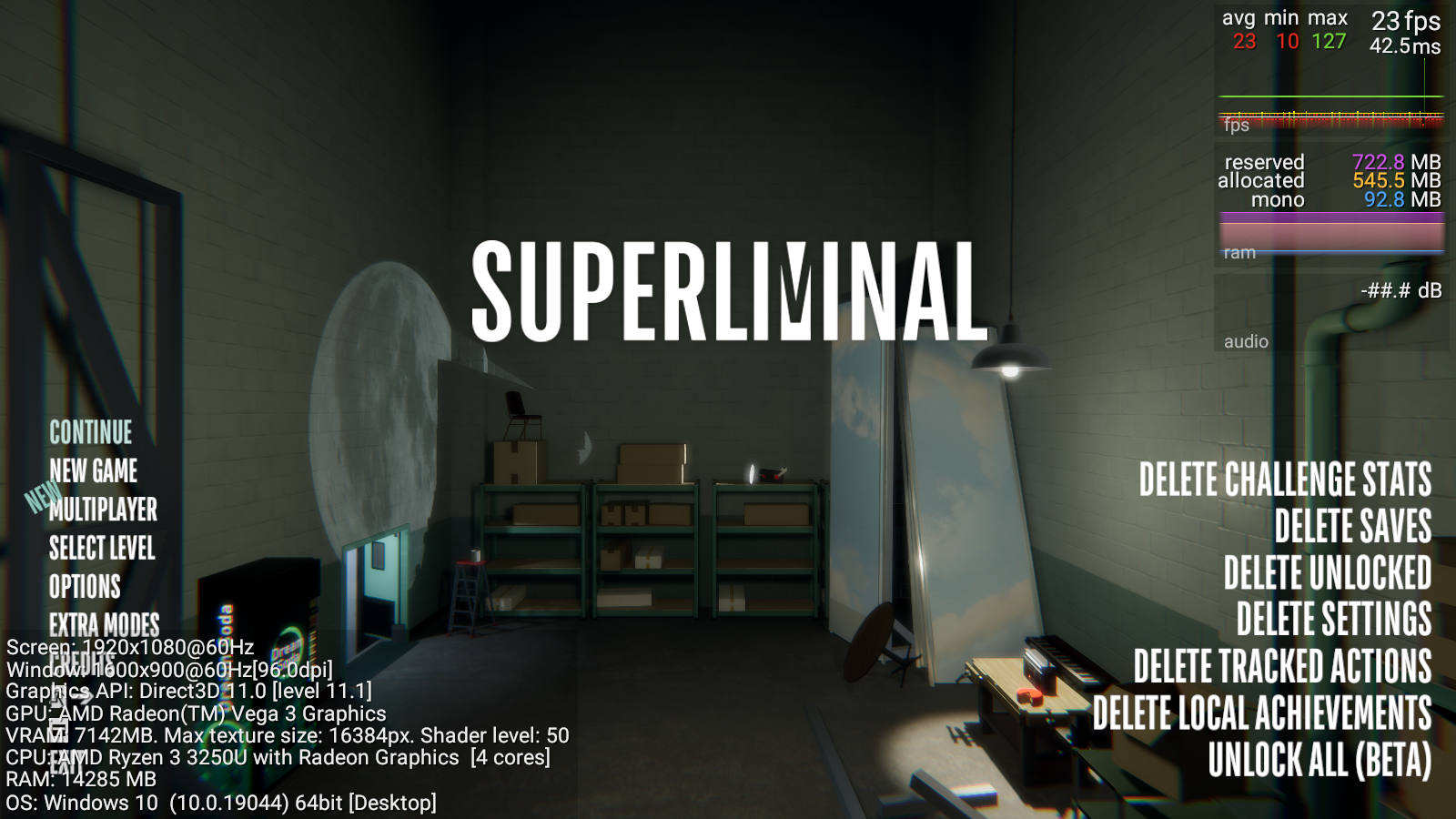
Typing fps brings up data statistics (called Graphy in the code). On the top right, there is boxes for tracking frames per second, ram usage & audio loudness. (Note: Audio loudness doesn't really seem to work that well. Only shows either -##.# or -80.0 dB). On the bottom left, there is the player's PC specs.
GifMode#
|
GifMode off |
GifMode on |
|---|---|
|
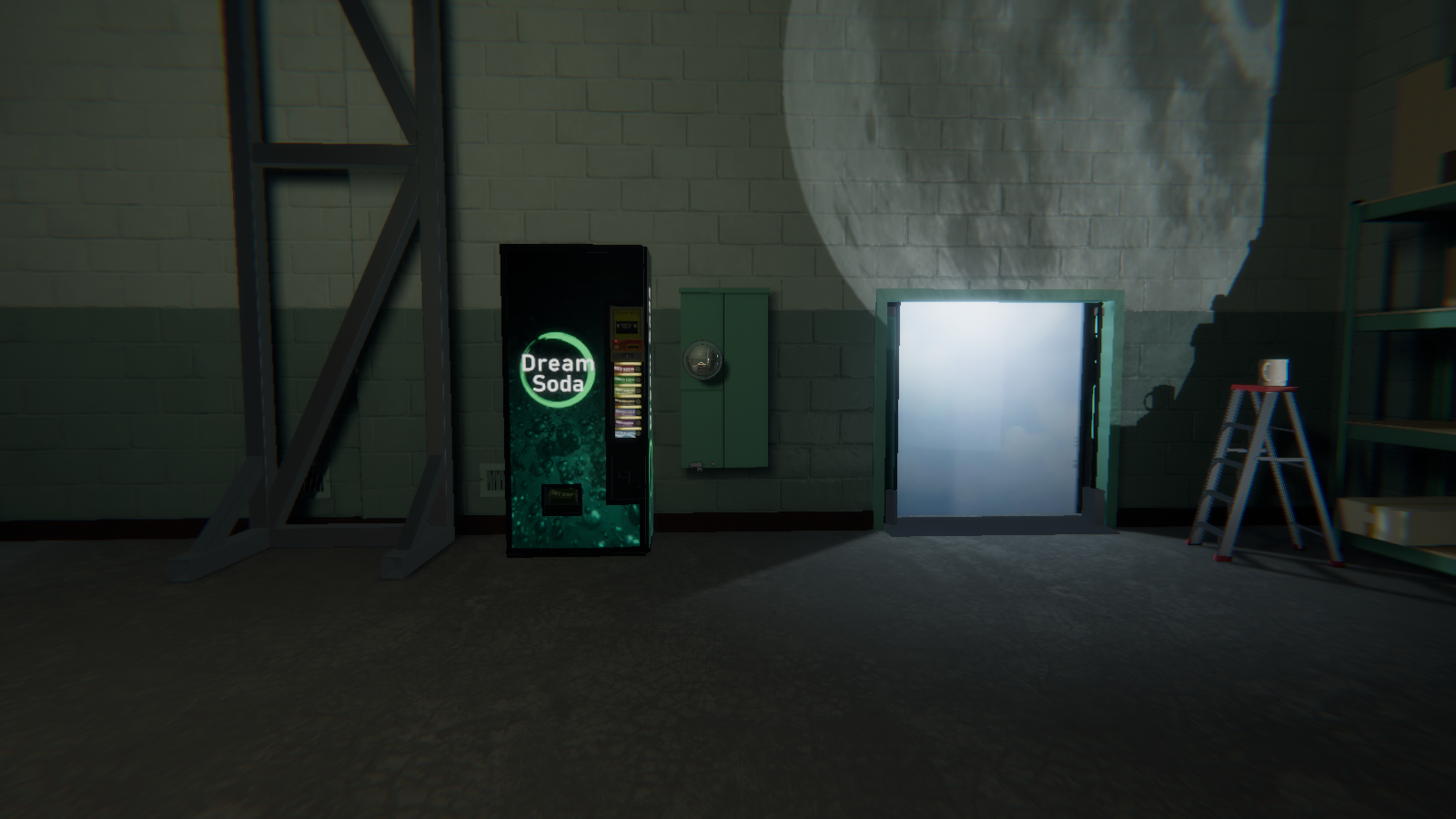
|
Typing gif while gameplay is happening, turns off some reflections. This may have been used for easier gif rendering.
PhotonStats#

|
To do: |
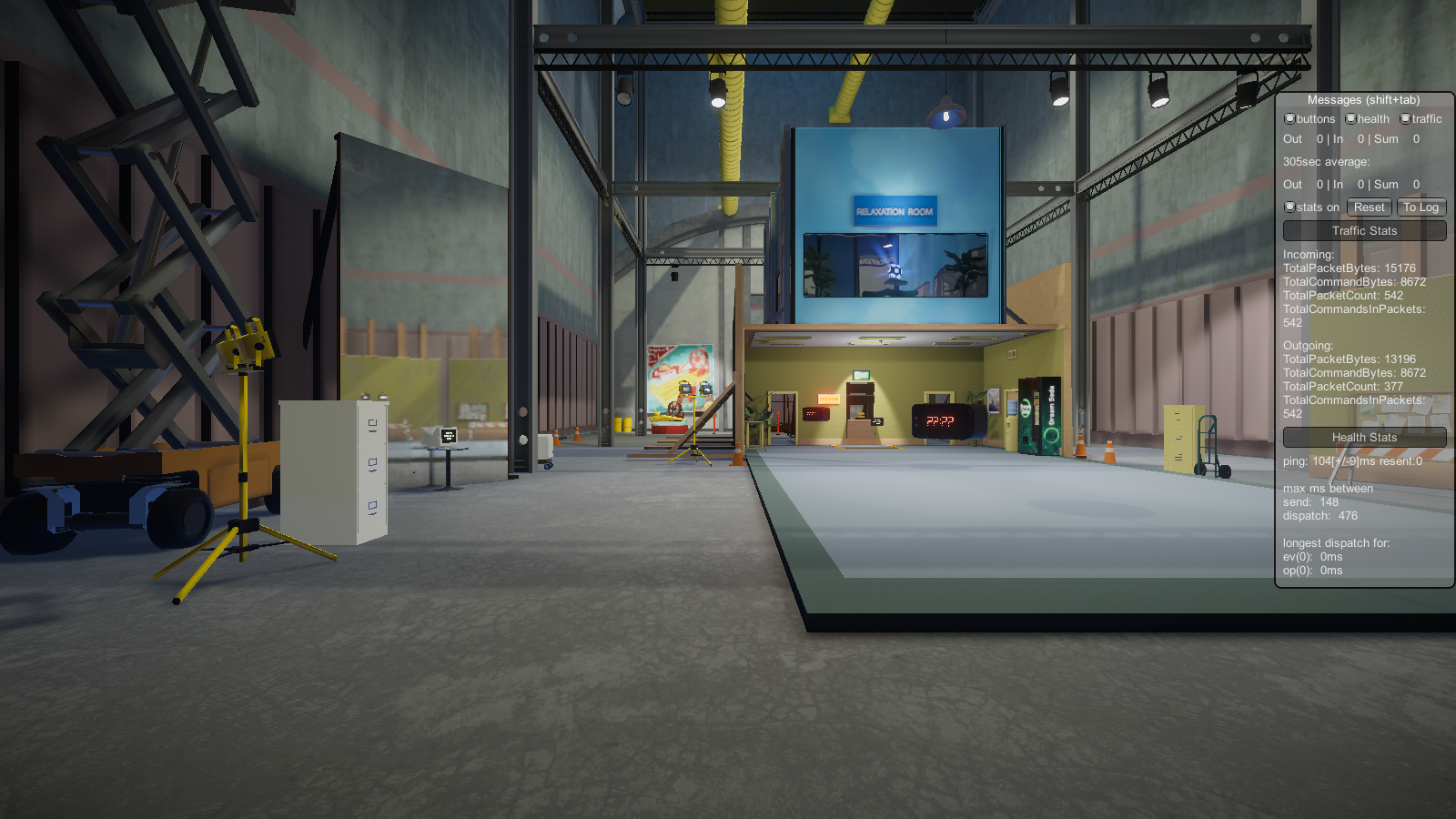
In multiplayer modes, typing photon brings up internet data statistics.