 This article has a talk page!
Debugging Features#
Debug Mode#

|
To do: |
It's possible to trigger a debug mode by editing "SB09.ini". You will have to change three values in the game in order to see results.
You have to change EnableDebugControls, EnableFriendlyFly, and AllowMasterCheats values to 1 rather than 0 in a text editor. Then, you will need to scroll down quite a bit until you see "DebugMode". It will not have a value assigned to it. Press space and add a 1 (again, in a text editor.)
Debug Controls#
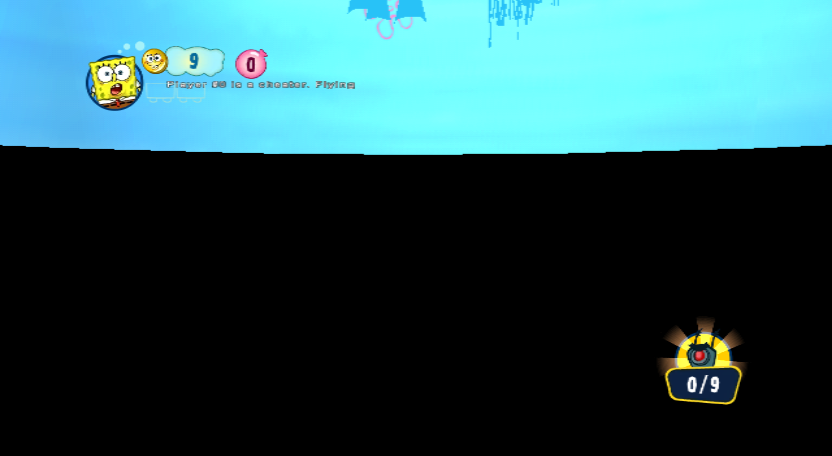
The only known debug command is to noclip. The game will rather rudely call you a cheater, and you can fly around any map.
Nunchuck
- Toggle No-Clip: C+B
- Fly Up: C+D-Up
- Fly Down: C+D-Down
- Speed Up: B
Classic Controller
- Toggle No-Clip: Minus
- Fly Up: X
- Fly Down: Y
- Speed Up: Left Analog Trigger
Level Select#
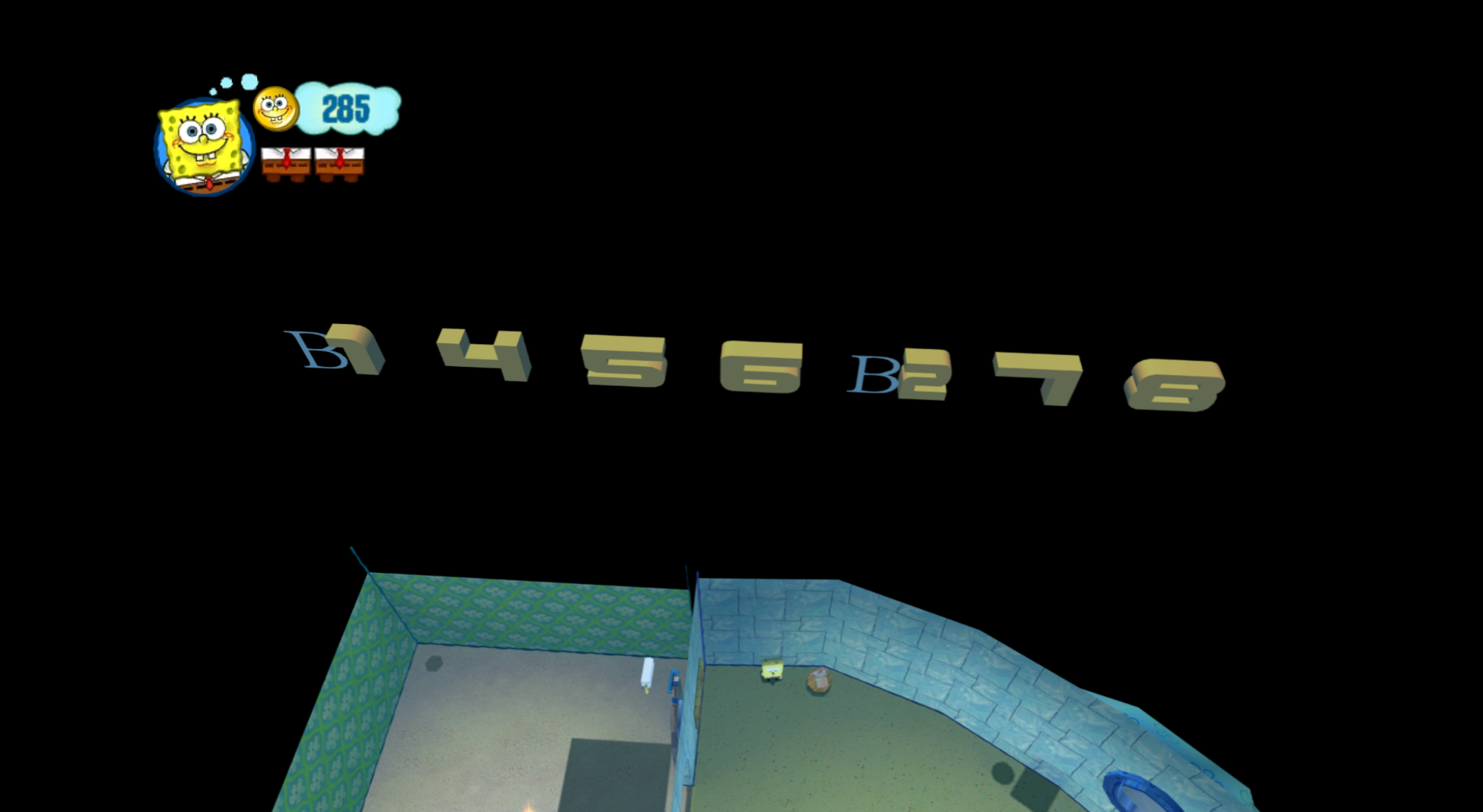
Present outside SpongeBob's house are letters and numbers floating in the middle of empty space. Touching these grants access to most levels in the game through the scrapbook.
If you find a way to get inside Mermaid Man when upstairs in SpongeBob's house, the camera angle changes, and you can see the letters.
(Source: 1)
Unused Levels#
|
|
To do: |
Exclusively in the Spanish version of the game are two cut levels found in the the PSP version, and are mostly as intact and playable as they were there. Given their inclusion in the PSP version (with exclusive voicelines too!) and appearance in some trailers, they must have been cut late into development.
SL03.HO (Squidward's Talent Show)#
"Squidward's Talent Show", or "Bikini Bottom", loosely based on the Season 1 episode Culture Shock. It is the most finished unused level, playing the Downtown Bikini Bottom music from Battle for Bikini Bottom, and the main happiness object is the mop from the episode mentioned above. There are also challenges to get 50 Happiness Nuggets in 1 minute, to destroy 10 hover tikis in 30 seconds, and to kill as many enemies as possible for 1 minute like the other levels. There are no art collectibles. The PSP version has crudely made cutscenes added to it.
Happiness Objects#
Like every level, Squidward's Talent Show features a total of 3 happiness objects. Only the mop is accessible in-game, the other 2 are only viewable through external tools. Both are placed beneath the map roughly under the museum entrance.
Mop

The mop SpongeBob used to clean the tomatoes in Culture Shock. The mop is still accessible in "Home Sweet Home!!" and is unlocked by default. There still exists a "Where is" placeholder of it in SHUB.ho (the area file), although it goes unused.
Clarinet

Squidward's clarinet.
Donut of Shame
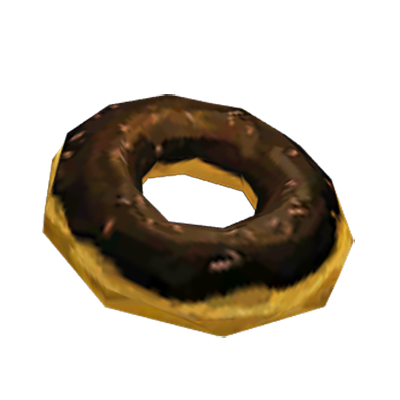
The Donut of Shame from its self-titled episode. Notably, it was later converted to the "Apple of Shame", which is placed in "Home Sweet Home!!" on a table in the kitchen. It is unlocked by default, and also has an unused "Where is" placeholder.
SL09.HO (Krusty Krab recipe hunt/Ambush at the Krusty Krab)#
"Krusty Krab recipe hunt", also known as "Ambush at the Krusty Krab" or just "Krusty Krab", based on both the pilot Help Wanted and the Season 2 episode Welcome to the Chum Bucket. This level was briefly shown in the game's launch trailer. It would be used as a boss rush, as two of the three bosses before the final boss are present here, with the third one being present on PSP. It is very unfinished, playing the invincibility music (Hawaiian Misadventures from the show), having unfinished dialog for Mr. Krabs, and being unbeatable due to many unfinished parts. Some dialog intended for it still plays before "Hey, That's Not Your Formula, Plankton!", and the PSP version shows that beating this would immediately send you to the latter.
Unused Models#
Pearl#
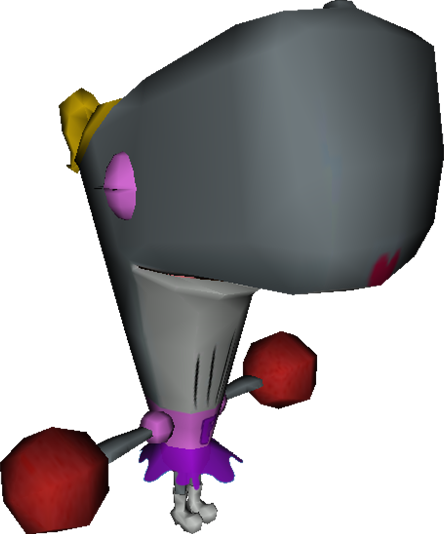
A model of Pearl found in the cut "Squidward's Talent Show" level. She is not animated in-game.
Checkpoint#
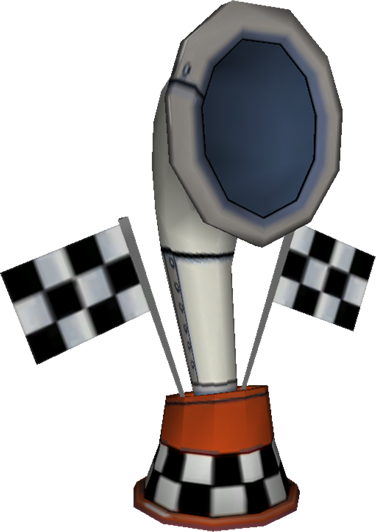
A cut checkpoint model. The final game does not utilize specific checkpoints. The DS version uses a very similar model.
SpongeBot#
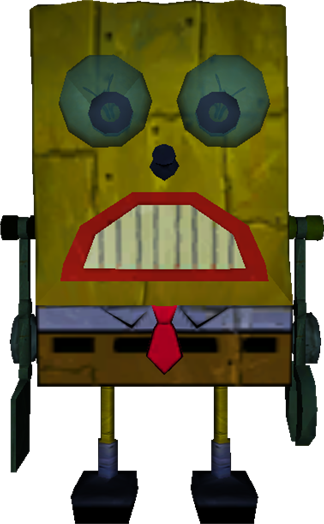
A model of the SpongeBot from the cut "Ambush at the Krusty Krab" level.
Springboard Bot#
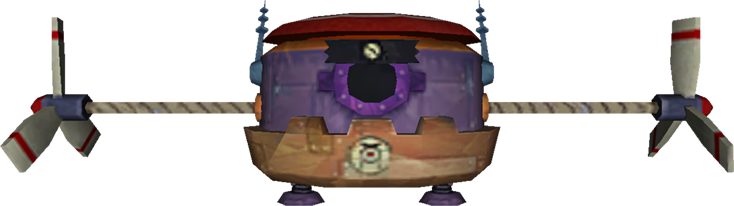
A robot enemy found in the cut "Squidward's Talent Show" level.
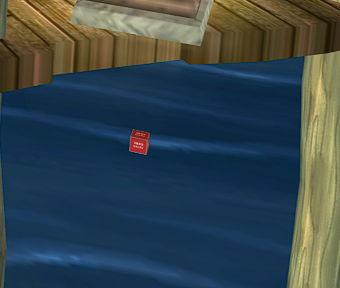
1×1×1 Cube#

A 1×1×1 cube.
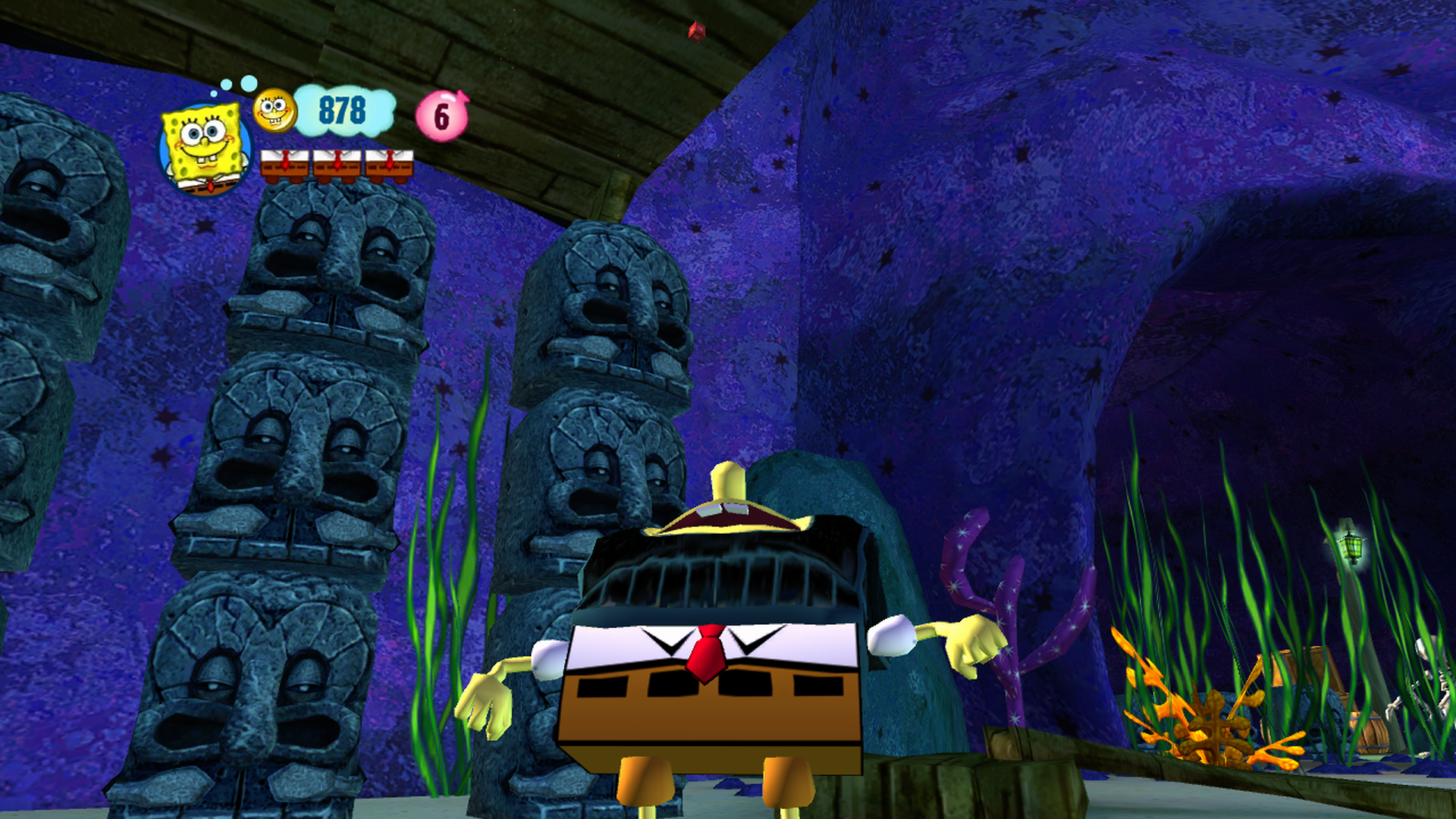
This cube can be seen in "Fun Times Jellyfishing with Patrick", as well as under the 4th bridge in "Becoming a Fry Cook!!!", because nearly every prompt tiki has one beneath them.
1×3×1 Cylinder#

A 1×3×1 cylinder. It is used commonly throughout the game, mostly as collision objects for NPCs.
Error#

Close to the ending of "Becoming a Fry Cook!!!" is an error model. It's unknown what model the error was trying to use.
Unused Textures#
Coin#

An early coin texture. This is seen in the early Happiness Squared trailer.

Oddly enough, this was mapped to a ladder in the Mermalair, likely by mistake.
Wall-E#

A leftover from WALL•E, Heavy Iron's previous game.
Unused Sounds#
Filename |
Audio |
Notes |
|---|---|---|
revbtest.wav.genh |
A test sound. |
|
bark_01.wav.genh |
A dog barking. |
|
temp.wav.genh |
A splatting sound. |
|
SPWN_place_holder.wav.genh |
A placeholder spawning sound. |
Unused Videos#
V109.bik#
A cutscene that was probably meant to play when you use the scrapbook for the first time. Notably, SpongeBob calls Sand Mountain "Bubble Mountain" in this cutscene, despite that name not being used anywhere else in the game. It is unknown why this cutscene was removed.
V20.bik#
A trailer for various SpongeBob DVDs. This would likely have been a bonus trailer, like with previous SpongeBob games.
Unused .ini Files#
Present in the Wii version are a bunch of .ini files. As they were "absorbed into the GoodEditor", these are not present in the Xbox 360 version.
Interestingly, some remnants from a planned PlayStation 2 version can be found in "sb09.ini".
oneliner.ini also contains leftovers from Ratatouille, which was also developed by Heavy Iron Studios.
sb09.ini#
##               This file will be going away "soon" by being absorbed into the GoodEditor.
## Wii sb09.ini

PATH=.
#BOOT = /sb09/Levels_Test/Levels_ST99/ST99
#BOOT = /sb09/Levels_Diorama/Level_DRB1/DRB1
#BOOT = /Shared_Levels/TART
#BOOT = /SB09/Levels_User/Level_ZZKP/ZZKP
#BOOT = /SB09/Levels_Test/SBWF

BOOT = /SB09/Levels/SL01

SuperSoaker = 0
AudioMasher = 0
MenuMasher = 0
SoakStatisticsMode = 1

# All levels
SoakLevels = /SB09/Levels/SL01 /SB09/Levels/SL02 /SB09/Levels/SL03 /SB09/Levels/SL04 /SB09/Levels/SL05 <br> /SB09/Levels/SL06 /SB09/Levels/SL07 /SB09/Levels/SL08
/SB09/Levels/SL09 /SB09/Levels/SBB1 <br> /SB09/Levels/SBB2 /SB09/Levels/SBB3  /SB09/Levels_Test/ZTE1 /SB09/Levels_Test/ZTE2 /SB09/Levels_Test/ZTE3
/SB09/Levels_Test/ZTE5 /SB09/Levels_Test/ZTF1 /SB09/Levels_Test/ZTF2 /SB09/Levels_Test/ZTI1 /SB09/Levels_Test/ZTI2 /SB09/Levels_Test/ZTI3 /SB09/Levels_Test/ZTI4
/sb09/Levels_Diorama/Level_DBB1/DBB1 /sb09/Levels_Diorama/Level_DHB1/DHB1 /sb09/Levels_Diorama/Level_DKF1/DKF1 /sb09/Levels_Diorama/Level_DRB1/DRB1

# SoakLevels = /SB09/Levels/SHUB /SB09/Levels/SL01 /SB09/Levels/SL02 /SB09/Levels/SL03 /SB09/Levels/SL04 /SB09/Levels/SL05 /SB09/Levels/SL06 /SB09/Levels/SL07
/SB09/Levels/SL08 /SB09/Levels/SL09 /SB09/Levels/SBB1 <br> /SB09/Levels/SBB2 /SB09/Levels/SBB3 /SB09/Levels_Test/ZTE1 /SB09/Levels_Test/ZTE2 /SB09/Levels_Test/ZTE3
/SB09/Levels_Test/ZTE5 /SB09/Levels_Test/ZTF1 /SB09/Levels_Test/ZTF2 /SB09/Levels_Test/ZTI1 /SB09/Levels_Test/ZTI2 /SB09/Levels_Test/ZTI3 /SB09/Levels_Test/ZTI4
/sb09/Levels_Diorama/Level_DBB1/DBB1 /sb09/Levels_Diorama/Level_DHB1/DHB1 /sb09/Levels_Diorama/Level_DKF1/DKF1 /sb09/Levels_Diorama/Level_DRB1/DRB1

# dump Bink
DumpCutsceneList = TL95 1
DumpCutscene = 0
ForceCutscene = 0
NoCutscenes = 0
SkippableCutScenes = 0
OptionSubtitles = 0

# FMV Settings
EnableLetterboxDuringCinematic = 0

# Cutscene frame dump settings
DumpCinematics = 0
DumpCinematicsFilePrefix = Cinematic_Dump_ANIM_
DumpCinematicsFrameRate = 30
ShowTimecodeDuringCinematics = 1

ShowMenuOnBoot = 1

ScrFxLetterBoxSize = 50
ScrFxLetterBoxAlpha = 255

VideoSystemAutoDetect   = 0
VideoSystem = NTSC

option_vibration_p1 = 1

DefaultRegion = EN_US
DemoType = 0
NoMovies = 0
EnableHelperAI = 1
EnableDebugControls = 1
EnableFriendlyFly = 0
AllowMasterCheats = 1
SkippableAssert = 1
SkipAsserts = 0
EnableRealTimeUpdate = 1
EnableHUD = 1
SkipAnimViewer = 0
NoDamage = 0
NoSoundFX = 0
NoMusic = 0
EnableOneLiner = 0
vertexPoolSizeInMB = 0
UseFileCache = 1

# Level Progression.  Levels are assumed to be loaded in this order.  The player will
# resume at the deepest level reached.

LevelProgression = /sb09/levels/SHUB
LevelProgression = /sb09/levels/SL01
LevelProgression = /sb09/levels/SL02
LevelProgression = /sb09/levels/SL03
LevelProgression = /sb09/levels/SBB1
LevelProgression = /sb09/levels/SL04
LevelProgression = /sb09/levels/SL05
LevelProgression = /sb09/levels/SL06
LevelProgression = /sb09/levels/SBB2
LevelProgression = /sb09/levels/SL07
LevelProgression = /sb09/levels/SL08
LevelProgression = /sb09/levels/SL09
LevelProgression = /sb09/levels/SBB3


[Scene Dependencies]
SceneDependency = /sb09/Levels_Loading/LD01, SL01
SceneDependency = /sb09/Levels_Loading/LD02, SL02
SceneDependency = /sb09/Levels_Loading/LD03, SL03
SceneDependency = /sb09/Levels_Loading/LD04, SL04
SceneDependency = /sb09/Levels_Loading/LD05, SL05
SceneDependency = /sb09/Levels_Loading/LD06, SL06
SceneDependency = /sb09/Levels_Loading/LD07, SL07
SceneDependency = /sb09/Levels_Loading/LD08, SL08
SceneDependency = /sb09/Levels_Loading/LD09, SL09
SceneDependency = /sb09/Levels_Loading/LDB1, SBB1
SceneDependency = /sb09/Levels_Loading/LDB2, SBB2
SceneDependency = /sb09/Levels_Loading/LDB3, SBB3
SceneDependency = /sb09/Levels_Loading/LDSP, SHUB


[Debug Portals]
DebugPortalTo = /SB09/Levels/SHUB
DebugPortalTo = /SB09/Levels/SL01
DebugPortalTo = /SB09/Levels/SL02
DebugPortalTo = /SB09/Levels/SBB1
DebugPortalTo = /SB09/Levels/SL04
DebugPortalTo = /SB09/Levels/SL05
DebugPortalTo = /SB09/Levels/SL06
DebugPortalTo = /SB09/Levels/SBB2
DebugPortalTo = /SB09/Levels/SL07
DebugPortalTo = /SB09/Levels/SL08
DebugPortalTo = /SB09/Levels/SBB3


[ScenePlayerMapping]
# All scenes use these players unless specified below
ScenePlayerMappingDefault = PLYS PLYP

# ScenePlayerMapping  = SHUB PLYH PLYH
ScenePlayerMapping  = SBB3 PLYS
ScenePlayerMapping  = TART PLYS
ScenePlayerMapping  = ZZKP PLYB PLYT
ScenePlayerMapping  = SBWF PLYB PLYT

[ColonyItems]
# Scene, Toll requirement, Total

[SceneBonus]
# the right-hand-side is LEVLENAME,EXPERIENCE_BONUS,PARR_BONUS

[Misc]
minVSyncCnt = 1
SceneBaseName = UI TXT SCENE
SceneBaseDescription = UI TXT DESCRIPTION
SceneBaseImage = UI IMAGE SCENE
G.AnalogMin = 32
G.AnalogMax = 110
G.HitPoints = 100
G.DamageInvincibility   = 1.25
G.Gravity           = -19.6
DebugMode = 1
ForceMono = 0
UnlockAll = 1
ScreenDumpPath = C:\SB09\ScreenShots\
PlaybackMode = 0
#### PS2 Profiler ####
# Profiling options:
# '1'
# '2'
# - function level profiling
# '3'
# - assembly level profiling for specified routines
# - For each of the following ProfFunc* use the full name of the
#   function/method to profile. (eg, hot spots identified by profile level 2)
# - NOTE: 'X' and 'Circle' buttons are reserved in profiler mode
# - ALSO: Debug controller 'Start' resets profile tracking
#Profile            = 2
#ProfFuncTriangle   = IntersectBranch
#ProfFuncSquare     = IntersectLeaf
#ProfFuncUp         =
#ProfFuncDown       =
#ProfFuncLeft       =
#ProfFuncRight      =

// 0 = no MSAA, 2 = 2x MSAA, 4 = 4x MSAA
MSAAType = 2
EnableWiiTTY = 0
EnableWiiHavokVDB = 0
EnableWiiScreenshots = 1

# Maximum Vertices that a scene can have. Above these thresholds,
# in-game visual asserts are triggered.
VertexThresholdForL1Alert = 130000
VertexThresholdForL2Alert = 350000

RemoveAllDebugData = 0oneliner.ini#
#########################################################################
# tuning values for the event one liner.  all strings are non-case
#  sensitive
#
# file format
#  * tuning values for the one liner system
#  * list of events by sections
#
# tuning values for one liner system
#  "doNotRepeatIteration" - this allows the same one liner to play again
#       only if the number of other one liners indicated by this
#       value have already been played.  the maximum is set to 5
#       in code
#
# sections - order does not matter.
#  [<name of the event>] - must match the FMOD event name.  the game will
#       only use the first 32 characters in the name.  the rest
#       will be ignored.
#    "priority" - can be "high", "medium", or "low".  default is "medium"
#    "initDelayPlayTime - specifies on game start when is the ealiest
#       that this event can be played.  the code will read two
#       floating point values separated by a comma and randomly
#       pick a time in between them.  default is 0 to 2 seconds.
#    "delayRepeatInterval" - specifies when the same one liner can be
#       repeated.  this also take two values.
#

doNotRepeatIteration = 1

[idle]
priority = low
initDelayPlayTime = 3, 5
delayRepeatInterval = 15,30

[killed_enemy]
priority = medium
initDelayPlayTime = 1.5, 2.1
delayRepeatInterval = 2, 4

[soup_station_good_move]
priority = medium
initDelayPlayTime = 1.5, 2.1
delayRepeatInterval = 2, 4

[soup_station_bad_move]
priority = medium
initDelayPlayTime = 1.5, 2.1
delayRepeatInterval = 2, 4

[chaser_skinner_mk]
priority = medium
initDelayPlayTime = 1.5, 2.1
delayRepeatInterval = 6, 10

[chaser_skinner_kd]
priority = medium
initDelayPlayTime = 1.5, 2.1
delayRepeatInterval = 6, 10

[chaser_skinner_kn]
priority = medium
initDelayPlayTime = 1.5, 2.1
delayRepeatInterval = 6, 10

[chaser_mabel_mb]
priority = medium
initDelayPlayTime = 1.5, 2.1
delayRepeatInterval = 6, 10

[chaser_linguini_ct]
priority = medium
initDelayPlayTime = 1.5, 2.1
delayRepeatInterval = 6, 10boot.ini#
// Autogenerated by the GoodEditor
// Date: 4/7/2008 12:38:19 PM
// Author: brandon.booth

//RootMST = /WALE/Levels_Wii/Level_WA41/WA41.ho
//FirstDomain = /WALE/Levels_Wii/Level_WA41/WA41

// Region code is EN_US
Region = 1033

// WiiPC Memory Limitations (in MB)
// Use '0' to disable.
// MEM1Max must be reduced by the size of the elf
// MEM2Max must be reduced by 12MB for system memory and also DynaMem.
MEM1Max = 0
MEM2Max = 0
DynaMemMax = 0

[Options]
EnableWiiTTY = 0
EnableWiiHavokVDB = 0
EnableWiiScreenshots = 0
NoMovies = 0
NoCutscenes = 0
NoMusic = 0
NoSoundFX = 0
ShowMenuOnBoot = 1
NoDamage = 0
LockFramerate = 30
Filename Oddities#
Official name |
Internal name |
Named after |
|---|---|---|
WeeYellow |
Keith |
Keith Pope |
Tenderizer |
Jose |
Jose Villeta |
Demento |
Lyle |
Lyle Hall |
All of the stage bosses have different internal names, being named after Heavy Iron employees.
- Plankton Tikis are labeled as TikiExplosive in their texture file, whereas the Krabs Tikis are labeled as TikiRegular. While this might seem like a mistake, later Happiness Squared footage confirms that the Krabs Tiki did function as the regular ones earlier in development. The Nintendo DS version also retains the early tiki functionality.
Console Differences#
While the 360 and Wii versions are near-identical to each other in terms of gameplay, level design, overall aesthetic and story, there are a few differences between the two.
- The game has some visual differences between platforms:
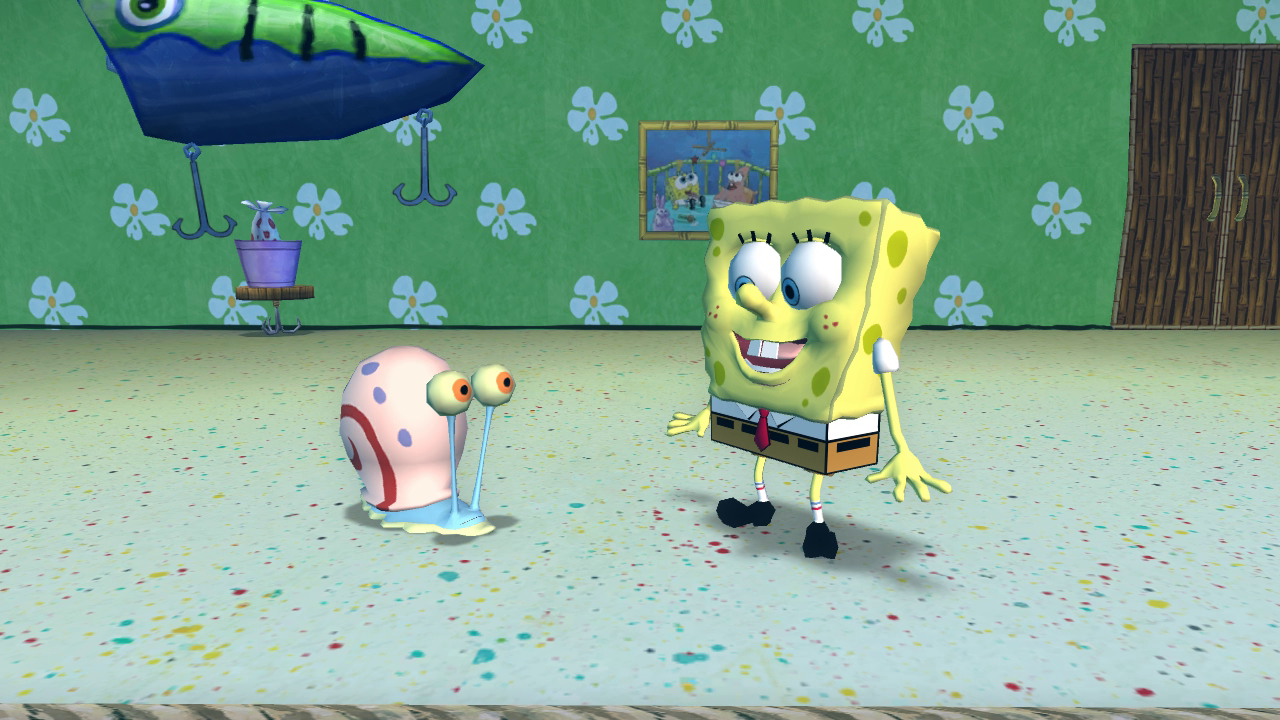
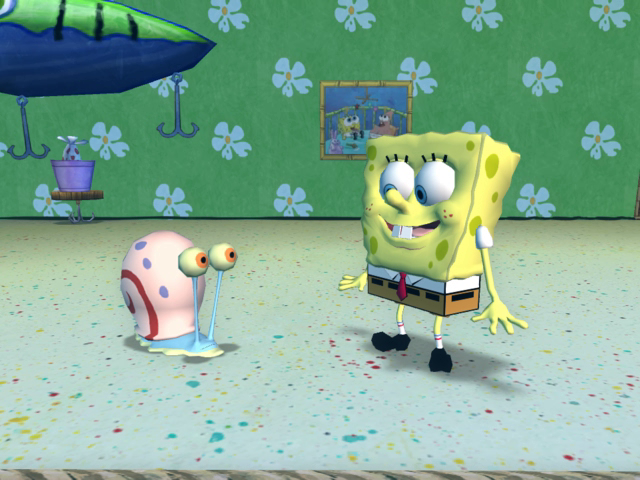
- The Xbox 360 version renders at 1280×720, whereas the Wii version renders at 640×480.
- Textures and shadows are in a higher quality in the Xbox 360 version.
- Some visual effects such as falling sand during WeeYellow are missing in the Wii version, as well as post-processing being somewhat simplified.
- The Xbox 360 has the FMVs rendered in widescreen, while the Wii has them cropped to fullscreen. This results in the FMVs being stretched when the Wii's display mode is set to widescreen:
|
Xbox 360 |
Wii |
|---|---|
|
|
- The framerate is 60fps on Xbox 360, while it's 30fps on the Wii.
- Editing the "LockFramerate" setting in the Wii version's "boot.ini" file will allow that version to also run at 60fps, though performance is inconsistent and leads to noticeable screen-tearing.
- Various sound effects and some voice clips have been downsampled on the Wii. This is most noticeable with the collection sound made by the Happiness Nuggets.
- In addition, some sound effects (such as the extra life sound) play through the Wii Remote if the Wii Remote + Nunchuk control layout is being used. This does not occur if the Classic Controller or GameCube controller are being used.
- The code for extra happiness nuggets (3141) does not work in the Xbox 360 version.
- The Wii version gives the Charger2 and Charger2Spin1 red-and-green color schemes, matching the PSP and DS versions as well as concept art, whereas the Xbox 360 version uses a unique red-and-orange palette.
Internal Project Name#
Various files and folders refer to the game as "SB09".