 This article has a talk page!
Unused Graphics#


The face of Reggie Fils-Aimé's Mii, seen at E3 2006 in the Wii Sports Tennis demo. This is used as a placeholder for the Mii face in the billiards game, named ball_face.bti. It is found in /Common/RPBilScene/common.carc. ball_face1.tex0 and ball_face2.tex0 (found in /Common/RPBilScene/common.carc/G3D/bad_ball_0_face_2.brres) seem to be a much lower-resolution version of it.

A leftover logo from Wii Sports. Found in /Common/RPCommon/common.carc/G3D/logo_model.brres

A test texture in the files for Pose Mii. Found in /Common/RPBomScene/common.carc/G3D/bom_panelB_model.brres, named test_tex.tex0

A dummy texture in Billiards. Found in /Common/RPBilScene/common.carc/basic_billiards.breft, named dummy_tex

A dummy Mii picture for the Targets. Found in /Common/RPDucScene/common.carc/G3D/sht_target_c.brres, named face_dummy.tex0

Found in Common/RPTnkScene/common.carc/G3D/tnk_block.brres
A test texture for blocks in Tanks. It is named block_other_b_test.tex0
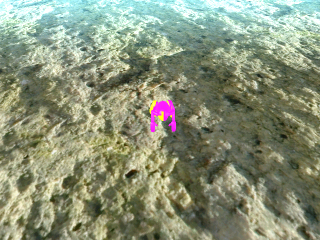
An odd picture of a pink and yellow Mii swimming. Its filename is wanted_sea.tex0, and it's stored in /Common/RPWlyScene/common.carc/wtd_field02.brres
The Mii body model in the screenshot looks just like how one would see it using a model viewer. When the game loads this model, it applies a specific color depending on the Mii's favorite color.
Unused Models#
Early Mii and Cow Model#
Model Render |
Video |
|---|---|
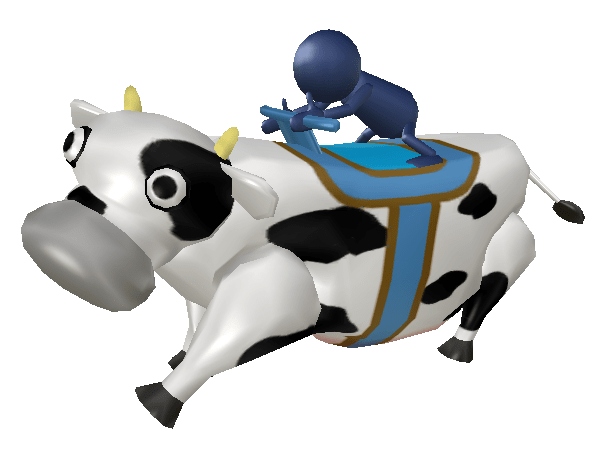 |
cow_tin.brres in /Common/RPCowScene/common.carc/G3D contains an early version of the cow model. This unused model also shows that, originally, a saddle was intended to be on top of the cow.
On top of it, a model of a blue Mii can be seen, with a completely round, faceless head. It looks very similar to one of the Miis seen at E3 2006 in the Wii Sports Tennis demo.
The cow has 4 animations: cow_tin_runL.chr0 and cow_tin_runR.chr0, cow_tin_waitL.chr0 and cow_tin_waitR.chr0 for running/idling while steering to the left/right respectively.
cow_tin_runL
cow_tin_runR
cow_tin_waitL
cow_tin_waitR
Wii Sports Menu Background#
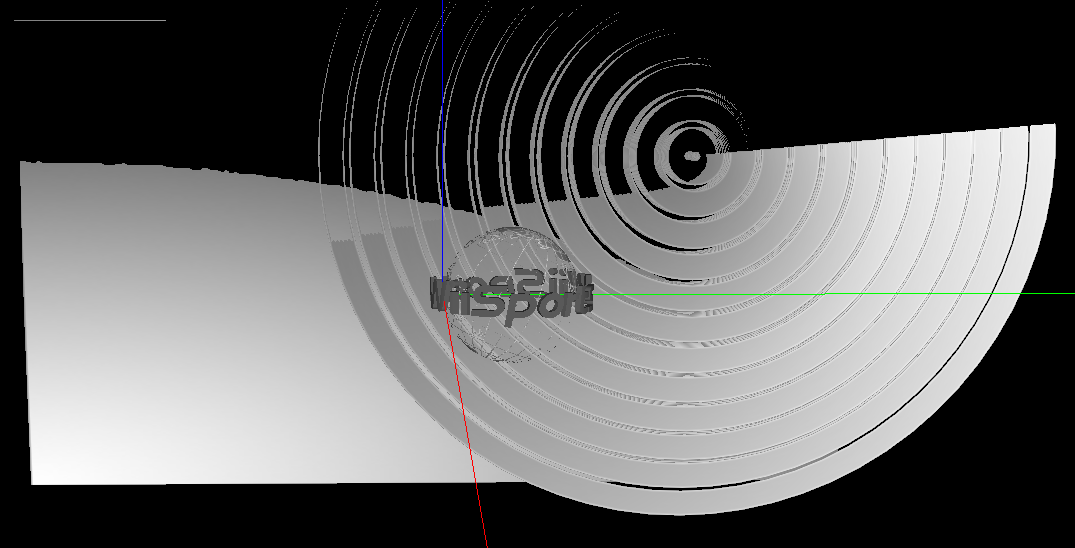
This is a leftover model from Wii Sports, where it was used in the background on the main menu. It can be found in /Common/RPCommon/common.carc
Unused Clothes#
/Common/Kokeshi/common.carc/G3D/clothes.brres/Textures contains three unused clothes textures; body_tex02_a & body_tex02_b (unused Player 3 Mii clothes), body_tex03_a & body_tex03_b (unused Player 4 Mii clothes) and body_tex12_a & body_tex12_b (Tuxedo clothes texture, used in E3 2006's Orchestra demo).
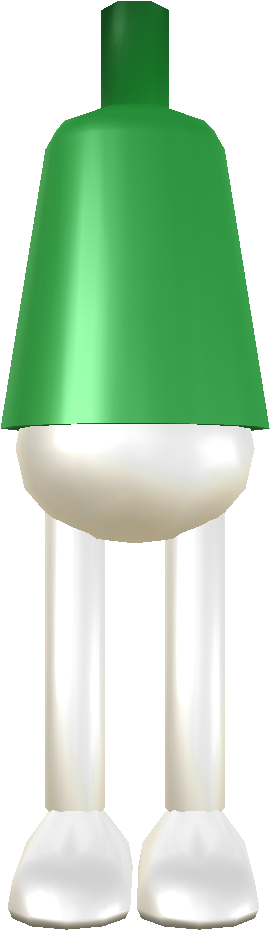


/Common/Kokeshi/common.carc Contains two unused models that are Boxing leftovers from Wii Sports. ava_bodyC0.brres (male Boxing clothes) & ava_bodyC1.brres (female Boxing clothes)


avatarA2_anim.brres#

Contained in avatarA2_anim.brres (alongside the unused Obstacle Course animations) is a Mii body model with oddly textured pants. Considering it contains the animations from Obstacle Course, it's possible this is the model used for the Miis in the demo.
ava_handA#
Although not unused, the hand model used for Table Tennis has an unseen wrist portion that gets obstructed by the sleeve.
Final |
Unseen Portion |
|---|---|
 |
 |
ava_handB#
A leftover hand model from Wii Sports that goes unused in this game.

Unused Animations#
Pose Mii#
Watch on YouTubeWatch on YouTube
/Common/RPBomScene/common.carc/G3D/avatarA2_anim.brres, contains 7 unused animations for Pose Mii: ira_pose_key.chr0, ira_pose_start.chr0, ira_pose_A.chr0, ira_pose_B.chr0, ira_pose_C.chr0, ira_pose_win.chr0 and ira_pose_lose.chr0
All of these are leftovers from the Obstacle Course demo from E3 2006, which was the base for what later became Pose Mii in this game as well as Balance Bubble in Wii Fit.
Unused Features and Mechanics#
Shooting Range#
Limited Ammo#
In Shooting Range, there is a flag that is checked whenever a player attempts to shoot with a Wii Remote while a level is active. When set, every time a Wii Remote is (successfully) fired, its corresponding ammo counter is decremented. Additionally, the game will play a unique sound effect when attempting to fire a Wii Remote after running out of ammo. However, the flag never gets set during normal gameplay and the unique sound effect has its volume set to 0 in the BRSAR, so it is impossible to run out of ammo and hear the sound effect in the vanilla game.
To restore this functionality, change the volume parameter of the sound RP_DUC_SE_GUN_BLANK_01 inside rp_Duc_sound.brsar, and use the Gecko code below:
US Rev 1 |
|---|
|
Find Mii#
Unused Behavior#
There is one unused behavior in Find Mii; it is an alternate version of the "Find the odd Mii out!" (walking) level. Instead of the Miis walking, they are jogging.
Zooming#
Find Mii's stages contain both a maximal zoom in value and a maximal zoom out value; however, in all of the stages the maximal zoom in value is equal to the maximal zoom out value, so despite being fully implemented, none of the stages use the zooming feature. This feature can be seen in the game's BMG, as implied by entry ID 614656, which says "Move the Wii Remote to zoom!".
(Source: xUniverse1)
Unused 2P Point Values#
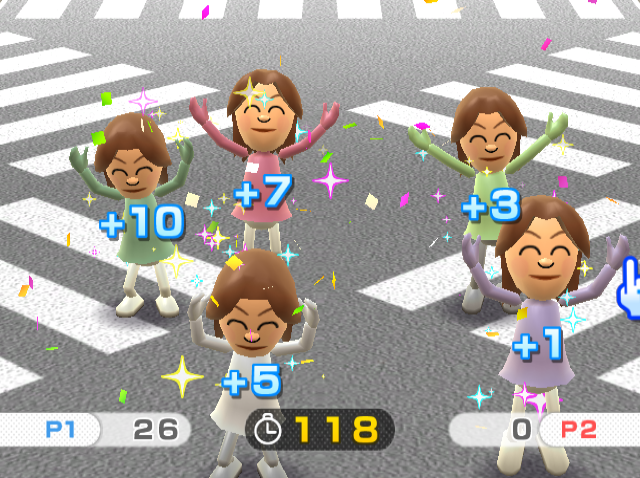
Due to the 2 player mode of Find Mii only having objectives where 3 correct Miis can be selected, the point values +1 and +7 go unused in normal gameplay.
Unused Stages#

|
To do:
|
Shooting Range#
In Shooting Range, there are 2 unused levels, as well as unused wave types that are ordered beyond the 5 levels used in game, Stage 6 and 7. Stage 6 uses the UFOs, which have 2 unused behaviors where they will zip around the screen or slowly float around, both slowly coming towards the screen. This stage is actually a leftover from the E3 2006 demo of Shooting Range (known as "Shooting"), where it was originally Stage 4.
Stage 7 uses the ducks, with more unused behaviors. The first is the ducks flying horizontally around the screen, reminiscent of how they acted in Duck Hunt. The other is them flying away from the screen into the background. Interestingly, the ones flying around the screen only grant 3 points when shot.
Wave Type 1 is another leftover from E3 2006, 2 red balloons originally used for Stage 1 in the demo.
Wave Type 4 is a completely unused variant of the clay pigeon targets, 2 thrown from the sides of the screen.
// types and fields are named tentatively
void RPDucField::prepareLevel(int level) // at 0x8024ADE8 (US Rev 1 address)
{
    switch (level)
    {
    case 1:
        mWaveType = 0;
        mAmmo = 10;
        mWaveSize = 2;
        WORD_0x38 = 7;
        mWavesLeft = 3;
        break;
    case 2:
        mWaveType = 2;
        mAmmo = 10;
        mWaveSize = 13;
        WORD_0x38 = 60;
        mWavesLeft = 5;
        break;
    case 3:
        mWaveType = 3;
        mAmmo = 10;
        mWaveSize = 8;
        WORD_0x38 = 22;
        mWavesLeft = 1;
        break;
    case 4:
        mWaveType = 9;
        mAmmo = 10;
        mWaveSize = 1;
        WORD_0x38 = 7;
        mWavesLeft = 3;
        break;
    case 5:
        mWaveType = 6;
        mAmmo = 10;
        mWaveSize = 1;
        WORD_0x38 = 4;
        mWavesLeft = 4;
        break;
    case 6:
        mWaveType = 5;
        mAmmo = 10;
        mWaveSize = 2;
        WORD_0x38 = 16;
        mWavesLeft = 4;
        break;
    case 7:
        mWaveType = 7;
        mAmmo = 10;
        mWaveSize = 1;
        WORD_0x38 = 10;
        mWavesLeft = 4;
        break;
    }
    mGunManager->mAmmoMax = mAmmo;
}The following gecko code will start you off on those stages. X is the level number (6 for Stage 6 and 7 for Stage 7):
US Rev 1 |
|---|
|
(Source: Boshi)
Find Mii#
Find Mii's stages are stored in two binary files found in Common/RPWlyScene/common.carc: wanted_1p_leveltable.bin, which contains the stage data for single-player, and wanted_2p_leveltable.bin, which contains the stage data for multiplayer.
Unused Objectives#
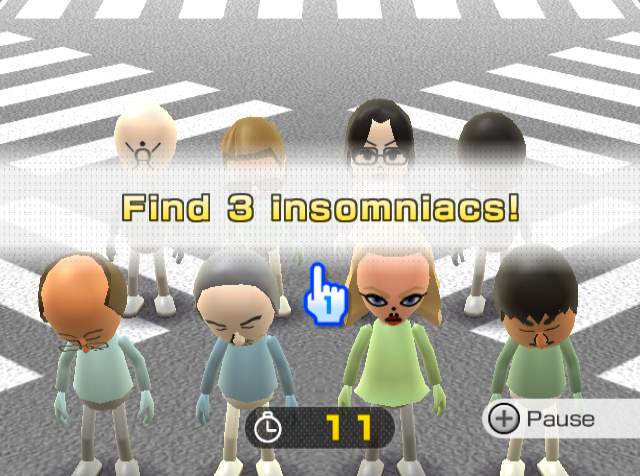
Find Mii has six total unused objectives, three of which are: "Find the insomniac!", "Find 2 insomniacs!" and "Find 3 insomniacs!". In these objectives, one to three Miis are awake, while all the other Miis are asleep. The goal is to find all of the Miis who are awake.
Another unused objective is "Find the odd Mii out!" While "Find 2 odd Miis out!" and "Find 3 odd Miis out!" are used, the single variant goes unused. This may be so players wouldn’t get confused with the other "Find the odd Mii out!", which involves Miis walking instead of looking.
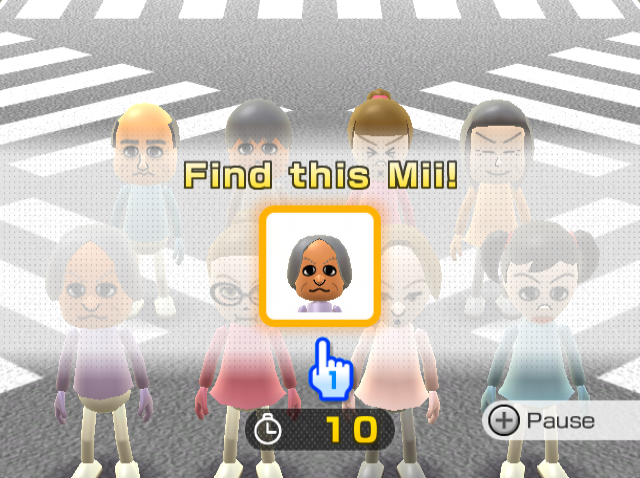
The other unused objective is "Find this Mii!" This objective is the same as the one used in game; however, it will also pick Miis from your Mii Parade. The one used in game will only pick Miis from your Mii Plaza.
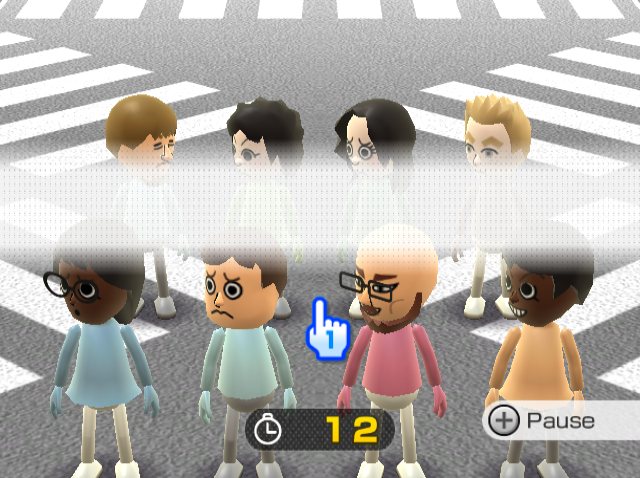
The final unused objective has no name, but is very similar to "Find the odd one out!" However, the Miis' heads will not move at all, even if you select the correct/wrong Mii, their heads will stay in the same place.
Charge!#
|
|
To do:
|
This minigame features 5 unused maps, whose assets are stored in Common/RPCowScene/common.carc: cow_field01, cow_field02, cow_field03, cow_field04 and cow_knit_field. cow_field02 and cow_field04 don't have unique models/collision, only parameter data (PMP), those maps load the models/collision for cow_field01 and cow_field03 respectively.
Use the Gecko code below to load these maps. X is the index for each map.
US Rev 0 |
|
|---|---|
1 Player |
|
2 Players |
|
Enable the following Gecko code, and press 1 on the Wii Remote to have infinite time, or 1 + 2 to end the game.
US Rev 0 |
EU Rev 0 |
|
|---|---|---|
Gecko code |
|
|
(Charge! time Gecko code: Bully@Wiiplaza)
cow_field01#
Index |
|---|
3 |
Cow_feild01 is a very early version of the final map used for Charge! It features a flat field and a dirt path that stretches to each end of the map. The placement of the scarecrows is similar to final placement with slight differences to scarecrow amounts and when they pop up to be hit.
cow_field02#
Index |
|---|
4 |
This map reuses the models/collision from cow_field01.
This appears to be a 2-player variant of cow_field01. There are two starting points on this map, and the maximum time is 60 seconds, just like in the final 2-players map.
cow_field03#
Index |
|---|
5 |
Cow_field03 is a lot similar to cow_field01. But while the map is similar the scarecrow placement is different winding across the main path and lined with fences to signify where to follow. This map does not seem to have jumping scarecrows yet.
cow_field04#
Index |
|---|
6 |
This map reuses the models/collision from cow_field03.
This map has 2 starting points for multiplayer, although the maximum time will be 90 seconds like in the final single player map.
cow_knit_field#
Index |
|---|
7 |
knit is the term used by the game for cows. This map may have been intended for multiplayer, since there are two starting points on this map, and the maximum time is 60 seconds, just like in the final 2-players map.
Unused Map Models#
Also present in Common/RPCowScene/common.carc are 2 unused map models named cow_field1P.brres and cow_field2P.brres (the final models are stored inside cow_field.brres).
cow_field1P.brres
cow_field2P.brres
Unused Music#
Three pieces of unused music, meant to be used in Find Mii and Charge!, are present in Sound/RPWlyScene/sound.
RP_WLY_BGM_TIME_UP.brstm#
It appears to be an unused version of the results theme for Find Mii.
RP_WLY_BGM_GO.brstm#
Judging by the filename, it could have been an earlier version of the fanfare that plays before each level of Find Mii starts.
RP_COW_BGM_TIMEUPRESULT.ogg#
|
|
To do: |
A slow, emotional piano variation of the "game over" theme, meant to be used for if you ran out of time in Charge!. The audio has some weird popping sounds, and for some reason the file is contained in Find Mii's sound folder.
Unused Sounds#
|
|
To do: |
RP_BOM_SE_COIN_BREED#
This is a leftover from the Obstacle Course demo at E3 2006 (what would later become Pose Mii) for when your Mii went into one of the person-shaped holes.
Explosion Sounds#
Two explosion sound effects found in Pose Mii. Notably, Pose Mii is internally named "BombQuestion", so these sounds could relate to that.
Mii Sounds#
Two sound effects resembling the high-pitched Mii voices heard in Shooting Range and Find Mii.
Record Scratch#
A short record scratch sound.
(Source: JJ314 on The Sounds Resource)
Unused Text#
|
|
To do: |
The /US/Message/message.carc directory of the North American version of Wii Play houses a file called party_message.bmg that stores the game's text strings. Throughout the BMG file, there are several groups of strings containing information about each of the game's nine minigames in sequential order. In these groups, however, there are always empty spaces between text for Billiards and Fishing. This empty space in this specific spot is repeated over and over again throughout the BMG.
The most likely explanation for this phenomenon is that this space is left over from the conductor minigame that was planned for Wii Play, but later scrapped and reworked into a full game, Wii Music. This matter is discussed in this Iwata Asks interview, as well as in this developer interview. If this is indeed the reason for the empty space, it would also imply that the minigame, now included in Wii Music as "Mii Maestro", would have been placed in between the Billiards and Fishing games.
Shooting Range#
up-00
down-01
This text appears offscreen whenever you gain or lose a point.
Tanks!#
The BMG ID 743169 contains an unused piece of text for Tanks.
Restock tanksThis may have been used after getting a bonus tank.
Removed Files and Folders#
Main article: Wii Sports#Scene Metadata
|
|
To do: |
The code of the game references some paths for files and folders that no longer exist within the filesystem (or have been moved).
- SportsStatic/ (Wii Sports)
- HealthStatic/ (Wii Fit)
- MusicStatic/ (Wii Music)
- banner.bin
- tmp/banner.bin
Party Pack#
The internal name of the game is "PARTY PACK for REVOLUTION". Revolution was the Wii's codename, meaning that it would have been in development before the console's name was finalized.
Debugging Functions#
Build Date#
Present in the root directory file timestamp.txt, with the date in the "YYYY/MM/DD" format and the time below.
EU |
EU Rev 1 |
JP |
JP Rev 1 |
US |
US Rev 1 |
KR |
TW |
|---|---|---|---|---|---|---|---|
|
|
|
|
|
|
|
|
The function at the virtual address 0x801865d0 reads timeStamp.txt and prints it to the title screen.
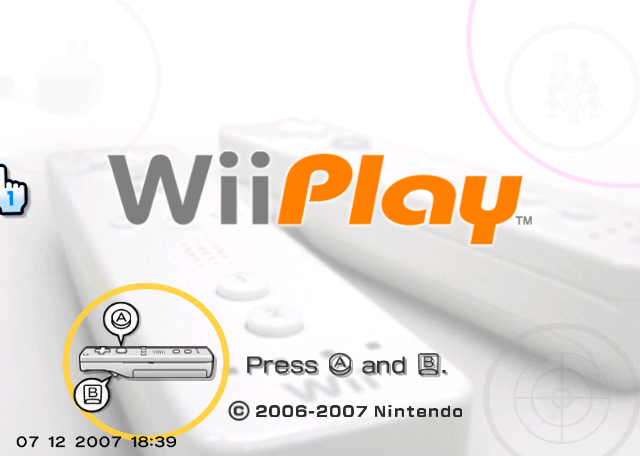
To enable this in the US Rev 1 release of the game, change the byte at 0x1ded3b in the DOL from 00 to 01. Alternatively, you can use the following code:
EU v2 |
|
|---|---|
Gecko Code |
|
On an unmodified game, entering the key combo mentioned in the Wii Fit Plus internal docs (from the 2020-09-09 Nintendo leak), "A, Up (D-Pad), 2, Down (D-Pad), B, 1, 1, B, Left (D-Pad), A and Right (D-Pad)" on a Wii Remote will show the display.
Placeholder Strap Warning Screen#
Also present is an unused functionality that prints the string "ストラップ警告画面" to the screen, which simply means something along the lines of "Strap Warning Screen". Wii Sports also has a similar message. However, this text was never translated in other languages, so it will result in gibberish on non-Japanese copies of the game.

EU v2 |
|
|---|---|
Gecko Code |
|
(Original code for Wii Sports: xUniverse1/GibHaltmannKill)
Loading Screen#
There is also an unused functionality that prints the string "Now Loading" to the screen each time the game switches between scenes.

EU v2 |
|
|---|---|
Gecko Code |
|
(Original code for Wii Sports: xUniverse1/GibHaltmannKill)
Performance Meter#
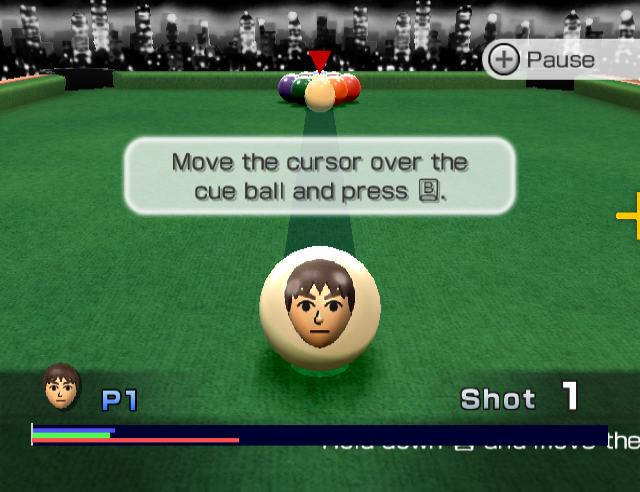
The game's code initializes an instance of the ProcessMeter from the EGG library, used by some first party Wii games. The green bar measures the CPU sending commands to the GPU, the blue one shows the GPU rendering from said commands, and the red one displays the total frame time.
In one of the initialization functions (RPSysSystem::setup0), the game deliberately hides the performance bar from the screen (at 0x80156944 (EUR Rev 0)). To show it, use the Gecko code below:
US Rev 0 |
|
|---|---|
Gecko Code |
|
Exception Handler#
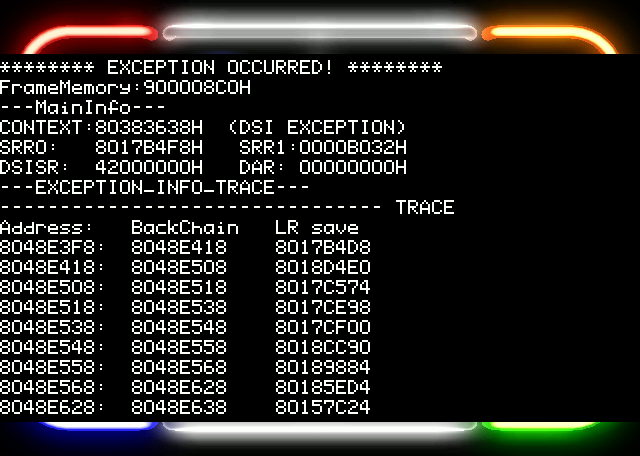

|
This needs some investigation. |
The NintendoWare exception handler is present in the Rev 0 versions of the game (i.e. the ones built prior to 2007). When the game crashes, press the following buttons (in order, from left to right) on the first Wii Remote, held vertically, to display it on screen:
HOME, A, B, 1, 2, -, +
Use the D-Pad to scroll through the output.
Table Tennis#
|
|
To do:
|
The player objects (both human and CPU) in Table Tennis have a 16-bit long field at offset 0x82 which stores flags in a bit-field. The function at the virtual address 0x802274c0 in the executable of the US Rev 1 version of the game handles some of the players' flags, including three debugging flags.
Display Collision Flag#
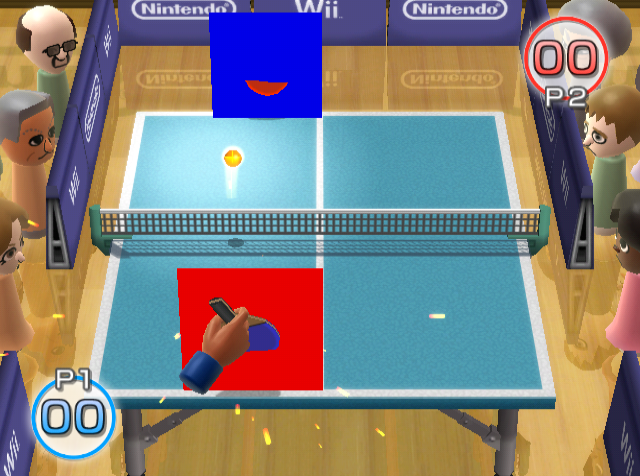
The display collision flag's mask is 0x0001. When the flag is set, the player's active collision box will be rendered (red for P1, blue for P2).
To permanently activate the display collision flag for both of the players, replace the instruction at offset 0x2222d8 of the US Rev 1 main.dol file with 0x60000000. Alternatively, you can use the following code:
EU v2 |
|
|---|---|
Gecko Code |
|
Display Trigger Flag#
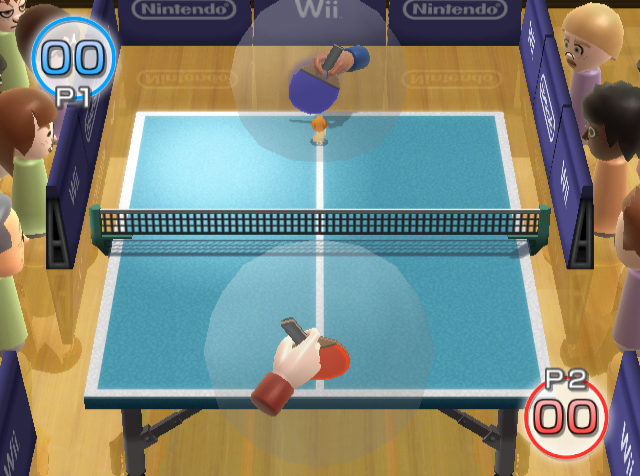
The display trigger flag's mask is 0x0002. When the flag is set, the player's trigger sphere will be rendered. The trigger sphere is a sphere where if the ball is found inside it, the player will play the hitting attempt animation.
To permanently activate the display collision flag for both of the players, replace the instruction at offset 0x222444 of the US Rev 1 main.dol file with 0x60000000. Alternatively, you can use the following code:
EU v2 |
|
|---|---|
Gecko Code |
|
Display Text Flag#
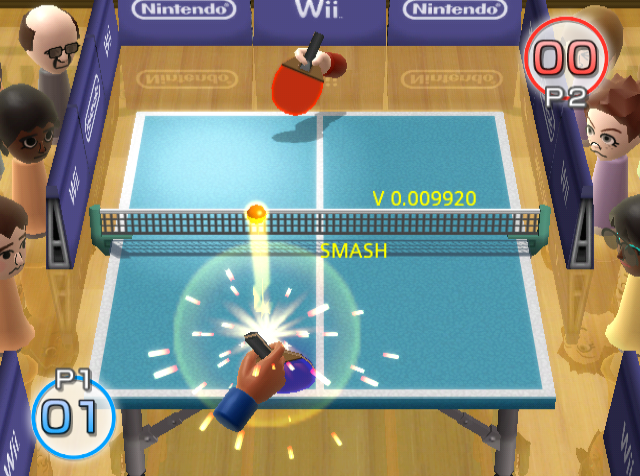
The display text flag's mask is 0x0004. When the flag is set, the player object will print to the screen the current velocity of the player's hand, and the string "SMASH" if the player's last shot was a smash shot. Both of the player objects write to the same position in the screen.
To permanently activate the display text flag for both of the players, replace the instruction at offset 0x2224f0 of the US Rev 1 main.dol file with 0x60000000. Alternatively, you can use the following code:
EU Rev 1 |
|
|---|---|
Gecko Code |
|
Find Mii#
Spheres#
Each Mii object in Find Mii has a boolean byte at offset 0xdf; if the byte is different from 0 (i.e. the boolean is the true), two red spheres will be rendered - one with a position at the Mii's head, and the other with a position at the Mii's body.
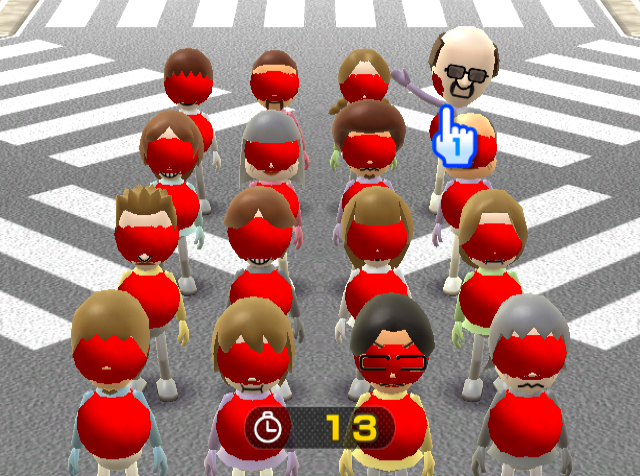
The following Gecko code renders the spheres for all of the Miis:
US Rev 1 |
EU Rev 1 |
|
|---|---|---|
Gecko Code |
|
|
Regional Differences#
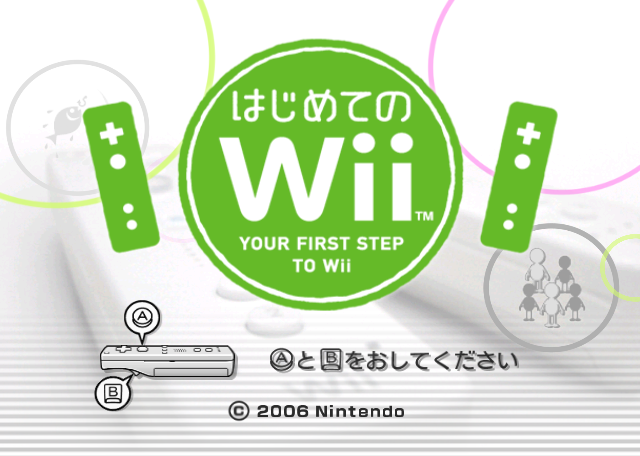
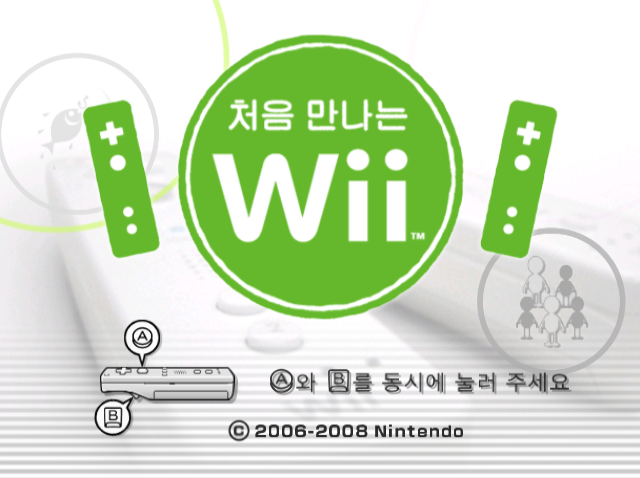
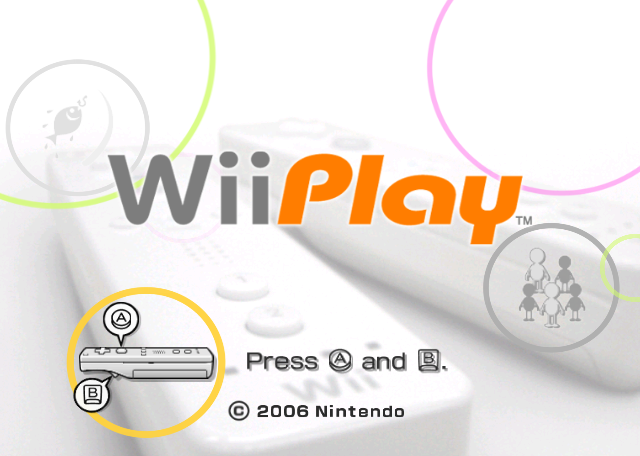
Title Screen#
Japan |
Korea |
International |
|---|---|---|
 |
 |
 |
Save Banner#
Japan |
Korea |
International |
|---|---|---|
 |
 |
 |
Revisional Differences#
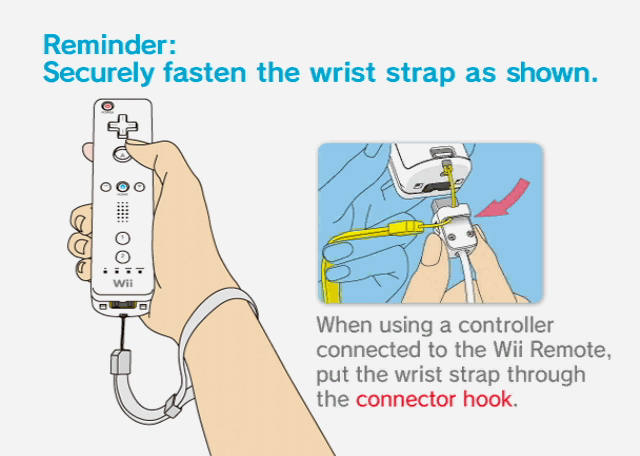
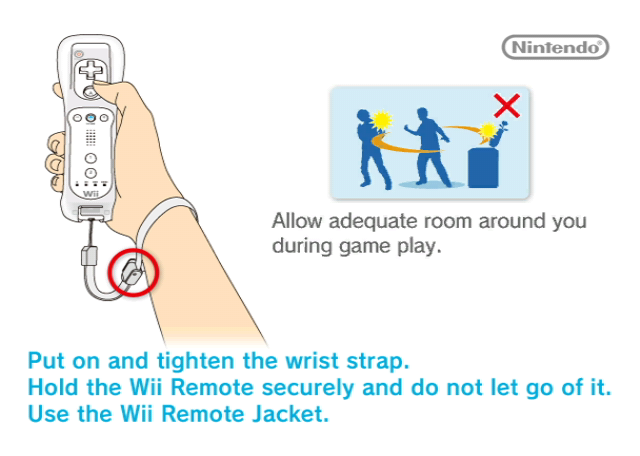
Wii Remote Sleeves#
The warning screens and all other graphics of the Wii Remote were updated to reflect the silicone jacket's release, but only for the warning screen before the game starts.
Rev 0 |
Rev 1 |
|---|---|
|
|
Shooting Range#
|
|
To do: |
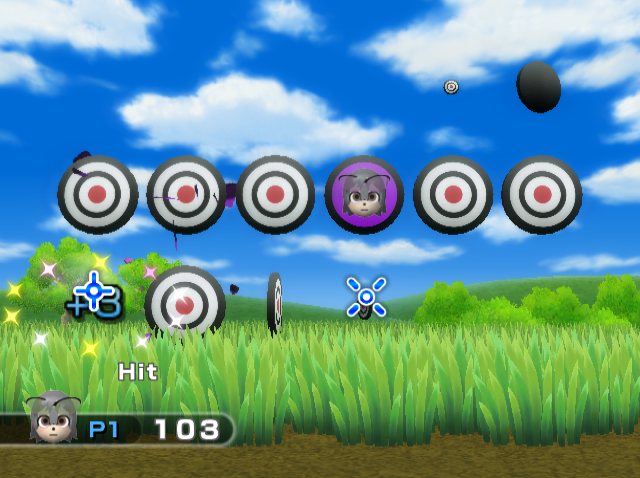
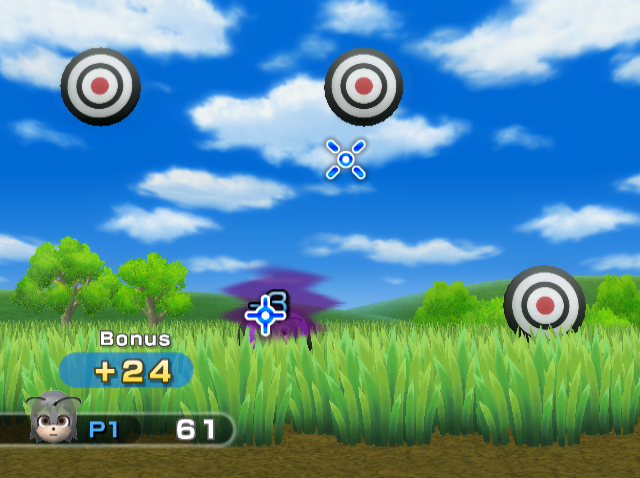
The US Rev 0 version featured an error in 1 Player Shooting Range where the player is able to shoot the purple Mii targets for 3 points as opposed to losing 3 points if they use the second Wii Remote. This bug is not present in JP Rev 0 nor in TW Rev 0.
US Rev 0 |
US Rev 1 |
|---|---|
 |
 |
|
The Wii series | |
|---|---|
|
Wii Sports |
Wii Sports • Wii Sports Resort • Wii Sports + Wii Sports Resort • Wii Sports Club • Nintendo Switch Sports (Demo) |
|
Wii Play |
|
|
Wii Fit |
Wii Fit (Wii Fit Channel) • Wii Fit Plus (Wii Fit Plus Channel) • Wii Fit U |
|
Wii Party |
|
|
Other |
|