 This article has a talk page!
 Prerelease Info
 Notes
Notes
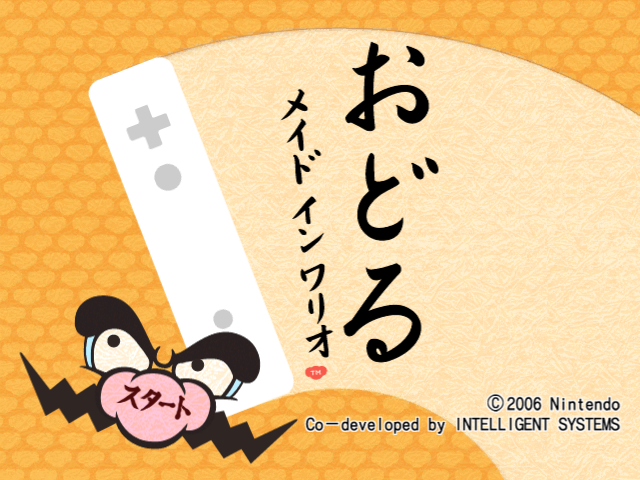 Regional DifferencesApparently, they could never agree on a consistent background.
Debug Menu#
|
|
To do: |

|
Please elaborate. |
A debug mode can be accessed by using the following Action Replay codes:
Region |
Code |
|---|---|
Europe |
0413E414 38800000 |
North America |
0413E2CC 38800000 |
Japan |
0413E2CC 38800000 |
Controls#
- Use the Up and Down buttons to scroll through the options and Left and Right to cycle through them.
- Pressing A or B over certain settings will start a round of microgames that use the defined arrangements, stage, etc.
Options#
- Petit: Loads a microgame or microgame arrangement. A full list can be found on the notes page.
- Tempo: Adjusts microgame speed. Ranges from 100 to 360, with 120 being default speed.
- Tempo Up: If set to "on", increases the tempo by 4 units after every microgame.
- Level: Adjusts microgame levels, with options for Levels 1, 2 and 3.
- Level Up: If set to "on", cycles through Levels 1, 2 and 3 with each microgame.
- Rule: Defines options for how long certain microgames run:
- Depend on PetitData: Adjusts time limit accordingly depending on the microgame.
- 5 Second Rule: Adds an eight-beat time limit to boss microgames.
- Complete: Removes the time limit from microgames and does not exit until the "boss complete" flag is triggered, meaning the game will be infinitely stuck on non-boss microgames.
- Long: Adds a 32-beat time limit to every microgame. Presumably used for the halfway point and last microgames of Dr. Crygor's Kelorometer stage.
- Var1 and Var2: Appears to adjust randomised elements for microgames; for instance, setting both values to 255 will cause the microgame Up in Arms to always load its "orange" variant. Other values may glitch out certain microgames.
- Stage: Determines which character's stage will be used as the wraparounds for the microgames. A full list can be found on the notes page.
- Clear: When used in conjunction with the "Stage" microgame arrangement under "Petit", toggles whether a certain stage has been beaten or not. "Off" plays the stage as it would on a first run through (although the cutscenes are still skippable) while "on" plays an endless run.
- Life: Adjusts how many lives you have. You can choose from one to four lives, as well as the option for endless lives.
- Lang: Changes the language. Options include English, Japanese, French, German, Spanish and Italian. Strangely, changing this option disables all music except for the stage wraparounds.
- Hand: Adjusts which hand is being used, left or right.
- Sort: Shuffles the order of the microgames as displayed in the Petit option. Turning it off will restore the internal order.
- Valid: Enables preset microgame pools that can be used in tandem with certain microgame arrangements. A full list can be found on the notes page.
- Manners: If set to "off", plays the Form explanation for a microgame if said microgame's form has not appeared in the round.
Apart from "Title" and "Menu", which take you to their respective screens, none of the options at the bottom appear to do anything (as it is possible their assets were removed during development).
Build Info#
|
|
To do: |
The debug menu displays build info for the ROM. "Label" and "Build Date" columns below are for the actual strings from the ROM. Somewhat interestingly, the USA and Europe versions were apparently built only minutes apart, and the European version was built first.
Version |
Offset |
Label |
Offset |
Build Date |
|---|---|---|---|---|
Japan |
0x60A5F0 |
JP |
0x4CDC00 |
Nov 1 2006 09:42:26 |
Europe |
0x60A7F0 |
EU |
0x4CDD60 |
Oct 31 2006 17:20:33 |
USA |
0x60A5F0 |
US |
0x4CDC00 |
Oct 31 2006 17:38:55 |
Korea |
0x5B3770 |
KR |
0x4F83E0 |
Mar 11 2009 15:08:56 |
(documentation: Original TCRF research)
Unused Music#
|
|
To do: |
EXPLOSION1.RSEQ#
In the multiplayer Bomb game, there is a track that was meant to play upon losing.
Corneria#
Sector X#
Titania#
Boss#
In the Star Fox boss microgame, there are unused versions of Corneria, Sector X, Titania and the boss theme of Corneria, which are played at normal speed and pitch.
Wario Dance Company#
An early version for Wario Dance Company exists in the files, being quieter, lacking percussion at the beginning and and being slightly shorter than the final.
There is also a test version of Wario Dance Company which was most likely used to test the rhythm of the song.
Unused Graphics#
NES Tennis#
Famicon.tpl (the Super Nostalgic Entertainment System microgame) contains graphics for the NES version of Tennis. Given that Tennis is one of the games in the "Family Computer" version, it's possible that the games were to be displayed briefly after successfully inserting the cartridge.


Conductor#
Opening Night has graphics for an actual conductor! In-game, the conductor is the player's Mii, making this go unused. These graphics are also in Sound Studio, except they're unfinished and don't have transparent backgrounds.
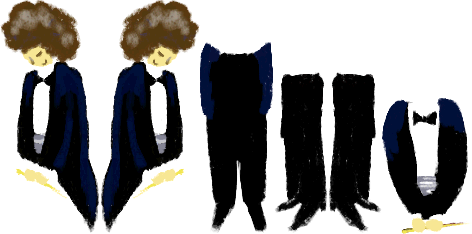


Sound Studio also has two new graphics, one for the head and one for the hair.
Bearded Fellow#

The microgame In the Cards has two sketch frames of a bald, bearded fellow looking quite disappointed.
Dummy Mii Face#
This is the face used on Miis when there isn't an actual Mii chosen.

Test#
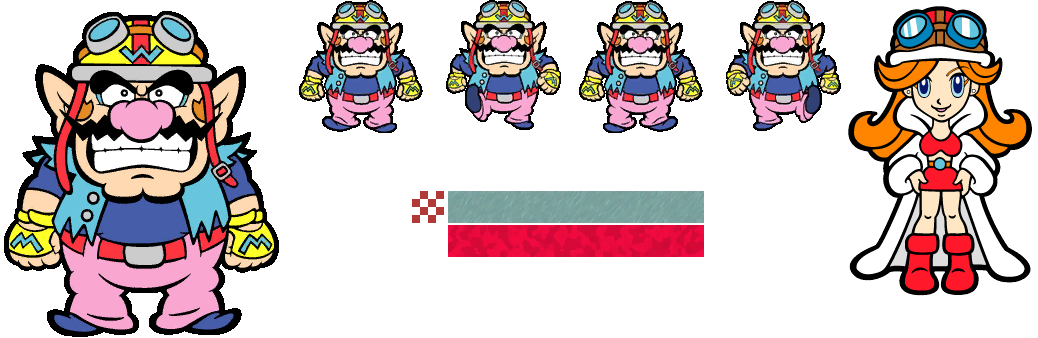
In the root, there is a folder called "Test" which has a file named Test.tpl. This file contains graphics of Wario, Mona, and a few textures.
RuntimeDebug#
The "Common" folder has a file named RuntimeDebug.tpl. It has a hand cursor, a couple crosshairs, and a grid. The hand cursor is used in the Debug Menu.


Title Layout#
An international exclusive. Only found in the UK and North American title screens.
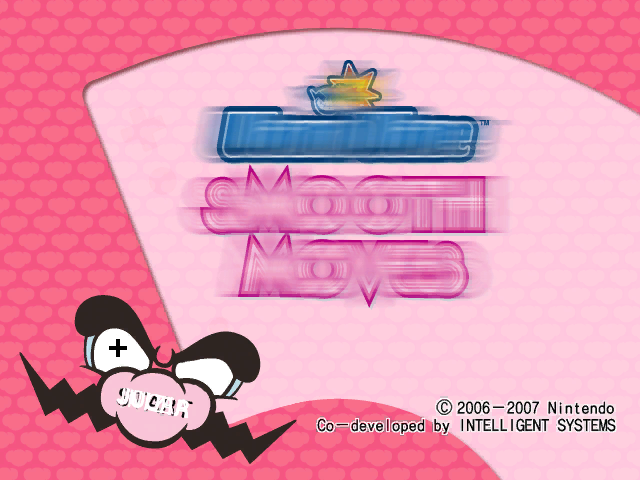
Original Playstyle Options#
These are the original playstyle options and are found in the graphics for the title screen.


Microgame Gauntlet Floor Indicators#


Unused letters for the microgame gauntlets to indicate floors. The F is used in the Japanese version similarly to Twisted and Touched Japanese versions which have an F next to the point indicator on the elevators, and the B would've been used before scoring any points
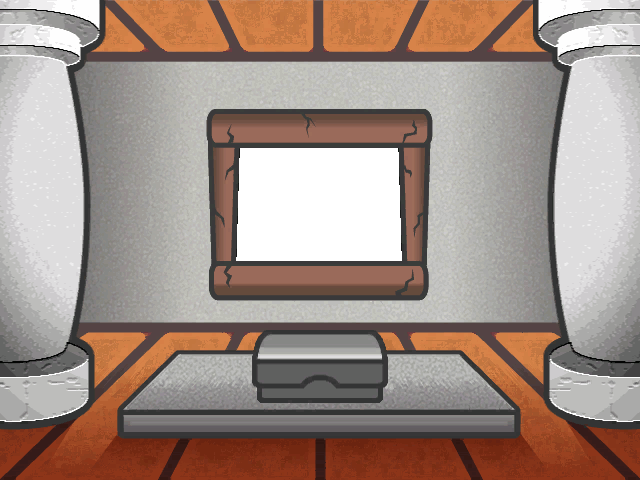
Temple of Form Room#
The microgame showcase room is split up into separate textures so it can switch between different colors, while this cannot.
DRAW#
An early version of DRAW from How the West was Really Won is present, with the word being a tad bit skinnier.

Petit#
Stage/bomb.brres, the Bomb multiplayer game, has a texture titled "petit". It's a safe area guide, with the title-safe (タイトル安全) and action-safe (アクション安全) areas marked.

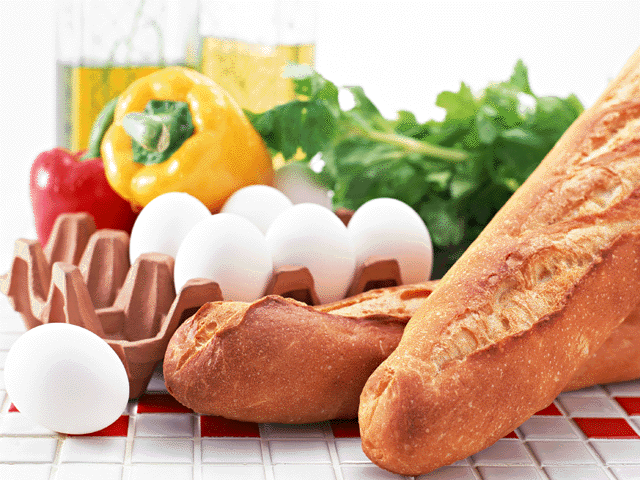
Vegetables#
Backgrounds exist for the microgame Block Party. But instead of one of these choices, it uses a generic blue background instead.

Hanafuda Cards#


There are a few unused hanafuda cards for the Temple of Form. The first being an empty variant with leaves decorated on it. The second is of a pose microgame of some sort. The last is of the leaf variant once more, except now it has Japanese that reads "Return".
Nunchuk Microgame Icon#
Icons exist for all three of the Nunchuk forms, both for left and right handed people. These would've been used in the Elephant Microgame Gauntlets, but none use the Nunchuk as there is no point.


Original Tiny Wario Background#
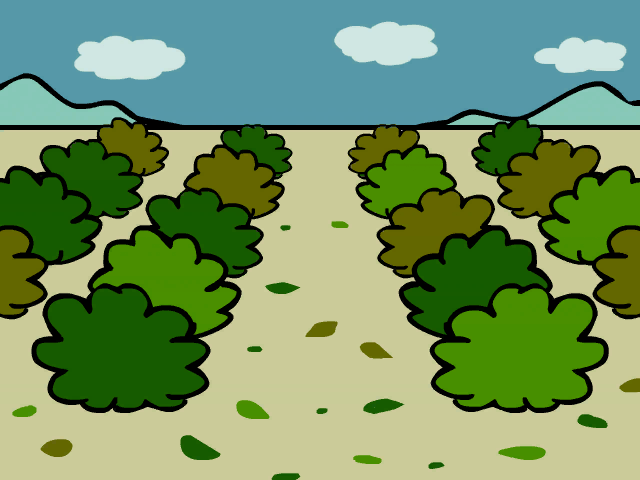
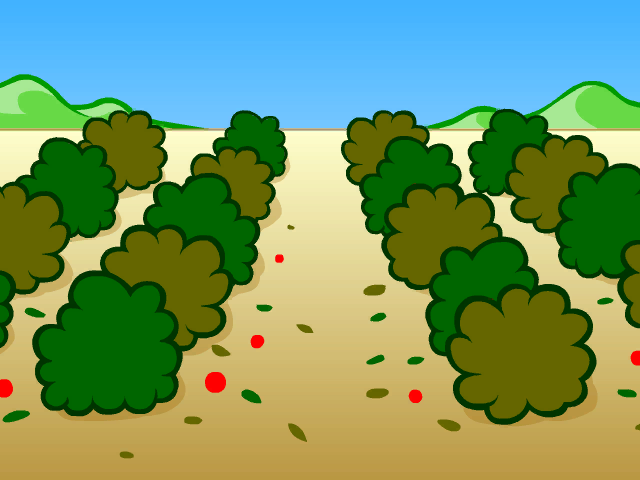
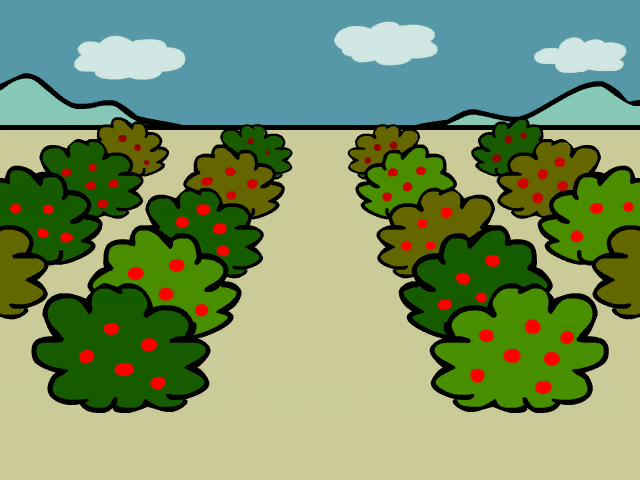
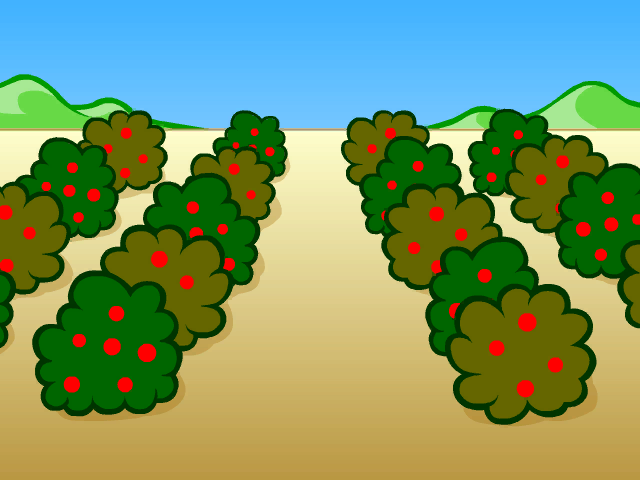
A graphic file called Survival.tpx contains every frame and texture for the Tiny Wario stage. The only thing that is different is the backgrounds used, as they are more sloppy. Survival is the name of a multiplayer game, so it must've accidentally got left in thanks to the name. As a bonus, the final unharmed berry bushes background isn't used in-game either. It is only seen in the cutscene.
Early |
Used |
|---|---|
 |
 |
 |
 |
Hungry Man#

A texture for a Hungry man exists in the graphic files for Catch of the Day.
Theater Placeholder#
This graphic is present in the theater's graphic bunch and reads "still remaining".

Super Mario Bros. Sprites#


The Super Mario Bros. microgame has some unused sprites. Coin frames exist but aren't used, as the objective is to hit blocks to get coins.
Soundtest Samus#
This Samus graphic is a leftover from the microgame Opening Night found in the Sound Studio.

Early Form Cards#
The graphic files for stages use placeholders for the form cards. There are three in total.
Early |
Used |
Comment |
|---|---|---|
 |
 |
Is missing the Nunchuk port as well as the power button. |
 |
 |
The final is a little darker than the old one. |
 |
 |
Drastic change. But why does that Wii remote look so weird? It's because it uses the design of one of the first ever known prototypes, back when the Wii was still Revolution. |
Soundtest Dr. Crygor Icon#
Dr. Crygor's icon was going to be used in Sound Studio but went unused.

Unseen Graphics#
|
|
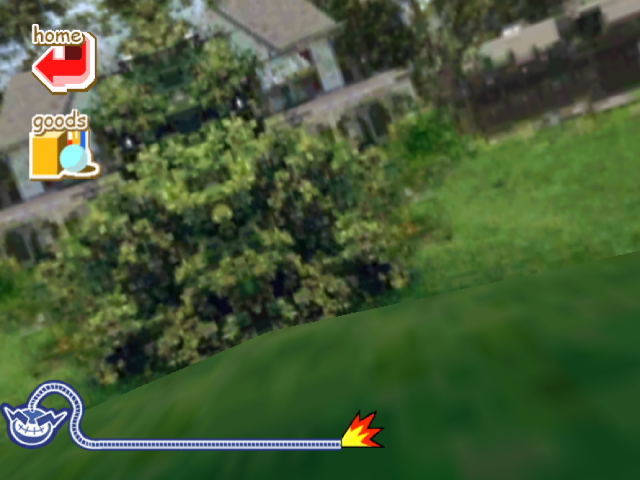
Nintendogs#
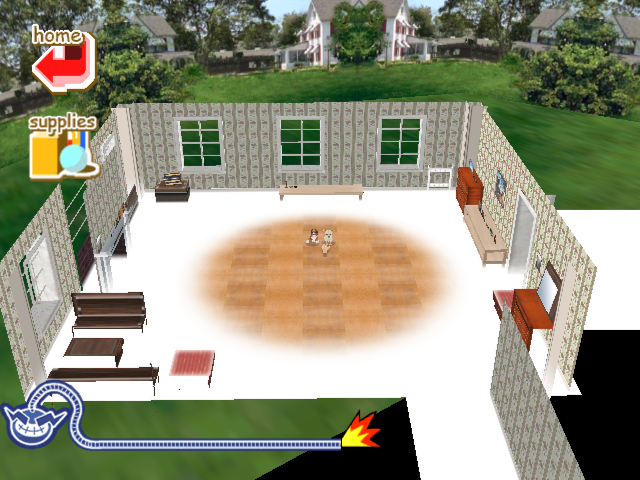
Although the camera is face-down on the floor, the entire house and the outside background are present. The house uses the Early American design from the original game, except for the floor, which should be a carpet-like style but is instead untextured except for what is seen in the microgame... which is actually from the Ranch House design. Interestingly, the textures are of much higher quality (likely native resolution) than the ones in the original game!
Metroid Prime 2#
Samus' model has a face and eyeball texture, but since Samus never turns around or even takes off her helmet, this is never seen.

Wario PI#
If you manage to focus on the long-haired man in Wario PI, you'll see him blink with a quizzing look about him. If you're very lucky with the positioning, your magnifying glass may also show a peek of a magenta thing at the very bottom. Turns out this magenta thing is actually a heart that toggles between normal and cracked.


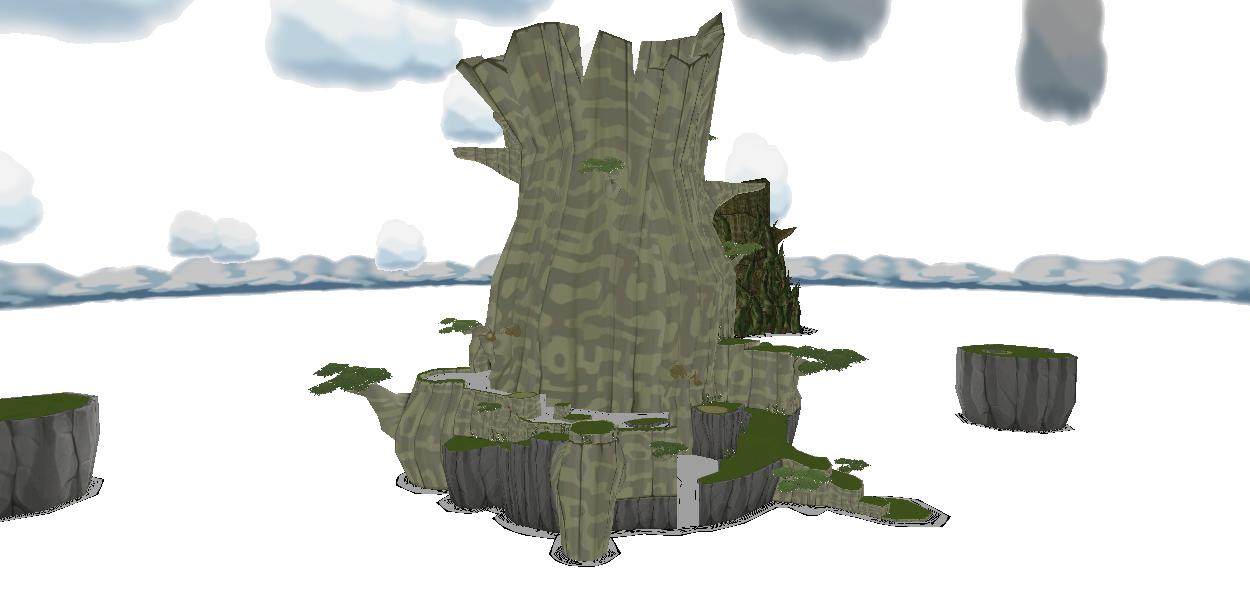
The Wind Waker#
The entire back side of Forest Haven is present, with the level of detail suggesting that the model was ported straight from the source game.
Outside Theater#
The outside to the theater is used and can be seen, but not the entire texture.

Texture Oddities#
Wii Remote and Nunchuk#
Strangely, the Wii Remote and Nunchuk in Clock-Watcher actually based off prototype versions of the Wii remote and Nunchuk.


Punch-Out#
|
Background |
In-Game |
|---|---|

|
|
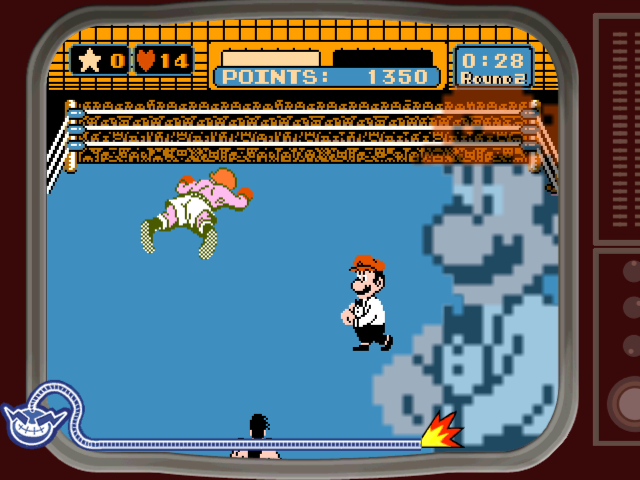
The main background image for the Punch-Out!! microgame is actually a screenshot of the game running in an emulator. Part of the developer's desktop background can also be seen along the left side. The cut-off UI at the top of the image reveals that an emulator named VirtuaNES was used to run the game. In-game, a cartoon CRT television frame is laid on top of the image, covering all borders that would give away its origin.
(Source: Ehm, counterDiving)
Unused Models#
Block Party#
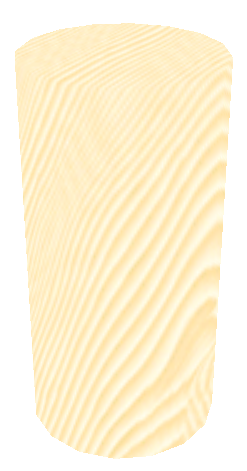
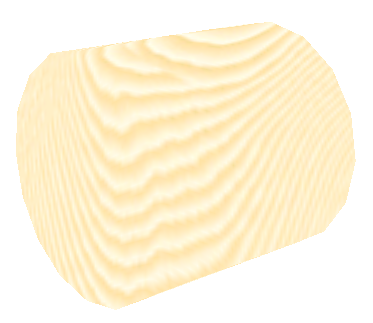
The microgame Block Party has two unused blocks which are cylinders. This obviously wouldn't have worked out.
E3 Leftovers (Early All Mixed Up)#

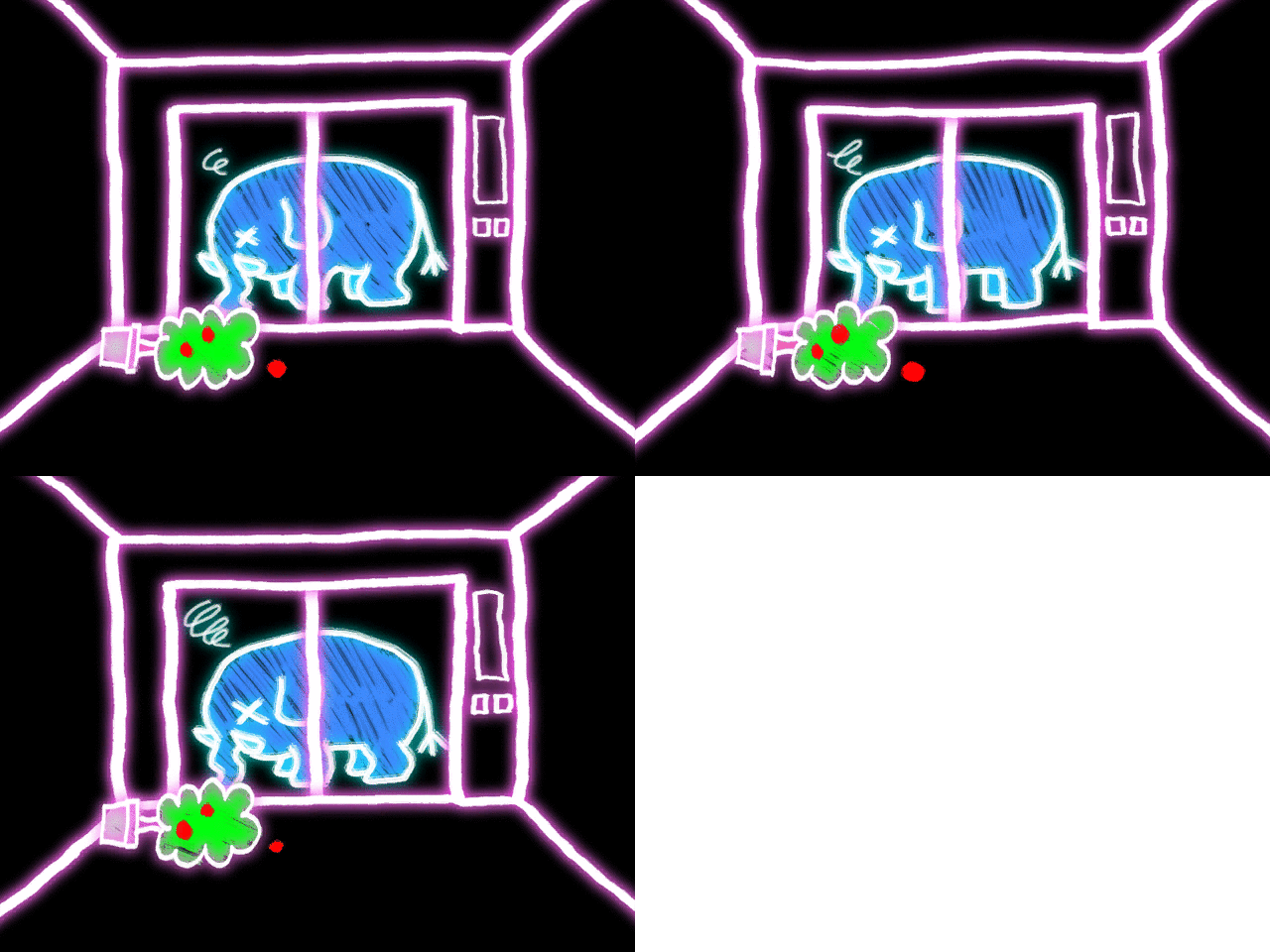
The Blue elephant house, All Mixed Up, is located in Mix.tpx, but there's a copy of this file under the name Show.tpx. Nothing is different except that the E3 demo goodbye frames are present, leading to the belief that Show.tpx was played at E3 2006.


And there's more! Another graphic file exists under the name Elevator.tpx, and it too is similar to All Mixed Up, except it's actually an earlier version of the stage! The room graphics have different lighting as well as a different color, the pop-up graphics are incomplete as they have not been given transparent backgrounds yet, and the E3 demo goodbye frames are present here as well.
Graphic |
Comment |
|---|---|
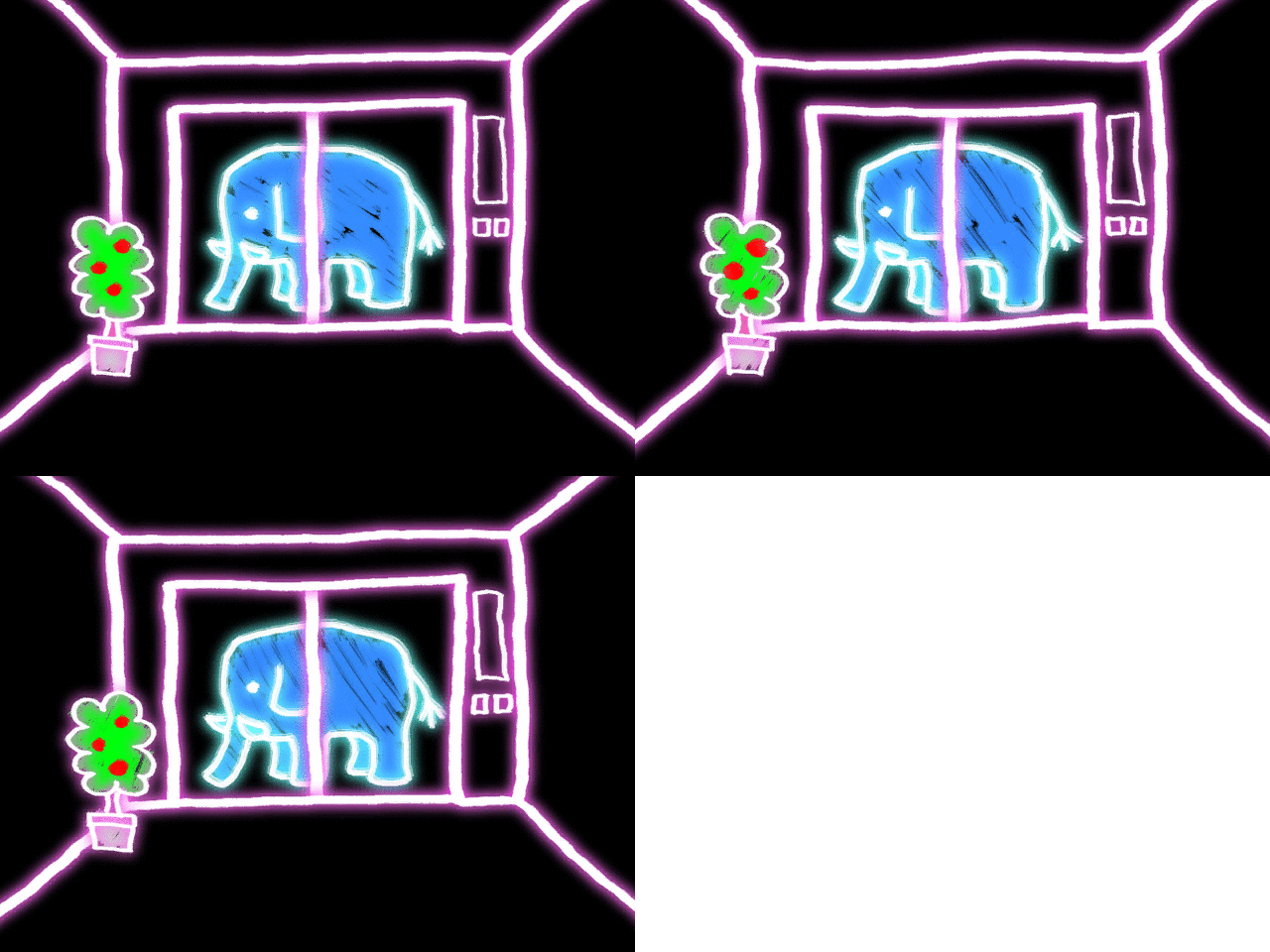 |
Normal |
 |
Success |
 |
Failure |
 |
Empty |
|
Door Frames |
 |
Early version of 1up. Final has a "!". |
(Source: sunn)
Revolution Reference#
The Wii models in Wiipeat After Me! are internally named "Revolution", which is the codename for the Wii.
Unused Mii#
Stored among the Miis used in the staff credits is a Mii named 2, that doesn't get seen in any version of the credits in any region. Here is a Mii Studio render of her.
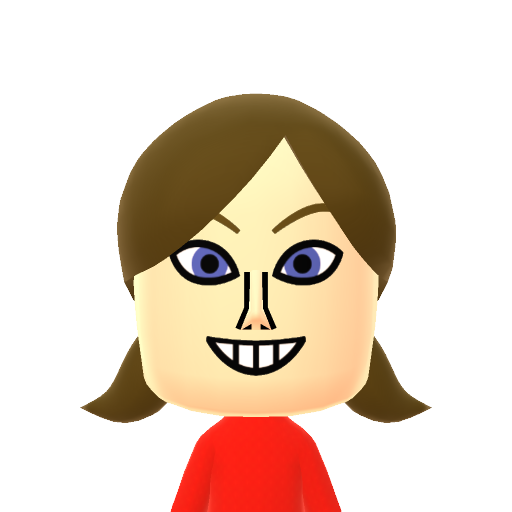
(Source: Mii Archives)
OnionHeader#
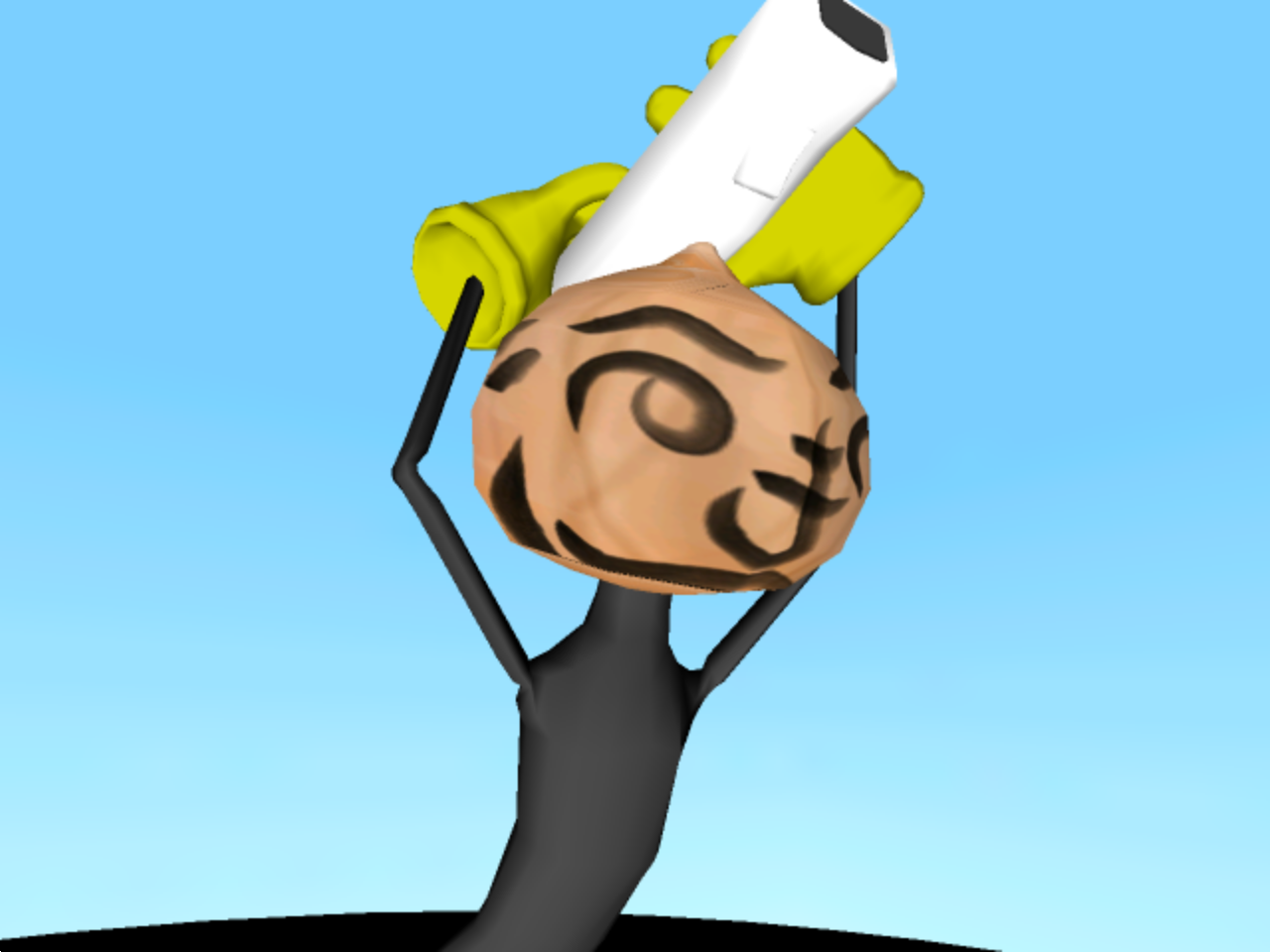
In the boss microgame Boot Camp, if the player's Mii fails to load or is corrupted, a failsafe onion (named "OnionHeader" internally) will be used instead. This can easily be seen using the debug menu without having any save data. No other stage in the game has this type of failsafe.
(Source: Supper Mario Broth)
|
The Wario series | |
|---|---|
|
Wario Land | |
|
Game Boy (Color) |
Wario Land: Super Mario Land 3 • Wario Land II • Wario Land 3 |
|
Game Boy Advance |
|
|
GameCube |
|
|
Nintendo DS |
|
|
Wii |
|
|
WarioWare Inc. | |
|
Game Boy Advance |
|
|
GameCube |
|
|
Adobe Shockwave |
|
|
Nintendo DS |
|
|
Wii |
|
|
Nintendo DSi |
|
|
Wii U |
|
|
Nintendo 3DS |
|
|
Nintendo Switch |
|
|
Misc. | |
|
NES |
|
|
SNES |
|
|
Game Boy (Color) |
|
|
See Also | |