 Featured article
 Unused GraphicsVarious graphics that never get used, such as HUD elements, placeholder graphics, stickers, and textures.
 Unused IconsIcons for items you can't normally get in your Popit.
 Unused AudioMusic, sound effects and anything else that isn't normally audible.
 Unused Materials and PropertiesMaterials, Physics, Rendering, and other properties not used in-game.
 Unused DLCDownloadable content that was neither given out nor made available for purchase.
 Unused TextDialogue, descriptions and other bits of text that aren't seen anywhere in the game.
 Unused Popit ItemsItems that go into your Popit, but oddly enough aren't given out.
Unused Gameplay Tools#
Ice Hazard/Freezatron Tool#
Watch on YouTubeThrough hacking, it's possible to get the "Freezatron" tool, dubbed by the community as the "Ice Hazard", in your Popit. However, the tool does not work, and refuses to come out when selected. This is most likely because the scripts that make the tool work were removed from the final game. The following is the leftover language data mentioning the ice tool.
Freezatron
"I thought I told you to freeze"
Fire, Ice, Electricity and Gas
Image Import Tool#
Added in Game Update 1.02, the Image Import Tool allows you to import images (.PNG, .JPEG, etc.) from the PS3 HDD into in-game textures. The tool is fully completed with an in-game icon and prize data, and is fully functional when hacked into the Popit. It was never released due to concerns of players importing explicit content.
The following is associated language data for the Image Import Tool.
Image Import Tool
Import images from your HDD to use as stickers
The image <em>%1</em> is too small. Images must be at least 4 pixels wide and high.
The image <em>%1</em> couldn't be imported for some reason.
There's not enough memory to import <em>%1</em>. Try using a smaller image.
The image <em>%1</em> was imported successfully! You'll find it in the the <em>My Pictures</em> page in your Popit.
There was an error decoding the image <em>%1</em>. Please try again or use a different image.
Unused Levels#
palette_creatures.bin#
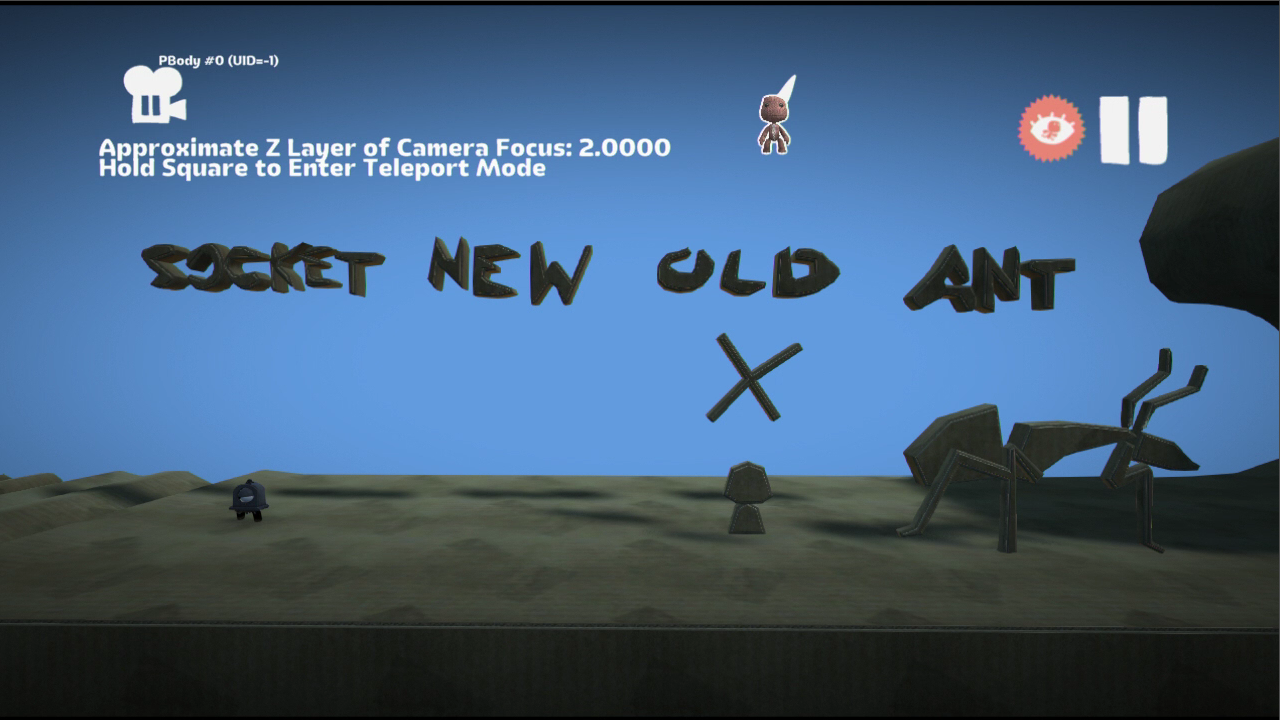
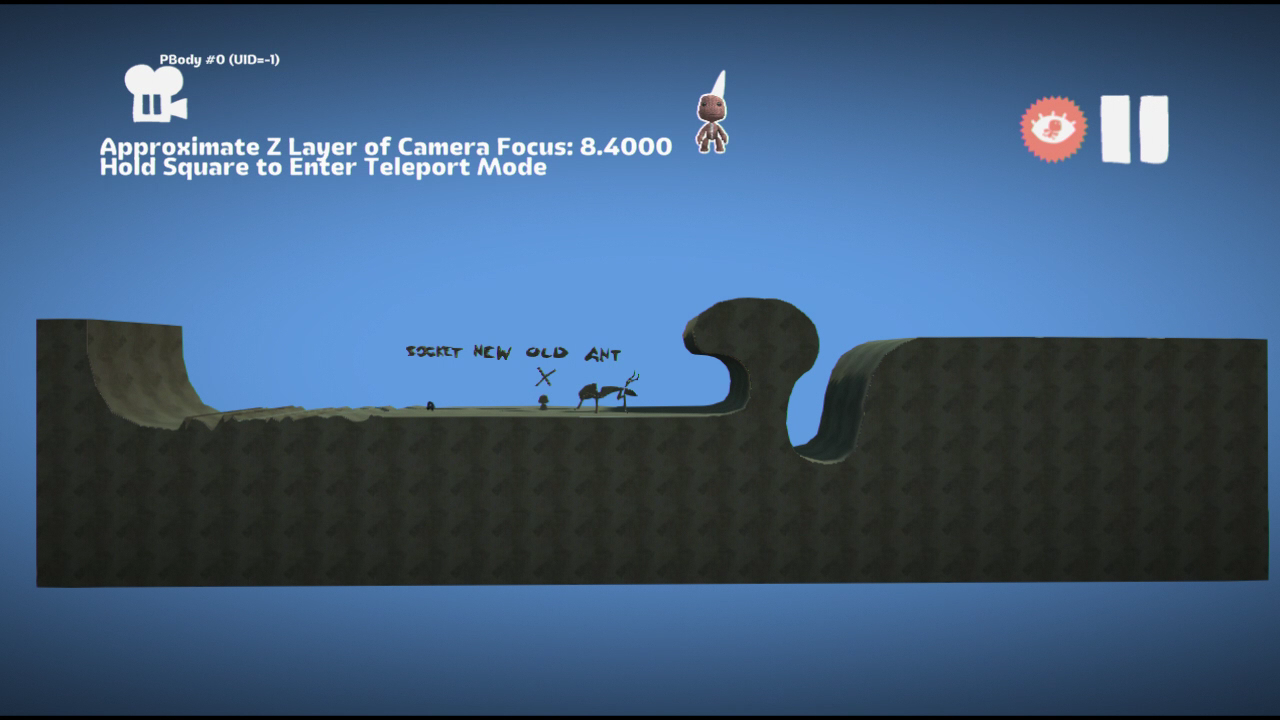
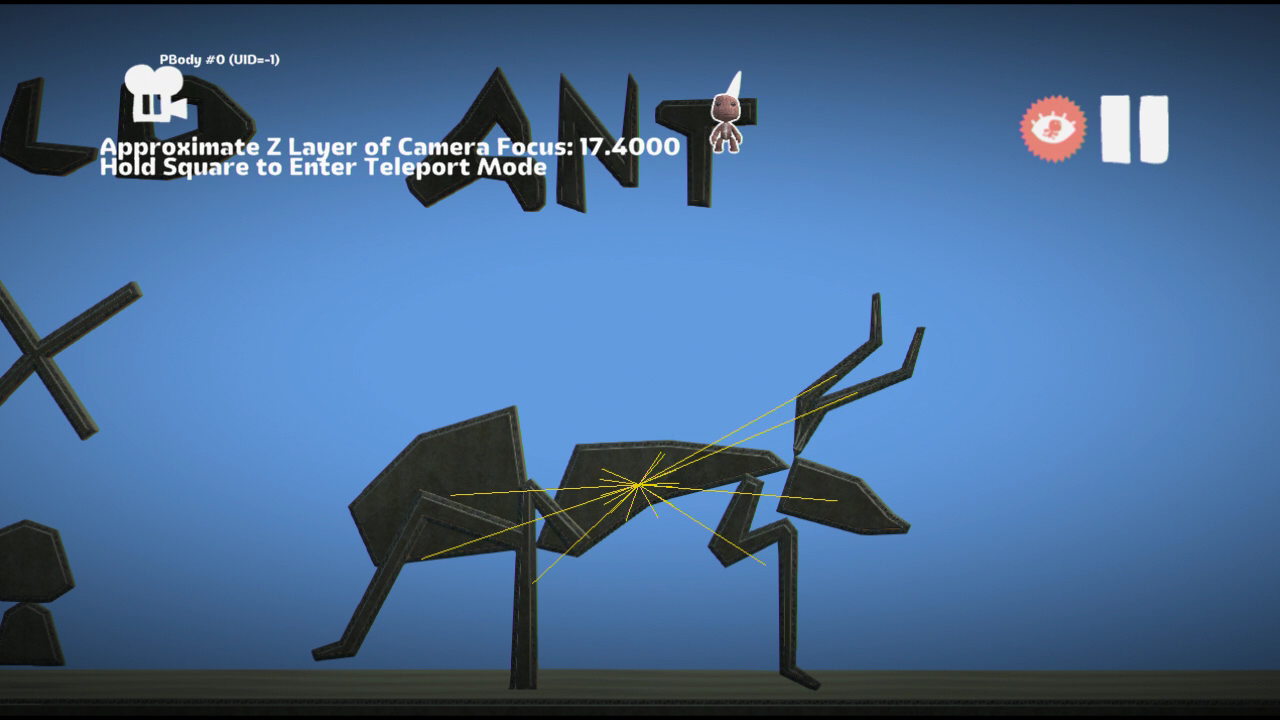
gamedata/levels/palettes/palette_creatures.bin is an unused level presumably put together to test the different types of NPCs LittleBigPlanet would have throughout development. The level .bin file loads in all 3 main LittleBigPlanet games however needing a modified .cha for the ant character to actually load the level without freezing. The level only exists in the first, launch disc copy of LittleBigPlanet and does not exist in the Game of the Year Edition, nor the PlayStation Network Digital version.
Upon loading the level, the only visible object is the Walker (seen below). The rest of the level was not given any form of material data, and can be replaced with Cardboard or any other material in the user's Popit by using the Material Changer.
Upon replacing the rest of the level with Cardboard, we can see some developer messages written in Material, "Socket," "New," "Old," and "Ant." "Socket" is referring to the Walker object below it, which cannot be tweaked (it sends the user to the Pod) and does not move. "New" is supposed to be the final version of Sackboy and explains why he spawns directly under the "New". "Old" has an X and a small, round object below it almost resembling a torso and a head. And below "Ant" is a giant ant-like creature.
In debug builds of LittleBigPlanet 3, enabling the "Graphics/Draw Parenting" feature shows that the Ant is a parented object. When the game is unpaused, the Ant's limbs stay attached to it, and its antennae wiggle back and forth. Though it is a materialized object, it also contains code similar to Sackboy, located in gamedata/scratch/ant.cha.
palette_inventory_start_creative.bin#
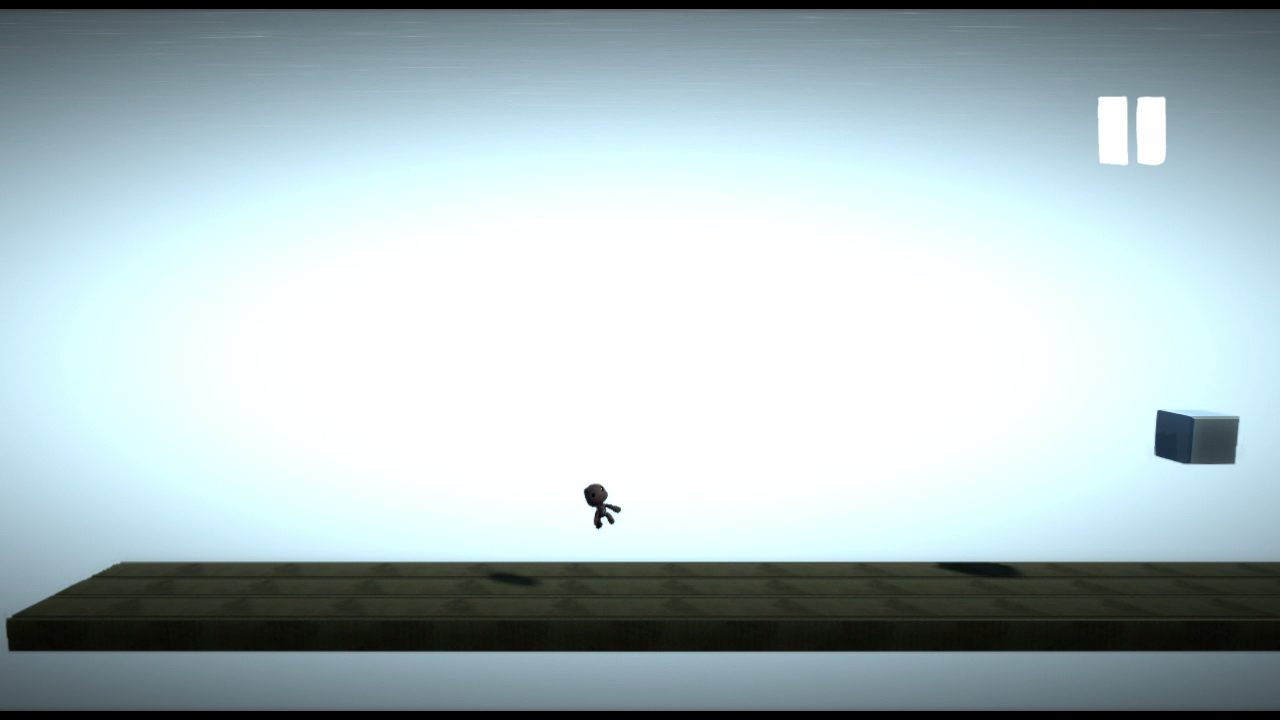
gamedata/levels/palettes/palette_inventory_start_creative.bin is a mostly featureless level with no background, possibly intended to be an early version of the default empty level. It contains seven long strips of material (three thick layer strips and four thin layer strips) that make up a floor extending from the far left of the level to the far right, and a white metallic square close to the bottom left corner of the level. There are no walls or ceilings, and the floor can be moved or even deleted with the Popit Cursor.
When the level is first loaded, the only visible object is the aforementioned white square; the floor has no material data, though it's possible to replace this invisible material with any unlocked material in the Popit.
pal_costumes.bin#

For some reason, the Hessian Sackboy Fragrances DLC has a level associated with it, which can be found in gamedata/levels/palettes/dlc_aprilfools/pal_costumes.bin. The only objects in this level are two transparent blue squares with models for the Chicken Wings and Leather Gloves costume pieces in front of them. The exact purpose of this level is unclear.
Oddities#
Duplicate Pete and Leo Names#
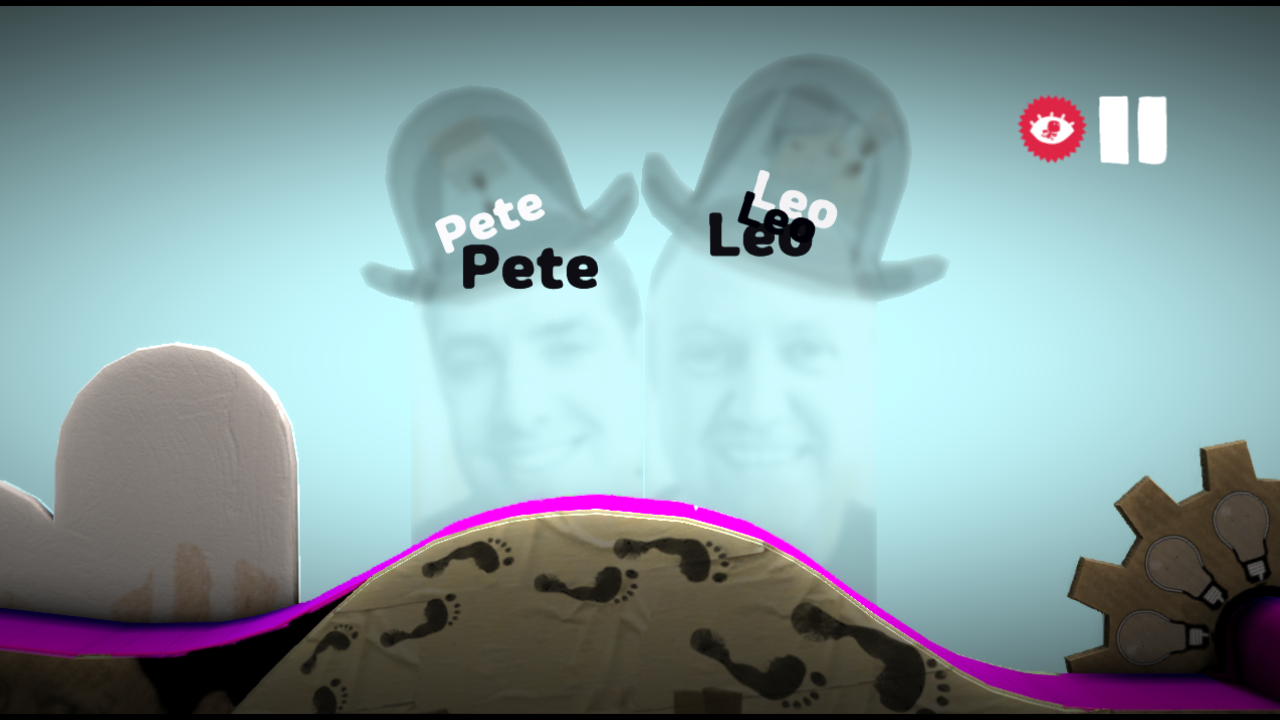
In the Introduction level, the two Media Molecule workers Pete and Leo actually have a few repeats of their names underneath themselves in black. They can't be seen normally, but when the level is loaded in Create Mode in LittleBigPlanet 2 and the objects are hidden, the names are revealed.
Scribbled on Diffuse#
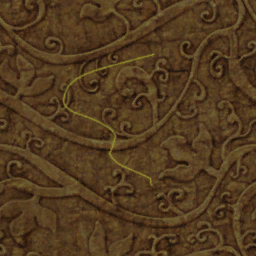
The diffuse texture of the Green Pattern Wood material from the temples theme has been scribbled on.
Unused Models#
Walker#
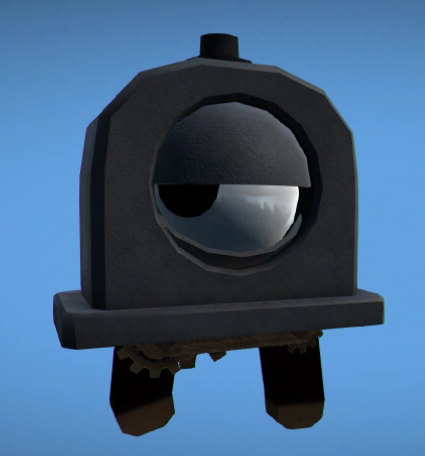
A creature internally known as the "walker". In-game, he would have been an early solution to a moving enemy. He was cut in favor of Creature Brains and Creature Legs, but you can still see references to him in the Creature Brain's tweak menu icons. He is composed of two models: gamedata/mesh_library/non_player_characters/walker/walker_head.mol and gamedata/mesh_library/non_player_characters/walker/walker_chassis.mol.
Ice Hazard Remnants#
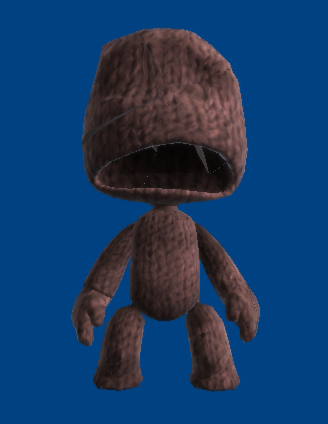
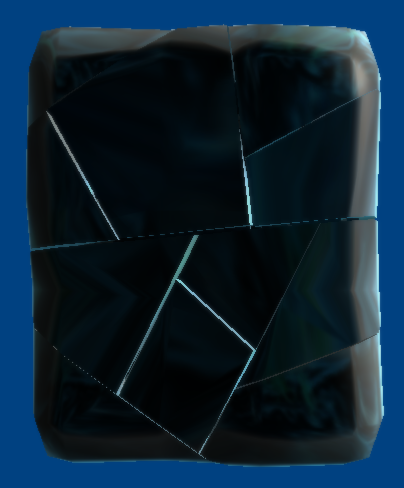
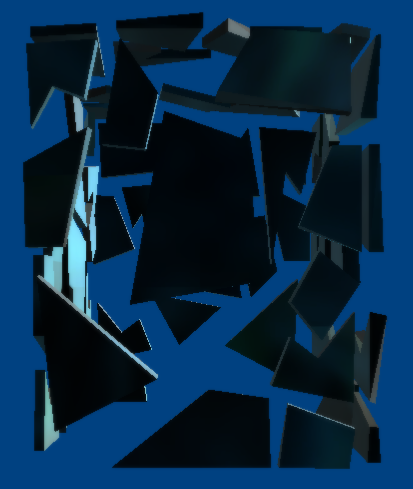
gamedata/mesh_library/player_character contains three models that appear to be remnants of the cut Ice Hazard.
sack_boy_frozen_pieces.mol is Sackboy with a shocked look on his face, but without eyes or a zipper. There are visible seams all over the mesh, suggesting it was meant to break apart into several pieces. When loaded in-game, however, it falls to the floor like a ragdoll, with none of the pieces breaking apart.
sack_boy_frozen_pieces2.mol is a cracked block of ice. Unlike sack_boy_frozen_pieces.mol, this model does break apart into several pieces when loaded in-game.
sack_boy_frozen_shell.mol is a bunch of ice shards arranged into the rough shape of a block of ice, likely intended for when the ice block is smashed.
collectable_egg.mol#

gamedata/mesh_library/common_objects/collectable_eggs/collectable_egg.mol is a plastic prize egg that appears pink in-game. This was used for storing prizes in early versions of the game, but it was replaced by the Prize Bubble late in development. This is apparent because a rooster sound is played when all of the prizes in a level have been collected.
radio_tower.mol#
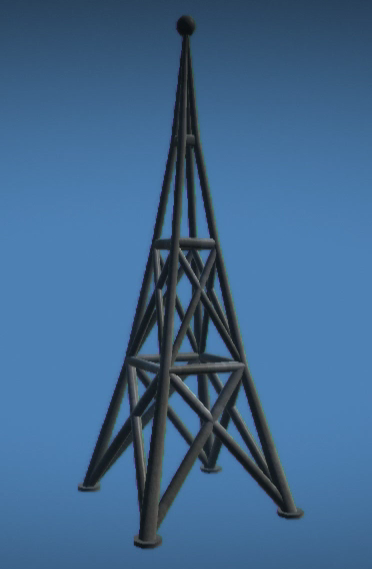
gamedata/mesh_library/cosmos/radio_tower/radio_tower.mol is a radio tower. It is found in the cosmos folder alongside other Pod-related assets, suggesting that it would have been found in the Pod.
spring_sign.mol#
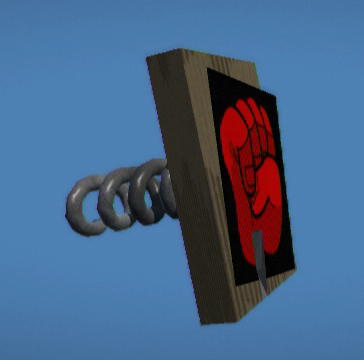
gamedata/mesh_library/cosmos/spring_sign/spring_sign.mol is a springboard with an image on the front of it. In-game, the model has physics and bounces around. The note's texture in-game is the red fist sticker. Like the radio tower, it is also located in the same folder as the other Pod-related models.
collectible_sphere_icon.mol#

gamedata/mesh_library/common_objects/collectible_sphere/collectible_sphere_icon.mol is a black circle with a glowing outline and a crudely drawn sad face, most likely intended as a placeholder.
dlc_gift_box.mol#
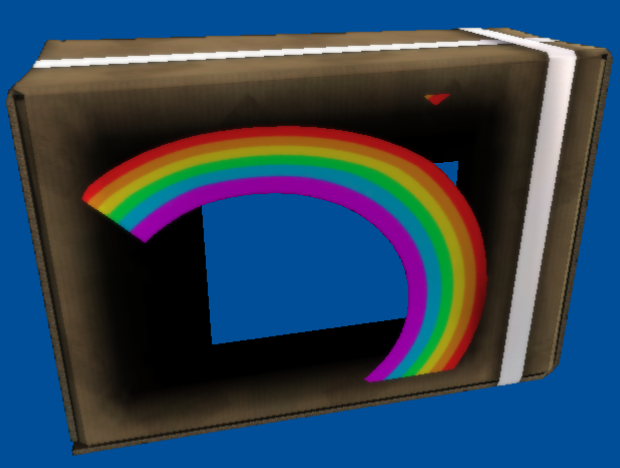
gamedata/mesh_library/cosmos/dlc_gift_box/dlc_gift_box.mol is a cardboard box with a ribbon wrapped around it and an image on the front. In-game the image is the rainbow sticker. Its path and filename suggest that it was meant to be used in the in-game store.
dlc_bubble.mol#
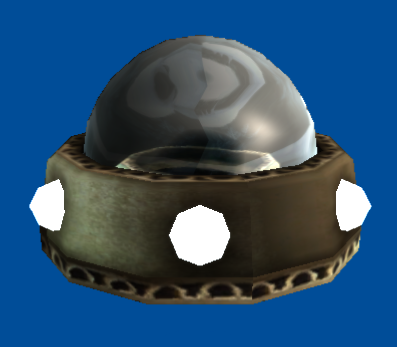
gamedata/mesh_library/cosmos/dlc_bubble/dlc_bubble.mol is a fully assembled version of the Creature Brain (the actual Creature Brain has the brain and the base stored as separate models). Its path and filename suggest that it was meant to be used in the in-game store.
joint_pin_motorized.mol#
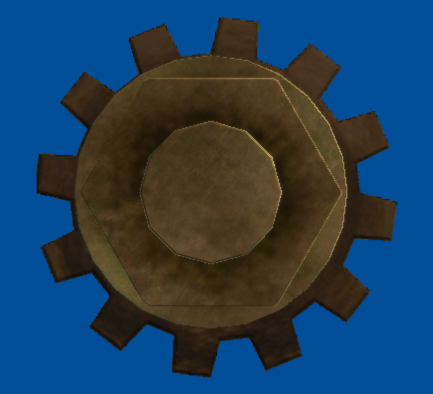
gamedata/mesh_library/common_objects/joints/joint_pin_motorised.mol appears to be an early version of the Motor Bolt.
glue.mol#
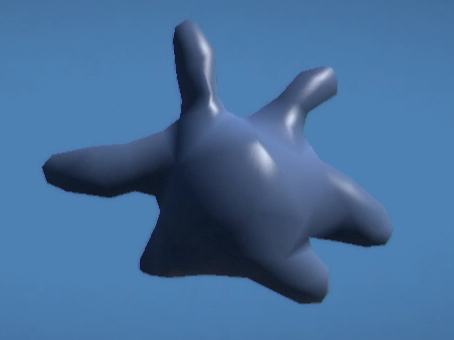
gamedata/mesh_library/decorations/glue/glue.mol is a dab of glue. It was intended to be a tool used for sticking stuff together, as seen in early gameplay. It changed to simply holding down the X button. It appears light blue in-game. A similar looking model would eventually be used in the Avalonia sections of Run Sackboy! Run!
Unused Animations#
Found within gamedata/mesh_library/player_character/sack_boy_pinched_anims are two death animations that are never usually seen. While both of these were eventually used in LittleBigPlanet 3's Character Animation Tweaker, they go unused in this game.
death_electric_outof.anim#

A death animation associated with the Electricity Hazard, where Sackboy's eyes pop out before he jumps offscreen. This was meant to be played after death_electric_loop.anim, but under normal conditions Sackboy explodes before it has a chance to play. It's possible to see part of the animation by using the Hold to Retry function as you're falling into a pit of electricity, though this only shows him jumping offscreen.
death_gas_into.anim#

A death animation of Sackboy choking on Horrible Gas. While the animation does play upon touching Horrible Gas, Sackboy gets destroyed almost immediately, so the full animation never has a chance to play.
Unused Themes#
The final game has eight themes: The Gardens, The Savannah, The Wedding, The Canyons, The Metropolis, The Islands, The Temples and The Wilderness. However, in various places on the disc, are hints to four additional themes that are not present in the final game. Each theme had its own music and background. While the backgrounds are gone from the game's data, the ambient sounds from them still remain, and the four songs that were used for their respective themes were re-released in the Mm Music Pack 1 DLC and the Monster Pack DLC.
This also explains why there is only one music pack - because there wasn't any more music leftover to release. To further prove this, the filenames of the DLC songs each relate to the themes they would be from.
As of October 2020, the English Seaside theme was found in the June 2008 Recovery Build, and the other three themes were found in the Deploy Build in April of 2021.
English Seaside#
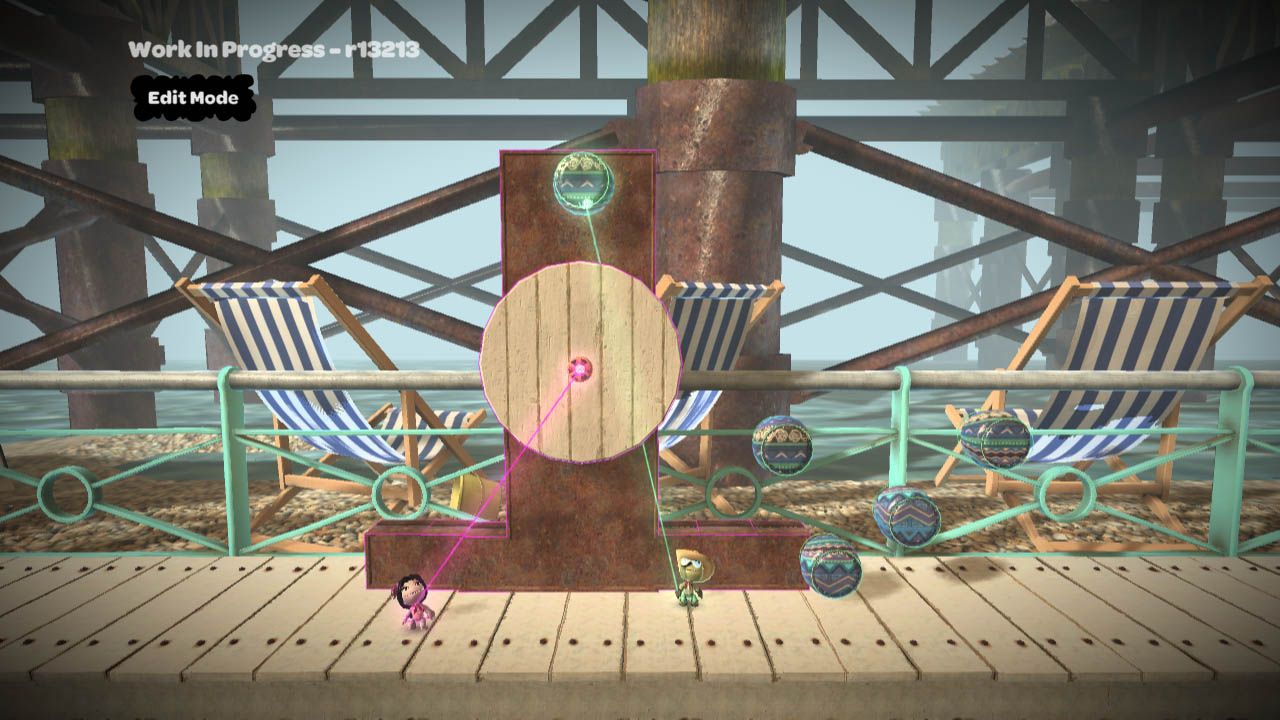
The most well-known theme that was once in development is the English Seaside / Beach theme. It was seen in early gameplay trailers. The interactive music track used in this theme would be later seen as "Tea by the Sea" in the Mm Music Pack 1. The internal filename for the song is i_english_s.fsb. All the models and textures for the beach background have been purged in the final game and all stickers from the theme were given out in the Savannah levels. Fortunately, this theme and its background were recovered as of October 2020. However, a similar theme to the English Seaside was used in LittleBigPlanet HUB in the form of its introduction level, fortunately being used in the third game after HUB's aformentioned cancellation
The following are the ambient background noises and music track from the theme:
Day ambience |
Night ambience |
Song Track |
|---|---|---|
Russian Theater#
Not much is known about this theme. Its song has the internal name i_russian_t.fsb and would later be released in the Monster Kit as "Party Ghouls".
Ambience |
Song Track |
|---|---|
American Midwest Train#
An unknown theme. All that is known is it would take place on a western train yard. Its song has the internal name i_american_mw.fsb and would later be released under the name "Well Trained" in Mm Music Pack 1.
Day ambience |
Night ambience |
Song Track |
|---|---|---|
Japanese Window#
This theme could be a bit sketchy as there is even less known about it than the other themes. Its song has the internal name i_japanese_a.fsb and would later be released under the name "Wise Owl" in Mm Music Pack 1.
Ambience |
Song Track |
|---|---|
Language Data/Strings#
Many, MANY things from the early versions of LittleBigPlanet 2 exist as language data in the later patches of LittleBigPlanet. These item names are from a cut DLC called the "Arcade Kit". A lot of the items were found in the Deploy Build. This kit evolved into LBP2.
Timer
Quieter
One Use Switch
Destroy Trigger
Grappling Hook Power Up
Impact Switch Key
Toggle
Robo Boot Power Up
Two Input Switch
Direction Switch
Single Grab
Gyroscope
Count
SackBot
Permanent Switch V2
And
Look at Key
New Playlist
On/Off Switch
Direct Control
Xor
Leftover Code and Test Results#
Material Costs#
In early gameplay footage, it is mentioned that you have to collect a certain amount of "sponge" in developer levels before you can create your own. This means each material would have a certain cost, and you'd have to collect more sponge before you could continue building. This was removed for being too tedious, however, some code still remains. It's interesting to note that the only materials mentioned here are the only materials seen in the Early Popit icons sheet. (See the Unused Graphics sub-page.)
MaterialCostMultipliers_0   1           # Wood
MaterialCostMultipliers_1   1           # Metal
MaterialCostMultipliers_2   1           # Cardboard
MaterialCostMultipliers_3   1           # Polystyrene
MaterialCostMultipliers_4   1           # Glass
MaterialCostMultipliers_5   1           # Sponge
MaterialCostMultipliers_6   1           # Gold
MaterialCostMultipliers_7   1           # Orrible
MaterialCostMultipliers_8   1           # Chi
MaterialCostMultipliers_9   1           # Fluid

MaterialCostPerUnitArea 0.0001Paint#
At one point in development, you could paint stuff using a paintbrush or similar tool, and the code for this still exists in the game.
PaintSpeed .15Benchmark Results#
Tests were ran to see which levels used the most resources on the PS3, and here were the results.
# ============================================================================
# =                                                                          =
# = LIMITS TEST RESULTS                                                      =
# =                                                                          =
# = (16 August)                                                          =
# =                                                                          =
# ============================================================================
# LIMIT_STICKERS: Highest: 6746   (gamedata/levels/00_developer_levels_episode_1/usa_new_york/usa_newyork_main_subway.bin with highest MaxEmittedAtOnce: 11)
# LIMIT_DECORATIONS: Highest: 597   (gamedata/levels/00_developer_levels_episode_1/mexico_graveyard/mexico_graveyard_main_bulldozer.bin with highest MaxEmittedAtOnce: 3)
# LIMIT_PHYSICS_VERTICES: Highest: 27024   (gamedata/levels/00_developer_levels_episode_1/usa_new_york/usa_newyork_main_subway.bin with highest MaxEmittedAtOnce: 11)
# LIMIT_CONVEXES: Highest: 6530   (gamedata/levels/00_developer_levels_episode_1/japan_zen_garden/japan_zen_main_3.bin with highest MaxEmittedAtOnce: 34)
# LIMIT_SHAPES: Highest: 2411   (gamedata/levels/00_developer_levels_episode_1/mexico_desert/mexico_desert_main_snakes.bin with highest MaxEmittedAtOnce: 23)
# LIMIT_MOVING_SHAPES: Highest: 1321   (gamedata/levels/00_developer_levels_episode_1/mexico_desert/mexico_desert_main_snakes.bin with highest MaxEmittedAtOnce: 23)
# LIMIT_THINGS: Highest: 4034   (gamedata/levels/00_developer_levels_episode_1/mexico_desert/mexico_desert_main_snakes.bin with highest MaxEmittedAtOnce: 23)
# LIMIT_JOINTS: Highest: 611   (gamedata/levels/00_developer_levels_episode_1/usa_new_york/usa_newyork_main_subway.bin with highest MaxEmittedAtOnce: 11)
# LIMIT_ENEMIES: Highest: 64   (gamedata/levels/00_developer_levels_episode_1/mexico_desert/mexico_desert_main_fluff_mine.bin with highest MaxEmittedAtOnce: 5)
# LIMIT_SWITCHES: Highest: 169   (gamedata/levels/00_developer_levels_episode_1/japan_zen_garden/japan_zen_main_3.bin with highest MaxEmittedAtOnce: 34)
# LIMIT_MESH_VERTICES: Highest: 592216   (gamedata/levels/00_developer_levels_episode_1/usa_new_york/usa_newyork_main_subway.bin with highest MaxEmittedAtOnce: 11)
# LIMIT_RESOURCE_MEMORY: Highest: 3071031   (gamedata/levels/00_developer_levels_episode_1/russia_snow_wilderness/russia_snow_main_3.bin with highest MaxEmittedAtOnce: 0)
# LIMIT_GFX_MEM_LOCAL: Highest: 33477848   (gamedata/levels/00_developer_levels_episode_1/russia_snow_wilderness/russia_snow_main_3.bin with highest MaxEmittedAtOnce: 0)
# LIMIT_GFX_MEM_MAIN_MAPPED: Highest: 548198   (gamedata/levels/00_developer_levels_episode_1/russia_snow_wilderness/russia_snow_main_3.bin with highest MaxEmittedAtOnce: 0)
# LIMIT_GFX_MEM_MAIN_UNMAPPED: Highest: 1092096   (gamedata/levels/00_developer_levels_episode_1/india/india_main_1.bin with highest MaxEmittedAtOnce: 20)
# LIMIT_USER_TEXTURE_MEMORY: Highest: 0   ( with highest MaxEmittedAtOnce: 0)
# ============================================================================
Info Fridge#
In the raw level data for the Pod, the Info Fridge, seen in various concept art, is referenced hanging on a string. It was replaced with the Info Moon. The model for the Info Fridge has been found in the Deploy Build.
fridgestringIce Hazard#
The infamous Ice Hazard was extremely broken and was cut from the game, but remains in the data. Here's some of its code:
FramesFromIceDeathTillRespawn   0

FramesTillFrozenToDeath 0

ForceToSmashWhenFrozen  1e+006

FrozenBoxScale  1.125,2,0
FrozenBoxOffset 0,0,0
FrozenBoxThick  0
SenseHistorySize    0
ShakeSenseBase  0
ShakeSenseScale 0
ShakeSenseThresh    500


IceTemperature              -55.0
IceDensity                  0.5
IceColorR                   1
IceColorG                   1
IceColorB                   1
IceAlpha 1Other#
FramesTillSlappedToBits 3Hidden objects#

|
This needs some investigation. |
Hidden Developer Portraits#
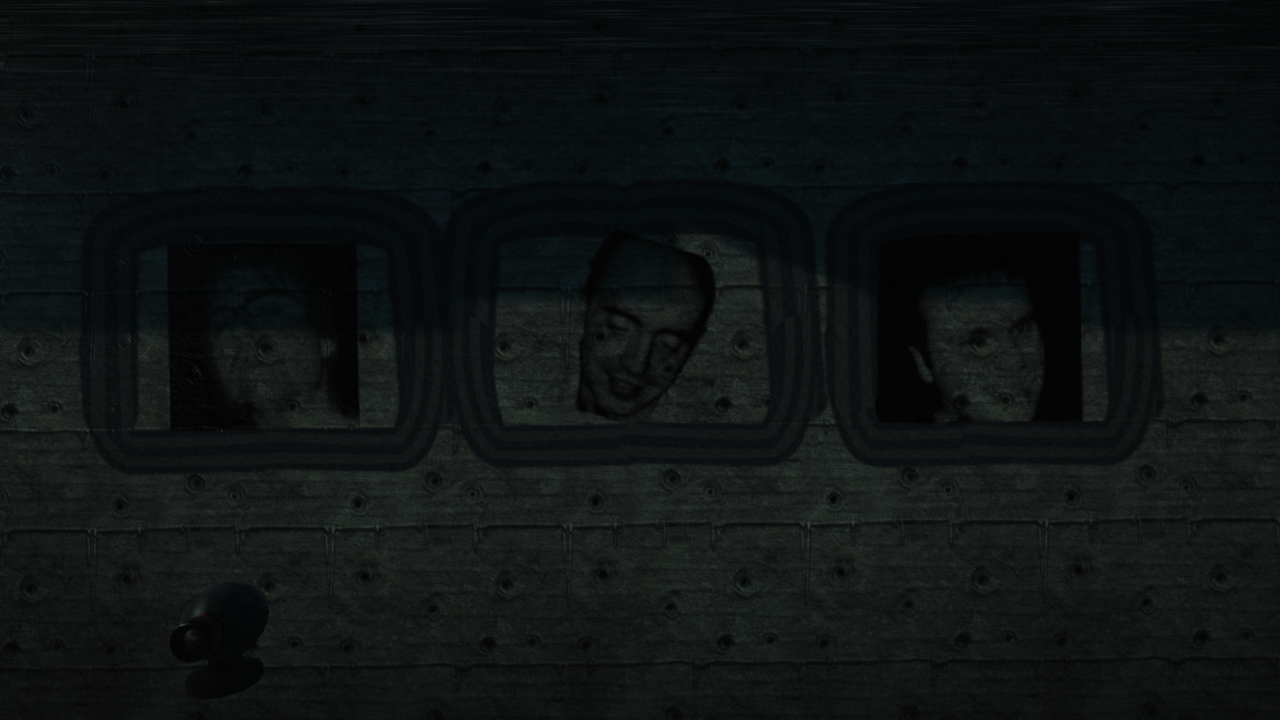
In the Story level "Jetpack Tunnel", portraits of three Media Molecule developers (Rex Crowie, Alex Evans, and Paul Holden respectively) can be found hidden behind the geometry of the level. The tunnel itself always covers up the back layer, and the only way to see these portraits is to load the level in Create Mode.
Bullet Hole on Nathan's Photo#
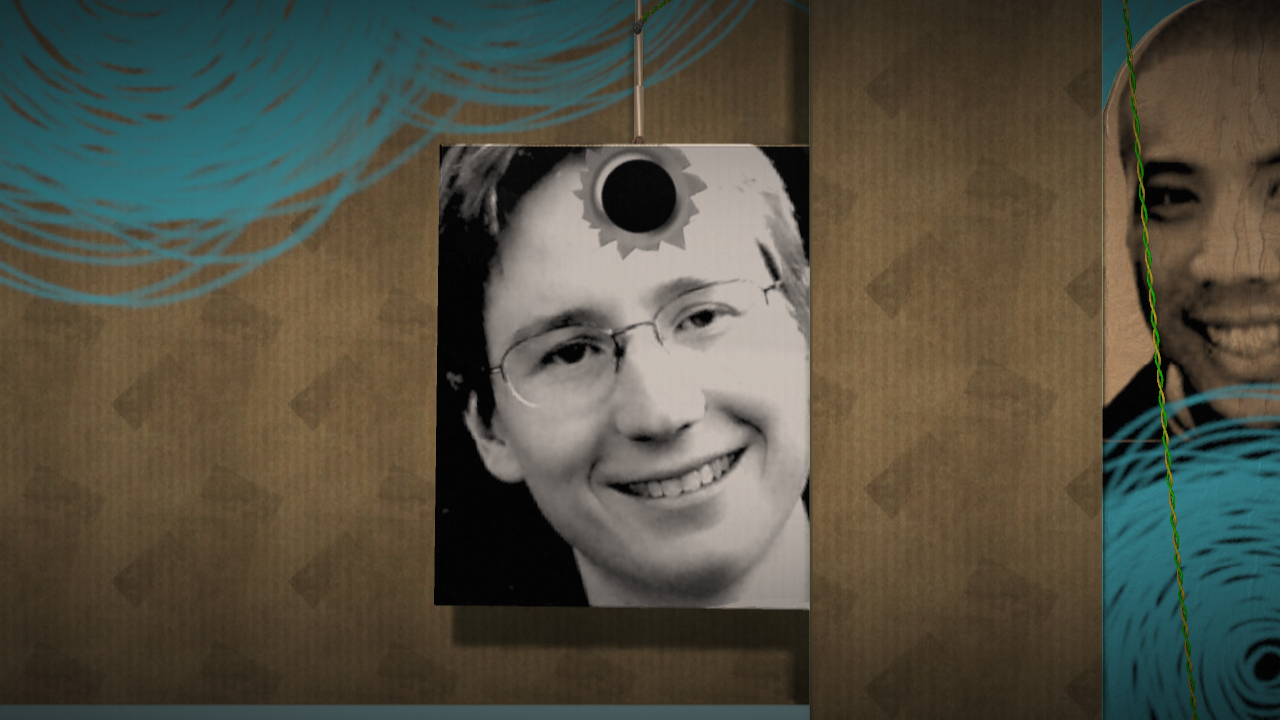
In the Introduction level, under developer Nathan Rucks photo is something covered by a piece of cardboard, opening the level in create mode and removing the cardboard reveals an odd object containing Nathan with a bullet hole sticker placed at his forehead.
Revisional Differences#
Game Update 1.02#
Released October 23, 2008, alongside the game as a Day 1 Patch.
- The song Tapha Niang was changed to an instrumental cover due to controversy surrounding the song's lyrics, which contained words from the Qur'an.
- The Jetpack powerup can now be removed by pressing Circle instead of shaking the controller.
Game Update 1.05 - "Halloumi"#
Released on December 4th, 2008.
- Added the ability to rate levels using a star rating system.
Game Update 1.07 - "Roqueforte"#
Released on January 25th, 2009.
- Fixed the "wheel of death" glitch where Sackboy could get stuck endlessly respawning out of a checkpoint.
- Text bubbles from players now use their Popit colour.
- Added an option to the Sensor Switch to activate when all players in the current party are within its radius.
- Added a Save Level As option to the pause menu in Create Mode.
- Added the ability to export in-game photos to the system's hard drive.
- USB Keyboards can now be used for text chat.
Game Update 1.12 - "Cornish Yarg"#
Released on April 16th, 2009.
- Added a cancel option to the dialogue box that appears when exiting Create Mode with unsaved changes.
- Custom outfits are now shown in the order they were created.
- Modifiers for connectors and switches now increase in increments of 1.0 when using the D-Pad.
- Stickers can now be placed on Score and Prize Bubbles again.
- The thickness of Race Gates can no longer be changed.
- Added a music player to the Settings section of the pause menu, which can be used to play any music on the system's hard drive in Create Mode and in the Pod.
- Added the ability to delete all unhearted community objects and photos.
Game Update 1.13 - "Ricotta"#
Released on May 14th, 2009. This update updated assets for the Monsters Kit.
Party Ghouls
v1.12 |
v1.13 |
|---|---|
 |
 |
The icon used for the track Party Ghouls from the Monster Kit was red when it was added in Game Update 1.12, but it was changed to green in Game Update 1.13, likely due to resembling blood.
Monster Kit Costume Pack
v1.12 |
v1.13 |
|---|---|
|
|
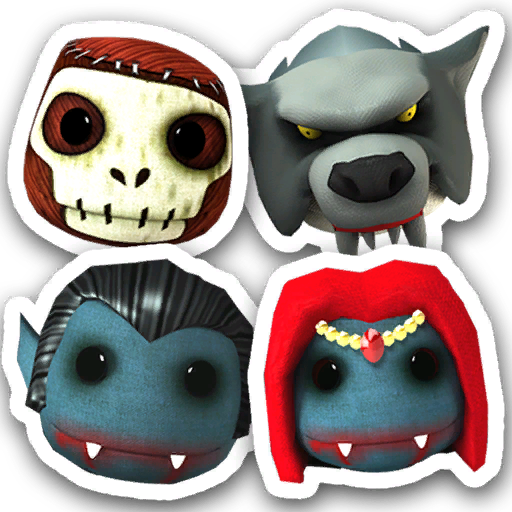


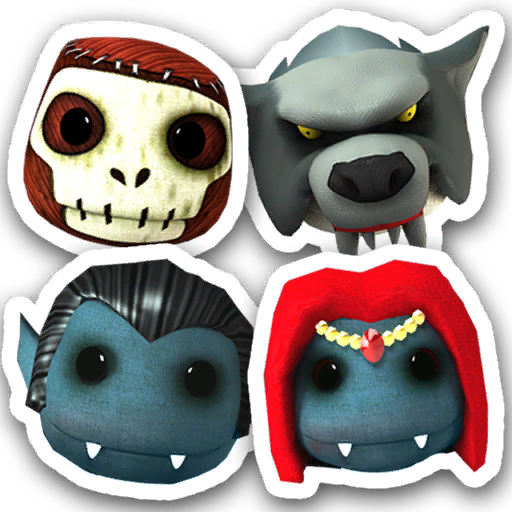


The vampire costumes were toned down to remove the blood dripping from the mouth. These changes were likely done to fit the game's age rating.
Game Update 1.21 - "Leerdammer"#
Released on November 30th, 2009.
- The ability to enter Create Mode with other online players was implemented.
- Both the network code and online matchmaking were rewritten.
- The ability to Auto-Reject join requests from other players was added, which can be found in the Profile Settings menu.
- Numerous changes related to save data were made, making it faster and more robust and allowing more space for creations to be stored.
- User profiles are now saved in the Game Data Utility, rather than the Save Data Utility.
- Individual levels on My Moon can now be backed up to the Save Data Utility, with the option to do so being located on the same page as the Publish button.
- Whilst hovering the Sticker and Decoration tool over Sackboy, pressing L1 and R1 will now rotate him 90 degrees either clockwise or counter-clockwise, depending on which button was pressed.
- Playing a level but not completing it now results in a silver Sackboy medal being displayed on the level's badge. Completing the level will change it into a gold Sackboy medal.
- Play, Create, Share scores have been removed.
- Updated Sticker Switches to make them more noticeable and to give better feedback when attempting to place stickers on them.
- Race Gates can now have their thickness changed again, reverting a change made in Game Update 1.12.
Game Update 1.22 - "Danish Blue"#
Released on December 22nd, 2009, this update contains features and assets related to the Pirates of the Caribbean Premium Level Kit.
- Added a My Pods section to the Popit while inside the Pod, allowing decorated Pods to be saved for later use.
- Players can now reset their profile picture to their PSN avatar.
- Level statistics, including plays, ratings and hearts, can now be found in the More Details page on a level's info bubble.
- The thermometer display can now be hidden in Create Mode, with the option to do so being found in Display Settings.
References#
- Media Molecule Games | Unique Gaming Experiences↩︎
- PlayStation.com - News - Press Releases - Play, Create, and Share With PlayStation's Groundbreaking, Genre-Defying and Highly Anticipated Release LittleBigPlanet™↩︎
- PlayStation Games & Media - LittleBigPlanet™↩︎
- リトルビッグプラネット↩︎
- LittleBIGPlanet™↩︎
- LittleBigPlanet(Asian Version) :: Game :: PlayStation® Asia - Hong Kong↩︎
- PlayStation® 공식 사이트↩︎
|
The LittleBigPlanet series | |
|---|---|
|
PlayStation 3 |
LittleBigPlanet (Prototypes) • LittleBigPlanet 2 (Prototypes) • LittleBigPlanet 3 (Prototypes) |
|
PlayStation Portable |
|
|
PlayStation 4 |
|
|
PlayStation Vita |
LittleBigPlanet PS Vita (Prototype) • LittleBigPlanet 2 Cross-Controller App |
|
Windows, PlayStation 5 |
|
|
iOS, Android |
|