 This article has a talk page!
 Prototype Info
 Prerelease Info
 Unused GraphicsVarious icons, stickers and other textures that are never used.
 Unused ModelsObjects, decorations and more.
 Unused AudioWell I hope you understood that because I certainly didn't.
 Unused .plan FilesEverything you need to build a boat, among several other things the developers forgot to give out.
 Unused TextDeveloper messages, internal logic documentation and even remnants of cut features and content.
 Revisional DifferencesOverhauled menus, updated textures and everything inbetween.
Unused Logic#
Logic gadgets that were either removed from the game, or just never given out as prizes.
Icon |
Name |
Functionality |
Additional Notes |
|---|---|---|---|
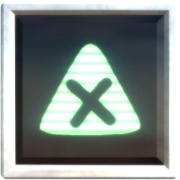 |
Platform Sensor |
Detects what system the game is running on - either PlayStation 3 or PlayStation 4. |
This was used by the developers to optimize story levels for PS3 by turning off lights, removing decorations among other things. |
 |
Global Background Tweaker |
Enables or disables the removed "Hide Background" option, making the background invisible. |
The "Hide Background" option can be seen in the Global Visual Options tutorial on lbp.me, but was removed from the final version of the game. |
 |
Colour Tweaker |
If the object it's on lets you tweak its colours in its tweak menu, this gadget lets you change its colours via logic. |
Its three inputs, from top to bottom, correspond to Red, Green and Blue colour values respectively. |
 |
Filter |
A math tool that divides whatever signal it receives by a percentage that can be set in its tweak menu. It can be given a label, and if it's inside a Microchip it will appear inside the Microchip's tweak menu alongside whatever label you gave it. |
As an example of its functionality, a signal of 64% going through a Filter set to 50% results in a signal of 32%. |
 |
Mesh Tweaker |
When activated via logic, the Mesh Tweaker flips the horizontal positions of animation bones associated with the object it's attached to. |
The Mesh Tweaker does not appear to work on characters and it has no tweak menu associated with it. Its icon is lifted from the Baiyon Bass 1 Sequencer Instrument. |
 |
Costume Tweaker |
Changes the costume of whichever player activated it when turned on. Any costume in the player's Popit can be placed into a Costume Tweaker, including custom-made costumes. |
The Costume Tweaker requires player input to work, (i.e. Buttons, Player Sensors, Controlinators, etc.) and the change will only occur if the costume in the Costume Tweaker was made for the character being played as. (e.g. A Costume Tweaker set to use a costume created for OddSock will only affect players that are playing as OddSock.) |
 |
Tweak Trigger |
When activated, it opens the tweak menu of whatever object it's attached to. When the player backs out of the tweak menu, it outputs a permanent signal that can be turned off with its Reset input. |
Activating it inside a Microchip just causes it to open the Microchip's tweak menu. Activating it while it's not attached to anything crashes the game. |
 |
Emittee |
Using an Emitter's Emittee Port, the Emittee can change what an Emitter spawns. Like the Filter, it can be given a label that will appear inside a Microchip's tweak menu. |
The port on the Emitter that it requires no longer exists, so it doesn't do anything anymore. |
 |
Hud Element |
An interesting gadget that would've allowed stickers to be displayed on the Heads Up Display. It has a variety of tweaks that determines how stickers on its circuitboard will be displayed in the level (as a Screen object, Object 2D or Object 3D), what HUD layer the stickers will be on (1-10; the lower the number, the higher its priority), how the top input is treated (On/Off, brightness, opacity) and general tweaks for opacity, brightness, animation, and the colour of the stickers. |
This gadget only worked on PS3. It was removed from every update past 1.05 due to its scripts being overwritten with duplicate Microchip scripts. Despite this, it was given both a Popit icon and a .plan file in Game Update 1.09. |
 |
Advanced Counter |
An unused variant of the Counter gadget with an additional input for decrementing the Counter's value, as opposed to incrementing it. Apart from that, it's exactly the same as a regular Counter. |
This was most likely removed because it was deemed redundant; a Direction Combiner going into a regular Counter can achieve the exact same things that an Advanced Counter can. |
 |
Don't Export Me! |
An Object Tweaker whose sole purpose is to tell the game to...not export the object it's attached to. That's it. |
This was most likely intended to work in tandem with a developer exclusive "Export Level" feature. It does absolutely nothing in retail builds because there's no option to export levels in a way that affects this gadget or the object it's attached to. |
 |
Sack Pocket Item |
An Object Tweaker that makes objects so that they can be put into the Sackpocket. |
Most likely removed for redundancy, since any item can be captured and put into the Sackpocket, even without a Powerup Handle or this gadget attached. |
 |
Persistence Point |
A gadget that would have saved the state of the level. |
Its input and tweak menu were removed from the game, so it's unknown if it still works. |
 |
Throwable Handle |
One of four Powerup Handles that were removed from the game, the Throwable Handle allows you to create Powerups that can be thrown. It has tweaks for throw strength, how long objects live before despawning, and whether or not a throw arc is displayed to show where thrown objects will go. |
Thrown objects do not have collision by default, but equipping another Powerup can restore the object's collision. The gadget is also invisible and impossible to select, move or otherwise manipulate with the Popit Cursor; the only known way to use the Throwable Handle in Create Mode is to import an object from an early version of the game with the gadget already attached to it. |
No Image Available |
Saddle |
A variant of the Controlinator that can be placed on Sackbots, allowing Sackboy to ride and take control of them. It has unique animations for Sackboy, and a tweak that kills the rider when the creature being ridden dies. |
While its functionality is still present, the model it's trying to load no longer exists, so attempting to mount a Saddle without a valid model crashes the game. Hacking the game to tell it to use a different model fixes the crash, allowing it to be mounted without issues. |
 |
Rumbler |
Vibrates the controller when activated, with the intensity of the vibration depending on the incoming analogue signal. |
Requires player input to work (i.e. Buttons, Player Sensors, Controlinators, etc). If the Rumbler is left on for about three seconds, controller vibrations will be temporarily disabled across the entire game. However, this is not exclusive to the gadget; staying near a hazard also vibrates the controller, and staying near it for 3 seconds also turns off vibration for a while. |
Nudger#
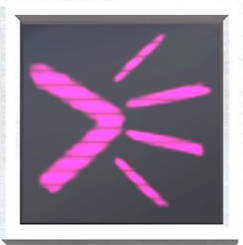
While not an official piece of logic, this custom microchip was used by the developers in levels to adjust the depth of layers that an object was in.
Unused Functionality#
Dwarf Brain Bounce#
The .cha files in gamedata/lbp3/common/skeletons contain a parameter labelled BrainBehaviour, which governs how characters interact with Unprotected Creature Brains. The properties of this parameter are documented in any .cha files that have it.
# 1 - kill only (no bounce), 2 - bounce only (no kill), 3 - kill & bounce offIt's worth noting that if a .cha file doesn't have the BrainBehaviour parameter, it simply defaults to function 3 (kill & bounce off). Function 2 (bounce only (no kill)) isn't used, since every character in the game either defaults to function 3 if they don't have the BrainBehaviour parameter in their .cha file or they set it to 3 if they do have it. The sole exception being troll_giant.cha, which has it set to 1 (kill only (no bounce)).
There are a handful of sound effects labelled dwarf_brain_bounce that play when BrainBehaviour is set to 2, suggesting that this functionality was planned for Small Toggle.
Smashable Material#
gamedata/materials/smashable.mat is an unused material type with similar functionality to the Shardinator, likely intended for glass materials. If Big Toggle bumps into the material with enough force, then it will smash into roughly 40 pieces. If the material has been lethalised with anything other than fire, however, then it will not break. The shards themselves will disappear if Big Toggle bumps into them with enough force, with all of the shards disappearing on their own after about three seconds. The material seems to be rather buggy, since it's possible to break it, even if the level is in pause mode. It's also possible for it to destroy other nearby objects, including the level's boundaries, which may have been why it was cut in favour of the Shardinator.
Sensor Trip Switch#
Watch on YouTubeNearly every Sensor gadget in the game has an unused Trip Switch tweak that is hidden by default. If the Trip Switch tweak is enabled (either through modding or by importing gadgets that have it enabled from early prototypes), then the Sensor's output will stop updating once it has been activated, effectively keeping it turned on forever. There is no way to reset Trip Switched gadgets once they've been activated, which may have contributed to the tweak's removal.
Out of Bounds Objects#
By entering levels in Create Mode (either through glitches or file swapping), it is possible to access various areas and objects that the developers never intended players to see.
Popit Academy#
As a general note, most if not all of the images used for the slideshows are stored out of bounds - usually close to where they are used in the actual levels - then emitted into place when needed. Occasionally slides that aren't actually used can be found alongside them, usually appearing to be from an earlier point in development.
Popit Cursor#
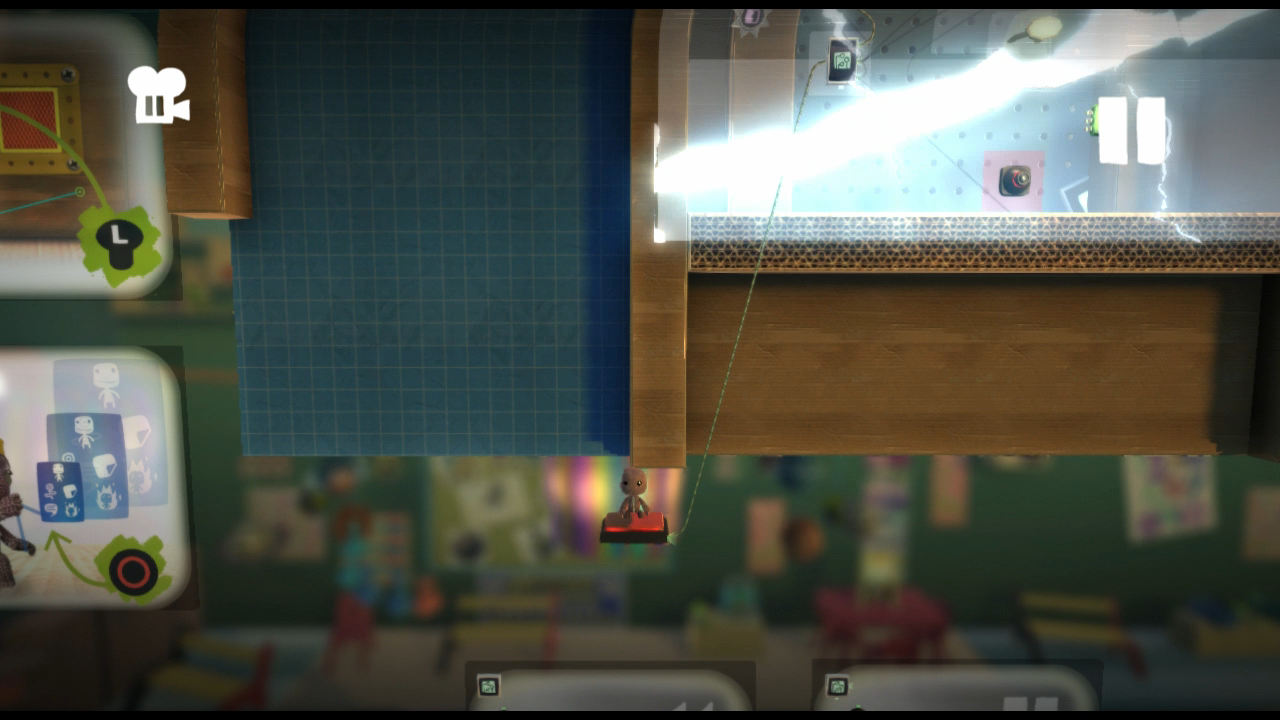
Just beneath the tutorial area for undoing and unpausing is a floating button, presumably meant for testing. Pressing it activates the slideshow prematurely.
Corner Editing#
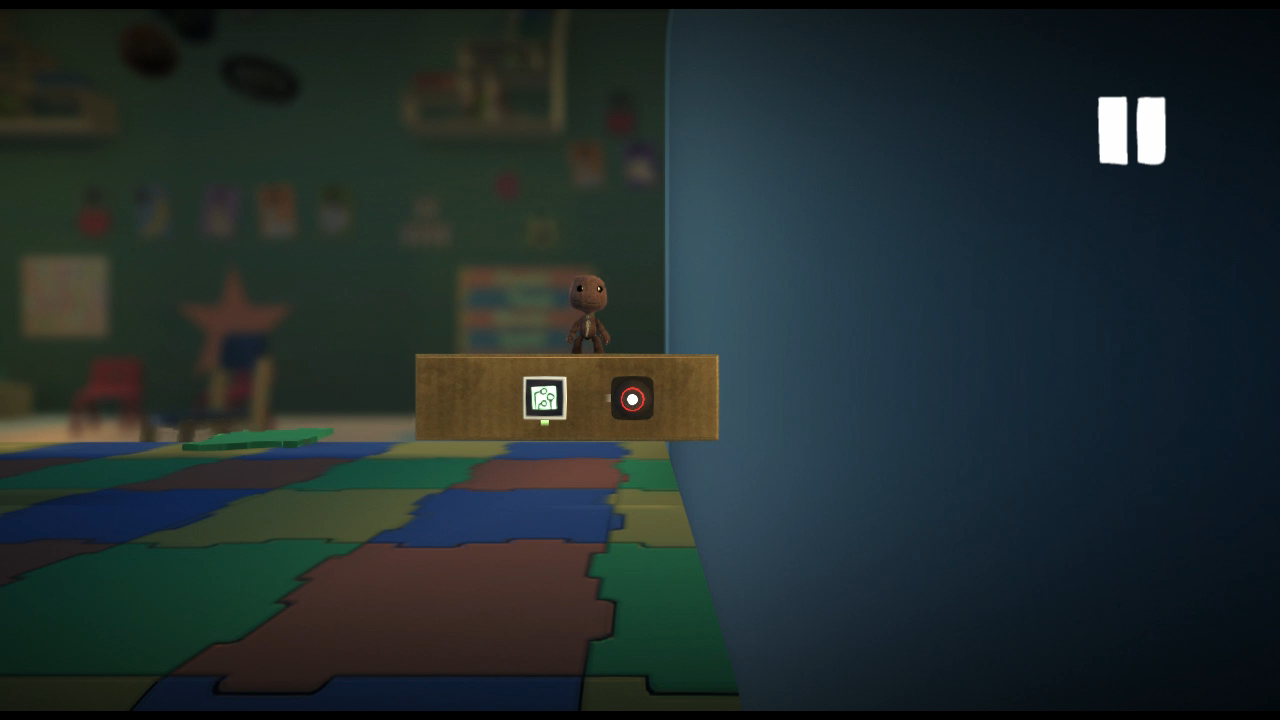
A cardboard platform with no apparent purpose can be found way out of bounds on the far right side of the map.
Bounce Pads#
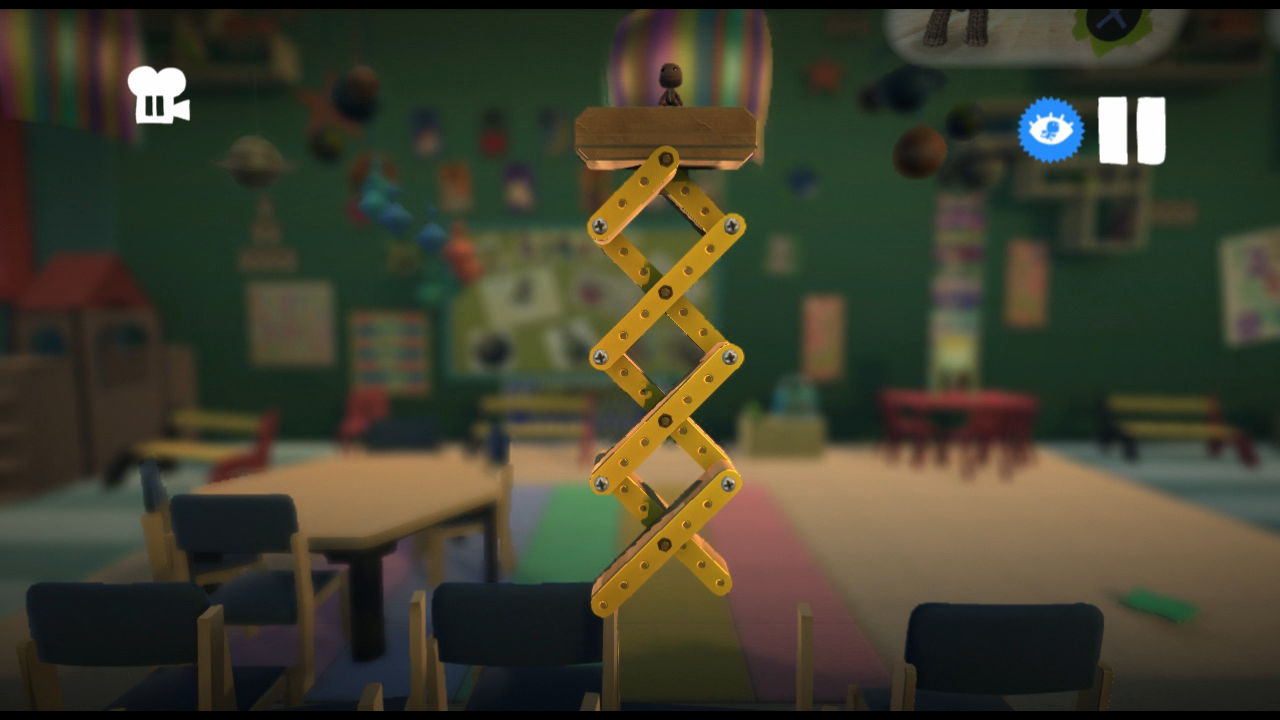
Below the first set of spikes is an extendable platform. A similar looking platform appears later on, but not only is this one never seen in the level, it actually breaks as soon as the level is unpaused.
Challenges#
Hare-y Fists#
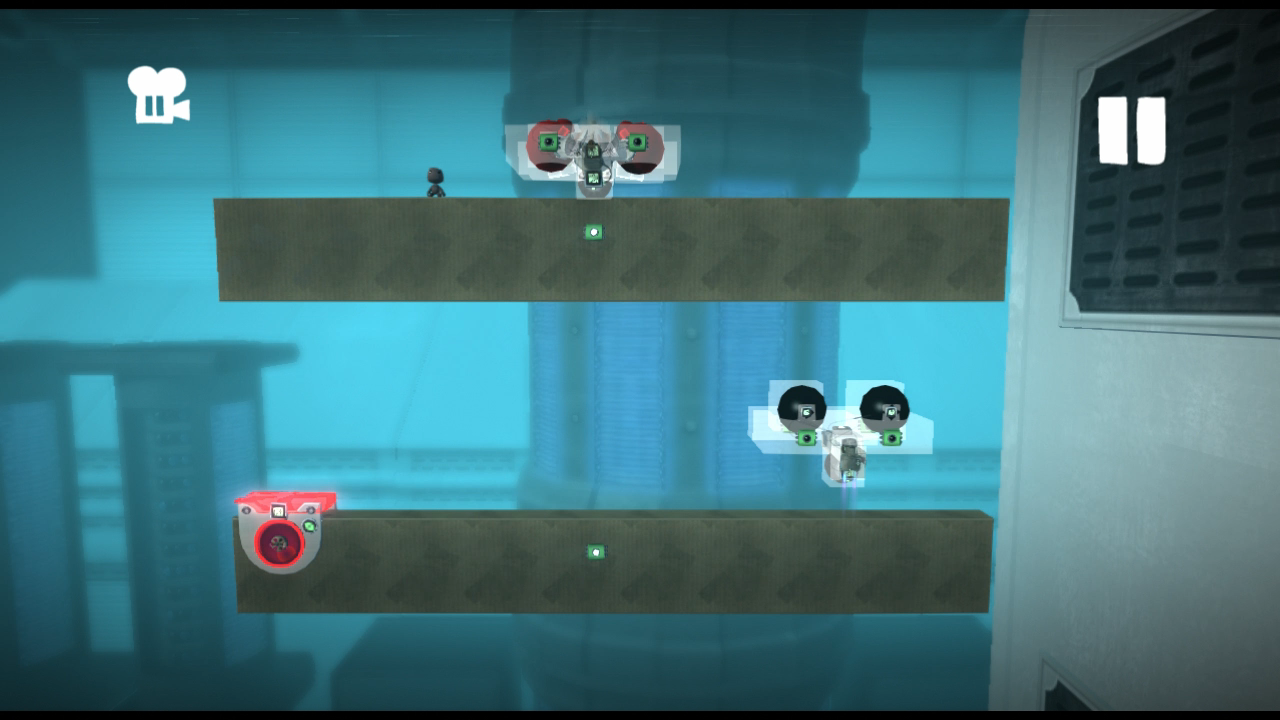
To the upper left of the button to start the minigame are two cardboard platforms, each with a different version of the wheeled rabbit robot. The one on the top platform appears to be identical to the one used in the level, while the bottom one appears to be an early version with different sound effects and less detail.
Now You See Me...#
Used Lighting |
Unused Lighting 1 |
Unused Lighting 2 |
|---|---|---|
 |
 |
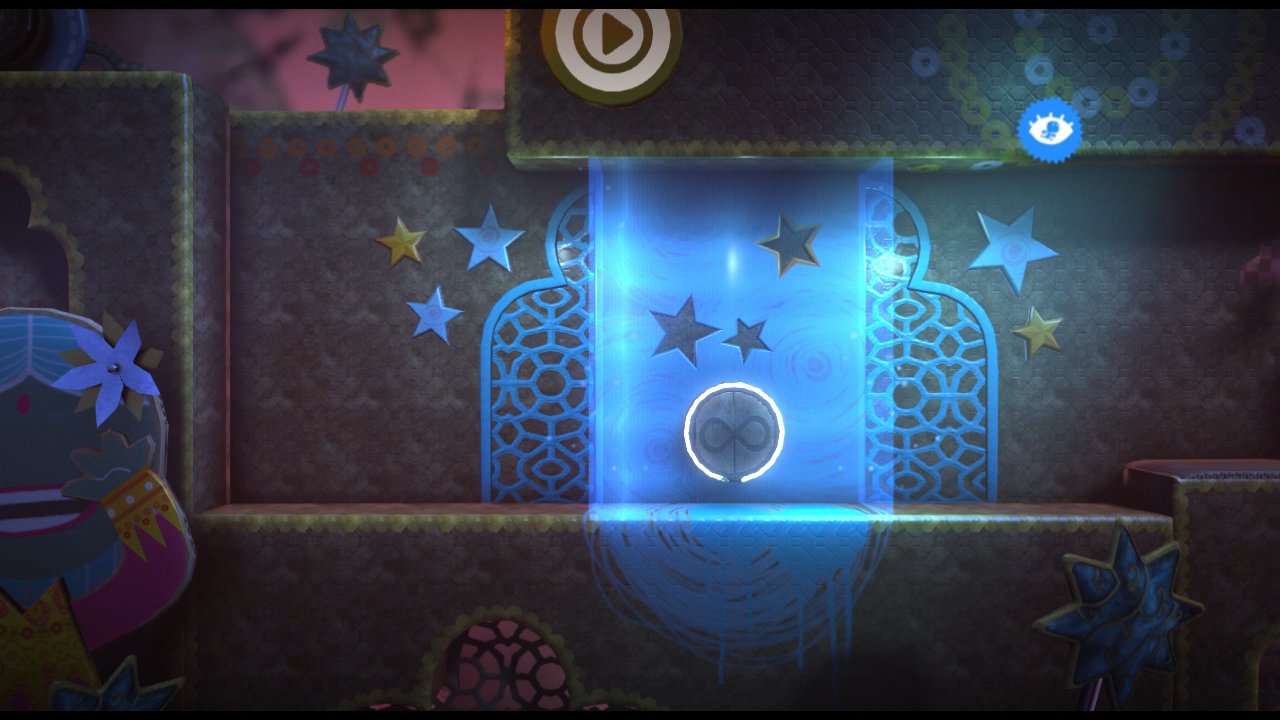 |
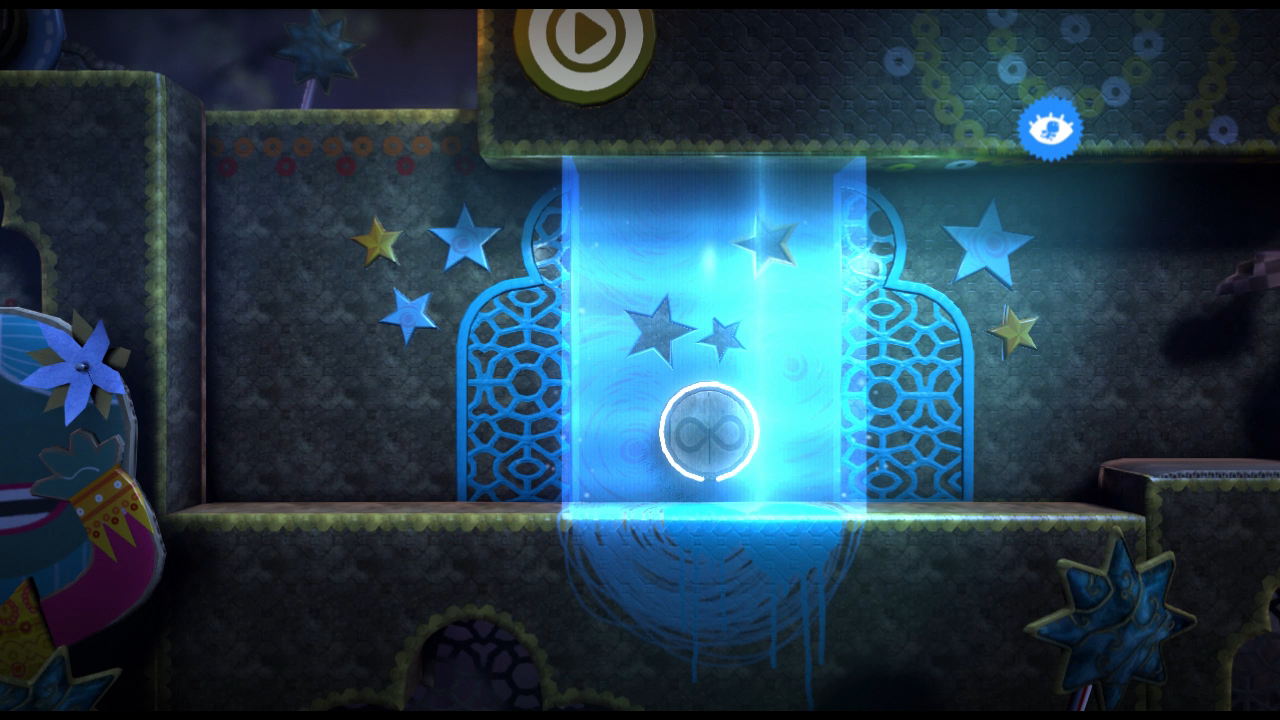
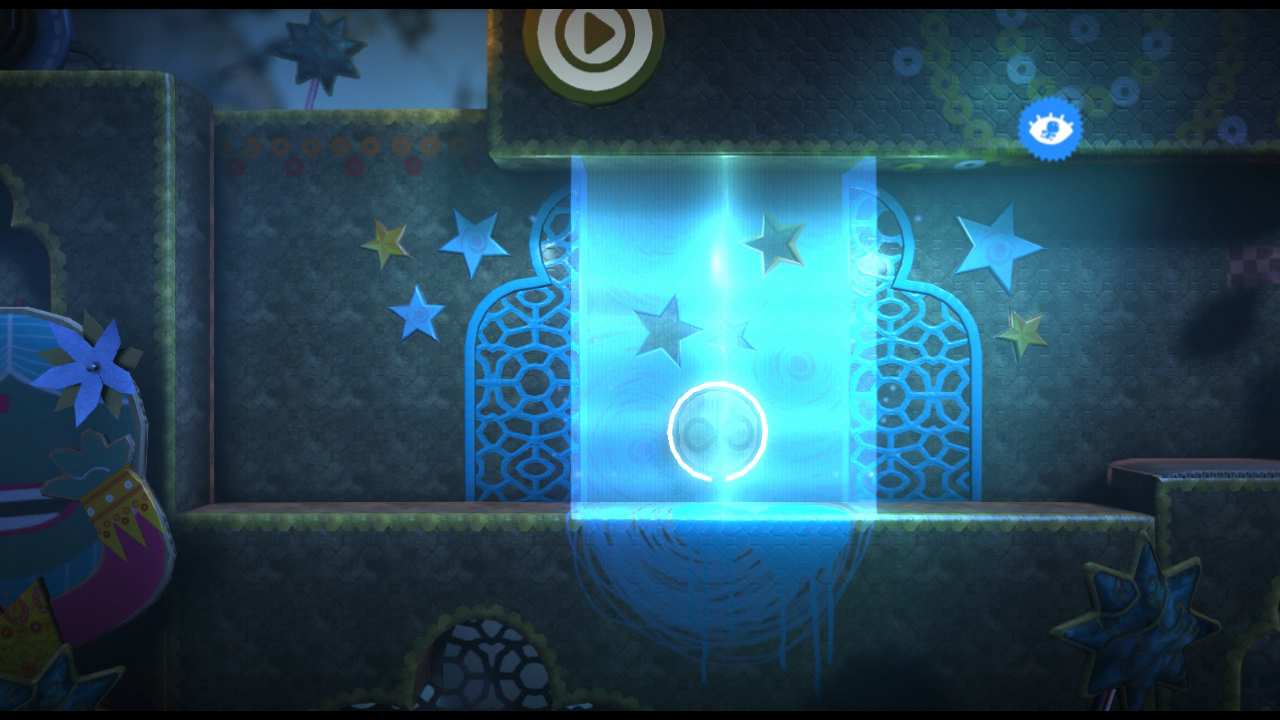
The Microchip just to the left of The Great Magician has two Global Lighting Tweakers that are never activated. These appear to be alternate lighting settings intended to be used when the player enters one of the many vanish zones scattered throughout the level.
Great Shock!#
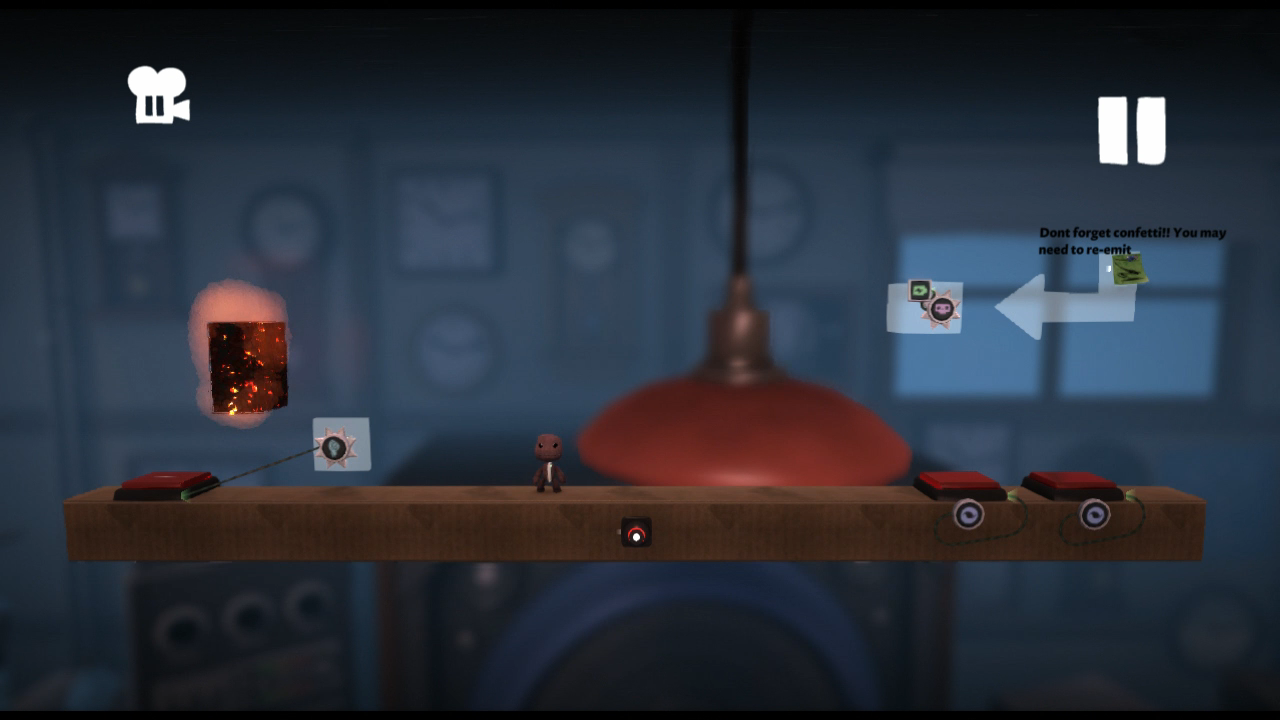
To the right of the starting room is a cardboard platform with three buttons on it; the one on the far left activates a Teleporter, while the two on the right activate Score Givers (the rightmost awarding 4,000 points, the leftmost deducting 20,000). A block of fire with an unknown purpose is also present next to the teleporter, while a block of Sticker Panel used for confetti is found above the two Score Givers alongside a developer note warning that they may need to re-emit the confetti.
The platform (and everything on the left side of it) is automatically deleted as soon as the level is un-paused due to a Broadcast Microchip set to destroy anything that enters its radius.
Panel Beating#
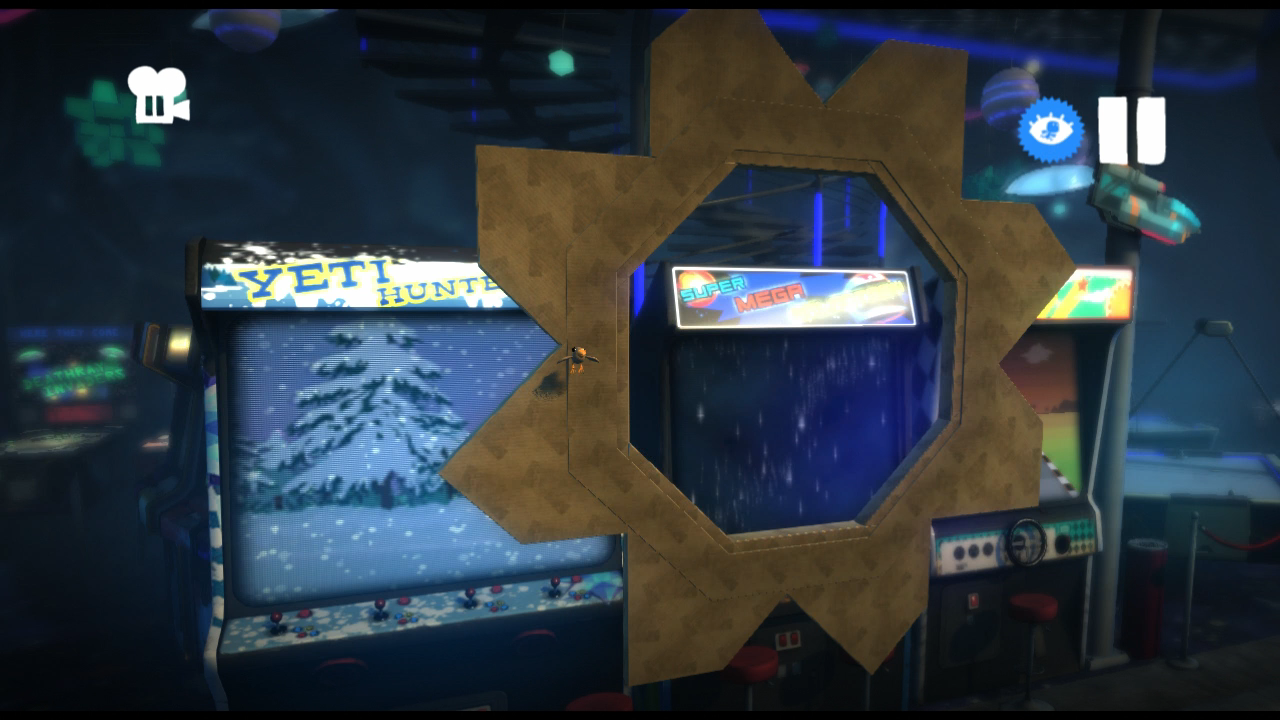
An undecorated copy of the sliding octagonal door can be found out of bounds, just to the right of the arena. It cycles between being open and closed every two seconds.
Pinball Calls#
The pinball has a free movement mode that is disabled by default, but can be re-enabled by setting the Toggle switch - located in the Controlinator on the pinball's Microchip - to On. Once enabled, hold R2 and use the Right Stick to move the pinball anywhere on the table. Letting go of R2 will return the pinball to normal. Note that this does not apply to the multi-ball minigame, as the pinballs seen there are separate objects and don't contain any free movement logic.
E3 Leftovers#
E3 Game Mode Select#
Watch on YouTubegamedata/scripts/podstatee3gamemodeselect.ff is a level selection menu that was used at E3 and other trade shows. The first screen presents two sets of buttons under "Main" and "Latam" categories. Pressing any of the four buttons zooms in on Bunkum and brings up a list of two levels, being early versions of Race To The Stars and Tutu Tango (referred to as "Toggle Escapes The Labyrinth" by the menu).
Presumably to stop attendees from seeing the rest of the Pod, the developers made it impossible to back out of the main menu once it has been brought up; the only way out of it is to restart the game. Additionally, due to a user interface overhaul, pressing any of the four buttons after Game Update 1.22 ends up crashing the game.
To access the E3 game mode select menu on version 1.00:
- Open blurayguids.map in a hex editor.
- Go to hex address 00206427, and replace "00 01 6D C6" with "00 0A 0B DF".
- Go to hex address 006E19EC, and replace "00 0A 0B DF" with "00 01 6D C6".
- Save your changes and start the game.
To access it on version 1.26:
- Open brg_patch.map in a hex editor.
- Go to hex address 00018280, and replace "00 01 6D C6" with "00 0A 0B DF".
- Go to hex address 000739C8, and replace "00 0A 0B DF" with "00 01 6D C6".
- Save your changes and start the game.
When you activate the Pod Computer, you'll be greeted with the E3 level select instead of the standard main menu.
Race to the Stars (01_mp_all_star_greybox.bin)#
The E3 version of Race to the Stars (found in gamedata/lbp3/marketing_demo2/levels/01_mp_all_star_greybox/01_mp_all_star_greybox.bin) exhibits a number of differences from the final level.
- The level is much longer, with a completely different introduction and dedicated sections for each of the characters.
- Neither Marlon Random nor the race that accompanies him are present in this version of the level. By extension, the Evil Newton Costume obtained from the race in the final game is also absent.
- All of the Pumpinator materials are blue cardboard in this early version, which was replaced with blue polystyrene for the sake of consistency across the rest of the game.
- A LittleBigPlanet 3 logo drops down from the sky after the players are shot out of the clear tube after Swoop's introduction.
- All of the prizes inside the Prize Bubbles are different from the final level.
- There is an extra Prize Bubble on the top left ledge next to the first climbable material. This bubble was removed from the final level.
- There are four Prize Bubbles in front of the giant robot, two of which were removed from the final level.
- The Prize Bubble at the top of the wind tunnel that Small Toggle enters is missing.
- In order to end the level, Big Toggle needs to weigh down a button. The final level ends as soon as everyone enters the rocket, regardless of Toggle's state.
- The ending cutscene is completely different, and features an otherwise unused sound effect.
Toggle Escapes The Labyrinth (03_caverns_redux.bin)#
The E3 version of Tutu Tango (found in gamedata/lbp3/marketing_demo2/levels/03_caverns_redux/03_caverns_redux.bin) also has a number of differences from the final version.
- Papal Mache is absent from this version of the level.
- The lighting is slightly different.
- All of the Checkpoints provide infinite lives in this version of the level, which was changed to eight per-Checkpoint in the final level.
- The level is much shorter than the final, missing a few rooms at the start and the collapsing ceiling chase at the end.
- There are three Prize Bubbles above the push-able block at the start, rather than two Prize Bubbles and 13 Score Bubbles like in the final level.
- Two of the Prize Bubbles in the alcove just to the left of the start point were removed from the final level.
- Most, if not all instances of the Fog Material were removed from the final version of the level.
- The wooden material that breaks at the start of the first boulder chase was removed.
- The sign that marks the multiplayer puzzle is different.
- The multiplayer puzzle itself is completely different.
- There is an extra set of Prize/Score Bubbles dangling from the ceiling in the water room.
- There are two extra Prize Bubbles in the small alcove on the right side of the water room.
- The Sticker Switch and the secret room that accompanies it have not been implemented.
- One of the Prize Bubbles on the main path just before the first set of ceiling spikes was removed from the final level.
- The decorations on the block that Toggle pushes underwater are not present.
- There is extra Prize Bubbles in the tunnel next to the see-saw.
- The Checkpoint just after the see-saw puzzle was removed, and the Checkpoint in the lift was lowered.
- The area with the collapsing ceiling has not been implemented, so the level ends where the first lift would have dropped in the final level.
- When the level ends, it cuts to the feedback screen rather than displaying a Progress Board like in the final level.
Level Badges#
The early level badge graphics for Race to the Stars and Toggle Escapes The Labyrinth are also present, and can be found in gamedata/lbp3/__book1/stickers.
Race to the Stars (levelbadge_allstar.tex)
Early |
Final |
|---|---|
 |
 |
All four characters (Sackboy, OddSock, Toggle and Swoop) are prominently featured in front of a white star on a blue background in the early level badge, while the final level badge just has five stars shooting upwards.
Toggle Escapes The Labyrinth (levelbadge_caverns.tex)
Early |
Final |
|---|---|
 |
 |
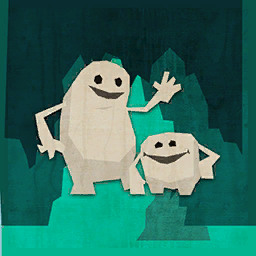
The early level badge for Tutu Tango (a.k.a. "Toggle Escapes The Labyrinth") prominently shows both forms of Toggle in front of a greenish cavern background. The final badge shows a silhouette of a swan against a green background.
Unused Backgrounds#
Level backgrounds that either aren't seen anywhere or just weren't given out as prizes. Because none of these backgrounds were given out by the developers, their Popit icons and language data go unused.
While not officially released by the developers, three of these backgrounds, as well as a handful of other unused objects can be obtained in this level. Be warned that the level may be deleted at any time, as it already has been once.
Filename and Path |
Popit Icon |
In-game Screenshot |
Name |
Description |
Notes |
|---|---|---|---|---|---|
gamedata/lbp3/__book1/palettes/6576_baked.plan |
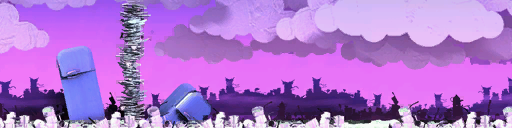 |
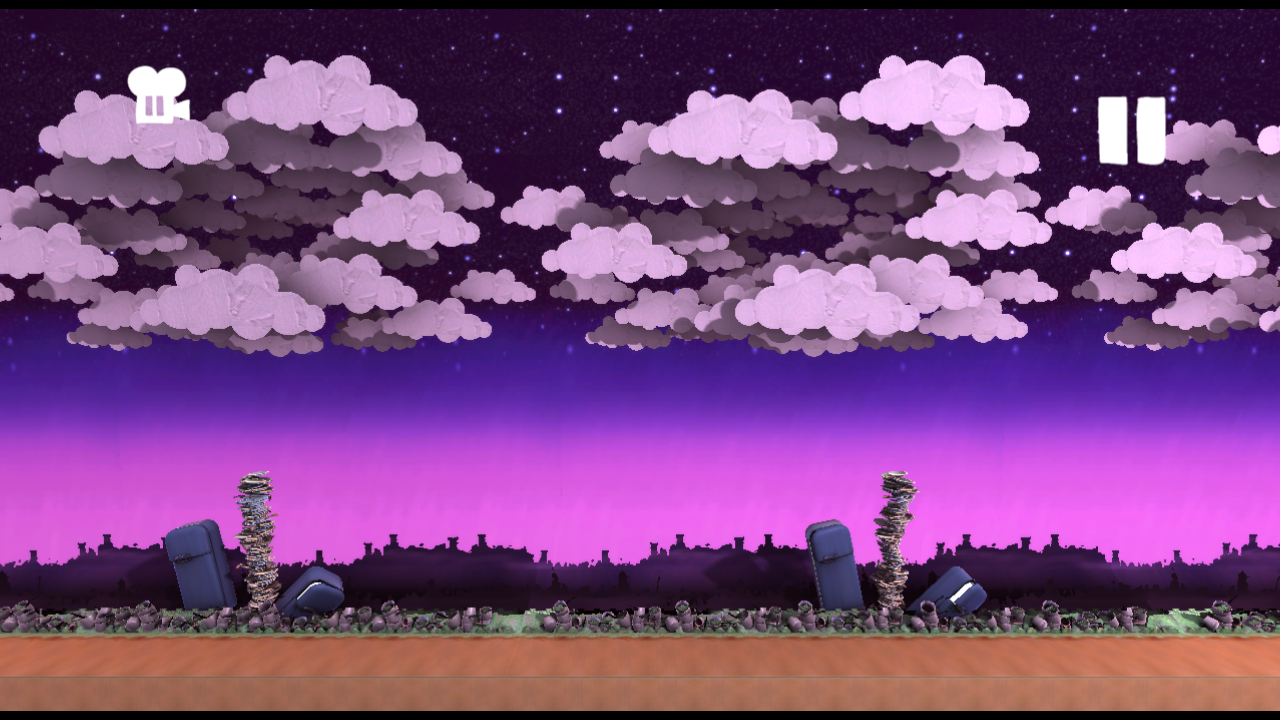 |
Stitchem Manor |
Background scenery from the "Stitchem" theme. |
A background created specifically for the level Stitchem Manor. The background is littered with piles of pots, pans and dishes, with clouds and a starry sky towards the top of the background. Although this background is used in all three of Zom Zom's shops, because of the interior nature of those areas the background itself is never seen normally. In the PlayStation 4 version, the stars in the sky were effectively removed due to the sky texture's width being cut down from a 1024x1024 square to a 16x1024 strip. |
gamedata/lbp3/__dimensional_doorways/palettes/15225_baked.plan |
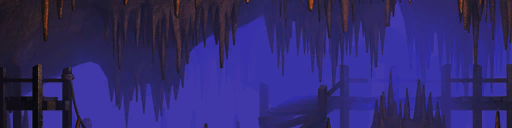 |
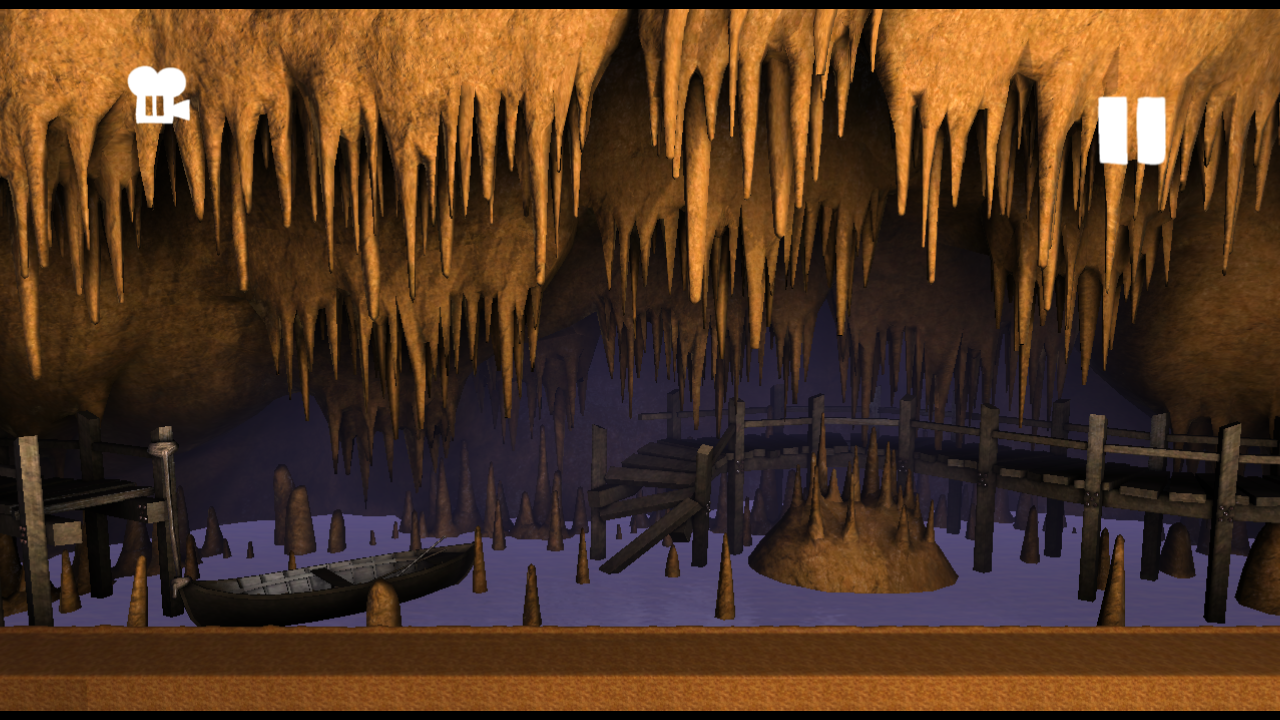 |
Caverns |
Background scenery from the "Ziggurat" theme. |
A background that takes place in a cavern. Notable landmarks include a broken bridge on the right half of the background and a boat on the left half, both above a lake that changes colour based on the level's fog colour. While this background is used in Tutu Tango, it is never added to the player's Popit through official means. |
gamedata/lbp3/__dimensional_doorways/palettes/env_dd_3_background_baked.plan |
 |
 |
Some kind of object |
N/A |
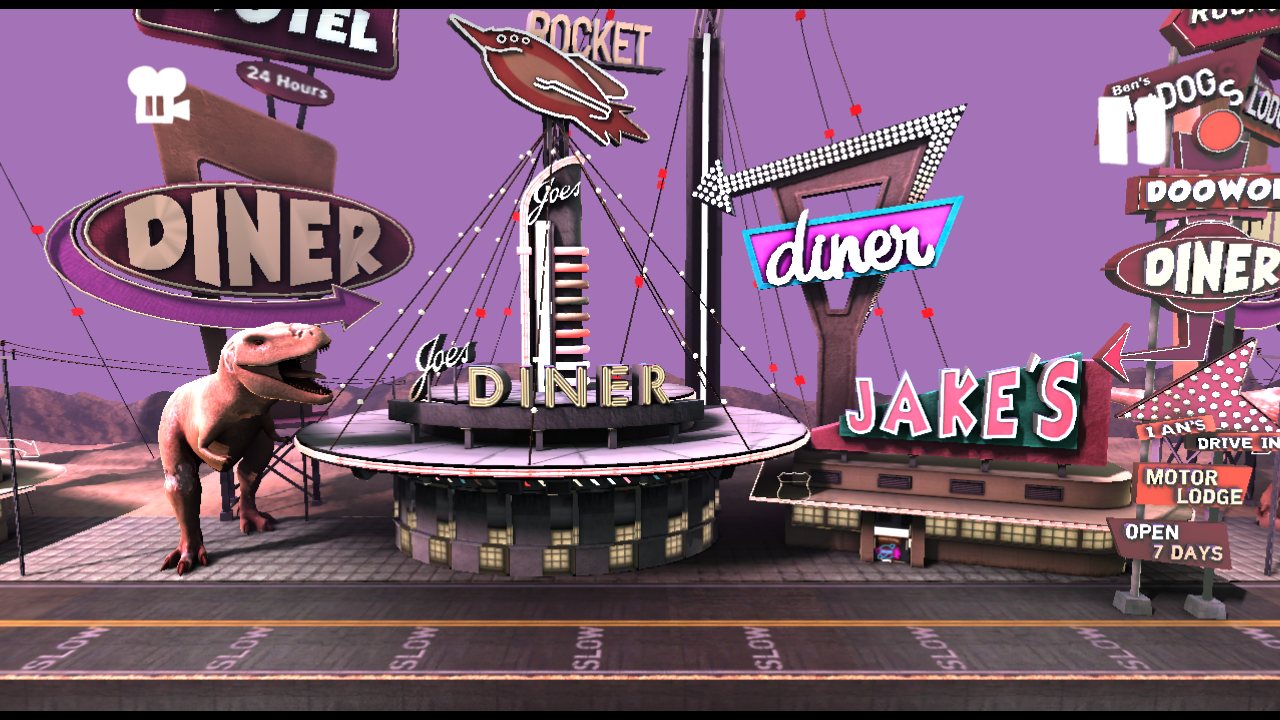
A background that, based on its filename, was intended to appear in a theme called "Dimensional Doorways". The icon depicts a background that appears to take place on the moon, though actually loading it just brings up an unfinished version of the Manglewood background. |
gamedata/lbp3/_popit_puzzle/palettes/env_pp_tomorrows_background_baked.plan |
 |
 |
Blank Background (Infinite) |
For those who want to do it all themselves. |
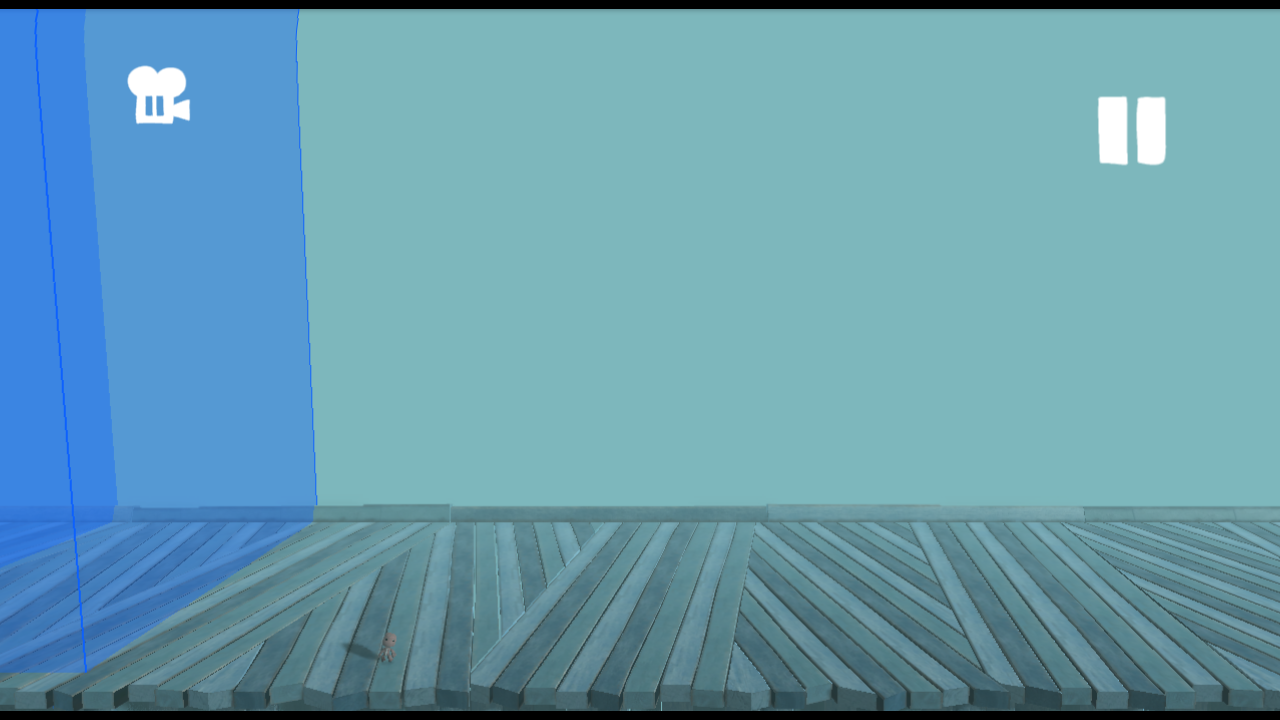
An unreleased Dynamic Thermometer variant of the default level background without walls or a ceiling. Its filename suggests that it was originally related to the Popit Puzzles somehow. |
Unused Animations#


There are four Sackboy animations in gamedata/lbp3/character/sackboy/animations related to the unused Saddle gadget. stand_into_ride_sitting.anim and ride_sitting_into_stand.anim are similar to the animations played when mounting and dismounting a Controlinator, though Sackboy is in a different pose when sitting down. In addition to ride_sitting.anim (which loops while Sackboy is riding the Saddle), a secondary animation, ride_standing.anim plays when the character (or object) Sackboy is riding descends.
Unused Costumes#
Several completely unused costumes are found in the game's data that are unobtainable through normal means. For unused individual costume pieces that can be collected into your poppit, see the Unused .plan Files page.
Early Pinky Buflooms#
Unused |
Used |
|---|---|
 |
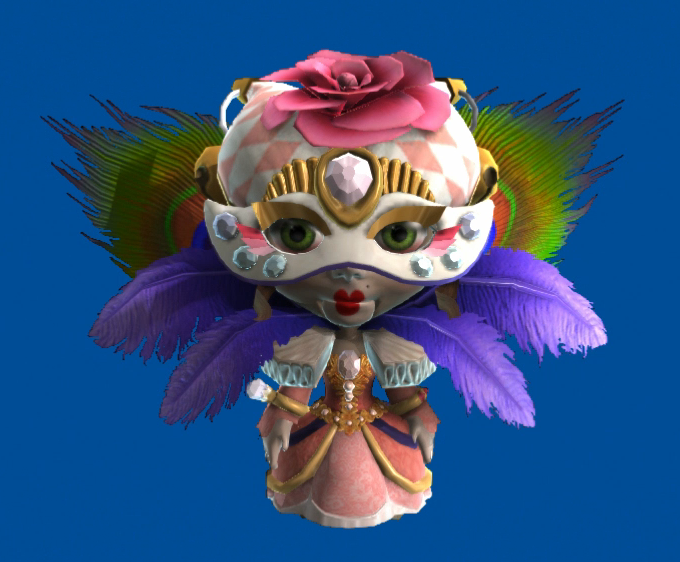 |
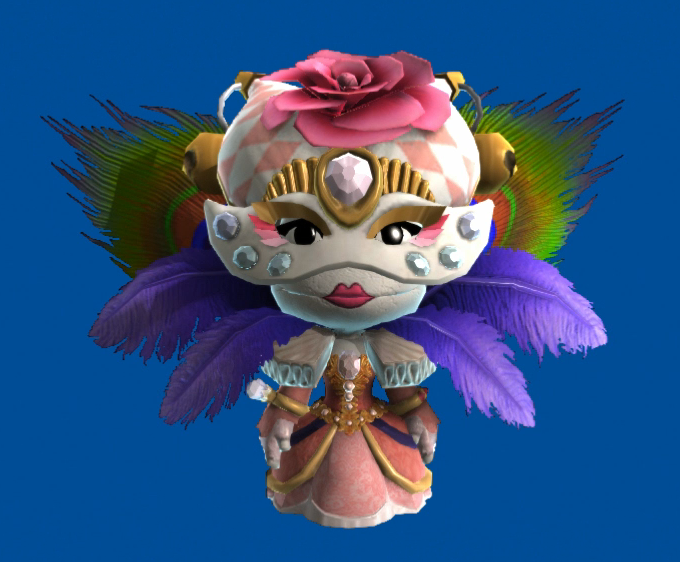
Pinky Buflooms was originally a costumed Sackperson made of five different costume pieces, though the final version of the costume combines them into one mesh. All of the individual costume pieces can still be found unused in gamedata/lbp3/character/costumes/bunkum/pinky.
Vera Oblonsky#
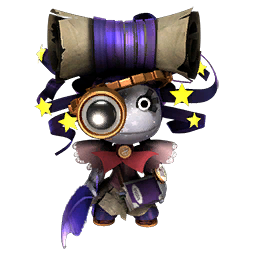
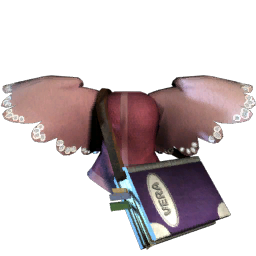

The character Vera Oblonsky in the Ziggurat hub was meant to have a completely unique costume, but it was cut in favour of a generic female sack person. All of her costume pieces can still be found in gamedata/lbp3/character/costumes/ziggurat/vera, but only the main outfit and torso piece can be collected individually.
Renoir the Owl#

gamedata/lbp3/character/costumes/lbp3_townspeople contains files for a character internally referred to as "prof", an abbreviation of 'professor'. He would eventually appear in Run Sackboy! Run! as an unlockable costume named "Renoir the Owl".
Unused Video#
gamedata/videos/lbp3/publishing.bik is a placeholder video about how publishing works, using crude paintings to illustrate various concepts. This video was extended in the PlayStation 4 version to add information about level trailers.
Oddities#
Internal Name Oddities#
- Even though the Popit Academy only has two terms, the levels are split between three folders in gamedata/lbp3/official_popit_puzzles: 01_term, 02_term and 03_term.
- Filenames related to the Boost Boots powerup use a number of early names, including dash_boots, trumpet_blast and rocket_boots.
- Two of the files related to the Boost Boots are named monstersinc_rocket_boots_collectable.anim and kit_monstersinc_rocket_boots_collectable.plan, suggesting that a Monsters, Inc. Level Kit was planned at one point. While Monsters, Inc. DLC was released, it was just a costume pack with no levels to speak of.
Brazilian Portuguese Translation Oddities#
In the Brazilian Portuguese localization of LittleBigPlanet 3, many oddities, mostly in the music category, can be seen.
- Instead of using apostrophes at the ends of track titles, they instead use quotation marks.
- Most track names, including original songs went untranslated, with a few exceptions. Mostly LittleBigPlanet 1 and 2's chapter IntMusic tracks, but also oddities like the songs from the Pirates of the Caribbean Premium Level Pack.
English original |
Brazilian Portuguese translation |
Notes |
|---|---|---|
The Gardens IntMusic |
IntMusic Jardins |
IntMusic label moved to the start of the title, chapter name is also translated. |
English Seaside IntMusic |
IntMusic Marítimo Inglês |
|
The Savannah IntMusic |
IntMusic Savana |
|
Wedding IntMusic |
IntMusic Casamento |
|
Canyons IntMusic |
IntMusic Desfiladiero |
|
Metropolis IntMusic |
IntMusic Metrópole |
|
Islands IntMusic |
IntMusic Ilhas |
|
The Temples IntMusic |
IntMusic Templos |
|
Wilderness IntMusic |
IntMusic Floresta |
|
MGS2 'Yell "Dead Cell" (VR Remix)' |
"Yell "Dead Cell" (VR Remix)" de MGS2 |
The MGS label is moved to the end of the titles instead of being at the start |
MGS4 'The Hunter' |
The Hunter' (MGS4) |
The MGS label is moved to the end of the titles instead of being at the start, the start of the title is also missing an apostrophe. |
MGS4 'The Hunted' |
"The Hunted" (MGS4) |
The MGS label is moved to the end of the titles instead of being at the start |
MGS1 'Encounter (LBP Remix)' |
"Encounter (LBP Remix)" de MGS1 |
|
'The Tale of Sack Sparrow' |
"A Lenda de Sack Sparrow" |
|
'Ghost Ship' |
"Navio Fantasma" |
|
'The End is Nigh' |
"O Fim Vem Aí" |
|
'Deep Blue Quay' |
"Cais No Azul Profundo" |
|
'Well Trained' IntMusic |
IntMusic "Well Trained" |
IntMusic label is moved to the start of the title. |
'Wise Owl' IntMusic |
IntMusic "Wise Owl" |
|
'Tea By The Sea' IntMusic |
IntMusic "Tea By The Sea" |
|
'Rag Doll Kung Fu' IntMusic |
IntMusic "Rag Doll Kung Fu" |
|
'Party Ghouls' IntMusic |
IntMusic "Party Ghouls" |
|
'Rock Your Body Rock' (Original Little Big Edit) |
"Rock Your Body Rock" (Little Big Versāo Original) |
|
'Da Vinci Tutorial' IntMusic |
IntMusic "Tutorial Da Vinci" |
IntMusic label moved to the start of the title, chapter name is also translated. |
'Da Vinci's Hideout' IntMusic |
IntMusic "Esconderijo de Da Vinci" |
|
'Victoria's Lab' IntMusic |
IntMusic "Laboratório de Vitória" |
IntMusic label moved to the start of the title, chapter name is also translated. Victoria's name is localised as Vitória, which translates to "victory". |
'The Factory of a Better Tomorrow' IntMusic |
IntMusic "A Fábrica do Futuro Próspero" |
IntMusic label moved to the start of the title, chapter name is also translated. |
'Avalonia' IntMusic |
IntMusic "Avalônia" |
IntMusic label is moved to the start, an accent mark is added over the O in Avalonia. |
'Eve's Asylum' IntMusic |
IntMusic "Manicômio de Eva" |
IntMusic label is moved to the start, the theme name is translated, notably, Eve is instead localised as Eva. |
'The Cosmos' IntMusic |
IntMusic The "Cosmos" |
IntMusic label is moved to the start, the quotation marks do not include the "The" in "The Cosmos". |
'Disaster Strikes' Stinger |
Trecho de "Disaster Strikes" |
Stinger label moved to the start of the title. |
'Sinister' Stinger 1 |
Trecho 1 de "Sinister" |
|
'Sinister' Stinger 2 |
Trecho 2 de "Sinister" |
|
'Regal Fanfare' Stinger 1 |
Trecho 1 "Regal Fanfare" |
|
'Regal Fanfare' Stinger 2 |
Trecho 2 "Regal Fanfare" |
|
'Meanies' Stinger |
Trecho de "Meanies" |
Stinger label moved to the start of the title, Meanies isn't translated here despite the full track having a translated name. |
'Heavenly Choirs' Stinger |
Trecho de "Heavenly Choirs" |
Stinger label moved to the start of the title. |
'Meanies' |
"Malvados" |
Name translated into Portuguese. |
'Happy Happy Land' IntMusic |
IntMusic “Happy Happy Land” |
IntMusic label moved to the start of the title, the quotation marks are different to the ones all other tracks use. |
'The Forest' IntMusic |
IntMusic “The Forest” |
|
'The Vault' IntMusic |
IntMusic “The Vault” |
|
'Cakeling's Revenge' IntMusic |
IntMusic "Cakeling's Revenge" |
IntMusic label moved to the start of the title. |
'Sogport Song (Instrumental)' from Tearaway™ |
"Sogport Song (Instrumental)" de Tearaway™ |
|
'Muppets Theme' |
"Tema dos Muppets" |
|
'Muppets Theme' Stinger |
Ferrão "Tema dos Muppets" |
Stinger label moved to the start of the title, different translation of the term than the cinematic stingers. |
'Escape from San Crispin' |
"Fuga de San Crispin" |
|
'Hen-o-Morph Encounter' |
"Encontro com o Frangomorfo" |
|
'The Pleasure of Treasure' |
"O Prazer do Tesouro" |
|
'Beyond The Call Of Duty' (8-Bit Version) |
"Beyond The Call Of Duty" (versāo 8 bits) |
|
'From Pier to Eternity' |
Do píer à eternidade' |
Translation only appears in the unused version of the string from LittleBigPlanet Hub, also uses apostrophes instead of quotation marks and is missing a second at the start of the string. The one used in the Seaside Surprise Level Kit is untranslated. |
'Back to the Future™' Stinger |
Trecho de "De Volta Para o Futuro™" |
Stinger label translated and moved to the start of the title, Back to the Future title is also translated. |
Pins#
- All of the Pins that involve the Hook Hat appear to be based on an earlier design of the powerup that had a dark grey pole sticking out of the top.
- The Titan Tickler Pin uses a silhouette of an early version of the Manglewood Swamp boss.
Hero Cape#
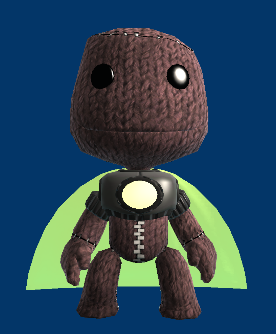
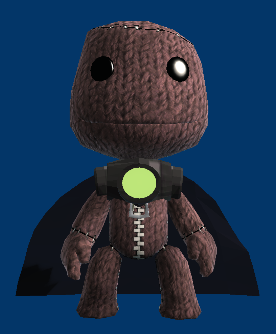
- The Hero Cape from LittleBigPlanet 2's DC Comics Premium Level Pack appears to use an earlier model than what appears in LittleBigPlanet 2, appearing lower-poly, with the arms not fitting Sackboy. This model can also be seen in prototypes featuring the level pack.
LittleBigPlanet 2 |
LittleBigPlanet 3 |
|---|---|
 |
 |
I Only Have Eyes For You#
At the very end of the track 'I Only Have Eyes For You' (Original Little Big Edit) by Tashaki Miyaki, the singer of the track can briefly be heard speaking before the track completely fades out, the audio file below has been modified to significantly increase the volume to make the oddity more audible. Interestingly, when one views the data of the FSB files of the track via any means such as hex editing, text editors, or FSB extractors, the file name appear as 'only_have_eyes_ext_mix', instead of 'only_have_eyes_ext', which the actual file uses.
|
The LittleBigPlanet series | |
|---|---|
|
PlayStation 3 |
LittleBigPlanet (Prototypes) • LittleBigPlanet 2 (Prototypes) • LittleBigPlanet 3 (Prototypes) |
|
PlayStation Portable |
|
|
PlayStation 4 |
|
|
PlayStation Vita |
LittleBigPlanet PS Vita (Prototype) • LittleBigPlanet 2 Cross-Controller App |
|
Windows, PlayStation 5 |
|
|
iOS, Android |
|