 This article has a talk page!
This is a sub-page of Proto:Minecraft: Java Edition/Beta/Beta 1.9.
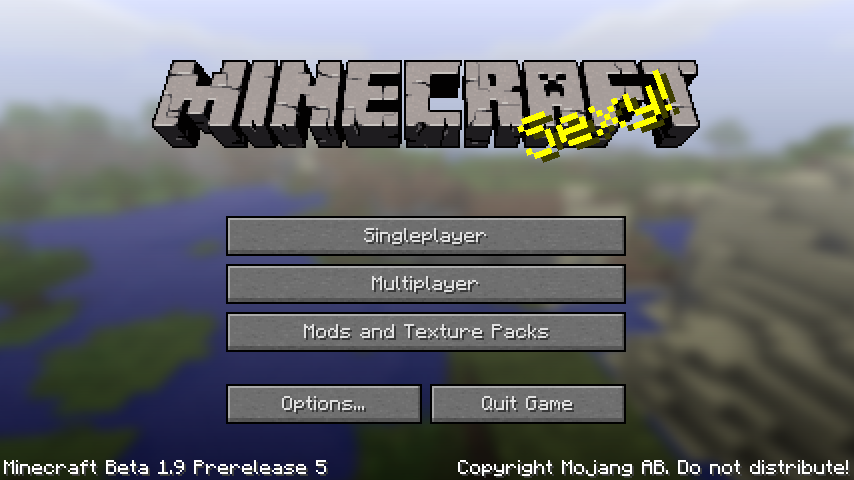 Beta 1.9 Prerelease 5 is the fifth pre-release for Java Edition 1.0.0. It was released on October 27, 2011.
Additions#
General#
Achievements#
Several new achievements have been added.
- Overkill
- Enchanter
- Librarian
- DIAMONDS!
- We Need to Go Deeper
- The End?
- The End.
- Local Brewery
- Into Fire
- Return to Sender
Controls#
- Debug controls (from the pre-re-uploaded version of Beta 1.8 Prerelease):
- F9: Freezes the camera in its current position.
- F6: While also turning back time, enables a strange "bouncy" movement. It locks the player's y coordinate (meaning they cannot jump or fall). It makes the player accelerate relatively slowly when moving. Additionally, the player can also clip into blocks slightly - at a high enough speed, the player can push all the way through a block. Transparent blocks have no clipping whatsoever.
- N and M: Changes the view's rotation clockwise and anti-clockwise, respectively. Holding down both keys simultaneously resets the rotation.
- Y and H: Decreases and increases the field of view, respectively. These keys seem to affect the field of view differently to how the FOV option does - the player's hand (or anything the player is holding) will also become stretched as the field of view increases or decreases, which does not happen if the player changes the FOV option in the menu. Holding down both keys simultaneously resets the field of view.
- I makes the player look up, J looks left, K looks down, and L looks right. These movements are normally done by moving the mouse. This setting cannot be reset by holding down any keys simultaneously.
- U and O: Moves the third-person camera forwards and backwards, respectively. This setting cannot be reset by holding down both keys simultaneously.
- Scrolling the mouse wheel (which also scrolls the selected slot in the hotbar) rotates the forward, left, right, and back directions.
Commands#
/toggledownfall
- Toggles the weather.
- If weather is currently clear, rain or snow starts.
- If weather is currently rain, snow, or a thunderstorm, it becomes clear.
/xp
- The command take a player name and then a number of xp orbs to award.
Changes#
Blocks#
Block of Diamond#
The texture for blocks of diamond has been slightly changed.
|
Alpha 1.2.0 |
Beta 1.9 Prerelease 5 |
|---|---|

|

|
Block of Gold#
The texture for blocks of gold has been slightly changed.
|
Alpha 1.2.0 |
Beta 1.9 Prerelease 5 |
|---|---|

|

|
Block of Iron#
The texture for blocks of iron has been changed.
|
Alpha 1.2.0 |
Beta 1.9 Prerelease 5 |
|---|---|

|

|
Bookshelves#
The texture for bookshelves has been slightly changed.
|
0.26 SURVIVAL TEST |
Beta 1.9 Prerelease 5 |
|---|---|

|

|
Bricks#
The texture for bricks has been slightly changed.
|
0.26 SURVIVAL TEST |
Beta 1.9 Prerelease 5 |
|---|---|

|

|
Bricks slab#
The texture for bricks slab has been slightly changed.
|
Beta 1.8 Prerelease |
Beta 1.9 Prerelease 5 |
|---|---|

|

|
Brick stairs#
The texture for brick stairs has been slightly changed.
|
Beta 1.8 Prerelease |
Beta 1.9 Prerelease 5 |
|---|---|

|

|
Dirt#
The texture for dirt has been very slightly changed.
|
rd-160052 |
Beta 1.9 Prerelease 5 |
|---|---|

|

|
Glowstone#
The texture for glowstone has been changed.
|
Alpha 1.2.0 |
Beta 1.9 Prerelease 5 |
|---|---|

|

|
Grass Block#
The texture for grass blocks has been slightly changed.
|
Beta 1.5 |
Beta 1.9 Prerelease 5 |
|---|---|

|

|
Gravel#
The texture for gravel has been changed.
|
0.0.15a |
Beta 1.9 Prerelease 5 |
|---|---|

|

|
Netherrack#
The texture for netherrack has been changed.
|
Alpha 1.2.0-preview |
Beta 1.9 Prerelease 5 |
|---|---|

|

|
Stone#
The texture for stone has been changed.
|
rd-160052 |
Beta 1.9 Prerelease 5 |
|---|---|

|

|
Wooden Planks#
The texture for wooden planks has been changed.
|
0.0.14a |
Beta 1.9 Prerelease 5 |
|---|---|

|

|
Wooden slab#
The texture for wooden slab has been changed.
|
Beta 1.3 |
Beta 1.9 Prerelease 5 |
|---|---|

|

|
Wooden stairs#
The texture for wooden stairs has been changed.
|
infdev-20100629 |
Beta 1.9 Prerelease 5 |
|---|---|

|

|
Sand#
The texture for sand has been slightly changed.
|
0.0.14a |
Beta 1.9 Prerelease 5 |
|---|---|

|

|
Mycelium#
- Change name from "mycelium" to "Mycelium"
Water#
- Water flowing downwards now creates source blocks, instead of flowing water.
Nether brick fence#
- Fence post selection boxes now resemble their collision boxes.
Wooden fence#
- Fence post selection boxes now resemble their collision boxes.
items#
Bucket#
- In Creative mode, using an empty bucket no longer fills it up when removing fluids with it.
Mobs#
General#
- Hostile mobs act neutral in creative mode.
- Entity punch range in creative mode is reduced as a result.
Ender Dragon#
- The Ender Dragon has a new dying animation, even though she still does not spawn.
- Her health has been changed to half a heart to test this.
Slimes#
Slimes now spawn on light levels 0-40 instead of 0-16, making them much more common.
General#
HUD#
The version number now displays once again on the top left of the screen.
Video Settings#
There is now an option to turn off the clouds.
Bug Fixes#
- Monster spawners cannot be collected with a pickaxe enchanted with Silk Touch.
- Mycelium and end stone are now available in the creative inventory list.
- The step on stairs is properly lit.
- Lily pads now have the correct coloration in the inventory and have a name tag.
- End stone now has a name tag (previously "unnamed").
- Melons once again drop the correct number of slices.
- A bug where there is a data error when attempting to block with an enchanted sword has been fixed, making blocking with an enchanted sword now possible.
- Baby animals now work in multiplayer.