This article has a talk page!
The game that started it all, the one and only Call of Duty. Code-named during development as MoH Killer, with MoH standing for Medal of Honor, it sure did kill it.
Sub-Pages#
 Prototype Info
 Prerelease Info
 Call of Duty: United OffensiveUnused content found in the game's expansion pack, released in 2004.
Unused Weapons#
HDM#
A world model for a High Standard HDM pistol can be found in the pak0.pak file. It cannot be spawned in any way whatsoever in-game, as it is missing scripts. Likely a leftover from Medal of Honor: Allied Assault, a game developed by many of the same developers, under 2015 Inc.

Multiplayer PTRS-41#
While the PTRS-41 anti-tank weapon is used in singleplayer, it goes unused in multiplayer. It cannot be spawned via console commands, however, it can be placed in custom multiplayer maps. The multiplayer PTRS-41 is non-functional and only plays an animation. It does between 35-300 explosion damage, significantly more than the SP version, but with a smaller explosion radius of 64.
Unused Areas#

|
To do: |
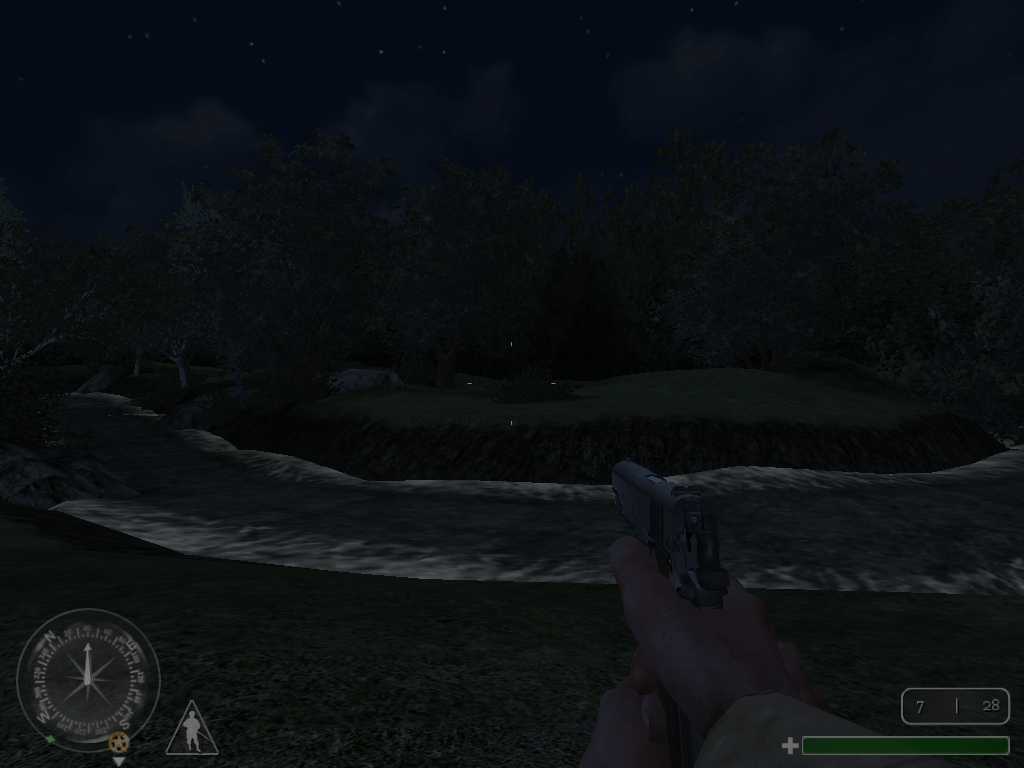
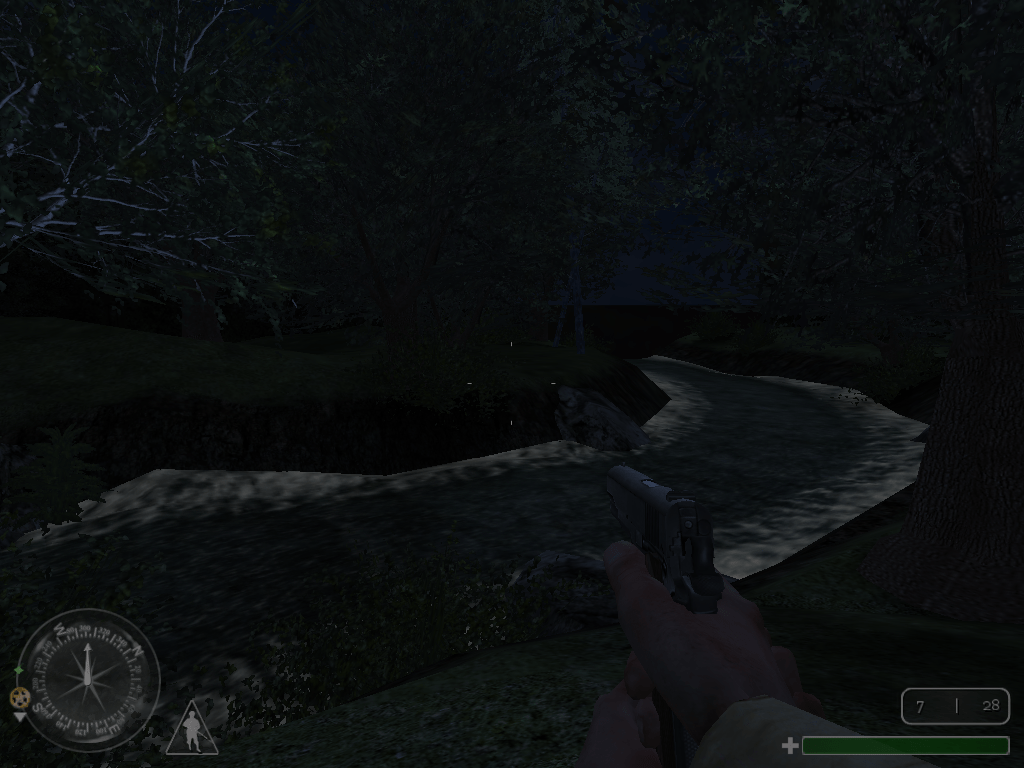
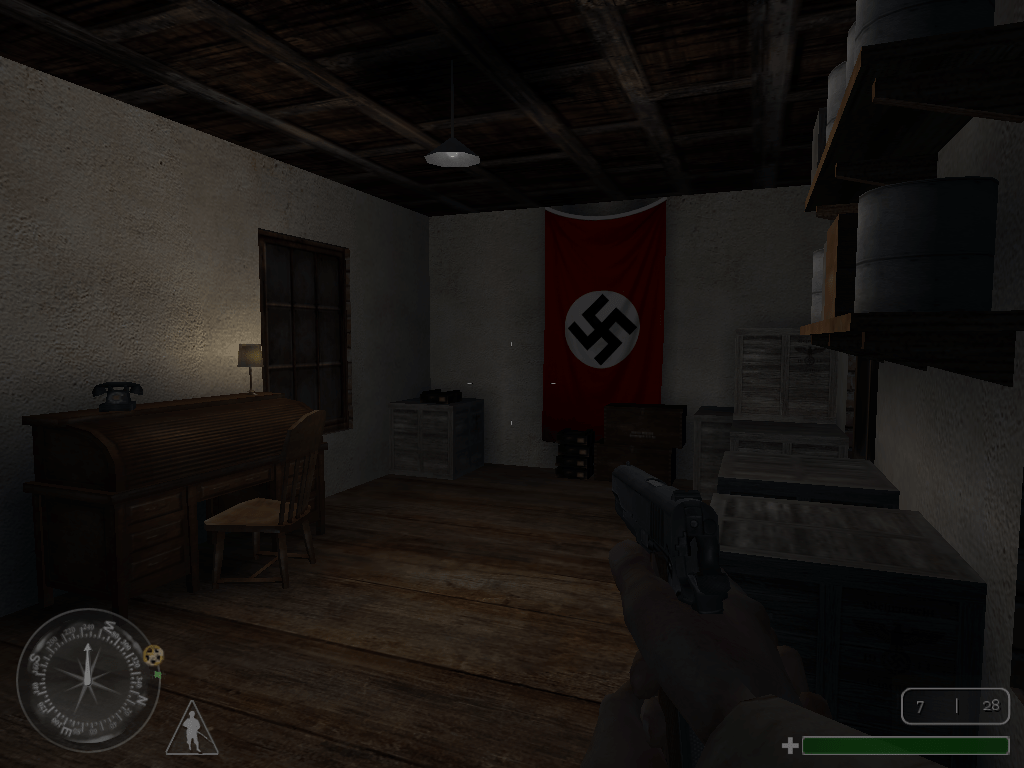
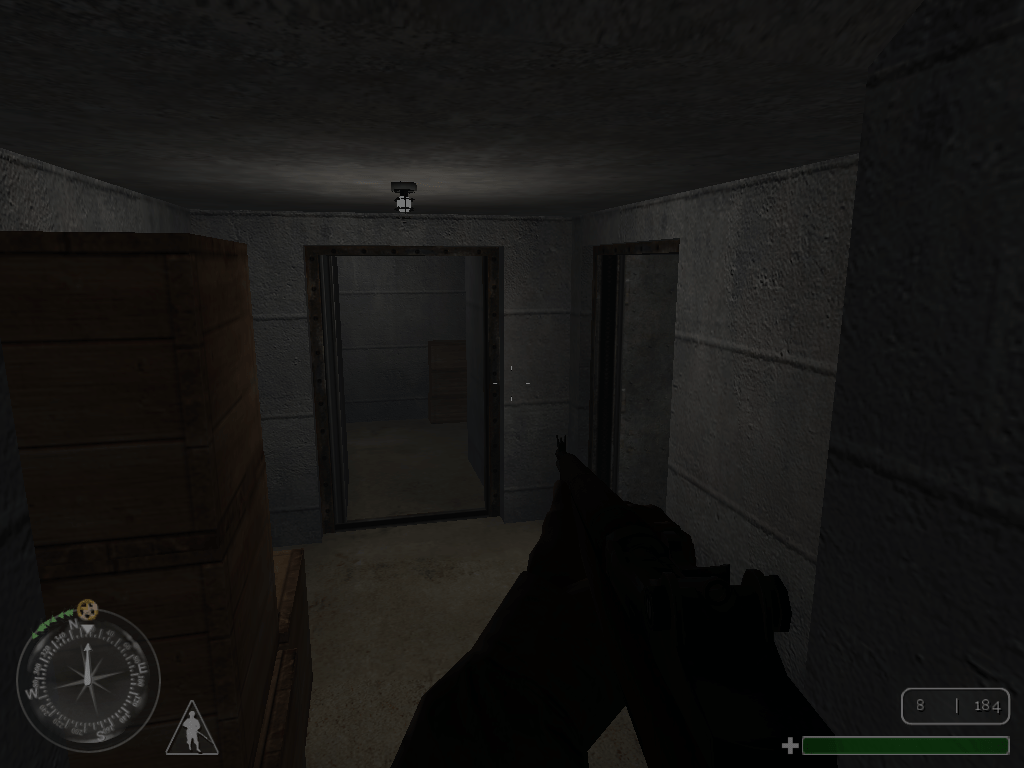
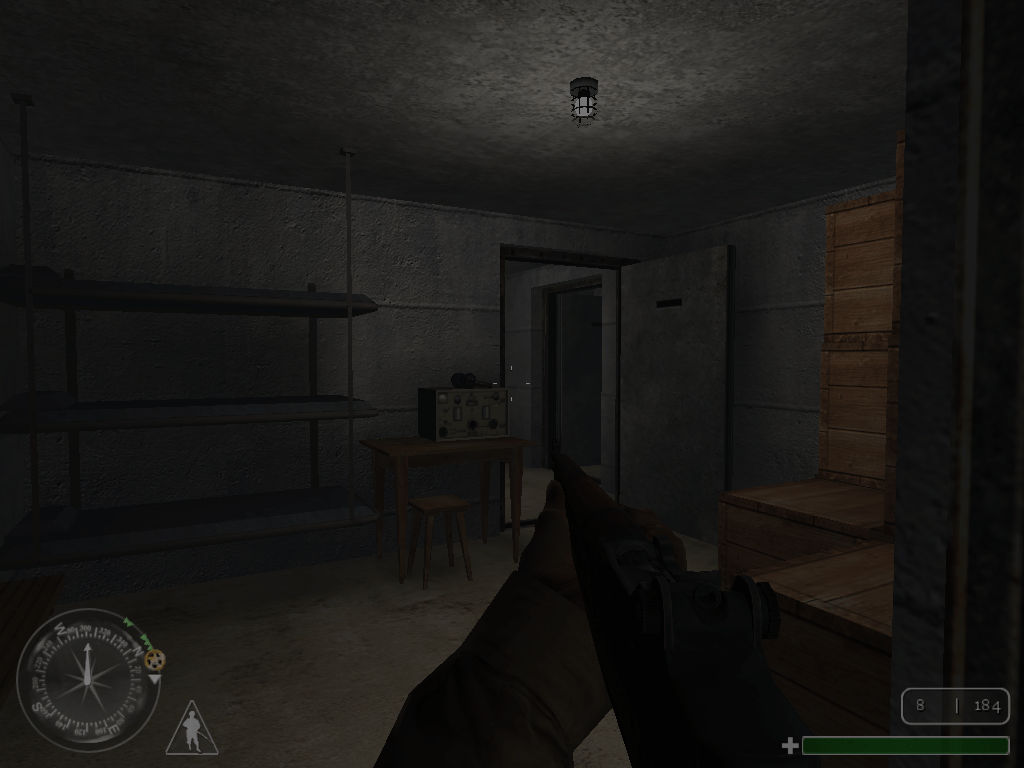
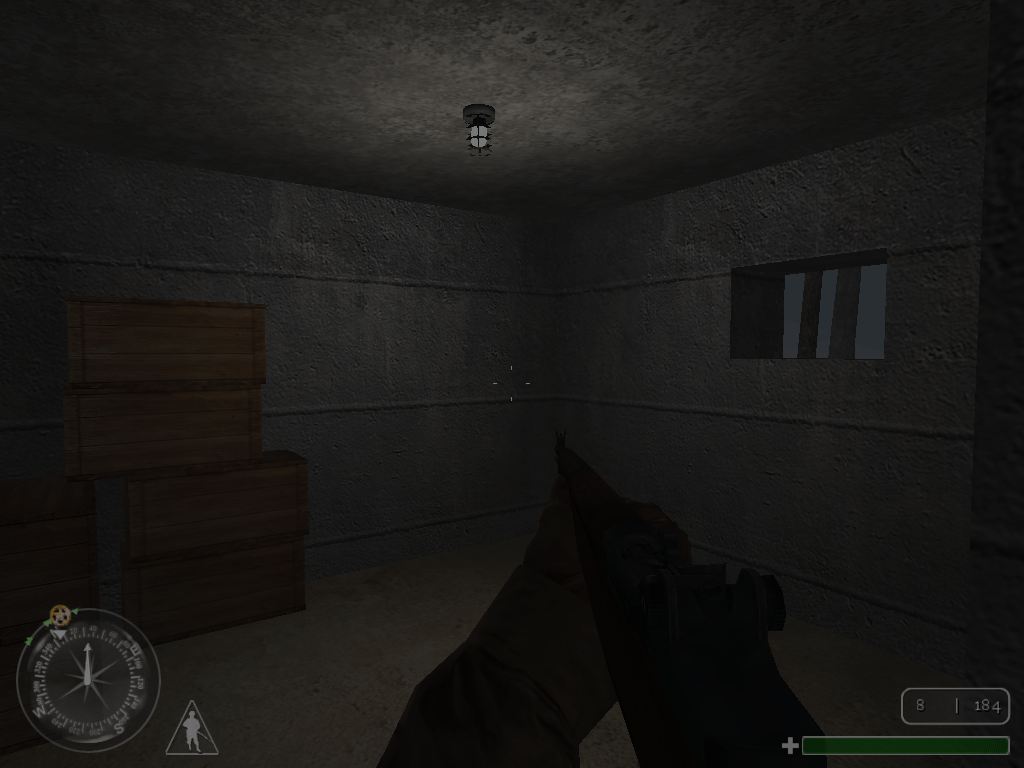
Some missions have areas that can't be seen in normal gameplay, and thus go unused. Areas the player is never meant to see and go to are given special textures to let the map compiler ignore these areas to save up on memory and speed up the compiling process, yet these areas are fully mapped and have proper collision. It's possible these unused areas were once related to scrapped objectives.
Dulag IIIA#
- Just behind the player's starting location is a river with water that is fully animated to flow realistically.
- Escorting Major Ingram back to truck, the player faces from afar an office of sorts, just before heading right to the pool. Said office has a heap of black grenades boxes stacked and typical Nazi paraphernalia.
Festung Recogne#
- The Bunker at the mission starting location has a fully rendered interior with proper furniture, minus badly textured beds.
Quake III Leftovers#
Call of Duty is built on the Quake III engine (id Tech 3) thus there some small leftovers inside from that game.
Textures#
The game's executable contains these two unused textures.
Not surprisingly, these are also found in Return to Castle Wolfenstein which uses the same engine as Call of Duty.


Swimming#
The game has an unused underwater screen effect that can be seen by going under any body of water, which can be done via the noclip cheat. This effect gives the player's vision a wobbly, expanding-contracting effect identical to the one seen in Return to Castle Wolfenstein when going underwater in that game. Again, this is probably another engine relic from Quake III.
Unused Textures#
A small amount of unused textures can be found in the game.
.30 Cal#
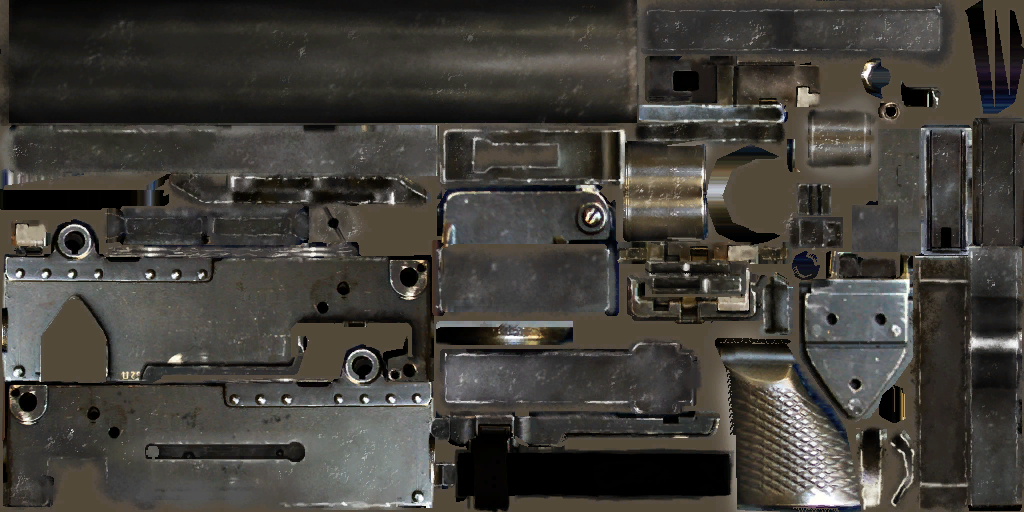
The .30 Cal machine gun is a weapon partially included in the game, using the BAR model as a placeholder. It was to have its own unique model as evidenced by this texture. It's very accurate even when firing from the hip and can kill enemies with one hit. In the mission Brecourt Manor, Sgt. Moody instructs third squad to provide covering fire with the .30 Cal but the weapon they use is actually the BAR.
The .30 Cal was eventually added to the United Offensive expansion pack, where it is called the "M1919A6 .30 Cal".
Unused Audio#
Music#
An unused track in the 'music' folder of pak2.pak file can be found titled 'pf_frantic.mp3'.
However, it was later used in Call of Duty: United Offensive by the 'kursk' level ('music_finalbattle') and the 'bomber' level ('bomber_frantic').
Charge#
Characters like Elder, Foley, Moody, and some Russians had reserved sounds for 'charging'. This suggests that at some point, friendly and/or enemy AI would have been able to perform a charge on the enemy. Here are some files as examples:
Character |
Sound |
|---|---|
Elder |
|
Foley |
|
Moody |
|
Russian |
Missing Audio#
Audio that can be found referenced in the soundaliases but is missing from the files.
Burnville#
Character |
Voice line |
|---|---|
cheerleader(Redshirt) |
cheerleader_die cheerleader_shot |
Educated(Redshirt) |
educated_die educated_shot |
Fearless(Redshirt) |
fearless_die fearless_shot |
Friendly(Redshirt) |
friendly_die friendly_shot |
Smartass(Redshirt) |
smartass_die smartass_shot |
Trained(Redshirt) |
trained_die trained_shot |
German(Generic) |
german_random_chatter_34 |
Chateau#
Character |
Voice line |
|---|---|
US(Generic) |
allied_enemy_sighted allied_fire_in_the_hole allied_random_chatter allied_melee_charge allied_melee_attack |
Training#
Character |
Voice line |
|---|---|
Moody |
training_moody_grenade03 |
Pegasus Night#
Character |
Voice line |
|---|---|
German(?) |
pegasusnight_enemy_alerted pegasusnight_enemy_openfire pegasusnight_enemy_sighted |
Debugging Material#
The game features a bunch of hidden debugging options that can be enabled using the developer console. By default, said console is disabled but can be re-enabled by launching the game with the command-line parameters +set thereisacow 1337 +set monkeytoy 0. To activate it, you must press the ~ key. Some options are cheat-protected, and thus can only be enabled when cheats are enabled.
cg_drawFPS#
cg_drawFPS applies an overlay to the in-game HUD containing details about the game's performance. It has different modes:
- If set to less than or equal to
0, the overlay is disabled. - If set to
1or a value less than 0, it only displays the framerate. - If set to a value greater than or equal to
2, it displays the framerate and also additional information like rendered geometry and memory usage.
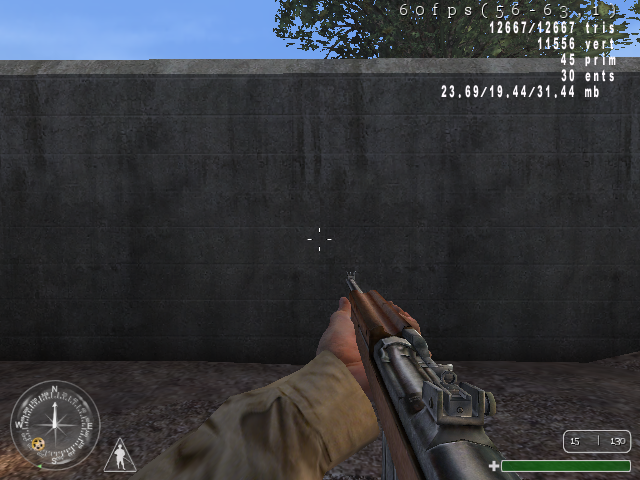
If cg_drawSnapshot (documented below) is also enabled, then this overlay will be shifted down a line to make room for it.
cg_drawShader#
cg_drawShader applies an overlay to the in-game HUD containing details about shaders of various objects such as their path, their flags, and their solidity. It is cheat-protected.
cg_drawSnapshot#
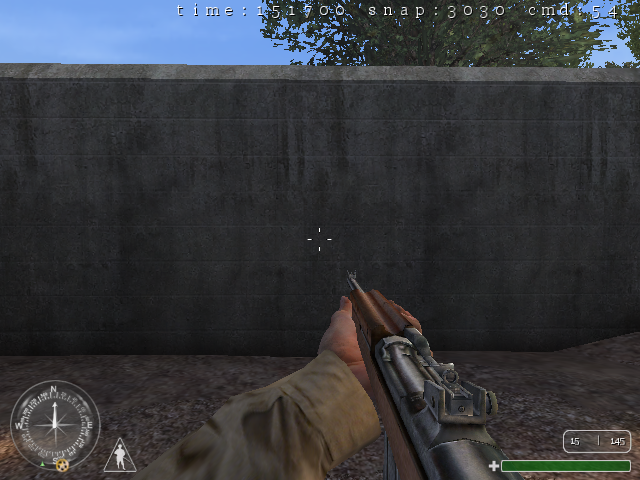
cg_drawSnapshot applies an overlay to the in-game HUD containing details about the server's tick count, snapshot count, and number of commands executed. It can be enabled by setting it to 1.
cg_drawSoundOverlay#
|
|
To do: |
cg_drawSoundOverlay applies an overlay to the in-game HUD containing details about the game's sound system. The first line is reserved for system level information such as CPU usage, the currently set sound provider, and the sound quality currently being used. The lines that follow are slots for sounds that are currently being played including the file path, volume, relative volume, and pitch of the sound.
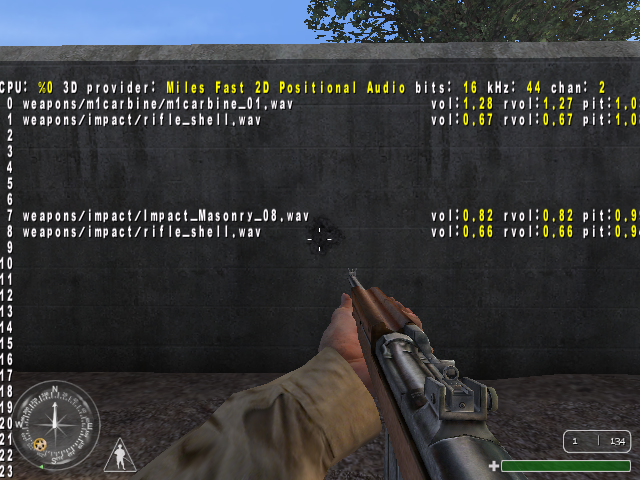
It has different modes:
- If set to
1, it displays information about in-game sounds such as weapons being fired or player movements. - If set to
2, it displays information about ambient sounds or music. - If set to
3, it displays information for another type of sound effects. - If set to anything else, the overlay is disabled.
cl_debugMove#
cl_debugMove applies an overlay to the bottom of the screen containing a graph of how much the first-person camera has moved per frame. It can be enabled by setting it to 1
developer#
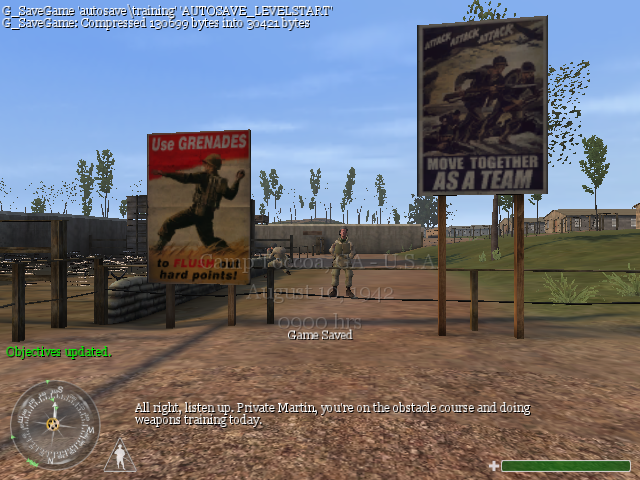
developer applies an overlay to the in-game HUD at the top left corner containing up to 5 developer console messages at a time during gameplay. It can be enabled by setting the value to a number other than 0.
g_debugDamage#
g_debugDamage controls whether to send a formatted message to the developer console every time a player or NPC takes damage. If set to a value greater than or equal to 1, a message is sent to the developer console containing the affected entity's client ID, their health before taking damage, the damage they took, and the armor they had before taking damage.
An example of such a message can be seen below.
client:0 health:600 damage:111 armor:0g_debugMove#
g_debugMove controls whether to send information about the player's movement to the developer console.
The amount of information sent to the developer console depends on the value it's set to:
- If set to
0, nothing gets sent to the developer console. - If set to a value greater than or equal to
1, whenever the player jumps it will send several formatted messages (containing details such as tick number and velocity) to the console like the following:
112036:jump base=-90.9 top=-51.9 vel=249.8
112072:jump step to:-51.87 jump peak at:-51.87
112073:jump step to:-51.87 jump peak at:-51.87
112191:Land
landing vel: 249.4 fall height: 38.9- If set to a value greater than or equal to
2, the developer console gets spammed with several formatted messages every time the player moves at all like the following:
136507:didn't use step results
136507:did down step after not using step results
136508:recollided with plane normal (-0.03, 0.00, 1.00)g_drawEntBBoxes#

|
This needs some investigation. |
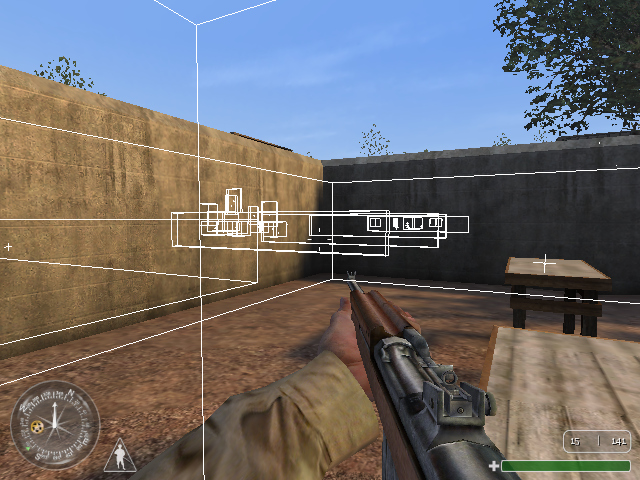
g_drawEntBBoxes applies an overlay to all entities such as enemies, weapons and hidden triggers showing their bounding boxes. It is cheat protected.
It has several modes:
- If set to
1, it displays the bounding boxes for all visible entities. - If set to
2, it displays the bounding boxes for all entities, even ones that aren't visible through walls. - If set to
3, it displays slightly different bounding boxes for all visible entities. - If set to
4, it displays slightly different bounding boxes for all entities, even ones that aren't visible through walls. - If set to anything else, the overlay is disabled.
r_xdebug#
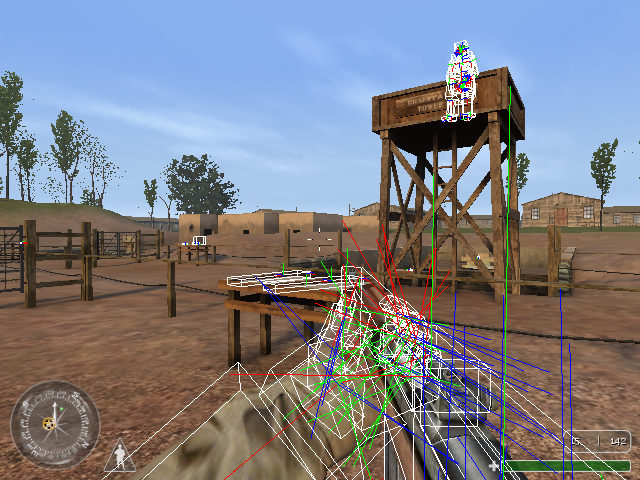
r_xdebug applies an overlay to interactive objects such as enemies, weapons, and the player's viewmodel. It is cheat protected.
It has multiple modes:
- If set to
boxes, it shows the objects' collision boxes. - If set to
axes, it shows the objects' axes. - If set to
bothit shows the objects' collision boxes and axes. - If set to anything else, the overlay is disabled.
Regional Differences#
Some weapons in the Russian version have a different name. In the case of the Mosin-Nagant, it's mistakenly named such in the West.
English |
Russian |
Translation |
|---|---|---|
MP40 |
MP-40 |
N/A |
PPSh |
ППШ-41 |
PPSh-41 |
Mosin-Nagant |
Винтовка Мосина |
Mosin's Rifle |
Call of Duty: Classic#
Call of Duty: Classic is a re-release of the game for the Xbox 360 and PlayStation 3's digital storefronts, released in 1 December for the former and 2 days later, on 3 December, for the latter. It originally came with the Hardened and Prestige special editions of Modern Warfare 2.
Differences#
- Quicksaving has been removed, leaving the player with only checkpoints like the later games in the COD series.
- Achievements/trophies were added.
- Online leaderboards are included.
- The game supports widescreen mode and is rendered at 1280x720 resolution, while the textures have not been upscaled in any way.
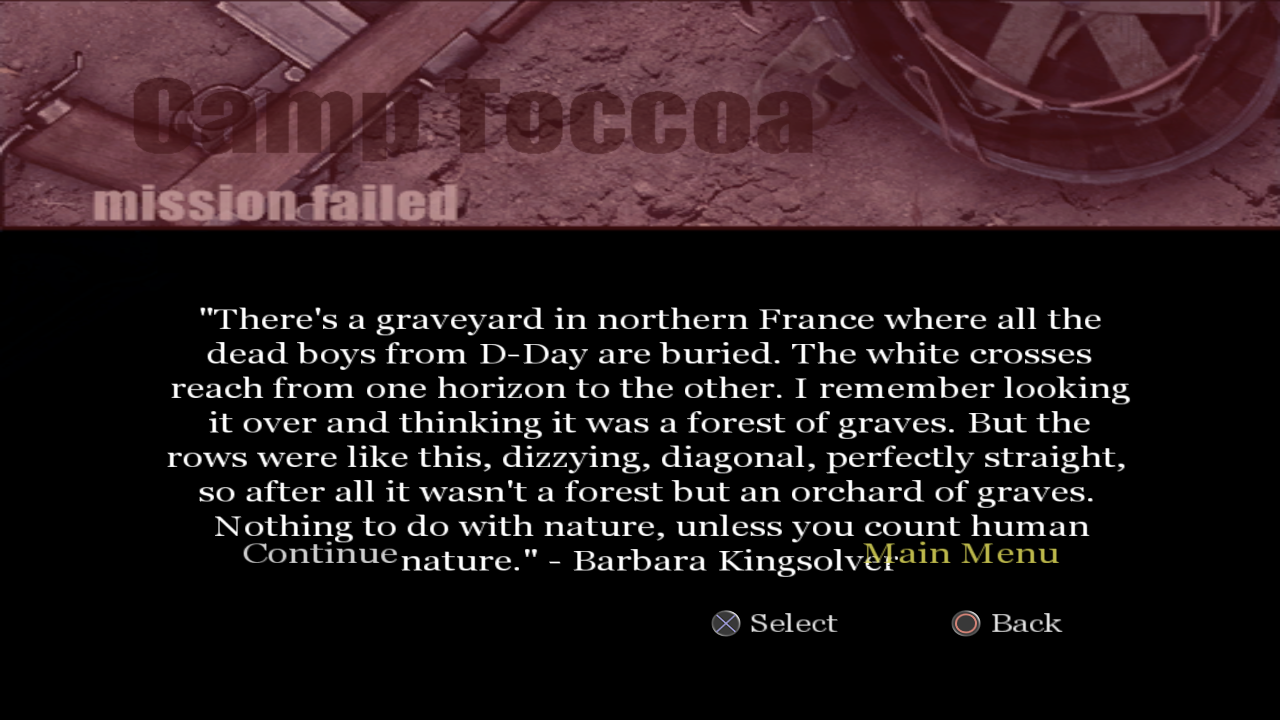
- Larger font size is used and UI margins (similar to Call of Duty 2 on the Xbox 360) are applied. Two death quotes were removed due to these changes, they turned out to be too long to fit on the screen.