 This article has a talk page!
 Prototype Info
 Prerelease Info
 Revisional Differences1.0, 1.1 and Power Up
TerminologyWhat is a TMEDClassic?
Revisional Differences1.0, 1.1 and Power Up
TerminologyWhat is a TMEDClassic?
 Hidden BlocksCan you collect them all?
Launch arguments#
The game has several launch arguments that can be specified in the command line or in the shortcut for the application.
{| class="wikitable" |- ! Argument !! Effect !! Details |- | /config= || Sets path to the config file || Allows you to specify the config file. By default, the game loads Default.SystemConfig.Gbx. |- | /novideo || Nothing || This argument doesn't do anything in this game. |- | /game= || Sets path to the main Gbx file || While the game does set the path to a variable, it's never actually used and instead, it's hard coded to load TrackManiaFull.TrackMania.Gbx. |- | /title= || Sets window title || Sets the title name of the game window. |} The game can also set the main Gbx file by just providing the path as an argument, but as stated before, the game is hard coded to load TrackManiaFull.TrackMania.Gbx instead.
TrackMania.exe TrackManiaFull.TrackMania.GbxThis is most likely a leftover from the GameBox engine.
Cheat codes#
The game has 2 hidden cheat codes that can be entered in the main menu while holding the right mouse button.
They have to be entered as a series of keystrokes in a valid sequence.
Code |
Effect |
Details |
|---|---|---|
LOAN |
Removes copper restriction |
Allows to buy blocks from the shop without needing to have enough coppers (1.0/1.1) / Grants 30 000 coppers in the track editor (Power Up) |
UNLOCK |
Unlocks all tracks |
Unlocks all tracks in the campaigns without having to obtain the required medals. |
Unfinished/Scrapped features#
Upload/Download challenge#
In the game executable, there are multiple unused text strings related to uploading and downloading user challenges.
{| class="wikitable" !Text |- |You aren't the author of this challenge.\n You cannot upload it! |- |Already downloaded! |- |Challenge uploaded successfully. |- |Could not upload challenge:\n |- |Uploading challenge... |- |Challenge downloaded successfully. |- |Could not download the challenge:\n |- |Downloading challenge... |- |Uploading scores and votes ... |} The tracks would have been uploaded to the now closed TrackMania master server. This feature partially existed in the DemoBeta1 version of the game.
While this feature was removed from the final game, the master server is* still able to handle track upload/download requests.
*As of October 24th, 2025.
Download blocks#
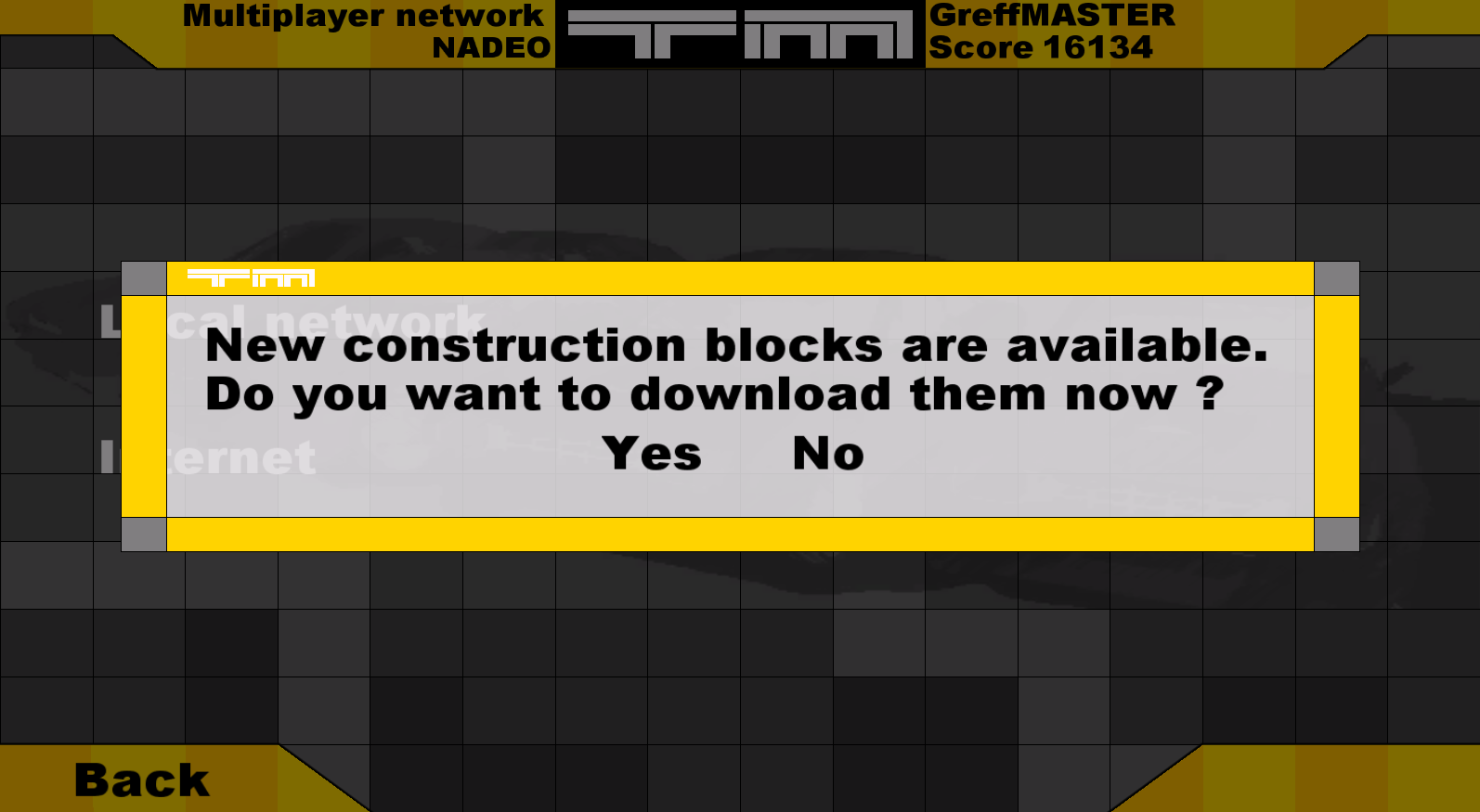
There are a few unused text strings related to downloading new track pieces.
Text |
|---|
New construction blocks are available.\nDo you want to download them now ? |
\ConstructionBlockInfo\Download\ |
The game checks for new blocks when connecting to the master server. When new blocks are available, they are downloaded to "
While the official server never used this feature, it can be activated and fully restored using a 3rd party master server.
Context Help Dialog#
This is an unused and unfinished help dialog box for the track editor. It is impossible to show it on screen without modifying the game to run the ShowContextHelp function.
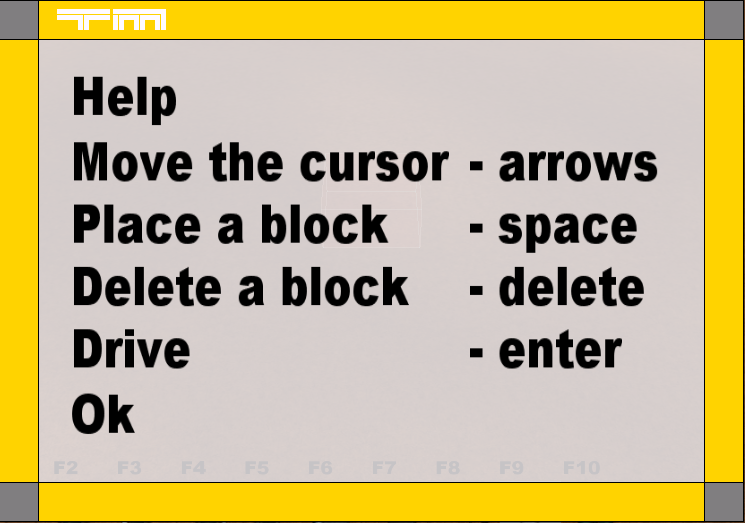
In TrackMania: Power Up!, this dialog box was re-implemented with finished text information, accessible by clicking on the question mark button in the top right corner of the editor interface.
Alternate Medal Target Time Dialog#
This is an unfinished dialog box for the track editor. It can be seen by pressing C on any validated track.
With this, you were supposed to set medal times manually in milliseconds. If the track is validated but not yet saved, all medal times are shown as "-1" except for Author, which is taken from the validation.
Changing any of these values do not save to the track, the small medal menu located at the bottom right of the editor interface replaces this dialog.
Unlike the normal medal menu, this dialog box allows you to change the author time as well.

The same dialog box can be seen in TrackMania: Power Up! with no changes.
Skinnable blocks#
Before skinnable blocks were "officially" introduced in TrackMania Speed-Up, the functionality existed since the first game, albeit in a more primitive form.
The block can use one of the two available skin modes, Text and Image.
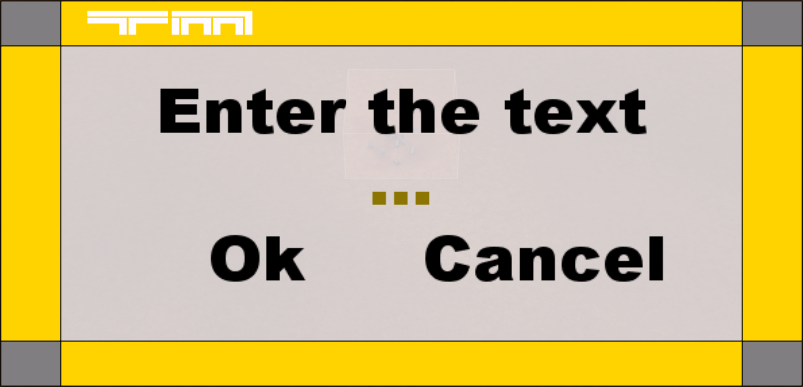
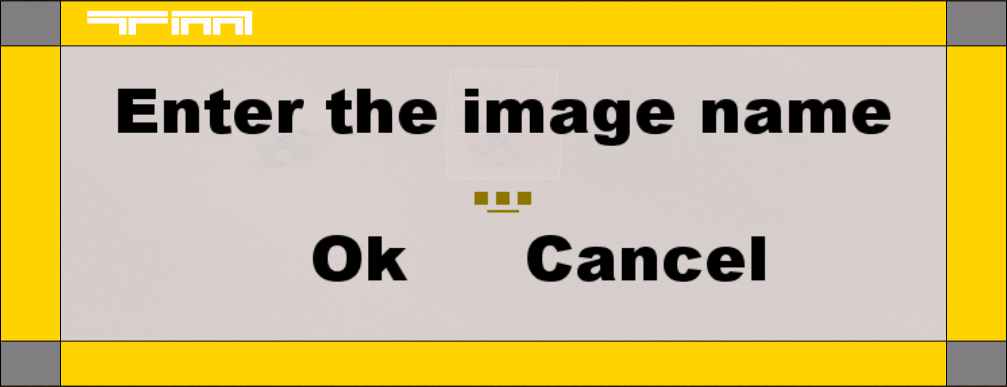
A message prompt is shown when the block is placed.
Text#
Allows the player to enter the text that will be displayed on the block.
It works by looking for a tree node with id "Skin_Text" inside the block model and checking if it has a CPlugTreeGenText node.
If it does, the game changes the "Text" value of that node to the string the user has entered. CPlugTreeGenText generates a 3d plane mesh containing the rendered text.
Image#
Allows the player to enter the name of the skin image that will replace a texture on the block.
It works by first scanning for images in "Skins\
When the user sets the skin for the block, the game looks for a tree node with id "Skin_Image" inside the block model and checks if the shader node of the tree is an instance of CPlugShaderMaterial.
If it is, the game gets the skin image texture from "SkinFids" in the block article by using the skin name the user has provided.
If the skin texture exists, the game sets the diffuse texture inside the shader to the skin texture.
Vehicle fume particles#
The vehicle "Mobil" files have an unused field named FumeModel and its 3D position value. FumeModel is a node reference to a particle object file, similarly to the dust particles.
When the car gets damaged, its parts (doors, boot and bonnet) will start to swing, but it would also start to emit the fume particles if the FumeModel field was set.
It emits the particles from the position defined in the vehicle object file. All vehicles have the exact same fume position. (X: 0.5299999713897705 Y: 0.33000001311302185 Z:-2.0999999046325684)
This feature can be activated by assigning a particle object to this field. There are no leftover textures for this feature.
Collector unlockers#
The campaign files have an unused field named CollectorUnlockers. It's a class buffer array that stores CConstructionCollectorUnlocker objects.
The CConstructionCollectorUnlocker class stores a challenge (track) pointer, and a collector (block, vehicle, etc.) pointer.
It is currently unknown what collector unlockers actually do, but it is theorized, that they would unlock specified blocks in the editor after beating the specified tracks, as collector (block) classes have a NeedUnlock flag, which for example, hides blocks from the shop.
Both CollectorUnlockers field and CConstructionCollectorUnlocker class were removed in TrackMania United.

|
This needs some investigation. |
Unfinished/Scrapped gamemodes#
2P-Retro#
A local multiplayer gamemode, internally called CTrackManiaRace2PRetro. It can be partially activated in a singleplayer race.
When the race starts, the camera moves high above the vehicle and shows a top-down view of the race.
The gamemode tries to keep all the players on the track in the camera view, by dynamically changing the camera angle and FOV.
When a player reaches the finish line, they get 1 score point, regardless if they collect all the checkpoints or not. (There is no score limit.)
A very unique feature of this gamemode, is the inclusion of vehicle collisions. All other gamemodes have vehicle collisions disabled.
This gamemode is broken in the final version of the game and it is impossible to control Player 2 without external tools.
However, it is still fully functional in TrackMania DemoBeta1, where Player 2 uses WASD instead of arrow keys for Player 1.
CaptureCheckpoints#
An online multiplayer gamemode, internally called CTrackManiaRaceNetCapture. It cannot be activated in any way of form.
From the information gathered from reverse engineering the game executable, it was designed for only 2 players at a time.
In concept, the mode is similar to a game of tug of war, where depending when the "Score" reaches either 0 or 1 (starting at 0.5), it decides which player is the winner.
Every round, the time of each checkpoint is compared across 2 players and depending on who's got a better time on a given checkpoint, the "Score" is incremented/decremented.
Other gamemodes#
There are also 2 other gamemodes mentioned in the server info gamemode enum.
- "Ranking"
- "RoundsElim" - Presumably Rounds mode with elimination system
Unused graphics#
ON-cardND/OFF-cardND#
These graphics were originally used in the track editor as a background for the track piece icons. OFF-card.tga and ON-card.tga can be seen in the shop, but the "ND" variants are unused.
The textures were updated throughout the demos. They can also be seen on some pre-release screenshots of the game.
File name |
DemoBeta1 |
DemoMag2 |
Final |
|---|---|---|---|
OFF-card.tga |
 |
 |
 |
OFF-cardND.tga |
 |
 |
 |
ON-card.tga |
 |
 |
 |
ON-cardND.tga |
 |
 |
 |
logotype_810x238.dds#
This texture was used in early race HUDs in the top right corner of the screen. Just like the card textures, it can be spotted on some early screenshots.
While the final game never uses it, in DemoBeta1 there are 2 unused race interface files that still reference it, UiCourse2P_Retro.Scene2d.Gbx and UiCourseNetCapture.Scene2d.Gbx. (These files are encrypted and need to be manually extracted.)

|
Vehicle Collector Icons#
Each vehicle has its own "Collector" icon embedded inside its Gbx file. These are normally unseen in-game, due to the skin icons overriding it in the options menu.
It is possible to see those icons if all skins are removed from the game, as then the game uses the collector icon as a fallback for missing skin icons.
While the American (DesertCar) collector icon is rather normal (if not just shrunk to 64x64 resolution), both Rally and SnowCar have unique icons.
Rally car icon shows the vehicle using an older model, that is more similar to Renault 5 Turbo, while SnowCar icon uses a seemingly placeholder model entirely, with white spheres for wheels and a red and blue car-shaped body.


Resource graphics#
Each game made in the GameBox engine, has a "Resource" directory containing various assets commonly used by the game globally.
(In TrackMania 2003, all of these files are encrypted in the resource.dat file.)
Instead of referencing them by their file names, the game has a numerical list of file paths for Resource assets.
There are some graphics that are never used by any GBX file.


TrackMania: Power Up! has three additional unused textures in the Resource folder.


"NoBitmap.dds" is only used when a texture is missing/not assigned.
Unused models#
Resource models#
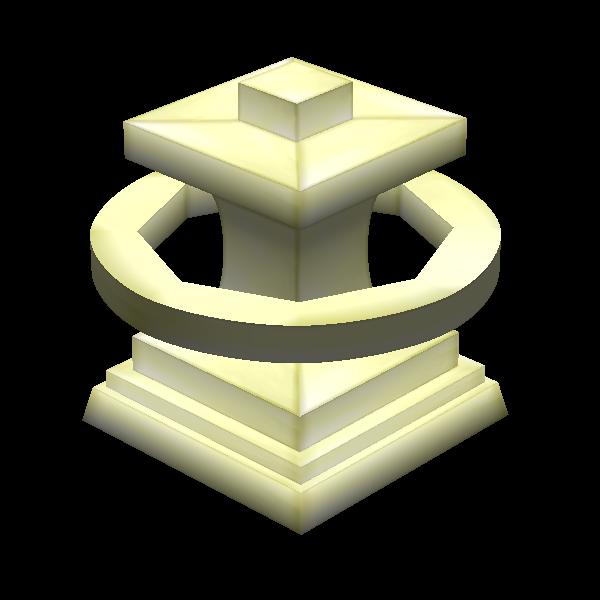
Just like the resource graphics, the engine has special 3d models that can be found in the resource folder. These models are never seen, as they were most likely used in the GameBox editor. Some models are exactly the same, a small, red, texture-less cube.



Unused music#
In the demo versions of the game, a short outro will play when quitting the game.
A slideshow of teaser images will show on the screen while playing a short version of the trailer theme in the background.
In the retail version, the exit outro was disabled, making the song unused.
Outro Theme (panneaux.mp3)
Unused sounds#
In the Resource folder for TrackMania: Power Up!, there is an unused error sound. Most likely used in the internal GameBox toolset.
error.wav
Unused text#
Unused zone names#
Before block zones used string names directly in their files, they used numerical ids instead, which were pointing to a hard coded list of zone names in the game executable.
These include some for Desert (first 3), but also ones that are not used anywhere in the final game, like Dirt, Mud and ones for some kind of "Toy" environment.
Desert
Canyon
DesertToCanyon
Dirt
Mud
DirtToMud
ToyGrass
ToyWater
ToyGrassToWaterReferences#
- TrackMania Ships - IGN, Jun. 24, 2004↩︎
- Trackmania : l'environnement alpin "Le jeu vient d'ailleurs de passer gold et sera disponible chez nous à partir du 21 novembre." - Jeuxvideo, Nov. 12, 2003↩︎
- Open all hours "The Digital Jesters online shop is now up and running, where you can pre-order both TrackMania and Virtual Skipper 3 (both released this Fri - 28th Nov)." - DJ | smirny, Nov. 26, 2003↩︎
|
The TrackMania series | |
|---|---|
|
Windows |
TrackMania (2003) (Prototypes) • TrackMania Sunrise (Prototypes) • TrackMania Original (Prototypes) • TrackMania Nations ESWC (Prototype) • ManiaPlanet • Trackmania Turbo (2016) • Trackmania (2020) |
|
Adobe Flash |
|
|
Nintendo DS |
|
|
Wii |
|
|
PlayStation 4, Xbox One |
|
|
PlayStation 5, Xbox Series X |
|