"Welcome to the friendly place and the most skilled competitors of the world. Discover the creativity exchanged with people around the globe. In this stadium, get into TrackMania Nations Electronic Sport World Cup."
TrackMania Nations ESWC is the first game in the TrackMania series to be completely free without any limitations*. It's also the debut of the now-beloved Stadium environment.
*While there are no limitations for actual gameplay, there are some cosmetic features locked behind registering a TMO or TMS player key, such as P2P upload, custom colored usernames, avatars and vehicle skins visible to others playing online.
Sub-Pages#


Launch Arguments#
The game has several launch arguments that can be specified in the command line or in the shortcut for the application. Some of them have been inherited from previous titles.
Argument |
Effect |
Details |
|---|---|---|
/config= |
Sets path to the config file |
Allows you to specify the config file. By default, the game loads Default.SystemConfig.Gbx. |
/title= |
Sets window title |
Sets the title name of the game window. |
/data= |
Sets the main "GameData" folder |
Allows to make the game load files from a different directory than "GameData". |
/netip= |
Nothing |
Presumably a leftover from dedicated server software. |
/nodaemon |
Nothing |
Presumably a leftover from dedicated server software. |
/nologs |
Nothing |
Presumably a leftover from dedicated server software. |
/list_benchs= |
Sets list of replays for benchmark |
Input for a text file containing a list of replay files (relative to GameData\Tracks\Replays) for benchmark. The replays will play in order as they are specified in the file. Once the benchmark is done, the game will modify the list file to include short result information for each replay. |
/bench |
Activates benchmark |
Runs the game in the benchmark mode, playing a replay file to test how well the game runs. |
/out= |
Sets benchmark output file |
After the game runs the benchmark, a specified file containing additional information is created in the GameData\Bench\ directory. |
Cheat Codes#
Just like the previous games, this one also has cheat codes that you can enter anywhere in the main menu. Some of them have been inherited from previous titles.
They have to be entered as a series of keystrokes in a valid sequence whilst holding the right mouse button.
Code |
Effect |
Details |
|---|---|---|
LOAN |
Removes copper restriction |
Since this game has no copper limit, this cheat code is effectively useless. Plays the SonIntro2.wav sound when activated. |
UNLOCK |
Unlocks all tracks |
Since this game has all tracks unlocked from the start, this cheat code is effectively useless. Plays SonIntro2.wav when activated. |
VERIFY |
Verifies files |
Verifies files in the game data. |
PLTEST |
Nothing |
A leftover from TrackMania Speed-Up. |
MTRACK |
Unlocks MediaTracker |
A leftover from TrackMania Speed-Up. Does nothing in this game since MediaTracker is always accessible. |
ANTIUN |
Nothing |
In previous games, this cheat code allowed the user to edit a track without having to validate it again. It does not work in this game. |
DBGADS |
Enables debug mode for dynamic advertisements. |
This cheat code enables debug mode for the in-game dynamic advertisements. See the debugging feature related to this cheat code. |
Debugging Features#
Analyzer#
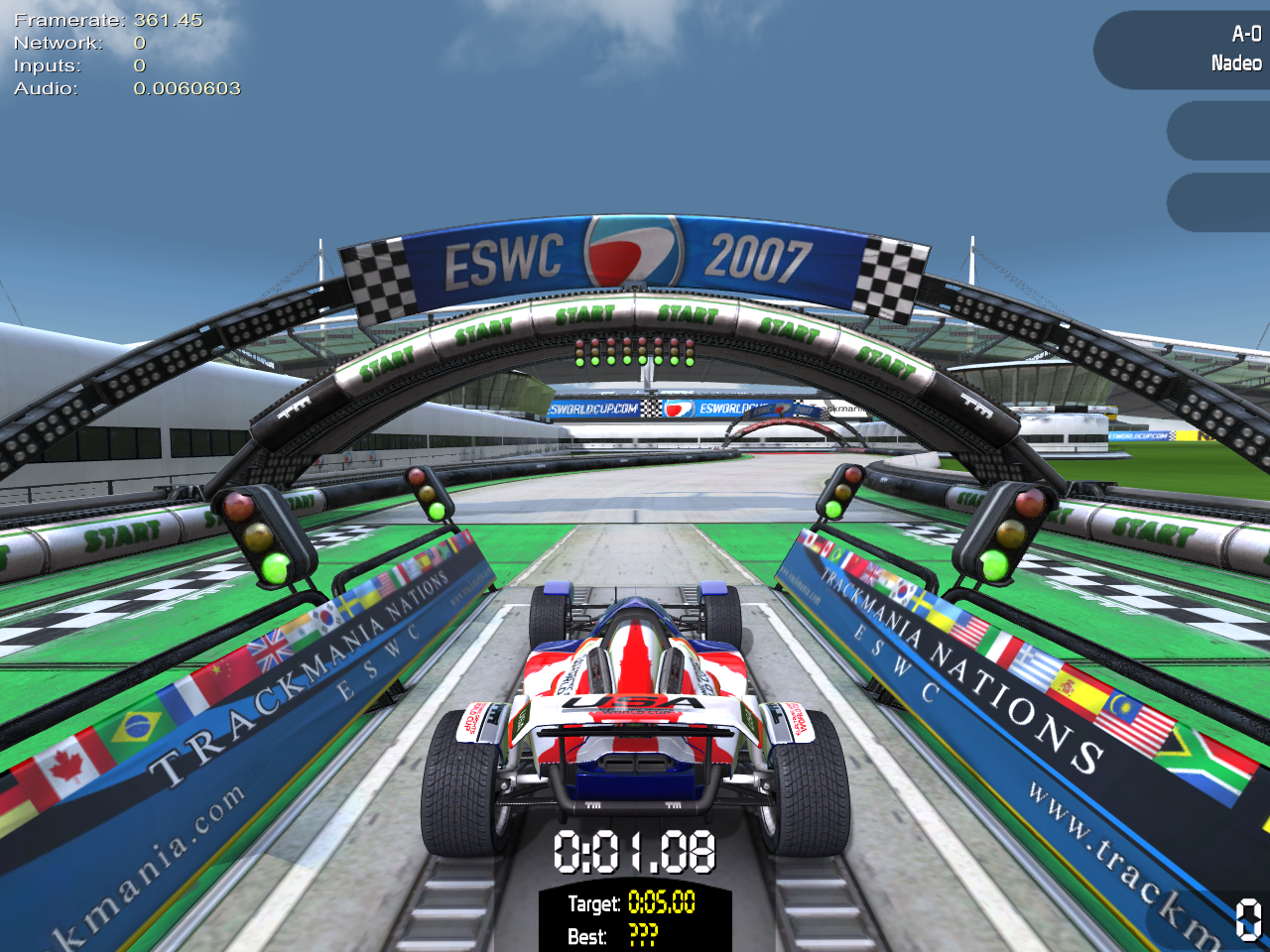
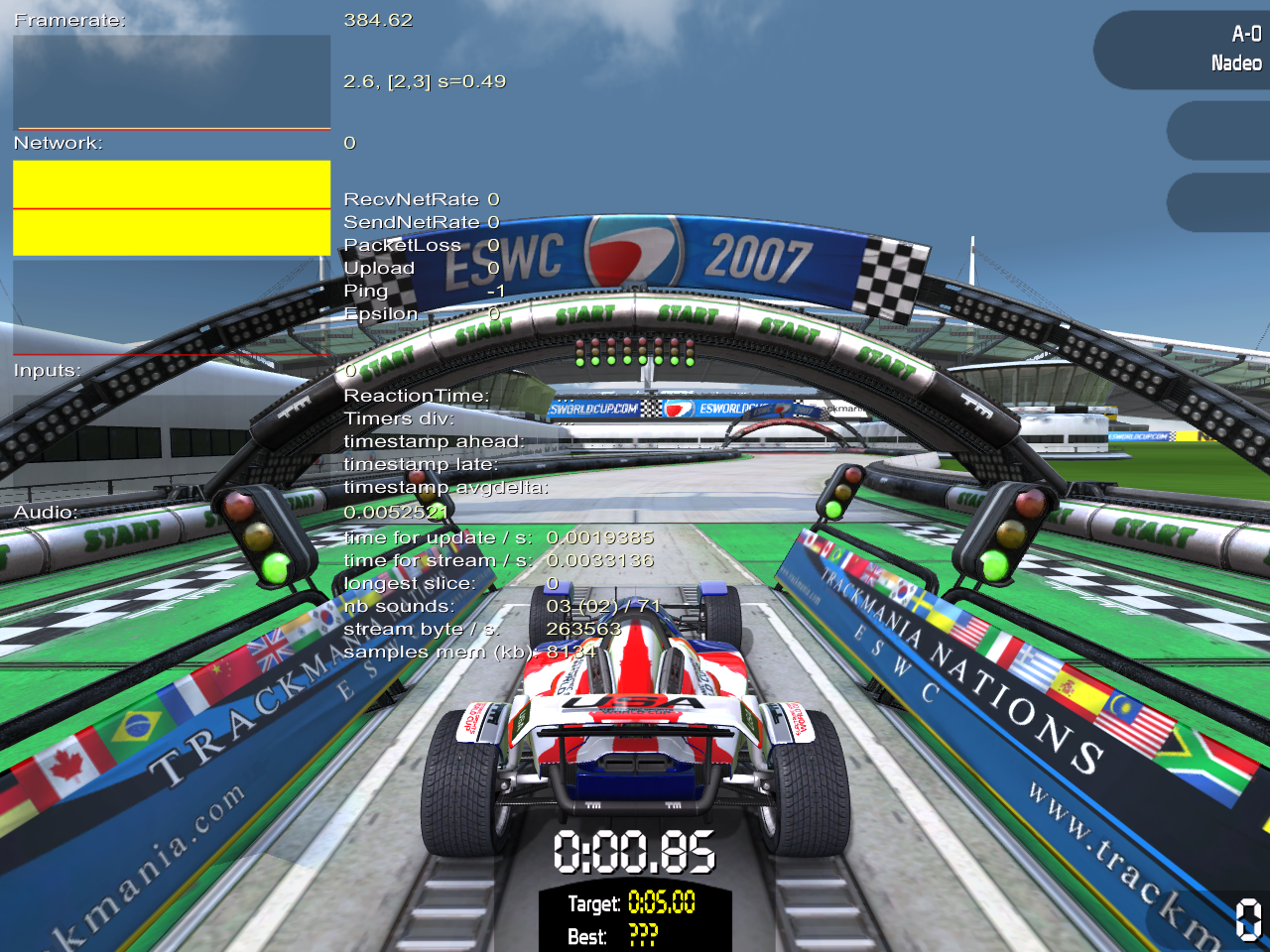
Accessible by pressing 0 during the race. Press again to switch modes or disable it.
The analyzer has two modes, Simple and Advanced, showing varying amount of information about the game status.
Simple Analyzer |
Advanced Analyzer |
|---|---|
 |
 |
DBGADS#
Activated by entering the DBGADS cheat code.
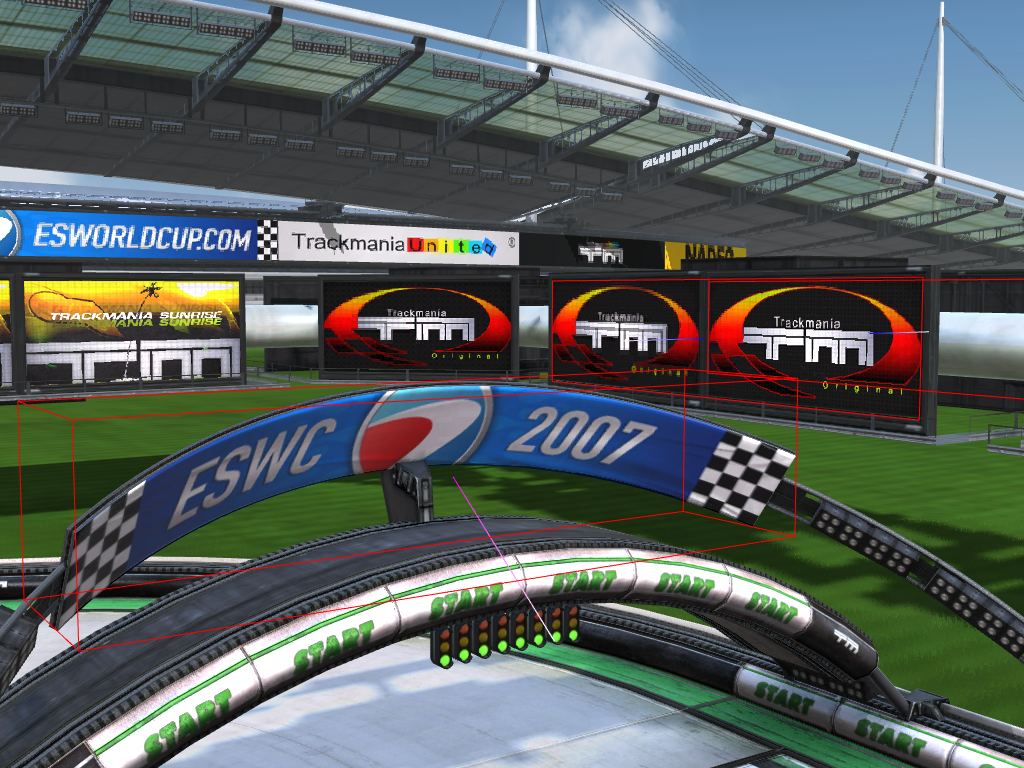
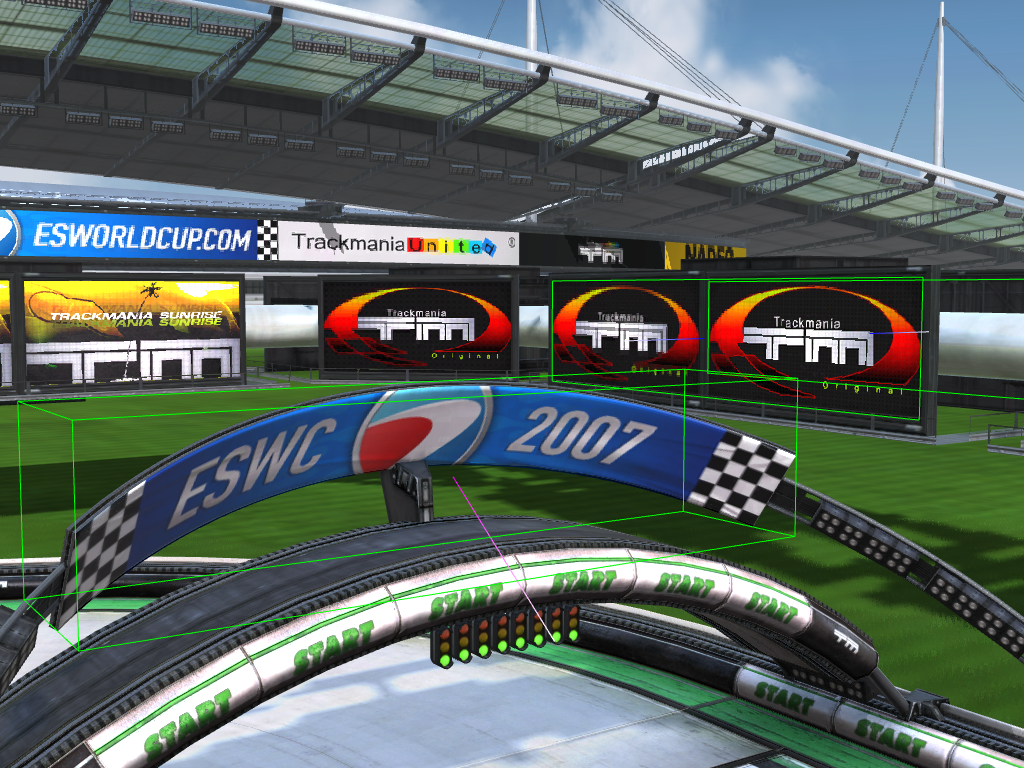
This debug mode makes the game show bounding box outlines around in-game advertisement panels. Presumably used to test the visibility of dynamic ads in-game, in order to send that information to the advertisement company. Color of the outline determines the state of "ad exposure". Red outline means, that the ad is being seen. After 3 seconds, the outline turns green, meaning the ad has been fully seen by the player.
Advertisement is being seen |
Advertisement has been seen |
|---|---|
 |
 |
Unused Features#
Ghost Editor#
Since the game doesn't use ghost opponents for medal times on single-player tracks, the ghost editor menu has been hidden in the final game. It's possible to access this hidden menu by modifying a variable that controls the current menu page during runtime. From there, choosing a track will start the ghost recording process.
Ghosts only appear on tracks with Crazy gamemode type.
Unused Map Gamemodes#
Because the game's main focus is competitive time trial racing, the developers decided to disable all other single-player gamemodes that were in previous TrackMania titles. These gamemodes are still in the final game and fully playable, albeit only accessible if the map has been modified using external tools.
Id |
Name |
|---|---|
1 |
Platform |
2 |
Puzzle |
3 |
Crazy |
4 |
Shortcuts |
5 |
Stunts |
Statistics Menu#
All previous TrackMania games have a statistics menu in Profile->Advanced Settings->Statistics. The Statistics button is normally hidden, but can be unlocked by getting at least a bronze medal on all tracks in the first solo campaign.
This menu has been carried over to TrackMania Nations, but it cannot be unlocked because the game uses a different system for the solo campaign that does not trigger the function responsible for unlocking this menu.
Screenshot:
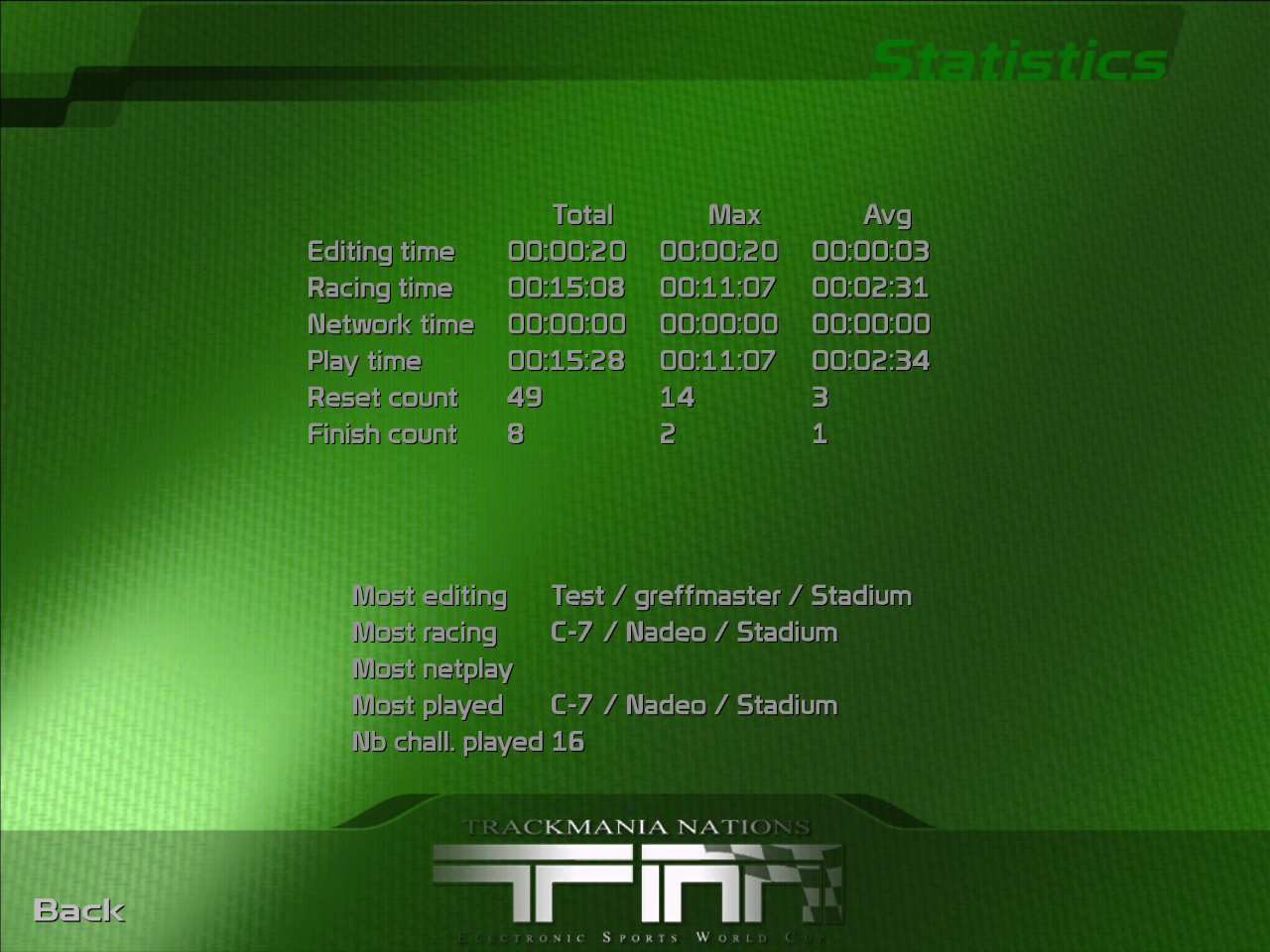
The game has been modified to unlock this menu.
PylonStadium#
Pylons are special pillars that automatically generate under some blocks and do not take up grid space on the track. None of the blocks in Stadium use them, and only Desert and Snow environments used pylons in the previous games.
However, there are unused files for pylons in Stadium and they can even be enabled by modifying an existing block to generate them. The pylon models seem to be using existing textures, but with different UV coordinates. They also don't have collision above ground level.
Screenshot:
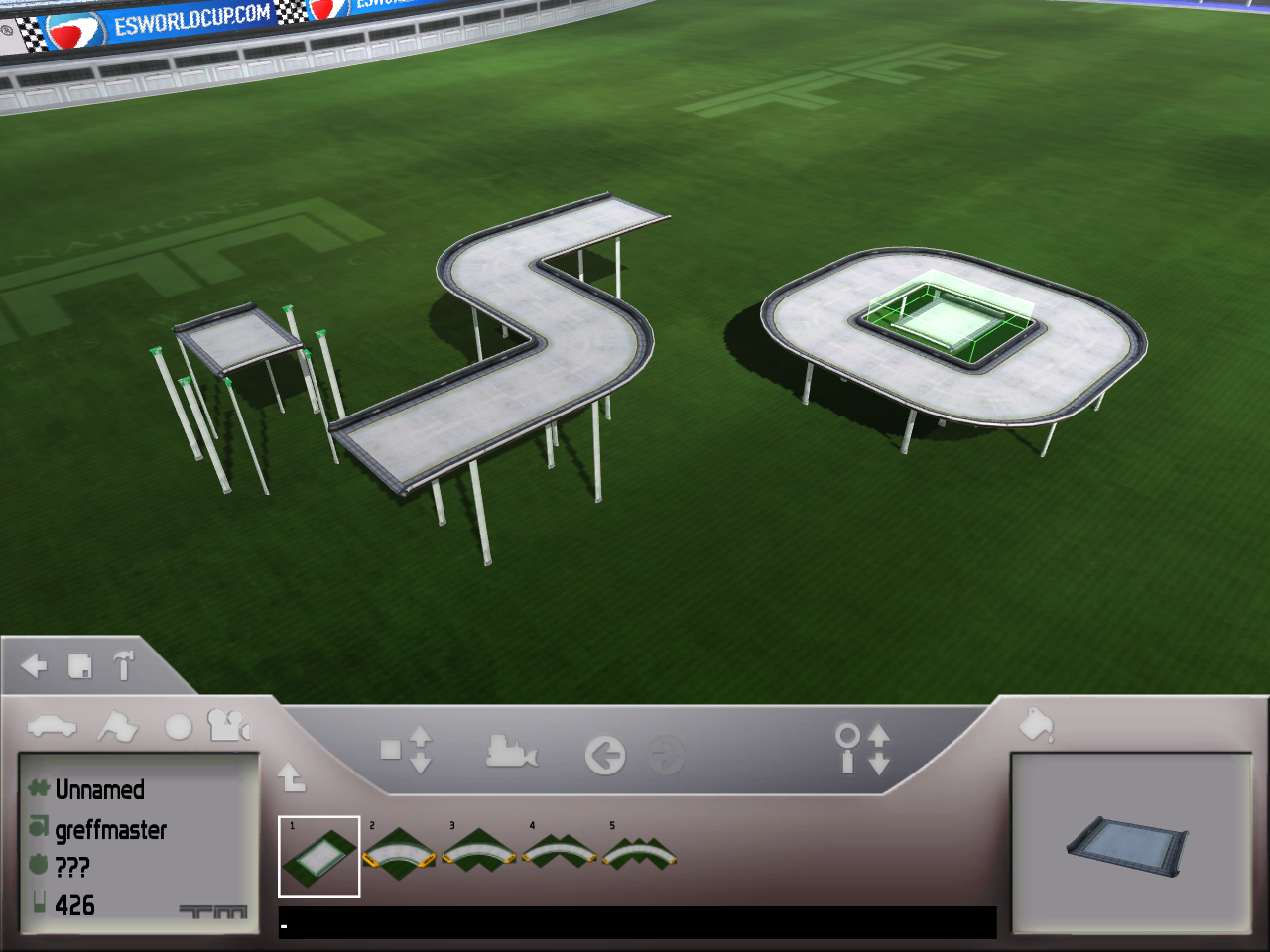
The road block has been modified to generate pylons for demonstration purposes only.
Similar-looking pylons can be seen in some screenshots from the early on in the game's development.
Unused Graphics#
Environment Icons#
IconEnvStadium#
Previous TrackMania games have individual environments with unique icon graphics to display in-game when choosing environment in the track editor. TrackMania Nations only has a single environment, so the select menu has been removed, but the environment icon for Stadium still exists in the game files.

A similar-looking graphic is used in the track list.
IconMoodSmall#
In TrackMania Sunrise and TrackMania Original, each track mood has a unique icon that is displayed in the track list. Stadium has only one mood, Day, and there is still an icon for it in the game files, but it seems to be a leftover from the Bay environment. (More proof that Bay was used as a base when developing Stadium.)
This icon goes unused due to an oversight in the definition files. It displays the collection icon instead.

IconDecorationDay#
Icon used for the Day decoration. This image does not appear in-game because there is only one mood, so the mood selection menu does not appear.

Cup Mode Graphics#
TrackMania Nations does not have cup mode for single player campaign. However, the graphics for this mode are still present in the game files (including the Nadeo cup).


Card Graphics#
These graphics were originally used in the block shop in the very first game, but the shop was completely removed in TrackMania Power Up! They can be seen on very early screenshots of the track editor for the first game.
For whatever reason, all TrackMania games up to TrackMania United Forever keep these around despite not being used anywhere at all.


BlackMedal#
In the previous games (TrackMania Power Up and below), this graphic would show in the track list on tracks where you had no medals.

Resource Graphics#
Obligatory Resource folder entry
Just like the previous games, it also has the same unused graphics in the Resource folder. Here are the graphics that are never used by any GBX file... again.

|
To do: |


Regional Differences#
The game can show different intro slides based on the user's region. There are two unique intro videos for Focus Home Interactive and Deep Silver publishers.
The Focus Home Interactive intro only plays for these selected countries: France, Belgium, Netherlands, Portugal, Spain, Norway, Sweden, Denmark, and Finland.
The Deep Silver intro only plays for these selected countries: Germany, Great Britain, Austria, Italy, and Switzerland.
References#
- GameFAQs↩︎
- TrackmaniaNations.com↩︎
- Images : Trackmania Nations expose son gazon "[..] Trackmania Nations sera disponible en téléchargement le 27 janvier [...]"↩︎
|
The TrackMania series | |
|---|---|
|
Windows |
TrackMania (2003) (Prototypes) • TrackMania Sunrise (Prototypes) • TrackMania Original (Prototypes) • TrackMania Nations ESWC (Prototype) • ManiaPlanet • Trackmania Turbo (2016) • Trackmania (2020) |
|
Adobe Flash |
|
|
Nintendo DS |
|
|
Wii |
|
|
PlayStation 4, Xbox One |
|
|
PlayStation 5, Xbox Series X |
|