TrackMania Sunrise is the second...? Third? Uhhh, next game in the TrackMania series of games. This time, coming back with style!
Similarly to the previous game, Sunrise received an update in the form of TrackMania Sunrise Extreme.
Sub-Pages#
 Prototype Info
 Prerelease Info
TerminologyWhat on Earth is a TMEDRectAsym?
Prerelease Info
TerminologyWhat on Earth is a TMEDRectAsym?
 Hidden BlocksLet's spend the night at the CoastHotel.
Launch Arguments#
The game has several launch arguments that can be specified in the command line or in the shortcut for the application.
Argument |
Effect |
Details |
|---|---|---|
/config= |
Sets path to the config file |
Allows you to specify the config file. By default, the game loads Default.SystemConfig.Gbx. |
/novideo |
Nothing |
This argument doesn't do anything in this game. |
/game= |
Sets path to the main Gbx file |
While the game does set the path to a variable, it's never actually used and instead is hardcoded to load TrackManiaSunrise.TrackMania.Gbx. |
/title= |
Sets window title |
Sets the title name of the game window. |
/list_benchs= |
Sets list of replays for benchmark |
Input for a text file containing a list of replay files (relative to GameData\Tracks\Replays) for benchmark. The replays will play in order as they are specified in the file. Once the benchmark is done, the game will modify the list file to include short result information for each replay. |
/bench |
Activates benchmark |
Runs the game in the benchmark mode, playing a replay file to test how well the game runs. |
/out= |
Sets benchmark output file |
After the game runs the benchmark, a specified file containing additional information is created in the GameData\Bench\ directory. |
The game can also set the main Gbx file by just providing the path as an argument, but as stated before, the game is hardcoded to load TrackManiaSunrise.TrackMania.Gbx instead.
TmSunrise.exe TrackManiaSunrise.TrackMania.GbxThis is most likely a leftover from the GameBox engine.
Cheat codes#
Just like the previous games, this one also has cheat codes that you can enter anywhere in the main menu. Some of them have been inherited from previous titles.
They have to be entered as a series of keystrokes in a valid sequence whilst holding the right mouse button.
Code |
Effect |
Details |
|---|---|---|
LOAN |
Removes copper restriction |
Grants 5000 coppers in the track editor. Plays the SonIntro2.wav sound when activated. |
UNLOCK |
Unlocks all tracks |
Unlocks all tracks in the campaigns without having to obtain the required medals to unlock them. Plays SonIntro2.wav when activated. |
VERIFY |
Verifies files |
Verifies files in the game data. |
PLTEST |
Nothing |
Leftover from TrackMania Speed-Up. |
MTRACK |
Unlocks MediaTracker |
A leftover from TrackMania Speed-Up. Does nothing in this game since MediaTracker is always accessible. |
ANTIUN |
Allows to modify a track without un-validating it |
Allows the user to edit a track without having to validate it again. It also preserves the track UUID after being modified. A small square button is in the bottom-left corner of the editor interface that toggles the effect. |
Unfinished/Scrapped Features#
Nadeo Cup#
In the final game, only bronze, silver, and gold cups are playable, however there exist a scrapped, 4th Nadeo cup. Just like the name implies, it's a cup where you have to get the author (Nadeo) medal on every track in a serie in a single try.
It's possible to modify the game to restore this feature and even obtain the elusive green cup on your profile.
Check out the unused graphics related to this feature.
Swinging vehicle parts#
In the previous games, all vehicles had dynamic parts that would start to swing after strong collision. While this feature was still present in Sunrise development, it was ultimately disabled in the final release.
DynaPartsSpeedCoef is the variable in the vehicle that controls the swinging speed, but it's never increased, even after colliding with something. It's possible to restore this feature by manually increasing this value via memory manipulation.
RaceFigure sound#
After performing a stunt, the "RaceFigure.wav" sound file will play. However, the sound file is completely silent. It is possible to replace the file to actually hear something in-game. This feature was completely removed with the eXtreme update for the game.
Unused Graphics#
Nadeo Cup graphics#
The graphics for the unused Nadeo cup that would show in the campaign results.


Card graphics#
These graphics were originally used in the block shop in the very first game, but the shop was completely removed in TrackMania Power Up! They can be seen on very early screenshots of the track editor for the first game.
All TrackMania games up to TrackMania United Forever have these files in the game data unused.


BlackMedal#
In the previous games, this graphic would show in the track list on tracks where you had no medals.

ChallengeThumbnail#
This screen was once used as a background for one of the menus in the DemoBeta 1 version of the game.
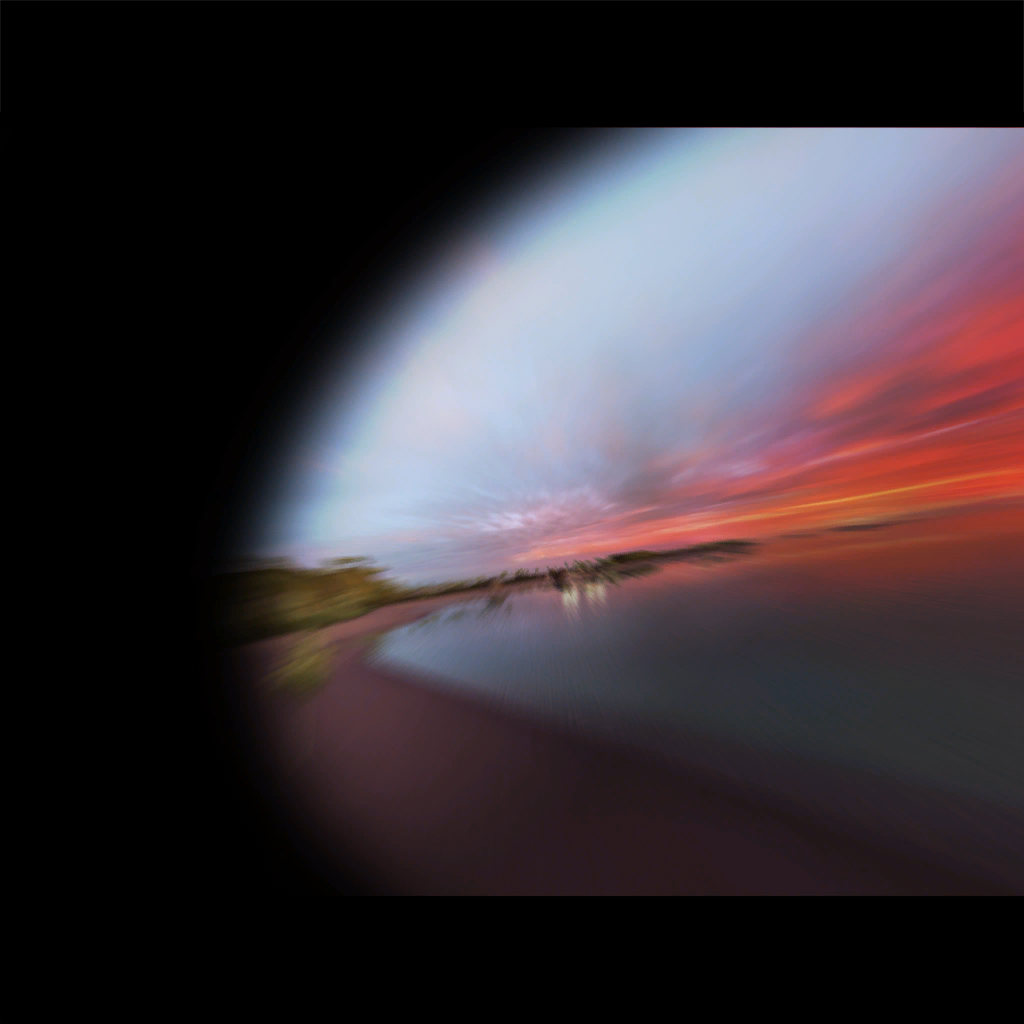
IslandSkyCeiling & IslandSkyPanoramic#
In the Textures folder for the Island environment, there are two skybox textures that are never seen in-game. The game chooses the sky texture from the Moods folder instead, based on the mood of the track.
All other environments in this game use these textures as placeholders for mood skybox textures.

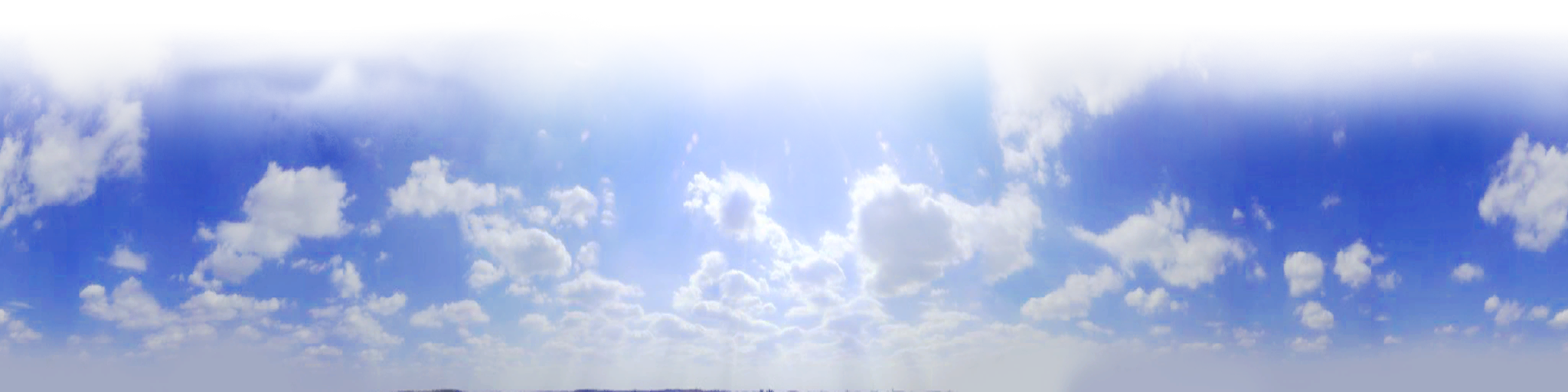
These sky textures can be seen on early media for this game.
Resource graphics#
Just like the previous games, it also has the same unused graphics in the Resource folder. Here are the graphics that are never used by any GBX file.


Unused Sounds#
RaceFinish#
In older games, there are unique sounds for getting each medal unique to each environment. This feature was unused in Sunrise. This sound might have been used to play after finishing the track without getting any medal, but it doesn't do that in this game.
GameData\Interface\Media\Audio\Sound\Wav\RaceFinish.wavSilent sound files#
Here is a list of sound files that are completely silent.
GameData\Interface\Media\Audio\Sound\Wav\MediaTrack1.wav
GameData\Interface\Media\Audio\Sound\Wav\MediaTrack2.wav
GameData\Interface\Media\Audio\Sound\Wav\MediaTrack3.wav
GameData\Interface\Media\Audio\Sound\Wav\MediaTrack4.wav
GameData\Interface\Media\Audio\Sound\Wav\MediaTrack5.wav
GameData\Interface\Media\Audio\Sound\Wav\MenuDialogDisplayed.wav
GameData\Interface\Media\Audio\Sound\Wav\MenuDialogHidden.wav
GameData\Interface\Media\Audio\Sound\Wav\RaceBronze.wav
GameData\Interface\Media\Audio\Sound\Wav\RaceFigure.wav
GameData\Interface\Media\Audio\Sound\Wav\RaceGold.wav
GameData\Interface\Media\Audio\Sound\Wav\RaceNadeo.wav
GameData\Interface\Media\Audio\Sound\Wav\RaceNewRecord.wav
GameData\Interface\Media\Audio\Sound\Wav\RaceDefeat.wav
GameData\Interface\Media\Audio\Sound\Wav\RaceSilver.wavReferences#
|
The TrackMania series | |
|---|---|
|
Windows |
TrackMania (2003) (Prototypes) • TrackMania Sunrise (Prototypes) • TrackMania Original (Prototypes) • TrackMania Nations ESWC (Prototype) • ManiaPlanet • Trackmania Turbo (2016) • Trackmania (2020) |
|
Adobe Flash |
|
|
Nintendo DS |
|
|
Wii |
|
|
PlayStation 4, Xbox One |
|
|
PlayStation 5, Xbox Series X |
|